
AI Reels Generator: How to Make Instagram Reels With AI
How to use an AI reels generator for Instagram: a seven-step 9:16 build, Meta's Reels specs and safe zones, verified tool prices, free options and 8 ideas.
 Priya Sharma 10 min read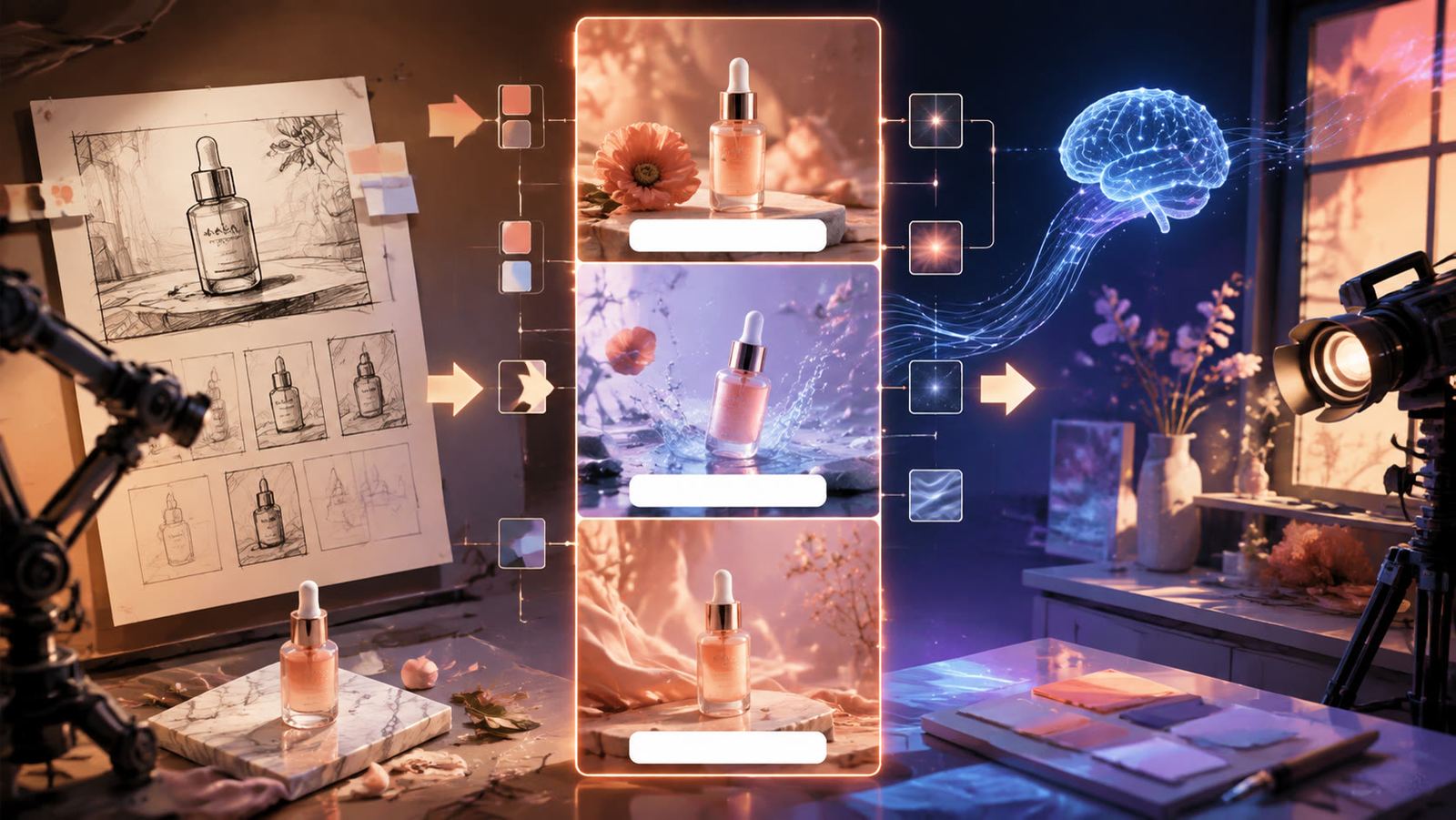
An AI reels generator turns a prompt, a photo or a short clip into a vertical video you can post to Instagram, and the useful ones do it at 9:16 without a timeline. This guide is the working version of how to make a Reel with AI: the seven steps we run in LazyKiwi, the Reels specs and safe zones from Meta's own pages, a price-checked table of the AI reel maker tools worth a look, what is free, eight Reel ideas mapped to templates, and the mistakes that make generated Reels look like stock footage.
What is an AI Reels generator and what can it make?
An AI Reels generator is any tool that produces a finished vertical clip from something that is not a clip: a text prompt, a still photo, two photos, or a script. The output is a 9:16 MP4 with the motion already in it, which is what separates it from an editor with AI features. You still cut, caption and post; you no longer film.

| Format it makes | What you feed it | Where it fits on Instagram |
|---|---|---|
| B-roll for a voiceover | A text prompt per shot | Explainer and story Reels where you talk over generated scenes |
| Product loop | One product photo | Drops, restocks and price announcements; ends where it starts |
| Transformation | Two photos (before and after, then and now) | Restyles, renovations, glow-ups; the cut is the hook |
| Camera move on a still | One photo | Travel, portraits, food; a push or a pull replaces the tripod |
Instagram treats these clips as AI content in one specific way. Meta applies an 'AI info' label when it detects industry-standard AI indicators in a file or when you disclose it yourself, and it moved labels for lightly edited content into the post menu while keeping visible labels on fully generated media, per the Meta Newsroom (2024). A labeled Reel is still distributed; the label is context, not a penalty.
A separate Instagram rule matters more for reach. Instagram's creators blog announced on 30 April 2026 that accounts which mostly post unoriginal content are removed from recommendation surfaces, and that adding a border, a watermark, subtitles or a caption credit does not make a repost original (the post is on creators.instagram.com, which serves pages only to browsers, so it is not linked here). A Reel you generated from your own prompt or photo is yours; a Reel you downloaded is not.
How to make a Reel with AI step by step
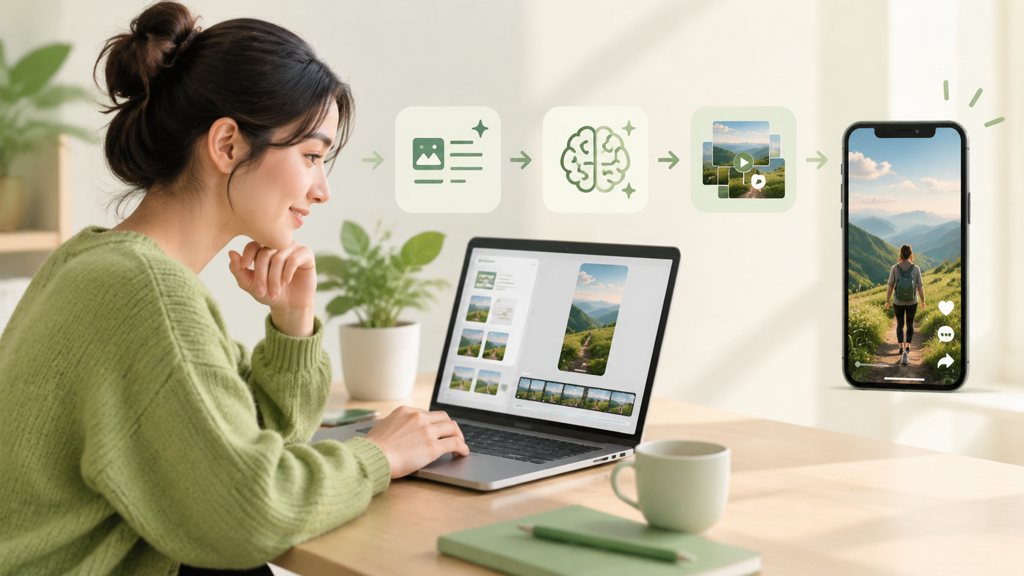
How to generate Reels with AI comes down to seven decisions, and only two of them happen inside the generator. The rest are brief, text, sound and posting choices that decide whether the clip reads as yours.
- 1
Write a three-line brief
Subject, motion, ending. 'Iced latte on a marble counter; slow push toward the glass as condensation forms; end on the logo on the cup.' If the brief needs a fourth line, it is two Reels.
- 2
Choose template or prompt
For a product or a portrait, start from a template in the AI video generator: one photo in, motion already designed. For a scene that does not exist yet, use text-to-video and set the ratio to 9:16 before you type.
- 3
Generate the base clip
In LazyKiwi, Seedance 2.5 covers 4 to 30 seconds at 480p or 720p in 9:16, working from a prompt, a single reference image or a first-and-last frame pair, charged per second (100 credits at 480p, 230 at 720p). Veo 3.1 Lite is the 1080p option: 9:16 at 720p or 1080p in 4, 6, 8, 30, 45 or 60 second presets, 200 credits for a 4-second 720p clip, and no audio on this tier.
- 4
Fix one beat, not the prompt
If the ending is wrong, change the ending phrase and rerun. Rewriting the whole brief throws away the parts the model got right.
- 5
Add the text as motion
Reels are watched muted first. Build the hook line and the payoff line in the animated text generator, export them as clips, and stack them inside the safe zone from the specs table below.
- 6
Add one effect and the sound
One hit from the AI VFX generator on the reveal frame is enough. Then add the audio inside Instagram, where a trending sound or your own original audio attaches to the post rather than being baked into the file.
- 7
Label, cover, post
Tick the AI disclosure if the clip could pass for real footage, pick a cover frame that shows the subject, and post from the app or the Edits app; the desktop is where you generate, not where you upload.
Generate at the length you will post. Trimming a 30-second clip to 12 seconds throws away credits; generating 12 seconds costs 12 seconds.
Which Reels specs and settings should you use?
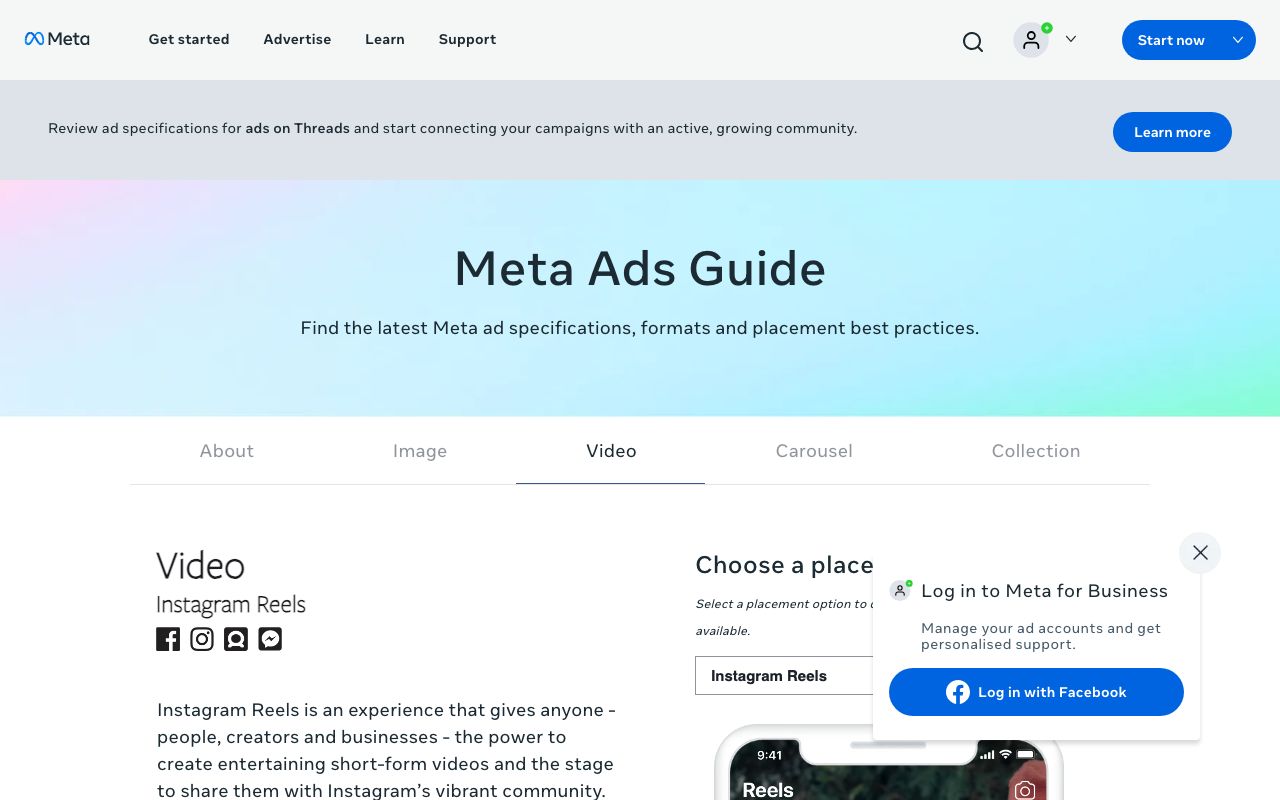
The figures below are from Sprout Social's video specs guide, updated 13 May 2026 (Sprout Social (2026)), and they match Meta's own Instagram Reels spec sheet, which we read the same day but which does not serve pages to automated checkers; Sprout's guide adds the text-safe margins.
| Spec | Meta's figure (verified 2026-09-05) | Matching generator setting |
|---|---|---|
| Aspect ratio | 9:16 | Set 9:16 before prompting; never crop a 16:9 render |
| Resolution | 1440 by 2560 pixels | Veo 3.1 Lite at 1080p (1080 by 1920) is the closest native output; Seedance 2.5 at 720p needs an upscale for large screens |
| File type | MP4 or MOV | LazyKiwi exports MP4; add audio in Instagram |
| Length | 0 seconds to 15 minutes | 6 to 30 seconds for templates and loops; longer only for tutorials |
| File size | Up to 4 GB | Not a constraint for a 30-second clip |
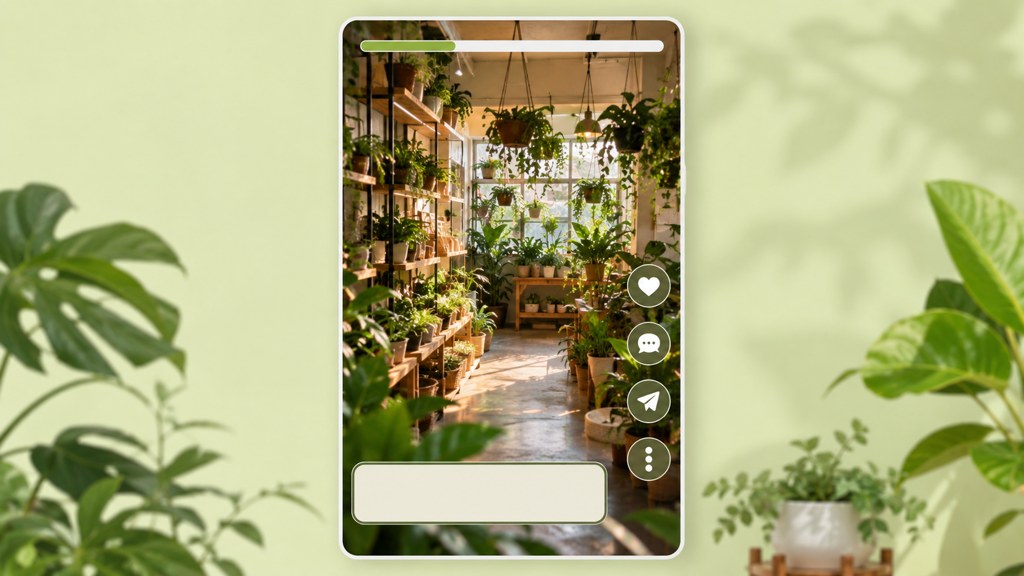
| Safe zone | Keep text and logos out of the top 14% (250 pixels) and the bottom 20% (340 pixels) | Place animated text in the middle 60% of the frame |
Two of those rows decide most failures. Meta's ad spec sheet asks for an even larger bottom margin on paid Reels placements, so if a Reel might later be boosted, keep the text higher than the organic margin. And the 15-minute ceiling is for uploads, not a target: a generated Reel earns its watch time in the first two seconds.
Which AI reel maker tools are worth trying?
There are two kinds of AI reel maker, and most lists mix them up: generators, which create the footage, and editors, which caption and cut footage you already have. Prices below were read from each vendor's pricing page on 5 September 2026; monthly figures as displayed.
| Tool | Kind | Price (verified 2026-09-05) | Reels-specific note |
|---|---|---|---|
| LazyKiwi | Generator (templates, Seedance 2.5, Veo 3.1 Lite) | 40 free credits a month; Starter $14 a month for 4,500 credits | 9:16 native; product reveal template gives 3 free 720p exports a day with no watermark |
| CapCut | Editor with AI features | Free to start, no card | Auto captions and text to speech; Reels-sized templates |
| invideo AI | Script-to-video generator | Plus $17 a month billed yearly, 750 credits | Bundles Seedance 2.5, Veo 3.1 and Kling 3; no free plan listed |
| Captions | Editor (captions, dubbing) | Free version with a limited feature set; Max $24.99 a month | Strong for talking clips; not a scene generator |
| VEED | Editor with AI tools | Free plan; paid tiers on its pricing page | Browser-based subtitles and resizing |
| Instagram Edits | Instagram's own editor | Free app | Instagram's mobile editor, launched in April 2025 and updated weekly per its first-anniversary post; posts straight to Reels |
Which one makes the footage?
Only two rows generate scenes from nothing: LazyKiwi and invideo AI (2026), and invideo's plan page lists no free tier today. CapCut (2026), Captions (2026) and VEED (2026) are where you go after the clip exists, for burned-in captions, resizing and voice. Instagram's Edits app is the platform's own answer to the editor category and posts directly to Reels.
Which one for a product Reel?
For a drop or a price reveal, a template beats a prompt. The product reveal template slides your product photo into frame, animates the name and price out of a track, and lands a button, all in six seconds, exportable at 9:16, 16:9, 1:1 and 4:5 without recropping. Prompted video cannot type a price accurately; a template can.
Is there a free AI reels generator?
Yes, with the usual shape: free to make, limited on resolution or volume. What a free AI reels generator gets you today, from the pages above:
- LazyKiwi: every account gets 40 credits a month that refresh, and the product reveal template allows 3 free 720p exports a day with no watermark; 1080p exports on that template are paid.
- The credit math for prompted scenes: five seconds of Seedance 2.5 at 480p comes to 500 credits, and four seconds of Veo 3.1 Lite at 720p to 200, so the monthly free allowance covers template Reels and short tests rather than a weekly slate of generated footage.
- CapCut and Instagram's Edits app are free editors for the caption and cut stage; Captions has a free version without the generative features.
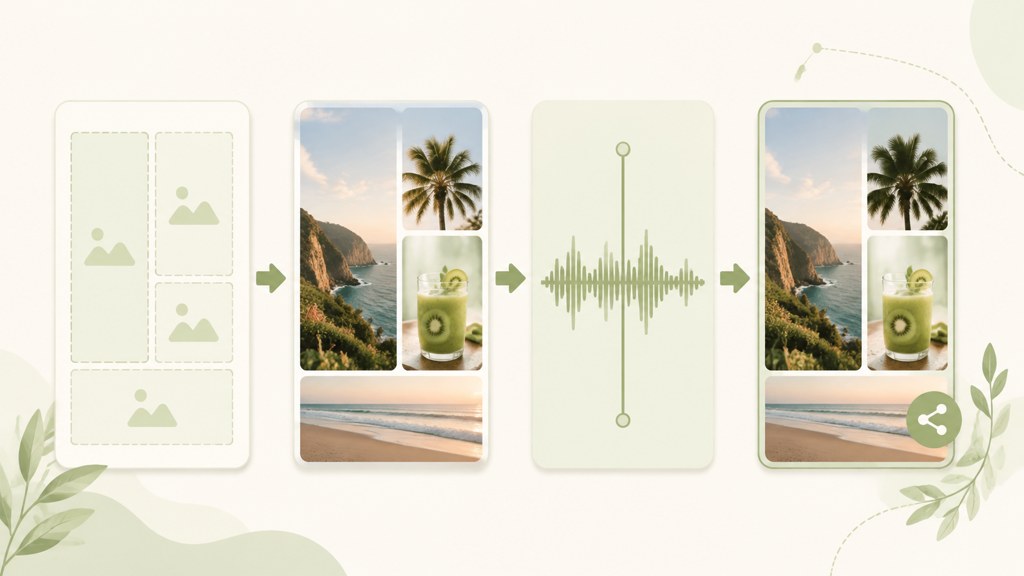
- Instagram's own templates inside the Reels composer are free and use your existing clips and photos; they are the quickest route for a carousel-style Reel.
Watermarks are the thing to check before you rely on a free tier. A visible tool watermark on a Reel reads as a repost to viewers, and it is one of the edits Instagram explicitly says does not make content original.
What Reels ideas work best with AI-generated clips?
Generated clips are best where filming is the obstacle: a product you cannot shoot well, a scene that does not exist, or ten variations of one photo. These eight map to templates in the video templates hub or to a single prompt.
| Reel idea | Template or route | Length that works |
|---|---|---|
| Product drop with price | Product Reveal template | 6 seconds, loops |
| Then-vs-now morph | Then vs Now Transition template | 10 seconds |
| Editorial portrait from a mirror selfie | Mirror Phone Editorial image template, then a slow push | 8 to 12 seconds |
| Throwback in an instant-print frame | Polaroid family photo template | 8 seconds |
| Room glow-up | AI Interior Design tool, before and after cut | 10 to 15 seconds |
| Scale-reveal outro | Earth Zoom Out template on your street or shop | 6 to 8 seconds |
| Voiceover explainer | Seedance 2.5 text-to-video, one shot per sentence | 20 to 30 seconds |
| A week of posts from one photo | Restyle plus camera-move templates on the same image | 7 Reels of 6 to 10 seconds |
The last row is its own workflow: one strong photo, five treatments, seven posts. The one photo, a week of content guide walks through the batching plan day by day; the TikTok and Shorts versions of these ideas are in their own posts, because the sound and series mechanics differ by app.
What mistakes make AI Reels look generic?
- A 16:9 render cropped to 9:16: the subject sits at the edge and the motion designed for a wide frame reads as drift. Set the ratio first.
- No hook in frame one: a generated clip that fades in from black has spent its first second on nothing. Start on the subject, moving.
- Stock-like motion: a slow pan over a generic interior is what the model produces when the prompt has no specific object. Name the object, the material and the light.
- Captions baked in the wrong place: text in the bottom third sits under the caption and the buttons. Keep it in the middle half of the frame.
- Ignoring the AI label: if the clip could pass for a real place or product shot, disclose it; the label costs nothing and a takedown costs the post.
- Reposting instead of generating: the April 2026 originality rule removes accounts that mostly repost from recommendations, and a watermark or a credit does not fix it.
- One effect per second: a single VFX beat marks the reveal; a clip full of them looks like a template demo rather than a post.
The pattern across all seven is the same. An AI Instagram reel generator gives you motion for free; it does not give you a subject, a hook line or a reason to stop scrolling. Those come from the three-line brief in step one, which is why the brief is the step people skip and the step that decides the Reel.
Key takeaways
- Meta's Reels spec is 9:16, 1440 by 2560, MP4 or MOV, up to 15 minutes and 4 GB, with 14% top, 35% bottom and 6% side safe zones; set 9:16 before you prompt.
- Seven steps make a Reel with AI: brief, template or prompt, generate (Seedance 2.5 or Veo 3.1 Lite), fix one beat, animated text, one effect plus sound in Instagram, label and post.
- Only generators create footage; LazyKiwi and invideo AI generate, while CapCut, Captions, VEED and Instagram's Edits app caption and cut what you already have.
- Free routes exist: 40 LazyKiwi credits a month plus 3 free 720p exports a day on the product reveal template, free editors from CapCut and Instagram, and a limited free version of Captions.
- Since April 2026 Instagram drops accounts that mostly repost from recommendations; a Reel generated from your own prompt or photo counts as original, a downloaded one does not.
Creator Growth Editor
Priya Sharma
I study what makes short-form content spread, then turn the pattern into something you can repeat on a Tuesday afternoon without a studio.
FAQ
Common questions
Can Instagram detect AI-generated Reels?
Partly. Meta says it applies an 'AI info' label when it finds industry-standard AI indicators in a file or when the creator discloses, so clips carrying those signals are labeled automatically, and others rely on your disclosure. Detection is about labeling, not removal; a labeled Reel is distributed like any other.
How long should an AI Reel be?
Meta allows up to 15 minutes, which is an upload limit rather than a recommendation. Template Reels (product reveals, transitions, camera moves) run 6 to 12 seconds and loop; a voiceover explainer with one generated shot per sentence runs 20 to 30 seconds. Generate at the length you will post rather than trimming a longer render.
Does Instagram label AI content automatically?
Yes, when the file carries the industry-standard indicators Meta reads, and when you self-disclose at posting. Meta moved the label for lightly edited content into the post menu and kept a visible label for fully generated media. If your clip could pass for real footage and carries no indicator, tick the disclosure yourself.
Can I make Reels on desktop with AI?
Yes for the making, mostly no for the posting. LazyKiwi's generator, the animated text tool and the VFX tool run in a browser and export a 9:16 MP4; move that file to your phone, add the sound and cover in the Instagram app or the Edits app, and post from there so the audio attaches to the post correctly.
What is the best AI reel generator for beginners?
A template-first one. Start with a product reveal or a then-vs-now transition in LazyKiwi, where the motion is designed and you supply one or two photos, and move to prompted scenes with Seedance 2.5 only once you have posted a few templates and seen how the feed treats them. Prompting from day one is where most beginners burn credits.
Make your first Reel from one photo
Choose a LazyKiwi template, drop in a product shot or a portrait, and download a 9:16 MP4 ready for Instagram. The first 40 credits are on the house.
Keep reading
25 Faceless YouTube Channel Ideas You Can Start Today
Find a realistic faceless YouTube niche, validate your concept, and turn simple scripts, visuals, narration, and editing into consistent videos.
8 min read
How to Make AI Videos for TikTok Without a Complicated Setup
Learn how to make AI videos for TikTok with a simple workflow for planning hooks, generating consistent scenes, editing vertical clips, testing trends, and creating videos with free tools.
8 min read
25 YouTube Shorts Ideas You Can Make Without Showing Your Face
Turn these practical YouTube Shorts ideas into engaging faceless videos using screen recordings, captions, AI visuals, narration, and simple edits.
8 min read
21 TikTok Video Ideas You Can Adapt to Any Niche
Use these TikTok video ideas to build recognizable series, test strong hooks, create aesthetic posts, and publish without waiting for inspiration.
8 min read