
Product Drop Reveal
A product reveal video you can build in a minute
Your product photo slides up from below and swings into place. A pill-shaped track opens beside it, the name slides out of one end and the price tag out of the other, and a green button lands underneath. Mint palette, six seconds.
- 6s
- duration
- 4
- aspect ratios
- 7
- controls
- 720p
- free, unlimited exports
Social Hooks · 6s · 9:16
Product · Ecommerce · Drop · Price
The drop format, rebuilt as an editable document
This is the shape a product launch takes when it works on social: photo first, name and price second, button third, all inside six seconds. The card holding the photo carries its own scrim, a LIMITED badge and a spec caption, so the image never sits naked on the background. The reveal is a slide plus a small rotation, which is what gives it the physical feel of something being placed rather than pasted.
The name and price come out of a track — a rounded bar that grows first and then lets the text slide out of it. That is a deliberately mechanical move, and it is why the price reads as a fact rather than a caption. Underneath, a kicker line, a shipping note and a call-to-action button finish the card. All of it is text you type.
6 seconds, three beats
What is on screen, and when. Every element named here is a layer in the document — you can click any of them on the canvas and change it.

Beat 1 · 1.1s
The card rises
NEW DROP sets top-left with the brand line opposite it, and the product card slides up from below the frame with its scrim already on.

Beat 2 · 2.4s
Badge, name and price
The card has settled out of its swing, the LIMITED badge and the spec caption have faded up on the photo, and the name and price have slid out of the track beneath it.

Beat 3 · 3.0s
The call to action
The shipping note and the Shop-the-drop button settle at the foot of the frame — everything a buyer needs, held long enough to read.
Three steps to a product drop
- 01
Upload the product photo
Drop a portrait shot into the image slot. It lands inside the same card with the same scrim, badge and caption, and it gets the same slide-and-swing as the placeholder.
- 02
Type the name and price
The product name and the price are separate controls, so the price keeps its own tag treatment. There is a size control for the name if yours runs long.
- 03
Set the button and export
Write the button label, set the accent to your brand green — or anything else — and export 9:16 for stories, 4:5 for feed or 1:1 for a grid.
Physical, not pasted
The photo swings into place
The card rises from below the frame and rotates a few degrees into its final position, easing out at the end. That tiny bit of rotation is the difference between a product photo appearing and a product being put down in front of you.
The track
Name and price slide out of a rail
The pill grows to width first, then releases the name from the left and the price tag from the right. Two elements sharing one mechanism reads as designed; two separate fades read as a template someone filled in.
Your photo, unchanged
An image slot, not a generated picture
Nothing here regenerates or restyles your product. The photo you upload is the photo that exports — the motion is applied around it, so colours, packaging and text on the label stay exactly as shot.
What you can change
Seven controls. The badge, the spec caption, the brand line and the shipping note are canvas-editable text layers on top of these.
- Click any element on the canvas to edit it directly
- Or describe the change in a sentence and let the assistant make it
- Export 9:16, 16:9, 1:1, 4:5 from the same document
Studio controls
7 named
- Product nameTextSea Glass Candle Set
- PriceText$48
- Button labelTextShop the drop
- AccentColour#12B76A
- Name sizeSlider 40–5648
- Product photoPhoto
- SpeedSlider 0.5–21
Why not shoot it
A shot product video needs a set, a light, a turntable and an afternoon of editing, and the result is a flat file you cannot change when the price does. This is the same information — the object, the name, the number, the action — in a document where the price is a text field. When the next SKU drops you swap the photo and retype two lines.
Product Drop Reveal: questions, answered
Is the product reveal template free?+
Free to open and edit, with unlimited free 720p exports with a small LazyKiwi mark on a free account. Clean 1080p is included with any paid plan if you want full HD for a paid placement.
What aspect ratios can I export?+
All four — 9:16, 16:9, 1:1 and 4:5. Authored vertical, retargeted rather than cropped, so the price tag never slides off the edge of a square export.
Can I use my own product photo?+
That is the point of it. The photo is a named image slot; upload yours and the slide, the swing, the scrim and the badge all apply to your image exactly as they do to the placeholder.
Do I need After Effects?+
No. No project file, no plugin, no install. It renders in the browser and the preview is the same renderer that writes your MP4.
How long is the clip?+
Six seconds, with everything landed by 3.0s. Use the speed control between 0.5× and 2× if a shorter cut suits the placement better.
More product & ui
All product Gradient Sweep LogoA blue-to-lilac gradient opens from the centre and fills the frame, a white mark and a serif wordmark settle on it, then the gradient folds back to paper for a seamless loop
 Letter Bars LogoOn pure black two deep-red bars and one bright diagonal rise in turn and lock into a tall N letter mark, then a red wordmark lights up below — the streaming-service sting
 Route Logo RevealOn a pale map of white streets a route draws itself from a start pin through three waypoints; at the destination a map pin carrying your mark drops in and a label card with the brand name pops up under it
 Globe ArcsA wireframe globe turns slowly on a midnight stage while six city-to-city arcs light up in sequence, with a route table ticking along beside it.
 Spin LogoOn a full-bleed tangerine stage a dot-grid mark spins a full turn while growing into place, a thin rule draws beside it and a serif wordmark slides out with its tagline
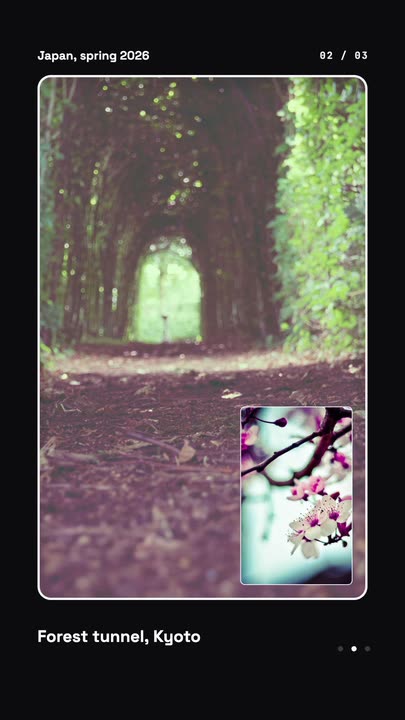 Nested Photo EditPicture-in-picture photo edit: a small inset grows into the main frame, then the next one nests inside it, three deep on a seamless loop.
Drop your product in.
One photo, a name and a price. Open the template and export a ready-to-post reveal in the aspect you need.