
An animated text generator built on real type.
Type your line, pick one of eleven designed presets — neon sign, typewriter, kinetic stomp, highlighter, wipe reveal, glitch — and recolour any of them to your brand. Export an MP4 at 9:16, 16:9, 1:1 or 4:5 from the same document.
- 11
- Designed presets
- Rise, typewriter, handwriting, neon, highlight, bounce, wave, glitch, scale pop, wipe, fade.
- 12
- Self-hosted typefaces
- Real families under the SIL Open Font License 1.1 — not a filter over a screenshot.
- 4
- Aspect ratios
- 9:16, 16:9, 1:1 and 4:5, each recomposed rather than centre-cropped.
- 0
- Render queue
- Type is drawn in your browser, so previewing every preset costs nothing.
- Type stays vector to the export, so it holds up full-screen
- Every preset takes your brand colours
- No watermark on any paid plan
- Fonts are OFL-1.1 — licensed for commercial work
What it is
Eleven presets a designer would actually pick.
Most animated text makers online are the same twenty effects from a decade ago — a bevel, a rainbow gradient, a shimmer — rendered onto a low-frame-rate GIF. This one starts from typography. Each of the eleven presets is a designed treatment set in a real open-licence typeface — a neon sign that flickers on, a typewriter that types, a kinetic stomp that hits on the beat, a highlighter that draws itself across the line, a wipe reveal, a glitch, a cut-out lettering collage and a slow breathe, among others. Every preset is recolourable, so it becomes your brand rather than the tool's, and the type stays vector all the way to the export — which means it is still sharp when someone watches it full-screen on a laptop instead of thumbnail-sized on a phone.
How it works
Create animated text in three steps
Type your line
A headline, a caption, a quote, a call to action. One line or several — the layout sets itself around what you write.
Pick a preset
Eleven of them, each previewing live with your own words in it. Then set the colour, the speed and the aspect ratio.
Export
MP4, encoded in your browser, with a WebM fallback where the browser has no MP4 encoder. 720p is free and unlimited, with a small LazyKiwi mark; any paid plan exports clean 1080p and Pro adds 4K.
Typography
Real fonts, not a filter over a screenshot
Each preset is set in an open-licence typeface chosen to fit it — a condensed grotesque for the stomp, a monospace for the typewriter, a script for the handwriting note. The text is rendered as type and stays vector through the export, so edges are clean at any size and the letterforms hold together when the animation scales up.
- A typeface matched to each preset
- Vector-sharp at every resolution
- Upload your own font when a brand needs it
Recolourable
Every preset takes your brand colours
The neon is not stuck being pink and the highlighter is not stuck being yellow. Set the type colour, the accent, the glow and the background on any of the eleven, and the preset re-renders live. That is the difference between a template you use once and one you can put on every post for a year.
- Type, accent, glow and background colours
- Live preview as you change them
- Save a palette and reuse it across presets
One document, four ratios
9:16, 16:9, 1:1 and 4:5 without rebuilding
Switch the aspect ratio and the animation recomposes — line breaks, type size and safe margins all adjust — instead of cropping the sides off a wide render. Write the line once and ship the vertical cut, the feed post and the YouTube version from the same place.
- Recomposes rather than crops
- Safe margins respected on every ratio
- Re-export another ratio whenever you need it
Editable, always
Fix a typo without starting over
Your animation is saved as a document rather than baked into a file, so changing a word, a colour or the timing takes seconds and costs nothing. It renders in your browser, which means no upload wait, no render queue and no email telling you it is ready.
- Change copy and timing at any point
- Unlimited free 720p exports
- Renders locally — no queue
Inside the tool
Your words, in every preset, before you spend an export
The preset list previews with the line you actually typed rather than with sample copy, so choosing is a matter of looking rather than guessing. Colour, ratio and preset all live in one panel beside the stage.
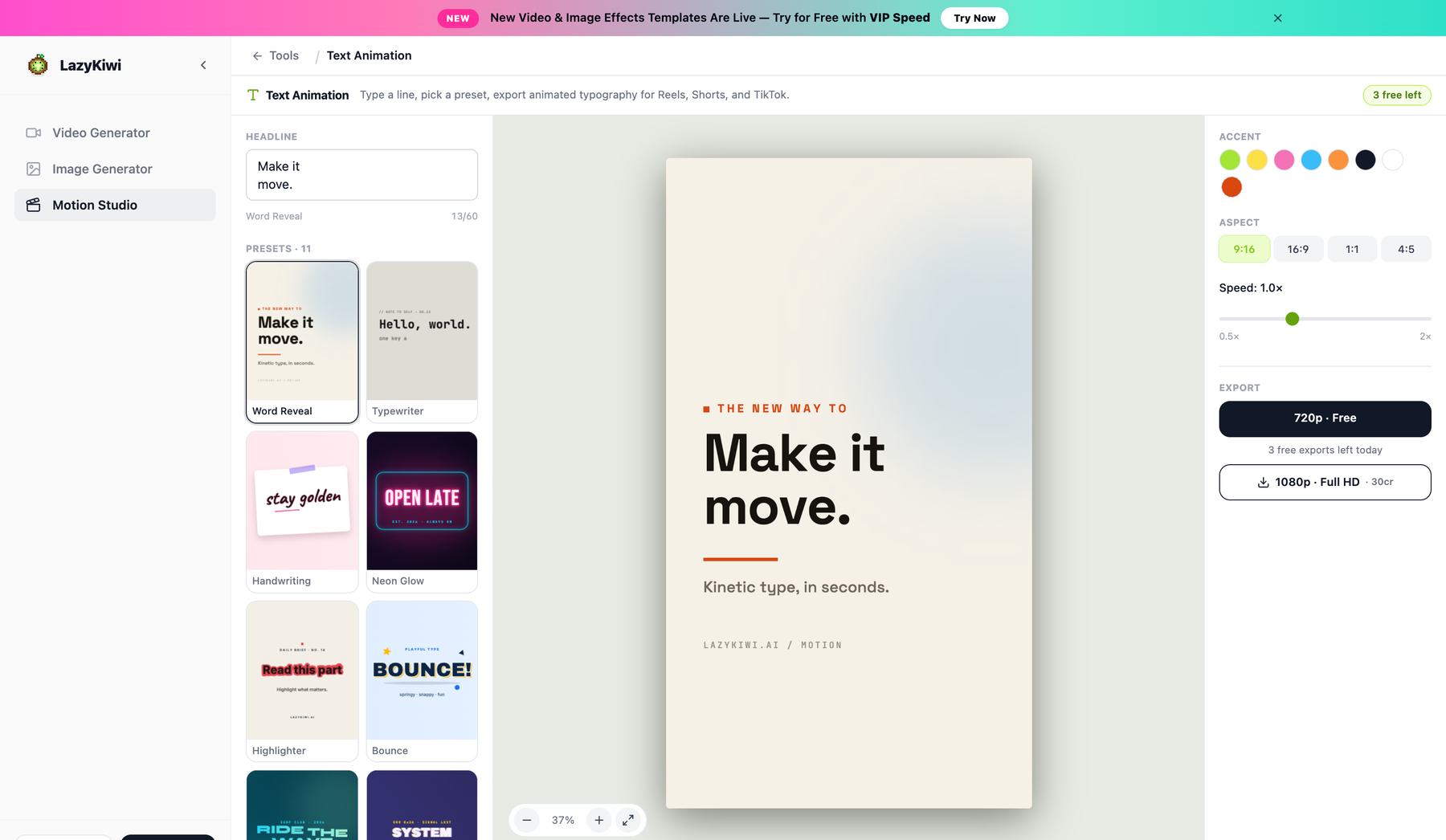
Presets preview your copy
Every tile shows your line, not placeholder text, so what you pick is what you get.
Recolour to your brand
Each preset takes an accent colour, so it stops looking like the tool's default.
Fix a typo without starting over
Retype the line and the animation rebuilds around the new word count.
Six of the eleven
Animated text presets, running on real type
Each of these is a designed treatment set in a self-hosted OFL typeface, not an effect painted over a screenshot — which is why the letterforms stay sharp when someone watches full-screen.
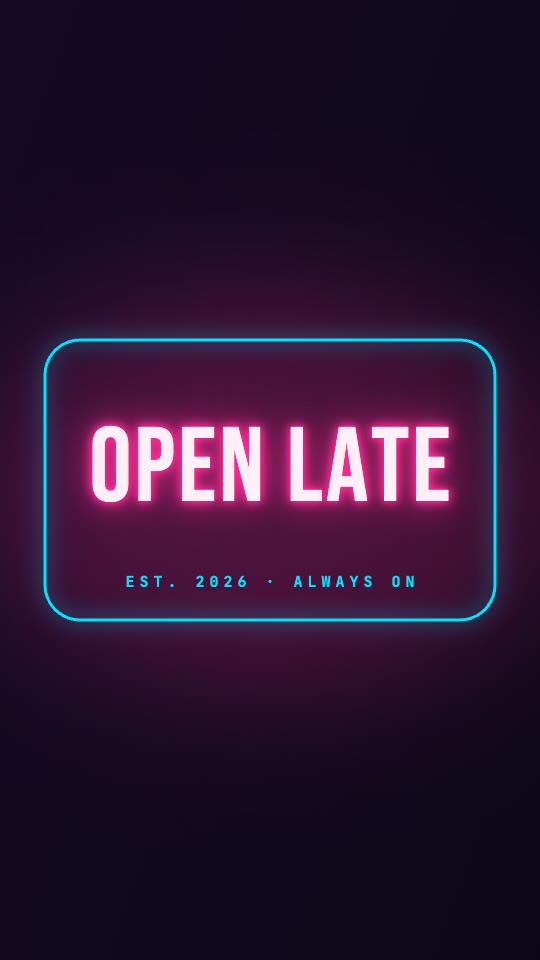
Neon sign
Tube flicker and bloom, on at dusk.
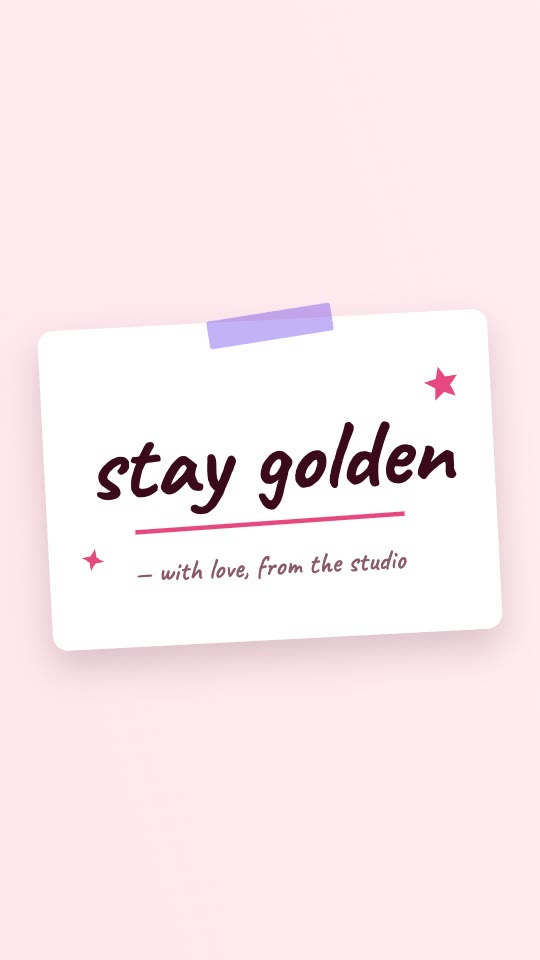
Handwriting
Drawn stroke by stroke on a taped note.
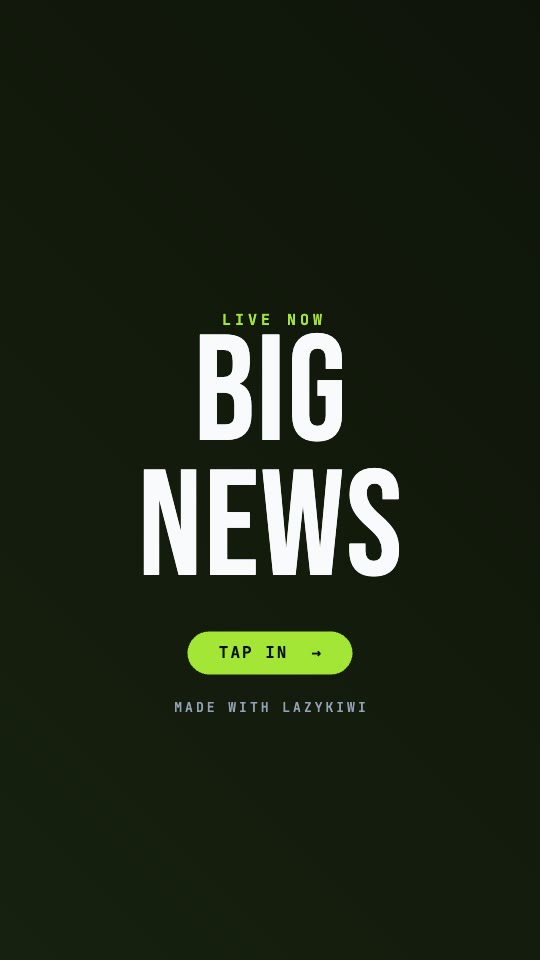
Kinetic pop
Per-word stagger with a CTA pill landing.
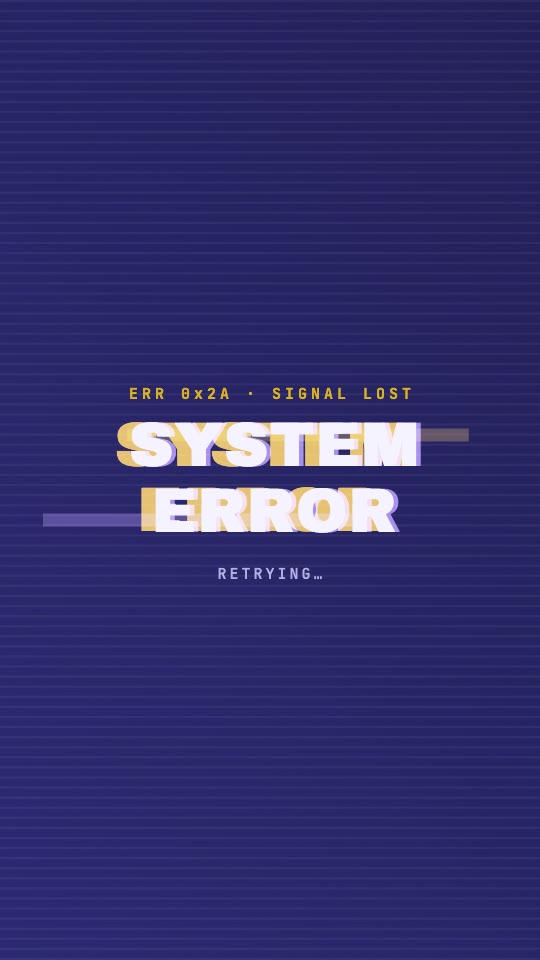
Glitch
RGB split and scanlines on the cut.
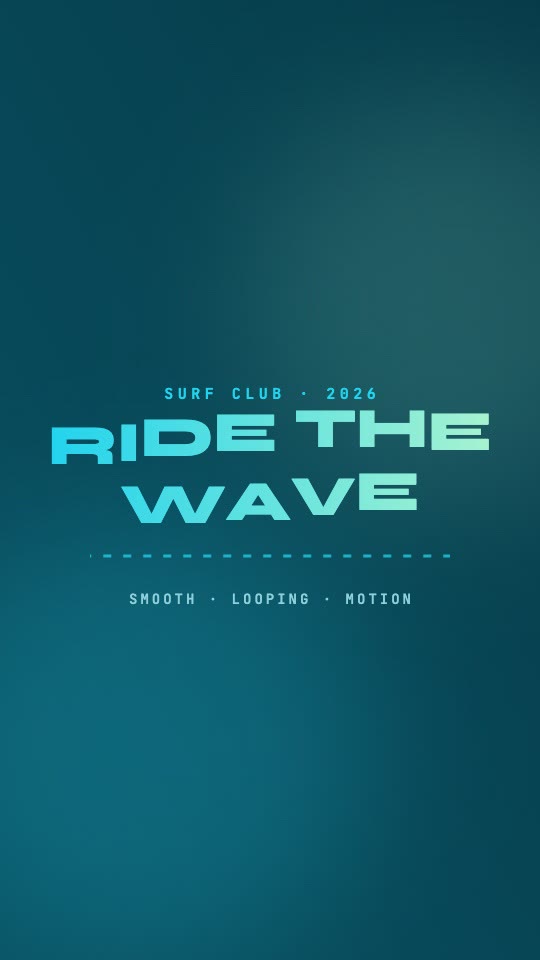
Wave
Letters riding a sine with real depth.
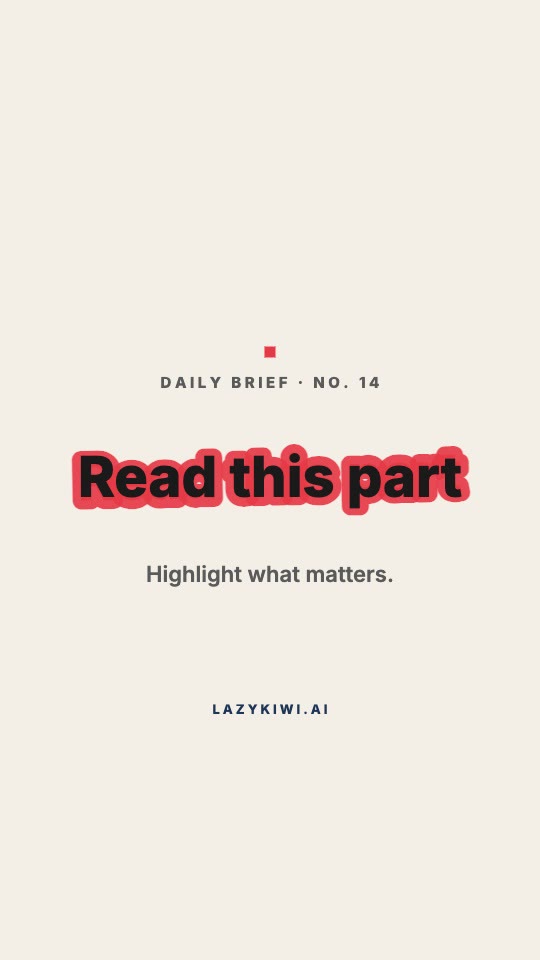
Marker highlight
A highlighter draws itself across the line.
Why LazyKiwi
Why this animated text maker
Free, clean on any plan
Type a line and export a real 720p MP4 for free, as often as you like. Any paid plan removes the small mark and exports 1080p.
Done in under a minute
There is no upload step and no render queue. Type, click a preset, export — the whole thing happens in the browser.
Nothing to learn
No keyframes, no easing curves, no After Effects licence. The design decisions are already made inside each preset.
Compare all eleven
Every preset previews with your actual words, and switching between them is instant and unmetered. Try all eleven before you spend an export.
Text stays sharp
Type is rendered as type, not as pixels, so it holds up full-screen instead of turning soft the way an old GIF generator's output does.
Yours to use commercially
Client work, paid ads, brand channels — no extra licence, no attribution. The fonts are open-licence for exactly this reason.
Animated text maker, editor preset pack, or an old GIF generator
Three ways to get a line of type moving, and what changes when the animation is built on real fonts instead of on a picture of them.
LazyKiwi Animated Text
What you get here
- Eleven designed presets on 12 self-hosted OFL typefaces
- Type stays vector to the export — sharp at full screen, not just as a thumbnail
- Every preset recolours to your brand, and previews with your own words
- 9:16, 16:9, 1:1 and 4:5 recomposed from one document
- 720p exports free and unlimited; 1080p clean on any paid plan
A GIF text generator
The old-web option
- Bevels, rainbows and shimmer rendered to a low-frame-rate GIF
- Output softens the moment it leaves thumbnail size
- Usually one font, rarely your brand colour
- No aspect ratio choice worth the name
Editor preset packs
After Effects, Premiere
- Powerful, if the software is already installed and learned
- A pack has to be found, bought and kept compatible
- Retiming for a longer headline means touching keyframes
- Each aspect ratio is laid out again by hand
Pricing & limits
Free animated text, and what the paid step actually buys
Free text animation usually means a five-second cap or a sign-up wall. Here are the actual numbers, and what changes when you pay.
Unlimited exports
Free · 720p
- 720p MP4 with a small LazyKiwi mark, for personal use
- Any plan or credit pack removes the mark
- All four aspect ratios — 9:16, 16:9, 1:1, 4:5
- No card required to open, edit, preview or export
- All eleven presets and all 12 typefaces, nothing held back
1080p on any paid plan
1080p · 4K
- Same clip, same edit, rendered clean at 1080p — commercial use included
- 4K, 60 fps and transparent ProRes on Pro and above
No credits to export
Renders in your browser
- Previewing every preset with your own words re-render locally and spend no credits
- No upload queue and no render wait to pay for
- Optional cloud render, every frame stable: 5 credits per 20 seconds
FAQ
Animated text questions, answered
Is the animated text generator free?+
Yes. Type your line, pick any of the eleven presets and export a 720p MP4 for free — unlimited exports, with a small LazyKiwi mark in the corner. Previewing is unmetered because it renders in your browser. Any paid plan exports 1080p with no watermark, and Pro adds 4K and 60 fps: no plan here buys extra seconds or extra presets.
Can I export an animated text GIF?+
Not directly. The exporter produces MP4, with a WebM fallback where the browser has no MP4 encoder — and we would rather say that than advertise a format the tool does not make. If you need a looping GIF for an email, a README or a chat, convert the MP4 afterwards; because the type is rendered as vector rather than pasted in as pixels, the letterforms survive that conversion far better than an old GIF-first text generator's output does.
Can I use my own font?+
Yes. Upload a TTF, OTF or WOFF file and the preset re-renders in it. If you do not have a brand font, the built-in typefaces are open-licence and chosen to suit each preset, so you are not stuck with one generic face across all eleven.
Do I need After Effects or Premiere Pro?+
No. Animating text properly in After Effects, Premiere or DaVinci means learning that application's keyframe system for what is usually a five-word headline. Here the animation is already designed — you supply the words, the colours and the ratio, and export a file those editors will happily accept.
What aspect ratios can I export?+
9:16 for Reels, Shorts and TikTok, 16:9 for YouTube and web, 1:1 for feed posts and 4:5 for the taller feed crop. The animation recomposes for each — line breaks and type size adjust — rather than cropping a wide render.
Is there a watermark?+
Free exports carry a small LazyKiwi mark in the corner; any paid plan (from Starter) removes it and unlocks commercial use.
Can I use the animation commercially?+
Yes. Use it in ads, client deliverables, monetised channels and product launches with no additional licence and no attribution. The built-in typefaces are open-licence fonts specifically so commercial use is not a problem.
How long can the text animation be?+
Presets run about five seconds, which is the length a hook, a pull quote or a name plate actually wants. That is the same on the free tier and the paid one — no plan here sells you extra seconds. For something longer, export two or three lines separately and cut them together.
How do I animate text in CapCut, Premiere Pro or After Effects?+
You do not have to. That family of searches — how to animate text in CapCut, Premiere Pro, After Effects, DaVinci Resolve — is almost always someone who does not want to learn that editor, they just want the line to move. Each of those routes means keyframing opacity and position by hand, or hunting for a preset pack that matches the look you pictured. Here you type the line, pick a preset and export an MP4 in about thirty seconds, then drop that file onto whichever timeline you were going to use anyway.
How do I animate text in Canva, Google Slides or PowerPoint?+
Those tools each animate text, but within their own house set — a handful of entrance effects designed for slides rather than for social video, and locked to that document. Exporting one as a standalone clip is usually the awkward part. This generator gives you the clip first: a 9:16, 16:9, 1:1 or 4:5 MP4 on a background colour you choose, which you can then place into a slide, a Reel or an edit without inheriting the presentation's styling.
Is this a kinetic typography maker?+
Yes, in the sense that matters: several of the eleven presets are kinetic typography — the stomp that hits on the beat, the wipe reveal, the wave, the word-by-word rise. What it is not is a blank timeline where you keyframe every word yourself. The rhythm is built into each preset and adapts to the number of words you type, which is why a line lands correctly without you setting a single keyframe.
Use cases
What people animate text for
Short-form hooks and captions
The first line of a Reel or a TikTok, animated so it lands before someone's thumb moves. Export 9:16 and cut it in ahead of your footage, or post the text card on its own.
Titles, lower thirds and quote cards
Video intros, name plates, pull quotes for a newsletter, a looping headline for a landing page or a README. Anything that needs type to move without a motion designer being involved.
Ads and product launches
Price drops, feature callouts and launch announcements in a house style. Set the colours once, then run every message through the same preset so the whole campaign matches.
More answers
More on presets and workflow
How do I make animated text for CapCut or TikTok?+
Write your line here, choose 9:16, and export an MP4. Import it into CapCut as a clip and lay it over your footage, or post the text card on its own. This route avoids fighting CapCut's own text-animation controls for anything more designed than a fade.
How is this different from animating text in Canva?+
Canva's text effects are a small set of generic entrances applied to whatever font you picked. These are eleven complete treatments — the neon has its own flicker rhythm and glow falloff, the magazine mode tears each letter separately — with the typography and timing designed together rather than bolted on afterwards.
Can I make kinetic typography with it?+
Yes. The kinetic stomp preset is built for it: words hit on the beat, scale hard on the accent and hold. Set the speed to match your track's tempo and it cuts together into a full kinetic typography sequence without a timeline.
Does the text stay sharp when I scale it up?+
Yes. Type is rendered as vector rather than pasted in as an image, so it stays clean at higher resolutions. This is the main visual difference from older GIF text-effect sites, whose output softens as soon as it leaves thumbnail size.
Can I put animated text over my own video?+
Yes. Export on a transparent or solid background and composite it over your footage in whatever editor you use, or bring the clip into Motion Studio and layer it there if you would rather not leave the browser.
Can I animate more than one line at a time?+
Yes. Multiple lines animate in sequence with a stagger you control, which is how you build a three-beat hook or a quote with an attribution line underneath it.
Keep going
The rest of the motion toolkit
Logo Motion
Composite your logo into 18 procedural scenes — concrete, glass, canvas, signage — with real lighting.
OpenPaper Animation
Cut your photo onto torn paper and animate it frame by frame — fold, newspaper, magazine or press coverage.
OpenAI Motion Graphics
The full Motion Studio — storyboard first, then render. Every tool here opens into it in one click.
OpenMotion templates
Ready-made scenes you can open, edit and export instead of starting from a blank document — all 24 on the Motion tab of the template library.
OpenAnimated Logo Ideas: 12 Reveals That Work
Twelve animated logo patterns sorted by how long each takes to build, what every one says about a brand, and the export settings each platform expects.
OpenPaper Animation Tools: Free Options Compared
Paper animation tools that turn a photo into card-craft motion, compared on style range, render length and what each free tier actually exports.
OpenType a line. Watch it move.
Eleven designed presets, your colours, your fonts, every aspect ratio. Unlimited free 720p exports; clean 1080p on any paid plan.
No credit card · Free to try · Results in seconds