
How to Make an AI Dance Video That Looks Natural
How to make an AI dance video from one photo: use a ready-made routine or your own dance clip, choose a photo that holds up, and fix the beats that glitch.
 Daniel Okafor 6 min read
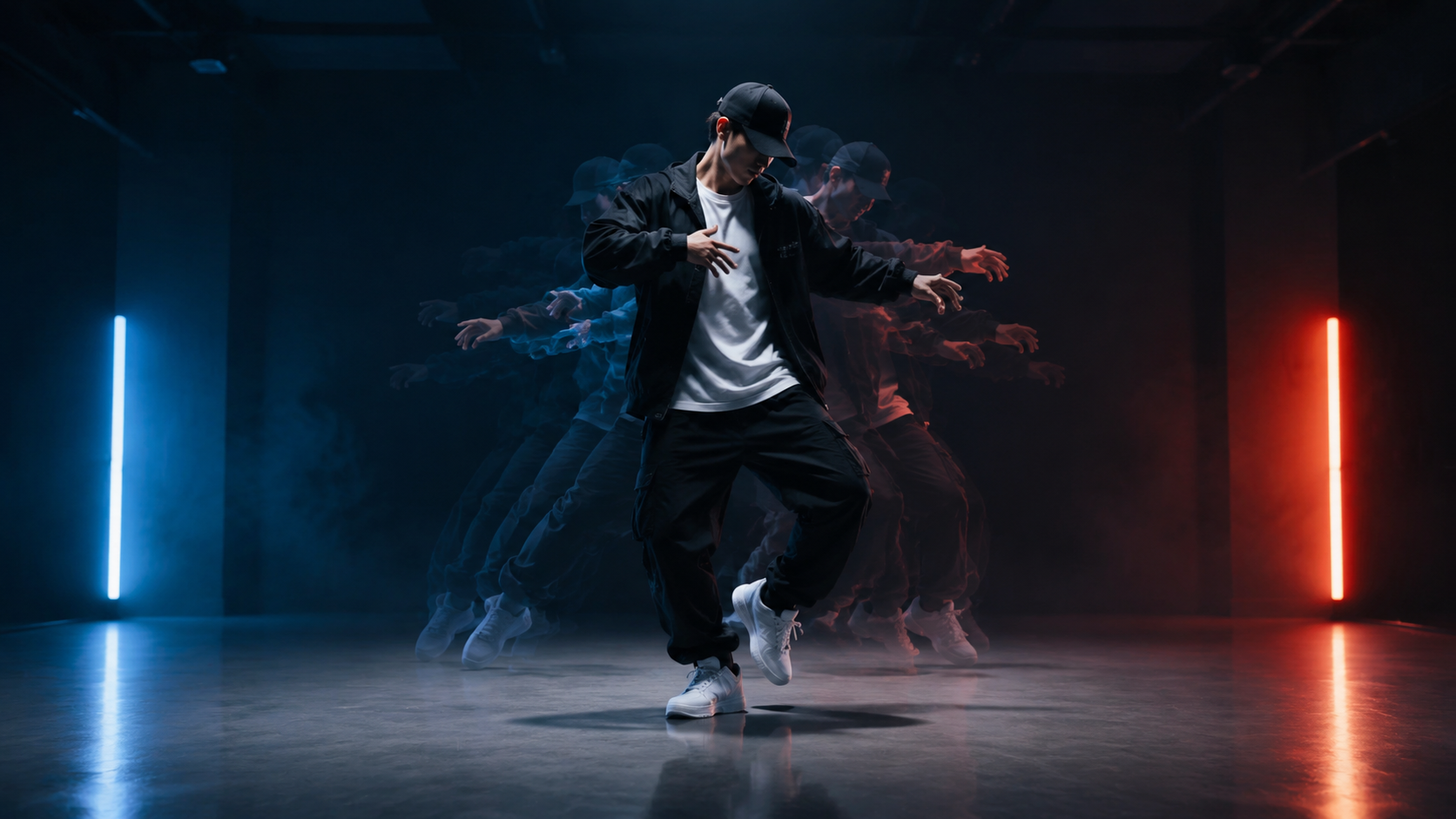
An AI dance video takes a still photo of a person and makes them dance. There are two ways to do it: pick a routine someone already built, or bring your own dance clip and let the AI copy the moves onto your photo. Both are quick. What separates a clip people share from one they scroll past is the photo you start from, the clip you copy, and the few seconds where the motion breaks. This guide covers how to make an AI dance video both ways, how to choose inputs the model can keep, and how to fix the glitches. Product details were checked against LazyKiwi's live tool and template pages on 8 November 2026.
Two ways to make an AI dance video
Every AI dance tool works one of two ways. A dance template applies a routine that is already chosen to your photo. Motion transfer reads the movement from a dance video you supply and applies it to the person in your photo.
| Route | You upload | The dance comes from | Best for |
|---|---|---|---|
| Dance template | One photo | A routine built into the template | Trends with a fixed routine; the fastest result |
| Motion transfer | One photo and a short dance clip | Any single-dancer clip you have the right to use | This week's trend, your own choreography, fitness moves |
On LazyKiwi the template route covers specific trends: the AI sway dance, the bun shake dance, the Love Kill dance challenge — a full-body routine with kicks and a cartwheel — and the two-person Brazilian walk dance. The motion-transfer route is the AI dance generator: one photo of a person plus one dance clip, and the person in the photo performs the same moves for as long as the clip runs.
If the routine you want exists as a template, use it. If it does not — or the trend started this week — record the dance or save a clip you are allowed to use, and go the motion-transfer route.
Choose a photo the model can keep
The model can only keep what it can see, so the photo decides whether the dancer still looks like themselves on the last frame.
- One person. Crop out anyone else before uploading; a second face in the frame can bleed into the dancer.
- Full body, or at least waist up. If the feet are cut off, the model has to invent them — and invented feet slide.
- Facing the camera, in soft, even light. Side-on faces and hard shadows lose identity fastest.
- Empty, visible hands. A phone, a drink or a bag in hand tends to warp once the arms start moving.
- Fitted, plain clothes. Long flowing fabric and busy patterns flicker from frame to frame.
Shooting the photo yourself?
Stand two steps back from a phone propped at waist height, arms relaxed at your sides, against a plain wall. It takes ten seconds and prevents most of the problems in this guide.
Choose or film a dance clip that transfers cleanly
With motion transfer, the clip is the choreography. The cleaner it is, the cleaner the result:
- One dancer. The tool follows a single person.
- The whole body in frame for the whole clip. If the feet leave the bottom of the picture, the model has to guess what they are doing.
- A steady camera. A phone on a tripod beats a handheld shot that pans or zooms.
- A plain background that contrasts with the dancer's clothes.
- Simple beats first. Fast spins, floor work and moments where the arms cross in front of the body are the hardest to transfer, so expect those beats to be the least precise.
Trim the clip to the part you actually want before uploading. At the time of writing, the clip must be 4–15 seconds, the video comes out the same length, and the price follows that length at 2 credits per second — about 10 credits for a 5-second dance and 30 for 15 seconds. The workbench shows the exact cost before you generate, and the credits a new account starts with cover several short tries.
How to make an AI dance video, step by step
- 1
Open the AI dance generator
It is in the Tools tab of the LazyKiwi video workbench. For a fixed routine, use the Template tab instead and pick a dance template.
- 2
Upload the photo
One person, full body or waist up, facing the camera, hands empty.
- 3
Upload the dance clip
A single-dancer clip, trimmed to the moves you want.
- 4
Check the cost and generate
The cost is shown before anything is charged.
- 5
Review it frame by frame
Scrub through the fast beats and watch the face, hands and feet. If one beat breaks, trim it out or try a cleaner clip rather than generating the same thing again.
- 6
Download and finish it
Finish the clip in your editor or posting app. To restyle it, try video to video; to sharpen it, use the AI video enhancer.
Why AI dance videos glitch, and the fix for each
Most glitches trace back to the photo or the clip, not the model. Find the symptom, then fix the input:
| What you see | Usual cause | Fix |
|---|---|---|
| Face drifts or changes | A small, dark or side-on photo | A sharp, front-facing photo in even light |
| Hands melt or merge | Hands holding something, or hidden | Empty hands, visible in the photo |
| Feet slide or vanish | Feet cropped out of the photo or the clip | A full-body photo and a clip with the feet in frame throughout |
| Limbs tangle on a spin | Fast spins, floor work, arms crossing the body | Trim those beats or pick a simpler routine |
| Outfit flickers | Flowing fabric or busy patterns | Fitted, plain clothing |
| A second person bleeds in | More than one person in the photo or clip | Crop to one person and use a single-dancer clip |
Change one thing per retry. If you swap the photo and the clip at the same time, you will not know which one fixed it.
Edit it for TikTok, Reels and Shorts
- Shape: vertical 9:16, with the dancer centred and nothing important in the bottom fifth, where captions and buttons sit.
- Hook: open on the most surprising frame — the still photo snapping into motion works well — and get to the dance within the first second.
- Sound: add the track in the app you post from, using a sound you are allowed to use. The platform's own sound library is the easiest route; unlicensed music can be muted or claimed, which on YouTube happens through Content ID.
- Loop: if you can, end on the opening pose so the clip loops cleanly.
For more short-form structure, see how to make AI videos for TikTok.
Whose photo, whose dance
Making a real person dance on screen means showing them doing something they did not do, so the ordinary rules apply:
- Use your own photo, or a photo of someone who has agreed to it.
- Use a dance clip you recorded or have the right to use.
- Say it is AI when you post a realistic clip of a real person. YouTube, for example, requires creators to disclose realistic AI content that makes a real person appear to do something they did not do.
Pets are a separate route: the dance generator is built around one person, while templates such as the trio cats dance are made for cat photos. Our guide to AI cat videos covers that.
Key takeaways
- Use a dance template when the routine you want already exists; use motion transfer with your own clip for anything else.
- Start from a photo of one person — full body, facing the camera, in even light, with empty, visible hands.
- With motion transfer the clip is the choreography: one dancer, the whole body in frame, a steady camera, trimmed to the beats you want.
- At the time of writing, clips run 4–15 seconds at 2 credits per second, and the exact cost is shown before you generate.
- Fix glitches by fixing the input, one change per retry, and label realistic clips of real people as AI when you post.
Video Workflows Editor
Daniel Okafor
I run the same clip through every video and motion tool we ship and write down what actually changes: timing, length, export, and where each one falls apart.
FAQ
Common questions
How do I make an AI dance video from a photo?
Upload a clear photo of one person — full body or waist up, facing the camera — then either pick a dance template or upload a short clip of someone doing the dance. With a clip, the person in your photo performs the same moves for the length of the clip. Check the cost shown, generate and download.
Can I use a TikTok dance for an AI dance video?
Yes, with motion transfer. Record the routine yourself or use a clip you have the right to use, trim it to the section you want, and upload it alongside the photo. Single-dancer clips with a steady camera and the whole body in frame work best.
How long can an AI dance video be?
With LazyKiwi's AI dance generator, the dance clip must be 4–15 seconds at the time of writing, and the video comes out the same length. Templates have fixed lengths — for example, 5 seconds for the Brazilian walk dance and 15 for the Love Kill challenge.
How much does an AI dance video cost?
At the time of writing, the AI dance generator charges 2 credits per second of the dance clip, so a 5-second dance is about 10 credits and a 15-second one about 30. The exact cost is shown before you generate, and new accounts start with credits that cover several short tries.
Why does my AI dance video look weird?
Usually because of the inputs: a side-on or small photo, hands holding something, feet cropped out, a second person in frame, or a clip with fast spins and a moving camera. Fix the photo or trim the clip, changing one thing per retry.
Does the AI keep my face and outfit?
It is designed to keep the face, hair and outfit from your photo consistent through the dance, but how close the result looks depends on the photo. A sharp, well-lit, front-facing shot stays recognisable far better than a small, dark or side-on one.
Make your photo dance
Upload one photo and a short dance clip, and the person in the photo performs the same moves. The cost is shown before you generate.
Keep reading
How to Make an AI Video From a Photo (Without Weird Motion)
How to make an AI video from a photo that holds the face: source-photo rules, motion-only prompts, and Kling v3 Omni, Wan 2.7 and Hailuo 2.3 Fast compared.
9 min read
How to Make AI Videos for TikTok: A 2026 Creator Workflow
How to make AI videos for TikTok in 2026: pull a Creative Center trend, render 9:16 in Seedance 2.5 or Veo 3.1 Lite, add native sound, then label it as AI.
11 min read
How to Make AI Cat Videos People Actually Watch (2026 Guide)
Make AI cat videos from one photo with models that keep paws and eyes honest, run the dance templates, keep one cat across a series and test free.
9 min read