
Four kinds of paper animation, from one photo.
Your photo gets cut out and set on torn paper, then animated a frame at a time the way real stop motion is. Choose paper fold, newspaper highlight, magazine cut-out or a wall of press front pages. 720p exports are free with a small LazyKiwi mark; any paid plan exports clean 1080p.
- 4
- Genuinely different modes
- Fold, Newspaper Highlight, Magazine Ransom Note and Press Coverage — not one look recoloured.
- 8
- Frames per second
- Real stop motion: every frame is a separately torn and placed sheet, never a tween.
- 10
- Front pages in the press stack
- Ten mastheads and four layouts stack into the "as seen in" montage.
- 12
- Self-hosted typefaces
- OFL-1.1 families, so the cut-out lettering is real type rather than a bitmap.
- Every frame renders in your browser — no upload queue
- No watermark on any paid plan
- Type is SIL OFL-1.1; textures are CC0 public domain
- Change the headline and preview again for nothing
What it is
Stop motion made of paper, without the paper.
A paper animation only works if it moves like paper: a slight wobble on the hold, edges that catch light, a shadow that lands a beat behind the sheet. This one animates frame by frame instead of easing a photo across a background, which is why the fold creases, the tape corners lift and the torn edge stays torn. Your photo is cut out and set into the sheet — a real cut-out, not a rectangle with rounded corners — so it belongs to the paper rather than floating over it. Four modes cover four different jobs, and every one of them exports at 720p for free, as often as you like — any paid plan removes the mark and exports 1080p.
How it works
Three steps to a paper animation
Upload one photo
A face, a product, a pet, a screenshot. The subject is cut out automatically, so a busy background is not a problem.
Pick a mode
Paper Fold, Newspaper Highlight, Magazine or Press Coverage. Type your headline and the layout sets itself around it.
Export it
Download a 720p MP4, free and unlimited. Changing the headline or the paper stock and previewing again costs nothing at all.
Paper Fold
A sheet that creases, tapes down and settles
The classic one. Your cut-out lands on a torn sticker of paper, gets taped at two corners, and the sheet unfolds along a real crease with the shadow following it down. It is the mode most people mean when they say paper animation, and the one that reads best as a hook in the first half-second of a vertical clip.
- Torn edges and lifted tape corners
- Contact shadow that tracks the fold
- Reads clearly at thumbnail size
Newspaper Highlight
A front page with your line marked in highlighter
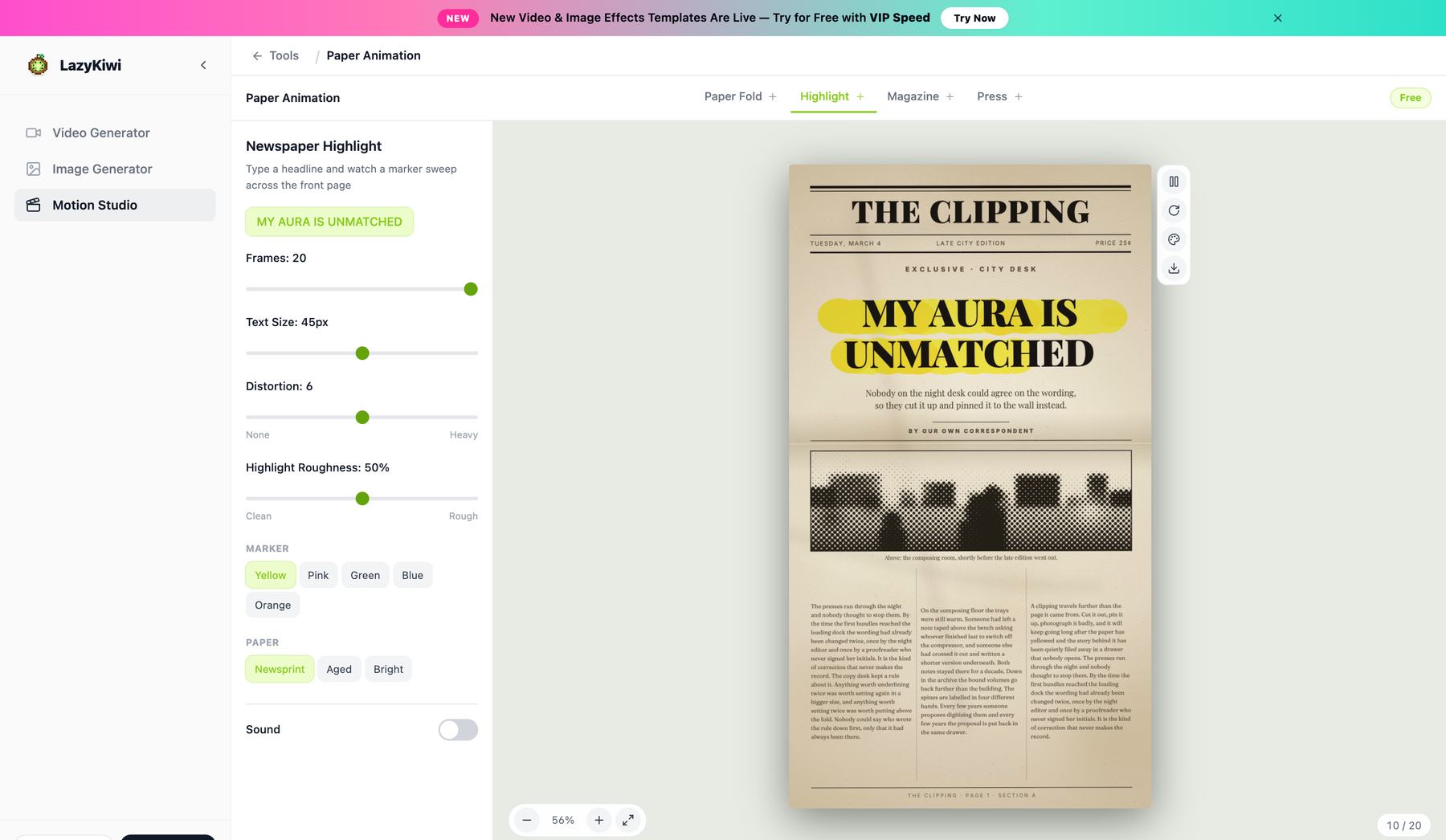
A full broadsheet layout — masthead, columns, a photo well for your cut-out — and then a hand-drawn highlighter stroke sweeps across the headline you wrote. The stroke is drawn, not wiped: it overshoots slightly, thins at the end and sits under the type the way a real marker does.
- Complete front-page layout, not a texture
- Hand-drawn highlighter sweep
- Your own headline and dateline
Magazine
Every letter torn, cut and placed on its own
The cut-out lettering look: each character is a separate scrap of paper with its own tear, its own tilt and its own drop, snapping into place letter by letter. Thirteen typefaces to pull from, plus the collage debris — staples, tape, ripped strips — that makes it look assembled rather than typed.
- Per-letter tear, rotation and timing
- Thirteen cut-out typefaces
- Collage props: tape, staples, torn strips
Press Coverage
Ten front pages, stacking into an "as seen in" wall
Built for launches and social proof. Ten fictional mastheads across four page layouts fly in and stack up, each carrying your headline and your image, ending on a press bar. Nothing here claims a real publication covered you — the mastheads are invented on purpose, so it works as a stylistic device rather than a fake citation.
- Ten mastheads, four layouts
- Invented titles, never real outlets
- Ends on a clean press bar
Inside the tool
Pick a mode, type the headline, watch the sheet tear
Paper Animation is deliberately the narrowest tool of the three. There is no timeline and no aspect picker — a photo, one of four modes, your headline, and the frame counts that decide how long each stage holds.
Four modes, four animations
Fold, Newspaper Highlight, Magazine Ransom Note and Press Coverage share no motion between them.
Stop motion, not a crossfade
Eight frames a second, each one a separately torn and placed sheet.
Previewing is unmetered
Retype the headline or swap the paper stock as often as you like — it renders on your machine.
The four modes
One photo, four kinds of paper animation
Fold tapes a torn sticker down. Newspaper Highlight marks your line on a real front page. Magazine cuts the headline out letter by letter. Press Coverage stacks ten mastheads into an "as seen in" wall.
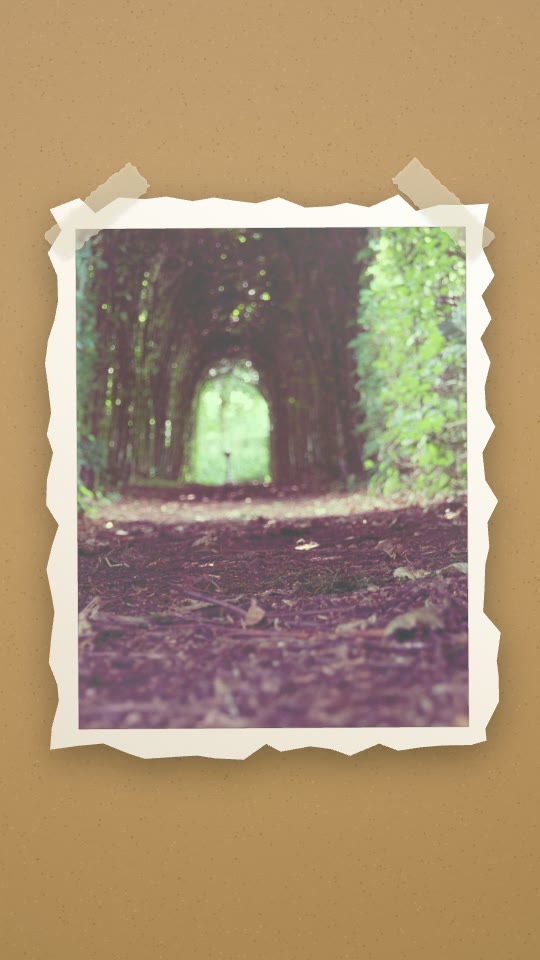
Paper Fold
A photo unfolds as a taped, torn-edge sticker on kraft.
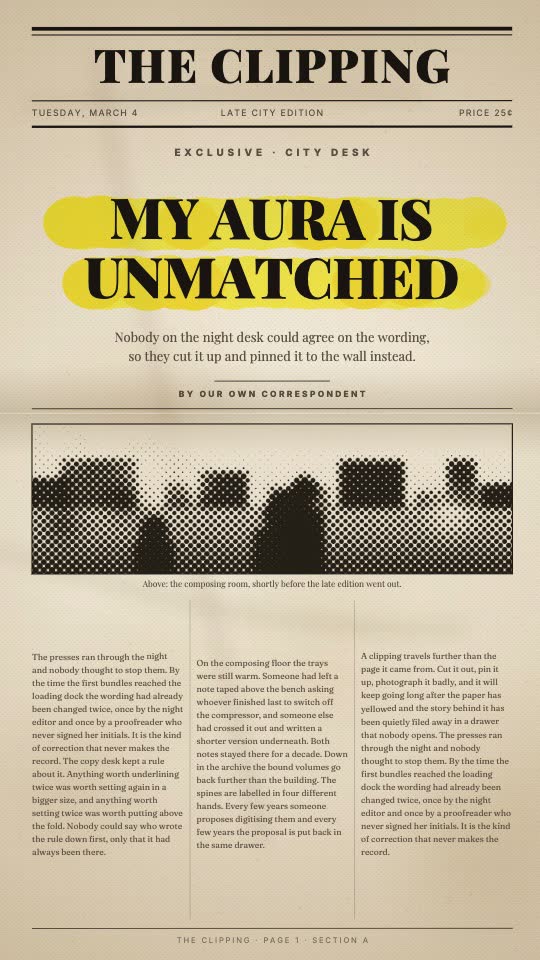
Newspaper Highlight
A marker sweeps your headline across a real front page.
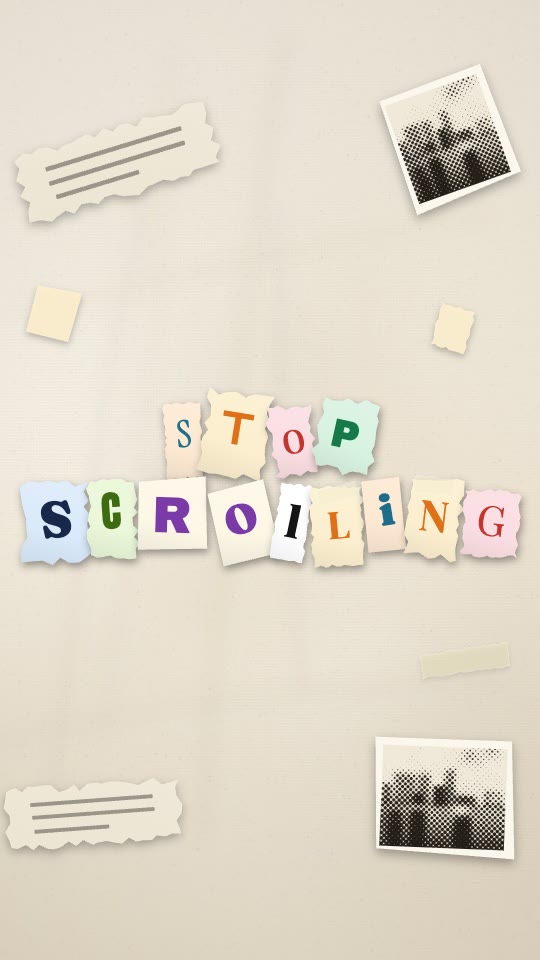
Magazine Ransom Note
Built letter by letter from cut-out magazine type.
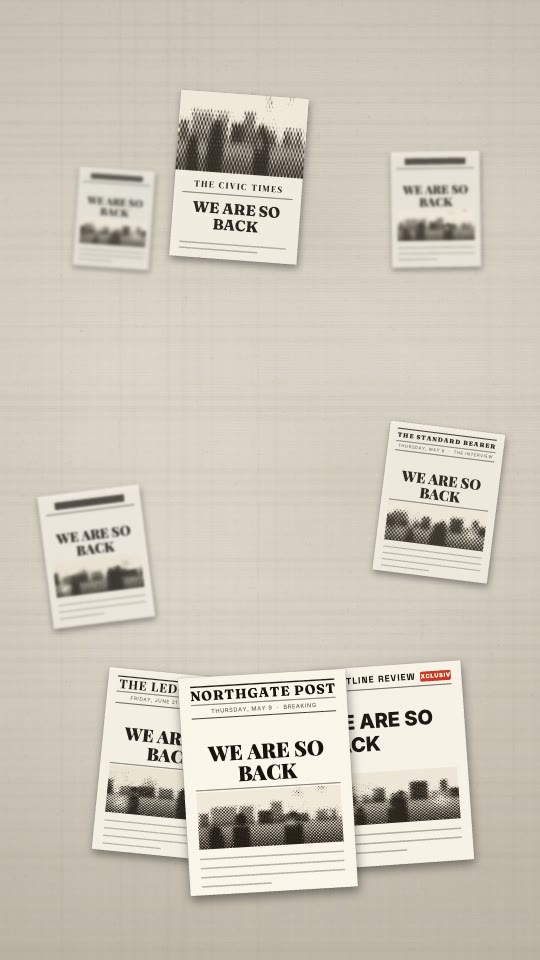
Press Coverage
Ten front pages pile up behind an "as seen in" strip.
Why LazyKiwi
Why make it here
Free exports, clean on any plan
720p MP4 exports are free and unlimited, with a small LazyKiwi mark in the corner. Any paid plan removes it and exports Full HD.
Four looks, not one
Fold, newspaper, magazine and press coverage are genuinely different animations, so the same tool covers a hook, an insert and a proof shot.
Ready in about a minute
The cut-out, the layout and the timing are handled for you. Upload, type a headline, export.
Unlimited free exports
Free accounts export as many 720p files as they like. Previewing a new headline, stock or mode is unmetered — it renders on your machine.
No editor required
No masking, no keyframes, no plugin. If you can pick a photo from your camera roll, you can make this.
Your photo stays private
Uploads are processed securely, are never shown to other users and are never sold.
Coming from another paper animator?
The paper category is mostly one animation — a photo on a torn sheet — sold four different ways. Here is what to check before you move a workflow across.
LazyKiwi Paper Animation
What you get here
- Four modes that share no motion: fold, newspaper, ransom-note magazine, press coverage
- True stop motion at 8fps — every frame is a separate torn sheet
- Free 720p exports, unlimited; 1080p clean on any paid plan
- Renders in your browser, so previewing costs nothing and takes no queue
- Cut-out lettering uses 12 real OFL typefaces, not a bitmap alphabet
A single-effect paper site
The usual alternative
- One torn-paper look, recoloured and renamed
- Free tier usually capped before you see the result, or locked to one look
- Server-side rendering, so every preview is a wait
- Headline is set in whatever font the site ships
Doing it in an editor
Premiere, After Effects
- Masking a torn edge by hand, then keyframing every sheet
- An afternoon per variation, and a re-do when the headline changes
- Total control, if you already know the software
- Paper texture and tape shadows have to be sourced separately
Pricing & limits
Free paper animation, and exactly where it stops
Here is what the free tier actually hands you, and what the paid step changes.
Unlimited exports
Free · 720p
- 720p MP4 with a small LazyKiwi mark, for personal use
- Any plan or credit pack removes the mark
- Exports at 9:16 — the ratio this tool is built around
- No card required to open, edit, preview or export
- All four modes, every paper stock and every typeface
1080p on any paid plan
1080p · 4K
- Same clip, same edit, rendered clean at 1080p — commercial use included
- 4K, 60 fps and transparent ProRes on Pro and above
No credits to export
Renders in your browser
- Previewing modes, headlines and paper stock re-render locally and spend no credits
- No upload queue and no render wait to pay for
- Optional cloud render, every frame stable: 5 credits per 20 seconds
FAQ
Paper animation questions, answered
Is the paper animation free?+
Yes. Upload a photo, pick a mode and export a 720p MP4 at no cost, as many times as you like, with a small LazyKiwi mark in the corner. Any paid plan removes the mark and exports 1080p; Pro adds 4K and 60 fps. Resolution and the watermark are the only differences between free and paid — every mode and control is available on all of them.
Do free exports have a watermark?+
Free exports carry a small LazyKiwi mark in the corner; any paid plan (from Starter) removes it. Free exports are for personal use, paid exports are cleared for commercial use.
What photo works best?+
Anything with a clear subject: a person, a product, a pet, a screenshot. The cut-out is automatic, so a cluttered background is fine. Very low-resolution images will look soft once they are scaled into a front page, so start from the biggest version you have.
What are the four modes?+
Paper Fold is a torn sticker that tapes down and unfolds. Newspaper Highlight is a full front page with a hand-drawn highlighter sweep over your headline. Magazine Ransom Note cuts every letter out separately and places it on its own. Press Coverage stacks ten invented front pages into an "as seen in" wall.
What file formats can I export?+
MP4, encoded in your browser, with a WebM fallback where the browser has no MP4 encoder. Free exports come out at 720p, unlimited; any paid plan exports 1080p and Pro adds 4K. There is no GIF export, and we would rather say so than list a format the tool does not produce.
Can I use it commercially?+
Yes. Client work, paid ads, brand channels, a product launch — no extra licence, no attribution. Your photo stays yours and so does the export.
Do I need video editing software?+
No. There is no timeline to learn and nothing to install. Everything renders in the browser, and the export is a finished file you can post directly or drop into an editor if you already use one.
How long does it take?+
The clip itself runs about two to three seconds. It is stop motion at eight frames a second — every frame is a separately torn, printed and pasted sheet rather than a tween — and you set how many frames each stage gets, which is what changes the length. Making it takes about a minute, most of which is choosing a photo.
Is this a free paper animator?+
It is free to use and free to export at 720p, as often as you like, with a small mark in the corner — so if you arrived looking for a free paper animator, that is what this is. The part worth checking against the alternatives is the mode list: four genuinely different animations rather than one torn-paper look with the colours changed, and every frame rendered as real stop motion instead of a crossfade dressed up as one.
Can I make magazine cutout letters?+
That is exactly what the Magazine Ransom Note mode does. Every letter of your headline is cut out on its own — its own paper stock, its own torn or scissored edge, its own slight rotation — and then placed one at a time, the way a real ransom note gets assembled. Because each letter is a separate object rather than a font effect, the collage never falls into the repeating pattern that gives away a filter.
How do I get a newspaper effect on a photo?+
Pick Newspaper Highlight and give it your headline. Your photo lands as the front-page image, the surrounding columns set themselves around it, and a hand-drawn highlighter sweeps across the line you wrote — which is the part that reads as real, because a printed page with a marker on it is something a person did. Press Coverage is the same newspaper effect multiplied: ten mastheads stacking up behind an "as seen in" strip.
Use cases
Where a paper animation earns its place
TikTok and Reels creators
The fold and the highlighter both land inside the first second, which is the only second that decides whether a vertical clip gets watched. One photo in, a 9:16 hook out.
Video editors on a deadline
A newspaper insert or a press coverage that would take an afternoon of masking and keyframing in an editor takes about a minute here, and comes out as an MP4 you can drop straight on the timeline.
Marketers and founders
Announcements, milestone posts and launch recaps. The press coverage is a social-proof device that does not require anyone to have actually written about you yet.
More answers
More on the animated newspaper and magazine modes
I have used another paper animator — what is different here?+
Two things, mostly. The free tier is unlimited — make and export as much as you like, and any paid plan takes the mark off. And there are four separate modes rather than one signature look, which means the same tool covers a scroll-stopping hook, a newspaper insert and a press-proof montage instead of only the first.
Can I change the headline on the newspaper?+
Yes — you write it. Type your headline, subhead and dateline and the front page recomposes around them: column widths, the photo well and the highlighter stroke all adjust to the length of what you typed.
Can I use my own font?+
The newspaper and magazine modes ship with typefaces chosen to match the period and the printing method they imitate, and the magazine mode mixes thirteen of them on purpose. You can upload your own font file when a brand requires it, though mixed cut-out lettering usually looks more convincing than a single corporate face.
What aspect ratios can I export?+
Paper animation exports at 9:16 — the ratio a torn sheet, a front page and a stacked press wall are all composed for, and the one Reels, Shorts and TikTok want. It is a deliberately narrow tool rather than a general stage: the layouts are built around a portrait page. If you need 16:9, 1:1 or 4:5 from the same idea, build it in Motion Studio, where one document retargets across all four.
Does the newspaper effect work with products or logos, not just faces?+
Yes. A bottle, a device, a book cover or a logo cuts out just as cleanly as a person, and product shots tend to work particularly well in the press coverage because a repeated silhouette reads clearly at small sizes.
Are the press-wall publications real?+
No, and deliberately so. The ten mastheads are invented names in period-appropriate layouts. It is a visual device for a launch video, not a citation — do not present it as coverage you have not actually received.
How long is the finished clip?+
Roughly three to eight seconds depending on the mode: the fold is the shortest, the press coverage the longest because it has ten pages to stack. Timing is adjustable before you export.
Keep going
The rest of the motion toolkit
Logo Motion
Composite your logo into 18 procedural scenes — concrete, glass, canvas, signage — with real lighting.
OpenAnimated Text Generator
Eleven designed presets on real fonts, recolourable to your brand, exportable at any aspect ratio.
OpenAI Motion Graphics
The full Motion Studio — storyboard first, then render. Every tool here opens into it in one click.
OpenMotion templates
Ready-made scenes you can open, edit and export instead of starting from a blank document — all 24 on the Motion tab of the template library.
OpenHow to Make a Stop Motion Video From Scratch
How to make a stop motion video: frame rate and hold, the home rig, lighting that will not flicker, and where AI simulation helps or gets in the way.
OpenPaper Animation Tools: Free Options Compared
Paper animation tools that turn a photo into card-craft motion, compared on style range, render length and what each free tier actually exports.
OpenOne photo. Four kinds of paper.
Upload an image, pick a mode, type your headline, and export 720p free. Any paid plan exports clean 1080p.
No credit card · Free to try · Results in seconds