
AI Video Effects: 30 Worth Trying in 2026
Thirty AI video effects grouped by what they do to a shot, with the input each one needs, what drives the render cost and where each belongs in an edit.
 Daniel Okafor 9 min read
Around thirty AI video effects are worth spending credits on right now, and they fall into three families: transformations that rebuild the subject, camera moves that are really shots rather than filters, and transitions that hide a cut. Everything else is decoration. This piece sorts the useful ones by what they do to a frame, says what each one needs as input, and flags the handful that viewers have already seen too many times. Prices and free tiers below were read on the vendors' own pages on 7 September 2026.
What counts as an AI video effect?
An effect, in the sense people search for, is a visual event a model adds that a camera could not record on its own. That covers a body breaking into embers, a subject splitting into a wall of copies, and a shot that appears to fly from a rooftop to orbit. It does not cover colour grading, captions or a speed ramp, which are edits you can already do in any timeline.
- Transformations rebuild the subject itself: disintegration, cloning, morphing between two people, age or material changes.
- Camera moves invent motion that was never shot: crash zoom, whip pan, orbit, drone pull-back, earth zoom-out.
- Transitions exist to hide a cut: a smear, a flash, a match on a moving object between two clips.

The grouping matters because each family fails differently. Transformations fall apart when the source frame is busy. Camera moves fall apart when the framing gives the model nowhere to travel. Transitions fall apart when the two clips either side share no motion. Sorting a shortlist this way saves more credits than any prompt trick.
One aside for people who arrived from a phone search. Queries such as "what is video effects running in background" and "what is video effects in samsung" are about a setting on the handset rather than about editing software, and Samsung's own support site is the place to answer them. If that is what brought you here, the rest of this page will not help.
Which AI video effects transform a subject?
Transformations are the loudest group and the fussiest. Every one of them needs the subject cleanly separated from the background in the source frame, because the model has to decide where the person ends before it can take them apart.
- 1
Disintegration
The subject dissolves into particles, usually starting at the hair and shoulders. Needs a high-contrast frame and empty space on the side the particles drift toward.
- 2
Cloning
One person becomes two, four, eight and then a grid. The clone effect template asks for one centred photo with room on both sides and returns a 15-second vertical clip that loops, per its template page on 7 September 2026.
- 3
Morphing
Two faces or two products blend across the clip. Works when both sources share a head size and eye line; drifts badly when they do not.
- 4
Scale change
A person shrinks into a miniature set, or a product grows to fill a street. The give-away is shadow direction, so pick a source shot with soft, even light.
- 5
Material swap
Skin becomes clay, chrome, glass or plush. Holds for a couple of seconds, then the hands go wrong.
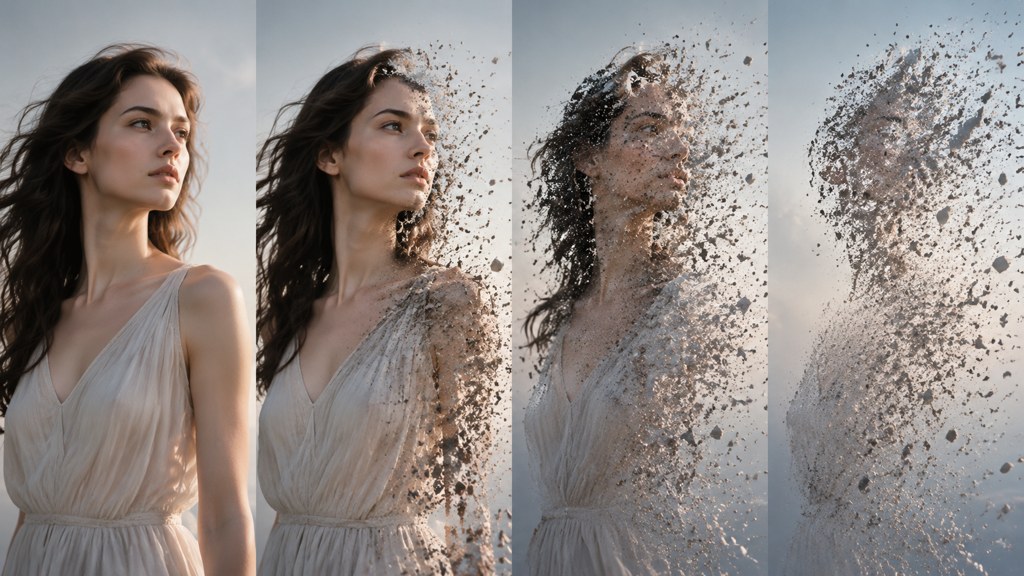
Hands and text are where these break. Any effect that reshapes a body will also reshape fingers, and any effect that rebuilds a scene will rewrite a sign in the background into nonsense. Frame so the hands are still or out of shot, and keep readable text away from the subject.

Which effects are really camera moves?
Half the catalogue is not a filter at all. Crash zoom, whip pan, orbit, dolly-in-zoom-out, drone pull-back and earth zoom-out are shots, and they behave like shots: the framing you feed them decides whether the move has anywhere to go.
- Crash zoom needs headroom, because the move eats the edges of the frame.
- Orbit and bullet time need the subject away from a wall, so the virtual camera has a path behind them.
- Drone pull-back needs a horizon or a rooftop line to reveal.
- Earth zoom out needs a recognisable landmark in a high-resolution map or satellite frame, which its template page states plainly.
- Whip pan needs a matching direction of travel in the clip you are cutting to.

Frame for the move, not the still
Shoot or pick a source frame with the space the move needs. A perfectly composed portrait with no headroom is the single most common reason a crash zoom comes back looking cramped.
Which AI video effects work as a hook in the first second?
A hook effect has to read at thumbnail size, with the sound off, before the viewer has decided anything. That rules out most material swaps, which need a beat of context first, and it favours anything with a strong silhouette change.
- Cloning, because the count of bodies changes and the eye catches it instantly.
- Disintegration, because the outline visibly leaves the frame.
- Crash zoom on a face, because scale changes faster than anything else on screen.
- Earth zoom-out, because the reveal is a question the viewer waits to see answered.
Shoot these vertical unless you have a reason not to. In LazyKiwi's workbench data (August 2026), 9:16 accounted for 22 of 39 external video jobs, and every effect above survives the crop better than it survives a letterbox.
If the effect only becomes obvious at the two-second mark, it is a payoff, not a hook. Move it later in the edit and open with something the eye reads cold.
— Daniel Okafor, Video Workflows Editor
What input does each effect need?
This is the table that saves credits. Feeding a clip to something that wants a still, or a still to something that wants two frames, is the most expensive mistake in the whole workflow, because a failed render costs the same as a good one.
| Effect | What you supply | What comes back |
|---|---|---|
| Disintegration | One photo, subject isolated | Short vertical clip, particles leaving frame |
| Cloning | One centred photo with side space | 15-second 9:16 clip that loops |
| Morph | Two stills with matching eye lines | Blend across the clip length |
| Crash zoom | One photo with headroom | Push-in on the subject |
| Orbit or bullet time | One photo, subject away from a wall | Rotation around a frozen pose |
| Earth zoom-out | One map or satellite frame | Pull-back to a full globe |
| Added VFX in your own footage | Your clip plus a written description | Same clip, same length, effect composited in |
The last row is the one people miss. The AI VFX generator works on footage you already shot: you upload the clip, describe the sparks or the fog, and its page states that the result keeps the original length, aspect ratio, resolution and audio. Templates replace the shot; that tool adds to it.

How long does each effect take to render and what does it cost?
Nobody can give you a stopwatch figure that stays true, because render time moves with queue load. What is stable is the shape of the cost. The LazyKiwi pricing page, read on 7 September 2026, states that credits are charged on model, duration, resolution and output count, so the same effect costs more at 1080p than at 720p and more at ten seconds than at five.
The practical consequence: the Generate button carries the price before you spend anything, so price the variant you actually want rather than the default. Queue speed is a plan feature too, listed on that page as standard, faster and priority tiers.
Plan a series rather than a clip. Six five-second renders at 720p, reviewed and then re-run twice at 1080p, will cost less than twelve hopeful 1080p attempts, and you will end up with the same usable shot. Model choice moves the number as well; a text-to-video job on Kling v3 Omni is priced differently from a template that runs a fixed recipe.
How do you chain effects without it looking like a demo reel?
The failure mode is easy to describe: a video where every shot is an effect reads as a showreel, and a showreel has no reason for anyone to watch to the end. The fix is arithmetic, not taste.
- 1
One effect per idea
If two effects express the same beat, cut one. A clone shot and a disintegration shot back to back both say 'look what this can do', which is not an idea.
- 2
Cut on motion
Place the cut while something is still travelling, so the next shot inherits the movement instead of restarting it.
- 3
Cap the count
Above roughly one effect per ten seconds, a short stops reading as content and starts reading as a catalogue. Under a minute, two or three is plenty.
- 4
Keep one plain shot
A single unmodified shot in the middle gives the effects something to be measured against. Without it, everything flattens.
This is also why the strongest effect belongs at the front and the second strongest at the end. The middle carries the argument, and generated shots are bad at arguments.
Is there a free AI video effects generator?
Yes, with limits that are worth reading before you commit a project to one. Here is what the vendors' own pages said on 7 September 2026.
- LazyKiwi's pricing page lists a Free plan at 40 credits a month with a monthly refresh, access to the template catalogue and no card required; watermark-free export is listed as a paid feature.
- Pika opens its homepage composer at a 5s default with Pika 2.5 selected, and asks you to sign up before the settings can be changed.
- Runway presents Runway Creative as one cloud workspace for generating and editing video, images and audio, with a free trial entry point on the home page.
- Luma now leads with Ray3.2 and lists motion transfer, product swap, character transformation and relighting as directable jobs rather than one-tap filters.
- Kling AI fronts its 3.0 series, naming Video 3.0 and Video 3.0 Omni as the current video models.
- Hailuo headlines MiniMax H3 and shows a single reference slot in its composer.
- CapCut is the phone-first option, listing AI People Remover, AI Inpainting and video background removal among its tools.

A free tier is a testing budget, not a production budget. Use it to find out which effect suits your footage, then pay for the version you will actually post. If you only want a video effects app on a phone for casual edits, a special effects app from the app store will get you further than any of these; the browser tools earn their place when you need a specific shot rather than a preset.
Which effects are already overused?
Naming these is more useful than pretending the list is evergreen. Four have been run into the ground, and each has a variation that still lands.
- The plain disintegration on a static portrait. Variation: let the particles form the next object instead of drifting off.
- The infinite zoom-out to space with no payoff. Variation: end the pull-back on a second real location, so the reveal answers something.
- The single clone split. Variation: use the grid as a counting device for a list video rather than as the whole idea.
- The squash-and-melt filter on a product. Variation: apply it to the packaging and keep the product itself intact.
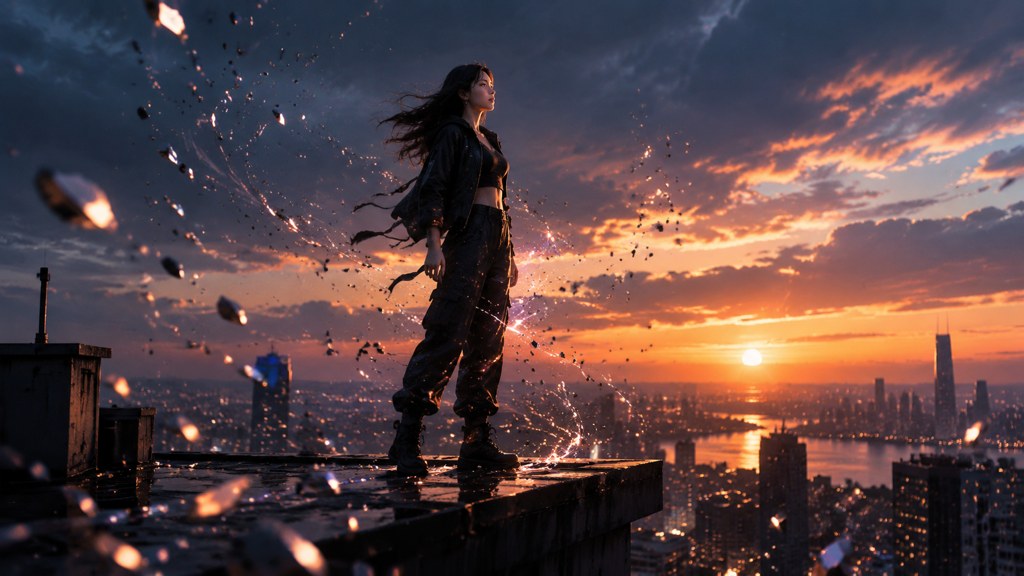
The half-life on a specific look is short. What survives is the pairing of an effect with a reason: a clone grid that counts items, a whip pan that hides a location change, a scale shift that makes a size claim visible. Pick the reason first and the shortlist gets much shorter.
Key takeaways
- Sort effects into transformations, camera moves and transitions before you shortlist; each family fails for a different reason.
- Match the input to the effect: a still, a pair of stills or your own clip. A wrong input costs a full render.
- Hook effects change the silhouette in the first second and survive a 9:16 crop with the sound off.
- Credits track model, duration, resolution and output count, and the Generate button shows the price before you spend.
- Two or three effects in a short is plenty; keep one plain shot so the rest have something to be measured against.
Video Workflows Editor
Daniel Okafor
I run the same clip through every video model we ship and write down what actually changes: motion, timing, cost, and where each one falls apart.
FAQ
Common questions
What is the difference between an AI video effect and a filter?
A filter changes the pixels you already have, such as colour, grain or a vignette. An AI video effect generates motion or geometry that was never recorded, like a body dissolving or a camera orbiting a frozen pose. Filters are reversible in an edit; generated effects replace the shot.
Do AI video effects work on footage I shot myself?
Some do. Template effects usually rebuild the shot from a single still, so they replace your footage. The AI VFX generator instead takes your clip and adds the effect to it, keeping the original length, aspect ratio, resolution and audio, according to its tool page on 7 September 2026.
Which generated effects are best for TikTok and Reels?
Silhouette-changing effects read best at thumbnail size: cloning, disintegration and a crash zoom on a face. Shoot or crop them vertical. In LazyKiwi workbench data from August 2026, 9:16 covered 22 of 39 external video jobs, which matches where these get posted.
How many effects should one short video use?
Two or three under a minute, and no more than roughly one per ten seconds. Above that a video reads as a catalogue of tricks rather than an idea. Keeping one unmodified shot in the middle gives the effects a baseline and stops the whole thing flattening out.
Can I get these effects without paying?
Yes. LazyKiwi's Free plan lists 40 credits a month with a monthly refresh and no card required, read on 7 September 2026, and several rival tools offer trial access. Treat any free tier as a testing budget for choosing an effect, not as a production budget.
Put an effect into your own footage
Upload a clip, describe the effect in plain words, and keep the length, ratio and audio you started with.
Related reading
How to Make a Music Video on a Small Budget
Treatment, shot list, generation and edit: a repeatable pipeline for a music video made with AI clips, timed to the track.
8 min read
Can ChatGPT Make Videos? What It Can and Cannot Do
The straight answer on ChatGPT and video, what Sora is and is not, and the workflow that gets you a finished clip from a chat prompt.
8 min read
Whip Pan Transition: Shoot It or Fake It
How to shoot a whip pan that cuts cleanly, how to build one from two static clips, and when a generated camera move beats both.
8 min read
AI Video Effects That Stop the Scroll: A 2026 Hook Guide
Which generated effects earn the first second of a short, how to add one to your own clip, and the mistakes that waste a good hook.
9 min read