
Three screenshots in, a product launch video out.
Write the hook, name three features and drop in your screenshots. The launch video assembles in the preview as you type — hook, reveal, features, proof, CTA — in seven styles. Any paid plan exports it clean at 1080p, cleared for your homepage, ads and launch posts.
- 7
- Styles
- Aurora Gradient, Kinetic Type, Mono Minimal, Midnight Window, Brand Accent Clean, Sunset Glow and Particle Tech — plus Device Hero and UI Flythrough, which build the video in 3D.
- 7
- Beats
- Hook, reveal, three features, proof and CTA — six at 15 seconds, where proof is skipped.
- 3
- Aspect ratios
- 16:9, 9:16 and 1:1, each laid out for its own frame rather than cropped.
- 15–30s
- Lengths
- 15, 20 or 30 seconds, split by beat weight and snapped to the music.
- Your screenshots placed as-is — never redrawn
- The preview rebuilds as you type
- Same layout at 720p, 1080p and 4K
- No watermark on any paid plan
What it is
A product video maker built around how launch videos are cut
Most product launch videos that land follow the same short arc: one line about the problem, the product's name, three features shown on real screens, a single piece of proof and a clear call to action. This tool hands you that arc as a form. Type the hook, give each feature a short label and a one-line benefit, add up to three screenshots and write the CTA — the preview rebuilds on every keystroke, in one of seven styles, with your accent colour on the callout pills, the wordmark and the button. There is no prompt to tune and no generation queue: each beat is laid out directly from your words and images, so rewriting the CTA never reshuffles the feature scenes. When it reads right, export a 16:9 launch video for the homepage, a 9:16 cut for Reels and Shorts or a 1:1 square for LinkedIn — clean 1080p with commercial use on any paid plan.
How it works
Make a launch video in three steps
Write the brief
Product name, a one-line tagline and an opening hook — a pain point or a big number. Then three features, each a short label and a one-line benefit, a metric or a customer quote, and your CTA. Every field starts with sample copy, so you can see what it wants, and you can paste a URL to pull the name, tagline and screenshots from your site or ask for an AI first draft and edit what comes back.
Add screenshots and pick a look
Drop in up to three screenshots and your logo — or paste your site's URL and let it pull them in — choose one of seven styles and an accent colour, then set the frame — 16:9, 9:16 or 1:1 — and the length: 15, 20 or 30 seconds (the two 3D styles run at 20).
Scrub it, then download
Jump between the beats on the timeline or drag through the transitions, set the pacing, pick a soundtrack or none — with Cut on the beat the cuts snap to its BPM — and download an MP4. Any paid plan exports clean 1080p, cleared for commercial use; a free account exports a 720p draft with a small LazyKiwi mark.
Storyboard
Seven beats, already in launch order
Hook, reveal, three features, proof, CTA — the order product launch videos keep landing on, built in. The hook opens on a single line of type; the reveal brings in your logo, product name and tagline; each feature beat pairs a label and a benefit with a screenshot card; proof counts a metric up or sets a customer quote; the CTA closes on your wordmark, a button and your URL typing itself out, and holds still for its last second so the final frame works as a cover. Kinetic Type tells the same story as nine shorter cuts.
- 15 seconds drops the proof beat for a six-beat cut
- Feature beats run longest and the opening is shortest — and the cuts can land on the soundtrack's beat
- Clear an optional field and that element is simply left out
Screenshots
Your real product on screen, not a redraw
Up to three screenshots, one per feature. Each card is shaped to its own image — a wide dashboard, a tall phone screen or anything in between — so nothing is cropped or stretched, and the interface in the video is the one customers will open. Cards rise from the bottom edge, split out of frame or push in, and each feature's label arrives as a callout with a leader line pointing at the part that matters. Drag a box over a screenshot and the camera pushes into that area with the rest dimmed and softened. Each feature also picks a demo action — a cursor that flies in and clicks, a query typed into a field, a scroll, or a checklist ticking off — and any shot can sit in a browser, a macOS window, a phone or a laptop frame.
- Wide, tall and mixed screenshots each keep their shape
- Fewer than three? They repeat in order across the features
- Three sample screenshots are in place from the start; your uploads replace them
Seven styles
Seven looks, with your colour and logo in every one
Aurora Gradient sets white type on near-black violet with an aurora glow along the horizon. Kinetic Type cuts giant words on the beat, with gradient keywords and your screenshots set inside the letters. Mono Minimal flips black and white on the beat under giant left-aligned type. Midnight Window puts your app in a macOS window on a dimmed desktop, opening on a full-screen close-up before the camera pulls back. Brand Accent Clean runs full-screen blocks of your brand colour against light grey. Sunset Glow swaps a warm sunset band top and bottom each beat, with serif accents on the key words. Particle Tech rushes a starfield on every cut behind condensed caps. Two more build the whole video in real 3D — Device Hero pushes the camera into a phone or laptop screen, UI Flythrough flies across your screens on a perspective canvas — and both run at 20 seconds. Every style takes your accent colour and logo; without a logo, your product name becomes the wordmark.
- Accent: Auto, eight swatches or any colour from the picker
- Too little contrast on a style's background? It keeps its own accent
- Transparent PNG logos work best; wide wordmarks get a wider slot
Formats & export
One brief, three frames, ready for launch day
Switch between 16:9, 9:16 and 1:1 and the scenes are laid out again for that frame rather than cropped: copy beside the card in landscape, stacked above it in portrait, with room left at the top and bottom for app overlays. Every export resolution keeps the layout you previewed, and the background track from the built-in library is mixed into the file — or choose No sound. Downloads are MP4, with WebM as the fallback in browsers that can't encode MP4.
- 16:9 for your homepage and YouTube, 9:16 for Reels and Shorts, 1:1 for LinkedIn and X
- Any paid plan: clean 1080p, no watermark, cleared for commercial use
- Pro adds 4K; free exports are 720p drafts with a small LazyKiwi mark
Inside the tool
The brief, the preview and the look, on one screen
There is no project to set up. The form on the left holds the copy, screenshots, logo, brand colours, proof and CTA; the stage in the middle plays the video with its beats laid out underneath; the rail on the right holds the styles, the frame, the length, the pacing, the soundtrack and the download button.
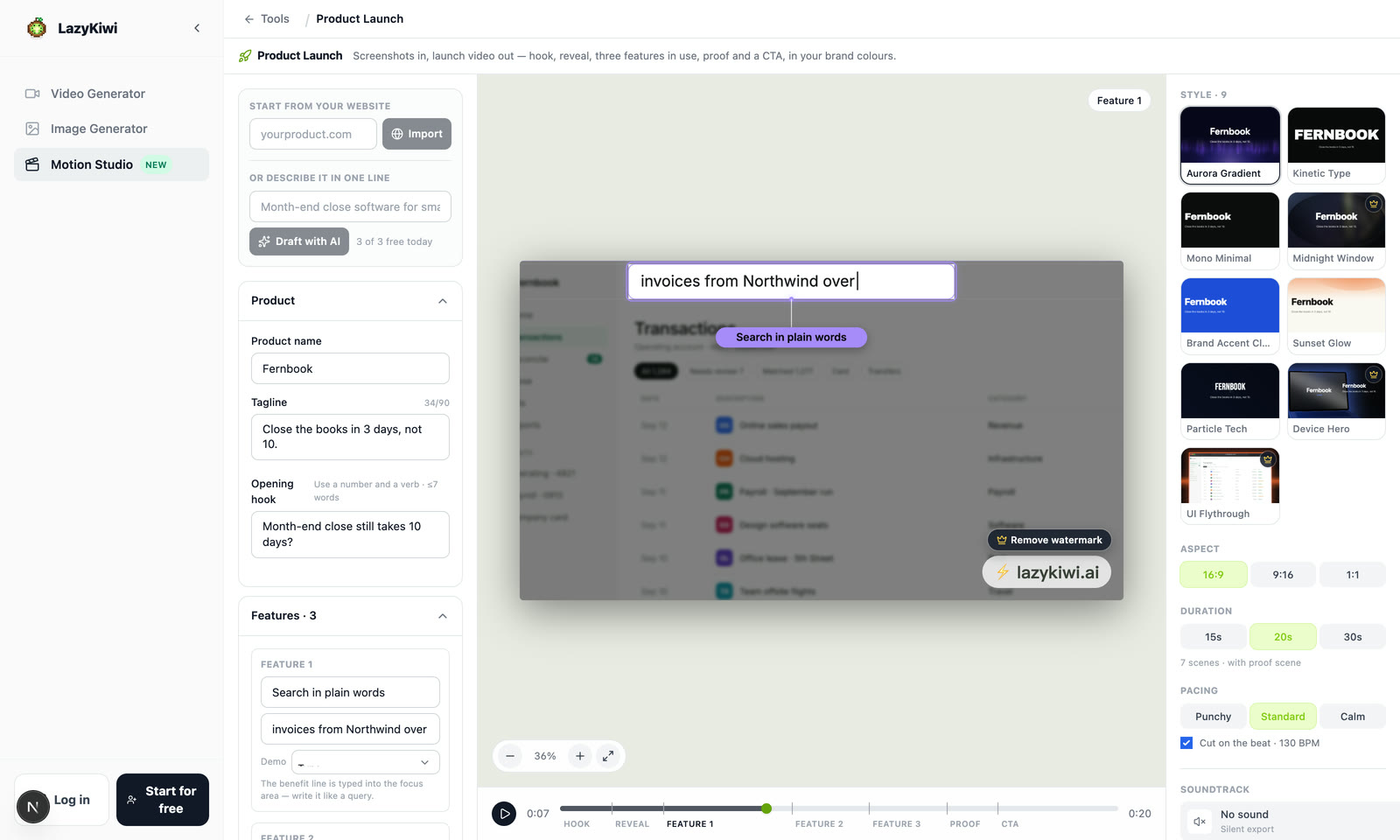
Clear a field, lose the element
Empty the tagline, a benefit or the URL and it is simply not drawn; clear the proof number or quote and the proof beat drops out.
The beats on the timeline
Click a beat's name to jump to it, or drag along the bar to scrub through the transitions.
Real frames on the style cards
Each style card is rendered by that style itself, so what you click is what the video will look like.
Seven styles
One launch, seven looks
Each tile is one of the seven styles, run on the tool's own sample copy for a made-up product, Fernbook, and cut vertical at 9:16. Put in your own product and the motion stays while the words, screenshots and accent become yours.
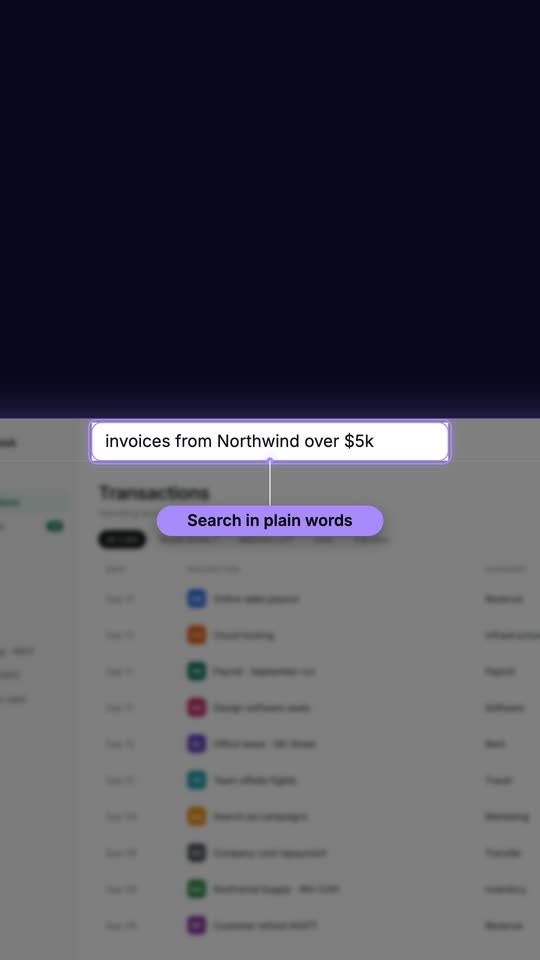
Aurora Gradient
An aurora glow along the horizon, white type, a cursor that clicks into the UI.
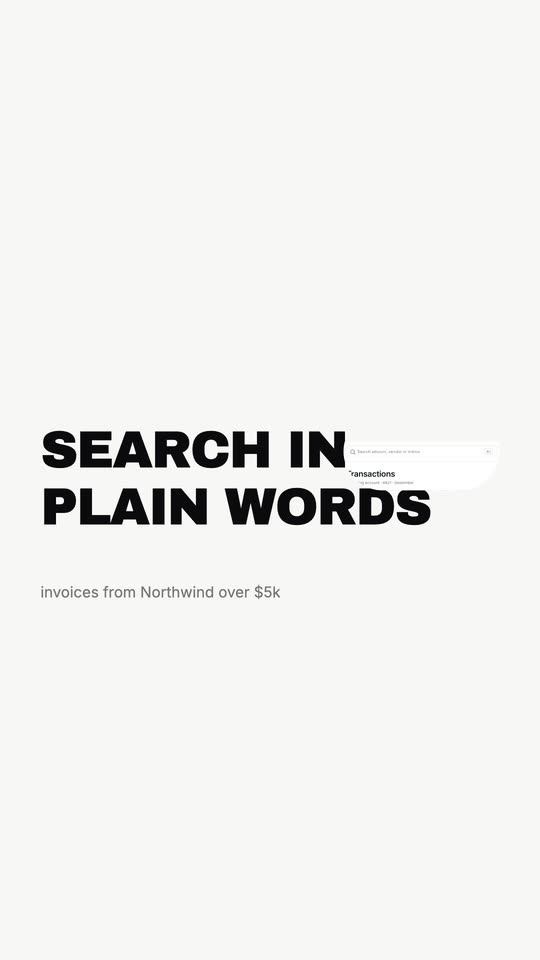
Kinetic Type
Giant words cut on the beat, with your screenshots set inside the type.
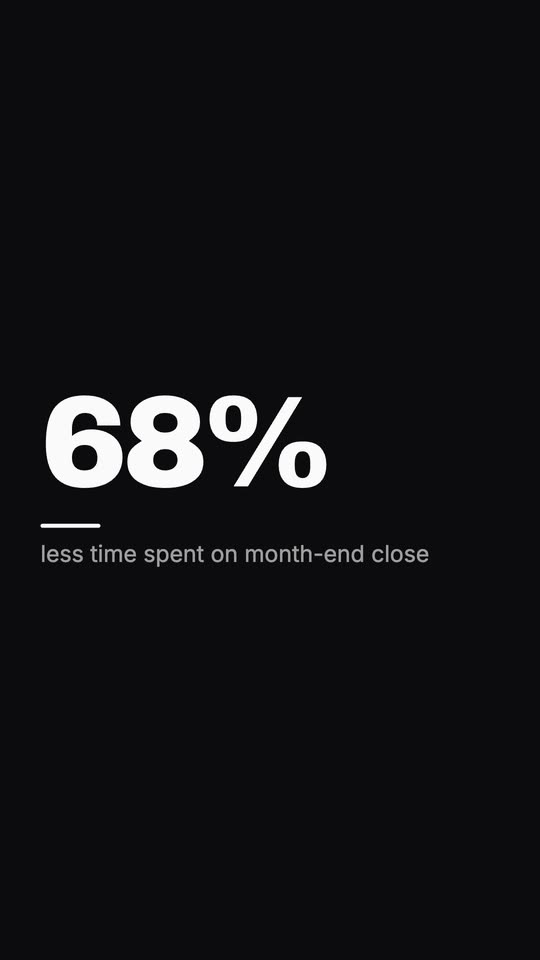
Mono Minimal
White and black beats in turn, set in big plain type.
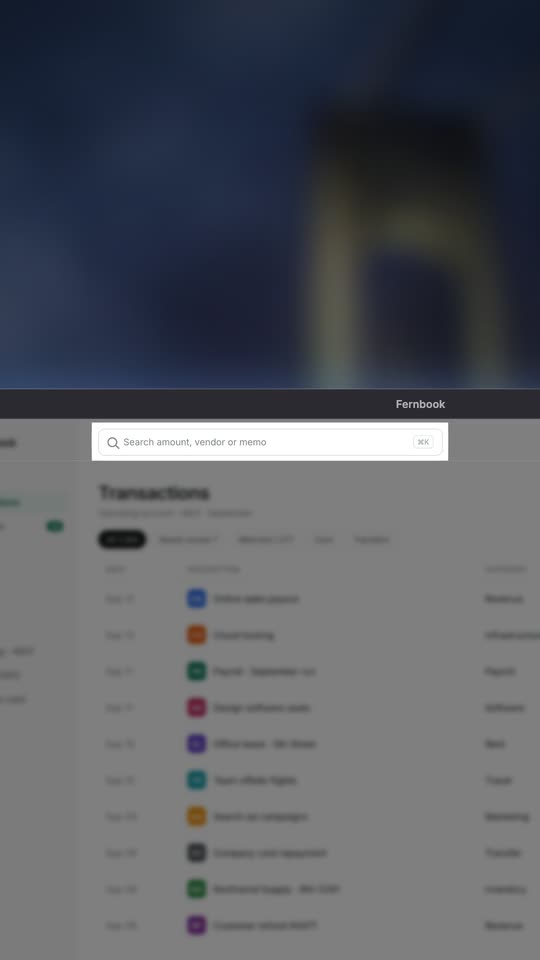
Midnight Window
Pure black, your app inside a macOS-style window.
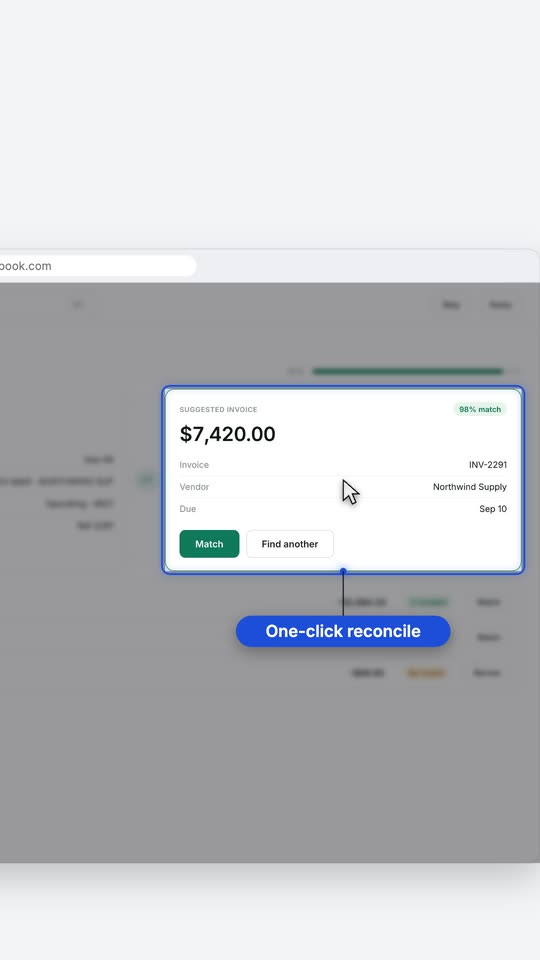
Brand Accent Clean
Light grey, full-screen blocks of your brand colour, UI running off the edge.
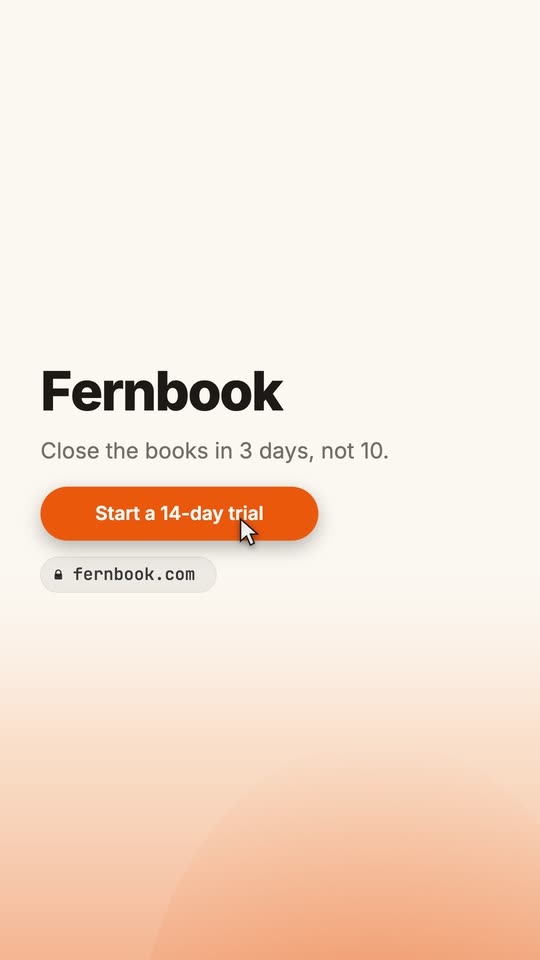
Sunset Glow
Warm haze, a fine dot matrix and serif headlines.
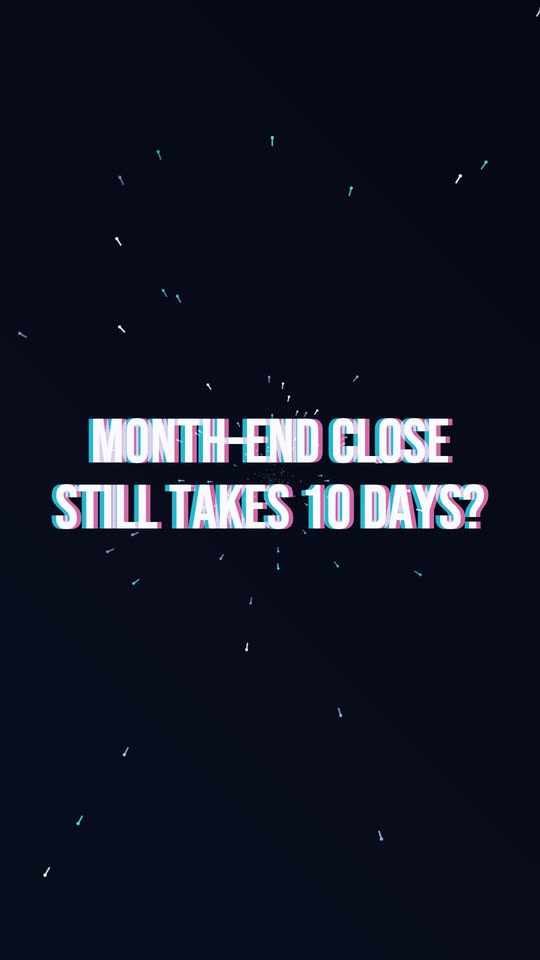
Particle Tech
Deep-space dust drifting behind wide display type.
Why LazyKiwi
Why make your launch video here
Every edit shows up instantly
Type a word and the preview redraws. There is no generation step to wait on and no render queue between you and the next tweak.
Screenshots stay pixel-true
Your images are placed, not reinterpreted, so the UI in the video matches the product people sign up for.
Cleared for commercial use
A launch video promotes your business, so it needs commercial rights. Any paid plan exports it at 1080p with no watermark, cleared for your homepage, ads, Product Hunt and sales decks.
Nothing new to learn
No keyframes, no layers, no After Effects project. A form on the left, the video in the middle, the styles on the right.
Edits stay where you make them
The same inputs always build the same video, so rewording one benefit never re-rolls the look of everything else.
Three formats from one brief
Flip between 16:9, 9:16 and 1:1 and the scenes lay themselves out again for that frame, instead of a wide video being cropped down.
Launch video maker, AI video generator, or a launch studio
Three ways teams usually get a product launch video made, and what each asks of you. The other two columns are drawn from those products' own sites and in-app copy as of September 2026.
LazyKiwi Product Launch
What you get here
- A form in, a finished edit out: hook, reveal, three features, proof and CTA, rebuilt as you type
- Your screenshots placed as they are, each card shaped to its own image
- Preview every style in the browser before you create an account
- Seven styles, three aspect ratios and three lengths from one brief
- Clean 1080p with commercial use on any paid plan, 4K on Pro
AI launch-video generators
Hera, MotionVid
- Best when you want a model to draft the storyboard from a prompt or your website
- Uploaded screenshots can be recreated as animated UI rather than placed as-is
- Follow-up edits go back through the model, and can count against a plan's generation allowance
- Drafts and exports render on the provider's servers, with waits measured in minutes
A launch video studio
motion.so Studio
- A human director makes the film with you, and it can include live footage
- No published price — you start by booking a chat
- Direction, a first draft, then rounds of revisions before delivery
- Suited to a flagship launch film more than a video for every release
Pricing & limits
Draft it free. Launch it on a paid plan.
Promoting your business with a video is commercial use. Any paid plan exports clean 1080p cleared for your homepage, ads, Product Hunt and sales decks, and Pro adds 4K. Free is for drafting: try every style in the live preview and export 720p cuts with a small LazyKiwi mark, for personal use — fine for internal review, not for publishing. A one-time credit pack removes the mark and lets you export the few premium styles, but commercial use stays with the paid plans.
Unlimited exports
Free · 720p
- 720p MP4 with a small LazyKiwi mark, for personal use
- Any plan or credit pack removes the mark
- All 3 aspect ratios — 16:9, 9:16, 1:1
- No card required to open, edit or preview
- Every style in the live preview, watermarked — Device Hero, UI Flythrough and Midnight Window need a credit pack or plan to export
1080p on any paid plan
1080p · 4K
- Same clip, same edit, rendered clean at 1080p — commercial use included
- 4K, 60 fps and transparent ProRes on Pro and above
No credits to export
Renders in your browser
- Typing, restyling and scrubbing the preview re-render locally and spend no credits
- No upload queue and no render wait to pay for
- Optional cloud render, every frame stable: 5 credits per 20 seconds
FAQ
Product launch video questions, answered
Is the product launch video maker free?+
Free for drafts, not for the launch itself. You can write the brief, try every style in the live preview and scrub the result without an account, and a free account exports 720p MP4s with a small LazyKiwi mark, licensed for personal use, so treat them as internal drafts. A launch video that promotes your business is commercial use and needs a paid plan: any paid plan exports 1080p with no watermark and commercial use, and Pro and above add 4K. A one-time credit pack removes the watermark and lets you export the few premium styles, but does not include commercial use.
What should a product launch video include?+
Five things, in this order: a hook that names the problem or a striking number, the product reveal, the three features that matter most — each on a real screen — one piece of proof, and a single call to action. The tool is built on exactly that order. Keep each line short: a feature label reads best at about five words, and one benefit per beat lands better than a spec list.
How long should a launch video be?+
Pick 15, 20 or 30 seconds. At 15 seconds the proof beat is skipped, which suits a social feed. 20 seconds is the default. The beats do not share the time equally: each feature beat runs longest — roughly 3 to 4.6 seconds at 20 — while the opening hook is the shortest at about 2. A Pacing control (Punchy, Standard, Calm) changes how hard the cuts land, and with Cut on the beat switched on they snap to the chosen track's BPM. 30 seconds gives every beat more room, better for a homepage or launch page where people have already chosen to watch.
Do I need a screen recording?+
No. The tool works from still screenshots, up to three. Each becomes the card for a feature, shaped to its own aspect ratio, with a slow push-in and a label so the beat still feels in motion. It opens with three sample screenshots already in place; your uploads replace them, fewer than three repeat in order, and if you delete them all each feature falls back to a generated UI card, so you can draft the video before the screens are final. It does not import video clips.
Can I use my own brand colours and logo?+
Yes. Pick an accent colour — Auto, one of eight swatches or anything from the colour picker — and it lands on the callout pills, the focus outline and the CTA button. Brand Accent Clean also takes a background colour. Upload your logo as a transparent PNG for the cleanest result — its main colour is offered as your accent, with two alternatives and an undo — and without a logo your product name becomes the wordmark, with a sweep of your accent colour across it. If an accent has too little contrast against a style's background, that style falls back to its own accent so nothing disappears.
What sizes can I export: 16:9, 9:16 or 1:1?+
All three. 16:9 is the default, for your homepage, YouTube and launch pages; 9:16 is for Reels, Shorts and TikTok; 1:1 suits LinkedIn and X feeds. Switching the ratio lays the scenes out again rather than cropping them — copy beside the card in landscape, stacked above it in portrait — and 720p, 1080p and 4K files all keep the layout you previewed.
Can I use the video for my company's launch?+
On any paid plan, yes: exports are 1080p, carry no watermark and are cleared for commercial use — your homepage, ads, a Product Hunt launch, a sales deck. Free exports are 720p with a small LazyKiwi mark and are for personal use, and a credit pack on its own removes the mark but not that limit, so use them as internal drafts and publish from a paid plan.
Can I make a product demo video with it?+
A short one, yes. A 20–30 second product demo video that shows three features on real screens, each with a label and a one-line benefit, is exactly what the feature beats are for. What it won't do is a click-by-click walkthrough: there is no screen recording, voice-over or step-by-step annotation. For that, record the walkthrough and use the launch video as the trailer that gets people to watch it.
Is this a SaaS explainer video maker?+
Not quite. A SaaS explainer video usually runs a minute or more and talks the viewer through how the product works, often with narration. This makes the 15–30 second version: what it is, three reasons to care, one piece of proof and a next step. The two pair well — post the short launch video and point its CTA at the full explainer.
Can it write the script or pull details from my website?+
Both, if you want them. Paste your site's URL and it pulls the product name, tagline and screenshots in for you, and an AI draft can fill the hook, features, proof and CTA in one pass. Everything it writes stays editable text, so the claims that end up on screen are the ones you approve — and you can ignore both and type the lot yourself. The fields come filled with sample copy for a made-up product, so you can see the length and tone each one wants.
Is there music, and can I turn it off?+
A background track from the built-in library plays under the preview and is mixed into the download, with its own volume slider. Two tracks are free here and any paid plan opens all 18. Switch on Cut on the beat and the cuts snap to that track's BPM. Or choose No sound for a silent export if the video will autoplay muted anyway.
Related tools:Whiteboard Animation Maker Black Screen Video Animated Text Generator
Use cases
Who makes product launch videos here
SaaS founders shipping v1
The landing page is live and the launch post is drafted; the SaaS launch video is the missing piece. Put the three things that make the product worth trying on screen the same day, without briefing an agency.
Product marketers with a release every sprint
A feature announcement video per release is easy to promise and hard to staff. Swap the hook, the three features and the screenshots, keep the style and accent, and every release gets a video in the same house look.
Product Hunt launch day
A short launch video to go out with the launch itself, plus a 9:16 cut for the social posts that send people to it — one brief, two frames.
Mobile app launches
Phone screenshots get tall cards — beside the copy in landscape, under it in portrait — so an app launch video never squeezes the UI into a laptop-shaped box.
Waitlists and betas
Before launch, use design mockups as the screenshots and put the waitlist on the CTA button. On launch day, swap in the real screens and export again.
Sales and customer success
A 20-second product demo video to link in an outbound email or a renewal call, showing the three features that customer actually asked about.
More answers
More about launch videos
What is the difference between a product launch video and a product demo video?+
A product launch video announces: it is short, made to be watched once in a feed or at the top of a launch page, and it ends on a call to action. A product demo video teaches: it is longer and shows how to get something done. Launch videos borrow the demo's best moments — three screens, three benefits — and leave the walkthrough for later.
Can I make a launch video before the product is finished?+
Yes. Use design mockups or staging screenshots as the three images, or leave them out and let the generated UI cards hold the spots while you write the copy. Point the CTA at your waitlist, then swap in real screenshots on launch day. Keep the features to what will actually ship.
What makes a good opening hook?+
One line the viewer already agrees with: the painful old way of doing it, or a number that makes the problem concrete. If the hook doesn't name your product, the 20- and 30-second cuts add a short “[Product] fixes that.” line beneath it, and if you leave the hook empty the video opens on “Meet [Product].”
Should the proof be a number or a customer quote?+
Use a number when you have one that is specific and true — it counts up on screen and keeps its %, + or $ sign. Use a quote when a customer said something sharper than any stat, with their name and role underneath. Leave both empty, or pick the 15-second length, and the video goes straight from the features to the CTA.
Does it work for a mobile app launch video?+
Yes. Phone screenshots are tall, so their cards are tall too: set beside the copy in 16:9 and 1:1, and stacked under it in 9:16 — nothing is cropped to fit a laptop-shaped box. Midnight Window wraps every card in a macOS-style window, so for an app one of the other six styles usually suits better.
Where should each version of the launch video go?+
The 16:9 cut belongs at the top of your launch page, on YouTube and in the launch post itself. The 9:16 cut goes to Reels, Shorts and TikTok, and the 1:1 square suits LinkedIn and X, where a square video takes up more of the feed than a wide one. Because all three come from one brief, the story stays the same everywhere.
Keep going
More of the motion toolkit
Intro Maker
Turn a logo and a name into a short animated intro for the start of your videos.
OpenMusic Visualizer
Upload a track and export a visualizer video that moves to the music.
OpenLogo Animation
Put your logo into one of 18 real-world scenes — a sting to close the launch video on.
OpenAI Motion Graphics
For a longer explainer video or a one-off scene, the full Motion Studio storyboards it with you, then renders.
OpenShip the video with the launch.
Write the hook, add three screenshots and pick a style. Preview it free in your browser, then export a clean 1080p launch video, cleared for commercial use, on any paid plan.
No credit card · Free to try · Results in seconds