
How to Make AI Videos for TikTok: A 2026 Creator Workflow
How to make AI videos for TikTok in 2026: pull a Creative Center trend, render 9:16 in Seedance 2.5 or Veo 3.1 Lite, add native sound, then label it as AI.
 Priya Sharma 11 min read
How to make AI videos for TikTok comes down to five moves: pull a trend from TikTok Creative Center, write a hook that lands inside the first second, render a 9:16 clip in the AI video generator, add captions and a native sound in the TikTok app, and switch on the AI-generated content label before you post. This page covers only the TikTok-specific parts of that loop. Modes, models and prompt structure live in the pillar on how to make AI videos, so they are not repeated here. Every TikTok rule and every workbench setting below was checked on 2026-09-06.
What kind of AI videos work on TikTok in 2026?
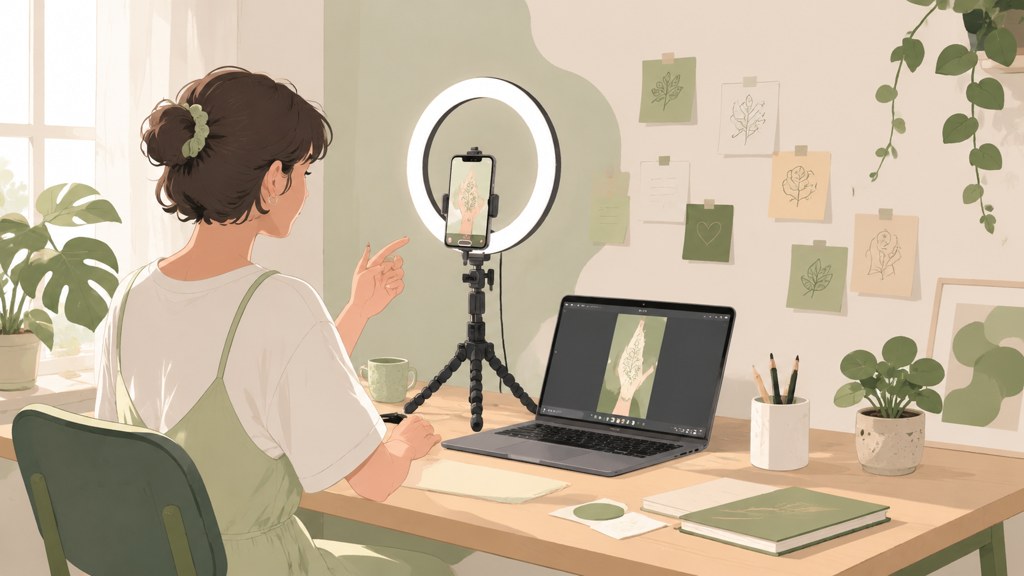
The For You feed does not care that a clip was generated. It cares whether people keep watching past the first swipe, rewatch, comment or send it to a friend. AI videos for TikTok that do well share one trait: the premise is visible in frame one, before any caption is read. A transformation shows the before image; a POV shows the situation; a product demo shows the product doing the thing.
Which formats hold attention past the first second?
- Transformations: a photo turns into a different era, age, style or outfit. The reveal is the payoff, so the cut lands between second two and second four.
- POV story clips: one character, one situation, one twist. The text overlay carries the setup while the image carries the mood.
- Miniature and ASMR loops: tiny objects, satisfying cuts, sound-led. These reward rewatches because nothing needs to be understood.
- Product demos: the object in use, filmed as if by a customer. Image-to-video from a real product shot keeps the label readable.
- Then-vs-now transitions: two photos and one camera move. The format is old, the AI version just removes the tripod and the timeline work.
What does TikTok's AI-generated content rule require?
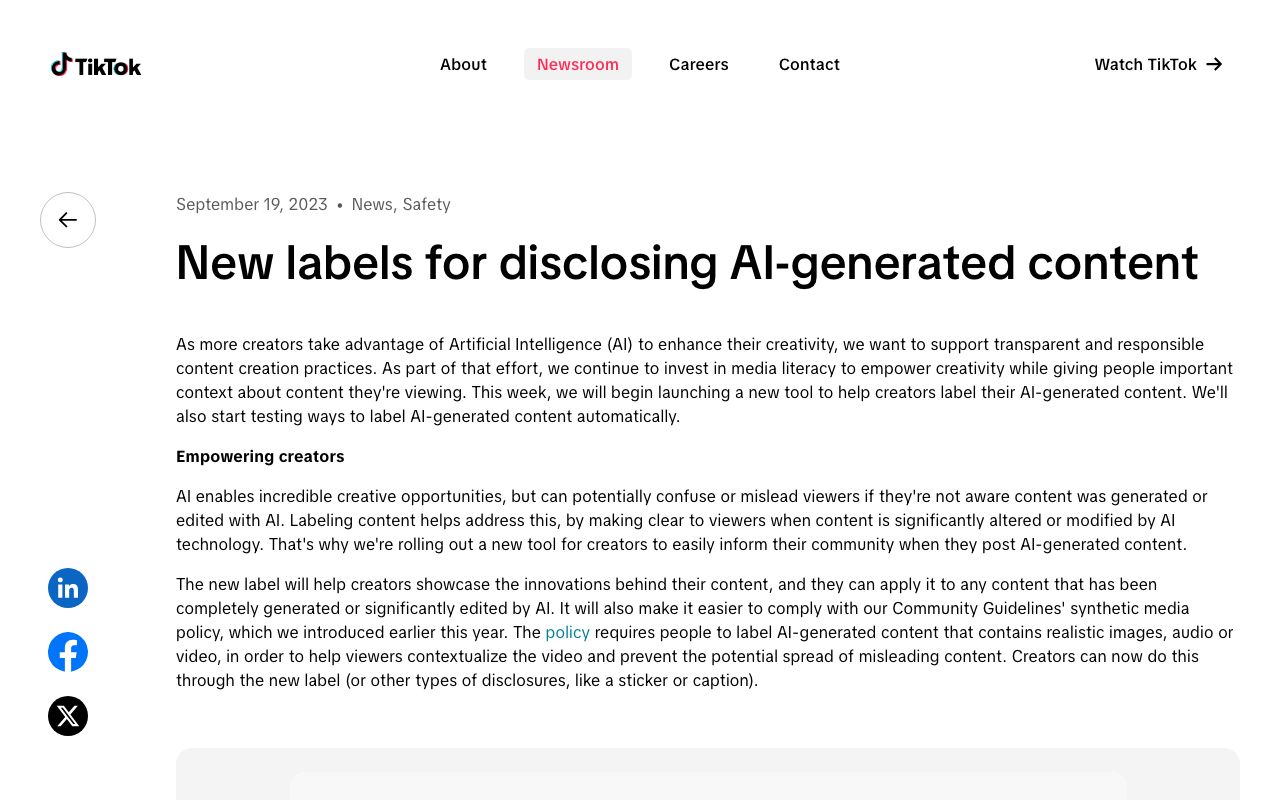
TikTok launched a creator-side label for AI-generated content in September 2023 and asks creators to apply it to anything completely generated or significantly edited by AI, per the TikTok Newsroom (2023). In 2024 it went further and began reading Content Credentials from the C2PA standard so that clips made elsewhere can be labelled automatically on upload, described in the TikTok Newsroom (2024). Meta applies comparable labels across Facebook, Instagram and Threads, per the Meta Newsroom (2024), so a labelled clip travels cleanly if you cross-post.
Treat the label as part of the format rather than a penalty. Realistic AI clips posted without it risk removal under the synthetic media section of the TikTok Community Guidelines (2026), and the label itself has no known effect on distribution that TikTok has published.
How to make AI videos for TikTok step by step
The sequence below is the whole method for how to make AI videos for TikTok. It assumes a free LazyKiwi account and the TikTok app on your phone; nothing else is required.
- 1
Pick a trend, not a topic
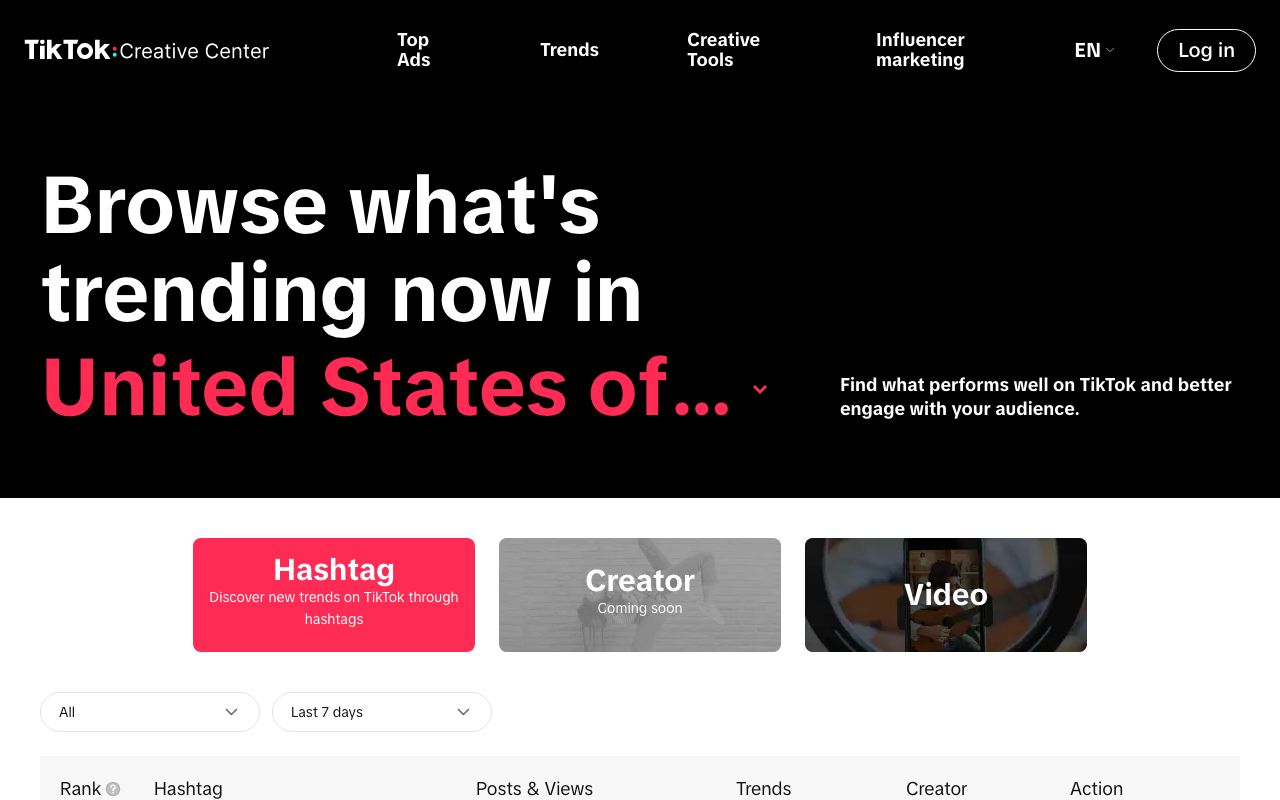
Open the trends section of TikTok Creative Center (2026), set the region to yours and the period to seven days, and note one hashtag and one sound that fit your niche. You are borrowing the structure people already expect, not the content.
- 2
Write a hook-first brief
One sentence that describes frame one, then one sentence for the payoff. Example: 'Frame one: a 1990s film photo of a kitchen. Payoff: the same kitchen today, same angle.' If the brief cannot be drawn as two frames, it is not a TikTok clip yet.
- 3
Generate the clip in 9:16
Open the generator, switch the ratio chip from its 16:9 default to 9:16, and keep the duration at 5 seconds for a first pass. With Seedance 2.5 selected, the Generate button showed 1,150 credits for a 5-second 720p run when we took the screenshot below; drop to 480p for cheap test renders and go back to 720p for the version you post.
- 4
Review on a phone, rerun one variable
AirDrop or upload the file to your phone before judging it. If the motion is wrong, change only the motion line of the prompt; if the subject drifts, add a reference image; do not rewrite everything at once.
- 5
Add captions and sound inside TikTok
Import the clip in the TikTok app, add the trending sound from step one as the native audio, and type captions with the built-in text tool so they sit inside the safe area. Native sound and native text are what make the clip searchable and remixable.
- 6
Switch on the AI label and post
In the post settings, enable the AI-generated content toggle, add the hashtag from step one, and publish at the hour your last three posts performed best. Check the analytics after 24 hours and decide whether the format deserves a part two.
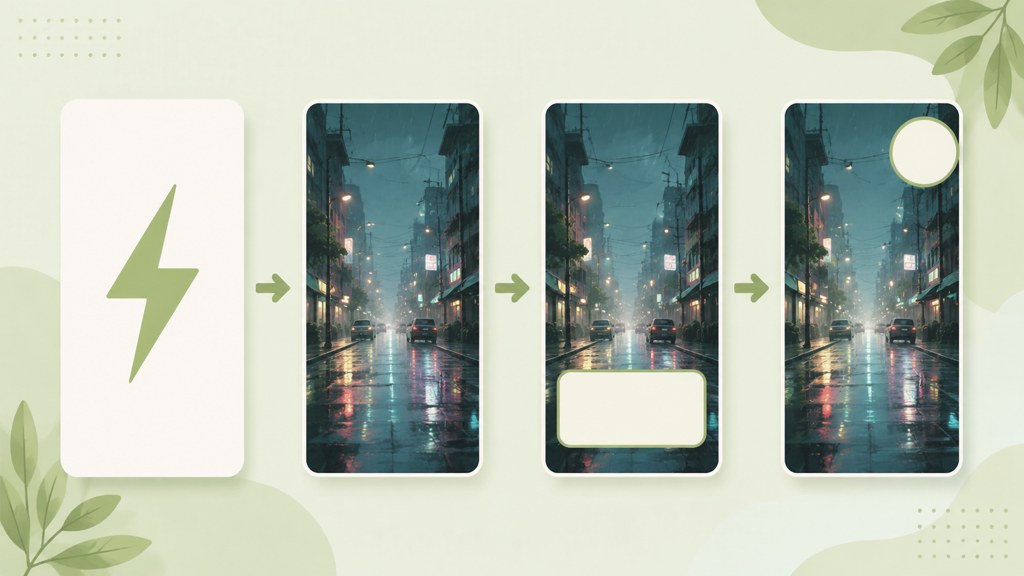
Safe area
Keep the subject and any baked-in text inside the middle 80 percent of the frame. TikTok's own UI covers the right edge and the bottom third with buttons, captions and the sound tag.
Which AI TikTok video generator settings should you use?
An AI TikTok video generator has three settings that matter: the aspect ratio, the length, and the resolution. Ratio is not negotiable; TikTok recommends vertical 9:16 for in-feed video, with 540 by 960 pixels as the minimum for ads according to the TikTok Ads specifications (2026). In LazyKiwi's workbench data (August 2026), 9:16 was the ratio on 22 of 39 external video jobs, so the vertical default is what most people already pick. Length is where AI clips differ from filmed ones. A 5 to 15 second generation covers one beat; longer stories are stitched from several short renders rather than generated in one go.
| Model (verified 2026-09-06) | 9:16 | Duration | Resolution | Best use on TikTok |
|---|---|---|---|---|
| Seedance 2.5 | Yes, plus 5 other ratios | 4 to 30 s in 1 s steps | 480p or 720p | Cheap 480p tests, reference-image consistency |
| Veo 3.1 Lite | Yes (16:9 or 9:16) | 4 to 60 s | 720p or 1080p | Clean 1080p exports; no audio in this tier |
| Kling v3 Omni | Yes (16:9, 9:16, 1:1) | 3 to 60 s | 720p or 1080p | Start-and-end frame transitions |
720p or 1080p for TikTok?
Post 1080p when a face fills the frame or when the clip contains readable text; the app recompresses everything, and a 720p source loses the most in skin and lettering. For miniature, ASMR and abstract loops 720p is indistinguishable after upload. Veo 3.1 Lite is the 1080p option for 9:16 in LazyKiwi; remember that audio is not part of that tier, so the sound is added in TikTok anyway.
Which tool pass adds a hook without a reshoot?
The AI VFX generator takes an existing vertical clip and adds an effect described in plain words, such as floating embers around the subject. It is the fastest way to give a filmed clip an AI opening beat, and because it starts from your footage the product, face or room stays exactly as shot.
How to make free AI videos for TikTok
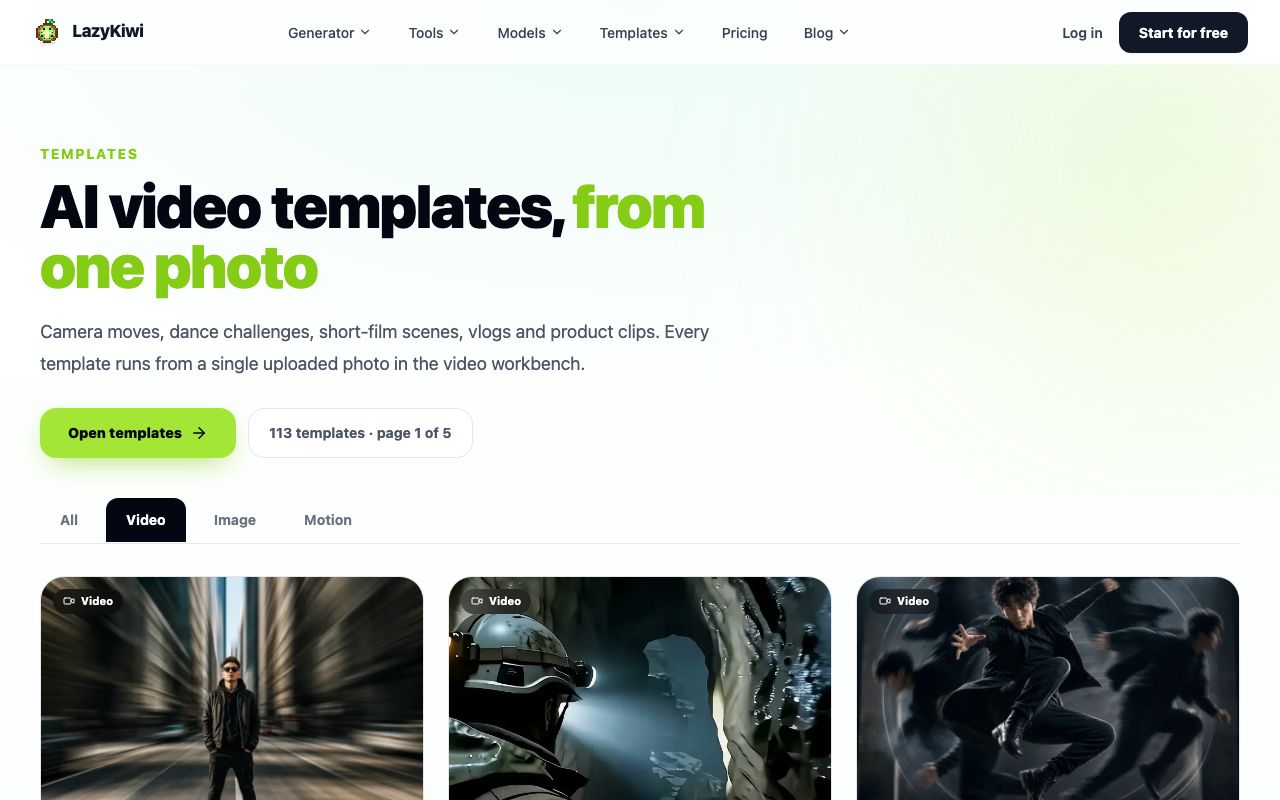
People searching how to make free AI videos usually want two things: no watermark and no card. Every new LazyKiwi account starts on the Free plan, which tops up 40 credits each month with no card on file, per the pricing page. Those credits do not stretch to a full model run at 720p, so the free route is the template gallery, where several camera-motion effects are marked free and take one photo or one clip. A free 5-second Seedance template is in that gallery too; LazyKiwi workbench data for August 2026 shows 15 external accounts used it in the month.
What do TikTok's own AI tools cover?
TikTok bundles its AI creative tools with the trend data inside Creative Center, and the trends page we captured is now branded TikTok One. Those tools are built around ad accounts and ad formats; for organic posting they help with scripts and captions, not with generating a scene from a photo. CapCut, which sits in the same company, offers a free online editor with no card required and its own AI video generator, per the CapCut homepage (2026).
| Free route (checked 2026-09-06) | What is free | Watermark | Where it fits |
|---|---|---|---|
| LazyKiwi Free plan | 40 credits a month plus free-tagged templates | No-watermark exports are listed on paid plans | Generating the clip |
| CapCut | Online editor, no credit card | See export settings | Captions, cuts, sound |
| invideo AI | Trial access; paid plans list exports without watermark | Paid plans | Script-led explainer videos |
| Pictory | Script-to-video from text, trial via site | Trial exports | Turning a blog post into clips |
Stock voice and music are the other cost. invideo (2026) prices its plans by credits and iStock allowance, and Pictory (2026) leads with script-to-video and URL-to-video. If you need a licensed track outside the TikTok sound library, Epidemic Sound (2026) offers a free account to start and licenses per channel.
What are funny and trending AI video ideas for TikTok?
A trending AI video is usually an old TikTok format with the production cost removed. The ten funny AI video ideas below have each been posted in some form by creators this year; the twist and the niche are yours to change. Where a LazyKiwi template does the heavy lifting, it is named. A retro finish is one such twist, and our VHS filter guide covers how to get a tape look that does not read as a preset.
- Then vs now: a childhood photo of a place and a photo from today, joined by the then vs now transition template.
- Pet at work: your cat or dog in an office, animated from one photo with a slow push-in; the caption does the comedy.
- Miniature ASMR: the fruit-cutting template above, swapped for your product or your city's signature dish.
- Baby version: the baby filter applied to a band, a sports team or your group chat, one face per clip.
- Historical unboxing: a period portrait reacting to a modern gadget, generated from a public-domain painting.
- Fake nature documentary: your breakfast items migrating across the counter, narrated deadpan with TikTok's text-to-speech.
- Outfit transition: three looks from three photos, cut on the beat of the trending sound from Creative Center.
- Room glow-up: one photo of a messy corner, then the same corner tidied and lit, presented as a before and after.
- Wrong-scale product demo: a giant version of a small product being used by a tiny person, made with image-to-video.
- Expectation vs reality: a glossy AI morning routine cut against a filmed clip of the actual morning.
Browse the rest of the TikTok-ready video templates hub before writing a prompt from scratch; it is the quickest answer to how to make AI videos for TikTok when there is no time for a brief. A template fixes the motion and the timing, which are the two things first-time generations get wrong most often.
How to make AI story videos for TikTok
Searches for how to make AI story videos for TikTok are really asking how to keep one character and one place consistent across several clips. Three techniques do most of the work: reference images, start-and-end frames, and a series structure that lets each part stand alone.
How do you keep the character the same across clips?
Generate the character once as a still, then feed that image as a reference to every video run. Seedance 2.5 reads up to nine reference images in one run and takes prompts up to 5,000 characters, per the Seedance 2.5 model page, so you can pass the character sheet plus the location and still have room for the action. ByteDance describes the model family as multi-shot capable with strong prompt following on the ByteDance Seed site (2026).
Reference: character sheet, front and side. Vertical 9:16. The same woman in a green raincoat walks into a small bookshop at night, shakes rain from her hood, and stops when she sees a glowing book on the counter. Handheld feel, warm tungsten light, no camera cuts. Ends on her hand reaching for the book.
How should a part one and part two be structured?
- Part one ends on the reach, the door, the knock: an action that implies a next frame. That last frame becomes the start frame of part two in start-and-end mode.
- Each part opens with a one-line recap as on-screen text, because most viewers meet part two first.
- Keep parts at 8 to 15 seconds. Longer generations cost more credits and give the model more room to drift.
- Post parts on consecutive days with the same sound and the same hashtag so the series clusters in search.
Kling v3 Omni is the model to pick when the transition between parts matters, since it accepts a start frame and an end frame in 9:16 at 720p or 1080p. Render the bridge clip last, once you know exactly which two frames it has to connect.
What mistakes get AI videos ignored on TikTok?
Most AI clips that die on TikTok fail for reasons that have nothing to do with the model. The list below comes from reviewing our own misses and the comment sections of clips that did not travel.
- No hook in frame one. A logo, a black frame or a slow fade means the swipe happens before the premise appears.
- Wrong ratio. A 16:9 render letterboxed into 9:16 reads as a repost and loses the safe area to bars.
- Missing AI label. Realistic clips without the label can be removed under the synthetic media rules and give critics an easy comment.
- Reposting a watermarked clip from another generator. The watermark competes with your caption and signals low effort.
- Imported audio instead of a native sound. Clips without a TikTok sound do not appear on the sound page and cannot be remixed.
- One long generation instead of several short ones. Drift and warped hands appear late in long renders; cut the story into beats.
- Judging the clip on a desktop monitor. Phone-size viewing catches soft text and busy edges that a 1280-pixel preview hides.
The clip is not finished when the model stops rendering. It is finished when it has a native sound, a caption inside the safe area and the AI label switched on.
— LazyKiwi creator playbook
Key takeaways
- How to make AI videos for TikTok in one line: Creative Center trend, hook-first brief, 9:16 render in LazyKiwi, native sound and captions in the app, AI label on.
- Seedance 2.5, Veo 3.1 Lite and Kling v3 Omni all render 9:16; only Veo 3.1 Lite and Kling v3 Omni reach 1080p, and Veo 3.1 Lite carries no audio in LazyKiwi.
- A 5-second 720p Seedance 2.5 run was priced at 1,150 credits on 2026-09-06, so test at 480p and spend 720p credits only on the version you post.
- The Free plan refreshes 40 credits a month with no card; free-tagged camera-motion templates in the video hub are the realistic no-cost route.
- Story series work when one character sheet is passed as a reference to every clip, each part ends on an action, and parts stay between 8 and 15 seconds.
Creator Growth Editor
Priya Sharma
I study what makes short-form content spread, then turn the pattern into something you can repeat on a Tuesday afternoon without a studio.
FAQ
Common questions
Does TikTok allow AI-generated videos?
Yes. TikTok allows fully generated and AI-edited video as long as realistic content carries the AI-generated content label and does not break the synthetic media rules in its Community Guidelines. The label is a toggle in the post settings; since 2024 TikTok also reads C2PA Content Credentials to apply it automatically to clips made with tools that embed them.
How long should an AI TikTok video be?
Generate in 5 to 15 second beats and post clips of 8 to 20 seconds for hooks, transformations and loops. Longer stories should be stitched from several short renders rather than generated in one pass, because drift and hand errors appear late in long generations. TikTok itself does not restrict duration for organic posts, so length is a retention decision, not a platform limit.
Do I have to label AI videos on TikTok?
Realistic AI-generated or significantly AI-edited content must be labelled; TikTok introduced the creator label in September 2023 and can remove unlabelled realistic synthetic media. Obviously stylised clips such as anime or miniature ASMR are lower risk, but the label costs nothing and protects the account, so this workflow switches it on for every generated clip.
Can I make AI TikTok videos on my phone?
Yes. The LazyKiwi workbench runs in a mobile browser, so you can upload a photo, pick 9:16, generate and download on the phone, then open the file in the TikTok app for sound, captions and the AI label. A laptop is only faster for reviewing several variants side by side and for writing longer prompts.
What is the best AI TikTok video generator?
For vertical clips the useful test is 9:16 support, short durations and cheap test renders. In LazyKiwi that points to Seedance 2.5 for iteration, Veo 3.1 Lite when you need 1080p, and Kling v3 Omni for start-and-end frame transitions. CapCut is the better choice for editing, captions and sound, and TikTok's own Creative Center tools are aimed at ad accounts.
Start with a template, not a blank prompt
Open the template gallery in 9:16, load Then vs Now or an ASMR loop, and post your first labelled AI clip today.
Keep reading

How to Make AI Videos in 2026: Idea to Export, Step by Step
How to make AI videos in 2026: pick a generation mode, choose Kling v3 Omni or Seedance 2.5, prompt for clean motion, and export without wasting credits.
11 min read
21 TikTok Video Ideas for 2026 (With AI Shortcuts for Each)
21 TikTok video ideas for 2026, each keyed to a TikTok mechanic (sound, stitch, reveal, series) with an AI shortcut, plus a routine for days with no ideas.
9 min read
AI Video Effects That Stop the Scroll: A 2026 Hook Guide
Which AI video effects stop the scroll, how to add one to a photo or clip in minutes, and what the free tiers really cover, checked on official pages.
10 min read
How to Make an AI Video From a Photo (Without Weird Motion)
How to make an AI video from a photo that holds the face: source-photo rules, motion-only prompts, and Kling v3 Omni, Wan 2.7 and Hailuo 2.3 Fast compared.
9 min read