
AI Motion Graphics Generator
AI motion graphics you can still edit after they render.
Describe the clip in a sentence and approve a storyboard before anything expensive runs. What comes back is an editable document — every headline, colour and beat is a labelled control — not a baked MP4 you have to accept or throw away.
Rendered by the Motion engine — four cuts from one document, exported straight to MP4.
- 24
- Motion graphics templates
- Every one opens as an editable document, not a locked preview.
- 4
- Aspect ratios from one build
- 9:16, 16:9, 1:1 and 4:5 retarget — they do not centre-crop.
- 0
- Render queue
- Frames are drawn in your browser, so there is no server to wait behind.
- 12
- Self-hosted typefaces
- Real fonts under the SIL Open Font License, so type stays vector-sharp.
- Storyboard shown before any credits are spent
- No watermark on any paid plan
- Textures are CC0 (Poly Haven); type is OFL-1.1
- Deterministic render — the same document exports the same frames
What it is
Motion graphics AI that hands back a document, not a video file.
AI motion graphics means describing an animation in plain words and getting back something you can actually ship. Most tools in the category read that as prompt-to-video: a diffusion model paints frames, hands you a finished clip, and any change means paying to generate the whole thing again. LazyKiwi treats it as a document problem instead. The motion graphics AI plans a shot list first — scenes, timings, palette — and shows it to you before a single frame renders. Approve it and the clip is assembled from real vector shapes, real fonts and real shader passes, each one exposed as a control you can drag. Change the headline, swap the accent colour, slow the third beat: the preview updates in your browser instantly and costs nothing, because you are editing parameters rather than regenerating pixels. When it looks right, that one document exports 9:16, 16:9, 1:1 and 4:5.
How it works
From one sentence to a finished clip
Describe the clip
One line about what it is for — a product hook, a launch teaser, a number worth showing. Quote the copy you want on screen and name your brand colour and both get picked up.
Approve the storyboard
You get a scene-by-scene plan with timings and a palette before anything renders. Edit a scene, reorder it, or re-plan until the structure is right. This step costs nothing.
Tune the controls
The animation arrives with named controls — headline, accent, size, speed, easing. Drag them and the preview updates live, or click any element and describe the change in words.
Export every frame you need
Switch aspect ratio and the layout retargets rather than cropping. Export 9:16 for Reels, 16:9 for YouTube, 1:1 and 4:5 for feeds — from the same document.
Six jobs, six clips
What the AI motion graphics generator is actually used for
One document format, pointed at six very different briefs. Each of these is a real render from the engine — a hook, a product beat, a testimonial card, a number worth showing, a title sequence and a countdown.
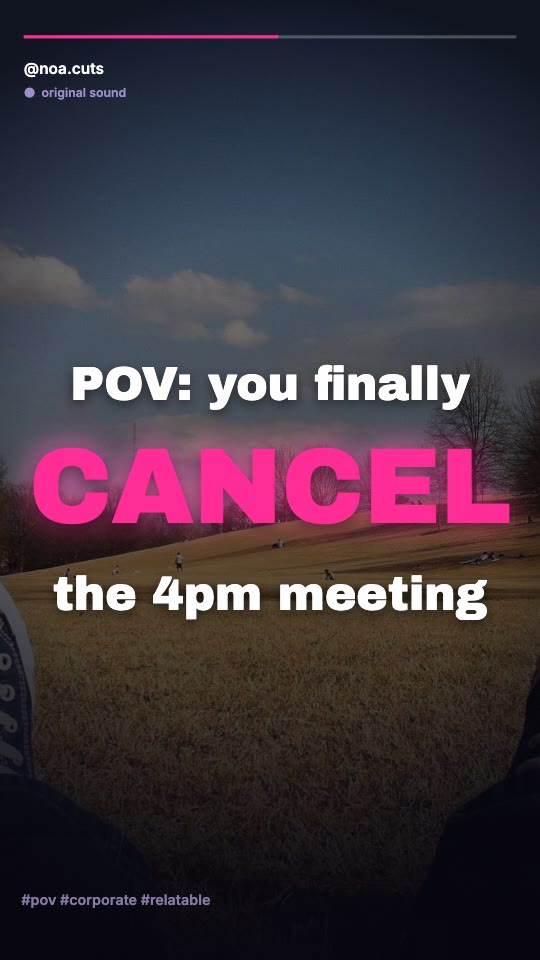
Social hook
First line of the script, cut to the beat.
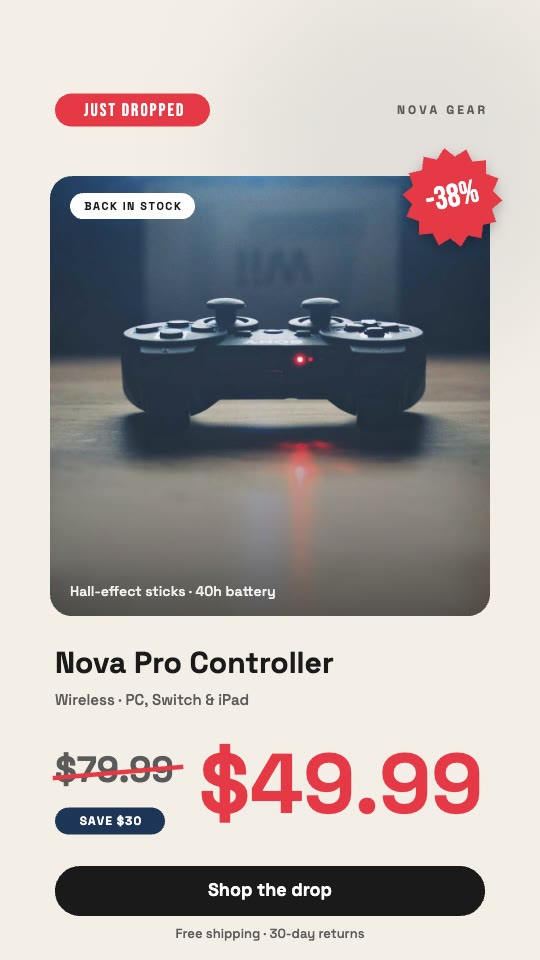
Product reveal
A screenshot, a headline, the one thing that changed.
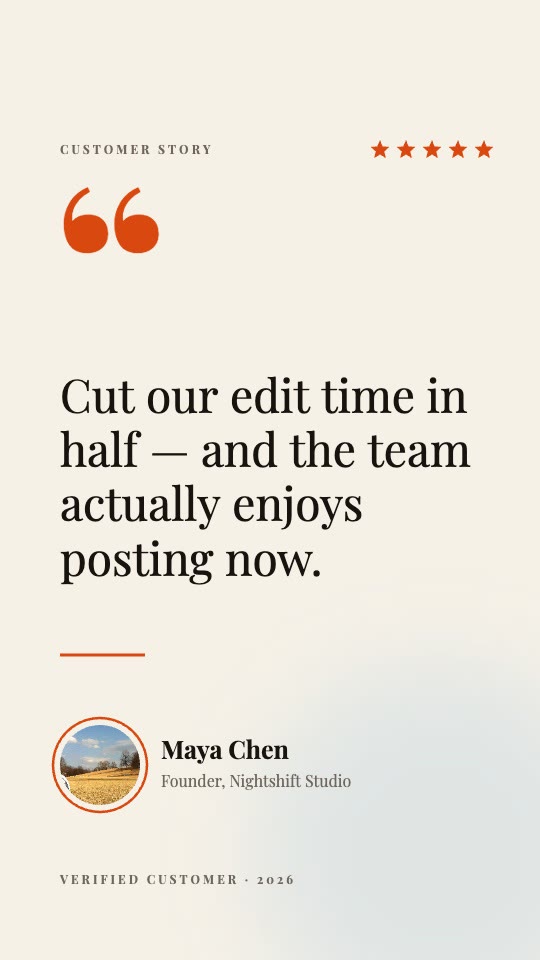
Testimonial card
A quote, a name and a rating, in six seconds.
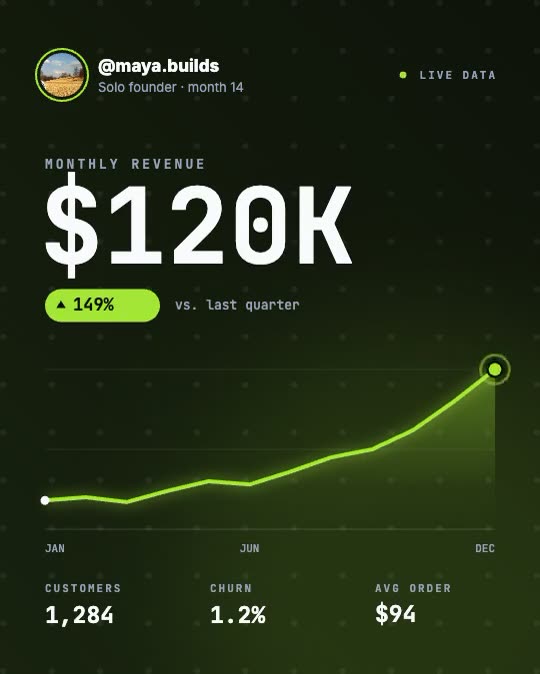
Numbers that move
Counters and bar races with type that stays legible.
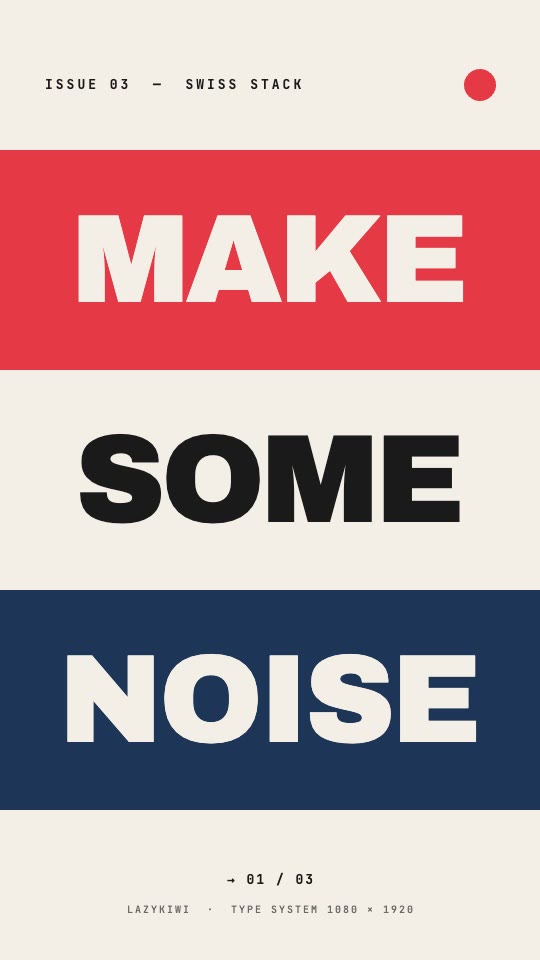
Kinetic type
Word-by-word rhythm for titles and chapter cards.
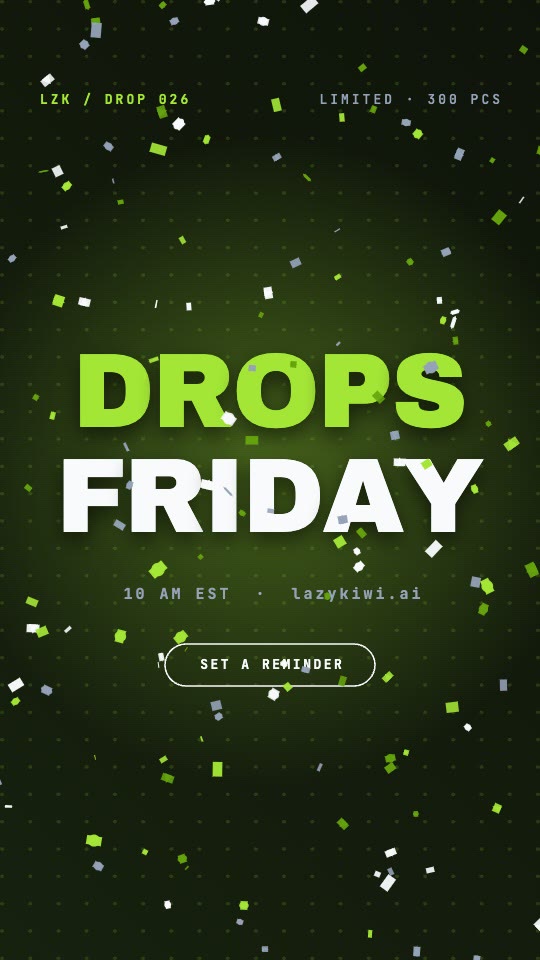
Countdown promo
Date, venue and a ticking clock you can re-date.
Plan before you spend
You approve the shot list before anything renders
Most prompt-to-video tools charge you for a full render before you know what you are getting, so a wrong first draft costs the same as a right one. Here the cheap step comes first: a storyboard with scenes, timings and a palette that you can edit or regenerate as many times as you like. Only once the structure is right does the expensive render run.
- Scene-by-scene plan with timings and palette
- Edit, reorder or re-plan for free
- Never pay twice for a wrong first draft
Editable output
A document with controls, not a baked MP4
The result is a layered animation whose parts stay named and reachable. Change the headline, swap the accent colour, slow the pacing — the preview updates instantly and costs nothing, because you are editing parameters rather than regenerating pixels. It renders in your browser, so there is no queue between a change and seeing it.
- Labelled controls for copy, colour, size, speed and easing
- Click any element and describe the change in words
- Renders in your browser — no upload, no render queue
Drawn, not diffused
Type stays vector-sharp because nothing is painted frame by frame
AI video models generate every pixel, which is why logos drift between frames and small type turns to mush. Here the words are real fonts and the shapes are real vectors, composited by the renderer. A twelve-pixel legal line is as crisp as the headline. And when a shot needs something no template covers, Art mode writes bespoke effect code for that one visual instead of falling back to stock.
- Real fonts and vectors, never painted frames
- Logos keep their exact edges and colour values
- Art mode writes one-off effect code when a template will not do
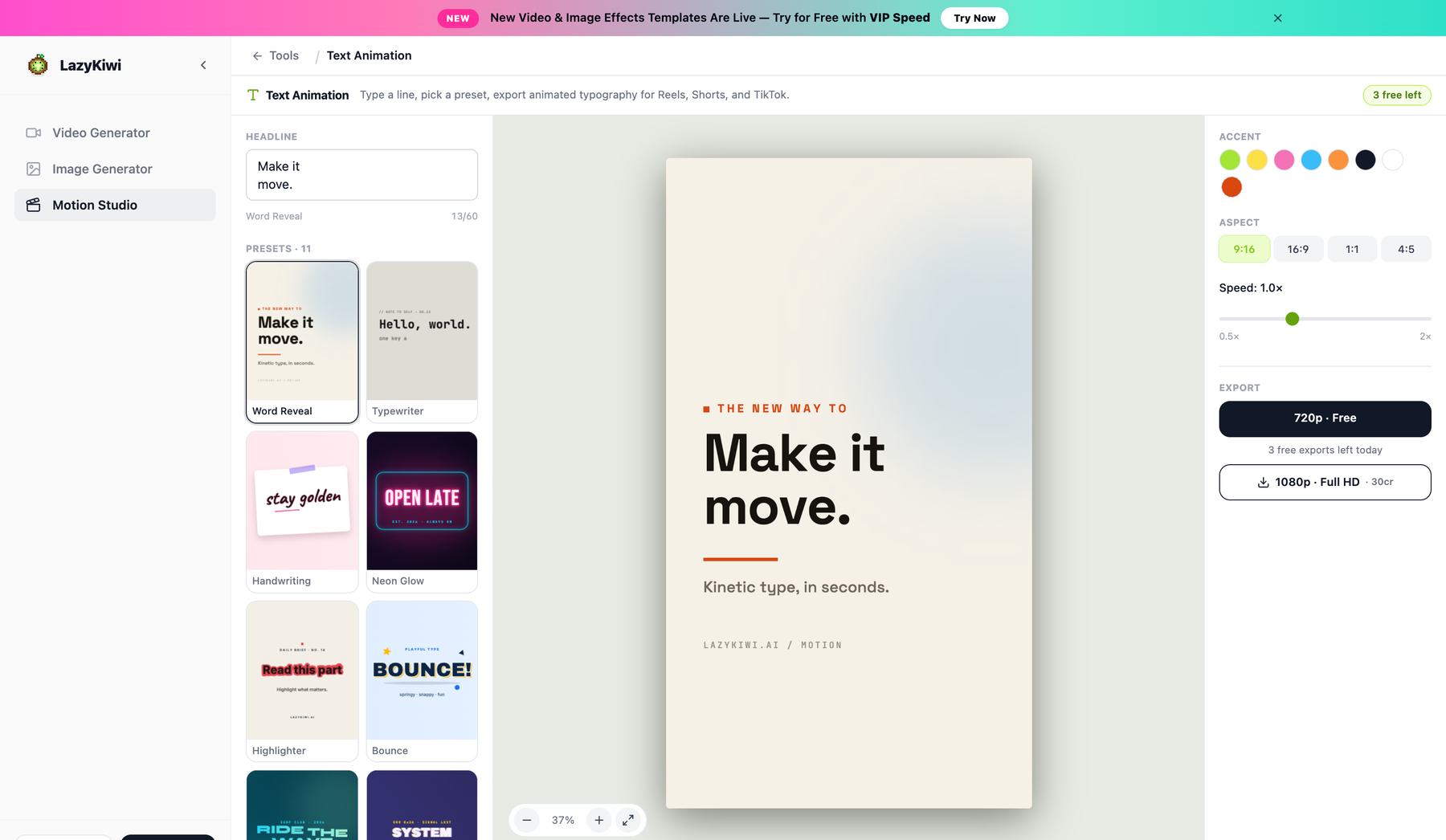
One document, four frames
9:16, 16:9, 1:1 and 4:5 from a single build
Vertical for Reels, TikTok and Shorts; wide for YouTube and landing-page heroes; square and portrait for feeds. Switching the frame retargets the layout rather than cropping it, so headlines stay inside the safe area and you are not rebuilding the same clip four times.
- Layout retargets instead of cropping
- Text stays inside the safe area at every ratio
- Export MP4 from every ratio, encoded in your browser
Inside the editor
The clip comes back as a panel you can argue with
This is the part the category usually hides. On the left is the stage playing your clip; on the right is the assistant that built it, holding every turn you have taken. Ask for a shorter hook or a different accent colour and the change lands on the existing document — the version bar keeps the takes you did not choose.
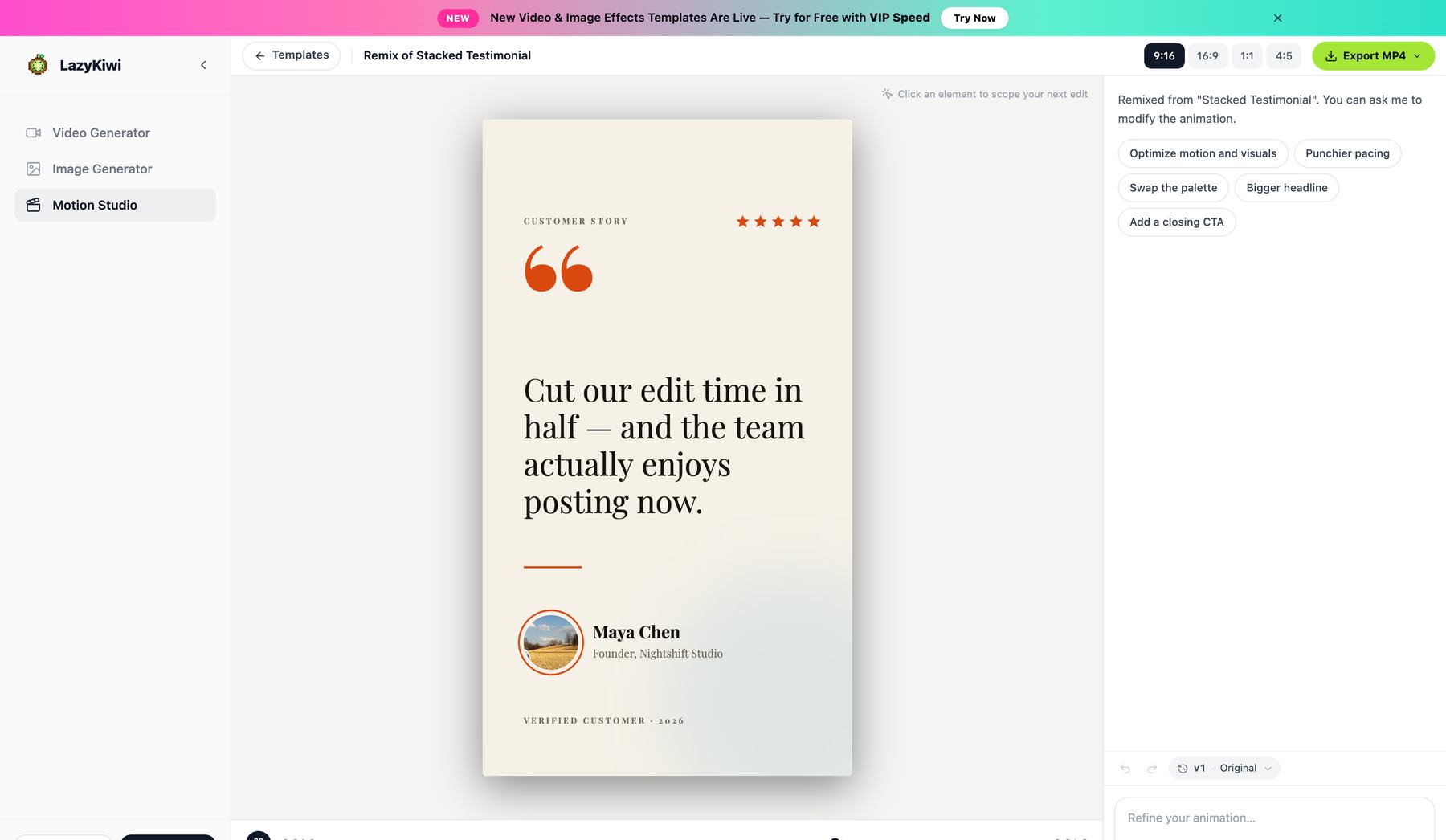
Every take is kept
The version bar holds the earlier renders, so trying a bolder cut costs you nothing you cannot undo.
The price is on the button
Credit cost is shown next to each action rather than discovered at the export screen.
Type it or drag it
Describe the change in a sentence, or open the layer and move the control yourself.
The template library
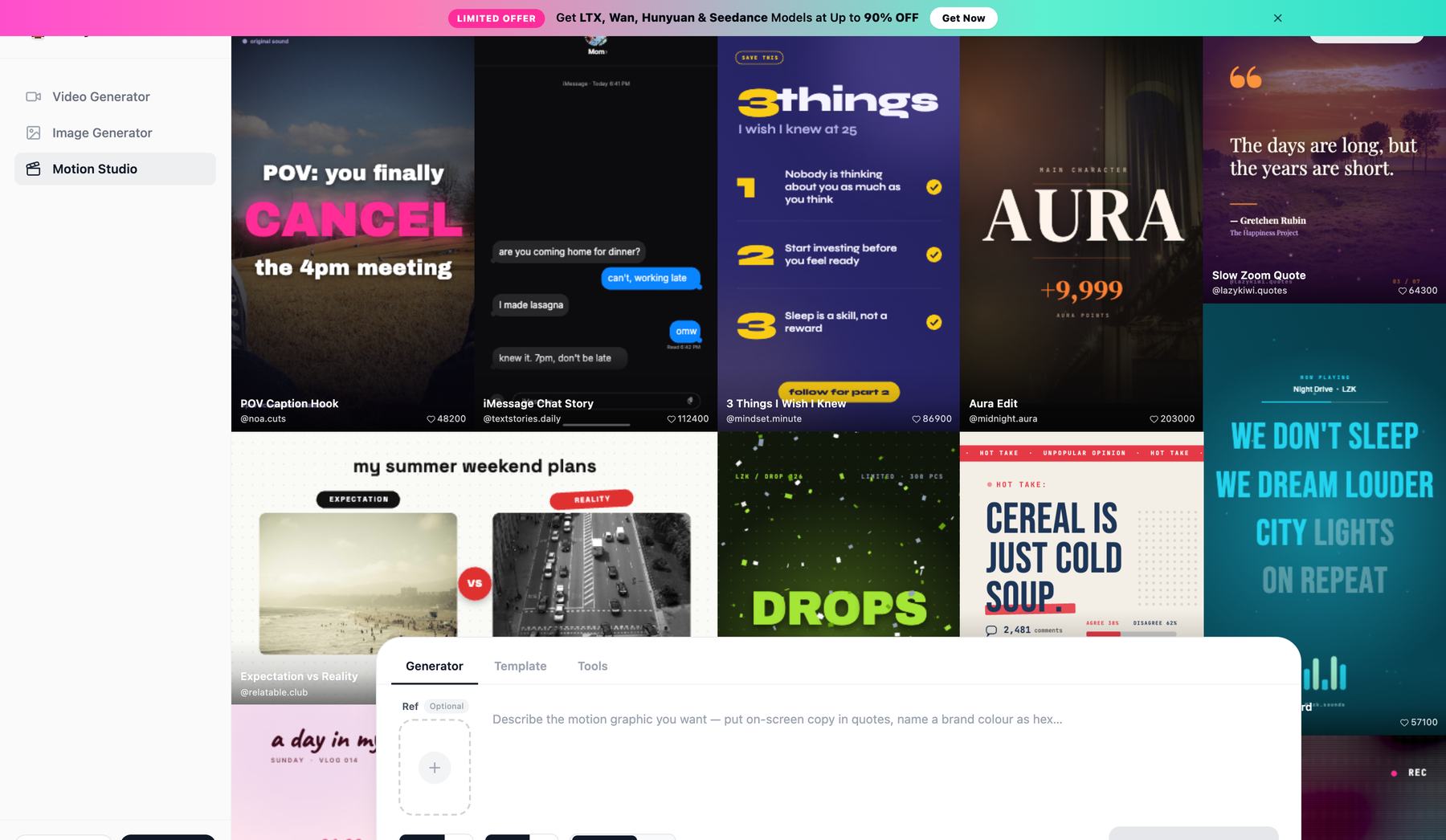
24 templates, and every one of them opens as a document
Each frame below is a real render of a template that ships today — a testimonial card, a livestream announcement, a product drop, a stats line, a chrome title, a glitch cut. Open any of them and the words, the photos and the palette are yours to change.
Open the Motion tab of the library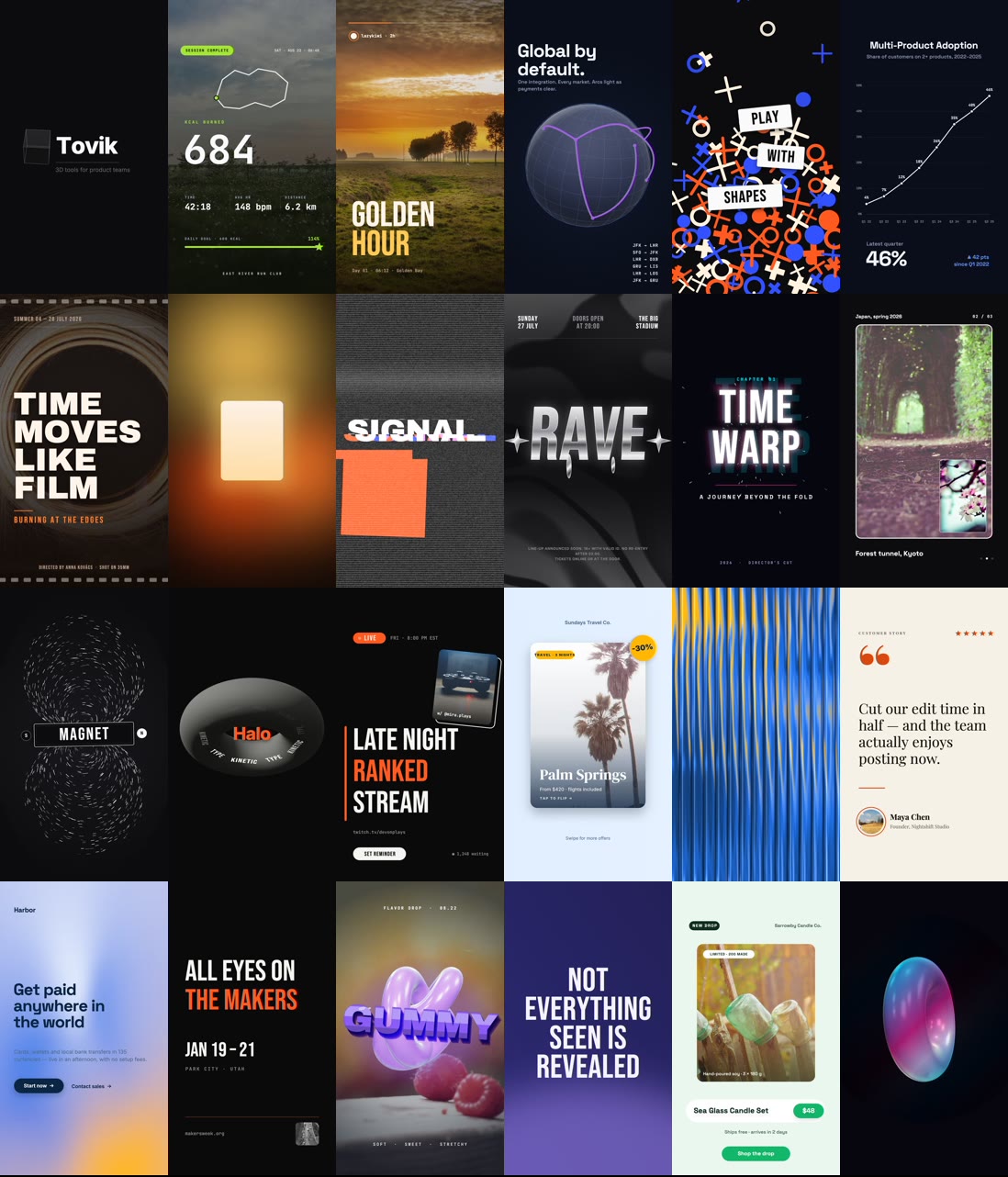
How it compares
An AI motion designer that skips the After Effects timeline
Three things people usually try before landing here, and what changes when the animation is a document.
Instead of After Effects
No timeline, no keyframe curves, no layer stack and nothing to install. You describe the clip and adjust named controls. The motion design decisions already live in the templates underneath, so you are steering a finished piece rather than building one from an empty comp.
Minutes, in a browser tab
Instead of an AI video generator
Diffusion models repaint the whole clip for every change, so text warps, logos drift and each tweak costs another render. Structured layers stay sharp, stay editable and re-export at any size from the same build.
Edits are instant and free
Instead of a template pack
Stock libraries hand you a project file to download and open in software you may not own. Every template here is live: open it, talk to it, change the copy and colours, and export. Nothing to unzip, no plugin hunt.
Templates you edit in place
The details most tools leave off the page
What you actually get, stated up front.
- Aspect ratios
- 9:16, 16:9, 1:1 and 4:5 from one document
- Export formats
- MP4, with a WebM fallback where the browser has no MP4 encoder
- Where it renders
- In your browser — no upload queue, no server wait
- Storyboard planning
- Shown before generation, so you approve the plan before credits are spent
- Editing after generation
- Control tweaks re-render locally and cost nothing; AI refinements spend credits
- Free plan exports
- 720p, unlimited, with a small LazyKiwi mark
- Paid plan exports
- Clean 1080p on any paid plan; 4K and 60 fps on Pro
- Clip length
- Templates run 3–8 seconds — identical on the free and paid tiers
Pricing & limits
Free AI motion graphics, with the limits written down
Most tools in this category make you reach the export button before they tell you what it costs. Here are the numbers up front: what the free tier gives you, what a paid plan adds, and which parts never touch a credit at all.
Unlimited exports
Free · 720p
- 720p MP4 with a small LazyKiwi mark, for personal use
- Any plan or credit pack removes the mark
- All four aspect ratios — 9:16, 16:9, 1:1, 4:5
- No card required to open, edit, preview or export
- All 24 templates and the full studio, not a locked subset
1080p on any paid plan
1080p · 4K
- Same clip, same edit, rendered clean at 1080p — commercial use included
- 4K, 60 fps and transparent ProRes on Pro and above
No credits to export
Renders in your browser
- Previewing and control tweaks re-render locally and spend no credits
- No upload queue and no render wait to pay for
- Optional cloud render, every frame stable: 5 credits per 20 seconds
Use cases
What people make with the AI motion graphics generator
The same document format, pointed at six very different jobs.
Social hooks that survive the scroll
Three seconds of kinetic type over a colour field, cut to the first line of your script. Export 9:16 and 4:5 from the same build and post both.
Product and feature launches
A screenshot, a headline, and a beat that lands on the one thing that changed. Swap the copy for the next release instead of rebuilding the clip.
Logo stings and channel intros
A two-second brand moment for the top of every video. Set it once, re-export it whenever the brand colour or tagline moves.
Numbers worth showing
Counters, bar races and line reveals that animate the figure rather than freezing it in a static chart. Type stays legible because it is drawn, not generated.
Course and explainer titles
Lower thirds, section cards and chapter openers that stay consistent across a whole series because they come from one editable source.
Event promos and countdowns
Date, venue and a ticking counter. Change the date and re-export — no re-render of anything else, and no design round-trip.
Go deeper
Three focused tools, plus the template library
Motion Studio is the general-purpose entry point. When you already know exactly what you need, these do one job in three steps.
Logo
Logo Animation & Animated Logo Maker
Upload your mark and get a reveal, sting or shader treatment with your brand colours picked up automatically.
OpenPhoto
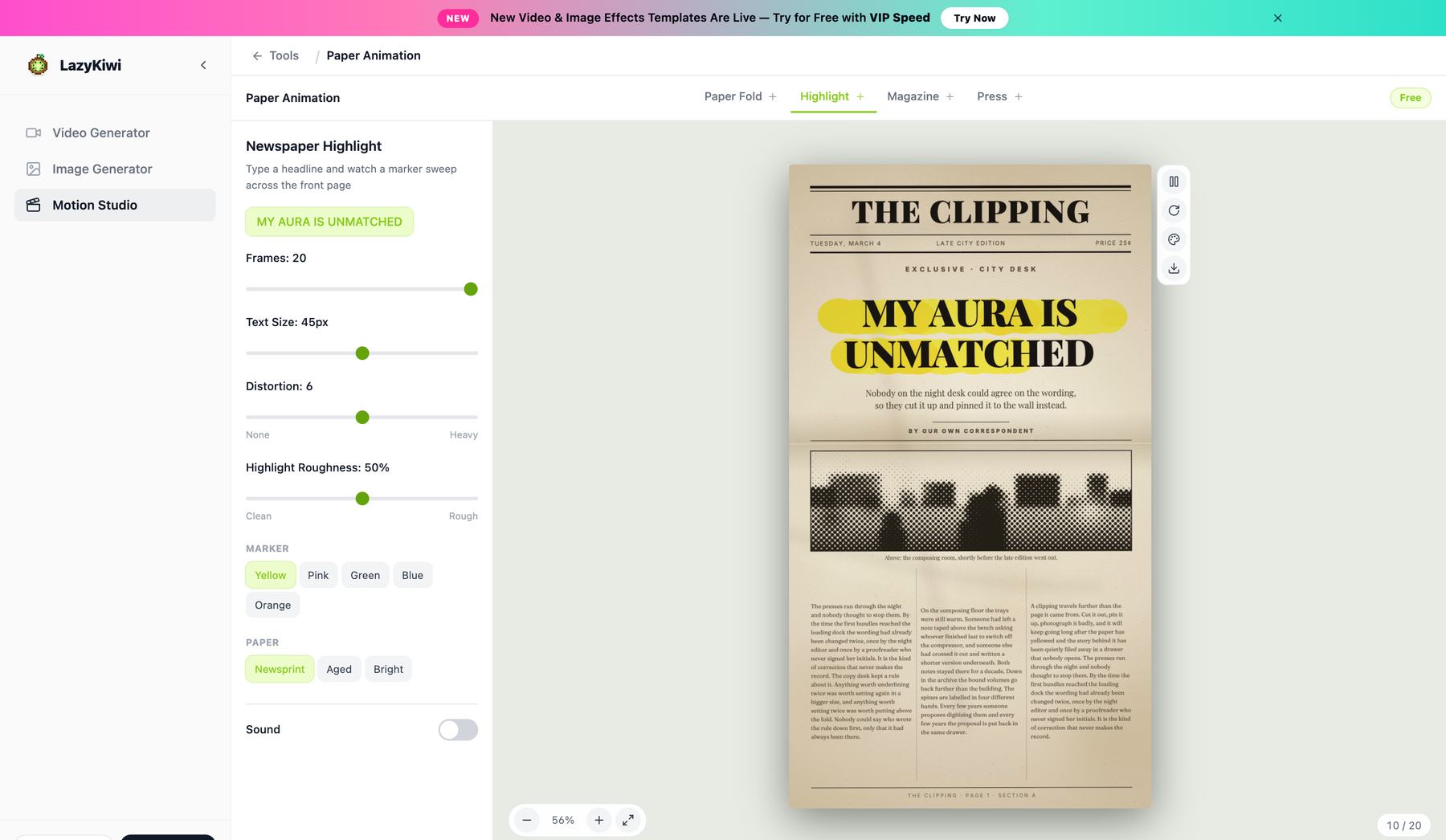
Paper Animation
Turn a photo into torn-paper, magazine cutout or newspaper motion — four distinct paper modes, not one look.
OpenText
Animated Text Generator
Type a line, pick one of eleven presets, export an MP4 at any of four ratios. No editor and no plugin hunt.
OpenLibrary
Motion Graphics Templates
All 24 sit on the Motion tab of the template library — every one live and editable in the browser rather than a file you download.
OpenFAQ
AI motion graphics questions, answered
What are AI motion graphics?+
Animated graphics — logo reveals, kinetic type, animated charts, title cards — produced from a written description instead of built by hand in an animation tool. The useful versions give you something you can still edit afterwards. LazyKiwi returns a layered document with named controls, so the clip is a starting point you steer rather than a finished video you have to accept or discard.
Is the AI motion graphics generator free?+
Yes, with limits worth knowing. Free accounts export 720p as often as they like, with a small LazyKiwi mark in the corner; any paid plan removes the mark and exports 1080p, and Pro adds 4K and 60 fps. Adjusting the controls by hand costs nothing at all because it re-renders in your browser. Generating a new animation and AI refinements spend credits; the pricing page lists exactly how many.
Can I edit the animation after it has been generated?+
Yes, and this is the main thing that separates it from prompt-to-video tools. Every headline, colour, size, speed and easing curve stays a labelled control, so changing them re-renders locally in your browser — instantly, and without spending credits. You can also click an element and describe the change in words instead of hunting for the right slider.
What aspect ratios and export formats do I get?+
One document exports 9:16, 16:9, 1:1 and 4:5. Switching ratio retargets the layout rather than cropping it, so headlines stay inside the safe area instead of getting clipped. Exports are MP4, encoded in the browser, with a WebM fallback on browsers that have no MP4 encoder — both drop straight onto a CapCut, Premiere, DaVinci Resolve or Final Cut timeline.
How is this different from After Effects?+
There is no timeline, no keyframe curve editor, no layer stack and nothing to install — and no project file to open on a machine that has the right plugins. You describe the clip, approve a storyboard, and adjust named controls in a browser tab. After Effects is more powerful and always will be; this is for the far commoner case where you need a good ninety-second turnaround rather than total control.
How is this different from an AI video generator?+
AI video models generate pixels frame by frame, which is why text comes out warped, logos drift between frames, and a small edit means regenerating the entire clip. Motion graphics here are built as structured layers from real fonts and vectors, so type stays perfectly sharp at any size, brand colours stay exact, changes are instant, and the same document re-exports at every aspect ratio.
Can I use the clips commercially?+
Commercial use follows the terms of your LazyKiwi plan, which the pricing page sets out in full. What is worth saying here is what does not restrict you: exports carry no watermark on any paid plan, the typefaces are self-hosted Google Fonts under the SIL Open Font License 1.1, and the scene textures are CC0 public-domain maps from Poly Haven. Nothing in the assets themselves needs attribution.
Do I need motion design experience?+
No. There are no keyframes to set and no easing curves to learn — the motion design decisions come from the templates and the storyboard planner. If you can describe the clip you want and recognise it when you see it, you can finish one. Naming a brand colour and quoting your on-screen copy in the prompt is enough to get a usable first draft.
What is AI motion design, and can it replace a motion designer?+
AI motion design means describing the animation you want and getting back a real, editable build — layers, timing and type you can still change — rather than commissioning it shot by shot. It covers the everyday work well: launch clips, product hooks, testimonials, data cards, kinetic type. It does not replace a motion designer on brand systems, bespoke art direction or anything that needs a human eye on craft. Most teams use it for the volume work and keep their designer for the hero pieces.
Can I export a GIF?+
Not today — exports are MP4, with a WebM fallback where the browser cannot encode MP4. We would rather say that plainly than list a format the exporter does not produce. MP4 is what every social platform, editor and CMS ingests; if you specifically need a looping GIF for an email or a README, convert the MP4 afterwards, which costs you nothing and keeps the type crisp.
Is there a watermark on free motion graphics exports?+
Free exports carry a small LazyKiwi mark in the corner; any paid plan removes it. The difference between free and paid is resolution and the mark — 720p with the mark, versus clean 1080p (4K on Pro) — every template, control and clip length is the same on both.
How long can a motion graphics clip be?+
The templates run between three and eight seconds, which is the length a hook, a logo sting or a title card actually wants. That does not change between the free and paid tiers — no plan here buys you extra seconds. For a longer piece, export several clips from the same document and cut them together in your editor.
Describe it. Watch it move. Then change your mind for free.
Start with a sentence, approve the storyboard before you spend anything, and export motion graphics at every aspect ratio you need.
No credit card · Free to try · Renders in your browser