
21 TikTok Video Ideas for 2026 (With AI Shortcuts for Each)
21 TikTok video ideas for 2026, each keyed to a TikTok mechanic (sound, stitch, reveal, series) with an AI shortcut, plus a routine for days with no ideas.
 Priya Sharma 9 min read
TikTok video ideas that get watched in 2026 are built on a mechanic the app already rewards (a sound, a stitch, a reveal, a series) rather than on a topic. Below are 21 of them, each with the reason it works and the AI shortcut that produces it, then five aesthetic formats that need no set, a method for turning one idea into a series, a short AI build, and an idea routine for the days you have nothing. Generation settings are covered in the TikTok how-to linked further down; this post stays on the ideas.
What kinds of TikTok videos get watched in 2026?
Three kinds, and they map to three viewer intents. Utility videos answer a question or settle a choice (a tool test, a fix, a comparison). Aesthetic videos deliver a feeling in the first frame (a restyle, a reveal, a mood). Story videos give the viewer a reason to come back (a numbered series, a comment-driven sequel). A trend is a delivery mechanism for one of these, not a fourth category.
| Viewer intent | What the viewer wants | Ideas below that serve it |
|---|---|---|
| Utility | An answer, a fix, a verdict | 1, 2, 16, 17, 18, 19 |
| Aesthetic | A feeling in the first frame | 3, 6, 8, 9, 10, 11, 13 and the five in the next section |
| Story | A reason to follow | 4, 5, 7, 14, 15, 20, 21 |
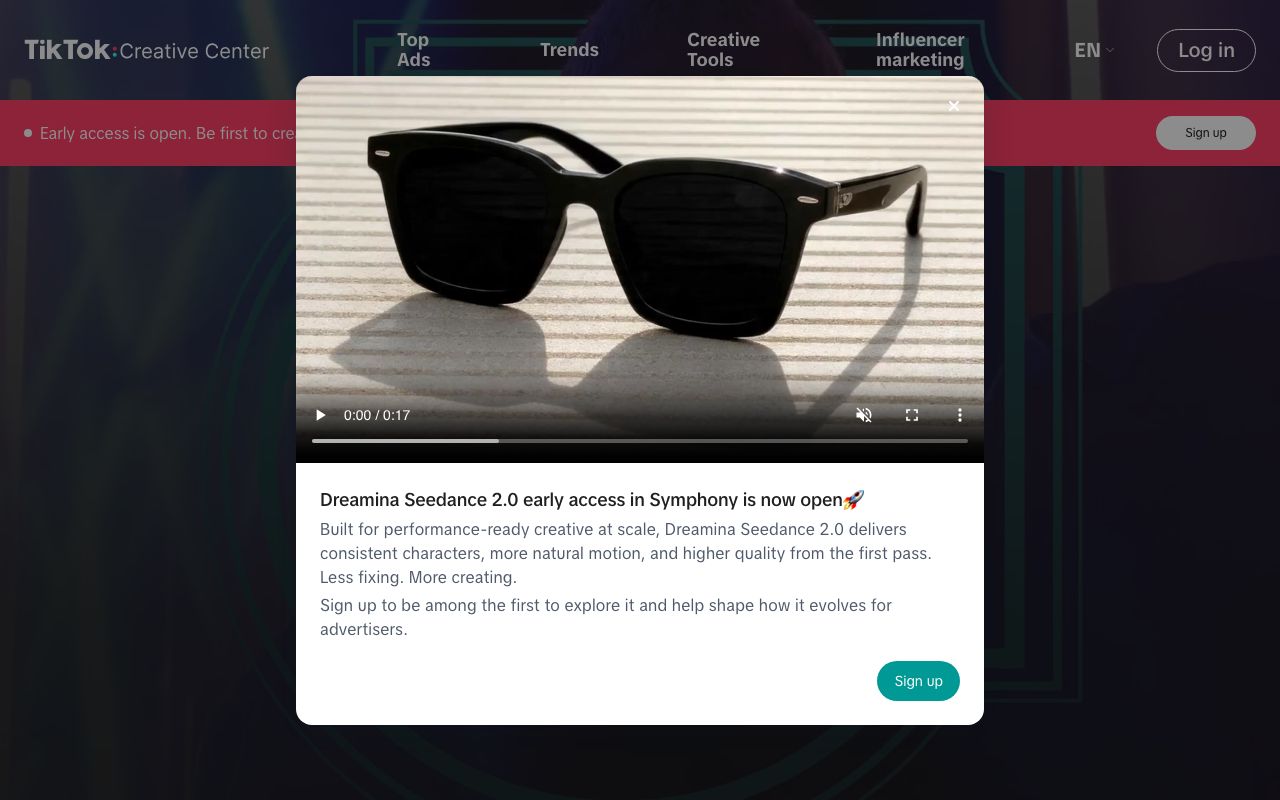
For what is moving right now, TikTok's Creative Center (2026) has a Trends section for hashtags and songs and a Top Ads section for the commercial formats that are paying to be seen; some views ask for a login. Treat it as a read on delivery mechanisms, and keep the intent decision yours.
The container has widened. Sprout Social's video specs guide, updated in May 2026, lists TikTok at 1080 by 1920 pixels in 9:16, up to 3 minutes recorded in the app and 10 minutes when uploaded, in MP4 or MOV, per Sprout Social (2026). Most of the ideas below run 15 to 45 seconds; the longer ceiling matters for the tutorials in group three.
What are the best TikTok video ideas right now?
The 21 TikTok video ideas below are grouped by the mechanic they borrow from the app. Effort is the time to make one episode after the first; the AI shortcut column points to the LazyKiwi template or tool behind the visual, so no idea here depends on a set, a crew or your face.
Sound, stitch and duet mechanics (ideas 1 to 7)
| Idea | Why it works | AI shortcut | Effort |
|---|---|---|---|
| 1. Stitch a question, answer with a demo | Borrows the question's audience; your clip is the payoff | Screen or hands footage plus one VFX beat on the answer | Low |
| 2. Duet a tutorial with your result | Side-by-side proof that it works | Photo of your result animated with image-to-video | Low |
| 3. Sound-synced outfit swap | The trending sound sets the cut points | AI Outfit Generator stills joined with the Whip Pan template | Low |
| 4. Video reply to a comment | The comment is the hook card, already in the viewer's words | Animated text card over a generated scene | Low |
| 5. Original voiceover on a generated scene | Your audio becomes a sound others reuse | Seedance 2.5 text-to-video at 9:16 | Medium |
| 6. Beat-drop reveal | The reveal lands on the drop | Money Rain or Bullet Time template | Low |
| 7. Text-to-speech story on one still | Built-in narration, no recording | Slow Zoom In (Ken Burns) template over the still | Low |
Sound-led ideas are the fastest to publish because the audio decides the structure. Pick the sound first, count its beats, and give each beat one visual; a swap, a card, a reveal. The mistake is choosing the visuals first and stretching a sound to fit.
Reveal and effect hooks (ideas 8 to 14)
| Idea | Why it works | AI shortcut | Effort |
|---|---|---|---|
| 8. Money rain on an ordinary moment | The contrast between the effect and the setting is the joke | Money Rain template, one frame in | Low |
| 9. Then-vs-now morph | A transformation timed to a beat, no cut | Then vs Now Transition template, two portraits in | Low |
| 10. Tracking-shot walk | Cinematic camera travel from a still | Tracking Shot template | Low |
| 11. Room glow-up | Before and after in the same frame position | AI Interior Design tool | Low |
| 12. One product, five backgrounds | A new setting on every beat | Video background changer | Low |
| 13. Photo that comes alive | A still the viewer has seen starts moving | Image-to-video with Seedance 2.5 | Medium |
| 14. One-effect POV | 'You open the door and...' with a single VFX beat | AI VFX generator on the reveal frame | Medium |
The money rain template is the clearest example of an effect hook: upload one frame of an ordinary moment (a bus stop, a desk, a lunch) and the falling bills do the rest. It reads in the first second, which is the only second the feed gives you. The then vs now transition takes two portraits, holds the earlier one and ages it into the present-day one on the beat, no cut and no face swap, and returns a 10-second 9:16 clip that is a finished post.
Series and utility formats (ideas 15 to 21)
| Idea | Why it works | AI shortcut | Effort |
|---|---|---|---|
| 15. 'Day 1 of' challenge | Numbered days create a return habit | Fixed intro card from the animated text tool | Low |
| 16. Three tools, one task | A comparison with a visible winner | Screen recording plus a scorecard card | Medium |
| 17. Myth, test, verdict | Proof in 20 seconds | Hands or screen footage plus a verdict card | Medium |
| 18. Micro-tutorial with one result | Searchable; answers one query | Screen recording with burned-in captions | Low |
| 19. Starter pack for a niche | Community recognition and shares | Image generator grid of the four objects | Low |
| 20. Behind one decision | A story with a reason, in under a minute | Generated B-roll for the option you did not take | Medium |
| 21. Rating series with a fixed scale | The scale becomes the brand | Number Counter template as the score reveal | Low |

Group three is where most of the video ideas for TikTok that still work after a year live. They are not the ones that spike; they are the ones that let a viewer predict the next episode and want it anyway. Ideas 15 and 21 in particular are almost entirely format; the subject can change every week.
Which TikTok aesthetic video ideas work without a big setup?
TikTok aesthetic video ideas usually assume a ring light, a tidy apartment and a camera operator. These five assume one photo. Each is an image template or an image-to-video pass in LazyKiwi, so the 'set' is whatever was in the frame when you took the picture.
- Instant-print memory: the polaroid family photo template puts a white border and film grading on one snapshot and animates the develop; post it as a throwback with a one-line caption.
- Painted place: the Anime Watercolor Art template turns a travel photo into a hand-painted scene; pair three of them into a 'places I miss' cut.
- Editorial mirror selfie: the Mirror Phone Editorial template keeps your pose and rebuilds the bathroom as a hotel room with a lamp and sheer curtains.
- Flash grid: the Dark Room Flash Editorial template makes a four-frame flash-photography grid from one selfie, two warm frames and two cool ones.
- Slow push on a still: the Slow Zoom In template gives any photo a Ken Burns move; it is the quietest of the five and works as the closing shot of a series.
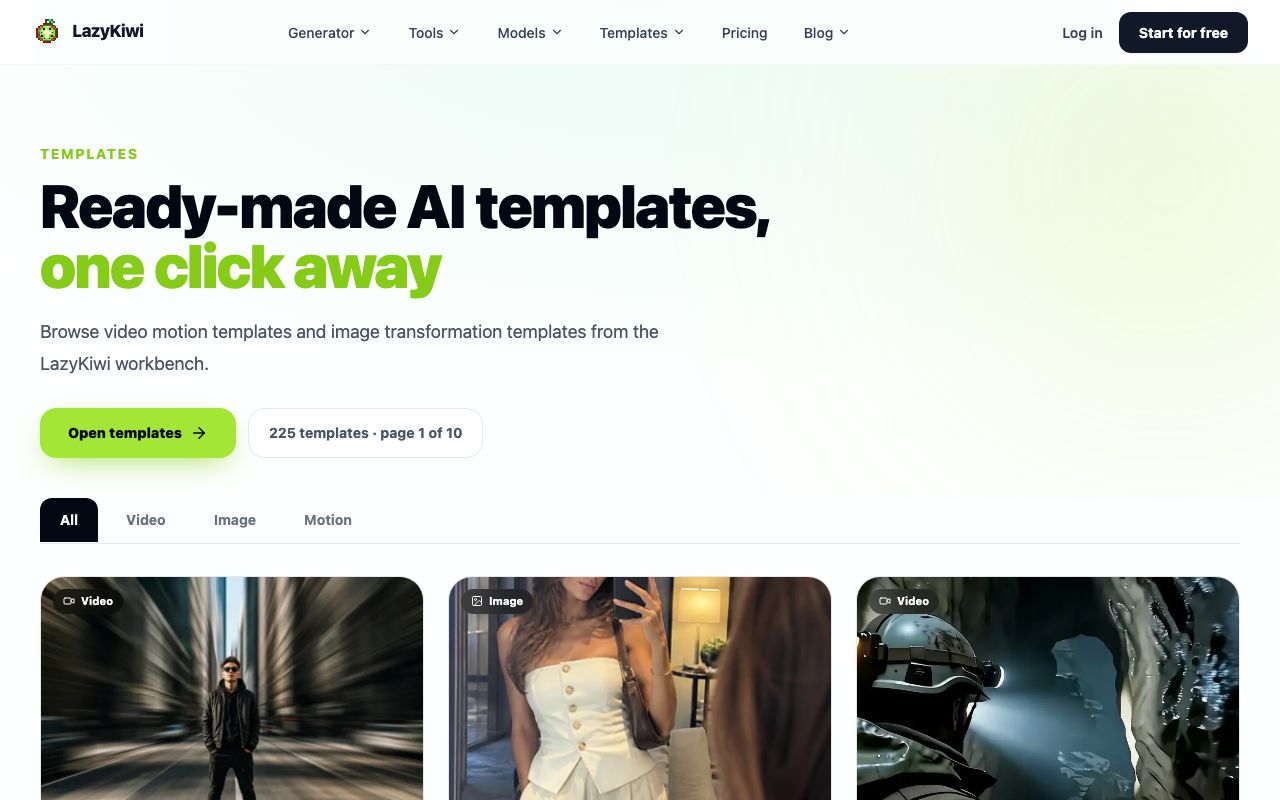
Aesthetic posts still need a beat. A restyle with no change across the clip is a photo, not a video; the develop, the push, or the cut between three painted places is what makes it play. All five templates are in the video templates hub and its image counterpart.
How to turn one TikTok idea into a series
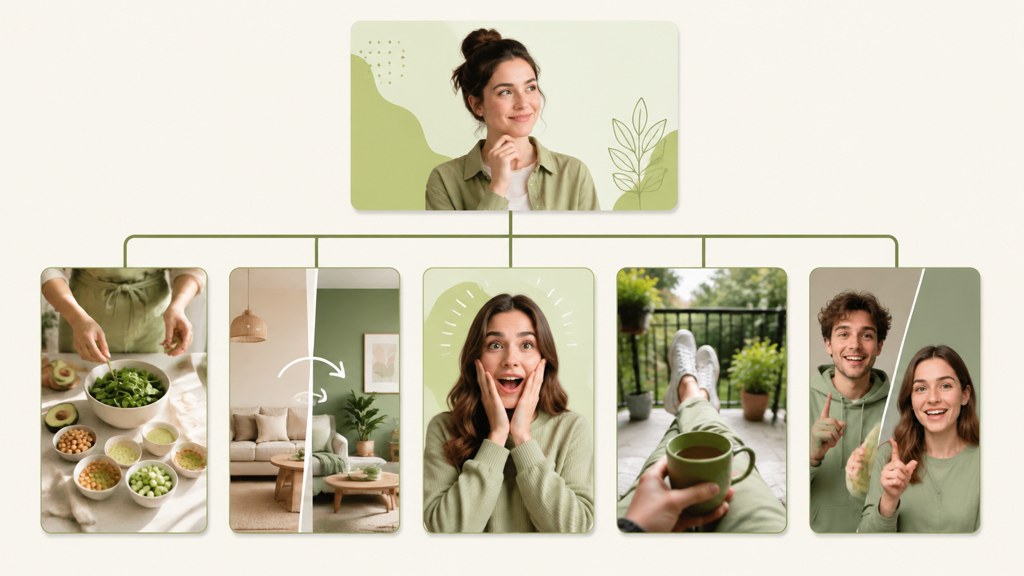
A series is an idea plus a rule for the next episode. The rule is what the viewer learns to expect: a number that increments, a scale that stays fixed, a comment that becomes the next prompt. Pick one rule per series and keep the hook card identical, so the first frame tells returning viewers which series this is before they read anything.
| Series type | Episode rule | Hook that carries over | Realistic cadence |
|---|---|---|---|
| Numbered days (idea 15) | Day N of doing X | The same intro card with the day count changed | Daily, because the format does the work |
| Fixed scale (idea 21) | Rate one subject on the same 1 to 10 | The score reveal animation | Two or three a week |
| Comment-driven (ideas 4, 20) | The top comment picks the next episode | The quoted comment as the first frame | Whenever a comment earns it |
| Test series (ideas 16, 17) | One claim or tool per episode | The verdict card style | Weekly; testing takes time |
Cadence follows the rule, not the other way round. A daily series with a heavy format collapses in week two; a weekly series with a light format wastes the format. Match them, then hold the schedule for at least ten episodes before judging the idea, because the series effect (viewers arriving from the previous episode) does not show in the first three.
End every episode on the setup of the next one, not on a goodbye. 'Tomorrow: the one that failed' is a better last frame than any call to follow.
How to make a TikTok video idea with AI step by step
This is the short version for the ideas above; the TikTok AI video how-to covers models, prompts and settings in depth.
- 1
Decide template or prompt
Ideas 3, 6 to 11, 15 and 21 are templates: one or two photos in, a finished 9:16 clip out. Ideas 5, 13, 14 and 20 need a generated scene, which means a prompt and the AI video generator set to 9:16.
- 2
Generate the base
For a scene, use Seedance 2.5: 4 to 30 seconds at any second, 480p for a test and 720p for the post, from text, one reference image, or a start and end frame. The credit cost is shown before you run it.
- 3
Swap the setting if the idea needs it
For idea 12 and any POV where the background is the joke, run the clip through the video background changer once per setting rather than regenerating the subject.
- 4
Add one effect beat
The AI VFX generator puts a single effect on the reveal frame. One is a hook; three is a screensaver.
- 5
Caption in the safe zone
Keep text out of the bottom quarter and the right edge, where the TikTok interface sits, and burn the hook line into the first frame.
- 6
Export and label
Export 1080 by 1920 MP4. If the clip realistically depicts a person or a scene that was AI-made or edited, add TikTok's AI-generated content label at upload; the platform requires clear labeling in that case, per its Community Guidelines (2026).
What should you post on TikTok when you have no ideas?
'What to post on TikTok' is a question the app can answer for you if you look in the right three places, in order. This routine takes about twenty minutes and produces a week of tiktok content ideas without a brainstorm.
- Your own comments: sort the last five posts by comment count and copy every question. Each one is idea 4 (a video reply) or idea 1 (a stitch of your own clip) waiting to be made.
- Your own top clip: take the best-performing post of the last month and change one variable (subject, sound, or setting) while keeping the structure. That is a series episode, not a repost.
- The Creative Center Trends tab: pick a rising sound and assign it to one of ideas 3, 6 or 7. The sound is the delivery; the idea is still yours.
- A template you have not used: open the templates hub, pick one you have never run, and give it one photo from your camera roll. The result is either a post or a lesson about the template.
- A stitch of a question in your niche that nobody answered well: idea 1 with someone else's audience attached.
Save the tiktok ideas this routine produces in a note with four columns: mechanic, subject, hook line, shortcut. A row with all four filled in is a video; a row missing the hook line is still a topic, and topics do not get made.
Which TikTok ideas should you avoid in 2026?
- Unlabeled realistic AI: TikTok's guidelines state that clear labeling is required when AI or editing realistically depicts people or scenes, and that AIGC which misleads on matters of public importance or harms individuals is not allowed, per TikTok (2026). The self-serve label has existed since the TikTok Newsroom announcement (2023).
- Cross-posting without the other platform's label: Meta applies 'AI info' labels from industry signals or self-disclosure, per Meta Newsroom (2024), and YouTube requires disclosure for realistic altered or synthetic scenes, per YouTube Help (2026). Label once at the source and the reposts inherit the honesty.
- Trends past their peak: if a template's use count in the CapCut template library (2026) is in the millions and the sound has stopped rising in the Creative Center, you are arriving after the audience left.
- Watermarked reposts: a clip downloaded from one platform and uploaded to another carries the first platform's mark and its compression; re-export from the project instead.
- Music you do not hold rights to on TikTok: use sounds from the app's own library for organic posts, or a licensed library like Epidemic Sound (2026) when a business account is attached.
- Health, finance and legal claims delivered as tips: the utility formats above work for tools and techniques; they are the wrong wrapper for advice you are not qualified to give.
Searches for 'tiktok video ideas that will go viral' outnumber searches for ideas that last, and the two lists are different. The 21 tiktok video ideas here are chosen for repeatability: every one can be rebuilt around a fresh subject while the mechanic stays put, which is the only reliable route to the second kind of result. Our post on AI brainrot videos looks at that gap from the other side, including why individual brainrot memes die so fast.
Key takeaways
- Pick the mechanic before the topic: the 21 ideas are grouped by sound and stitch (1 to 7), reveal and effect hooks (8 to 14), and series and utility formats (15 to 21).
- TikTok now takes 9:16 at 1080 by 1920, up to 3 minutes in-app and 10 minutes uploaded, per Sprout Social's May 2026 specs guide; most ideas here still run 15 to 45 seconds.
- One photo is a set: the Money Rain, Then vs Now, Polaroid and Slow Zoom In templates each turn a single image into a finished 9:16 clip.
- A series is an idea plus a rule for the next episode; keep the hook card identical and hold the cadence for ten episodes before judging it.
- Label realistic AI at the source: TikTok requires clear labeling when AI realistically depicts people or scenes, and Meta and YouTube apply their own labels on cross-posts.
Creator Growth Editor
Priya Sharma
I study what makes short-form content spread, then turn the pattern into something you can repeat on a Tuesday afternoon without a studio.
FAQ
Common questions
What are easy TikTok video ideas for beginners?
Start with the template ideas: money rain on an ordinary moment (8), the then-vs-now morph (9), a room glow-up (11) or the polaroid restyle in the aesthetic list. Each needs one or two photos and no script, so the first posts teach you the feed's timing before you invest in a generated scene or a series.
What TikTok video ideas go viral in 2026?
No format guarantees reach, and any claim that one does needs a dated source. What the mechanics reward is a hook that reads in the first second, a sound that sets the cuts, and a series rule that brings viewers back. Ideas 6, 8, 9 and 15 combine those traits, which is as close to a formula as the app offers.
How often should I post on TikTok?
TikTok publishes no fixed number, and the useful answer depends on the format. A numbered-days series with a fixed intro card can run daily because the template does the work; test and tutorial formats settle at two or three a week. Choose the cadence the rule can sustain for ten episodes rather than the highest one you can manage this week.
Can I use AI videos on TikTok?
Yes. TikTok's Community Guidelines require clear labeling when AI or editing is used to realistically depict people or scenes, and they prohibit AI content that misleads on matters of public importance or harms individuals. Stylized templates and obviously fictional scenes are fine; add the AI-generated content label whenever a clip could pass for real footage.
What are TikTok content ideas for small businesses?
Use the utility and reveal formats: one product in five backgrounds (12), three tools for one task (16), a myth-test-verdict on a common customer question (17), and a rating series on your own category (21). Each shows the product doing something rather than describing it, and none of them needs the owner on camera.
Turn one photo into a TikTok tonight
Open the LazyKiwi template gallery, upload a single frame, and download a 9:16 clip for idea 8, 9 or 10. Your first 40 credits cost nothing.
Keep reading
25 Faceless YouTube Channel Ideas You Can Start Today
Find a realistic faceless YouTube niche, validate your concept, and turn simple scripts, visuals, narration, and editing into consistent videos.
8 min read
How to Make AI Videos for TikTok Without a Complicated Setup
Learn how to make AI videos for TikTok with a simple workflow for planning hooks, generating consistent scenes, editing vertical clips, testing trends, and creating videos with free tools.
8 min read
How to Make Scroll-Stopping AI Effect Videos for TikTok, Reels & Shorts
How AI effects build a hook people can't scroll past, plus a workflow you can run even if you have never touched an editor.
8 min read
25 YouTube Shorts Ideas You Can Make Without Showing Your Face
Turn these practical YouTube Shorts ideas into engaging faceless videos using screen recordings, captions, AI visuals, narration, and simple edits.
8 min read