
25 Faceless YouTube Channel Ideas That Still Work in 2026
25 faceless YouTube channel ideas grouped by production load, with the format, tool stack and policy risk for each, plus YouTube's 2026 rules on AI content.
 Priya Sharma 10 min read
Faceless YouTube channel ideas that still work in 2026 share three traits: the topic can be researched or demonstrated without a presenter, the visuals can be produced on a schedule, and the format survives YouTube's inauthentic content rules. This list covers 25 ideas in five themes, each with its format, production stack and policy risk, then the selection criteria, a launch sequence and the tools most faceless channels run on. The model is not new. What changed is that AI video and voice tools now cut production time enough for one person to hold a weekly cadence.
What is a faceless YouTube channel and why start one in 2026?
A faceless YouTube channel is one where the creator never appears on camera. Narration, screen recordings, hands-only footage, maps, motion graphics or generated B-roll carry the video instead. People searching 'what is a faceless YouTube channel' often assume it means anonymous, and it does not: the channel still has a name, a consistent voice and an editorial point of view. It simply has no presenter.

The format is attractive for practical reasons. There are no shoot days, so episodes can be batched; the voice can be recorded at midnight in a closet; and every asset (script, narration, B-roll) can be re-cut into Shorts. The downside is that nothing about your face builds loyalty, so the topic and the packaging have to do that work.
Monetization rules matter more here than for on-camera channels. The YouTube Partner Program requires 1,000 subscribers plus either 4,000 qualified watch hours in the last 12 months or 10 million qualified public Shorts views in the last 90 days, per the YouTube Help Partner Program page (2026). Watch hours come from long-form, so most faceless channels need at least one 8-minute-plus video a week to reach the threshold within a year.
The second rule is the one that removes channels. YouTube renamed its repetitious content policy to 'inauthentic content' and lists 'AI-generated content made with generic or unoriginal templates giving the impression of mass production' and slideshows with 'minimal or no narrative, commentary, or educational value' as ineligible for monetization, per the YouTube monetization policies page (2026). The reused content rules for clips, compilations and reactions are separate and unchanged.
Read the inauthentic content examples once before you pick a niche. Most faceless channels that lose monetization match one of them, usually the templated slideshow or the interchangeable episode.
What are the best faceless YouTube channel ideas?
The 25 faceless YouTube channel ideas below are grouped by the production they demand rather than by popularity, because production load is what decides whether you are still uploading in month four. Difficulty is the weekly effort for one 8-minute episode once your pipeline exists; policy risk is how close the format sits to the inauthentic content examples above.
Explainers and tutorials (ideas 1 to 5)
| Idea | Format | Production stack | Difficulty / policy risk |
|---|---|---|---|
| 1. Software tutorials | 6 to 10 minute screen walkthrough, one task per episode | Screen recorder, cursor highlight, narration | Low / low |
| 2. AI tool walkthroughs | Prompt-to-result demos with the failures left in | Screen recorder, side-by-side comparisons | Low / low |
| 3. Personal finance explainers | Animated charts over narration, no individual advice | Chart templates, animated text, voice | Medium / medium |
| 4. Spreadsheet and data tips | One formula or dashboard per video | Screen recorder, sample data sets | Low / low |
| 5. Coding lessons | Solve one problem on screen, explain the reasoning | Editor at a large font size, narration | Medium / low |
Tutorials are the safest place to start because the value is the demonstration itself, which no template can mass-produce. The trap is scope. 'Excel for beginners' is a course, not a channel; 'one Excel formula for accountants, every Tuesday' is a channel.
Story and documentary channels (ideas 6 to 10)
| Idea | Format | Production stack | Difficulty / policy risk |
|---|---|---|---|
| 6. History in maps | Animated maps and dated events, 10 to 15 minutes | Map assets, camera-move templates, narration | High / low |
| 7. Unsolved mysteries | Researched narrative with every claim sourced | Script, archival stills, generated establishing shots | High / medium |
| 8. Biography mini-documentaries | The turning points of one person per episode | Public-domain photos, animated text, voice | High / medium |
| 9. Business case studies | How one company or campaign worked, numbers cited | Charts, screenshots, product B-roll | Medium / low |
| 10. Scale and comparison videos | 'How big is X' with animated size comparisons | Generated objects, camera-move templates | Medium / medium |
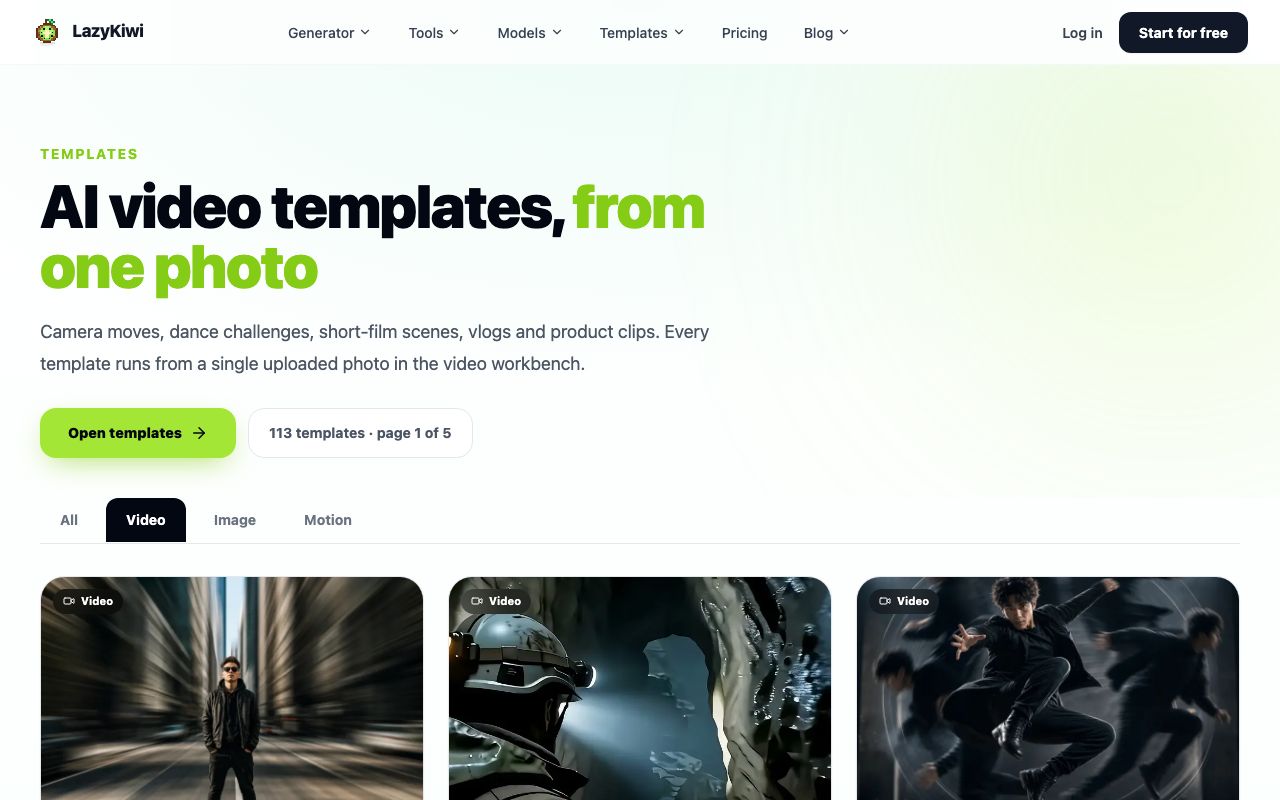
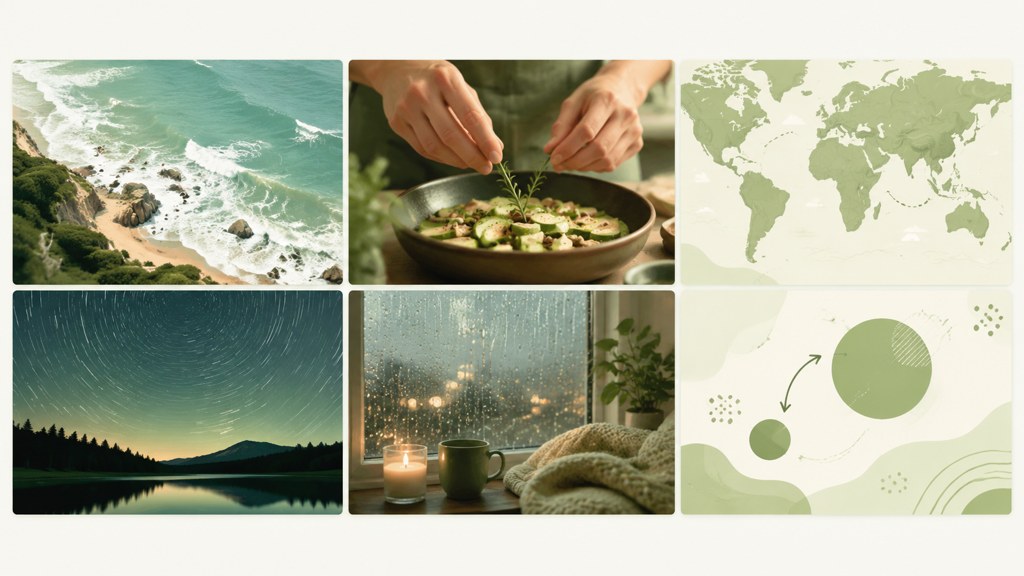
Story channels live or die on B-roll. A history episode needs dozens of establishing shots you cannot film, which is where an AI video generator earns its place: a still map becomes a slow push-in, and a text prompt becomes a period street scene. Use realistic-looking generated shots with care; a generated battlefield presented as footage of the real event needs the altered content label.
Hands-only and screen-only demonstrations (ideas 11 to 15)
| Idea | Format | Production stack | Difficulty / policy risk |
|---|---|---|---|
| 11. Hands-only recipes | Overhead cooking with on-screen quantities | Phone on a mount, overhead light, captions | Medium / low |
| 12. Repairs and DIY | One fix per video, close-up of every step | Phone, macro lens, captions | Medium / low |
| 13. Digital decluttering | Inbox, file and phone cleanups recorded on screen | Screen recorder, before-and-after counts | Low / low |
| 14. Product comparisons | Two or three items tested on one criterion | Product close-ups, scorecard graphics | Medium / medium |
| 15. Desk and setup builds | Assembling a workspace or a gear kit | Phone, time-lapse, parts list | Medium / low |
Hands-only formats are the most authentic in YouTube's sense of the word because the footage is yours and the process is visible. They also transfer well to Shorts: the 30-second cut of an 8-minute repair is often the stronger performer.
Ambient, focus and narrated fiction (ideas 16 to 20)
| Idea | Format | Production stack | Difficulty / policy risk |
|---|---|---|---|
| 16. Study-with-me timers | Pomodoro sessions with a themed scene and a timer | Looping generated scene, timer overlay, ambient audio | Low / medium |
| 17. Original soundscapes | Rain, cafe or train audio you recorded or licensed | Field recorder, licensed music, one long visual | Low / high |
| 18. Short fiction narration | Original horror or science fiction, 10 to 20 minutes | Script, voice, generated atmospheric scenes | High / low |
| 19. Sleep stories | Slow narration over a still, dark scene | Voice, one generated scene, long fade | Medium / low |
| 20. Animated ambience loops | Lo-fi rooms, seasons and weather on a loop | Image-to-video loops, motion graphics | Low / medium |
Ambient channels are cheap to run and hard to monetize. A rain loop with no narration sits next to the 'minimal narrative or educational value' example, so pair the audio with something original: your own field recordings, a written series, or a recurring visual world you designed.
Niche news, lists and lessons (ideas 21 to 25)
| Idea | Format | Production stack | Difficulty / policy risk |
|---|---|---|---|
| 21. Game lore and strategy | Explain one character, system or timeline | Gameplay you captured, maps, voice | Medium / medium |
| 22. Travel itineraries | Day-by-day plan with costs and maps | Maps, licensed or generated place shots, budget table | Medium / low |
| 23. Fitness form lessons | One movement, cued from three angles | Animated figure or hands-and-body framing | Medium / medium |
| 24. Industry briefings | Weekly roundup for one trade with cited sources | Screenshots, charts, a fixed template | Low / medium |
| 25. Language lessons | Minimal pairs, phrases and listening drills | Captions, animated text, voice | Low / low |
The last group rewards consistency more than production. A weekly briefing for one trade (dental practice software, say) can look plain and still be original if the sourcing is careful; the same format applied to 'tech news' becomes interchangeable with a hundred other channels, which is exactly the wording YouTube uses against it.
How to choose a faceless niche you can sustain
Pick from the 25 faceless YouTube channel ideas above with four questions, in this order.
- Research depth: can you write 30 episode titles today without opening a keyword tool? If not, you will run out of video ideas for YouTube around week eight.
- Asset supply: for each of those 30 titles, where does the footage come from (screen, hands, maps, generated B-roll, licensed stock) and what does it cost per episode?
- Upload cadence: one long-form video a week plus two Shorts is the minimum that produces both watch hours and subscribers. If the format cannot hit that with the hours you have, choose a lighter one.
- Ad suitability: finance, health and true crime pay well but sit under stricter advertiser rules; tutorials and hobbies pay less per view and rarely get limited ads.
Then study the top faceless YouTube channels in that theme for structure, not content. Note their episode length, how the first 20 seconds are built, whether they run named series, and what their thumbnails have in common. Copy the structure, then change the angle, the depth or the audience.
A one-sentence promise ('one Blender shortcut per episode, for architects') is the test. If you cannot write it, the niche is still too wide.
How to start a faceless YouTube channel step by step
How to start a faceless YouTube channel comes down to building a pipeline once and running it every week. The sequence below assumes one long-form episode and two Shorts per week, with the visuals produced rather than filmed.
- 1
Lock the niche and name a series
Write the one-sentence promise, the first 10 titles and a series name that can carry 50 episodes without a rename.
- 2
Script for the ear
Write in spoken sentences, read the draft aloud and cut every line you stumbled on. Put the payoff inside the first 20 seconds; the title card can come after it.
- 3
Record or generate the voice
Your own microphone is free and needs no label. If you use a synthetic voice, YouTube does not require the altered content disclosure for cloning your own voice for voiceovers or for using AI on the script, per its disclosure help page (2026); a realistic synthetic scene does require it.
- 4
Produce the visuals
Match every script beat to a screen recording, a hands shot, a chart or a generated clip. In LazyKiwi, Veo 3.1 Lite renders text or one image to video in 16:9 or 9:16 at 720p or 1080p with 4, 6, 8, 30, 45 and 60 second presets; a 4-second 720p clip costs 200 credits and the tier has no audio, so narration is added in the edit.
- 5
Add title cards and captions
Section titles and key numbers as animated text keep viewers oriented when there is no face to read. The animated text generator exports short title clips you drop on the timeline.
- 6
Edit for pace
Change the visual whenever the idea changes, cut the silences and add chapters. Long-form needs a visual change about once a sentence; a Short needs one every beat.
- 7
Make the thumbnail before you publish
Pick the frame with one clear subject, leave one side empty for two or three words, and generate variants with the AI thumbnail maker. YouTube asks for a 16:9 JPG or PNG at least 640 pixels wide, per its thumbnail help page (2026).
- 8
Publish and label
Tick the altered content flag when a clip shows a realistic scene that did not happen, add chapters, and schedule the Shorts cut for the following days.
Repeat the last five steps for each episode; the first three only change when the series changes. For the vertical cuts, the 25 YouTube Shorts ideas post covers what pulls cleanly out of a long-form episode.
Which tools do successful faceless YouTube channels use?
The stack below is what we keep seeing on channels that upload weekly for a year. Prices were read on the vendors' pricing pages on 5 September 2026 and are the monthly figures shown there; annual billing is usually cheaper, and the free tiers are covered in the next section.
| Stage | Tool | Price (verified 2026-09-05) | Why it fits a faceless channel |
|---|---|---|---|
| Voice | ElevenLabs Starter | $6 per month, 30k credits, commercial license | One consistent narrator voice across the series |
| Visuals | LazyKiwi (Veo 3.1 Lite, video templates) | 40 free credits a month; Starter $14 per month for 4,500 credits | Text or image to video B-roll, camera-move templates, thumbnail tool |
| Edit | CapCut | Free to start, no card required | Auto captions and text to speech on desktop and mobile |
| Edit (text-based) | Descript Hobbyist | $16 per month, 10 hours of media, 1080p export | Edit by deleting words in the transcript |
| Script to video | Pictory Starter | $29 per month, 200 video minutes | Fast stock-footage draft from a script; generic look |
| Script to video | invideo AI Plus | $17 per month billed yearly, 750 credits | Bundles Seedance 2.5, Veo 3.1 and Kling 3 access; no free plan listed |
| Thumbnails | LazyKiwi AI thumbnail maker | Included in credits | Layout variants from one frame |
| Analytics | YouTube Studio | Free | Retention graph and new-versus-returning viewers are the two charts that matter |
Should you use a synthetic voice or your own?
Your own voice wins on trust and costs nothing. A synthetic voice wins on consistency and on the days you are sick. If you go synthetic, budget for the paid tier from the start: the ElevenLabs pricing page (2026) lists the Free plan at 10k credits a month without a commercial license and Starter at $6 a month with one. A monetized channel on the free tier is a licensing problem waiting to be noticed.
CapCut or Descript for the edit?
CapCut (2026) is the quicker route for narrated explainers: free to start, auto captions, text to speech and a template library. Descript (2026) suits script-heavy channels because you edit the transcript rather than the waveform; its Free plan gives 60 minutes of media a month at 720p, and Hobbyist at $16 a month lifts that to 10 hours and 1080p. Script-to-video tools such as Pictory (2026) (Starter $29 a month for 200 video minutes) and invideo AI (2026) (Plus $17 a month billed yearly for 750 credits) produce a full draft from a script, but the stock-footage look is what the inauthentic content policy describes, so treat their output as a rough cut, not a final.
Can you start a faceless channel for free?
Yes, and most ideas on this list can be published with free tools. The limits bite at monetization rather than at publishing, mostly through licenses.
| Free option | What you get | The catch (verified 2026-09-05) |
|---|---|---|
| YouTube Audio Library | Music and sound effects cleared for YouTube; attribution not required under the standard license | Creative Commons tracks require a credit in the description |
| CapCut | Free editor with auto captions and text to speech | Paid features exist; check export rules before you rely on it |
| ElevenLabs Free | 10k text-to-speech credits a month | No commercial license |
| Descript Free | 60 minutes of media a month | 720p export only |
| LazyKiwi Free | 40 credits every month, templates and image tools included | A 4-second Veo 3.1 Lite clip is 200 credits; free credits cover tests, not a weekly B-roll budget |
Music is the easiest place to stay clean. Tracks from the YouTube Audio Library can be monetized by Partner Program channels, attribution is not required under the standard library license, and only Audio Library tracks are known to YouTube as copyright-safe, per the Audio Library help page (2026). For anything else, a subscription license from a service such as Epidemic Sound (2026) is the usual route; read what stays cleared after you cancel before you build a back catalog on it.
Stock footage is where free channels drift toward the interchangeable look. If you use it, keep it under a third of the runtime and put your own screen, hands or generated shots in the parts that carry the argument. Free credits in the AI video generator are enough to test whether generated B-roll matches your series before you pay for a plan.
What are the most common faceless channel mistakes?
- Reused content: reading an article over stock footage is the exact case the reused content policy covers, and it also makes a forgettable channel.
- Unlabeled synthetic scenes: a generated 'real' location or event without the altered content flag is a policy issue and a trust issue.
- Vague thumbnails: a pretty frame with no subject and no promise. Pick one object or face and two words.
- No series structure: 25 unrelated uploads never teach the viewer what to expect. Name the series and number the episodes.
- Unedited synthetic narration: a script written for the eye read by a machine sounds like one. Rewrite for speech before you generate.
- Treating a crop as a Short: Shorts are vertical and run up to 3 minutes, per the YouTube Shorts help page (2026); a 9:16 crop of a horizontal explainer with the chart cut off is not a Short, it is a mistake.
Every one of these is a production habit, not a talent problem, which is the good news about faceless channels. Fix the pipeline once (series name, script-for-the-ear, one generated or filmed visual per beat, a thumbnail with one subject, the disclosure flag) and the uploads improve on their own. The first video will not be good. The twelfth usually is.
Key takeaways
- The Partner Program needs 1,000 subscribers plus 4,000 watch hours in 12 months or 10 million Shorts views in 90 days; watch hours come from long-form, so plan one 8-minute-plus episode a week.
- YouTube's inauthentic content policy targets templated, mass-produced AI videos and slideshows with no commentary; original tutorials, hands-only demos and researched stories are the safe end of the 25 ideas.
- Pick the niche by production load: 30 titles you can write today, footage you can source per episode, and a cadence of one long-form video plus two Shorts.
- Veo 3.1 Lite in LazyKiwi renders B-roll at 720p or 1080p in 4 to 60 second presets for 200 credits per 4-second clip, with no audio, so the narration lives in the edit.
- Free tiers get you publishing (CapCut, the YouTube Audio Library, 40 LazyKiwi credits a month), but ElevenLabs' free voice has no commercial license, so budget for voice first.
Creator Growth Editor
Priya Sharma
I study what makes short-form content spread, then turn the pattern into something you can repeat on a Tuesday afternoon without a studio.
FAQ
Common questions
Are faceless YouTube channels still profitable?
They can be, on the same terms as any channel: reach the Partner Program thresholds, keep the content original, and pick a niche advertisers pay for. A faceless format lowers the production cost per episode; it does not raise revenue per view. The margin comes from cadence and from reusing each episode as Shorts.
Does YouTube demonetize AI-generated faceless channels?
Not for using AI, but for inauthentic content. The policy names AI-generated videos built from generic templates that look mass-produced, and slideshows with little narrative or educational value. Generated B-roll inside an original, narrated episode is fine; a channel of interchangeable generated clips is not.
How many videos do faceless channels post per week?
YouTube publishes no number. The pattern on channels that reach monetization within a year is one long-form episode a week, which builds watch hours, plus two or three Shorts cut from it, which build subscribers. Start there and raise the cadence only once the pipeline runs without weekend work.
What are the top faceless YouTube channels?
Search your theme, filter results by upload date and view count, and note which channels show no presenter. Map history, scale comparisons, hands-only cooking, study-with-me sessions and software tutorials dominate those lists. Study their series structure, first 20 seconds and thumbnails rather than their scripts.
Do I need to disclose AI voices on YouTube?
Cloning your own voice for voiceover or dubbing does not require the altered content label, and neither does using AI to write the script, according to YouTube's disclosure page. You must disclose when AI makes a real person appear to say or do something they did not, alters real footage, or generates a realistic scene that never happened.
Produce this week's B-roll without a camera
Open the LazyKiwi video generator, type the scene from your script and render a 16:9 or 9:16 clip you can drop straight into the edit. New accounts start with 40 free credits.
Keep reading
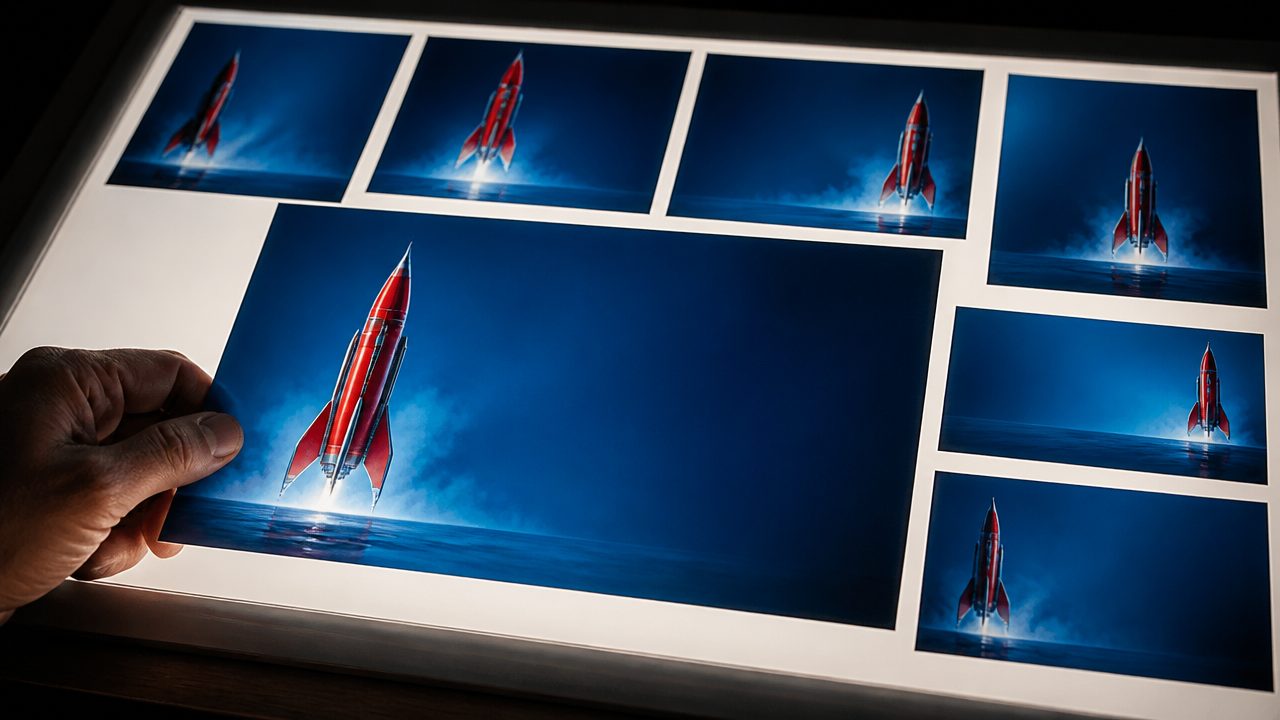
AI Thumbnail Maker Guide for Better YouTube Thumbnails
Learn how to choose an AI thumbnail maker, write composition-aware prompts, generate useful variants, add readable text, and test YouTube thumbnails at feed size.
8 min read
25 YouTube Shorts Ideas You Can Make Without Showing Your Face
Turn these practical YouTube Shorts ideas into engaging faceless videos using screen recordings, captions, AI visuals, narration, and simple edits.
8 min read
21 TikTok Video Ideas You Can Adapt to Any Niche
Use these TikTok video ideas to build recognizable series, test strong hooks, create aesthetic posts, and publish without waiting for inspiration.
8 min read
How to Use an AI Reels Generator for Instagram
Turn an idea, product, or raw clip into an Instagram-ready Reel with the right prompt, edit structure, and platform-specific finishing touches.
8 min read