
Black screen video, any length — free, no sign-up, no watermark.
Pick a length from 10 seconds to 10 hours and download a pure black MP4 in seconds — or a white, green or any-colour screen, a countdown timer video in 8 looks, or your own MP3 on a black video for YouTube. The file is made in your browser tab: 720p is free with no account and no watermark, 1080p comes with any plan, 4K with Pro.
- 10 h
- Longest clip
- 36,000 frames of black in under 6 MB, rendered in about two minutes.
- 8
- Countdown looks
- Minimal, Neon, Retro, Elegant, Industrial, Ocean, Sunset, Broadcast — different layouts, not recolours.
- 3
- Aspect ratios
- 16:9, 9:16 and 1:1, each laid out for its own frame.
- 20 min
- Audio per video
- MP3, WAV, M4A, AAC, FLAC or OGG on a black video, exactly as long as the sound.
- 720p downloads need no account and carry no watermark
- Pure #000000 black — the same black at every size
- A 10-minute black screen is about 100 KB at 720p
- Encoded in your browser — no upload, no render queue
What it is
A black screen video generator that makes the file in your browser.
A black screen video is a video with nothing in it — and that is the point: you put it under audio, between scenes, on a second monitor or in front of a stream that has not started. This tool makes one at whatever length you type, up to 10 hours, and encodes it right in the tab, so a 10-minute black screen at 720p is about 100 KB and ready in a few seconds. It does three things from one panel. Solid gives you black, white, green screen, blue, red, grey or any hex, an optional top-to-bottom gradient and one centred line of text. Countdown counts down or up from 3 seconds to an hour in eight looks whose layout, type and motion actually differ — Minimal, Neon, Retro, Elegant, Industrial, Ocean, Sunset and Broadcast. Audio turns an MP3, WAV or M4A of up to 20 minutes into a black video exactly as long as the sound, with optional cover art and a title, the format YouTube wants for a podcast or a track. Everything exports at 16:9, 9:16 or 1:1.
How it works
How to make a black screen video in three steps
Pick a colour — or a countdown, or your audio
Solid opens on pure black with white, green screen, blue, red, grey and a colour picker beside it. Switch to Countdown for a timer in one of 8 looks, or to Audio and drop in an MP3 to put it on a black video.
Set the length and the ratio
Tap 10 s, 30 s, 1 m, 5 m, 10 m, 30 m, 1 h or 10 h, or type your own — 90, 2:30, 45m or 1h30m all work, up to 10 hours. Choose 16:9, 9:16 or 1:1. The preview shows the finished frame while the timeline shows the real total.
Download 720p — no account needed
Press Download video and pick 720p: the MP4 is encoded in your tab and saved with no watermark and no sign-in. A 10-hour black screen is about two minutes of rendering.
Any length
10 seconds, 10 minutes or 10 hours — the file stays tiny
Eight one-tap lengths and a box for anything else, capped at 10 hours. A plain colour is a still picture, so the export runs at one frame a second: 10 minutes of black at 720p is about 100 KB, and 10 hours is 36,000 frames and under 6 MB, rendered in about two minutes. Jump straight to a length: 10 seconds, 1 minute, 10 minutes, 1 hour or 10 hours.
- Presets: 10 s · 30 s · 1 m · 5 m · 10 m · 30 m · 1 h · 10 h
- Custom: type 90, 2:30, 45m or 1h30m — anything up to 10 hours
- Pure #000000 black, the same at every size
Any colour
White screen, green screen, blue, red, grey — or your own hex
Six presets sit beside a colour picker. Green is #00B140, the flat chroma-key green that OBS, Premiere and CapCut key cleanly; white makes a soft light or a flash frame. Switch on Subtle gradient for a second colour fading top to bottom, and add one centred line of up to 60 characters — "Video starts soon", "Back in 5" — set in white on dark colours and black on light ones.
- Black · White · Green screen · Blue · Red · Grey · custom
- Optional two-colour gradient, top to bottom
- One line of text, up to 60 characters, centred for you
Countdown
A countdown timer video in 8 looks that actually differ
Count down or up from 3 seconds to an hour; the display switches to MM:SS and H:MM:SS on its own. Each look is a different layout, not a recolour: thin digits on black, glowing neon tubes, split-flap cards, a serif number inside a gold ring, monospace on graph paper, caustic light on deep blue, a low sun with rising embers, and the block-digit "starting soon" screen streams use. Add a top label, choose what appears at zero — GO!, We're live, Start or the 0 itself — and tint the accent.
- Minimal · Neon · Retro · Elegant · Industrial · Ocean · Sunset · Broadcast
- 3 seconds to 3,600 seconds, counting down or up
- Top label up to 40 characters, end text up to 24
Black video with audio
Turn an MP3 into a black video for YouTube
Podcasts, mixes and tracks need a video file to be uploaded at all. Drop in an MP3, WAV, M4A, AAC, FLAC or OGG of up to 20 minutes and the video is exactly as long as the audio, with the sound in the MP4. Add square cover art, a title and an artist line, and a progress bar with a time readout along the bottom — or leave it pure black. The audio is decoded on your computer and never uploaded to make the preview.
- MP3 · WAV · M4A · AAC · FLAC · OGG, up to 20 minutes
- Optional cover art, title, artist and progress bar
- Any background colour, not only black
Inside the tool
Looks on the left, the frame in the middle, length and download on the right
There is no project to set up. The right rail switches between Solid, Countdown and Audio, sets the ratio and the length, and holds the download button with a note on how many frames it will render. The left rail changes with the mode — colours and text for Solid, the eight look cards and the words for Countdown, the audio and cover for Audio — and the stage in the middle plays the frame above a timeline that reads the real total, even when that is ten hours.
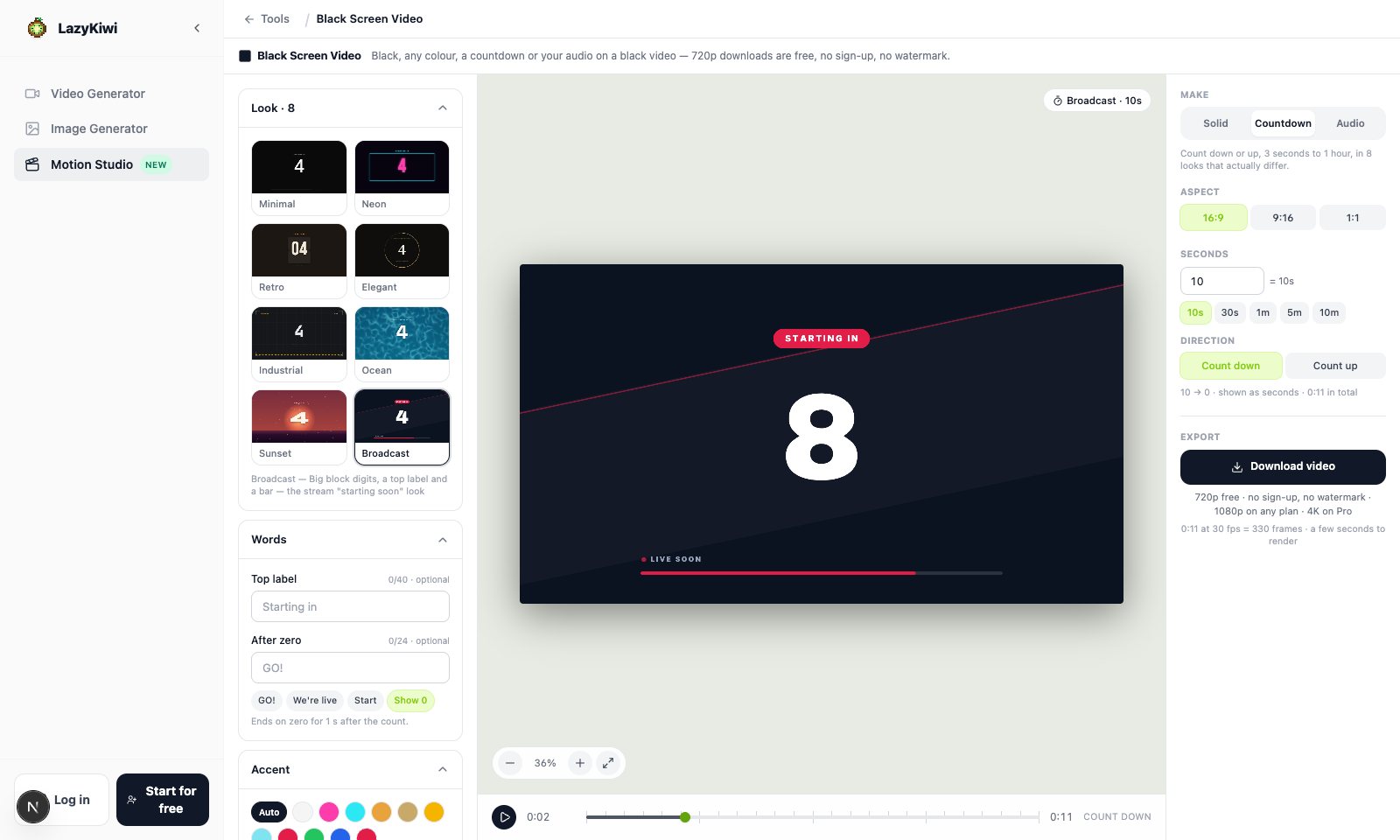
Three modes in one panel
Solid, Countdown and Audio are tabs at the top of the right rail; the left rail and the stage follow the one you pick.
Length chips and a custom box
10 s to 10 h in one tap, or type 2:30, 45m or 1h30m and press Set. The timeline under the stage shows the true total.
The download says what it will do
Under the button: frames, frame rate and a rendering estimate — "10:00:00 at 1 fps = 36,000 frames · about 2 min to render · a few KB a minute".
All eight
Eight countdown looks, at a glance
Each tile is one look counting down five seconds at 9:16, exactly as the tool renders it. The layouts differ, not just the colours: thin digits, neon tubes, flip cards, a gold ring, graph paper, caustic light, a sunset and a broadcast screen. Every one exports at 16:9, 9:16 and 1:1, from 3 seconds to an hour.
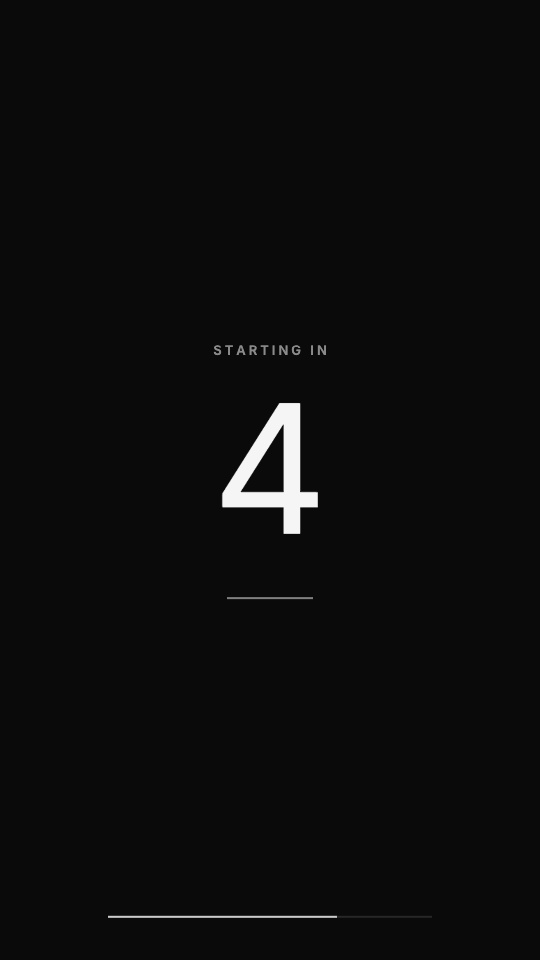
Minimal
Thin white digits, a hairline and a slim progress line on black.
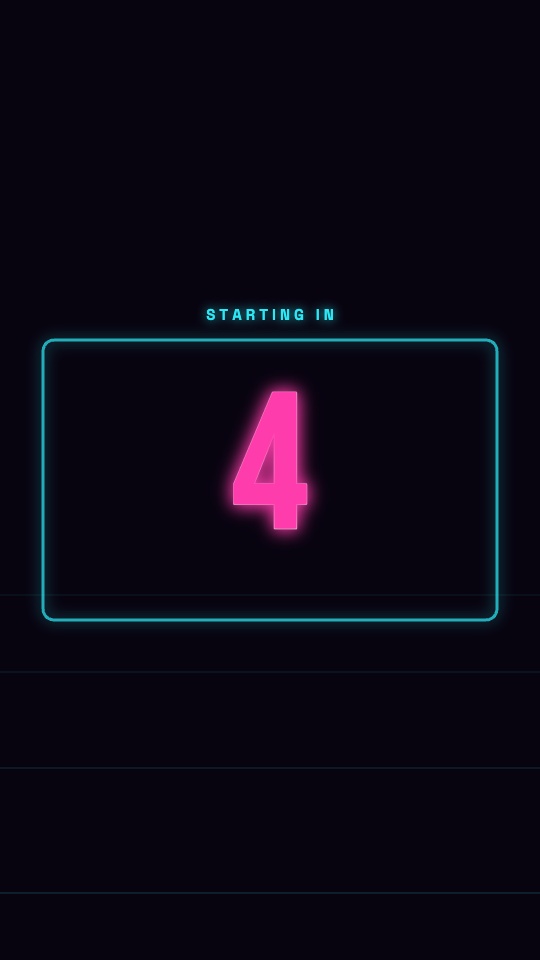
Neon
Glowing tube digits in a neon frame that breathes.
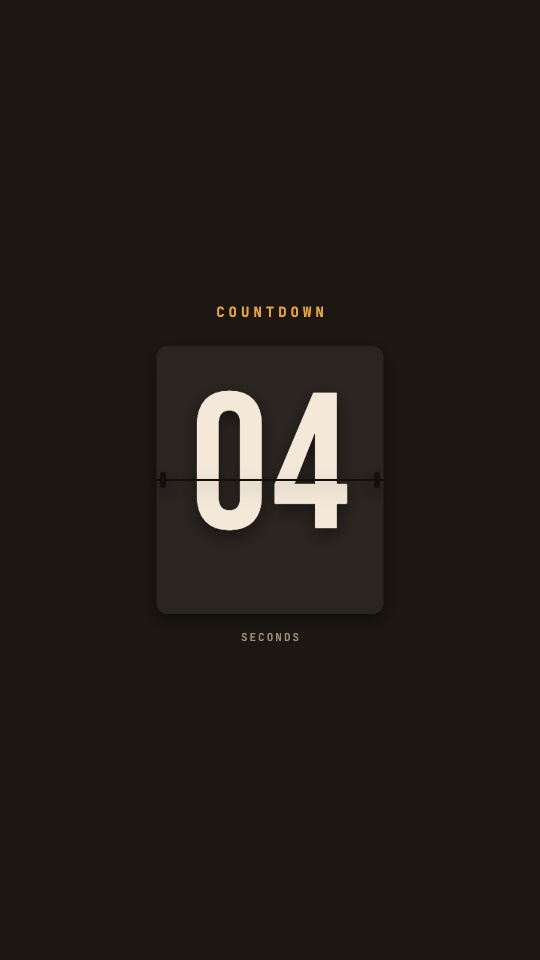
Retro
Split-flap cards that flip every second.
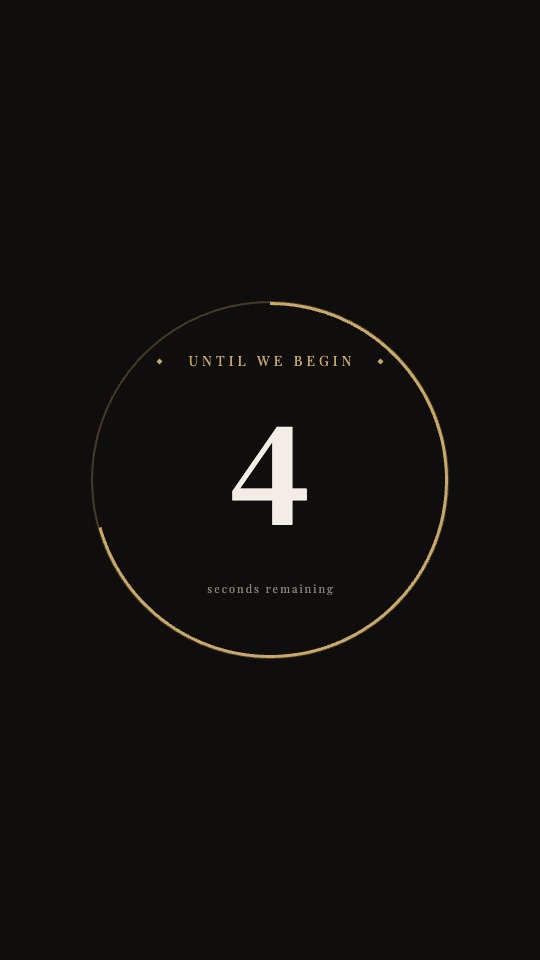
Elegant
Serif digits inside a thin gold ring that empties.
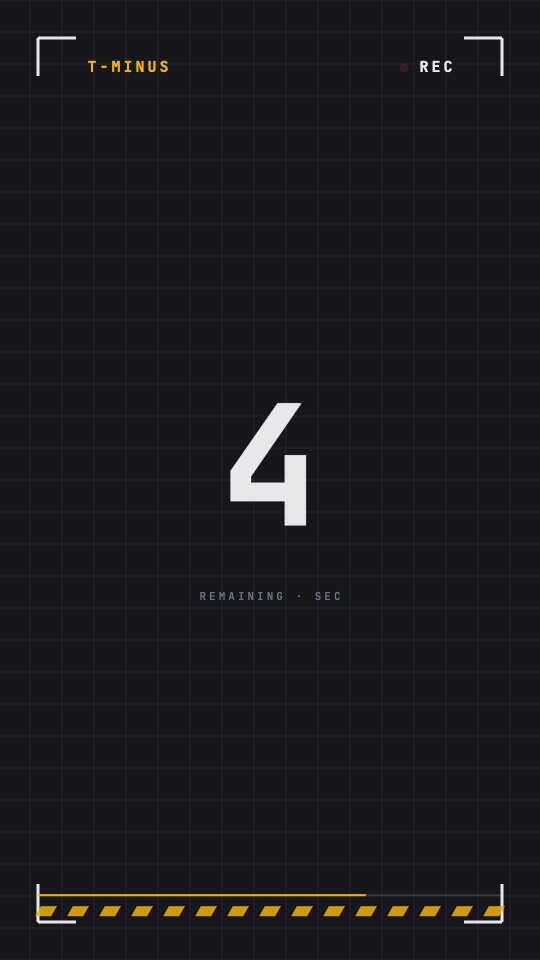
Industrial
Monospace digits on graph paper with brackets and a hazard bar.
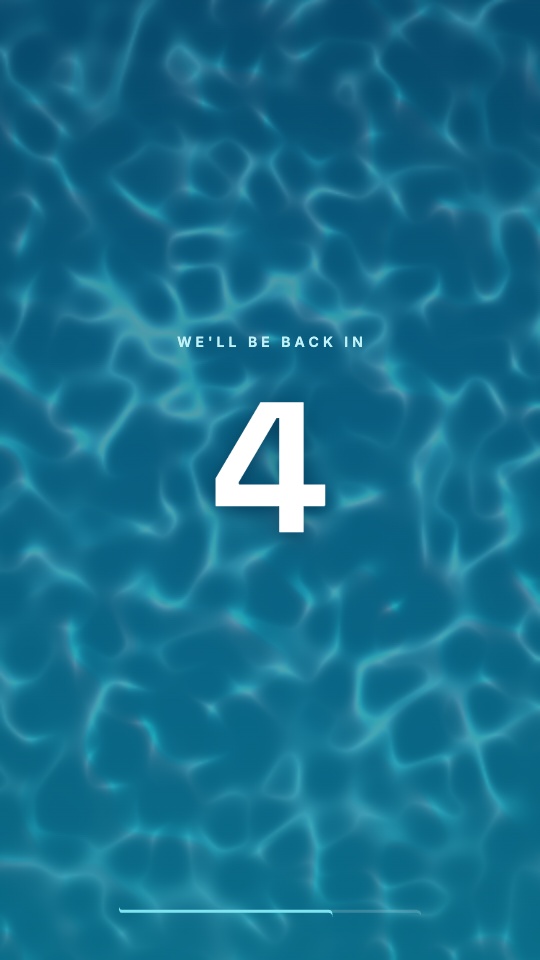
Ocean
Slow caustic light over a deep-blue gradient.
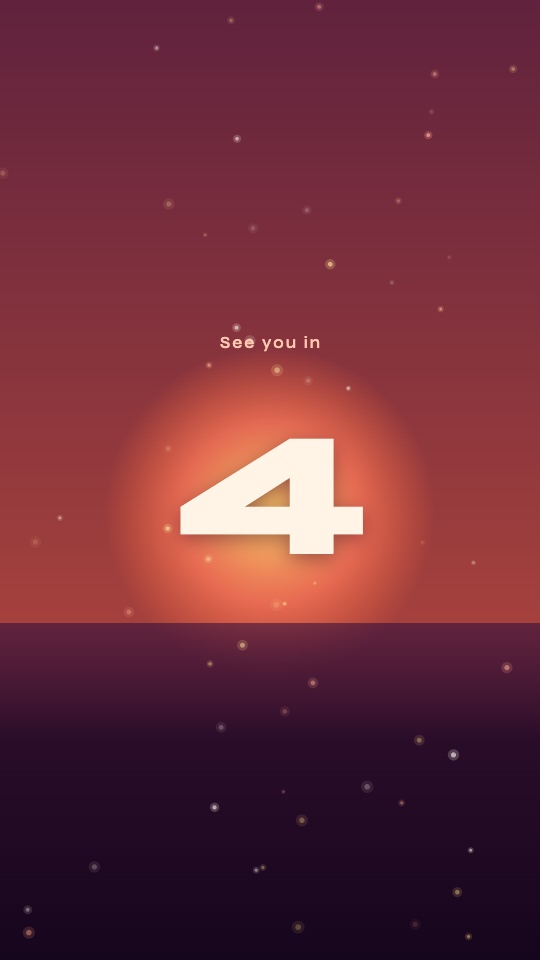
Sunset
A warm gradient, a low sun and rising embers.
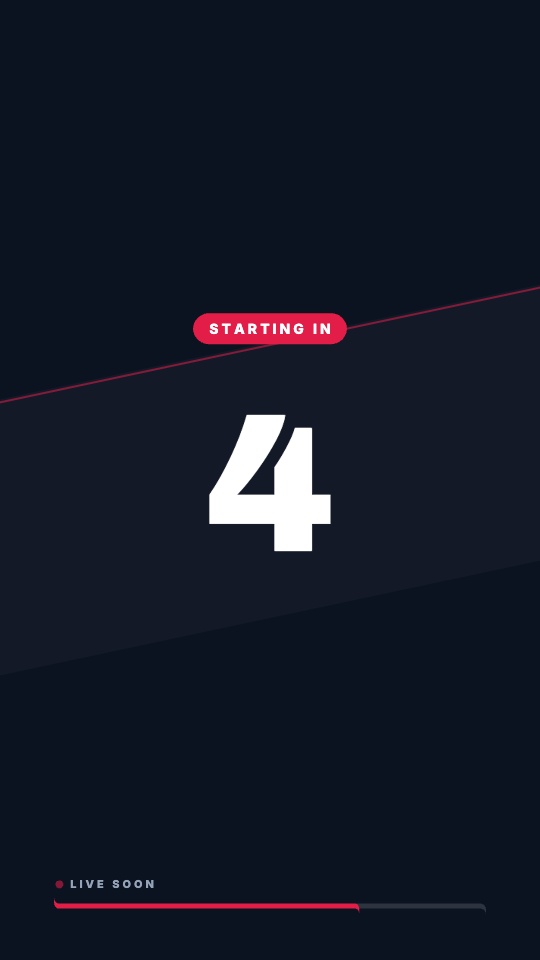
Broadcast
Big block digits, a top label and a bar — the stream "starting soon" look.
Why LazyKiwi
Why make your black screen video here
No sign-up for 720p
Open the tool, pick a length, press Download, choose 720p: the file saves. There is no account wall in front of the free export, and no limit on how many you make or how long they run.
No watermark — not even on the free file
A mark on a black screen would defeat the point, so there is none at any size. 720p exports are clean; 1080p on any plan and 4K on Pro are the same clip at a higher resolution.
A few KB a minute
A still picture is encoded at one frame a second, so a 10-minute black screen at 720p is about 100 KB and 10 hours is under 6 MB. Text adds a frame per half second; a countdown runs at 30.
Rendered in your tab, not a queue
Frames are encoded by your browser, so a 10-minute clip is ready in a few seconds and 10 hours in about two minutes. Nothing is uploaded and nobody emails you a link.
Any length, not a fixed menu
Type 47 seconds, 2:30 or 1h30m and that is what you get, up to 10 hours; the presets are shortcuts, not the only options. Deep links carry a length too, so a bookmark opens the tool ready to download.
Your audio stays on your computer
In Audio mode the file is decoded locally to draw the preview and mixed into the MP4 by your browser. It is never uploaded to make the video.
Black screen generator, download site or countdown maker
Three common ways to get a black screen or countdown video, and what changes when the file is made in your browser from your own length, colour and words. The other two columns are drawn from blackscreenvideo.com, countdown-studio.com and createtimer.com as of September 2026.
LazyKiwi Black Screen Video
What you get here
- Any length from 10 seconds to 10 hours — presets or a typed value, not a fixed list
- Black, white, green screen or any colour, with an optional gradient and one line of text
- A countdown in 8 looks with different layouts, plus an audio mode that puts an MP3 on a black video
- 720p free with no account and no watermark; 1080p on any plan, 4K on Pro
- Encoded in your tab: 10 hours of black in about two minutes, no upload, no queue
A black-screen download site
Pick a length, save a file
- One page per length — 5 seconds to 10 hours — with a download panel from 480p up to 8K
- Pure black only: no colour, text, countdown or audio to set
- Static files served as they are, with each file's size listed on the page
- Free, supported by ads and affiliate links
An online countdown generator
Set the seconds, export a timer
- Countdown and count-up from a seconds box, three ratios, and themes that change colour, background and font on one layout
- Exports either record in real time — a 38-second timer takes 38 seconds — or wait on a server queue
- On one, 1080p and above, custom fonts and custom backgrounds sit behind a login; the other is free with ads
- No black-screen or audio-only mode
Pricing & limits
Free at 720p — no account, no watermark
This is the one Motion tool with nothing in front of the free file: pick a length, press Download, choose 720p, and the MP4 saves. No sign-in, no mark in the corner, no cap on how many you make or how long they run — a mark on a black screen would make the video useless, so there is none at any size. Signing in adds 1080p on any paid plan and 4K on Pro: the same clip at a higher resolution, cleared for commercial use. Everything is encoded in your own browser tab, so no export spends a credit.
Unlimited exports
Free · 720p
- 720p MP4 with no watermark and no sign-in
- All 3 aspect ratios — 16:9, 9:16, 1:1
- No account and no card in front of the free download
- Every colour, all eight countdown looks and the audio mode — none of them is a paid style
1080p on any paid plan
1080p · 4K
- The same file at 1080p — commercial use included
- 4K on Pro and above
No credits to export
Renders in your browser
- Changing the colour, the length, the text or the countdown look re-render locally and spend no credits
- No upload queue and no render wait to pay for
FAQ
Black screen video questions, answered
Is the black screen video free?+
Yes. Every 720p download is free, needs no account and carries no watermark, and there is no limit on how many you make or how long they run — a 10-hour black screen costs nothing. 1080p needs a sign-in and any paid plan; 4K needs Pro. Black looks the same at every size, so 720p is enough for most uses; step up only when you want the file to match a 1080p or 4K timeline pixel for pixel.
Is there a watermark?+
No — not on the free 720p file and not on any paid size. A mark in the corner of a black screen would make the video useless, so this tool leaves it out at every resolution.
How long can a black screen video be?+
Anything from one second to 10 hours. Tap a preset — 10 s, 30 s, 1 m, 5 m, 10 m, 30 m, 1 h, 10 h — or type your own as 90, 2:30, 45m or 1h30m. A URL can carry the length too: 10 minutes, 1 hour and 10 hours each open the tool already set. Countdowns run from 3 seconds to an hour, and an audio video is as long as the audio, up to 20 minutes.
How big is the file?+
Small. A plain colour never changes, so it is encoded at one frame a second: 10 minutes of black at 720p comes out around 100 KB, 10 hours around 5–6 MB, and a 10-second white screen at 9:16 is about 2 KB. Adding a line of text doubles the frame rate to two a second, still tiny. A countdown is real motion at 30 frames a second — a 30-second one is under 1 MB — and an audio video carries the sound track, so it is as big as the audio plus a little.
Can I make a white screen or a green screen video?+
Yes — the same tool, a different swatch. White, green screen, blue, red and grey sit beside black, and a colour picker takes any hex. Green is #00B140, the flat chroma-key green that OBS, Premiere, DaVinci Resolve and CapCut key cleanly. Turn on Subtle gradient for a second colour fading top to bottom. Open it ready to go: white screen or green screen.
How do I make a countdown timer video?+
Switch the panel to Countdown, type the seconds — 3 to 3,600 — or tap 10 s, 30 s, 1 m, 5 m or 10 m, and pick Count down or Count up. Choose one of the eight looks from cards that are real frames of each, add a top label if you want one, and choose what shows at zero: GO!, We're live, Start or the 0 itself. Set 16:9, 9:16 or 1:1 and download. Under a minute the display counts in seconds; longer counts show MM:SS, and an hour shows H:MM:SS.
Can I put my podcast or song on a black video for YouTube?+
Yes — that is the Audio mode. Drop in an MP3, WAV, M4A, AAC, FLAC or OGG of up to 20 minutes and the video is exactly as long as the sound, with the audio in the MP4. Add square cover art, a title and an artist line, and a progress bar with a time readout, or keep it pure black. The file is decoded on your computer to draw the preview and mixed into the video by your browser; it is not uploaded.
What is a black screen video used for?+
Mostly as a stand-in picture: under an audio-only upload, between scenes as a cut or a fade, in front of a stream that has not started, or on a second monitor to rest the screen. Ten-hour black screens play under sleep audio and white noise and keep an OLED screen dark. Because the black here is pure #000000, it also works as a test frame for dead pixels and backlight bleed.
Which aspect ratios can I export, and does it loop?+
16:9 for YouTube and monitors, 9:16 for Shorts, Reels and TikTok, 1:1 for feeds — the same inputs laid out for each frame. A plain colour has no seam, so it loops cleanly in any player set to repeat; if you need an hour without a repeat, make the hour. A countdown does not loop — it ends on zero or your end text and holds for a second.
Do I need to install anything?+
No. The video is encoded in the browser. Chrome and Edge encode in the background, so 10 hours is about two minutes of rendering; a browser without that support records the clip in real time, which this tool allows for clips up to 60 seconds and blocks beyond that with a note to switch browsers. Keep the tab open while it renders.
Can I use the video commercially?+
The 720p file is free to download and use in your own videos and streams. 1080p and 4K exports come with a paid plan and, like every Motion tool on LazyKiwi, are cleared for commercial use — monetised channels, client work and ads.
Related tools:Animated Text Generator Product Launch Video Whiteboard Animation Maker
Use cases
Black screen video by length — plus the white, green and countdown versions
10 seconds — a black screen for cuts and fades
Drop a 10-second black screen video between scenes, under a cold open or before the outro; a few KB at 720p. Download the 10-second black screen
1 minute — a "be right back" screen
One minute of black with one line of text — "Back in a minute" — for stream breaks; type the line and it is centred for you. Make the 1-minute black screen
10 minutes — sleep, study and screen-off
Ten minutes of pure black, about 100 KB, for a video that keeps an OLED screen dark while the audio plays. Download 10 minutes of black screen
1 hour — a long black screen for a second monitor
An hour of black under rain sounds, white noise or a long mix, or to rest a screen — set in one tap, rendered in seconds. Download the 1-hour black screen
10 hours — the longest black screen video here
Ten hours of black is 36,000 frames and under 6 MB; it renders in your tab in about two minutes. Download the 10-hour black screen
White screen video — a light source or a flash frame
The same tool on a white background: a soft light for a call, a flash cut, a blank slide — any length up to 10 hours. Make a white screen video
Green screen video — a chroma-key background
Flat #00B140 green, the shade keyers expect, from 10 seconds to 10 hours for OBS, Premiere, DaVinci Resolve or CapCut. Make a green screen video
Countdown timer video — before a stream or a premiere
Count down from 10 seconds to an hour in eight looks, with a label at the top and "We're live" at zero. Make a countdown video
Black video with audio — MP3 to YouTube
Upload a podcast episode or a track of up to 20 minutes and get a black video exactly as long as the audio, with optional cover art and a title. Make a black video with audio
More answers
More about black screen and countdown videos
Why does the preview loop 10 seconds when I set 10 hours?+
A plain colour does not change, so the preview plays a 10-second loop of the frame rather than a 10-hour document; the timeline under it still reads the length you chose. The real-length file is built when you press Download.
What happens at the end of the countdown?+
The last 0.8 seconds tighten the digits, then zero — or your end text, such as GO! or We're live — pops in and holds for a second (1.6 seconds with text) before the clip ends. Counting up, it ends on the final number instead.
Can I link straight to a length or a look?+
Yes. Add style and duration to the tool's address: style takes a colour (black, white, green, blue, red, grey), a mode (solid, countdown, audio) or a countdown look (minimal, neon, retro, elegant, industrial, ocean, sunset, broadcast), and duration takes seconds or a value like 10m, 1h30m or 2:30 — a 90-second Neon countdown, for example.
Can I add text to the black screen?+
One centred line of up to 60 characters — "Video starts soon", "Back in 5", "Intermission". It is set in white on dark backgrounds and black on light ones, sized to the frame. Longer messages, several lines or animated type belong in the Animated Text Generator.
What if my audio is longer than 20 minutes?+
The tool checks the length before decoding and declines anything over 20:00, because the decoded sound has to sit in the tab's memory while the video is made. Trim the file or split it into parts, then make one video per part.
Can I count up instead of down?+
Yes. Every look has a Count up option: the digits run from 0 to your number, the progress bar or ring fills instead of emptying, and the Broadcast label reads ON AIR instead of LIVE SOON. Use it as an on-screen timer for a challenge, a Q&A or a work sprint.
Keep going
More motion tools
Music Visualizer
Want the audio to move the picture? Same upload — a ring, bars or a waveform instead of a black screen.
OpenLyric Video Maker
Put the words on screen with the song instead of a black frame.
OpenIntro Maker
A countdown gets people to the start; a 5 to 15-second intro opens the video with your logo.
OpenAI Motion Graphics
The full Motion Studio — storyboard first, then render — with every tool on this page one tab away.
OpenTen seconds or ten hours. Black, or any colour.
Open the tool and download a black screen video at 720p with no account and no watermark — 10 minutes, 1 hour or 10 hours are one click away. Sign in for 1080p on any plan.
No credit card · Free to try · Results in seconds