
AI Video Cloner
Paste the link to a TikTok, Reel or Short you wish you had made and get your own version back — the same shots, beats and camera moves, starring the person or product in your photos.
What it is
What an AI video cloner copies — and what it doesn't
Most viral short videos are a format: a hook in the first second, a fixed run of shots, a beat where something changes, a payoff. Video cloning with AI means keeping that format and making everything on screen new. When you paste a link, LazyKiwi fetches the clip and reads it: it samples frames across the whole video with their timestamps, so it knows the framing, the shot sizes, the movement and the camera moves at each moment, and it transcribes what is said. From that it writes a fresh shot-by-shot plan and generates a brand-new video in the same shape as the original. Your photos decide who is on screen — up to six of them, of you, a friend who agreed, a pet or a product — while the original frames only steer composition and rhythm. With no photos, it creates a new character of the same kind rather than the original person. The remake is generated without the source's captions, logos or watermarks, and the soundtrack is generated with the new clip rather than copied, so the result is yours to post. If you want to keep a clip's exact motion and only change who performs it, use Character Swap; to restyle your own footage, use Video to Video AI.
Specs
Video cloner specs: what goes in, what comes out
- Input
One public video link
TikTok, Instagram Reels, YouTube Shorts, Douyin, Facebook, X, Kuaishou or Xiaohongshu, plus up to 6 photos of your subject (optional)
- Source clip length
Clips between 5 and 30 seconds
the remake runs as long as the source, up to 15 seconds
- Output
MP4 in the source's shape
vertical 9:16 or wide 16:9, from 480p up to 2K, with sound
- Keeps
Shot order, pacing, framing and camera moves
not the original people, captions or soundtrack
How to clone a video with AI — 3 steps
No editor, no prompt to write. Paste the link, decide who stars in it, and generate.
Step 1
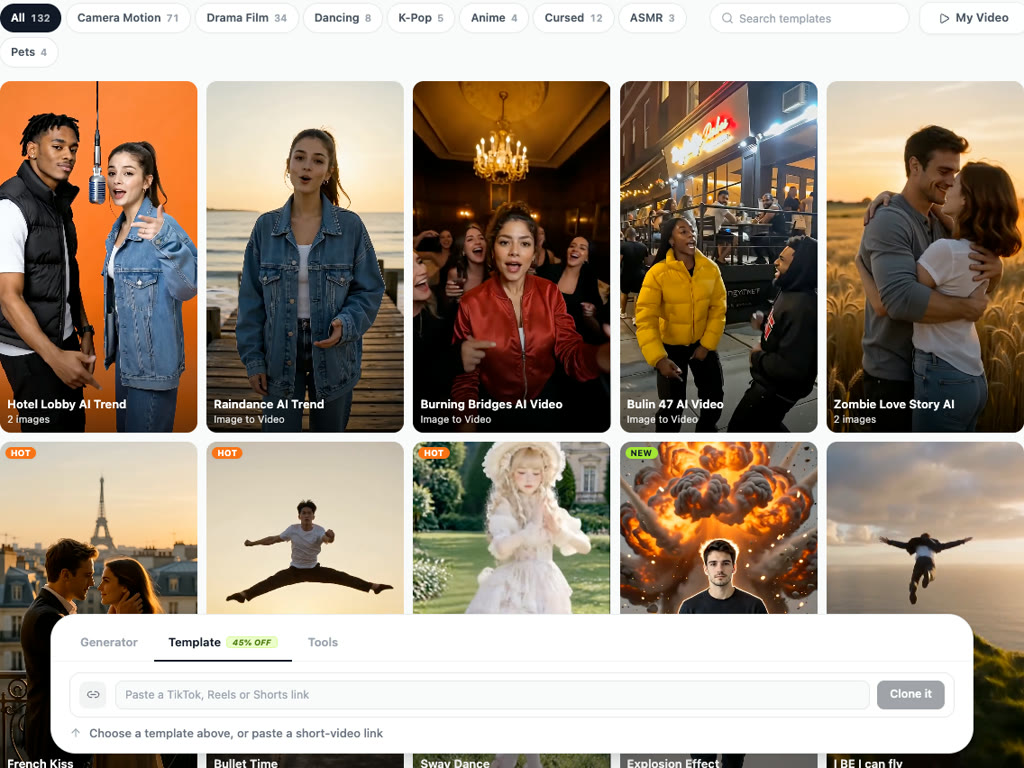
Paste a TikTok, Reels or Shorts link
Open the Video Generator, go to Template and paste the link into the box at the bottom, then press Clone it. The clip is fetched and read for you — it usually takes about ten seconds.
Step 2
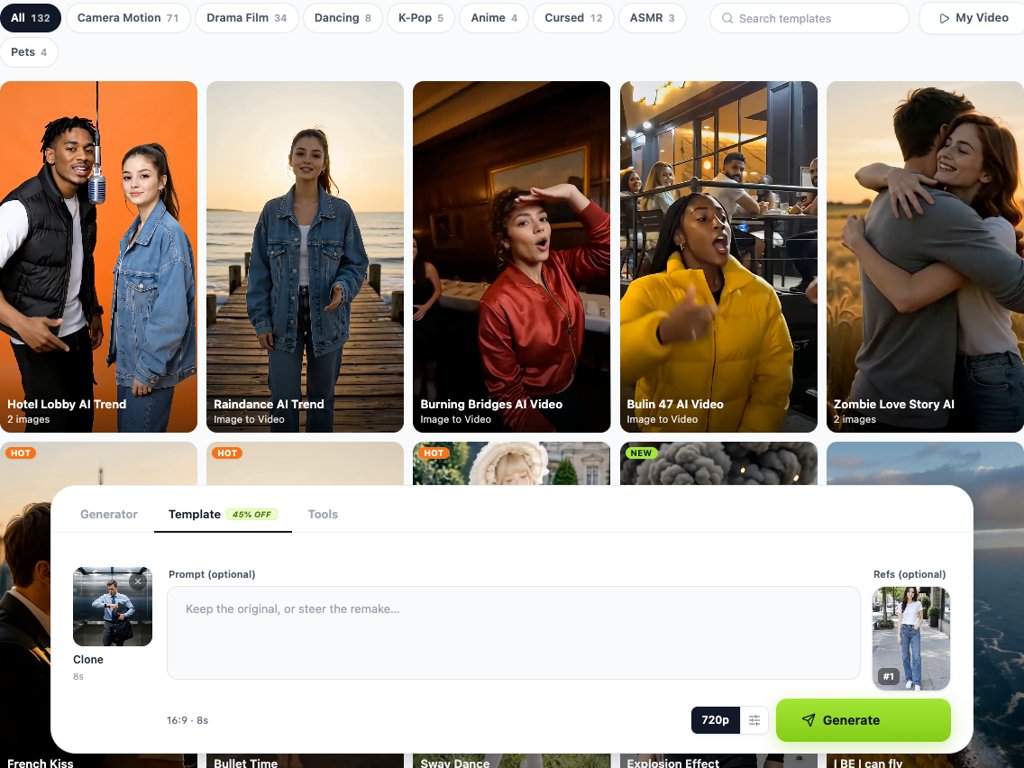
Add your photos — or a line of direction
Upload up to six photos of the person, pet or product that should star in it — the first one often sets the opening shot, so pick one taken somewhere that suits the video. Optionally type what should change: a new setting, a new outfit, a new idea. Leave both empty and you get a fresh character in the same format.
Step 3
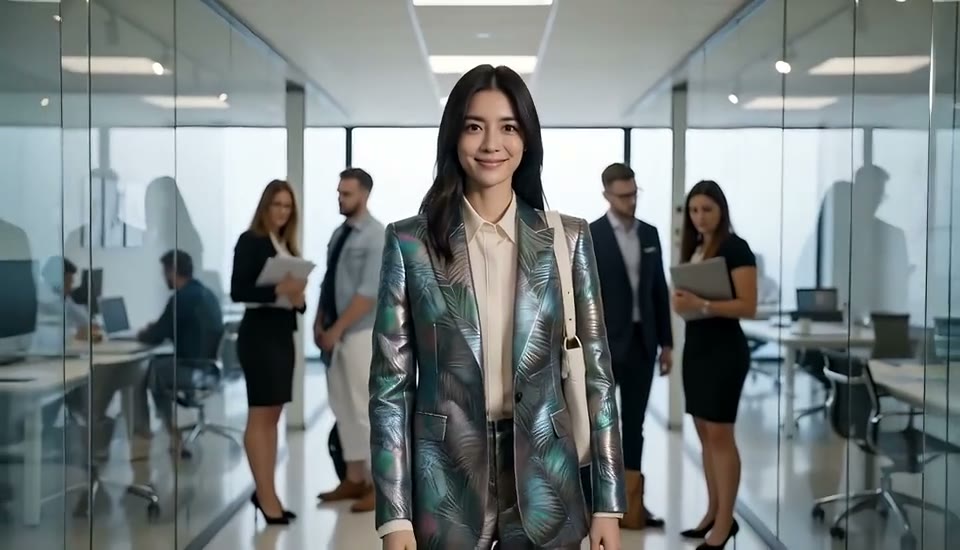
Generate and download your version
Pick a quality, press Generate and keep browsing while it renders. The finished MP4 lands in My Video, ready to post.
Works with the links you already copy
Tap Share → Copy link in the app and paste it straight in — no downloading, no screen recording. Public links from the big short-video apps are supported, and so is a direct link to an MP4.
- TikTok, Instagram Reels, YouTube Shorts
- Douyin, Facebook, X, Kuaishou, Xiaohongshu
- Public posts only
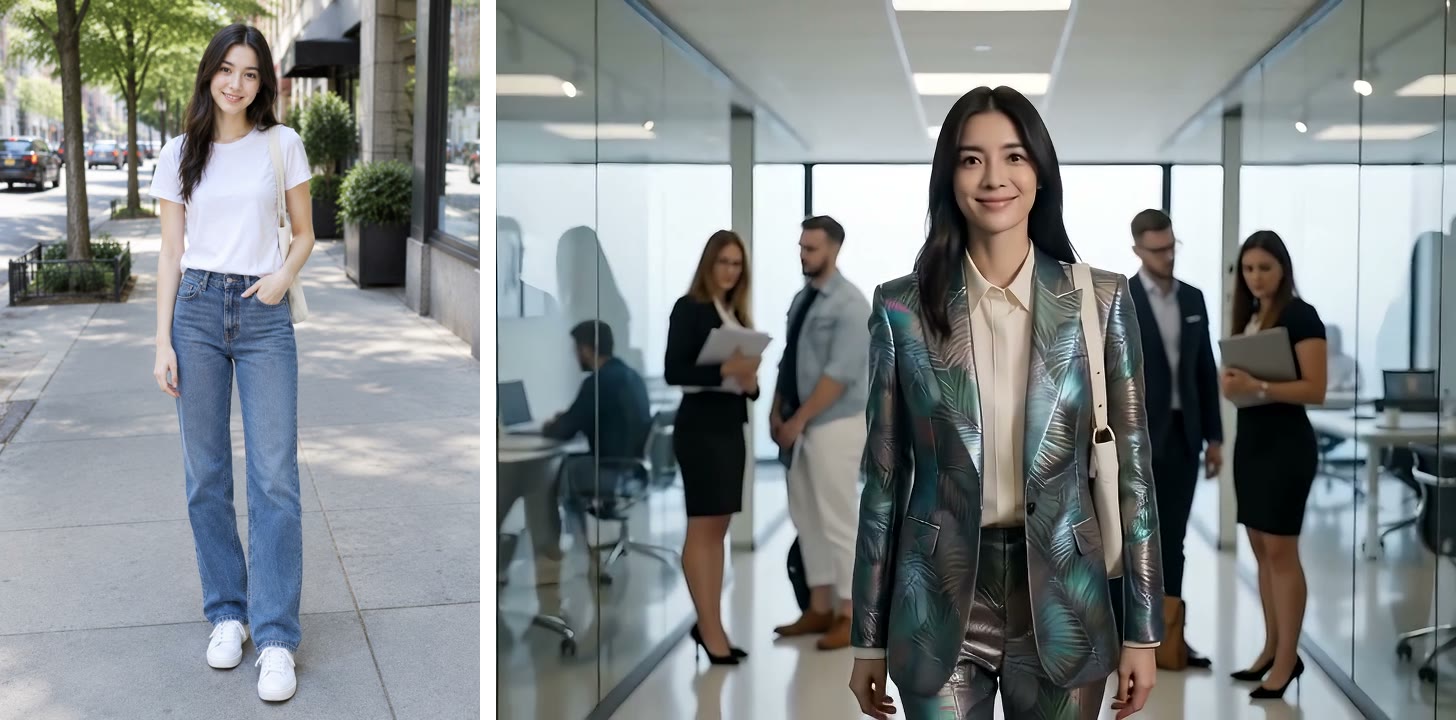
Put yourself — or your product — in the trend
Photos you upload become the subject of the new video: their face, hair, outfit or packaging. Several angles of the same subject help it stay consistent from shot to shot.
- Up to 6 reference photos
- People, pets, characters or products
- Use photos you have the right to use
Same format, your twist
Leave the prompt empty to keep the original idea, or write one line to change it — move it to a rainy neon street, swap the coffee for your product, make it a cat. The shot plan stays; the details follow your line.
The shape of the original, clean output
A vertical TikTok comes back vertical, a wide clip comes back wide. Captions, logos and watermarks from the source are not carried over, so you can add your own text afterwards with Add Text to Video or Add Subtitles to Video.
Compared
AI video cloner: LazyKiwi vs Deevid, Vuela and Pollo AI
How LazyKiwi's Clone it compares with the video cloners that get the most search traffic, from each tool's own page.
| LazyKiwi Clone it | Deevid Viral Clone | Vuela AI Video Cloner | Pollo AI Clone Viral Videos | |
|---|---|---|---|---|
| Paste a link instead of downloading the video | ✓8 apps: TikTok, Reels, Shorts, Douyin, Facebook, X, Kuaishou, Xiaohongshu | Upload a source video | ✓YouTube, TikTok, Instagram | ✓TikTok and YouTube |
| Star your own photos | ✓Up to 6 photos of any person, pet or product | ✓One image | Custom images in the editor | ✓Uploaded photos |
| Works with no photo at all | ✓Creates a new character in the same format | Not published | ✓New AI visuals | ✓From a written idea |
| Steer the clone in plain words | ✓One optional line | ✓Prompt with suggestions | ✓Edit the extracted script | ✓Chat |
| Keeps the source's shape (9:16 or 16:9) | ✓Automatically | Not published | Not published | Not published |
| Top output quality | ✓Up to 2K | Not published | Not published | Not published |
| Part of a full AI video workbench | ✓Templates, video tools, add text and subtitles afterwards | ✓Ad and video editing tools | Faceless-channel video tools | ✓Video and image generators |
| Free to try | ✓Free credits for new accounts | ✓Start for free | Paid plans | ✓Free to start |
| Sources | Workbench read 16 Oct 2026 | Viral Clone page read 16 Oct 2026 | AI Video Cloner page read 16 Oct 2026 | Clone viral videos page read 16 Oct 2026 |
Competitor details change; check the linked pages first.
FAQ
AI video cloner: questions
What is an AI video cloner?+
An AI video cloner takes an existing short video and makes a new one in the same format: the same order of shots, the same beats, the same camera moves, with new people, settings and sound generated by AI. LazyKiwi's video cloner starts from a link: paste a TikTok, Reel or Short, add photos of whoever should star in it, and generate.
How do I recreate a viral TikTok with AI?+
Copy the TikTok's link (Share → Copy link), open the LazyKiwi Video Generator, go to Template and paste it into the Clone it box at the bottom. Add photos of whoever should star in it, optionally type a line about what should change, and press Generate. You get a new video with the same shots, pacing and camera moves.
Can I make the same video as a TikTok, but with my own face?+
Yes — upload clear photos of yourself as references (up to six, ideally from a few angles). They decide who appears in the clone, while the original clip only guides the framing and timing. It is a newly generated video, not a face swap pasted onto the original footage; if you need the exact original motion with you in it, Character Swap on your own footage is the closer fit.
Which links work?+
Public posts from TikTok, Instagram (Reels), YouTube (Shorts), Douyin, Facebook, X, Kuaishou and Xiaohongshu, plus direct links to a video file. Private, deleted or login-only posts can't be fetched, and the source has to be longer than 5 seconds and shorter than 30.
Is it an exact copy of the original video?+
No, and that is deliberate. It keeps the format — the order of shots, the beat where things change, the camera moves — and generates everything on screen fresh. Without your photos it invents a new character of the same kind instead of reproducing the original creator.
Does it keep the original sound or music?+
No. Sound is generated together with the new clip, and the original audio is not copied over. If the trend depends on a specific song, add that sound in TikTok, Reels or Shorts when you post — that is also how those apps credit the track.
How long is the cloned video?+
As long as the source, up to 15 seconds. A 9-second TikTok comes back as about 9 seconds; a 25-second one comes back as 15 seconds.
What happens to captions and text in the original?+
They are left out, along with logos and watermarks, so the remake has a clean picture. Add your own hook or captions afterwards with Add Text to Video or Add Subtitles to Video.
Is it legal to clone someone's viral video?+
Formats, hooks and trends are widely reused, but the video itself belongs to its creator. Use the original as a reference, post the new version as your own work, don't use photos of people who haven't agreed, and never use it to impersonate anyone. Label it as AI-generated where the platform asks you to.
Can I clone a video for free?+
New accounts get free credits to try LazyKiwi. Cloning is billed per second of the source clip, the price is the same at every quality, and the exact total is shown on the Generate button before you confirm.
Do I need an account?+
Yes — sign in with Google or email when you press Clone it, so the video and its result are saved to your account.
More AI video tools


Found a video that works? Clone it.
Paste the link, add your photos, and get your own version with the same shots and pacing.
Free to try · Price shown before you generate · Keep browsing while it renders