
Your logo in, a YouTube intro out — in 12 styles.
Drop in a logo, type your channel name, and the intro maker plays a 5 to 15-second opener live in your browser — logo reveal, tagline, and at the longer lengths a hook and a Subscribe card. Preview every style free and export 720p with a small mark; any paid plan exports clean 1080p for monetised channels and client work.
- 12
- Intro styles
- Minimal White to Retro Wave, each with its own reveal, type and background.
- 32
- Colour variants
- Two or three per style: gold, chrome or copper metal; cyan, magenta or lime neon.
- 4
- Lengths
- 5, 8, 12 or 15 seconds, from a quick logo sting to a Subscribe card.
- 3
- Aspect ratios
- 16:9, 9:16 and 1:1, each laid out for its own frame.
- Style cards are rendered with your own logo
- Previews play in your browser — no render queue
- Hook, logo reveal, tagline and Subscribe card in the 15-second cut
- No watermark on any paid plan
What it is
A YouTube intro maker built around your logo.
Most channel intros do the same four jobs: catch attention, show the logo, say what the channel is about and ask for the subscribe. This intro maker builds exactly that from a short form. Type a channel name, a tagline of up to 110 characters, an optional one-line hook and your @handle, drop in a logo, and it lays out an opener in one of 12 styles — Minimal White, Solid Metal, Glitterdust, Ignite, Neon Power, Glitch, Gradient Sweep, Cinematic Letterbox, Gaming Neon, Vlog Frame, Corporate Clean or Retro Wave. The intro creator rebuilds the whole intro every time you change a word, right in the browser tab, so what you watch while editing is the finished motion rather than a placeholder frame. Choose 5, 8, 12 or 15 seconds and 16:9, 9:16 or 1:1, and the layout is rebuilt for that frame instead of being cropped out of a wide one. No logo yet? The first letter of your channel name becomes a badge in the style's colours.
How it works
How to make a YouTube intro in three steps
Add your logo and words
Drop in a PNG, SVG, JPEG or WebP — a PNG with a transparent background gives the cleanest edges. Type your channel name, tagline, an optional hook and your @handle; every field shows its character count.
Pick a style and a colour
Each of the 12 style cards is rendered with your own logo and name, so you choose between finished frames, not colour swatches. Every style has two or three colour variants, and your logo's colours can set the accent.
Set the length and download
Choose 5, 8, 12 or 15 seconds and 16:9, 9:16 or 1:1, pick a soundtrack or none, then download an MP4. Free accounts export 720p with a small LazyKiwi mark, for personal use; any paid plan exports clean 1080p you can put on a monetised channel.
12 styles
From studio white to a synthwave sunset
The library follows what channel intros actually look like: a clean studio reveal, a logo cast in gold or chrome, a glitter-dust swirl, flames, a neon tube, an RGB glitch, a mesh-gradient light sweep, a letterboxed cinematic push-in, a gaming title panel, a taped polaroid, a corporate wipe and a synthwave grid. Particles, flames, light rays and scrolling grids are drawn live as the intro plays rather than looped from stock footage, and each style comes in two or three colourways.
- 32 colour variants across the 12 styles
- Style cards preview your logo, not a sample brand
- Metal, fire, glitch and synthwave keep their palette; your colour goes on the accents
Structure
Hook, logo reveal, tagline, Subscribe — sized to the length you pick
An intro is built from up to four equal parts that crossfade into one another. At 5 seconds you get the logo reveal and the tagline. At 8 and 12 seconds an opening hook — a line like "New video every Tuesday." — plays first. At 15 seconds the intro closes on a card with your logo, a Subscribe button that clicks and your @handle. A timeline under the preview names each part, so you can jump straight to the one you are working on.
- Four lengths: 5, 8, 12 or 15 seconds
- Leave the hook blank and that part is skipped
- Jump to any part from the timeline
Your brand
Colours read from your logo, a badge if you have none
Drop in a logo and its main colours are read off the file and offered as accent swatches, with the first vivid one applied for you; one click on Auto goes back to the style's own palette. Ten preset accents and a custom colour picker sit alongside. A black-and-white logo leaves the style's colours alone, and a dark logo on a dark style gets a soft light behind it so it doesn't sink into the background.
- Accent swatches pulled from your logo
- No logo? A first-letter badge in the style's colours
- Channel name up to 40 characters, tagline up to 110
Every screen
16:9 for the video, 9:16 for Shorts, 1:1 for the feed
Switch the ratio and the intro is laid out again for that frame: the logo, name and tagline are re-spaced, decorations move clear of the text, and the letterbox bars and the synthwave horizon adjust — instead of a widescreen render being cropped down the middle. The download is an MP4 encoded in your browser, with a WebM fallback where a browser has no MP4 encoder.
- Three ratios from the same inputs
- Clean 1080p on any paid plan; free exports are 720p with a small mark
- 4K and 60 fps on Pro and above
Inside the tool
Words on the left, your intro in the middle, styles on the right
There is no project to set up. The left rail holds the logo drop zone, the text fields and the accent colours; the stage in the middle plays the intro on a loop above a timeline split into its parts; the right rail holds the 12 style cards, the ratio and length buttons, the soundtrack and the download button.
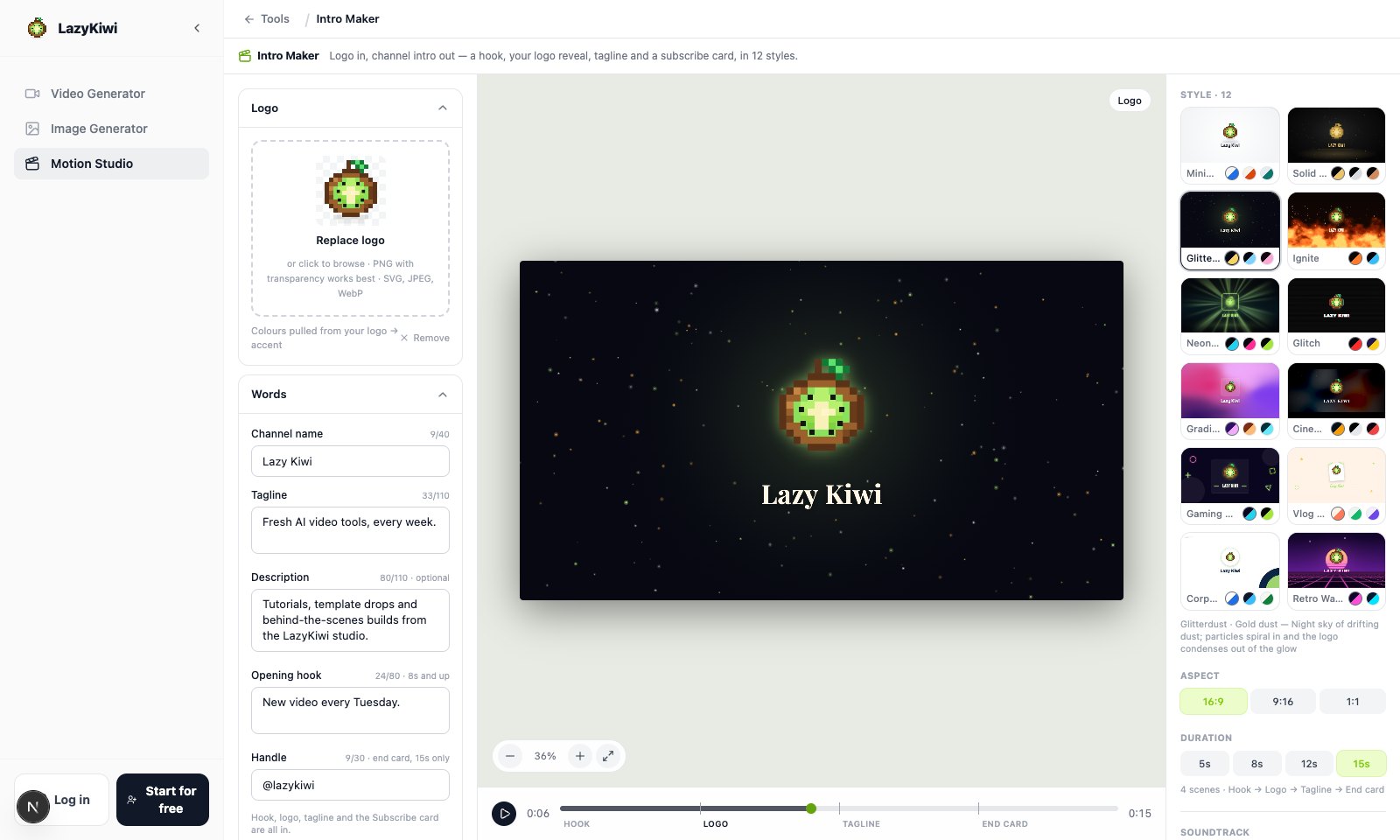
Every card is your logo
The 12 thumbnails are real frames of each style with your logo, name and accent, redrawn a moment after you change any of them.
A timeline that names the parts
Hook, Logo, Tagline and End card are marked under the preview. Click one to jump there, or drag along the track to scrub.
Limits the layouts are built for
Channel name 40 characters, tagline 110, description 110, hook 80, handle 30 — each field counts as you type.
Four of the twelve
Four intro styles, at a glance
Solid Metal casts the logo in gold, Neon Power wraps it in a tube of light, Gaming Neon snaps a title panel open and Vlog Frame tapes it into a polaroid. Every style exports at 16:9, 9:16 and 1:1.
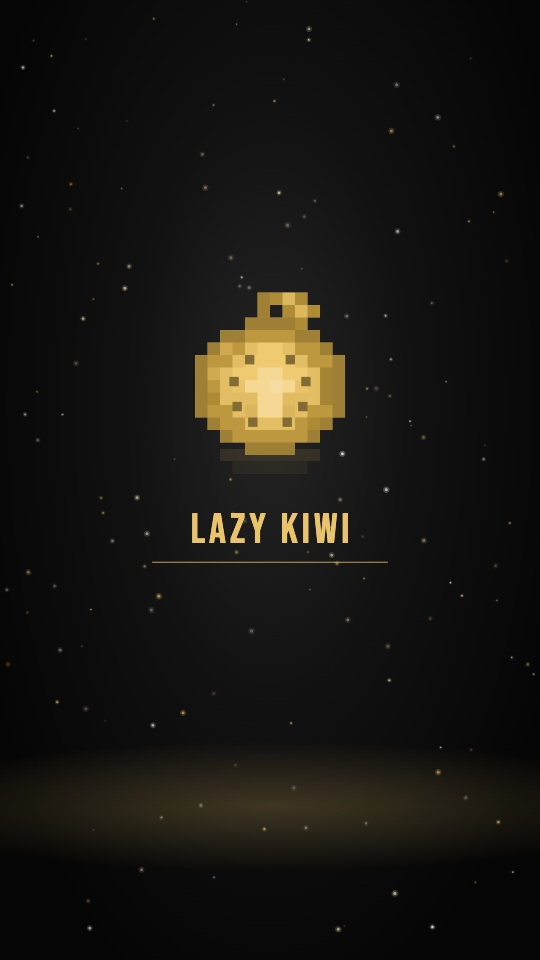
Solid Metal
Gold, chrome or copper, a light sweep and drifting dust.
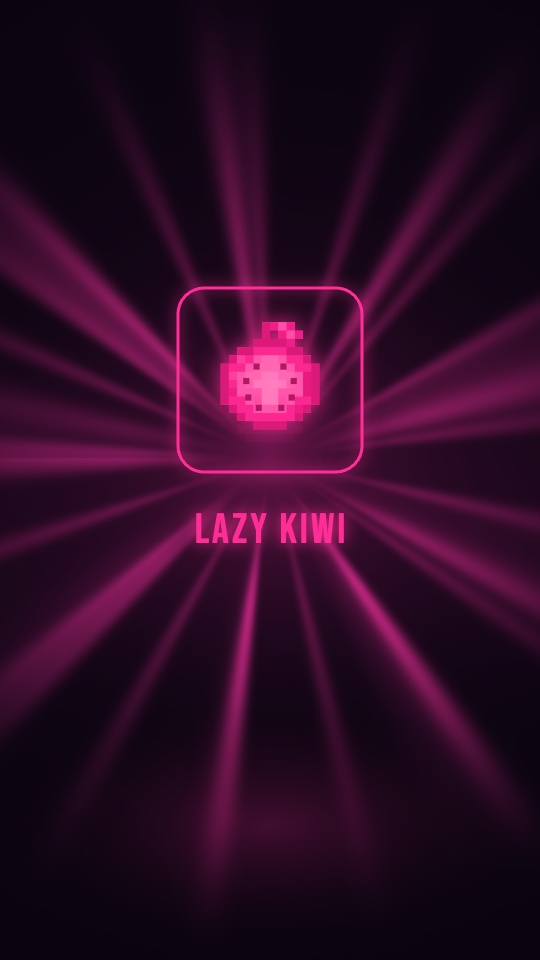
Neon Power
A neon tube flickers on while light rays turn behind it.

Gaming Neon
Floating neon shapes and a title panel that snaps open.
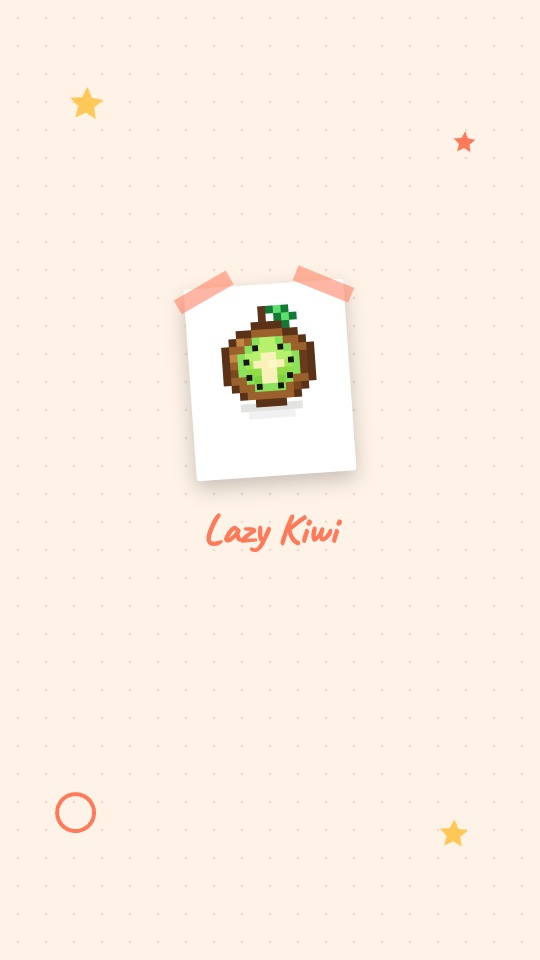
Vlog Frame
A taped polaroid, doodles and a handwritten name.
Why LazyKiwi
Why make your intro here
Preview without signing up
Open the tool and an intro is already playing. Every style, colour, length and ratio can be tried in the live preview before you make an account; you sign in when you download.
No render queue
The preview draws in your browser tab, so a style change shows up at once and an export starts straight away. Nobody emails you a link when it's ready.
Ready for a monetised channel
Any paid plan exports your intro at 1080p with no watermark and clears it for commercial use — monetised channels, sponsored videos and client projects. Pro adds 4K and 60 fps.
Nothing to learn
No keyframes, no layers, no plugins. Fill in a few fields, click a style card, choose a length and download.
Your logo stays in your browser
The file is read and previewed locally; nothing is uploaded just to show you a style. It reaches our servers only when a signed-in export saves the project, or when you choose cloud render.
Sound included
Each style suggests a soundtrack for its mood, and you can switch tracks, set the volume or export silent. Two tracks are free; the full library comes with any paid plan.
Intro maker, template site or AI video generator
Three common ways to get a channel intro, and what changes when the intro is drawn live in your browser instead of rendered on a server or generated from a prompt.
LazyKiwi Intro Maker
What you get here
- Every edit plays back live in the browser — no account needed to preview
- You set the length: 5, 8, 12 or 15 seconds, at 16:9, 9:16 or 1:1
- Style cards are rendered with your own logo and channel name
- Clean 1080p with commercial use on any paid plan; unlimited 720p exports with a small mark on the free plan
- A focused library — 12 styles, 32 colour variants — built around the logo reveal
A template render site
Pick a template, render on a server
- A very large catalogue, including hundreds of 3D logo reveals
- The editor shows a still frame; the moving preview is rendered on their servers after you sign up
- Most logo-reveal templates run for a fixed length
- Full HD sits on a higher tier than 720p, and 4K on the top one
An AI video generator
Describe it, then generate
- Writes scenes from a text prompt, with stock media, voiceover and captions
- Built for whole videos; a five-second logo sting is a small corner of it
- Plans are priced around generation credits
Pricing & limits
A free intro maker, and what paying unlocks
Every style plays in the live preview, and the free plan gives you unlimited 720p exports with a small LazyKiwi mark, for personal use. Paying unlocks the rest: a one-time credit pack removes the mark and lets you export the few premium styles; any paid plan adds 1080p and commercial use, so the intro can open monetised videos and client projects; Pro adds 4K and 60 fps.
Unlimited exports
Free · 720p
- 720p MP4 with a small LazyKiwi mark, for personal use
- Any plan or credit pack removes the mark
- All 3 aspect ratios — 16:9, 9:16, 1:1
- No card required to open, edit or preview
- Every style in the live preview — a few premium ones need a credit pack or plan to export
1080p on any paid plan
1080p · 4K
- Same clip, same edit, rendered clean at 1080p — commercial use included
- 4K, 60 fps and transparent ProRes on Pro and above
No credits to export
Renders in your browser
- Trying styles and changing words, colours or length re-render locally and spend no credits
- No upload queue and no render wait to pay for
- Optional cloud render, every frame stable: 5 credits per 20 seconds
FAQ
Intro maker questions, answered
Is this YouTube intro maker free?+
Yes, to try and for personal use. Every style, colour, length and ratio plays in the live preview without an account, and a free account gets unlimited 720p exports with a small LazyKiwi mark in the corner, for personal use. A few premium styles export only with a one-time credit pack or a paid plan; the credit pack also removes the watermark. To use the intro on a monetised channel, in sponsored videos or for a client, you need a paid plan: any paid plan exports clean 1080p cleared for commercial use, and Pro and above add 4K and 60 fps.
Is there a watermark on free intros?+
Yes — a small LazyKiwi mark in the corner of the 720p export, and it cannot be switched off on the free plan. Paying removes it: a one-time credit pack exports without the mark, and any paid plan exports the same intro clean at 1080p, cleared for commercial use.
How long should a YouTube intro be?+
Short enough that nobody reaches for the skip button. For most channels that means five to ten seconds, and a little longer only when the intro carries something viewers need, such as your handle or a subscribe prompt. That is why the lengths here are 5, 8, 12 and 15 seconds: 5 is the logo reveal and tagline, 8 and 12 add an opening hook, and 15 adds the Subscribe card with your @handle.
How do I make a YouTube intro?+
Open the intro maker, drop in your logo (or skip it and use a first-letter badge), and type your channel name and tagline. Click through the style cards — each one shows your own logo in that style — pick a colour variant, set the length and aspect ratio, choose a soundtrack or none, and press Download video. Downloading asks you to sign in with a free account.
How do I add an intro to my YouTube video?+
Download the MP4 and place it at the very start of your timeline in whatever editor you cut the video in — Premiere Pro, DaVinci Resolve, Final Cut Pro, CapCut and iMovie all treat it as an ordinary clip — then export and upload as usual. Match the ratio to the video: 16:9 for regular uploads, 9:16 for Shorts. A 720p intro gets scaled up on a 1080p timeline; a 1080p export matches it pixel for pixel.
What should a channel intro say?+
Less than you think. Your channel name, one line that tells a new viewer what they will get — the tagline — and, if you post on a schedule, a hook such as "New video every Tuesday." Save the call to action for the end: the 15-second cut closes on a Subscribe button and your @handle. Everything else belongs in the video itself.
What logo file works best?+
A PNG with a transparent background, around 1,000 pixels wide. SVG, JPEG and WebP are accepted too. Backgrounds are not removed, so a logo saved on a white square keeps that white square, which shows most on the dark styles. No logo at all? The first letter of your channel name becomes a badge in the style's colours.
Can I make a gaming intro?+
Yes. Gaming Neon is built for it: floating neon shapes, a title panel that snaps open and a big condensed channel name between two light bars, in Cyber or Toxic colours. Glitch and Neon Power suit gaming channels too. For clips on Shorts or TikTok, export the same gaming intro at 9:16.
Can I make intros for YouTube Shorts, TikTok or Instagram?+
Yes. Every style exports at 9:16 for Shorts, TikTok and Reels and at 1:1 for feed posts, as well as 16:9. The intro is laid out again for each frame — logo, name and tagline re-spaced, decorations moved clear of the text — rather than cropped out of a widescreen render.
Can I add music to my intro?+
Yes. Each style suggests a soundtrack for its mood, from a clean pulse to a cinematic swell, and you can switch tracks, set the volume or choose No sound. Two tracks are free; the full library comes with any paid plan. Uploading your own music is not available in the intro maker.
Can I use my intro commercially?+
Yes, on any paid plan. Those exports are 1080p with no watermark and cleared for commercial use — a monetised channel, sponsored videos, ads and intros you make for clients. Free exports, and clean exports from a credit pack alone, are for personal use; if the channel earns money, promotes a business or the intro is for a client, export it on a paid plan.
Use cases
Who uses this intro video maker
New YouTube channels
You have a name, maybe a logo, and a first upload ready to go. Make a five- or eight-second opener that looks deliberate and put the same one on every video, so the channel reads as one thing from the start.
Gaming channels and streamers
Gaming Neon brings floating neon shapes, a title panel that snaps open and a big condensed name; Glitch and Neon Power suit the same crowd. Keep the gaming intro to five seconds and it is out of the way before the gameplay starts.
Vloggers and lifestyle creators
Vlog Frame tapes your logo in as a polaroid with doodles and a handwritten name, in peach, mint or lavender. Shoot vertical? Export the same intro at 9:16 for Shorts, Reels and TikTok.
Small businesses
Corporate Clean and Minimal White make a tidy logo intro for product demos, tutorials and customer updates. Any paid plan exports it at 1080p without the watermark, cleared for commercial use.
Editors and agencies
Try a client's real logo in several styles before the call, then deliver the chosen intro at 16:9, 9:16 and 1:1 from the same inputs. Client work is commercial use, so export it from a paid plan: clean 1080p, no watermark.
Podcasts and course creators
A Cinematic Letterbox or Gradient Sweep opener with the show's name and a one-line promise sets the tone before each episode or lesson, and the same inputs export a square cut for the feed.
More answers
More about making intros
Does it make 3D intros?+
Not in the modelled sense: your logo stays a flat image and is not extruded into a 3D object. The depth comes from light and motion around it — Solid Metal tones it gold, chrome or copper under a moving light sweep, Neon Power traces it in a glowing tube, Cinematic Letterbox pushes in through haze with a lens flare. If you need a spinning, modelled logo, a dedicated 3D intro maker is the better fit.
What happens to the hook and the Subscribe card at shorter lengths?+
The intro is split into equal parts. At 5 seconds there are two — logo reveal, then tagline — and the hook is skipped. At 8 and 12 seconds the hook opens the intro if you have written one. The Subscribe card with your @handle appears only in the 15-second cut, where it has room to land.
Can I match the intro to my brand colours?+
Yes. Drop in your logo and its colours appear as accent swatches, with the first vivid one applied automatically; there are also ten preset accents and a custom colour picker. On most styles the accent tints the reveal, the rule and the Subscribe button. Solid Metal, Ignite, Glitch and Retro Wave keep their own palette — the metal, the flames and the sunset are the look — and put your colour on the rule and the button instead.
What if I don't have a logo?+
Leave the logo empty and the intro uses a badge with the first letter of your channel name, drawn in the style's colours; for a name in Chinese or Japanese it takes the first character. Add a logo later and every style card picks it up.
Do I need an account?+
Not to use the tool: you can build, restyle and preview an intro without signing in. Downloading needs a free account. A paid plan adds 1080p without the watermark, commercial use, the premium styles and the full soundtrack library, and Pro adds 4K.
Can I change the font?+
Not on its own. The typeface is part of each style — a condensed display face for Neon Power and Gaming Neon, an editorial serif for Glitterdust and Cinematic Letterbox, a handwritten script for Vlog Frame — so switching styles is how you change it.
Keep going
More motion tools
Music Visualizer
Upload a track and export a video that moves to the music.
OpenProduct Launch Video
A product name, three features and a screenshot in; a 15, 20 or 30-second launch video out.
OpenLogo Motion
Put your logo on concrete, glass, a tote bag or a shop sign — 18 real-world scenes for a short logo sting.
OpenAI Motion Graphics
The full Motion Studio — storyboard first, then render — with every tool on this page one tab away.
OpenOpen your next video with your logo.
Drop in a logo and try all 12 styles in the live preview. Export 720p on the free plan, or clean 1080p for your monetised channel on any paid plan.
No credit card · Free to try · Results in seconds