
AI Video Effects That Stop the Scroll: A 2026 Hook Guide
Which AI video effects stop the scroll, how to add one to a photo or clip in minutes, and what the free tiers really cover, checked on official pages.
 Daniel Okafor 10 min read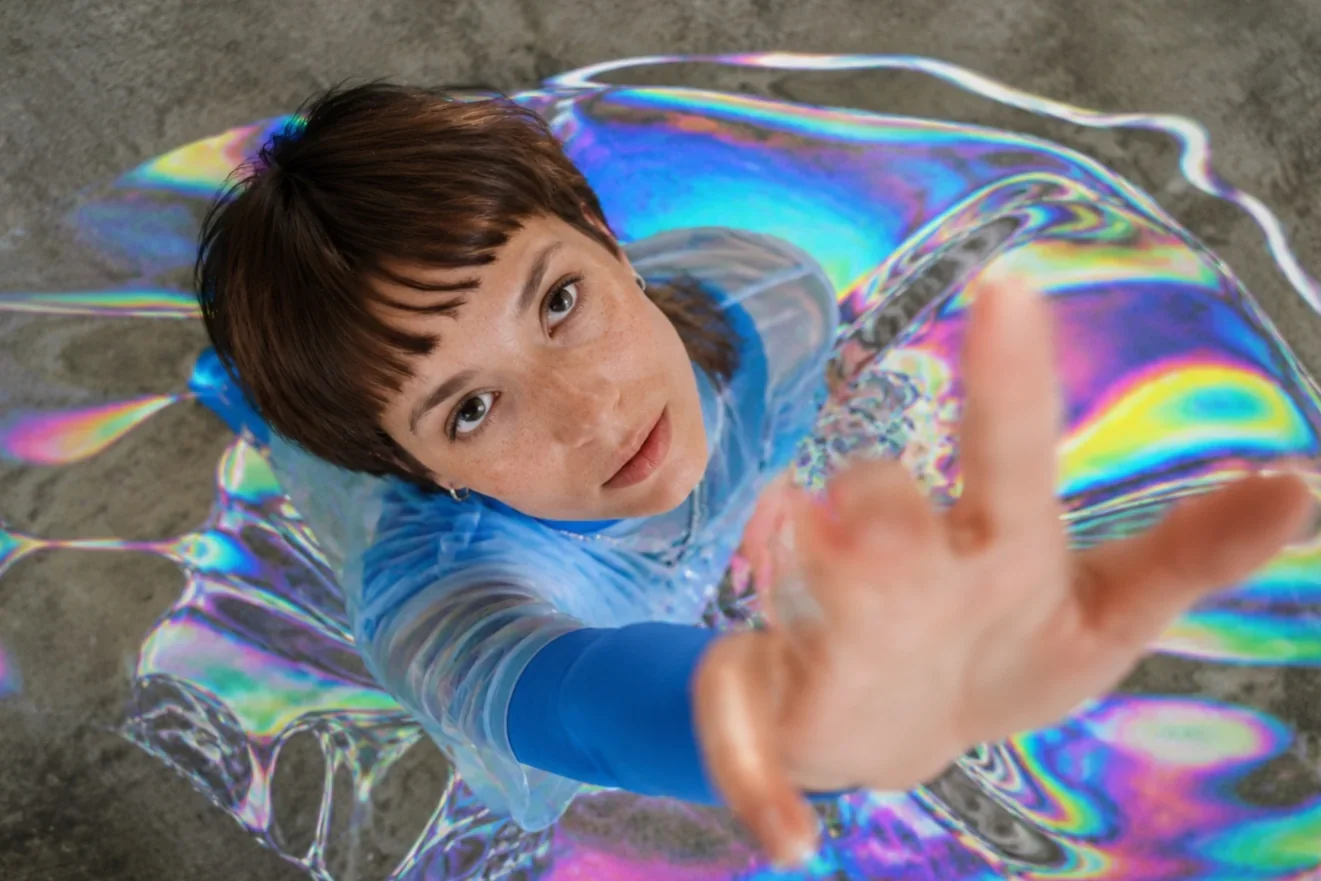
AI video effects are generated visual events, such as a blast behind a subject, a body dissolving into particles or a camera orbiting a frozen pose, that a model adds to a photo or a clip without any compositing. They stop the scroll because they put the most surprising frame first, and the feed rewards whoever earns the first second. This guide, updated in September 2026, covers which effects work as hooks, how to add one to your own footage in the LazyKiwi workbench, what the free tiers actually include, and the mistakes that waste a good effect.
What are AI video effects and why do they stop the scroll?
A filter changes the colour of a frame. An AI effect changes what happens inside it. You hand a template one photo or one short clip, and the model returns a vertical video in which the subject explodes, dissolves, sprouts wings or gets circled by a camera that was never there. The work that used to need a tracking pass, a mask and a render queue now happens in a single generation. The digicam filter look is a useful example of the first kind: our guide to it covers the phone route and the templates that add the flash look to a photo you already took.

The reason this matters for short-form is timing. Shorts can run up to 3 minutes according to YouTube Help (2026), but the viewer's decision is made on the first frame, not in minute three. TikTok treats the opening as a craft in its own right and gives it a dedicated hooks lesson in the TikTok Creator Academy (2026). An effect that lands in that first frame does the hook's job visually, before any caption is read.
How is an AI effect different from an editor preset?
- It is generated, not overlaid: the blast sits behind the subject with matching light, so the frame reads as one scene.
- It works from a single still: most templates only need one photo, which is why creators without footage can use them.
- It is a pattern interrupt: the clip looks unlike the ordinary talking-head videos above and below it in the feed.
- It promises a payoff: a body half-dissolved implies a question, and the viewer stays to see the answer.
The frame-one test
Pause your draft on its very first frame. If a stranger cannot tell what is about to happen, the effect is arriving too late. Move it forward or cut everything before it.
Which AI video effects work best as hooks?
I keep a shortlist of eight. Each one reads in a single frame, needs only one upload, and lives on its own template page or in the templates hub. The table gives the read, the source it needs and the kind of clip it suits.
| Effect | Where it lives | What the first frame shows | Best for |
|---|---|---|---|
| Explosion | [explosion effect](/templates/explosion) | A stylised blast behind the subject | Action intros, product reveals |
| Disintegration | [disintegration effect](/templates/disintegration) | Particles peeling off the edge of the body | Fashion turns, exits, before-and-after |
| Bullet time | [bullet time](/templates/bullet-time) | A frozen pose with the camera rotating | Dance, sport, outfit transitions |
| Money rain | [money rain](/templates/money-rain) | Cash falling around the subject | Wins, launches, party clips |
| Angel wings | Wings Angel template (templates hub) | Glowing wings unfolding behind the subject | Portraits, beauty, music |
| Earth zoom out | Earth Zoom Out template (templates hub) | A pull-back from a street to the whole planet | Travel, brand reveals, endings |
| Infinite zoom | Infinite Zoom template (templates hub) | An accelerating push into the centre of a photo | Music visuals, scale stories, loops |
| Crash zoom | Crash Zoom template (templates hub) | A hard punch-in on the subject | Reactions, punchlines, reveals |

Half of that list is camera motion rather than a visual object, and the film vocabulary explains why it works. A zoom changes the focal length without moving the camera, which is why it feels slightly unnatural, and a dolly zoom warps depth on purpose, per StudioBinder (2026). Earth Zoom Out and Infinite Zoom borrow exactly that unease, and the eye follows them because it cannot predict where they stop. Our roundup of AI video effects separates the effects that transform a subject from the ones that are really camera moves.
Which effects need a photo and which need a clip?
Every template in the table starts from one still. The Infinite Zoom page notes that the clip is generated on the Seedance model, and the Seedance 2.5 page lists clips from 4 to 30 seconds, 480p or 720p output and six aspect ratios from 21:9 to 9:16, so the vertical crop is native rather than a post-render cut. Effects on footage you already shot go through the VFX tool instead, which is covered in the next section.


How to add AI effects to a video step by step
If you searched how to add AI effects to video, there are two routes and they share the same panel. A template turns one photo into an effect clip; the VFX tool paints an effect into a clip you already have. Here is the template route first, as it appears in the workbench today.
- 1
Pick the effect before the footage
Open the AI video templates hub, filter by the category that matches your niche, and choose the effect whose first frame matches the promise of your caption. Starting from a blank generator prompt is slower and rarely lands a cleaner hook.
- 2
Upload one clear frame
Drop in a photo with a single subject, even light and some empty space around the body. The Bullet Time and Earth Zoom Out pages both say the effect can be built from one still, and in practice a cluttered background is the most common reason a render looks muddy.
- 3
Check the three chips
The panel defaults to a vertical output; confirm the aspect ratio, pick the shortest duration that fits your idea, and leave the resolution low for the first test. The credit price updates on the Generate button as you change these, so you know the cost before you commit.
- 4
Generate, then trim to the hook
Scrub the result and find the frame where the effect is fully readable. Cut everything in front of it. A clip that opens on the effect beats a clip that builds up to it, every time I have tested it.
- 5
Export vertical and post natively
Download the file and upload it directly in each app instead of cross-posting from one platform to another. Native uploads keep the crop you chose and avoid the watermark problem covered in the mistakes section.
How do you add an effect to footage you already shot?
Switch to the Tools tab and open the AI VFX generator. It takes a video, up to two optional reference photos and a plain-language prompt such as fog rolling in from the left or sparks off a grinder. The tool page states that the original audio passes through untouched, that short clips from a few seconds up to about a minute hold the effect best, and that you can stack effects by running the output through a second pass. For a retro finish rather than an added object, our VHS filter guide covers how to add a convincing tape look to a video.
Add a burst of orange sparks and drifting embers behind the subject the moment they turn to camera; keep the face and clothing unchanged; match the warm street lighting; no smoke covering the eyes.
How to make AI effect videos for TikTok, Reels and Shorts
One render can serve all three feeds. What changes between them is where the interface sits over the frame, how the cover is chosen and how the platform wants AI content declared. The hook itself stays the same.
- TikTok: keep the subject centred and the effect inside the middle of the frame, because the caption, sound tag and action buttons cover the lower third and the right edge.
- Reels: choose the cover frame by hand and pick the one where the effect is fully visible, since the grid thumbnail is the second place a viewer decides.
- Shorts: upload the vertical file as-is; the Shorts page in YouTube Help confirms vertical uploads from a phone or computer are treated as Shorts, so no separate export is needed.
- All three: put any on-screen words in the upper half, in a size that survives a phone screen, and never rely on text that the effect will obscure.
Do AI effect videos need an AI label?
It depends on how realistic the result looks. YouTube requires disclosure when AI generates or meaningfully alters content that appears realistic, while clearly non-realistic scenes, its own example being someone riding a unicorn, do not need it, and disclosing does not limit reach or monetisation, per YouTube Help (2026). Meta renamed its label to AI info and applies it when it detects industry-standard AI signals or when the poster self-discloses, per Meta Newsroom (2024). TikTok's synthetic-media rule requires a label on realistic AI images, audio or video and ships a creator-side toggle for it, per TikTok Newsroom (2023), with the current steps on its AI-generated content help page (2026).
My rule: a stylised blast or glowing wings on a photo of yourself is a creative effect, and I post it without a label but with an honest caption. An effect that fakes a real event in a real place, such as a storm hitting a landmark, gets the platform label every time.

Before committing credits, spend ten minutes in the TikTok Creative Center (2026). Its Top Ads library shows high-performing ads with their engagement figures, and the Trends tab lists what sounds and hashtags are rising, which tells you whether an explosion or a quiet camera move is the pattern interrupt in your niche this week.
Is there a free AI video effects generator?
Yes, with limits that differ by tool. In LazyKiwi the free plan is the default for every new account and the pricing page lists 40 credits a month, refreshed monthly, with no credit card required. The workbench prints the credit price on the Generate button, so you can see whether a render fits the balance before you spend it. The VFX tool page also states it is free to start with no card.
| Tool | Free tier (verified 2026-09-05) | What it covers | Catch |
|---|---|---|---|
| LazyKiwi | 40 credits a month, no card, refreshed monthly | Templates and effects plus the VFX tool on your own footage | Each render costs credits; price is shown before you generate |
| CapCut | Free online editor, no credit card, per [CapCut (2026)](https://www.capcut.com/) | Editor effects, transitions and AI effect templates | Effects are editing presets rather than generated events |
| Runway | 125 one-time credits on the Free plan; Gen-4.5 costs 12 credits per second, per [Runway pricing (2026)](https://runwayml.com/pricing) | General video models, not a hook-effect library | Free credits are a single deposit, not a monthly refresh |
What can you actually make with the free credits?
Treat the free balance as a test budget rather than a production budget. Run the template at the lowest resolution chip first, judge the first frame, and only re-render the winner at the higher setting. If the idea needs an effect on real footage, the VFX tool at the shortest duration is the cheapest way to see whether the scene holds the effect at all. This is the difference between an AI video effects generator you can evaluate for free and one you can run for free indefinitely; none of the three above does the latter.
What are good video hook ideas beyond effects?
Video hook ideas fall into three families: words, interrupts and sound. The best viral video hooks I have tracked in 2026 combine one visual effect with one line of text and one beat of audio, and nothing else. Add a fourth element and the frame stops being readable.
Which text hooks pair with an effect?
- The unfinished sentence: the effect shows the outcome, the text withholds the reason ("This is why I stopped filming outdoors").
- The contradiction: a calm caption over a violent effect ("Nothing happened today" over an explosion).
- The countdown: "3 tries to get this right" over a bullet time orbit, with the payoff on the last try.
- The direct address: name the viewer's situation in five words or fewer, then let the effect answer it.
1. I did this with one photo. 2. Wait for the third second. 3. My editor quit, so I tried this. 4. This cost me nothing to make. 5. You have seen the filter; this is the effect.
Sound is the family most creators neglect. Time the effect to the first beat of the track rather than to the start of the file, and check the music rights before you post: Epidemic Sound, for example, requires an active subscription or a single-track licence for any published use, per Epidemic Sound (2026), so for organic posts the platform's own library is usually the safer pick.
One effect, one line, one beat. The scroll stops when all three point at the same frame.
— Priya Sharma
What mistakes kill a scroll-stopping hook?
Most failed effect videos are not bad effects. They are good effects placed badly. These are the six I see most, in the order they show up in retention graphs.
- 1
The effect arrives after second three
A slow build to the blast means the viewer left before the blast. Trim to the effect and let the caption carry the setup.
- 2
Text nobody can read
Thin fonts, low contrast and words placed under the platform UI all fail on a phone. Two or three bold words in the upper half is the ceiling.
- 3
A watermark from another app
Cross-posting a file with a rival platform's watermark reads as recycled content, and the badge sits exactly where the effect should be.
- 4
Hook with no payoff
If the rest of the clip does not use what the effect promised, viewers rewatch the first second and leave, which looks good for a day and dies after.
- 5
Stacked effects
Wings plus explosion plus money rain is noise. One effect per clip; if you want a second, make a second clip.
- 6
Wrong crop
A widescreen render letterboxed into a vertical feed hands away most of the screen. Generate at 9:16 from the start rather than cropping later.

Fix the first two and a scroll-stopping video usually appears in the same week. The other four decide whether that hook keeps working once the algorithm has shown it to people outside your followers.
Key takeaways
- AI video effects hook because they front-load the surprising frame; pause your draft on frame one and cut everything before the effect.
- Eight effects reliably read in a single frame: explosion, disintegration, bullet time, money rain, angel wings, earth zoom out, infinite zoom and crash zoom.
- Templates start from one photo; the AI VFX generator adds an effect to a clip you already shot and keeps the original audio.
- Label realistic AI alterations on YouTube, Meta and TikTok; a clearly stylised effect on your own photo does not need one, per each platform's policy page.
- The LazyKiwi free plan gives 40 credits a month with no card; test at the lowest resolution and re-render only the winner.
Video Workflows Editor
Daniel Okafor
I run the same clip through every video model we ship and write down what actually changes: motion, timing, cost, and where each one falls apart.
FAQ
Common questions
What is the best AI effect for a video hook?
The one whose first frame explains itself. In my tests disintegration and bullet time read fastest because the body itself changes, while camera moves such as earth zoom out need a recognisable starting frame to work. Pick by niche: fashion and dance suit bullet time, travel suits earth zoom out, product reveals suit an explosion.
How long should the effect appear in a short?
The effect should be fully visible inside the first second and finished by the time your caption has been read, usually within the first three seconds. Keep the rest of the clip short and make it use the effect's promise; a clip that opens strong and then wanders loses the viewers the hook won.
Can I add AI effects to an existing video?
Yes. The AI VFX generator in the Tools tab takes a clip you already shot, plus an optional reference photo and a text prompt, and paints the effect into the scene. The tool page says the original audio passes through and that clips from a few seconds up to about a minute hold the effect best. Stack a second effect by running the output again.
Do AI effects need an AI label?
Only when the result looks realistic. YouTube requires disclosure for realistic AI-altered content but not for clearly non-realistic scenes; Meta applies an AI info label from industry signals or self-disclosure; TikTok requires a label on realistic AI media. A stylised blast on your own photo is creative; a fake real-world event is not.
Which AI video effects are free?
In LazyKiwi every effect template and the VFX tool can be run on the free plan, which the pricing page lists at 40 credits a month with no card. Each render costs credits and the price is shown on the Generate button. CapCut offers free editor effects, and Runway gives a one-time credit deposit, both verified on their sites on 2026-09-05.
Pick the effect, then the footage
Open the template gallery, choose an effect that reads in one frame, upload a single photo and judge the first second before you spend a credit.
Keep reading

How to Make AI Videos for TikTok Without a Complicated Setup
Learn how to make AI videos for TikTok with a simple workflow for planning hooks, generating consistent scenes, editing vertical clips, testing trends, and creating videos with free tools.
8 min read
21 TikTok Video Ideas You Can Adapt to Any Niche
Use these TikTok video ideas to build recognizable series, test strong hooks, create aesthetic posts, and publish without waiting for inspiration.
8 min read
How to Make AI Cat Videos People Want to Watch
Learn how to make engaging AI cat videos with practical prompts, consistent characters, short-form editing tips, and platform-ready ideas for funny, dance, and story-based clips.
8 min read
How to Make an AI Baby Meme People Will Share
Create an ai baby meme with a clear scenario, expressive visuals, and a caption that lands before the trend moves on.
8 min read
How to Make an AI Movie Trailer That Feels Cinematic
Turn an idea, pet, product, or personal story into a dramatic AI movie trailer by combining a clear concept, text-to-video clips, visual effects, music, and tight editing.
8 min read