
Free Video to Video AI
Turn the shot you already have into anime, watercolour, film noir or any look you can describe. LazyKiwi re-renders the whole clip in the new style and keeps every move and camera angle as filmed.
Specs
Video to video AI specs: what goes in, what comes out
- Inputs
One video clip + a style prompt
optional reference images for the look
- Clip length
Long clips supported
up to 500 MB per file
- Output
MP4 at 480p, 720p or 1080p
ready to download
- Keeps
Motion, timing and camera move
the subject stays recognisable in most styles
How to restyle a video with AI — 3 steps
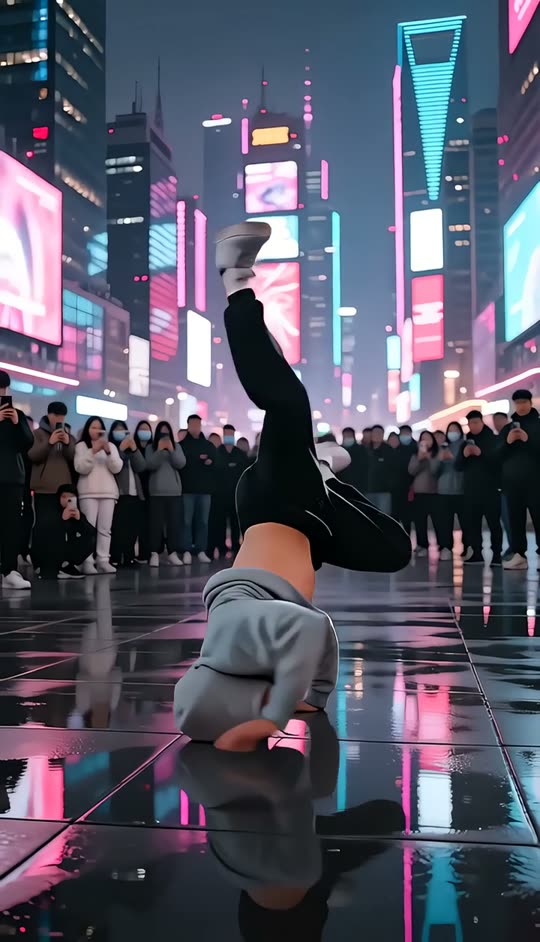
One clip, one sentence. Every move and camera angle stays as filmed; only the look changes.
Step 1
Upload your clip
Any shot you already have. Start from a sample clip if you want to try it first.
Prompt
Cyberpunk night, neon rain, keep the motion
Step 2
Describe the look you want
A short phrase is enough — anime, claymation, watercolour, film noir. Add a reference image if the words are ambiguous.
Step 3
Download the restyled clip
The whole clip is re-rendered in the new style. Download it from the workbench, or run another look on the same upload.
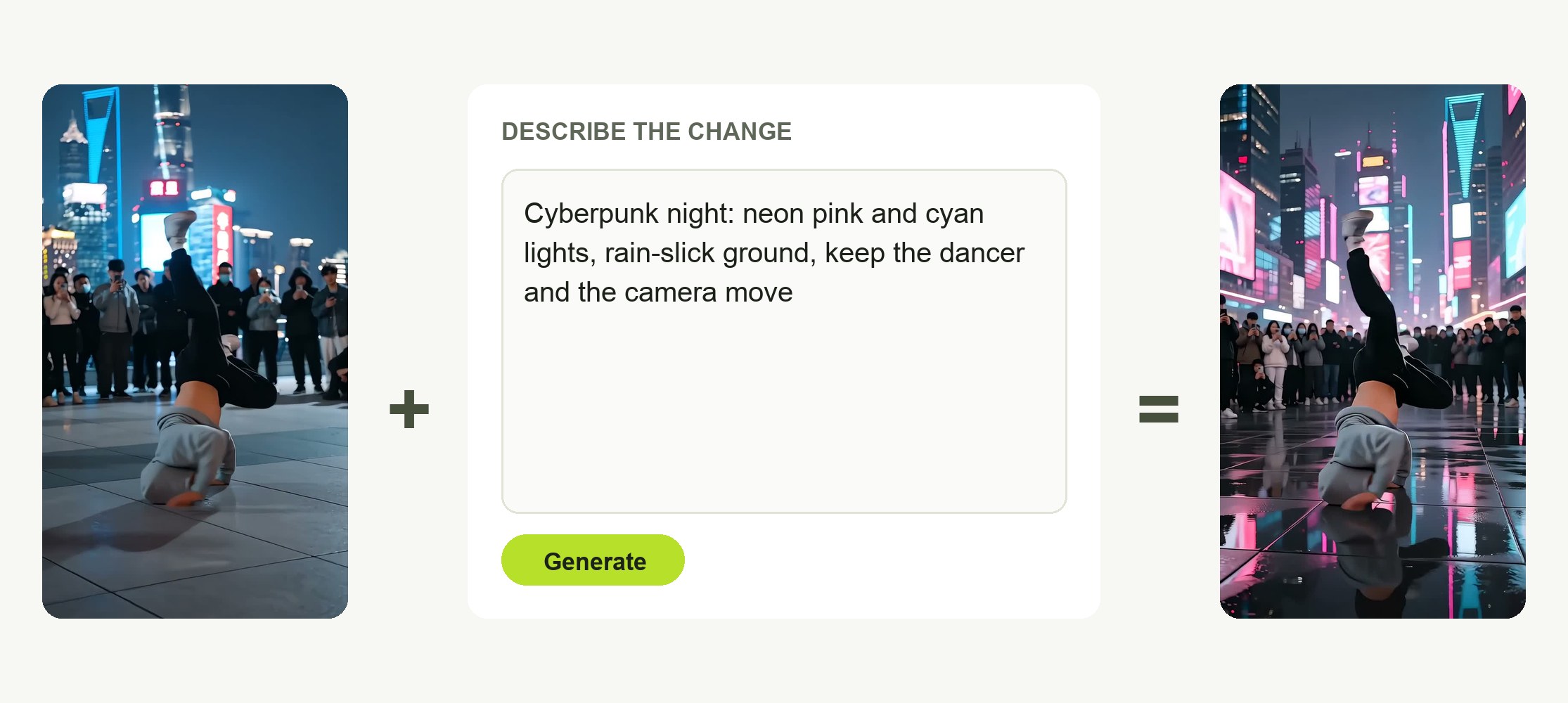
Describe the look — that is the whole brief
A clip and a sentence. "90s anime", "claymation", "watercolour sketch" — the words set the style, optional reference images pin it down.
- One clip, one prompt
- Optional reference images
- Start from a template clip
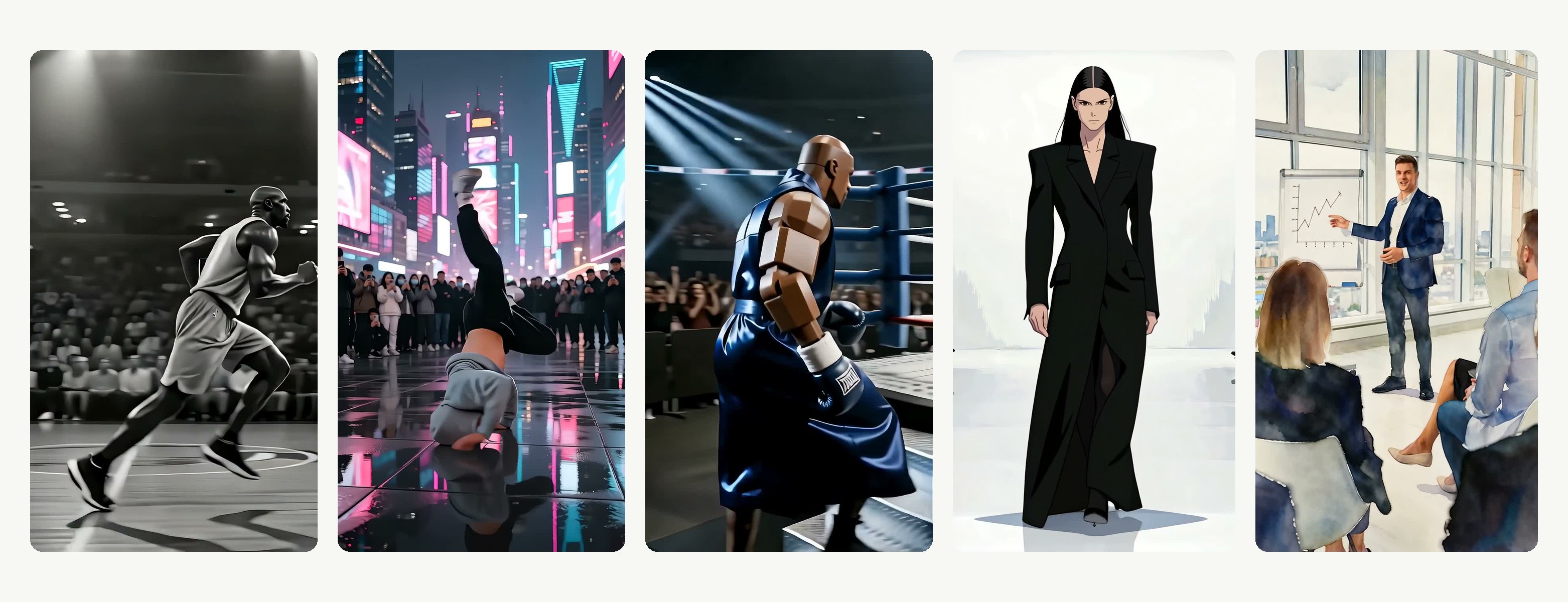
Any style, not a preset menu
Anime, comic ink, 3D render, stop motion, retro film, oil paint — if you can describe it, you can render it, and the source clip is never changed.
- Written prompts, no fixed list
- Run many looks off one upload
- The original stays untouched
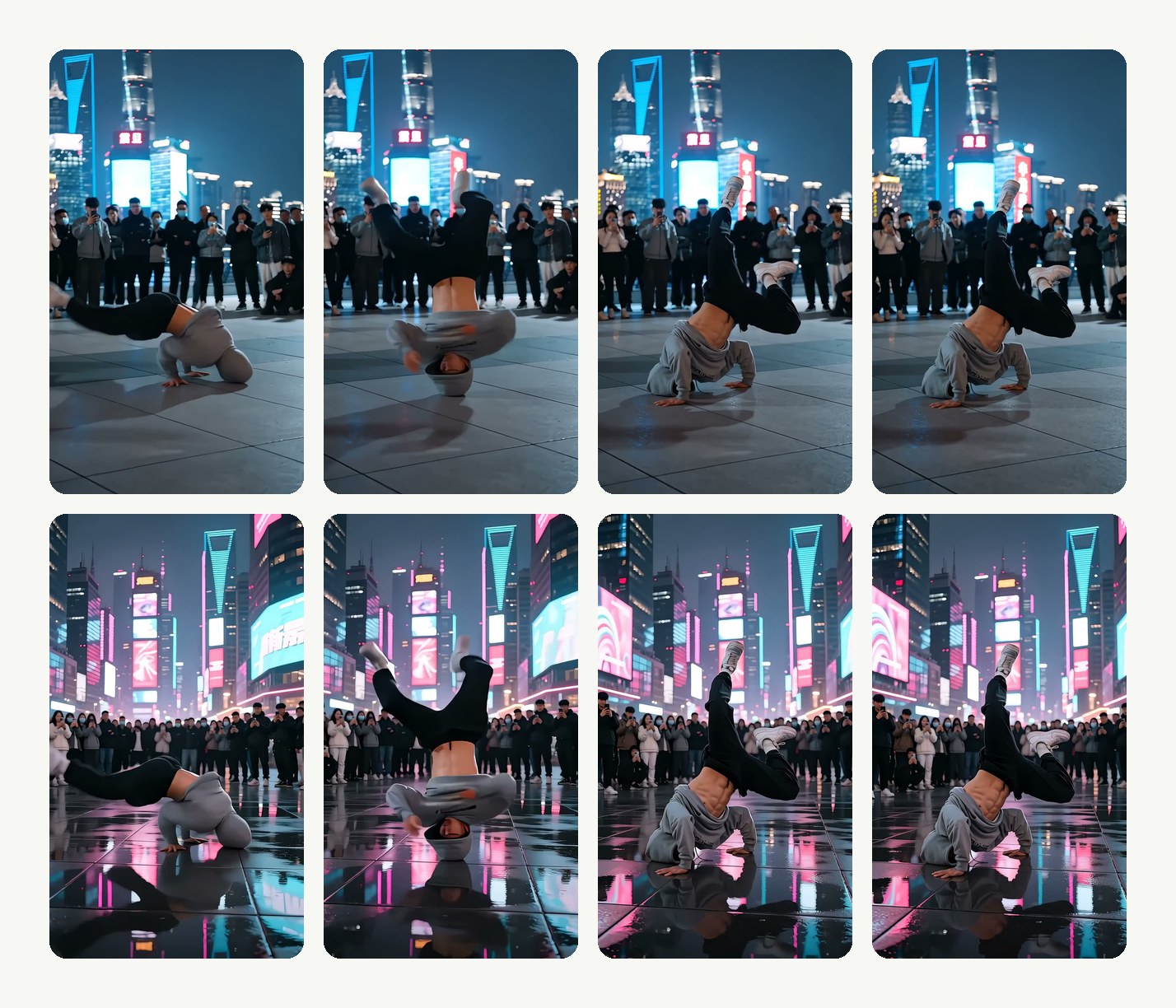
Motion locked to the original
The whole clip is re-rendered rather than filtered frame by frame, so every move, the timing and the camera stay exactly as filmed.
- Same moves, same timing
- Camera move kept
- No frame-to-frame flicker
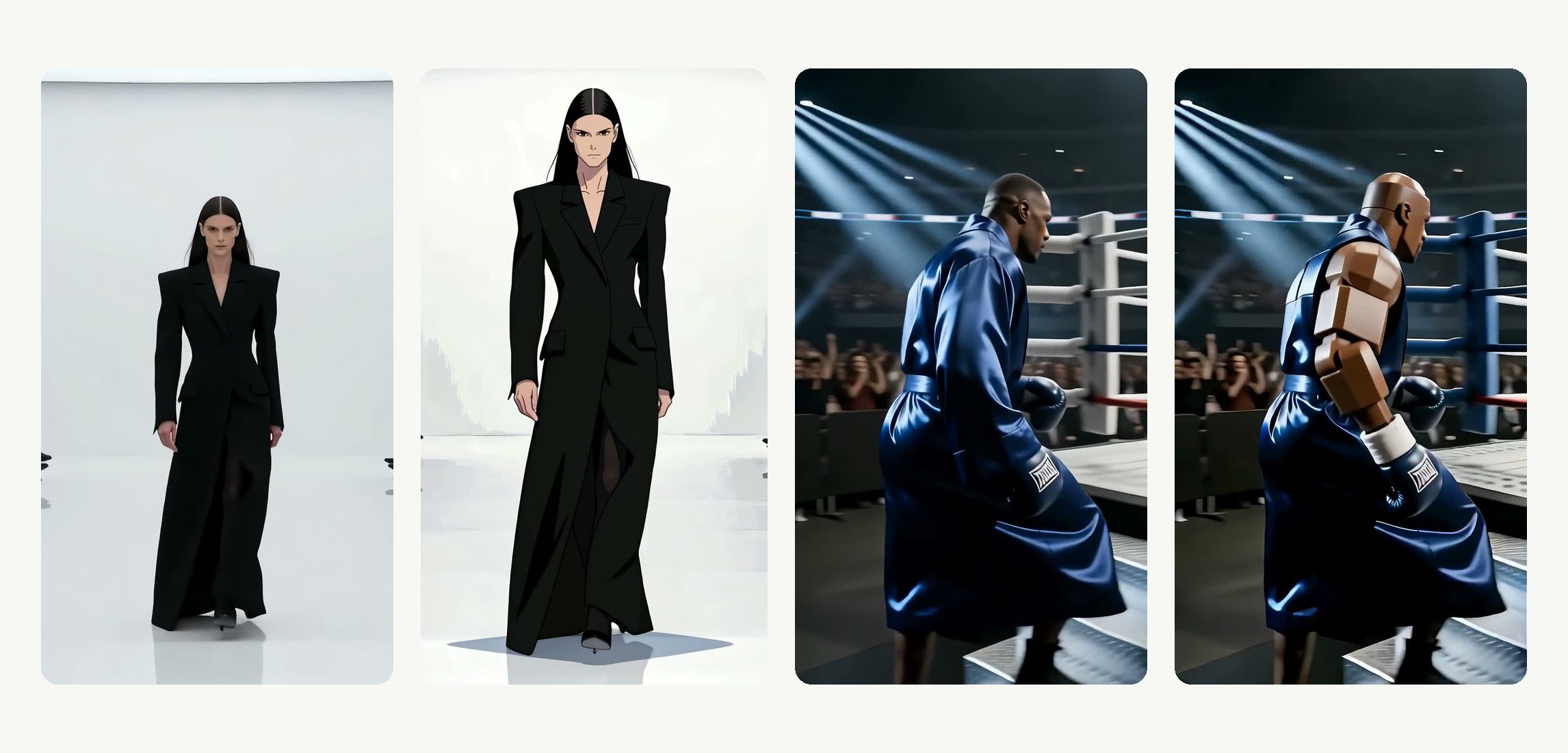
Any footage you own
Phone clips, camera footage, screen recordings, old archive shots — upload what you have and pick a look.
- Phone, camera or screen recording
- Long clips supported
- Price shown before you generate
Compared
Video to video AI compared: LazyKiwi vs Runway, DomoAI and Higgsfield
Where LazyKiwi Video to Video stands against Runway, DomoAI and Higgsfield, from their own pages.
| LazyKiwi Video to Video | Runway Edit Studio | DomoAI Video to Video | Higgsfield Video to Video | |
|---|---|---|---|---|
| Any style from a text description | ✓Any look you can describe | ✓Text prompt | ✓40+ presets or prompt | ✓Prompt + model choice |
| Motion, timing and camera locked to the original | ✓Exactly as filmed | Not published | Not published | Not published |
| Reference images to steer the look | ✓Optional reference images | Not published | ✓Reference image | Not published |
| Start from a sample clip | ✓Template clips in the tool | Not published | Not published | Not published |
| Long clips | ✓Long clips supported | 2–30 s | 10 s per generation | Not published |
| No watermark on results | ✓No watermark | ✕Removed on paid plans | ✕Free plans watermarked | Not published |
| Free to try | ✓Free to try | ✓Free to try (watermarked) | ✓Free to try (watermarked) | ✓Free to try |
| Price shown before you generate | ✓On the button | ✓Credit table in the help centre | Not published | Not published |
| Sources | Workbench read 13 Oct 2026 | Help centre Pricing read 13 Oct 2026 | Help centre read 13 Oct 2026 | Tool page read 13 Oct 2026 |
Competitor details change; check the linked pages first.
FAQ
Video to video AI FAQ
Is video to video AI free to try?+
Signing up is free and comes with free credits to try it; every run shows its exact price on the Generate button before anything is charged.
What is video to video AI?+
It takes a clip you already have and generates a new version in a different style, keeping the timing, camera move and action. Text-to-video invents a scene from a prompt; this keeps the motion you filmed and changes only the look.
How does video to video AI work?+
You upload a clip and describe a style. The model reads the motion, timing and camera move from your footage and re-renders every frame in the new look — a video style transfer driven by your prompt and, if you add them, reference images.
What is the best video to video AI?+
For long, multi-shot edits, Runway's Edit Studio takes clips up to 30 seconds. LazyKiwi is built for single shots — one prompt, optional reference images, 480p to 1080p output and the price shown up front.
Do I need to write a long prompt?+
No. A short phrase like "watercolor illustration" or "3D pixar style" is usually enough. Add a reference image if the phrase is ambiguous.
How long can the clip be, and what resolution do I get?+
Short clips render fastest; longer clips are supported. You choose 480p, 720p or 1080p before generating, and the credit price changes with the resolution and the length.
Will faces still be recognisable?+
In most styles, yes. Heavily abstract prompts pull detail away from the original by design, so keep the wording moderate if likeness matters. To replace the person instead of the look, use character swap.
Can I swap an object, an outfit or the background instead of the whole look?+
Yes, with a dedicated tool for each: add object to video inserts something new, video background changer replaces the scene behind the subject, and character swap replaces the person while keeping the motion.
Is this the same as a video filter?+
No. A filter adjusts colour on top of the existing pixels. Video to video re-renders the shot, so hair, clothing, surfaces and lighting are redrawn in the new style while the motion stays.
Can I keep some things unchanged?+
Say so in the prompt — "keep the faces realistic", "only change the background". The more specific the wording, the closer the result stays to the original.
How do I download the result?+
The restyled clip plays in the workbench when the render finishes; download it as an MP4 from there. To sharpen it afterwards, run it through the AI video enhancer.
Do I need to download software?+
No. Video to video runs in the browser: upload, describe the style, generate and download the MP4. Nothing to install.
More AI video tools


Same take. A whole new look.
Upload a clip, describe the style, download the result at up to 1080p.
Price shown before you generate · 480p to 1080p · Renders in minutes