
AI Real Estate Photo Editing: A Workflow Agents Can Trust
AI real estate photo editing that stays on the right side of the line: exposure fixes, clutter removal, labelled virtual staging, a pre-publish checklist.
 Elena Vasquez 7 min read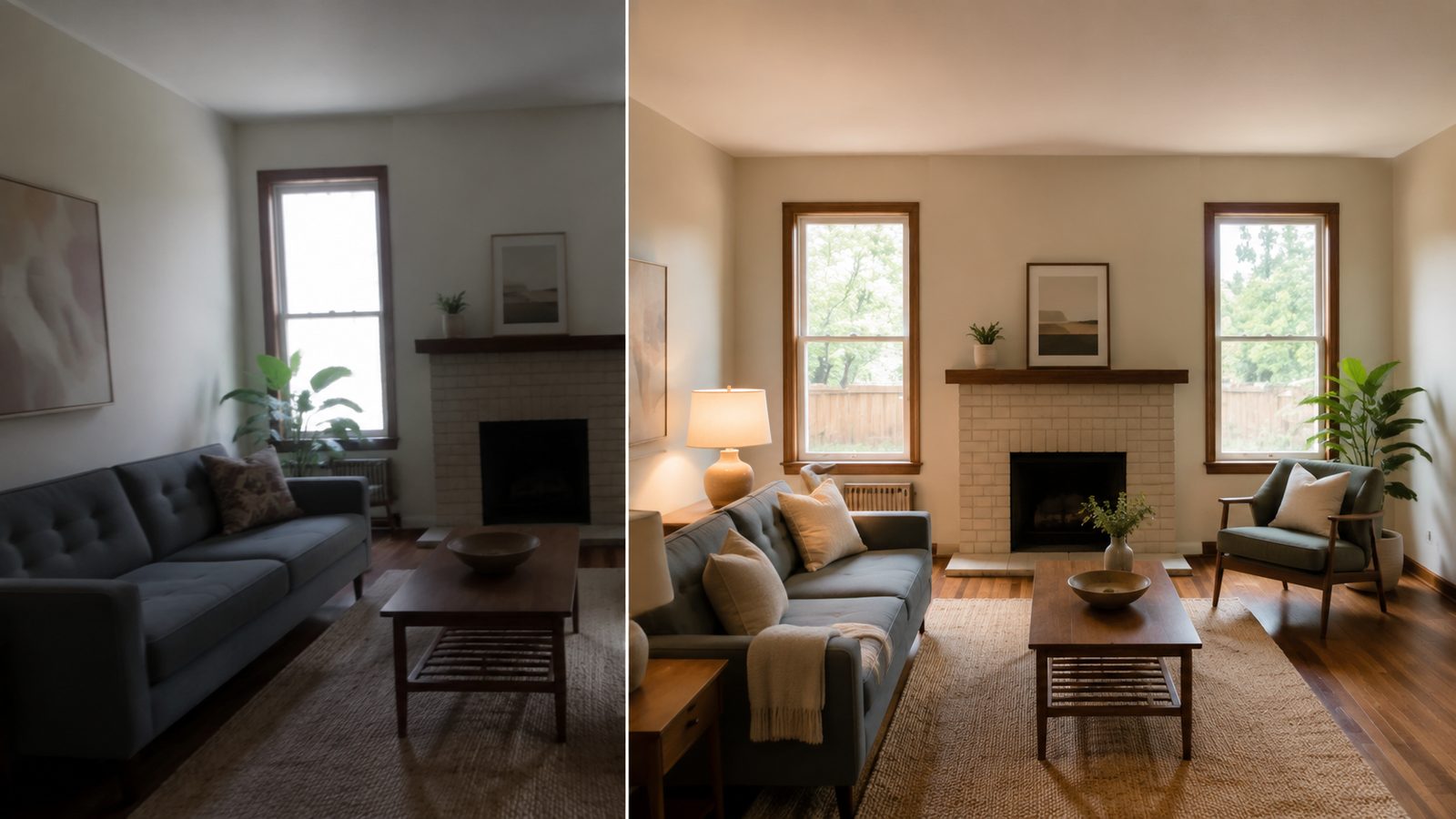
AI real estate photo editing means fixing the photograph without changing the property: exposure and colour, verticals, temporary clutter, and clearly labelled virtual staging for empty rooms. Anything that alters a permanent feature is misrepresentation, whatever tool did it. This guide gives the four-step route in the AI image generator, a virtual staging walkthrough, a comparison of editing services and AI tools with prices read on 2026-09-06, the free options, prompts for the three most common listing photos, and the checklist to run before an image goes to the MLS.
What is AI real estate photo editing and where is the line with misrepresentation?
Real estate photo editing has always had two halves: corrections that help a buyer see the room as it is, and alterations that show a room that does not exist. AI made the second half cheap, which is why the line matters more now. Article 12 of the National Association of REALTORS Code of Ethics governs what members may present in advertising, and the Code's published case interpretations extend it to listing images and social posts, per NAR (2026). Your MLS will have its own rule on edited and staged photos; read it before adopting any tool.

Which edits are enhancement and which are alteration?
| Edit | Status | Why |
|---|---|---|
| Exposure, white balance, lens and vertical correction | Enhancement | Shows the room as the eye saw it |
| Sky recovery in an overexposed window | Enhancement | Restores captured detail, changes nothing physical |
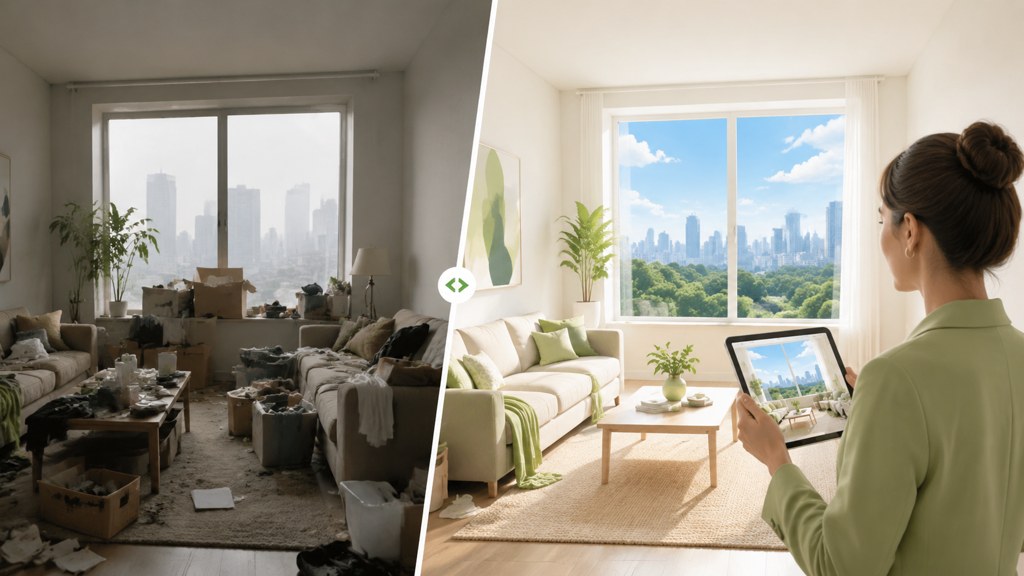
| Removing a bin, cables, a car in the drive | Enhancement, with judgement | Temporary items only; never damage or fixtures |
| Virtual staging of an empty room | Allowed with a label | Furniture is not part of the sale; the label says so |
| Day-to-dusk conversion | Disclose | Changes the light, not the house; some MLSs require a note |
| Removing power lines, cracks, stains, a neighbour's wall | Alteration | Hides something that affects the decision |
| Enlarging windows, changing counters or floors | Alteration | Sells a property that does not exist |
The FTC's Endorsement Guides FAQ puts the general principle simply: advertising must be honest and not misleading, per the FTC (2026). A staged photo with a 'virtually staged' label meets that bar; a removed crack does not.
How to edit real estate photos with AI step by step
Using AI photo editing for real estate well means one tool per job and a comparison against the original after each pass. In LazyKiwi the route below uses four image tools; on 2026-09-06 each showed 13 credits per run with a promotion applied on the button.
- 1
Cull and correct geometry first
Drop blurred and duplicate frames, then straighten verticals in your camera app or editor. AI tools work on the pixels they are given; a leaning door frame stays leaning after a colour fix.
- 2
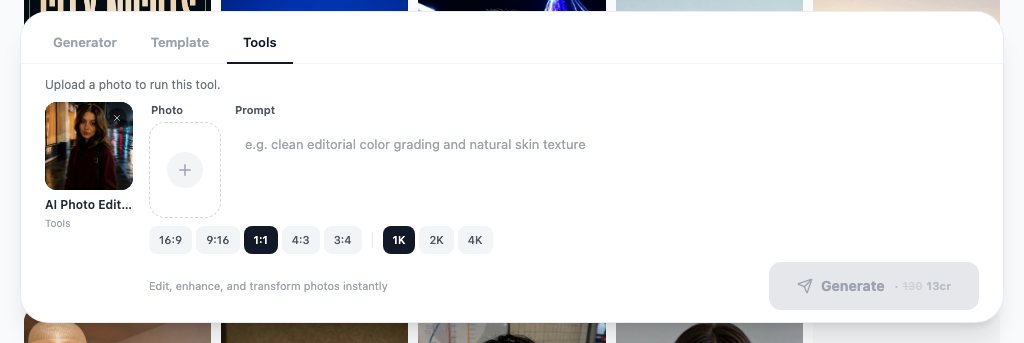
Fix exposure and colour with the photo editor
Open the AI photo editor, upload the frame and describe the change in words: 'balance the warm lamps with the daylight, recover the window, keep every colour and fixture as it is'. It edits by instruction, so say what must not change.
- 3
Remove temporary clutter only
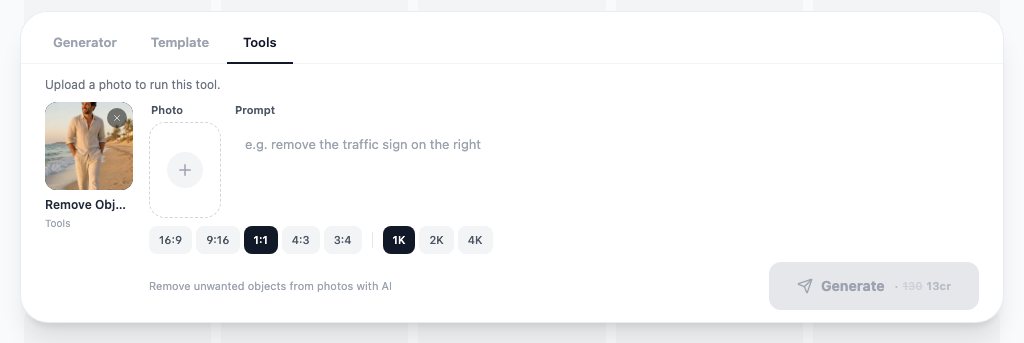
The remove object from photo tool takes one photo and clears the item you point at. Bins, cables, toiletries and the photographer's reflection are fair game. Leave damage, fixtures and anything outside the window alone.
- 4
Stage empty rooms and label them
Covered in the next section. Keep the unstaged original in the gallery and name the staged file so nobody uploads it without the label.
- 5
Upscale for the portal
Run the approved image through the AI photo upscaler before export so the portal's zoom view and print brochures hold detail. Upscale last so you pay once.
- 6
Compare and export per channel
Put each output beside its source at full size, then export the master for the MLS and separate crops for social and email. Keep before and after files together for compliance review.
One instruction per run
Ask the photo editor for exposure in one run and clutter removal in another. Combined instructions are harder to compare against the source and harder to undo.
How to do virtual staging with AI
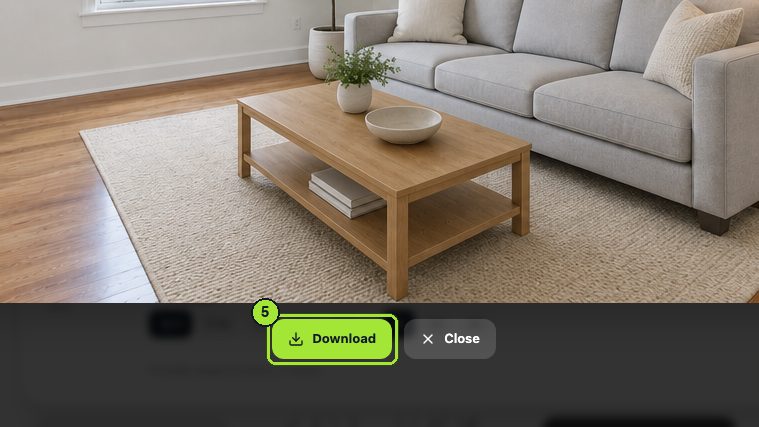
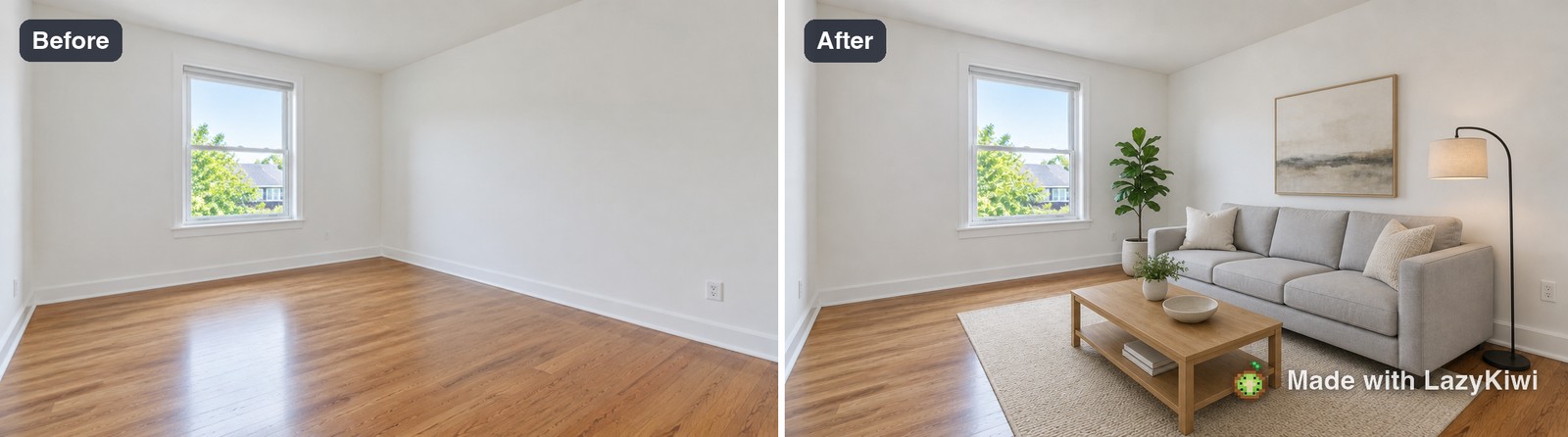
Virtual staging AI furnishes an empty room from a photo and a sentence. The LazyKiwi virtual staging tool takes the bare-room photo and a description of the setup, keeps the walls, windows and floor, and adds furniture at the scale the room implies. The result is a marketing image, not a record of the property, so it always ships with a label.
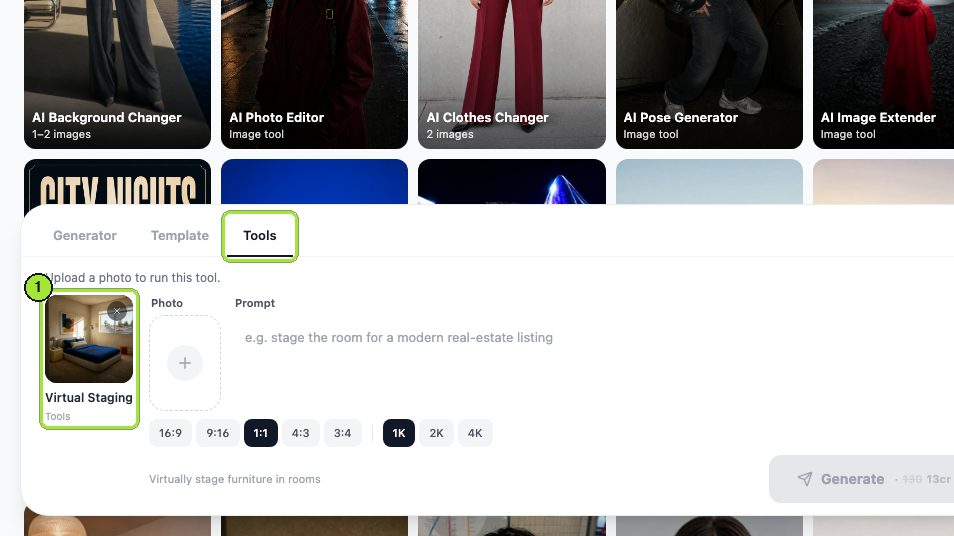
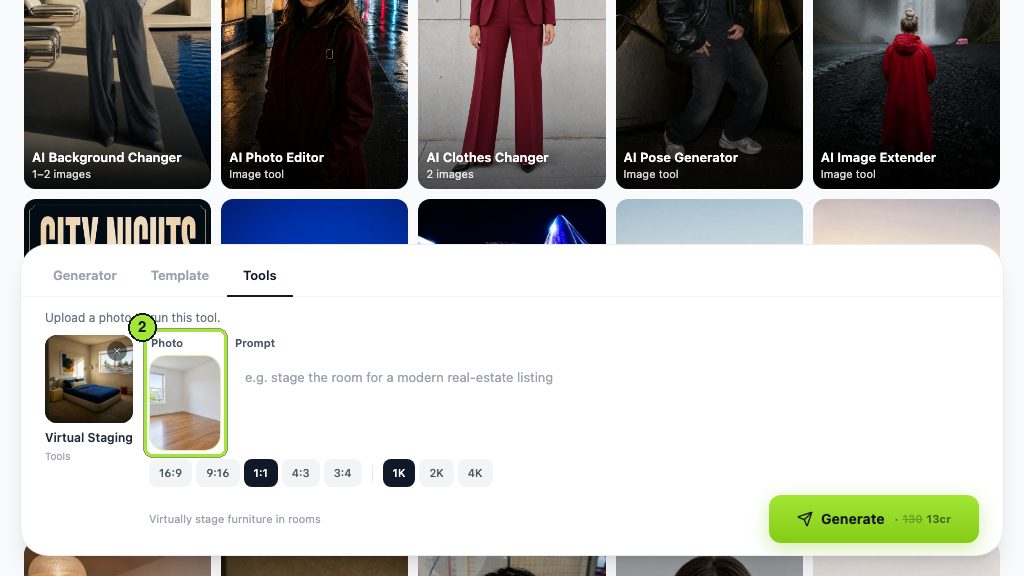
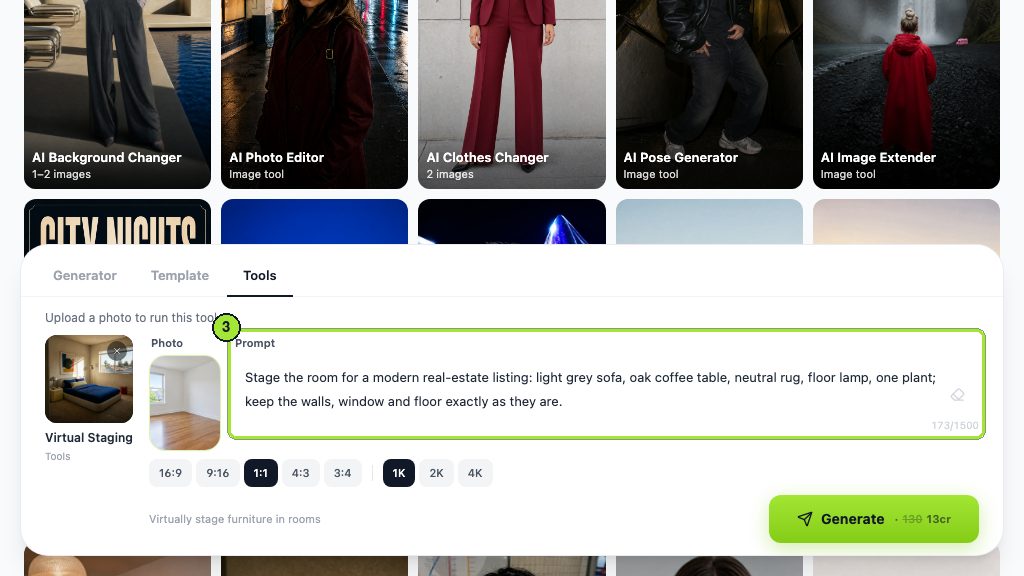
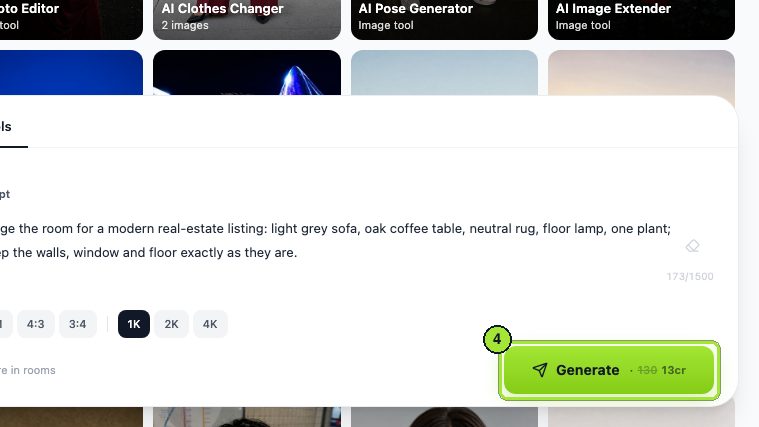
What does a safe staging prompt look like?
Stage this empty living room for a listing: one three-seat sofa in light grey, two armchairs, a low coffee table, a neutral rug and a floor lamp, all at realistic scale for the room. Keep the walls, windows, doors, flooring, radiator, outlets and ceiling exactly as photographed. No structural changes, no new windows, no art with readable text.
- Name the room type and one style; 'modern' or 'Scandinavian' beats a paragraph of adjectives.
- Say 'realistic scale for the room' so a sofa does not shrink the space.
- List what must stay: walls, windows, doors, floors, fixtures, outlets. The tool follows exclusions well.
- Keep walkways clear in the prompt; a staged room that blocks the door reads as fake.
- Add the words 'Virtually staged' on the exported image or in the caption, whichever your MLS requires.
For furnished rooms that need a restyle rather than staging from empty, the AI interior design tool does the same job from a furnished photo; treat its output as a concept image, not a listing photo, unless the label is present.
Which real estate photo editing software and AI tools compare best?
Real estate photo editing software splits into human-in-the-loop services that charge per image, subscription AI tools built for agents, and general image workbenches. Every price below was read from the vendor's page on 2026-09-06.
| Tool (checked 2026-09-06) | Type | Pricing seen | Fit |
|---|---|---|---|
| LazyKiwi | AI workbench: photo editor, object remover, virtual staging, upscaler | Free plan 40 credits a month; tools at 13 credits a run on the day | Agents doing their own edits |
| BoxBrownie | Editing service with human editors | Per image, e.g. Day to Dusk at US$4; no subscriptions | Volume listings, overnight turnaround |
| Collov AI | Real estate AI staging with MLS partnership | Standard plan US$19 a month, 60 photo credits | Agents with a handful of listings |
| REimagineHome | AI redesign and staging with structure lock | New users get 5 free designs; plans from US$14 to US$99 a month | Staging plus shoppable furniture |
| Photoroom | Product-focused AI editor | Free start; Pro trial | Not built for interiors |
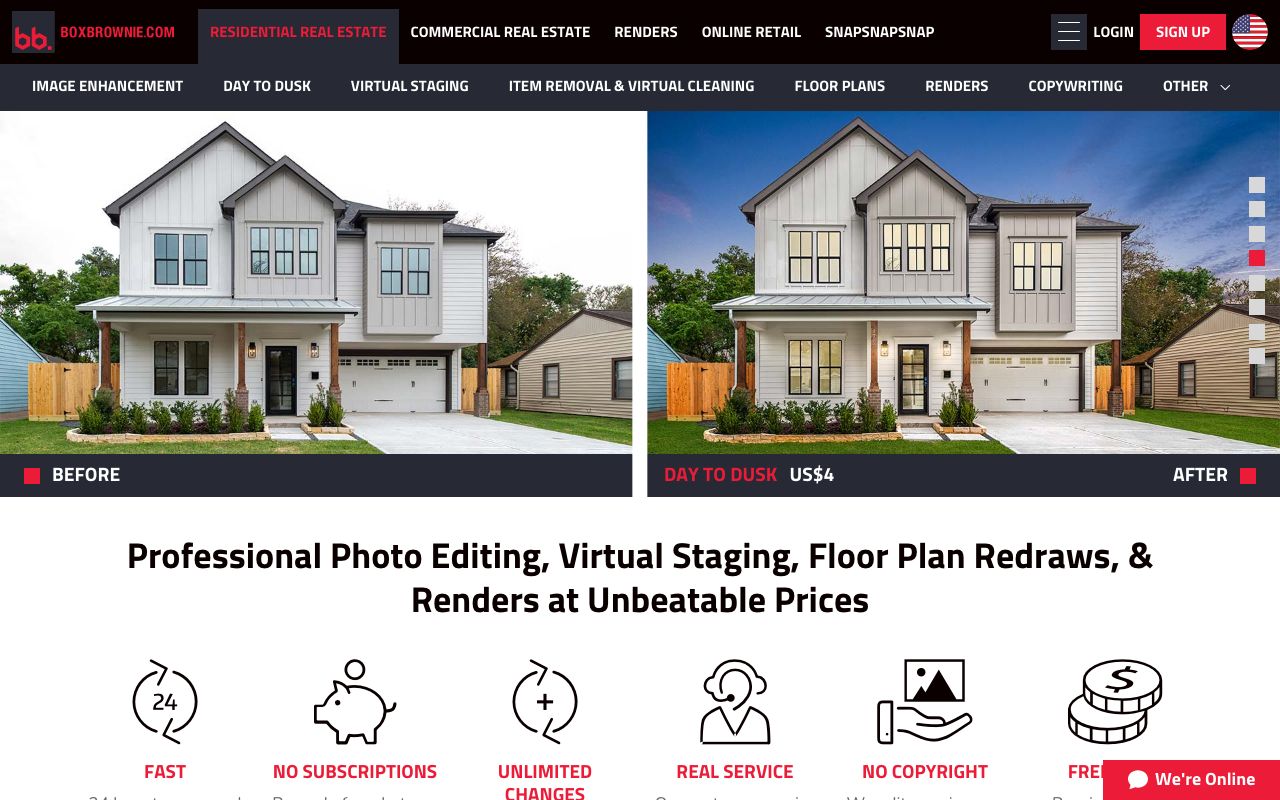
BoxBrownie prices each edit separately and lists image enhancement, day to dusk, virtual staging, item removal and floor plans as services, per BoxBrownie (2026). Collov AI's Standard plan is US$19 a month for 60 photo credits with regeneration at no extra cost and no watermark, per Collov AI (2026). REimagineHome gives new users five free designs and lists its Essential plan at 30 credits a month, per REimagineHome (2026). LazyKiwi is the option when the same credits also need to cover product shots and social clips.
Is there free AI real estate photo editing?
Searches for AI real estate photo editing free of charge get a partial yes. LazyKiwi gives each new account the Free plan, 40 credits a month with nothing to pay, per the pricing page. With the tools at 13 credits a run on 2026-09-06, that is three edits a month, enough to test the route on one listing before paying, and the test is quick: in LazyKiwi's workbench data (August 2026) the median time from signup to a first generation was about 1.5 minutes, with 103 of 108 first generations inside ten minutes. REimagineHome's five free designs cover a similar trial, and BoxBrownie's per-image model means there is nothing to subscribe to.
What free tiers rarely include is a licence you can rely on for advertising, or an export size that survives the portal's zoom view. Check both before a free image goes into a listing. Copyright is the other open question: the U.S. Copyright Office keeps its guidance on registering works that contain AI-generated material on its Copyright and AI page (2026), which matters if a brokerage wants to own its staged images outright.
What prompts work for common listing photos?
Real estate photo editing AI prompts work when they name the correction and the things that must not move. Three listing photos account for most of the work; the prompts below are what we paste into the photo editor and the staging tool.
Convert this exterior to early dusk: deep blue sky, warm light in the existing windows, porch light on. Keep the house, roofline, landscaping, driveway, neighbouring buildings and power lines exactly as photographed. No new lights, no added trees, no changed materials.
Stage this empty bedroom for a listing: a queen bed with white linen, two nightstands with lamps, a neutral rug, one plant. Realistic scale, walkways clear on both sides of the bed. Keep walls, window, closet doors, flooring and outlets unchanged. Label as virtually staged.
Remove the countertop appliances, dish rack and paper towels only. Reconstruct the counter surface from the surrounding pattern. Then: balance the under-cabinet light with the daylight, reduce glare on the fridge, keep cabinets, counters, backsplash and fixtures exactly as they are.
When a listing needs a concept image rather than a photo, for example a render of a planned extension, build it in GPT Image 2 from a reference photo and a description; its model page lists text-plus-image input and a 2K ceiling. Caption it as an artist's impression. Never put a concept render in the photo carousel.
How to check listing photos before publishing
Run this list on every edited frame with the original open beside it. It takes a minute per photo and catches the errors that get complaints.
- No structural change: count windows and doors, check wall corners, ceiling line and floor direction against the source.
- No hidden defects: cracks, stains, damp, power lines and neighbouring structures are still visible.
- Fixtures intact: outlets, vents, radiators, built-ins and appliances are all present and unchanged.
- Staged images labelled: 'Virtually staged' on the image or in the caption, and the unstaged original in the gallery.
- Colour consistent across the set: the same paint and flooring do not shift between rooms.
- Artifacts checked at full size: warped railings, duplicated plants, melted furniture legs, text-like smears.
- Files sized for the portal: a high-quality master, then compressed copies for email and social; MLS file rules followed.
- Before and after kept together: source, master, staged version and exports in one folder per listing for compliance review.
Correct the photograph, not the property. If a buyer would feel misled standing in the room, the edit was an alteration.
— LazyKiwi creator playbook
Key takeaways
- AI real estate photo editing is enhancement (exposure, verticals, temporary clutter) plus labelled virtual staging; removing defects or changing fixtures is misrepresentation under NAR Article 12 and most MLS rules.
- The LazyKiwi route is four tools, photo editor, object remover, virtual staging and upscaler, each at 13 credits a run on 2026-09-06, on a Free plan that gives new accounts 40 credits a month.
- BoxBrownie charges per image with no subscription (Day to Dusk at US$4); Collov AI lists US$19 a month for 60 photo credits; REimagineHome gives new users five free designs.
- A safe staging prompt names the room, one style, realistic scale, clear walkways and everything that must stay unchanged, and the export carries a 'virtually staged' label.
- Check every edited frame beside its original: window and door count, hidden defects, fixtures, colour consistency across the set and artifacts at full size.
Commercial Imagery Editor
Elena Vasquez
I came from product and property photography, so I care about the boring parts: scale, shadows, disclosure rules, and what a listing platform will reject.
FAQ
Common questions
Is virtual staging legal?
Yes, when it is disclosed. Virtual staging adds furniture that is not part of the sale, so it is treated as marketing rather than misrepresentation as long as the image is labelled and the property itself is unchanged. NAR's Code of Ethics governs member advertising and most MLSs publish their own rule on staged photos; keep the unstaged original in the gallery and follow the local wording.
Do I have to disclose AI-edited listing photos?
Disclose anything that shows the property in a state a buyer would not find on a visit: staging, day-to-dusk, virtual renovations and removed permanent items. Straight corrections such as exposure, colour balance and vertical alignment need no note because they do not change what the buyer would see. Check the MLS rulebook for the label it wants and put it on the image or in the caption.
Can AI remove furniture from a listing photo?
It can, and the object remover in LazyKiwi does it from one photo, but treat furniture removal as a virtual edit that needs the same label as staging. Removing an owner's sofa to show an empty room is fine with a note; removing a fixed feature such as a radiator or a built-in cupboard is an alteration. Check the reconstructed floor and wall at full size, since that is where artifacts appear.
What is the best AI for real estate photos?
For an agent doing their own edits, an image workbench with separate tools for exposure, object removal, staging and upscaling, such as LazyKiwi, keeps each pass reviewable. For volume with human quality control, a per-image service such as BoxBrownie. For staging with shoppable furniture, REimagineHome or Collov AI. The right answer depends on volume and whether a person reviews each image.
How much does AI real estate photo editing cost?
On 2026-09-06 the LazyKiwi tools cost 13 credits a run with a promotion applied, on a Free plan of 40 credits a month or paid plans with more; BoxBrownie priced Day to Dusk at US$4 per image with no subscription; Collov AI listed US$19 a month for 60 photo credits; REimagineHome listed plans from US$14 to US$99 a month with five free designs. Read the vendor page on the day, since prices change.
Stage an empty room in one run
Upload the bare-room photo, describe the furniture, keep the walls and windows, and export with the label your MLS requires.
Keep reading

AI Product Photography: White Background to Branded Scene
AI product photography in practice: shoot on a phone, get a white-background image, swap in a branded scene, upscale, and export to Amazon and Google rules.
8 min read
Best AI Interior Design App in 2026: 7 Tools Compared
The best AI interior design app depends on the job: LazyKiwi, Homestyler, Planner 5D, RoomGPT, REimagineHome, Spacely and Collov compared, prices read now.
8 min read
AI Mockup Generator: Make Product and Apparel Mockups Fast
An AI mockup generator builds the scene around your real design instead of a fixed template: the LazyKiwi route, six tools compared, prompts that hold up.
8 min read