
Free Virtual Staging: What the Free Tiers Give You
Six staging tools, prices read today: what free virtual staging really covers, where the watermark and resolution limits bite, and when paying wins.
 Marcus Tan 10 min read
Free virtual staging exists, but it means one of three things: a single trial image, a small monthly credit grant, or a watermarked preview you cannot publish. No vendor hands out a steady supply of print-ready staged photos, and the ones that advertise generous trials usually cap resolution instead. I read six pricing pages on 7 September 2026 and ran two rooms through our own tool, so this is what the tiers gave on that day, not what a comparison table said last year.
Is there genuinely free virtual staging?
Yes for one or two images. No for a listing shoot. Vendors use the word free for three different offers, and the difference matters more than the headline price.
- A trial image: one render, full quality, then a paywall. ApplyDesign states that the first image is free on both its automatic and DIY routes.
- A credit grant: a small monthly allowance you can spend on any tool. LazyKiwi's free plan carries 40 credits a month, which at 13 credits per 1K image is three staged rooms.
- A preview: a low-resolution or watermarked file that shows the idea and cannot go on a portal.
So what is virtual staging in the first place? It is furniture, rugs, art and soft furnishings added to a photograph of a real room after the shoot, either by a human artist or by a model that rewrites the pixels. Nothing structural changes. The walls, floor, window frames and the view through them are supposed to survive untouched, and the moment they do not, you have left staging and entered misrepresentation.
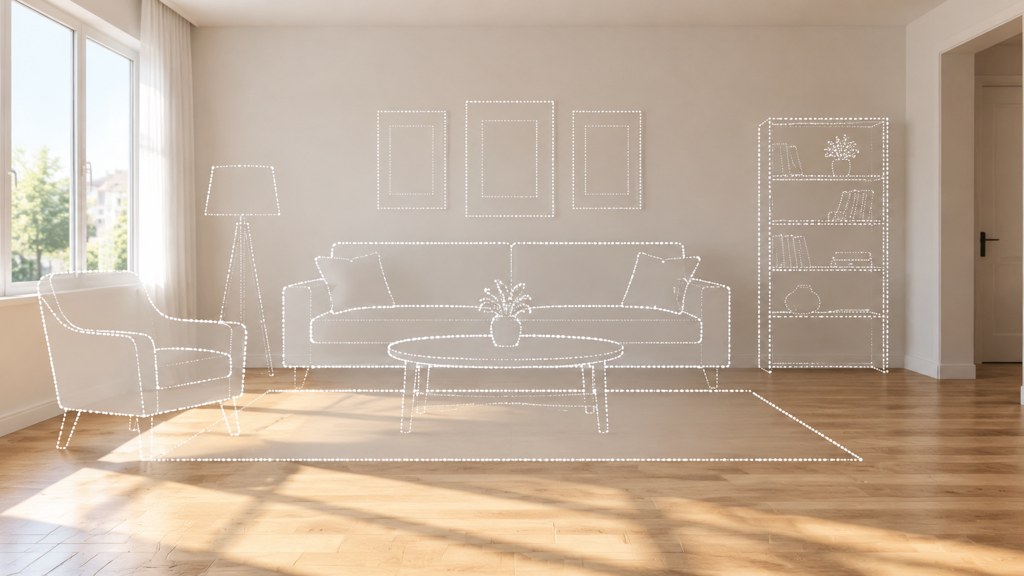
How should you choose a virtual staging tool?
Five things separate a tool you keep from one you abandon after a listing. Test them in this order, because the first two disqualify most candidates before you get to the interesting questions.
- 1
Output resolution
Portals downsize, print does not. If the export is capped below the size your brochure needs, the free tier is a demo and nothing more.
- 2
Style range
One neutral contemporary look covers a lot of listings, but a period cottage staged in the same furniture as a city loft reads as a template.
- 3
Windows, floors and fixtures
The test frame is a room with a bright window. A weak tool blows the view out, invents a different floor, or slides the skirting board.
- 4
Turnaround
Human-assisted services quote in days, model-driven ones in seconds. That gap decides whether you can restage during a viewing week.
- 5
Licence for listing use
Check the terms allow commercial use of the output on a portal. This is the clause people skip and regret.
Run one hard room through every candidate
Use a bright window, a wood floor and an awkward corner. Free trials are designed around easy rooms, and an easy room tells you nothing.
Virtual staging tools compared one by one
Everything in this table came off the vendor's own page on 7 September 2026. Where a page did not state a figure, the cell says so rather than guessing.
| Tool | Free allowance on 7 Sep 2026 | Price as listed that day | Speed and notes |
|---|---|---|---|
| LazyKiwi virtual staging | 40 credits a month on the free plan, refreshed monthly | 13 credits per 1K image, 17 at 2K; Starter $14 a month for 4,500 credits | Seconds; you type the style into the Prompt box |
| VirtualStagingAI | No free tier appears on the pricing page | Basic $16 for 6 photos, Standard $19 for 20, Professional $39 for 60, Enterprise $79 for 150, per month | Page states no watermark and 10 seconds turnaround |
| ApplyDesign | First image free on auto staging and DIY | Auto staging 1.5 coins per 2D image, DIY 1 coin; coins $7 to $10 each by volume | Coin packs rather than a subscription |
| BoxBrownie | Not stated on the virtual staging page | US$30.00 per image | 48 hours; human-assisted rather than instant |
| Virtual Staging Solutions | Not stated | Per-property rates; the pricing page did not render figures for us | Now trades at joinvss.com |
| PhotoRoom | A start-for-free route; the pricing page details paid tiers only | Plans quoted per month billed yearly | General editor; export limits apply up to 2K below the top tier |
The instant tools
VirtualStagingAI is the clearest of the dedicated services on price, and the clearest about what you do not get: there is no free row on that page at all, so the entry point is $16 a month for six photos. Our own virtual staging tool sits at the other end of the commitment scale, because one credit balance is spent across the whole workbench and 40 of those credits land each month on the free plan (LazyKiwi pricing page, read 7 September 2026).
The credit and coin models
ApplyDesign prices in coins: 1.5 coins for an automatically staged 2D image, 1 coin if you place the furniture yourself, with coins between $7 and $10 depending on how many you buy. The first image is free on both routes, which is the most honest free tier in this group because it does not pretend to be a plan.
The human-assisted services
BoxBrownie lists US$30.00 an image with a 48-hour turnaround, and Virtual Staging Solutions quotes per property rather than per file. Those numbers look absurd next to a four-cent render until you have sent back a model output three times because it kept inventing a radiator. You are buying a person who fixes it.
What does virtual staging cost per image?
The spread on 7 September 2026 ran from cents to thirty dollars for the same nominal job. How much does virtual staging cost is really two questions: what is the marginal price of one more image, and how many images will you actually run this month.
The break-even is easier to see from the other direction. A subscription at $19 a month only beats a $30 human render if you use more than one image, and it only beats a credit balance if you burn through the free grant every month. Agents listing two or three properties a month rarely do. Photographers reselling staging as a line item always do.
One warning about per-image pricing: the cheap render is cheap per attempt, not per usable result. Budget three runs for an awkward room and the four-cent image becomes a twelve-cent image, which is still nothing, but plan the credits rather than discovering the shortfall at eleven at night.
How do you virtually stage a home yourself?
Here is how to virtually stage a home in the workbench, start to finish, on the two runs I made for this piece. Both used the same photo of a furnished living room with a bright city window, because a window is where these tools fail first.
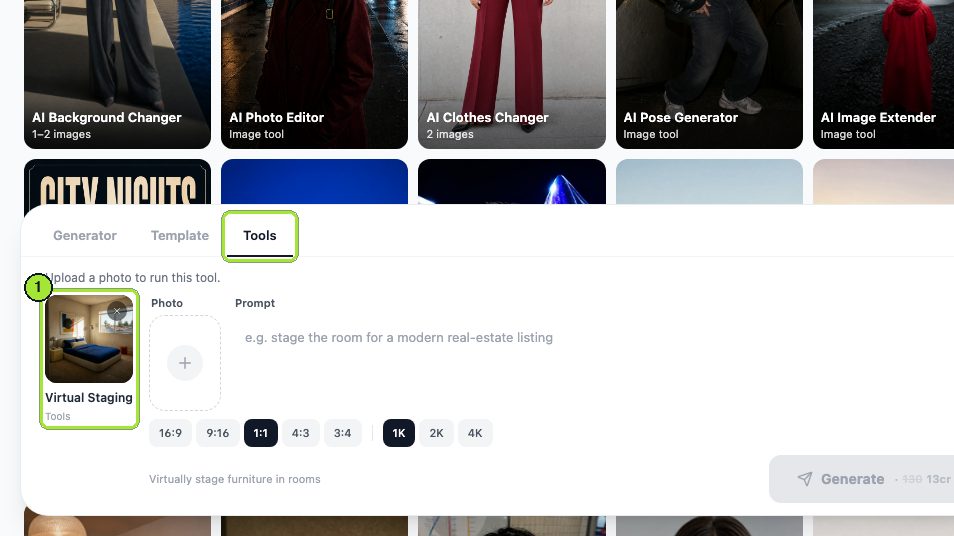
- 1
Load the room
One photo into the Photo box. Shoot it level, from a corner, with the window in frame if there is one.
- 2
Describe the style, then protect the room
The Prompt box does the work of a style menu here. Name the furniture you want, then state what must not move.
- 3
Choose the shape and size
16:9 matches most portal galleries; 4:3 suits a brochure page. Resolution sits on the 1K, 2K and 4K chips.
- 4
Generate
The button carries the credit price, which was 13 credits for a 1K render on the day of the test.
- 5
Change one variable and run again
For the second style I edited only the prompt and left the photo, ratio and resolution alone, so the two results are comparable.
Restage this living room in warm mid-century modern style: walnut furniture, a low sofa, a rug and a floor lamp; keep the walls, floor, window and daylight exactly as they are.
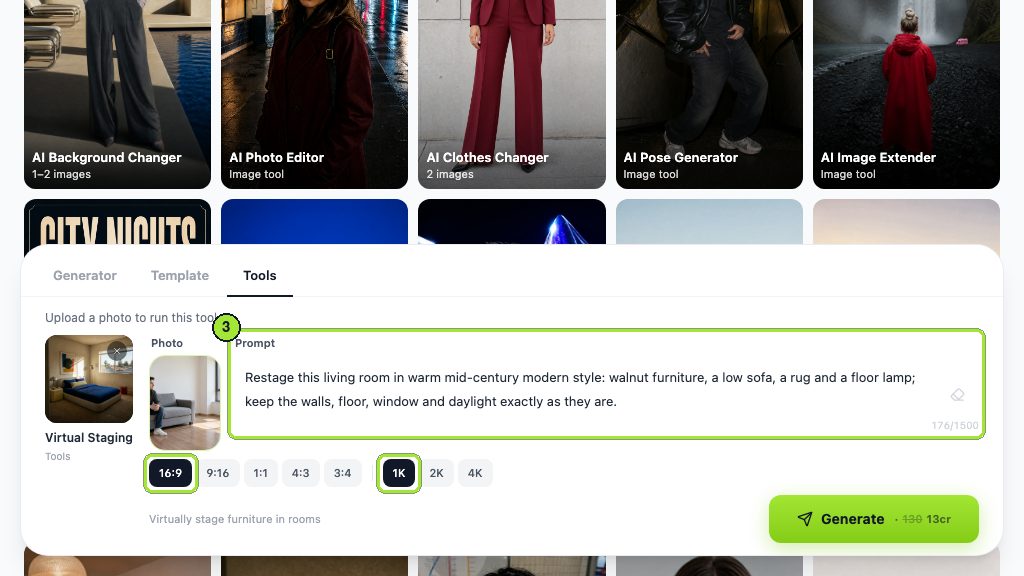
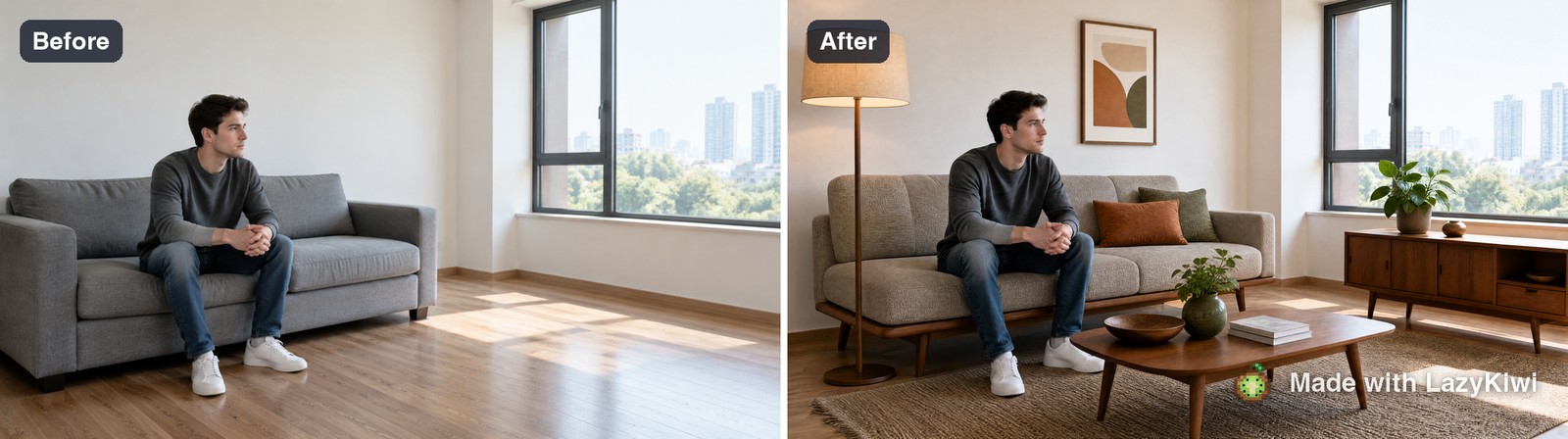

The second half of the prompt is the part people leave out. Without an explicit instruction to preserve the walls, floor, window and daylight, these models will happily relight the room and give you a different property. The staging tool lives in the Tools tab of the image generator and runs on GPT Image 2; both of my renders kept the window intact because the instruction said to. If you want a whole-room redesign rather than furniture on top of a real room, that is the AI interior design tool and a different disclosure conversation.
What makes a virtually staged photo look fake?
Buyers cannot always name what is wrong, but they feel it and they scroll on. Six things account for most of it.
- Furniture lit from a different direction than the window in the same frame.
- Scale errors you can measure against a doorway: a sofa that would not fit through it, a coffee table at hip height.
- Rugs that float, with no compression in the pile and no shadow where a leg meets the floor.
- Shadows that fall the wrong way, or several objects casting shadows at different angles.
- Reflections that do not update: a mirror or a dark window still showing the empty room.
- The same three pieces of furniture in every photo of every listing you publish.
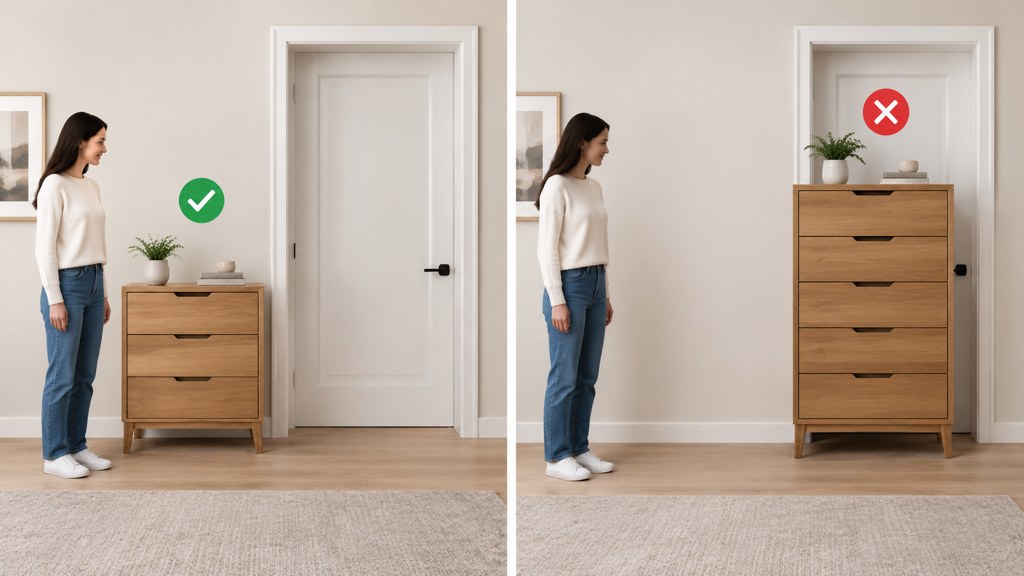
Fix the first four in the prompt rather than in a second tool. Naming the light source, the room's real dimensions and the floor material in the instruction removes most of them before the render starts.
Is virtual staging legal and what must you disclose?
Staging an empty room is legal in the markets I checked. Presenting it without a label is where the rules bite, and for anyone holding a REALTOR membership the rule is written down. Article 12 of the National Association of Realtors Code of Ethics requires members to "be honest and truthful in their real estate communications and shall present a true picture in their advertising, marketing, and other representations".
Standard of Practice 12-10 goes further and prohibits "manipulating (e.g., presenting content developed by others) listing and other content in any way that produces a deceptive or misleading result", including "use of misleading images" (NAR Code of Ethics (2026), read 7 September 2026).
- Put the words virtually staged in the photo caption, not only in the property description.
- Keep the unstaged original in the listing set so a buyer can see the real room.
- Never stage away a defect: a damp patch, a crack, a boiler in the corner.
- Never change the view through a window, which is a claim about the property, not the furniture.
Consumer protection law sits underneath the membership rules. Guidance published by the Federal Trade Commission on endorsements turns on the same principle: a marketing claim has to be honest about what the customer will receive (FTC (2026), read 7 September 2026). Portals add their own rules on top, so read the photo requirements for wherever the listing goes, whether that is a national site such as Redfin or a local MLS.
When is virtual staging the wrong choice?
Three situations, and in all three the tool works fine and the decision is still wrong.
- 1
An occupied home
You would be deleting somebody's furniture and replacing it with a fantasy. Tidy, declutter and reshoot instead; it is faster than arguing about the result.
- 2
A property with visible defects
If the room needs work, staging it hides the thing the buyer most needs to see. That is the misleading-images clause, in one photo.
- 3
A buyer who will visit before offering
For local buyers on a normal listing timeline, staging buys a click and then loses the trust at the front door.
Staging sells the shape of a room. It cannot sell a room that does not have one.
— Marcus Tan
Which virtual staging tool should you pick?
By user, based on what these pages said on 7 September 2026.
- Selling one home yourself: use a free grant or a first-image-free trial, stage two rooms, and stop. Nothing here justifies a subscription for a single listing.
- Agent with a few listings a month: a credit balance is cheaper than a photo quota you will not fill, and instant turnaround lets you restage between viewings.
- Photographer reselling staging: a per-photo subscription at the Standard or Professional tier beats per-image human work on margin, as long as your client accepts model-generated furniture.
- Developer or brochure work: pay the human rate. At print size, the thirty-dollar render is the cheap option.

In LazyKiwi's workbench data (August 2026), GPT Image 2 was behind 127 of 181 external generations, so most of what people run through these image tools is the same model doing different jobs. That is worth knowing before you pay a premium for a wrapper: you are usually buying the interface, the presets and the support, not a better renderer.
Key takeaways
- Free virtual staging means a trial image, a small credit grant or a watermarked preview; none of them cover a listing shoot.
- Prices read on 7 September 2026 ran from about four cents a render to US$30.00 an image for human-assisted work.
- Write the protection clause into the prompt: keep the walls, floor, window and daylight exactly as they are.
- Label the photo as virtually staged and keep the unstaged original in the set.
- Never stage an occupied home or a room with a defect the buyer needs to see.
Tools & Alternatives Editor
Marcus Tan
Marcus Tan compares creative tools for LazyKiwi. He reads every price off the vendor's own page on the day of writing, tests the free tier before recommending it, and says plainly when a tool is the wrong buy.
FAQ
Common questions
Is there a free virtual staging app that has no catch?
Not one that gives print-ready output on tap. The nearest thing is a monthly credit grant you can spend on any tool, or a first-image-free trial. Both are designed to show quality, and both stop well before a full listing set of eight to twelve rooms.
Is virtual staging worth it for a single listing?
For an empty property, usually yes: furniture gives buyers a sense of scale that bare rooms do not. For an occupied home it is rarely worth the effort, because tidying and reshooting produces an honest photo faster than describing a whole room to a model.
How much does virtual staging cost per photo?
On 7 September 2026 the range ran from roughly four cents a render on a credit plan, through $0.95 an image on a $19 monthly photo quota, up to US$30.00 an image for a human-assisted service with a 48-hour turnaround.
Do I have to disclose that a listing photo was virtually staged?
Treat it as mandatory. NAR Article 12 requires a true picture in advertising and Standard of Practice 12-10 names misleading images specifically. Put the label in the caption of the staged photo itself, not only in the property text.
Can virtual staging remove furniture as well as add it?
Some tools offer removal, but it is a harder job and a riskier one. Deleting a seller's belongings means reconstructing floor and wall behind them, and any error there changes what the buyer thinks they are looking at.
Stage a room and see the ceiling for yourself
Run one empty room through the virtual staging tool, change only the prompt, and compare two styles before you commit to any subscription.
Related reading
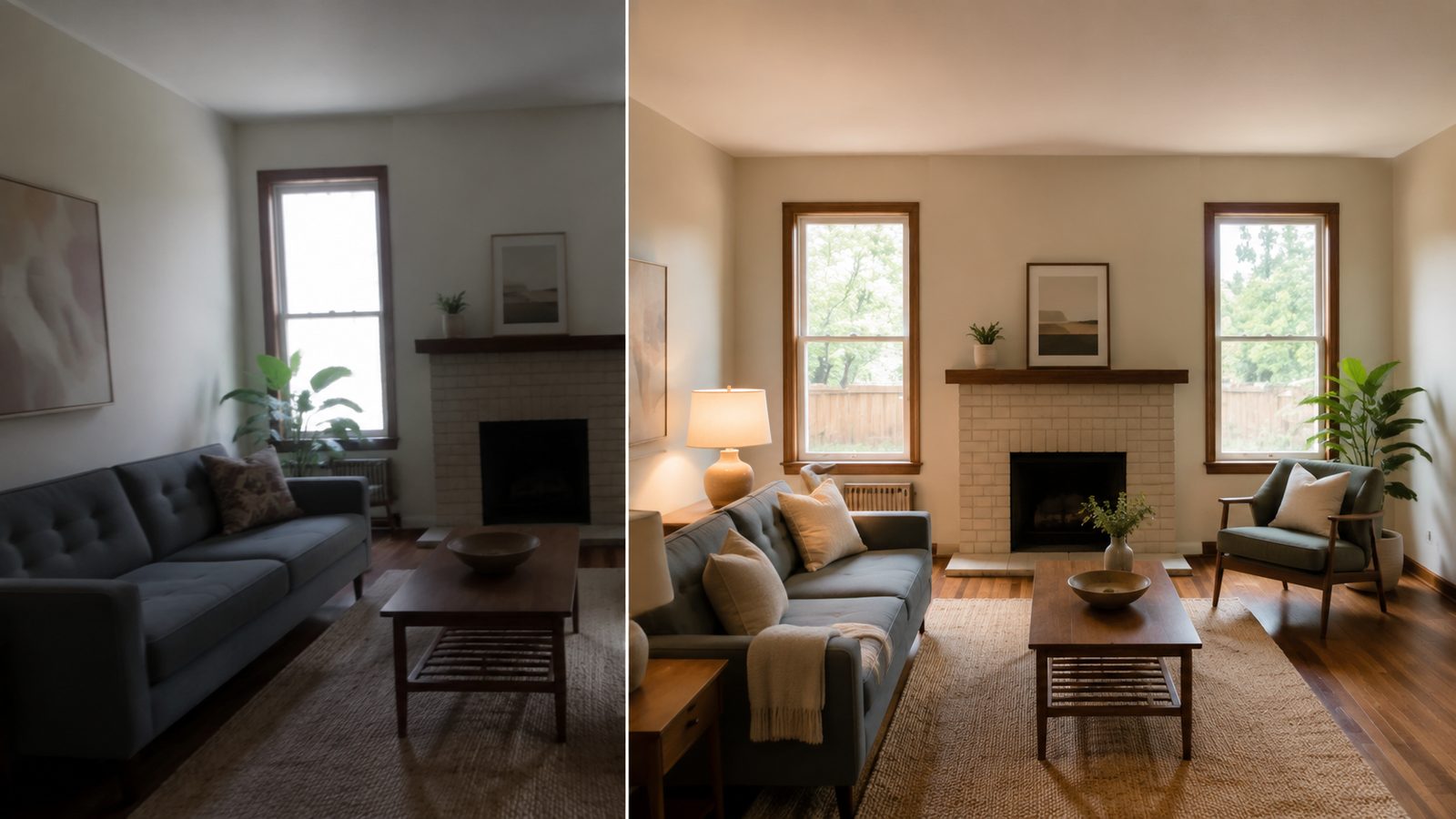
AI Real Estate Photo Editing: A Workflow Agents Can Trust
AI real estate photo editing that stays on the right side of the line: exposure fixes, clutter removal, labelled virtual staging, a pre-publish checklist.
7 min read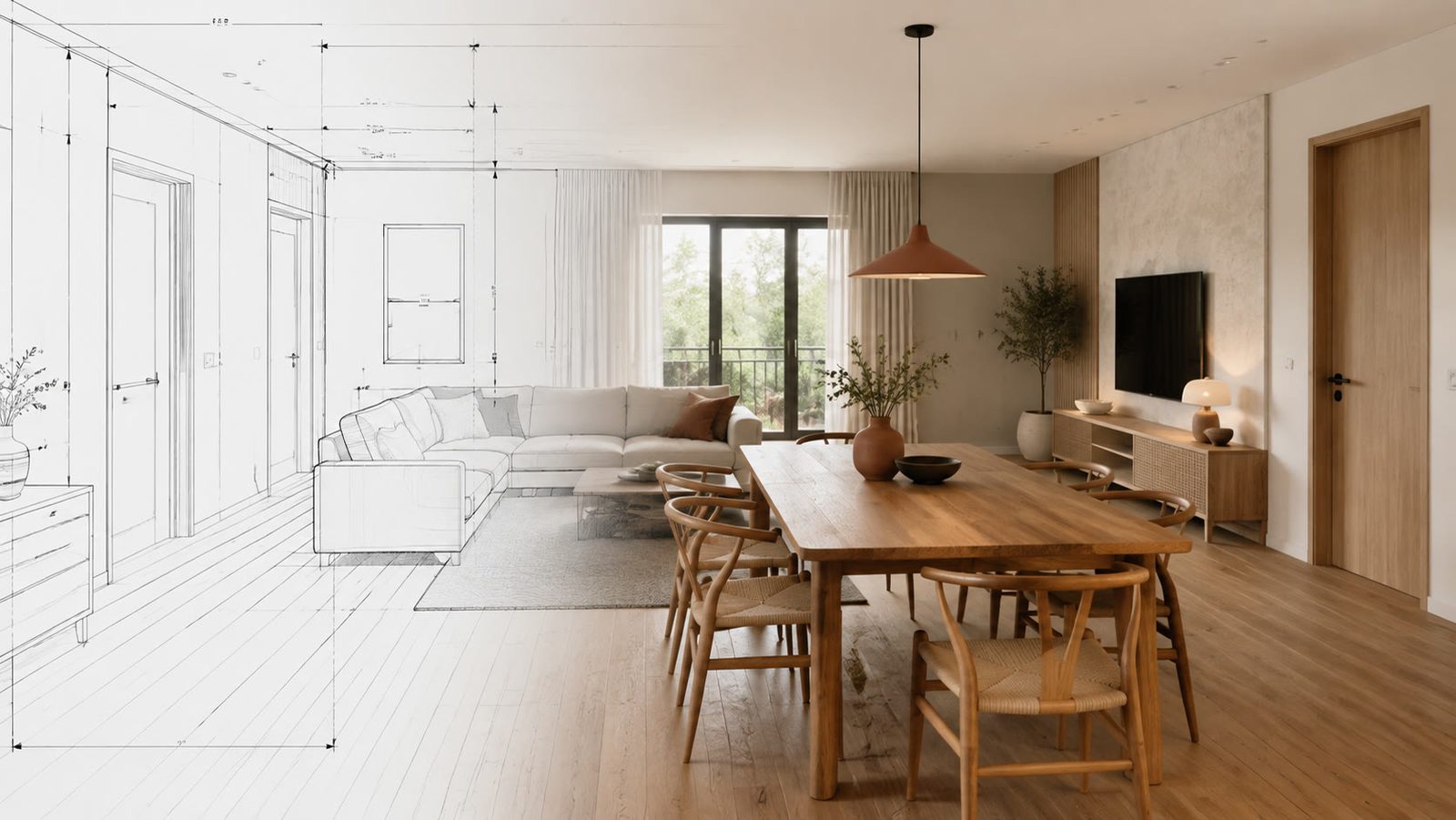
Best AI Interior Design App in 2026: 7 Tools Compared
The best AI interior design app depends on the job: LazyKiwi, Homestyler, Planner 5D, RoomGPT, REimagineHome, Spacely and Collov compared, prices read now.
8 min read
AI Product Photography: White Background to Branded Scene
AI product photography in practice: shoot on a phone, get a white-background image, swap in a branded scene, upscale, and export to Amazon and Google rules.
8 min read
AI Mockup Generator: Make Product and Apparel Mockups Fast
An AI mockup generator builds the scene around your real design instead of a fixed template: the LazyKiwi route, six tools compared, prompts that hold up.
8 min read