
Best AI Profile Picture Generator in 2026: 7 Tools Compared
Seven AI profile picture generator options compared on prices checked today, likeness, style range and photo retention, plus LinkedIn and Instagram sizes.
 Maya Chen 11 min read
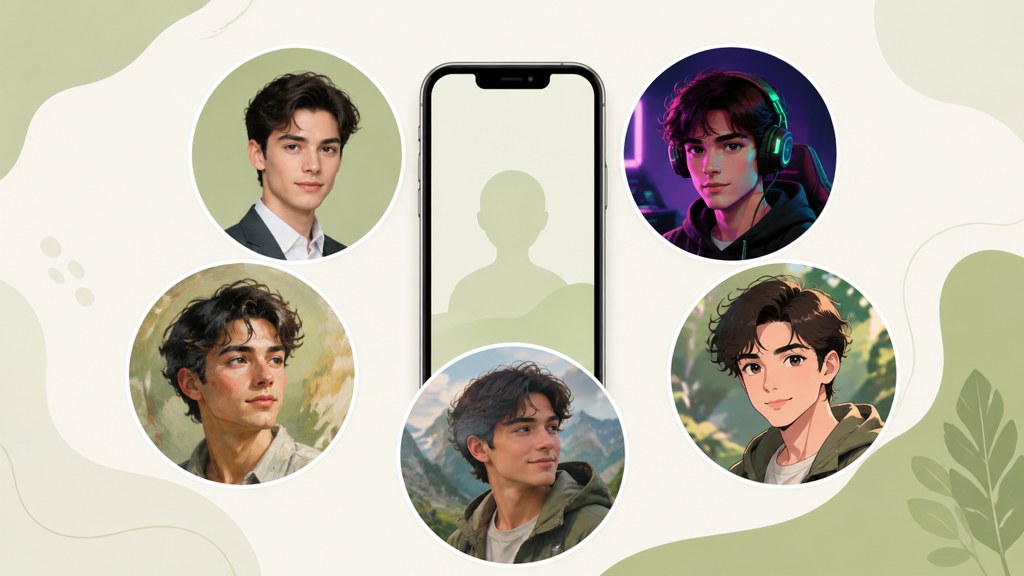
The best AI profile picture generator depends on which profile you are filling. For a LinkedIn or team-page portrait, a headshot tool that keeps your likeness wins; for Discord, gaming or a creator channel, a stylized avatar that reads at 40 pixels wins. This roundup covers seven options: the LazyKiwi headshot and anime routes, Canva, Lensa, Aragon, PhotoAI, Fotor and Picsart, with prices read from each vendor's page on September 6, 2026. It also gives the platform sizes from a dated sizes guide and LinkedIn's own rule on whose face may appear in your profile photo.
What is the best AI profile picture generator in 2026?
Short version: for a realistic professional portrait from selfies, LazyKiwi's AI headshot template and Aragon are the two I would test first, and they price very differently; for a stylized avatar, the LazyKiwi AI anime avatar generator at 13 credits a run is the cheapest route I found; for a subscription that also covers dating and social photos, PhotoAI. The table is the shortlist; the reviews below carry the verified detail.
| Tool | Type | Price or free tier (checked 2026-09-06) | Style range |
|---|---|---|---|
| LazyKiwi headshot and anime routes | Templates and tools from selfies | 13 credits per run; 40 free credits a month | Studio, career, anime, duotone |
| Aragon | Headshot packages, one-time | Basic 35 USD, Standard 45 USD, Executive 75 USD, shown with a 20 percent limited-time discount | Professional only |
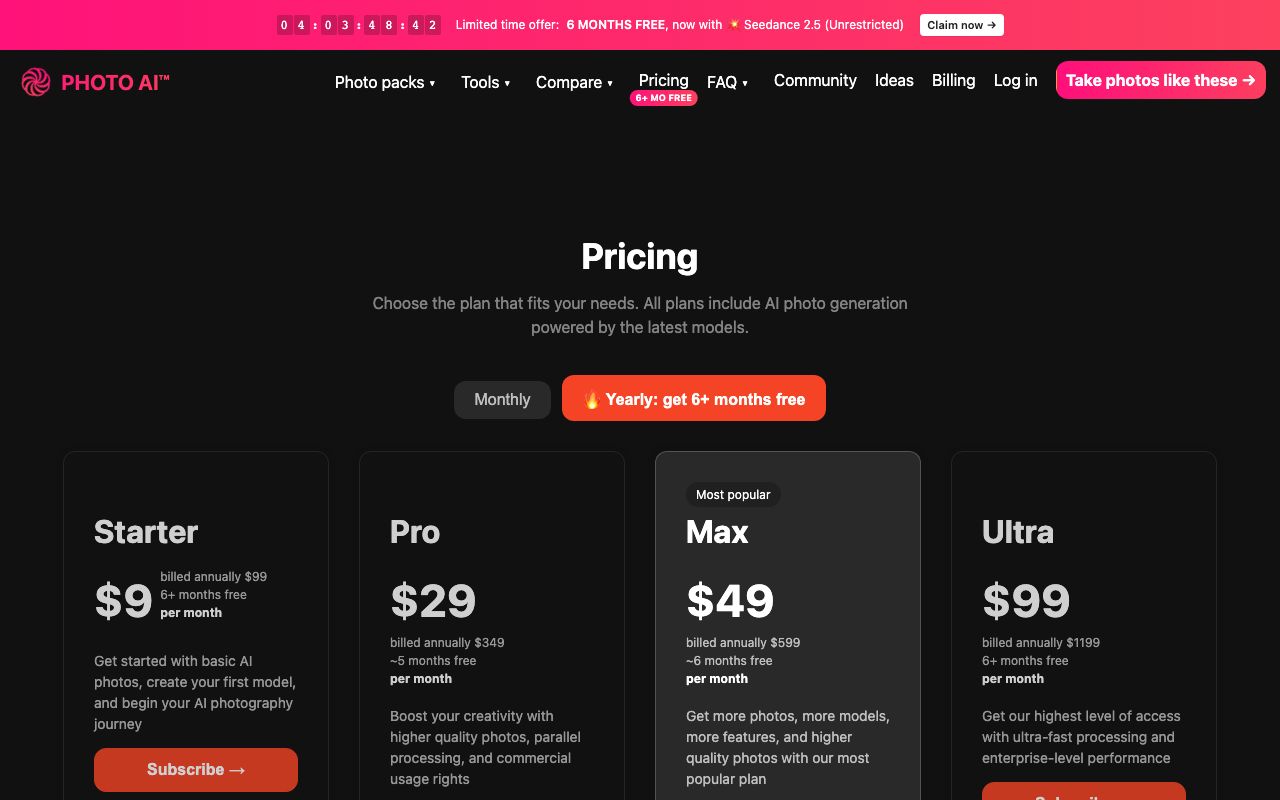
| PhotoAI | Subscription, photo packs | Starter 9 USD a month billed annually at 99 USD; Pro 29 USD a month at 349 USD a year | Headshots, dating, social, outfits |
| Canva | Template editor | Page blocked at check time; see canva.com | Frames, backgrounds, filters |
| Lensa | Mobile app | Prisma Labs' Lensa page returned 404 at check time | Stylized avatars |
| Fotor | Photo editor with AI tools | Free tier; limits on its pricing page | Editing, avatars |
| Picsart | Mobile and web editor | Page could not be read at check time | Anime, stickers, edits |
How to choose an AI profile picture generator
Four criteria decide it. Likeness: does the result still look like you at avatar size, or like a generic model with your hair. Style range: one tool rarely does a LinkedIn portrait and a gaming avatar equally well. Output size: you need a square at least 400 pixels wide for most platforms, and larger if it doubles as a banner crop. Retention: what happens to the selfies you upload. Our guide on how to determine your face shape from a photo is a quick way to check whether a generated portrait has kept yours.
On that last point, read the policy rather than the marketing line. LazyKiwi's headshot template page describes the effect as identity-safe with selfie input. Aragon puts a Privacy link in its main navigation, and PhotoAI publishes usage-rights differences between its plans, with commercial usage rights listed from the Pro tier upward on its pricing page, per PhotoAI (2026). If a tool's privacy page is hard to find, that is itself the answer.
Which matters more, likeness or style?
It depends on the platform's rules, not on taste. LinkedIn's Professional Community Policies state that you must not use an image of someone else, or any image that is not your likeness, for your profile photo, per LinkedIn (2026). A stylized avatar of you is fine there; a generated stranger is not. Discord, gaming platforms and most social apps have no likeness rule, so style can lead.
AI profile picture generators reviewed one by one: which is best?
LazyKiwi headshot, career headshot and anime avatar
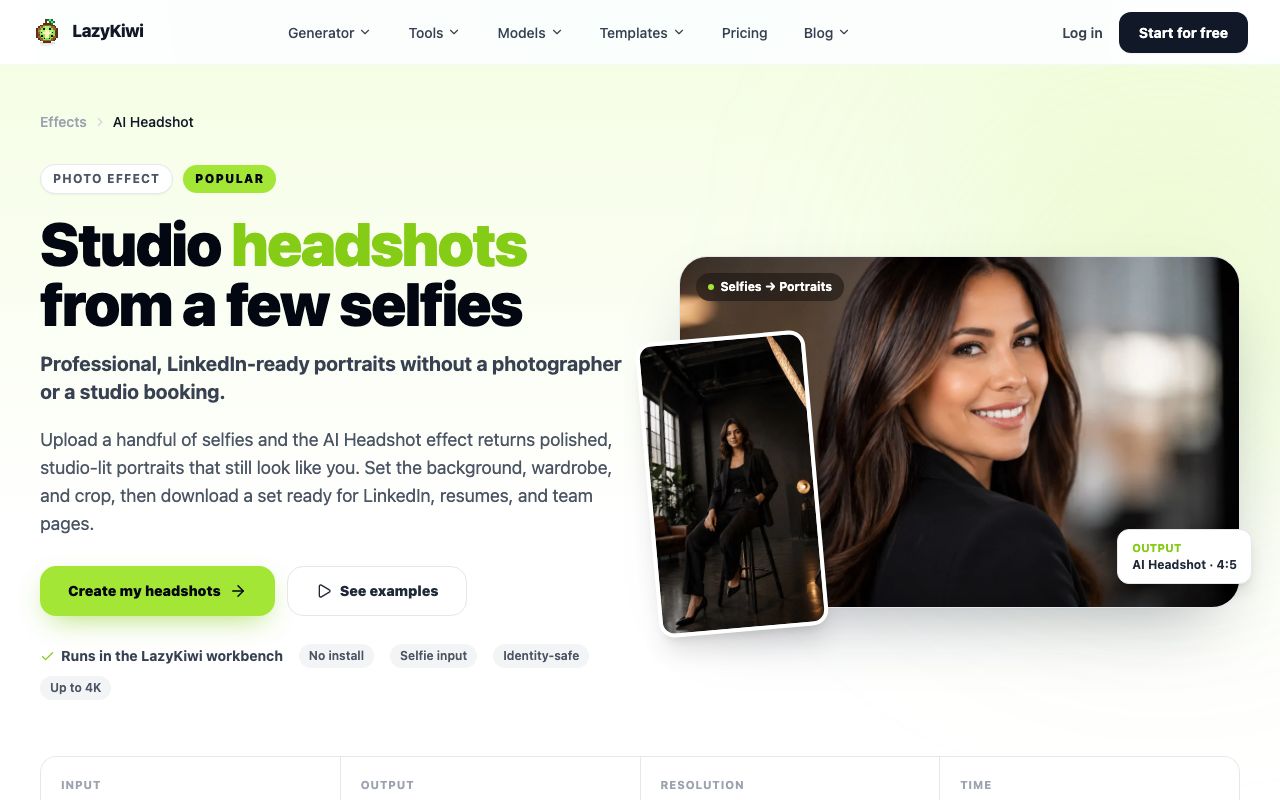
Three routes in one workbench. The AI headshot template takes three to eight selfies and returns studio-lit portraits at up to 4K in a 4:5 crop, per its page. The AI career headshot template works from one photo and adjusts attire, background and lighting to a job role. The AI anime avatar generator turns a selfie into anime art while keeping the hairstyle and expression. In the workbench on September 6, 2026, each template run showed 13 credits against a struck-through list price of 130, at 1K with 2K and 4K available.
Aragon
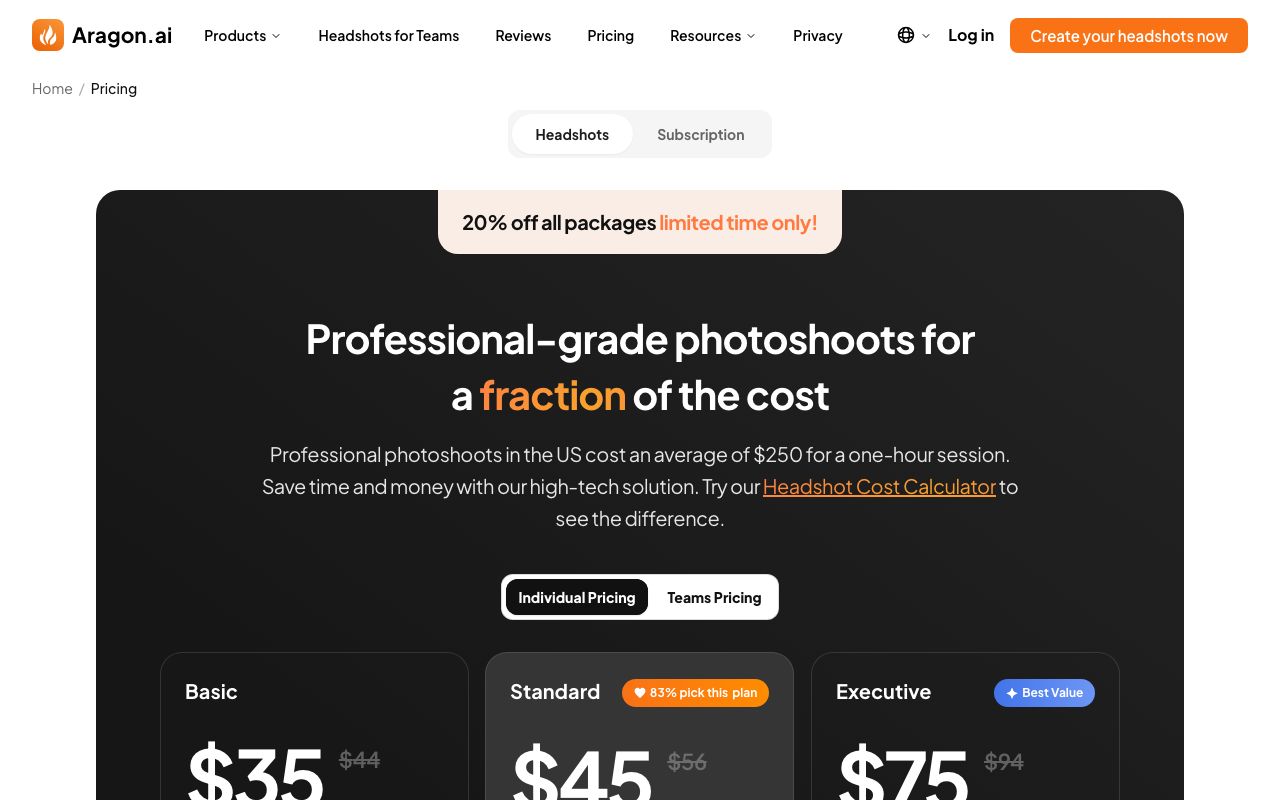
Aragon sells headshots as one-time packages rather than a subscription. On September 6, 2026 its pricing page showed Basic at 35 USD, Standard at 45 USD and Executive at 75 USD, each marked down from 44, 56 and 94 USD under a limited-time 20 percent discount, with a separate Teams tab, per Aragon (2026). It is professional-only; there is no anime or gaming style. Pick it when you need a set of LinkedIn portraits once and do not want an account with credits.
PhotoAI
PhotoAI trains a model of you and generates photo packs: profile pictures, professional headshots, dating-app photos, outfits and social posts. Its pricing page on September 6, 2026 listed Starter at 9 USD a month billed annually at 99 USD, Pro at 29 USD a month billed at 349 USD, Max at 49 USD a month billed at 599 USD and Ultra at 99 USD a month billed at 1,199 USD, with monthly billing available at higher rates, per PhotoAI (2026). The Starter tier is described on the page as low quality and low likeness, so budget for Pro if the face matters.
Canva, Lensa, Fotor and Picsart
Canva's profile-picture page returned an access error when I checked, so I am not quoting a price; it is a template editor with frames, backgrounds and filters rather than a likeness model. Lensa, the app that made AI avatars a trend, has a page on Prisma Labs' site that returned 404 on September 6, 2026, so check the app stores before relying on it. Fotor is a photo editor with AI tools and a free tier, per Fotor (2026), and Picsart's anime generator page could not be read on the day of checking, so both go in the table without numbers.
Is there a free AI profile picture generator?
Yes, for a few images. LazyKiwi grants new accounts 40 credits a month with no card, and each headshot, career headshot or anime template run showed 13 credits, so an AI profile picture generator free of charge here means three renders a month, enough for one portrait plus two variations. An AI pfp generator run in the anime tool costs the same. Fotor's free tier covers basic editing; PhotoAI and Aragon have no free plan that I could see, though PhotoAI offers monthly billing if you want a single month.
| Free route | What you get (checked 2026-09-06) | Watermark |
|---|---|---|
| LazyKiwi free plan | 40 credits a month; three 13-credit template runs | None seen on downloads at 1K |
| Fotor free tier | Basic editing and some AI tools | Check the export dialog |
| Canva free plan | Could not verify; page blocked | Check on export |
| Aragon, PhotoAI | No free plan seen | Not applicable |
How to make an AI profile picture in LazyKiwi
The sequence is the same for a LinkedIn portrait and a Discord avatar; only the template changes. In LazyKiwi's workbench data (August 2026), image tools were the most used feature, with 57 external users running image template or tool generations against 17 for video templates, and 1:1 was the ratio in 124 of 143 external image jobs, so the square avatar workflow below is the common case in the AI image generator.
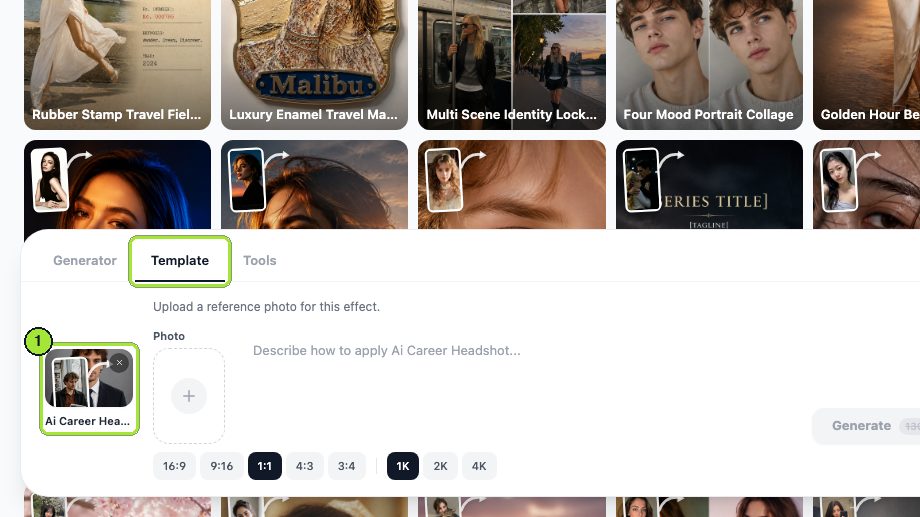
- 1
Pick the route
Open the AI image generator and choose the headshot template for realism, the career headshot for a specific job look, or the anime avatar tool for a stylized PFP.
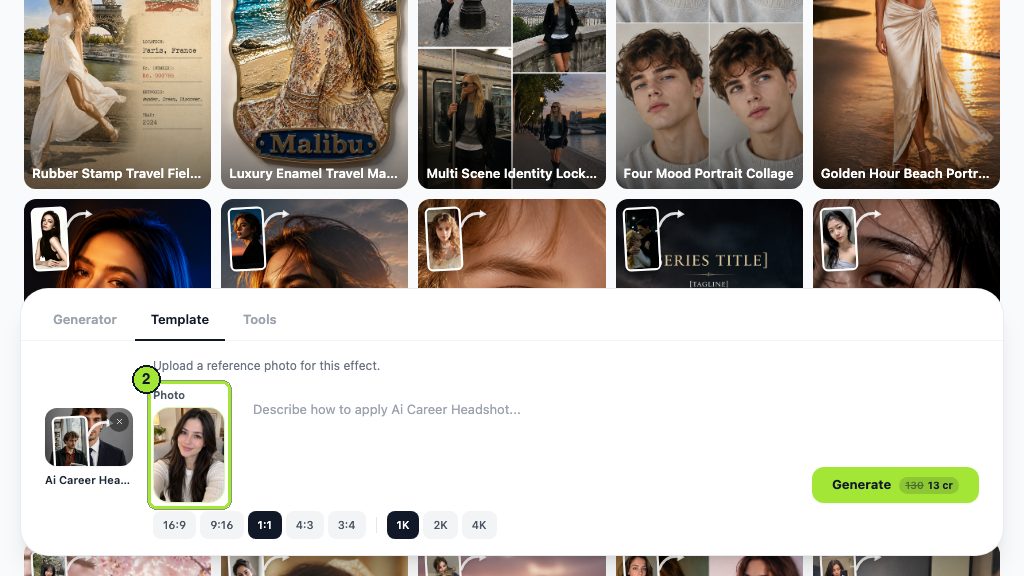
- 2
Upload clean selfies
Front-facing, even light, no sunglasses, no heavy filter. The headshot template wants three to eight; the others take one.
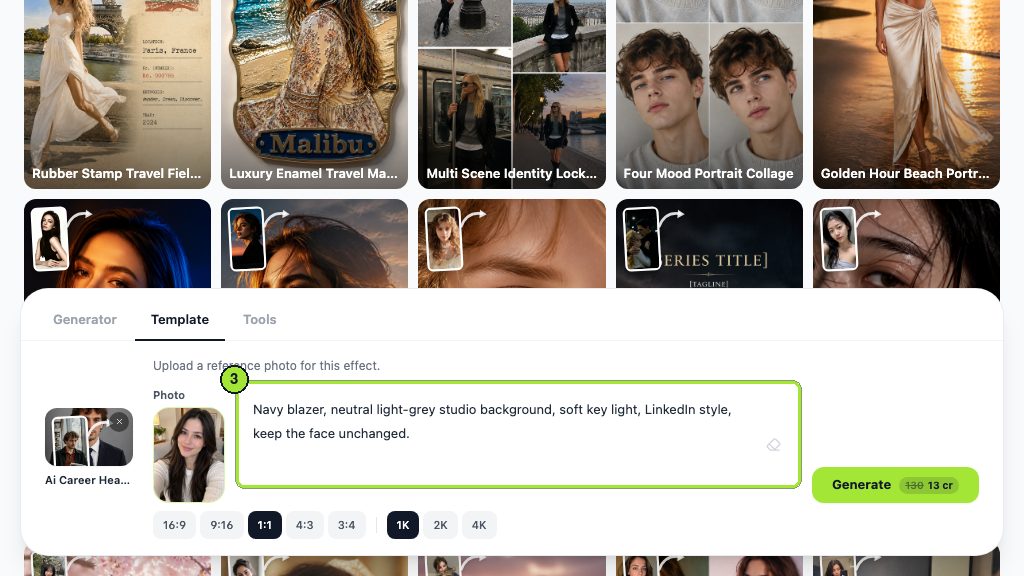
- 3
Describe the look in one line
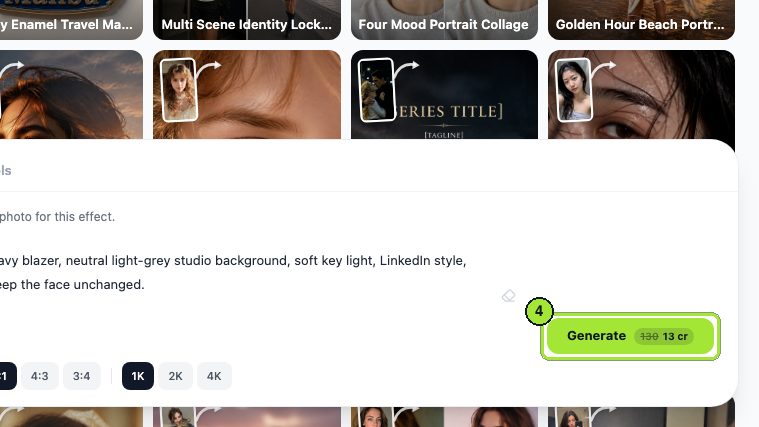
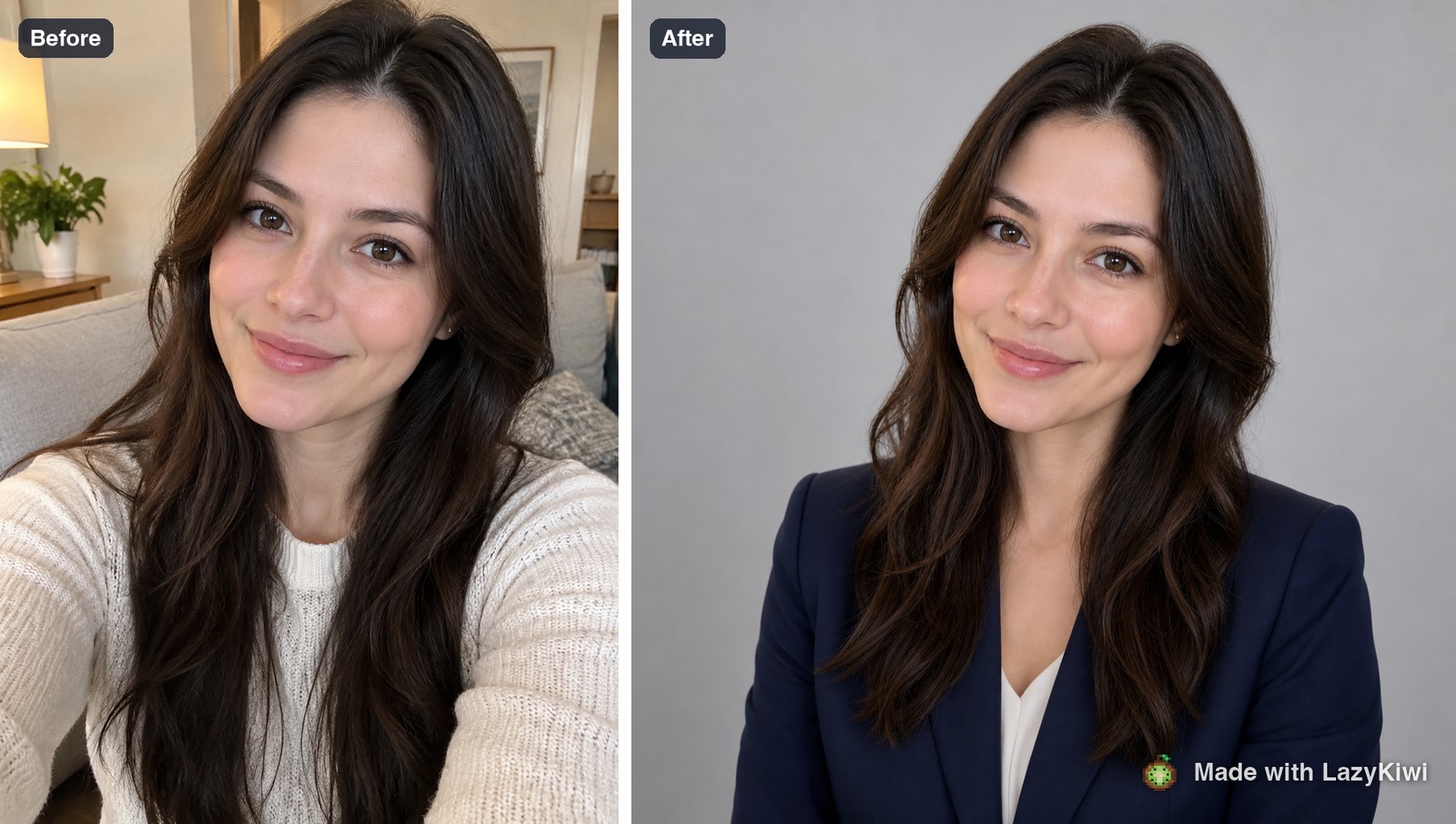
'Navy blazer, soft gray studio background, neutral smile' for a portrait; 'shonen style, bold linework, teal accent' for anime. Leave the face alone; the template preserves it.
- 4
Set 1:1 and 1K
Square is what every platform crops from. Generate once at 13 credits and check the eyes, teeth and glasses before spending more.
- 5
Clean the background if needed
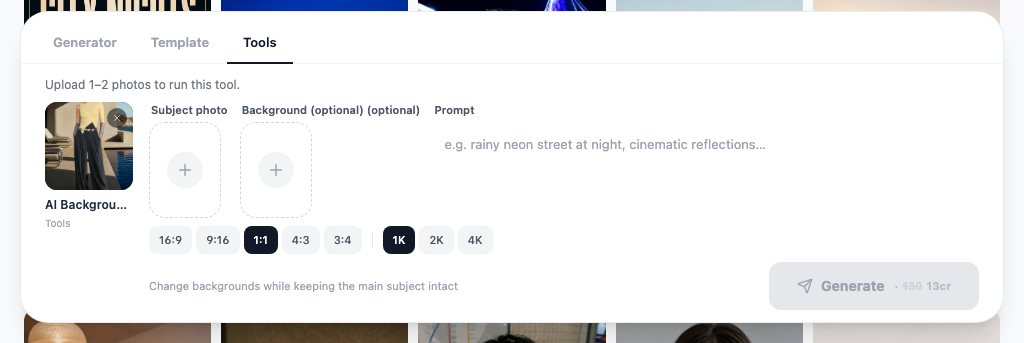
Run the result through the AI background changer for a plain color that reads at avatar size.
- 6
Try a hairstyle before you commit
The AI hairstyle changer previews cuts on your own face, which is useful when the old photo no longer matches the current you.
- 7
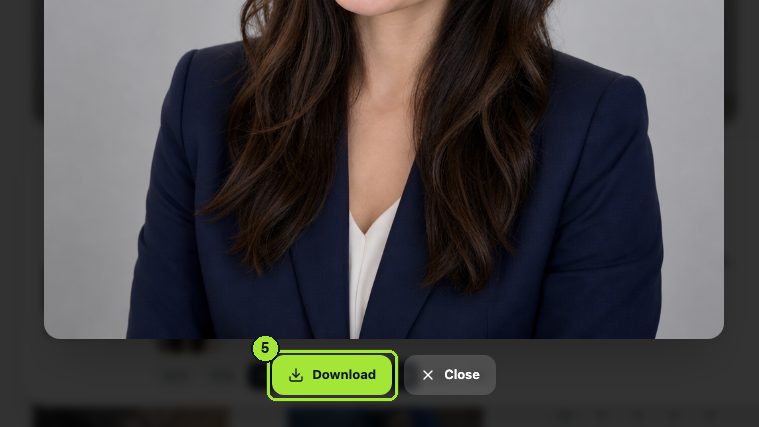
Export and crop to a circle
Download the PNG, then check it in a circular mask; ears and hair at the edges are the usual casualties.
Generate from text when you want no likeness at all
For an anonymous account, skip the selfie and prompt Seedream 5.0 for an illustrated character at 1:1; it renders from text with an optional reference and outputs up to 4K.
Which profile picture style fits LinkedIn, Discord, gaming and Instagram?
Sizes below come from Sprout Social's cheat sheet and Hootsuite's guide, both checked on September 6, 2026: LinkedIn and X profile images at 400 by 400 pixels, Facebook at 320 by 320, Instagram displayed at 110 by 110, TikTok at 200 by 200 and YouTube at 800 by 800, per Sprout Social (2026) and Hootsuite (2026). Upload larger than the display size; every platform downsamples. ID photos follow official rules instead of platform sizes; our guide on how to take a passport photo at home covers the size, the crop and the usual rejection reasons.
| Platform | Size (source above) | Style that works | LazyKiwi route |
|---|---|---|---|
| 400 x 400, circle crop | Your real likeness, plain background, neutral smile | AI headshot or career headshot template | |
| Discord | Square, circle crop; size not verified | Stylized, high contrast, one color accent | Anime avatar tool |
| Gaming and Twitch | Square; check each platform | Character or mask, bold silhouette | Anime avatar or Seedream 5.0 from text |
| Displayed at 110 x 110; upload 320 or larger | Close crop, warm light, face fills the circle | Headshot template plus background changer | |
| X | 400 x 400 | Face or logo, simple background | Headshot template |
| YouTube | 800 x 800 | Consistent with channel art colors | Career headshot or anime avatar |
LinkedIn profile picture AI use is the one case with a hard rule: it must be your likeness. Everywhere else, pick the style that survives being shrunk to a circle the size of a fingernail: one face or one shape, one background color, no text. Our LinkedIn profile picture guide covers the size, framing and background that work there, and whether an AI headshot is a good idea.
How can you tell if a profile picture is AI generated?
Because so many avatars are now generated, it helps to know the tells, both to check accounts that message you and to fix your own image before it looks fake. Look at the ears and earrings, which often mismatch; the teeth, which blur into a strip; glasses frames that vanish behind the temple; hair strands that merge with the background; and a background that is uniformly soft with no real objects. An AI generated profile picture also tends to be perfectly centered with studio light that no home selfie has.
- Reverse-image search the picture; a generated face has no earlier appearances.
- Check for a platform label. Meta describes labeling AI-generated images across Facebook, Instagram and Threads, per Meta Newsroom (2024).
- Compare with the account's other photos; a generated avatar rarely matches candid shots.
- For video avatars, the same checks apply to motion; the guide to telling if a video is AI generated covers those.
On ownership: the U.S. Copyright Office's AI report takes the position that purely machine-generated images without meaningful human authorship are not protected, per the U.S. Copyright Office (2026). That rarely matters for a personal avatar, but it does if you sell avatar packs. And whichever AI profile picture generator you use, keep the original selfies; you will want them when the next style trend arrives. The same selfies are useful for testing a new cut, which our guide on what hairstyle suits me walks through.
Key takeaways
- For realistic portraits, the LazyKiwi headshot template at 13 credits a run and Aragon's one-time packages at 35 to 75 USD are the two to test; for stylized avatars, the LazyKiwi anime avatar tool at the same 13 credits.
- PhotoAI's plans on September 6, 2026 ran from 9 USD a month billed annually at 99 USD to 99 USD a month at 1,199 USD, with commercial usage rights from the Pro tier.
- LinkedIn's Professional Community Policies require your profile photo to be your own likeness; a stylized image of you is fine, a generated stranger is not.
- Upload square images larger than the display size: 400 by 400 for LinkedIn and X, 320 by 320 for Facebook, 800 by 800 for YouTube, per Sprout Social and Hootsuite.
- The free LazyKiwi plan's 40 monthly credits cover three template runs; Canva's and Picsart's pages could not be checked for free-tier details, and Lensa's page on Prisma's site returned 404.
Image & Design Editor
Maya Chen
I spend my days inside image tools, testing prompts and settings on real photos so the steps here match what you actually see on screen.
FAQ
Common questions
Are AI profile pictures allowed on LinkedIn?
Yes, as long as the picture is of you. LinkedIn's Professional Community Policies say you must not use an image of someone else, or any image that is not your likeness, as your profile photo. A headshot generated from your own selfies meets that rule; a fully invented face does not. Keep the styling realistic, since recruiters compare the photo with your other profiles.
What size should a profile picture be?
Upload a square at least 400 by 400 pixels, which is the size Sprout Social's cheat sheet lists for LinkedIn and X; Facebook uses 320 by 320, TikTok 200 by 200 and YouTube 800 by 800 per Hootsuite, and Instagram displays at 110 by 110 from a larger upload. A 1K square from LazyKiwi covers all of them. Keep the face inside the central circle, because every platform crops to a round mask.
Is Lensa still available?
I could not confirm it. The Lensa page on Prisma Labs' website returned a 404 error on September 6, 2026, and I did not verify the app store listings. If you used Lensa for magic avatars in the past, the LazyKiwi anime avatar tool and the headshot template cover the same two jobs, stylized avatars and realistic portraits, at 13 credits a run.
How do I make an anime PFP?
Upload one clear, front-facing selfie to the LazyKiwi anime avatar tool, pick an anime style or describe one in a line such as 'shonen style, bold linework, teal accent', set 1:1 and 1K, and generate for 13 credits. Check the eyes and hairline at avatar size, run the background changer if the backdrop is busy, then download the PNG and test it in a circular crop.
Do AI headshot generators keep my photos?
It varies, so read each policy before uploading. LazyKiwi's headshot template page describes the effect as identity-safe with selfie input; Aragon links a Privacy page from its main navigation; PhotoAI trains a personal model from your uploads and sets usage rights by plan. Prefer tools that state deletion terms plainly, and upload only the selfies you would be comfortable seeing reused.
Generate a profile picture from your own selfies
Open the LazyKiwi AI headshot template, upload three to eight selfies, describe the look in one line, and download a square portrait ready for LinkedIn, Discord or Instagram.
Keep reading
Photo to Anime AI: Turn a Portrait Into Anime Art and Video
A photo to anime AI pipeline that keeps your likeness: fusion filter or anime avatar, upscale, then a breathing anime video. Free routes checked today.
8 min read
How to Tell If a Video Is AI Generated
Learn how to tell if a video is ai generated by checking motion, speech, provenance, context, and detector results as a combined body of evidence.
8 min read
How to Use an AI Couple Photo Generator
Learn how an AI couple photo generator can turn individual portraits, old photos, or a simple description into convincing couple images.
8 min read
Best AI Tattoo Generator: 6 Tools Compared for Creators
Compare leading AI tattoo generators for tattoo-style concepts, free experimentation, photo mockups, mobile editing, and clear references to share with a professional artist.
8 min read