
AI Couple Photo Generator: How to Make Natural Couple Photos
Use an AI couple photo generator to merge two selfies into one scene: the image combiner, instant couple and bridal templates, a video route, free credits.
 Maya Chen 10 min read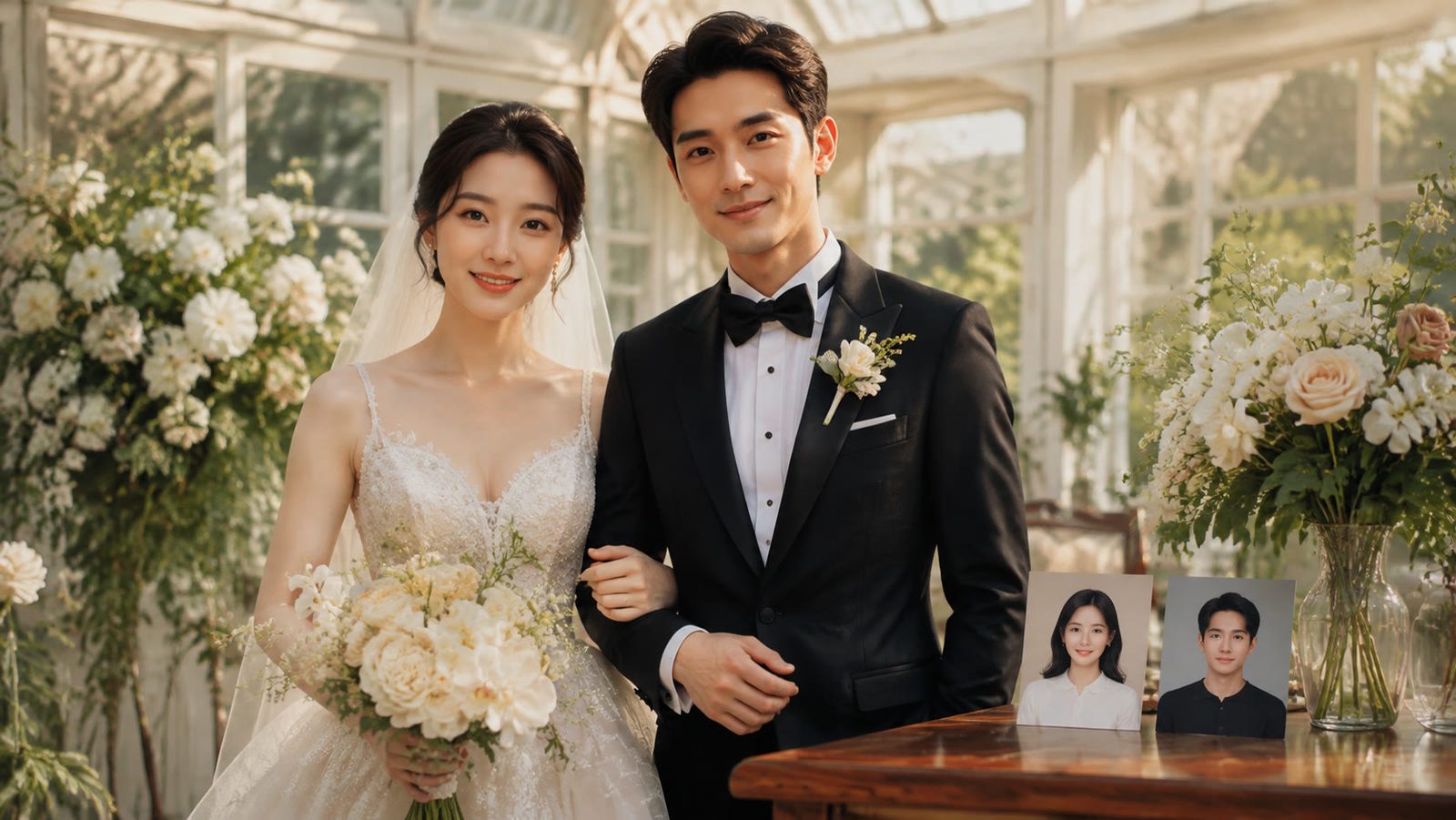
An AI couple photo generator takes two separate photos, one of each person, and returns a single picture in which both stand in the same light, at the same scale, in a scene neither of you was in. In LazyKiwi that is the AI image combiner for a free-form scene, the instant couple portrait template for a flash-print look, and the AI couple photo template when you want the pair in motion. On September 6, 2026 each image run showed 13 credits, so the free plan's 40 monthly credits cover three attempts. This guide walks through the steps, the wedding and date-night prompts, the video route and the mistakes that make a merged photo look merged.
What can an AI couple photo generator make?
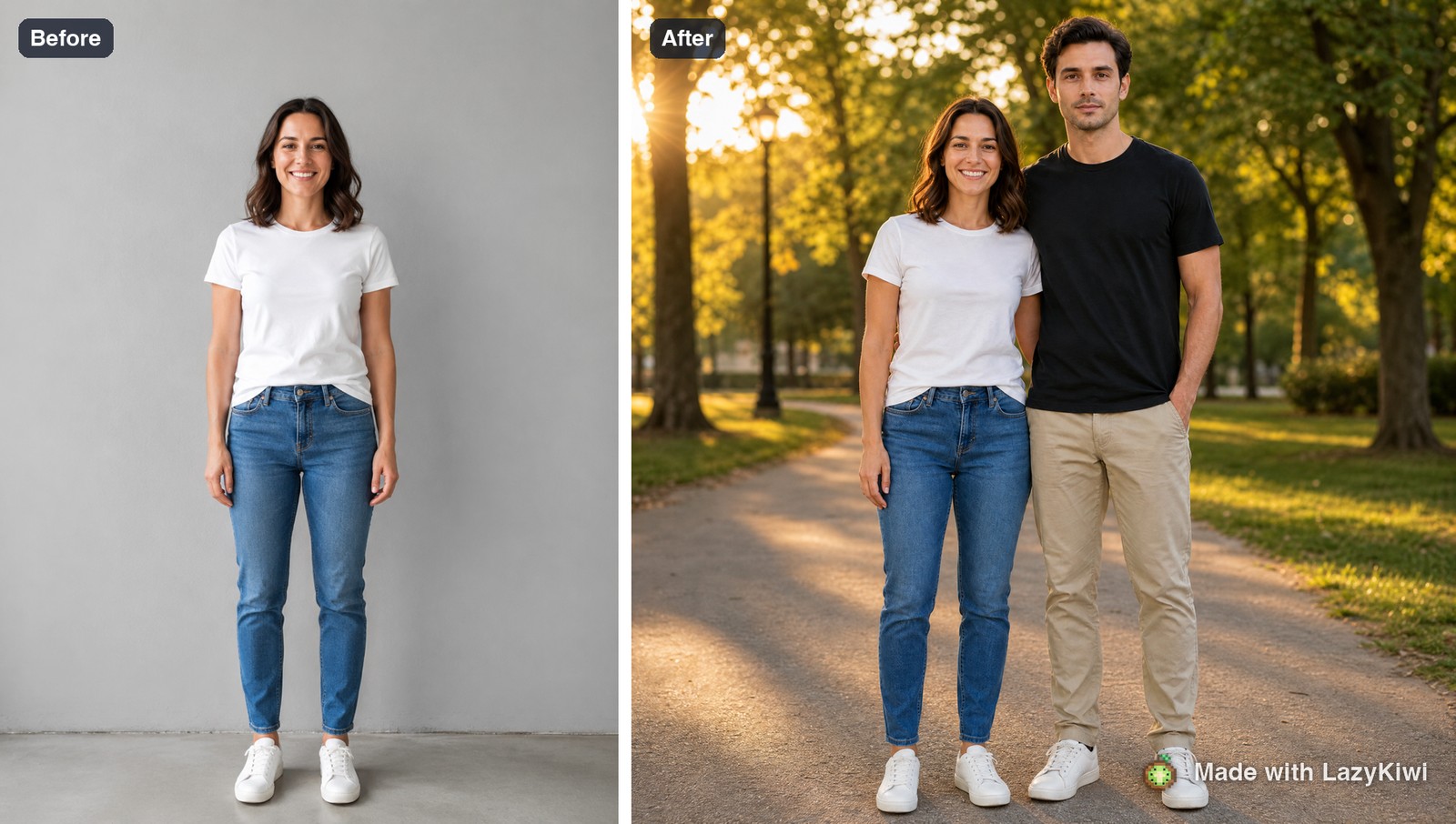
Three things, and they use different tools. A two-photo merge: you upload a person and a scene, or two people, and the model places them together with matched lighting, scale and shadows, which is what the AI image combiner does. A restyle of a real couple photo: the picture you already have, regraded or re-dressed, which the templates and the photo editor handle. And a couple video: two stills turned into a short clip with natural expressions and movement, which the couple photo template produces for TikTok, Reels and Shorts.
One rule before any of it: only merge people who have agreed to be merged. A generated photo of you with an ex, a celebrity or a colleague is the kind of image that gets reported, and platforms now label synthetic images. Meta explains how it marks synthetic images on its apps, per Meta Newsroom (2024), and TikTok keeps a support page on posting AI-generated content, per TikTok Support (2026).
How to make an AI couple photo step by step
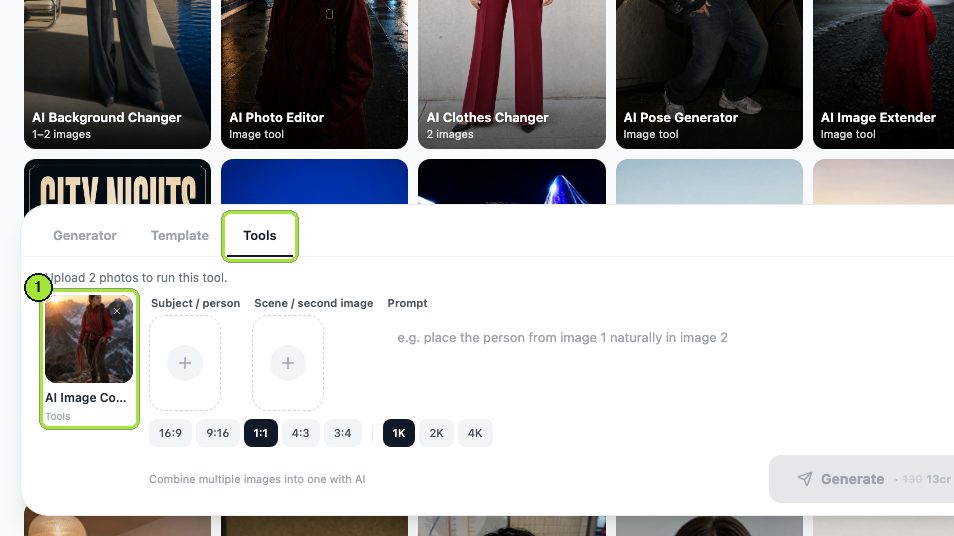
This is the image combiner route, which gives the most control over the scene. The whole run is one 13-credit generation plus an optional retouch.
- 1
Pick two matching portraits
Same rough camera height, both faces sharp, shoulders in frame. A phone selfie and a full-length shot will merge, but the scale fight shows.
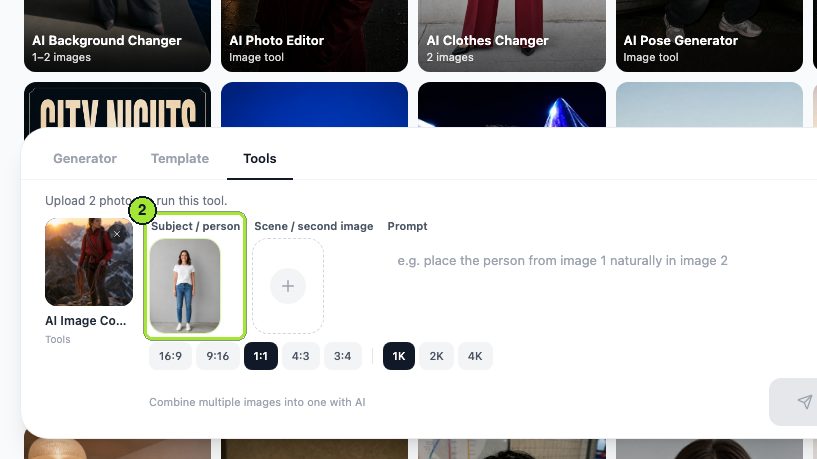
- 2
Load them into the combiner
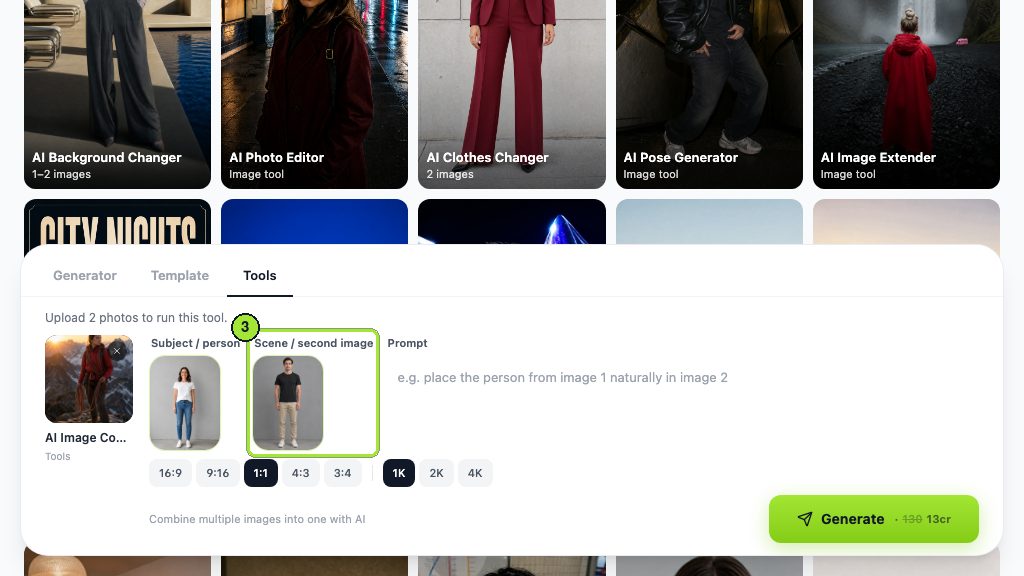
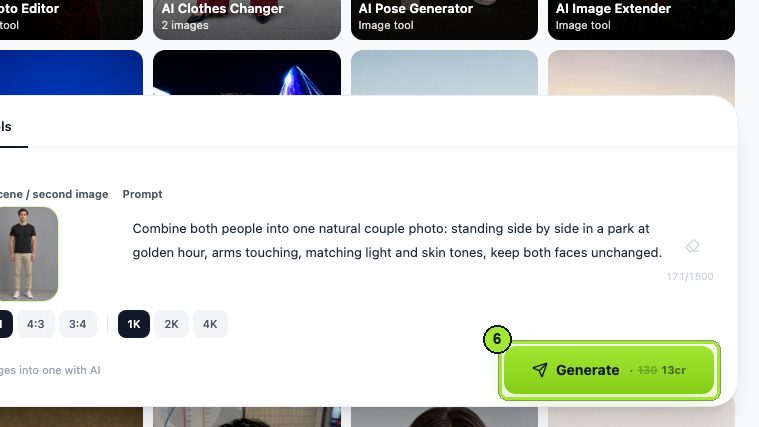
Open the AI image combiner, put one person in the subject slot and the other in the second slot. The tool re-lights the subject to fit the scene it lands in.
- 3
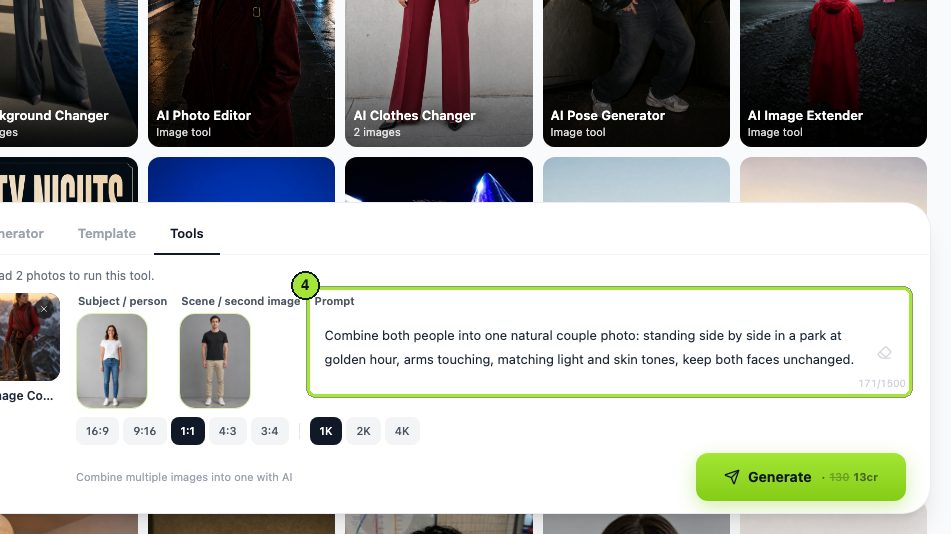
Describe the pose and place
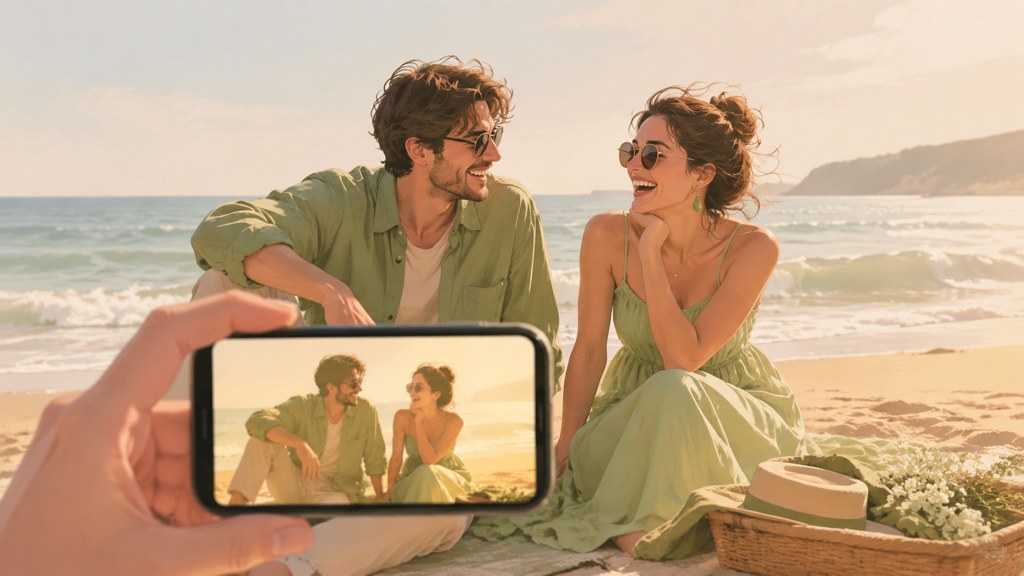
One sentence: 'the two people standing side by side on a beach at sunset, her head on his shoulder, both looking at the camera'. Name the contact point so hands and arms have somewhere to go.
- 4
Choose the ratio
1:1 for a profile or a feed post, 4:5 for an Instagram portrait post, 9:16 if it will become a video. In LazyKiwi's workbench data (August 2026), 1:1 was the ratio in 124 of 143 external image jobs, so square is the default most people pick in the AI image generator.
- 5
Generate and check the join
Look at the edges where hair meets background, the shadow direction under both people, and the size of the two heads relative to each other.
- 6
Retouch with the photo editor
Send the result to the AI photo editor and name one change: 'even out the skin tone on the left face' or 'remove the stray hand on the right'. It edits only what you name.
Say who is where
Refer to the two people by position, 'the person from image 1 on the left', rather than by name. The model does not know names; it knows slots.
How to make AI couple wedding photos and date-night scenes
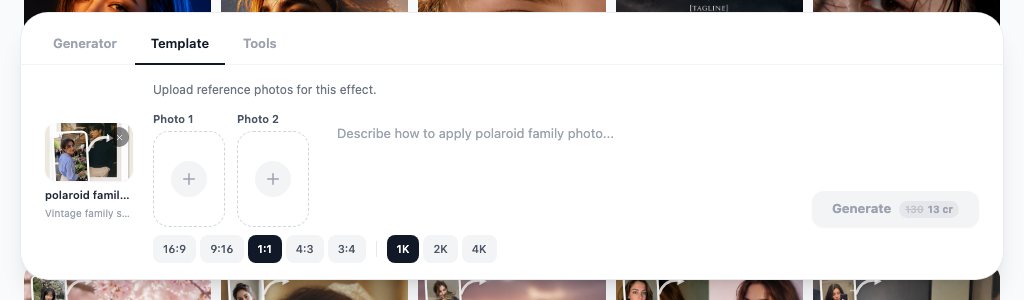
Two templates do most of the styling for you. The instant couple portrait template takes one photo of each person and returns a full-length pair in front of sheer curtains, shot with direct flash, warm amber color and a little grain, at the ratio you pick. The vintage bridal editorial template takes a single head-and-shoulders photo and returns a bride in a lace gown and veil, graded like a scanned film print; the wardrobe and setting come from the template, so a t-shirt and a bedroom wall are fine as input.
For scenes the templates do not cover, use the combiner with a scene prompt. These four are the ones that come back cleanest:
The two people from the uploads seated at a small rooftop table at dusk, city lights soft behind them, warm candle light on both faces, both looking at each other, natural skin texture, no text.
The two people from the uploads as a couple at an outdoor wedding, standing under an arch of white flowers, late afternoon backlight, her hand on his chest, both looking at the camera, film grain, no text.
The two people from the uploads sharing one umbrella on a wet street at night, neon reflections on the pavement, walking toward the camera, matching cool light on both faces.
Recreate the uploaded couple photo as a restored print: keep both faces, ages, poses and clothing exactly, remove scratches and fading, gentle contrast, no new objects.
What about a wedding you have not had yet?
Treat it as a mood board, not a preview. Generate the dress, the venue light and the pose you like, then send the images to the photographer as references. Label them as generated when you share them; a family member who thinks the wedding already happened is a real outcome.
How to turn a couple photo into a video
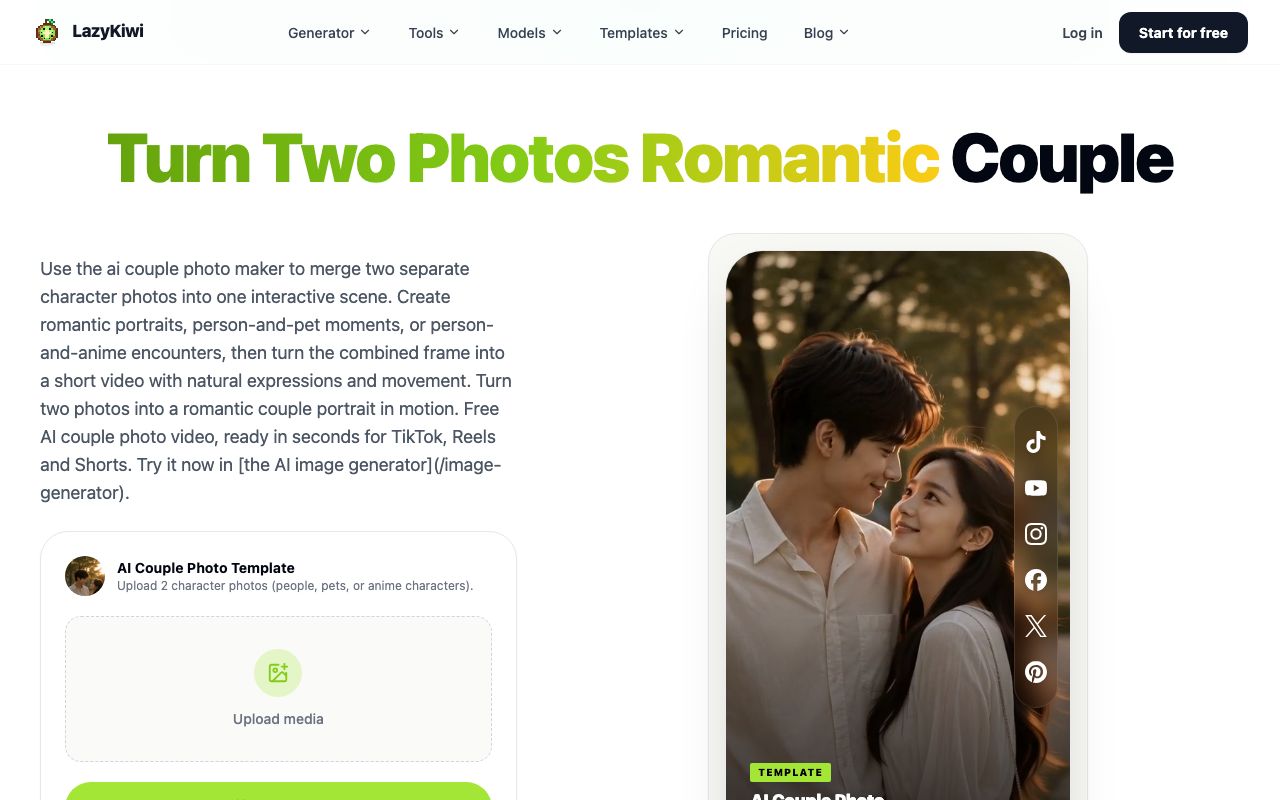
The AI couple photo template is the AI couple photo maker on the video side: upload two character photos, people, pets or anime characters, and it merges them into one scene and animates the frame with natural expressions and movement, sized for TikTok, Reels and Shorts. Its page describes the couple photo video as free. If you already have a merged still from the combiner, the template accepts that too.
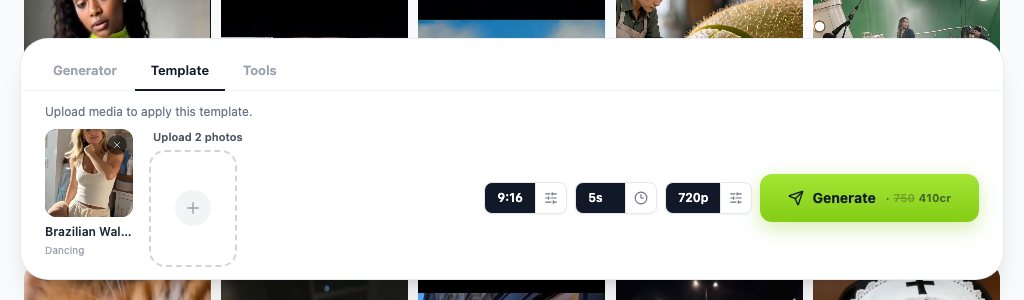
- Render at 9:16 for Shorts, Reels and TikTok; the recommended TikTok video size is 1080 by 1920 pixels, per Hootsuite (2026).
- Keep the still simple: two faces, one background, no props in front of the bodies, so the motion has fewer edges to break.
- Five seconds is enough; a longer clip gives the faces more time to drift.
- Check the credit figure on the Generate button before you click, since video templates cost far more than image runs.
In LazyKiwi's workbench data (August 2026), 9:16 was the dominant video ratio at 22 of 39 external video jobs, so the vertical export is what most people making a couple clip in the AI image generator and its video counterpart actually post.
Is there a free AI couple photo generator app?
Free for a few images, yes. LazyKiwi runs in the browser on a phone or desktop, and new accounts get 40 credits a month with no card, per the pricing page. At 13 credits per image run, a free AI couple photo generator here means three combiner or template renders a month, and the couple video template page describes its video as free. There is no separate AI couple photo generator app to install; the workbench is the app.
| Route | What is free (checked 2026-09-06) | Best for |
|---|---|---|
| LazyKiwi image combiner | 40 monthly credits; 13 credits per run | Custom scenes from two photos |
| LazyKiwi instant couple portrait | Same credits; 13 per run | Flash-print couple still |
| LazyKiwi couple photo video template | Described as free on its page | Short vertical clip |
| Fotor | Free tier with its own limits | Quick edits on an existing couple photo |
| Canva | Page blocked at check time | Layouts and frames |
Fotor pairs a conventional editor with AI features on a free tier, per Fotor (2026); Canva's site would not load for me on the day of checking, hence no price in the table. Neither merges two people into one scene the way the combiner does; they edit a photo you already have.
Which AI photo editing tools work best for couples?
AI photo editing for couples splits into three jobs: merging, restyling and fixing. The table maps each job to the tool that does it with the fewest steps.
| Job | Tool | Input | Price (checked 2026-09-06) |
|---|---|---|---|
| Merge two people into one scene | LazyKiwi AI image combiner | Two photos | 13 credits |
| Flash-print couple portrait | LazyKiwi instant couple portrait | One photo of each person | 13 credits |
| Bridal look from a snapshot | LazyKiwi vintage bridal editorial | One head-and-shoulders photo | 13 credits |
| Fix one thing in a real photo | LazyKiwi AI photo editor | One photo plus a sentence | 13 credits |
| Generate a couple from text plus references | GPT Image 2 in the image generator | Text and reference images | 13 credits at 1K |
| General editing on a phone | Fotor | One photo | Free tier; limits on its site |
GPT Image 2 is the fallback when the combiner cannot place two people the way you want: it accepts text plus reference images and renders up to 2K, so you can describe the whole scene and attach both faces as references. It is also the model behind 127 of 181 external generations in LazyKiwi's workbench data (August 2026), which says something about how often people reach for it. Export sizes: Instagram feed posts run 1080 by 1080 or 1080 by 1350 pixels, per Sprout Social (2026), so a 1K square or 4:5 render needs no upscaling.
What mistakes make AI couple photos look fake?
Merged photos fail at the join, and the join is predictable.
- Mismatched lighting. One face lit from the left, the other from above, tells the eye they were never in the same room. Pick source photos with similar light, or ask the combiner for 'matching soft window light on both faces'.
- Hand contact errors. 'Embracing tightly' produces extra fingers. Name a single contact: 'her hand on his shoulder'.
- Scale drift. A head that is 20 percent too large reads instantly. Use photos taken from similar distances and mention 'same scale' in the prompt.
- Over-smoothing. Templates can polish skin until both people look like the same render. Ask for 'natural skin texture' and fix the rest in the photo editor rather than regenerating.
- Conflicting eye lines. Say whether both look at the camera or at each other; leaving it open gives you one of each.
- Passing it off as real. Say it is generated when you post it; Meta and TikTok both label synthetic media, and the U.S. Copyright Office (2026) report on AI treats output with no meaningful human authorship as unprotected, so there is no ownership upside to hiding it either.
Whichever route you take, the couple AI photo generator output is a draft. The photo editor pass and an honest caption are what turn it into something you can post without a second thought.
Key takeaways
- The LazyKiwi AI image combiner merges two photos into one scene with matched light, scale and shadows for 13 credits a run; the free plan's 40 monthly credits cover three attempts.
- Two templates handle styling: the instant couple portrait needs one photo of each person, the vintage bridal editorial needs one head-and-shoulders photo, both at 13 credits on September 6, 2026.
- The AI couple photo template is a video template that animates two character photos into a short vertical clip and is described as free on its page.
- Prompt by slot and contact point: 'the person from image 1 on the left, her hand on his shoulder', with matching light named for both faces.
- Say the photo is generated when you post it; Meta and TikTok label synthetic media, and the Copyright Office does not protect machine-only output.
Image & Design Editor
Maya Chen
I spend my days inside image tools, testing prompts and settings on real photos so the steps here match what you actually see on screen.
FAQ
Common questions
Can AI put two people in one photo?
Yes. The LazyKiwi AI image combiner takes a subject photo and a second image, either a scene or another person, and places them together with the lighting, scale and shadows matched so the result reads as one photograph rather than a cut-out. Each run showed 13 credits on September 6, 2026. Name the pose and the contact point in the prompt so arms and hands have a defined place.
How do I make a couple photo from two selfies?
Choose two selfies taken from a similar distance with both faces sharp, open the AI image combiner in LazyKiwi, load one in the subject slot and the other in the second slot, and describe the scene in one sentence such as 'side by side on a beach at sunset, both looking at the camera'. Pick 1:1 or 4:5, generate, then fix any skin-tone or hand issue with the AI photo editor.
Is there a free AI couple photo generator?
LazyKiwi gives new accounts 40 credits a month with no card, and a combiner or template run costs 13 credits, so you get three couple images a month free. The couple photo video template is described as free on its page. Fotor has a free editing tier for touching up a real photo, but it does not merge two people into one scene; Canva's site could not be checked on the day of writing.
Can I make AI wedding photos before the wedding?
Yes, as a mood board. The vintage bridal editorial template turns one head-and-shoulders photo into a bride in a lace gown and veil, and the image combiner can place both of you under a flower arch from a scene prompt. Use the results to brief your photographer and label them as generated when you share them, so nobody mistakes the concept for the day itself.
Can I animate a couple photo?
Yes. The AI couple photo template in LazyKiwi is a video template: upload two character photos, or a merged still from the combiner, and it produces a short clip with natural expressions and movement sized for TikTok, Reels and Shorts. Render at 9:16 and keep it around five seconds; check the credit figure on the Generate button first, because video templates cost more than image runs.
Merge your two photos into one scene
Open the LazyKiwi AI image combiner, load one photo of each person, describe the pose and the place in a sentence, and generate a couple photo for 13 credits.
Keep reading
Best AI Profile Picture Generator in 2026: 7 Tools Compared
Seven AI profile picture generator options compared on prices checked today, likeness, style range and photo retention, with LinkedIn, Discord and Instagram sizes.
8 min read
Content Repurposing: Turn One Photo Into a Week of Posts
Content repurposing from one photo: pick a source that survives recuts, run seven multiply steps in LazyKiwi, and post a Day 1 to Day 7 plan on three apps.
8 min read
Best AI Tattoo Generator: 6 Tools Compared for Creators
Compare leading AI tattoo generators for tattoo-style concepts, free experimentation, photo mockups, mobile editing, and clear references to share with a professional artist.
8 min read