
What Hairstyle Suits Me? Try Cuts on Your Photo First
What hairstyle suits me? Preview cuts on your own photo, use the decision table, then pick by face shape, hair texture and men's or women's cuts.
 Maya Chen 12 min read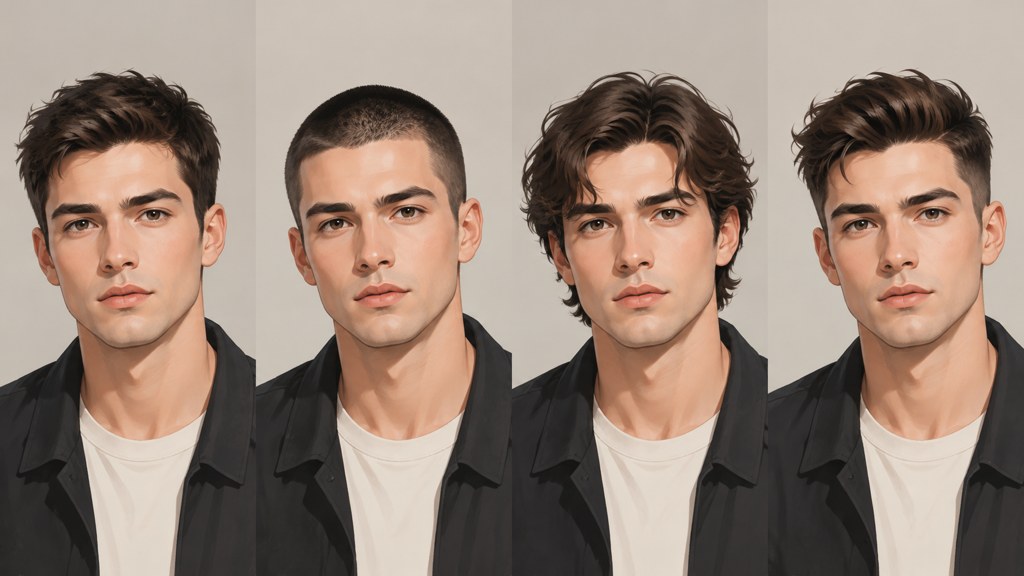
The fastest honest answer to what hairstyle suits me is to see two or three cuts on your own face before anyone picks up scissors. Upload a straight-on photo to the hairstyle changer, describe one cut, and compare. Then use the decision table below to narrow the shortlist by face shape, hair texture and the minutes you will actually spend styling, and finish with the face-shape sections, which name specific cuts for women and men. If you do not know your shape yet, the face shape detector or a tape measure will settle it in two minutes.
How can you see what hairstyle suits you on your own photo?
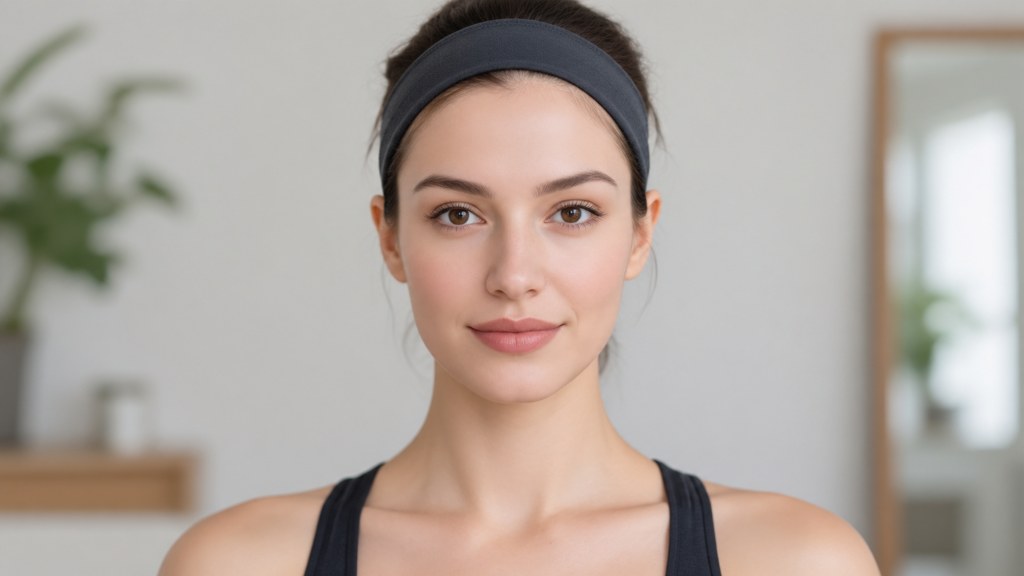
Shoot the input properly first: straight on, hair pushed off the forehead and behind the ears, even light, plain wall. A preview built from a bad photo will confidently show you a cut that does not exist.
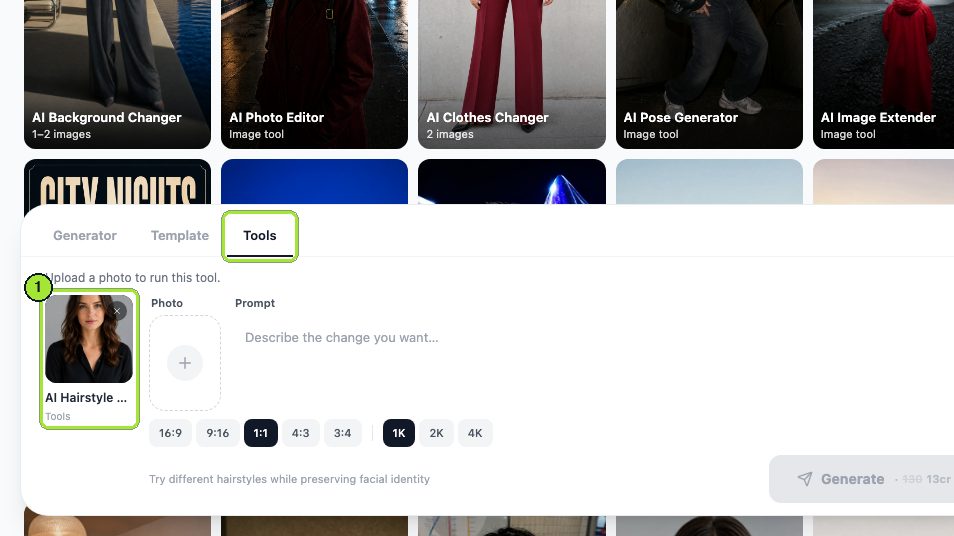
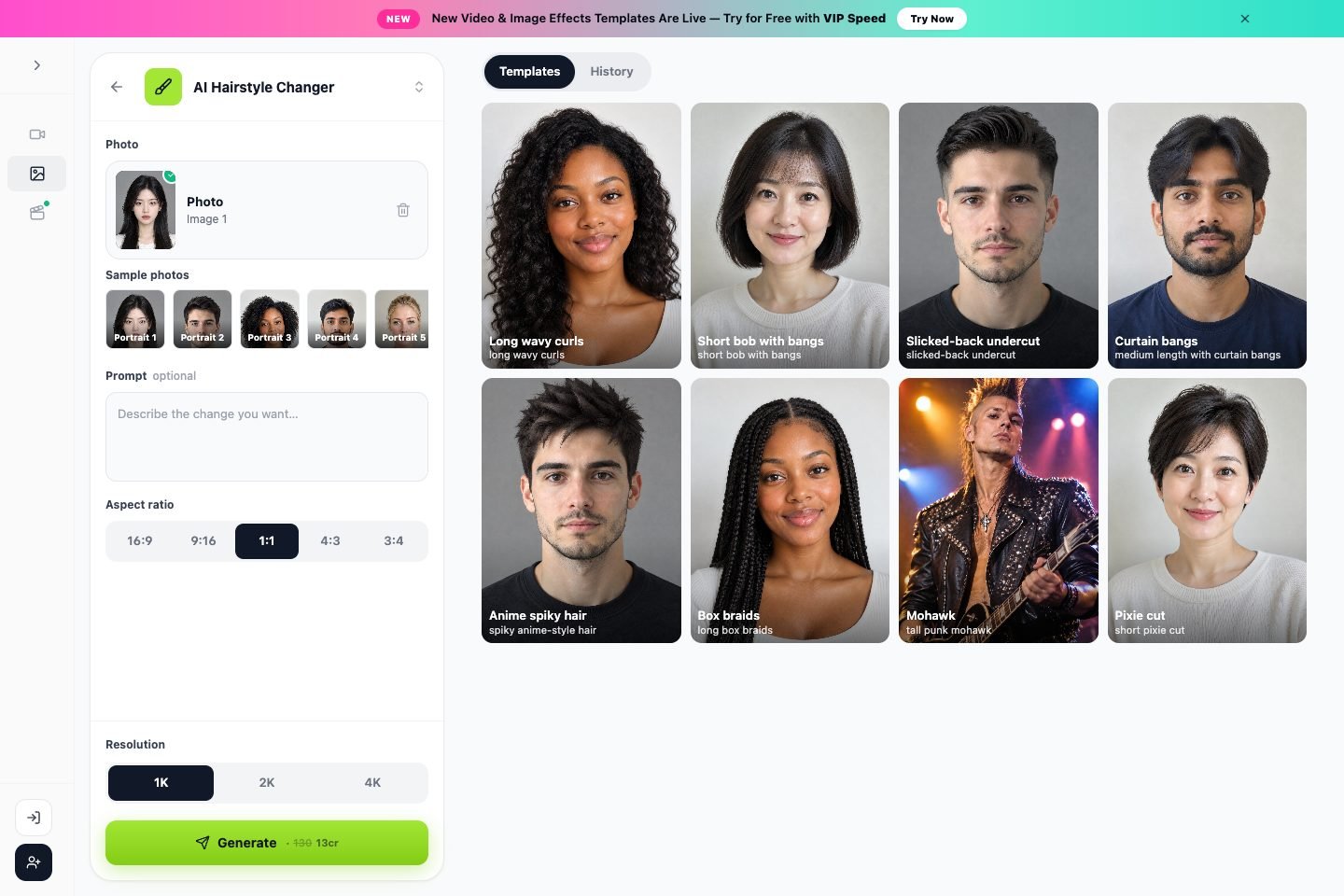
Then run it in the hairstyle changer. On our run on 7 September 2026 the panel had no style menu and no length slider: you describe the cut in the Prompt box, one style per run. The panel may have changed since, so the screenshots are dated.
- 1
Upload one photo
Drop the file into the Photo box. One image is the whole input.
- 2
Describe one cut
Our first prompt read: give her a chin-length blunt bob with a middle parting, keep her face, colour and the background unchanged. Naming what must not change matters as much as naming the cut.
- 3
Keep 1:1 and 1K
Square at the smallest size is right for a head-and-shoulders comparison.
- 4
Generate, then change only the prompt
The price sat on the Generate button before each run (13 credits per run on our capture). For the next style, edit the prompt alone so the cut is the only variable.

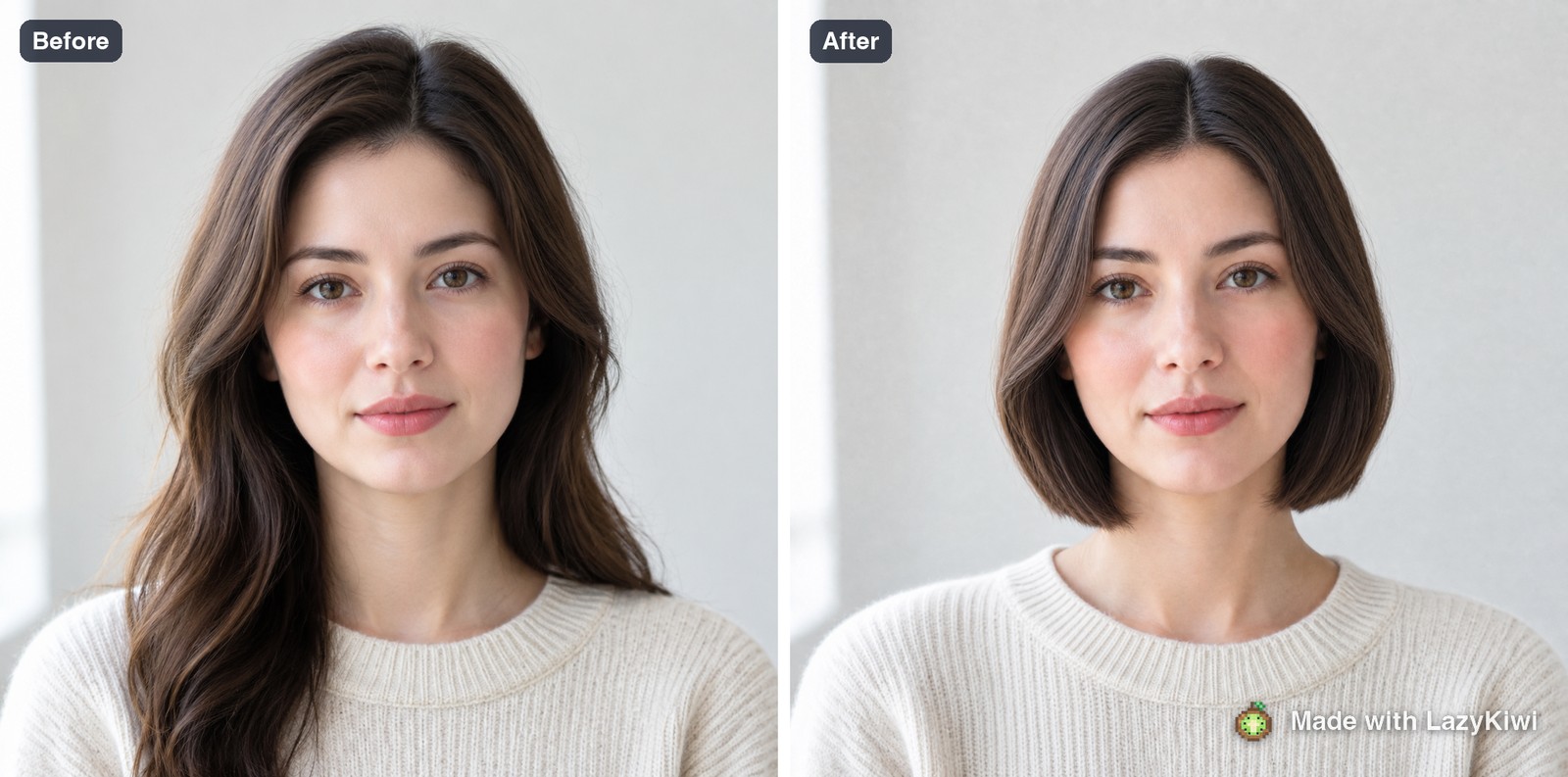
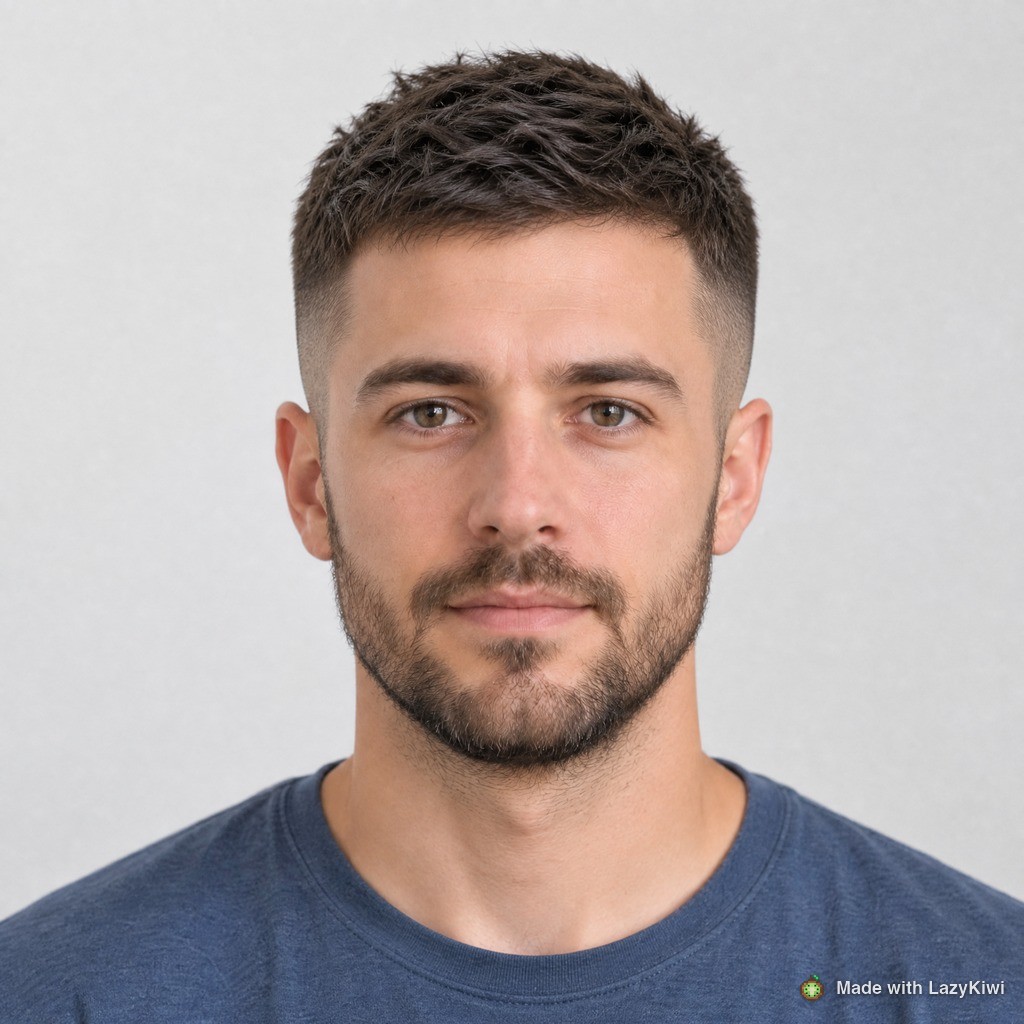
A hairstyle simulator flatters. It redraws the hairline under a fringe and render hair thicker than it is, so use them to rule cuts out, not to crown a winner.
What hairstyle suits me? A quick decision table
If you came for a what hairstyle suits me quiz, this table does the same job without the ten questions. Find the row that describes your face, then read across. The answers describe where volume goes, which is what decides a cut; the named cuts are examples, not the only options.
| If your face is | Women: try | Men: try | Avoid |
|---|---|---|---|
| Long (length well over 1.5x width) | Curtain bangs, shoulder-length waves, blunt lob | Side part with fuller sides, short crew cut | Height on top, very long straight hair |
| Wide (length close to width), soft jaw | Long layers past the chin, side-swept fringe | Quiff or pompadour with short sides | Chin-length rounded bob, full blunt fringe |
| Wide, square jaw | Soft layers, wavy lob past the jaw | Crew cut, textured crop, side part | Blunt bob that ends at the jaw corner |
| Wider at the forehead | Chin-length bob, side-swept bangs | Medium fringe swept to the side | Volume high on the crown |
| Widest at the cheekbones | Chin-length bob, deep side part | Textured fringe, longer sides | Volume at cheekbone level |
| Balanced (oval) | Almost anything; choose by texture | Almost anything; choose by hairline | Cuts that hide the face entirely |
Then apply two modifiers. Texture: curly and coily hair sits higher dry than wet, so add length to any cut on the list. Time: if you have five minutes in the morning, cross off anything that needs a round brush or daily straightening.
Which hairstyles suit each face shape?
These hairstyles for face shapes answer the question most people really mean, what hairstyle suits my face shape. Each shape below names cuts for women and men and shows them previewed on faces of that shape. The rule underneath all of them: hair adds apparent width where it has volume and apparent length where it hangs.
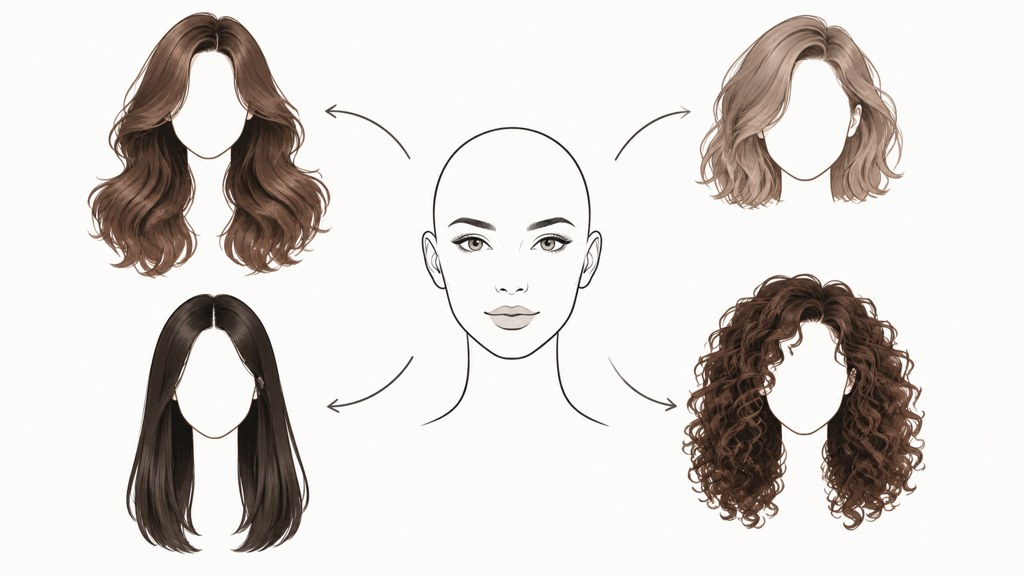
Oval face
Balanced proportions take most cuts, so choose by texture and upkeep. Women: a blunt bob, long layers or a pixie. Men: a textured crop, a classic side part or a buzz cut. The one thing to avoid is hair that covers the whole forehead and both cheeks, which hides the balance you have.

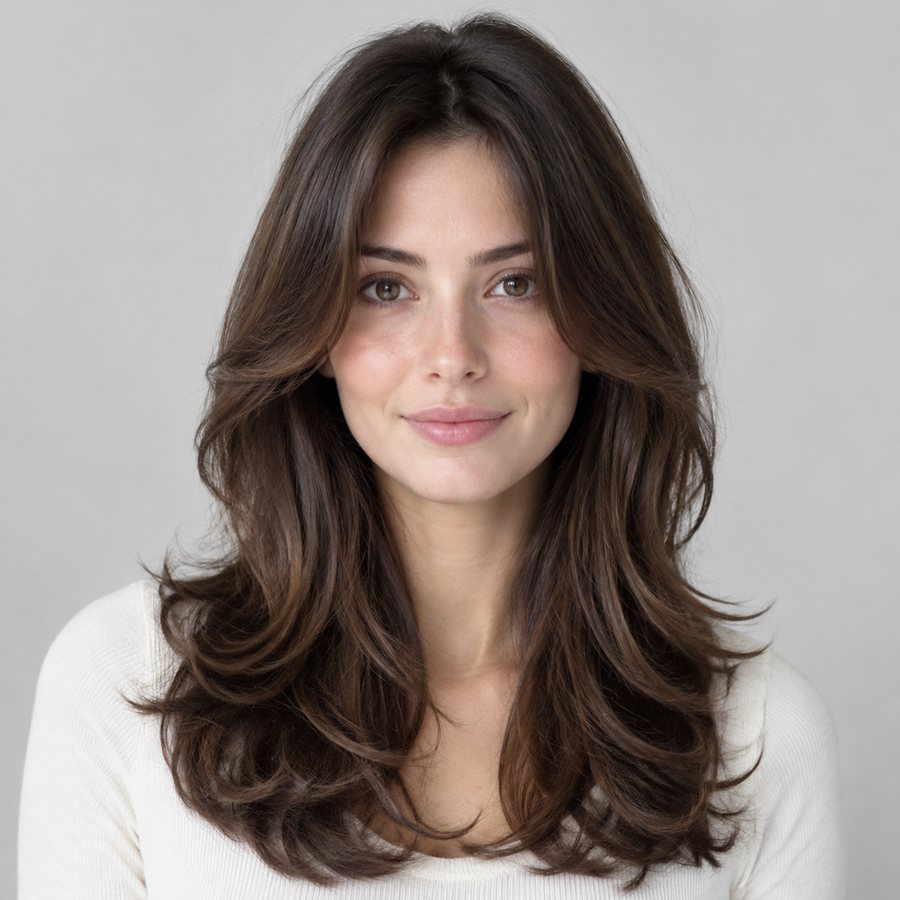


Round face
Add height and keep the cheeks clear. Women: long layers that fall past the chin, a side-swept fringe, an asymmetric lob or a pixie with lift on top. Men: a quiff, a pompadour or a faux hawk with short sides. Avoid a rounded chin-length bob and a full blunt fringe, which both add width at the widest point.



Square face
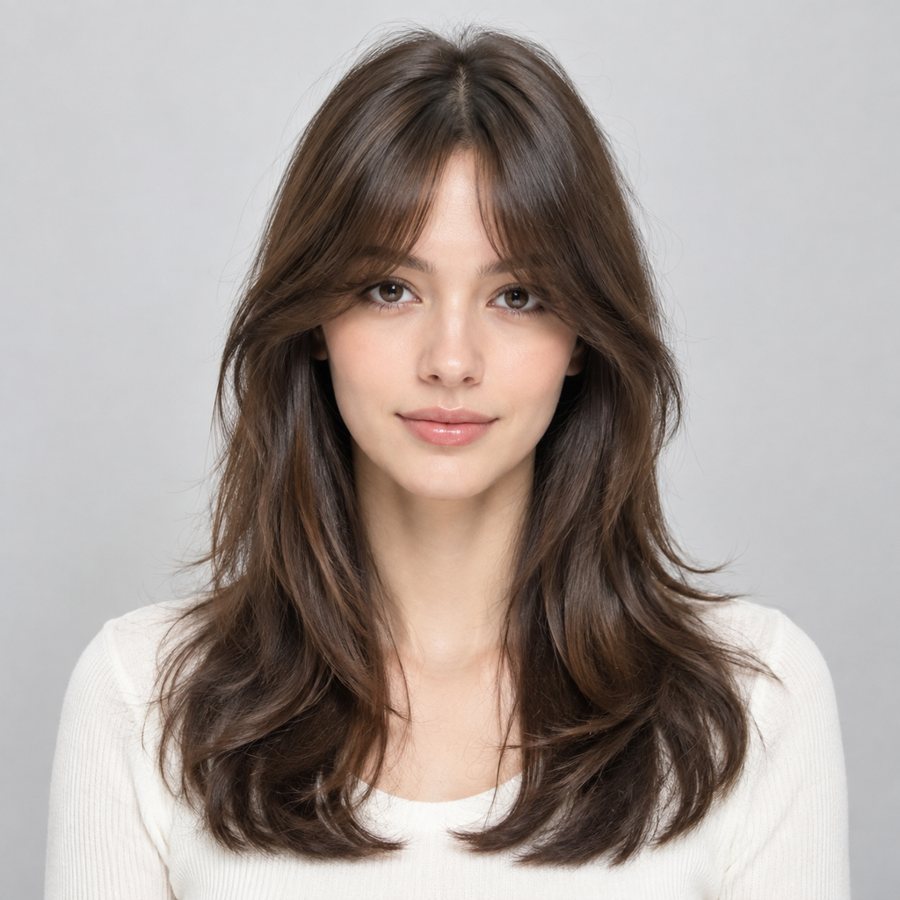
Soften the jaw corner rather than repeating it. Women: soft layers, a side part, a wavy lob that ends below the jaw, or curtain bangs. Men: most short classic cuts work because the jaw carries them, such as a crew cut, a textured crop or a side part. Avoid a blunt bob that ends exactly at the jaw corner.


Heart face
Keep weight low to balance a wider forehead. Women: a chin-length bob, side-swept bangs, or a lob with fullness at the ends. Men: a medium-length fringe swept to one side, or textured hair with some length at the sides. Avoid volume high on the crown and tight slicked-back styles that widen the forehead.

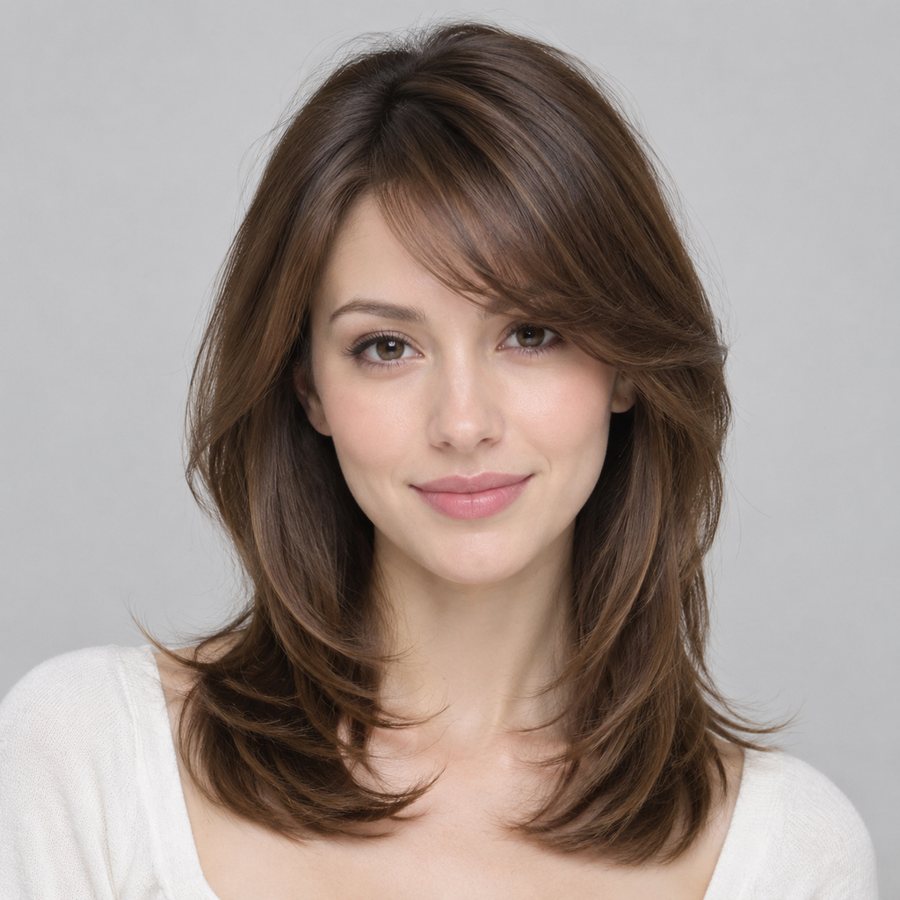


Diamond face
Add width at the forehead and the jaw, not at the cheekbones. Women: a chin-length bob, a deep side part, or a fringe. Men: a textured fringe, or longer sides swept back with some lift at the front. Avoid cuts that put the most volume level with the cheekbones.
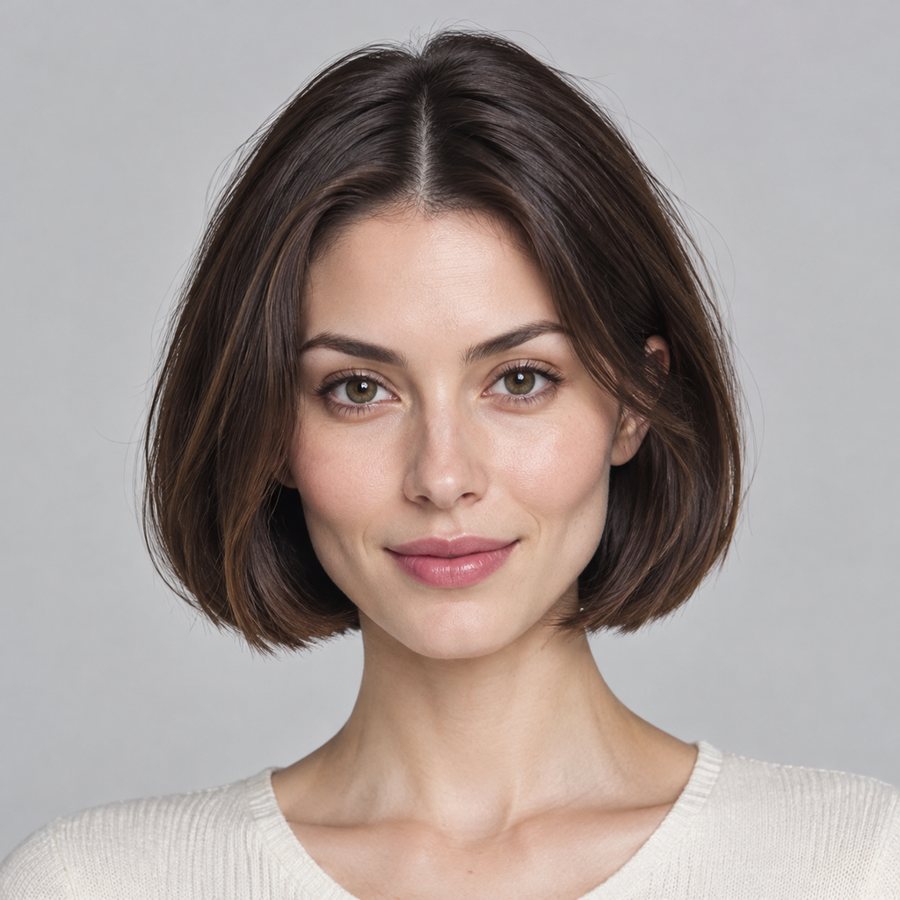


Oblong face
Add width at the sides and keep the top flat. Women: curtain bangs, shoulder-length waves, or a blunt lob near the collarbone. Men: a side part with fuller sides, or a short crew cut with a fringe. Avoid tall quiffs and pompadours, which make a long face longer.



What hairstyle suits me as a man?
Men's cuts are mostly decided at the sides and the hairline. Three questions narrow it quickly.
- How short at the sides? A fade or taper shortens the sides and makes the face look longer, which helps round faces and hurts oblong ones. If your face is long, ask for a scissor cut at the sides instead of a high fade.
- What is your hairline doing? A receding hairline suits shorter, textured cuts and a fringe pushed forward more than a slicked-back style that exposes the temples.
- Beard or not? A beard is part of the haircut: a longer chin beard stretches a round face, while a fuller beard on the cheeks adds width to a narrow one. Keep beard and sides in proportion.
Barbers work in guard numbers, so learn yours before you sit down; our guide to buzz cut lengths lists what each guard leaves on the head. If you are considering going much shorter, preview it first, because a very short cut shows the head shape as well as the face.
Which hairstyles suit women, by length and fringe?
For most women the first decision is length, and the second is whether to add a fringe. Length sets where the perimeter lands, which is the line people read as the bottom of your face.
- Chin length draws the eye to the jaw, which flatters heart and diamond faces and widens round ones.
- Collarbone length is the most forgiving middle ground and suits oblong faces with some width at the sides.
- A fringe cuts the visible face horizontally, which shortens a long face and crowds a short one. It is also the highest-upkeep choice here, because it needs trimming every few weeks.
- Layers remove weight. Fine hair loses shape with heavy layering; thick hair often needs it to avoid a triangle outline.
If you are growing a cut out, plan the stages rather than waiting. Hair on the scalp grows on average 4 to 6 inches a year, according to Cleveland Clinic, so preview the halfway length too: it is the month you will actually live with.
How does hair texture change what suits you?
Texture is the input a preview cannot see and a photo of someone else hides completely. Four working categories, and what each does to a cut.
- Straight: holds a blunt line, shows every uneven end, and resists volume at the root without product.
- Wavy: forgiving for layered shapes, unpredictable for a blunt one, because the perimeter moves as it dries.
- Curly: cut length is not worn length; a curl sits noticeably higher dry than wet, so cut dry or with someone who works with curls.
- Coily: the shape lives in the outline, so decide on silhouette and shrinkage rather than layers.
Heat is the cost of forcing a cut your texture does not want. Dermatologists put it plainly: the American Academy of Dermatology tells readers that excessive heat can cause damage, so keep dryers and irons on low or medium settings with a heat protectant. A shape that dries into place is cheaper on your hair than one you rebuild every morning.
What should you show your barber or stylist?
Bring pictures, but the right ones, and the words that go with them.
- Three photos of the same cut from the front, side and back, ideally on hair with your texture.
- One anti-reference: a photo of what you do not want. It prevents more mistakes than any positive reference.
- Your own preview, labelled as AI-generated, so nobody mistakes it for a cut you once had.
- Three facts: where the shortest point is, how much weight comes out, and where the ends land when dry. For a barber, add the guard number and whether you want a fade or a taper.
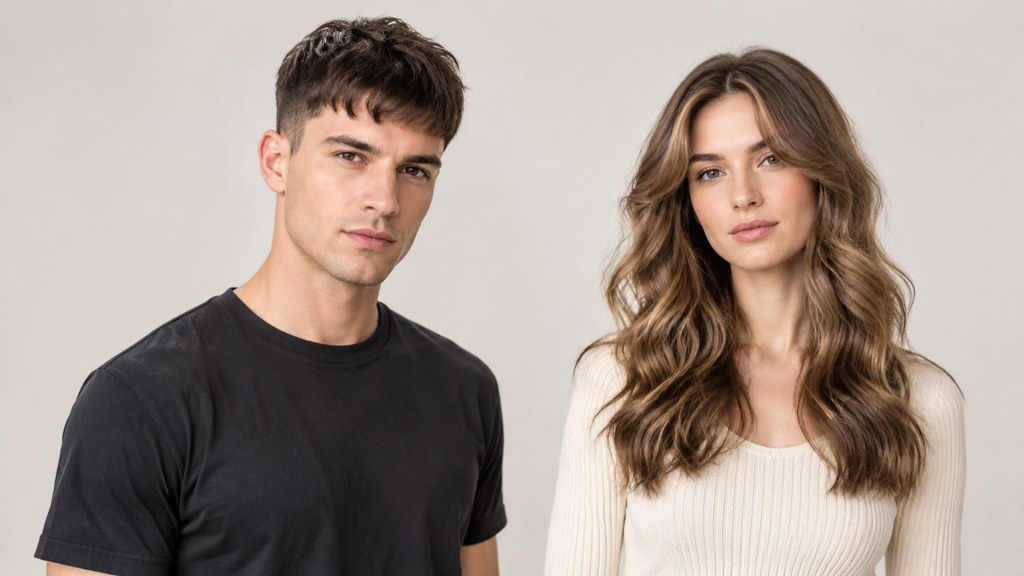
Say how long you will spend on it at home. Ten minutes with a brush and two minutes with your fingers are different haircuts. Stylists writing for each other make the same point: Revlon Professional's guide starts with reading the client's face shape before choosing a style.
Can ChatGPT tell me what hairstyle suits me?
A chat assistant that accepts photos can describe your face and suggest cuts, and that is useful for building a shortlist and the vocabulary to describe it. It has the same blind spots as any photo-based tool, plus one more: it tends to agree with you. It cannot measure your face from a selfie reliably, it cannot feel your hair's density or texture, and a text answer does not show you the cut.
- Use it to write the prompt: ask for three cuts for your face shape and texture, each described in one sentence a stylist would understand.
- Then preview those sentences on your photo in the hairstyle changer, one per run.
- Ask it for the questions to take to your stylist, not for a final verdict.
Fashion desks such as Allure, GQ and Good Housekeeping keep current cut galleries if you want more names to try. The same tools also run from the image workbench, where several previews can queue at once; every workbench tool runs on GPT Image 2.
What do hairstyle previews get wrong?
- Hairline: the tool invents the line under a fringe and invents a good one. If yours is uneven or receding, the preview hides it.
- Density: generated hair is thicker than real hair, so a cut that needs volume you do not have will look better on screen than in the mirror.
- Colour: an even shade from root to tip ignores what your base will lift to; test colour separately in the hair color changer and read what hair color suits me.
Ask three questions of any preview before you book. Does the hairline match mine? Is that my density? Would this shape still work on the third morning without a brush? If the answer to any of them is no, the cut stays on the shortlist only with a stylist's yes.
Key takeaways
- Start with a preview on your own photo: one cut per prompt, one change per run.
- The choice comes down to where volume sits: add width where your face is narrow and length where it is wide.
- Use the decision table first, then the section for your face shape, which names cuts for women and men.
- Texture and styling time can veto any cut the table suggests.
- Chat assistants help build a shortlist and the words for your stylist; they cannot see your density or show you the cut.
Image & Design Editor
Maya Chen
Maya Chen writes the image side of the LazyKiwi blog. She tests every tool in the workbench on real photographs before she describes it, and prefers a measurement to an adjective.
FAQ
Common questions
Which haircut suits a round face with thin hair?
Aim for height on top and length past the chin, such as long layers or a side-swept fringe for women, or a short-sided quiff for men. Thin hair loses shape with heavy layering, so keep layers light and use a root lift product rather than a lot of heat.
Is there a free way to see a hairstyle on my own photo?
Yes. LazyKiwi's Free plan includes 40 credits a month, and the hairstyle changer shows its credit price on the Generate button before each run. Other photo apps offer free previews with their own limits, so check what each one does with your photo before uploading.
Can ChatGPT tell me what hairstyle suits me?
It can suggest cuts from a photo and help you describe them, but it cannot measure your face reliably or see your hair's density and texture. Use it for a shortlist and the words to give your stylist, then preview the cuts on your own photo before you book.
What haircut suits me as a man with a receding hairline?
Shorter, textured cuts usually work better than slicked-back styles that expose the temples. A crop with the fringe pushed forward or a short buzz cut are common choices. Keep the sides in proportion with any beard, and preview the length before you go much shorter.
How many hairstyle previews should I try before booking?
Two or three is usually enough: the cut you want, one alternative, and an anti-reference you know you dislike. If you are growing a cut out, add the halfway length, because that is the stage you will live with for the longest.
See the cut on your own face first
Upload one straight-on photo, describe a single cut in the Prompt box, and compare it with the original before you book anything.
Related reading
How to Determine Your Face Shape: 5 Steps, 7 Shapes
How to determine your face shape: run one photo through a detector or take five tape measurements, then match the numbers to seven shapes, men included.
11 min read
What Hair Color Suits Me? Undertone First
What hair color suits me is settled by undertone, then by how far your base can travel in one appointment. Find both in ten minutes, then preview.
9 min read
Buzz Cut Lengths: Guard Numbers 1 to 8 Compared
Buzz cut lengths in guard numbers and inches, straight off the manufacturer chart, plus how much scalp shows at each one and which to pick first.
9 min read
Gender Swap Filter: How to Use It Safely
What the effect changes, why a still photo beats a live lens, what the privacy policies actually say, and the tells that give a fake result away.
8 min read