
AI Video Prompts: Text-to-Video Prompt Guide for Every Model
AI video prompts that hold up in Kling v3 Omni, Veo 3.1 Lite, Seedance 2.5 and MiniMax H3: a six-part anatomy, per-model limits and worked examples.
 Daniel Okafor 10 min read
Good AI video prompts describe a shot, not a wish: one subject, one action, a place, a camera move, a light source and a style, in that order, inside the character limit of the model you picked. That single habit removes most of the flat, generic footage people blame on the model. This guide is the prompt hub for the AI video generator: the anatomy, a repeatable writing routine, tested prompts for Kling v3 Omni, Veo 3.1 Lite, Seedance 2.5 and MiniMax H3, what carries over from Sora 2 and Veo 3 prompt collections, and the mistakes that waste credits. Model limits were read from the LazyKiwi model pages on 2026-09-06 and will be updated as the catalog changes.
What makes a good AI video prompt?
A video model predicts frames from whatever in your text is most specific. Write 'a woman in a city' and it returns the statistical middle of every city clip it has seen: even framing, flat light, no point of view. A prompt that works replaces each vague noun with a decision the model cannot make for you.

What are the six parts of the anatomy?
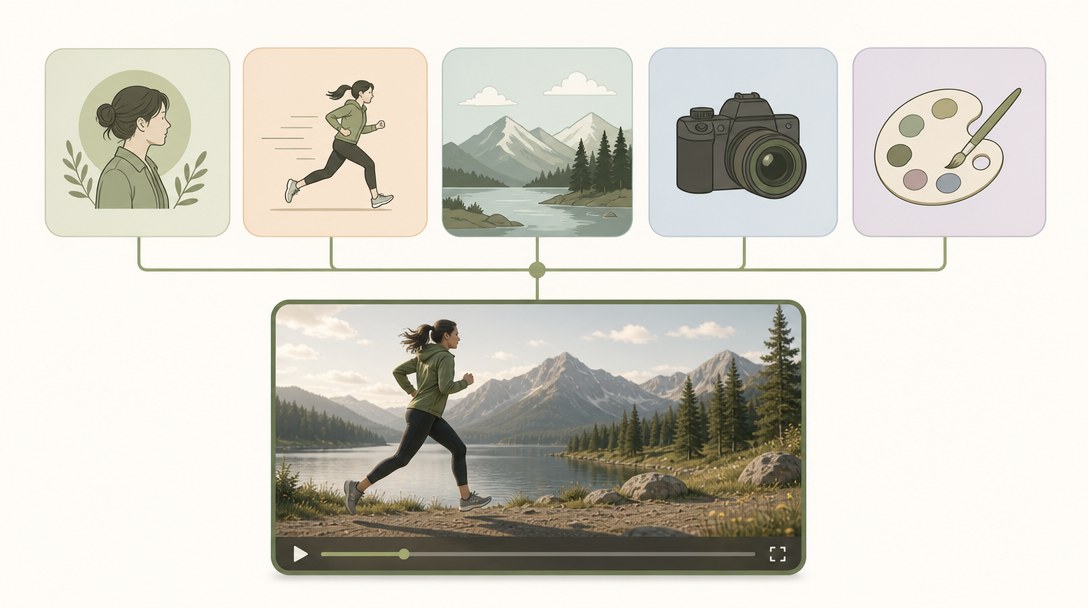
- Subject: who or what, with two physical details. 'A courier in a wet orange jacket' gives texture and colour to render.
- Action: one continuous motion. Video is the part a still cannot do, so name it and keep it singular.
- Setting and time: place, hour, weather. These decide the palette before lighting is even mentioned.
- Camera: shot size and one move. 'Low-angle tracking shot' does more for the cinematic feel than any adjective.
- Lighting: the source and its quality. 'Sodium street lamps, wet reflections' separates shot from rendered.
- Style and mood: film stock, grade, genre reference. This is the wrapper that ties the frame together.
Google's own Veo prompt guide breaks style into lighting, tone, artistic style and ambiance, and treats camera motion and composition as separate levers, per the Google Cloud Veo prompt guide (2026). OpenAI's Sora 2 guide says the same thing from the other side: treat the prompt as a creative wish list rather than a contract, and expect small changes to camera, lighting or action to shift the result a lot, per the OpenAI Cookbook (2026).
| Weak prompt | Strong prompt (same idea) |
|---|---|
| A dog running on a beach | Low tracking shot of a wet golden retriever sprinting along a grey winter beach at dawn, spray kicking up behind it, soft overcast light, muted documentary grade, 16:9 |
| A chef cooking | Handheld close-up of a chef in a black apron flipping noodles in a flaming wok, cramped night-market stall, hard tungsten light from above with orange flame fill, gritty street-food film look |
| A city at night | Slow aerial push-in over a rain-soaked crossing in Osaka at midnight, umbrellas moving in every direction, neon signs reflected in puddles, anamorphic flares, cool blue grade |
How to write text to video prompts step by step
The routine below produces AI video prompts the same way for every model. What changes is the character limit and how much camera language the model respects, which the next section covers per model.
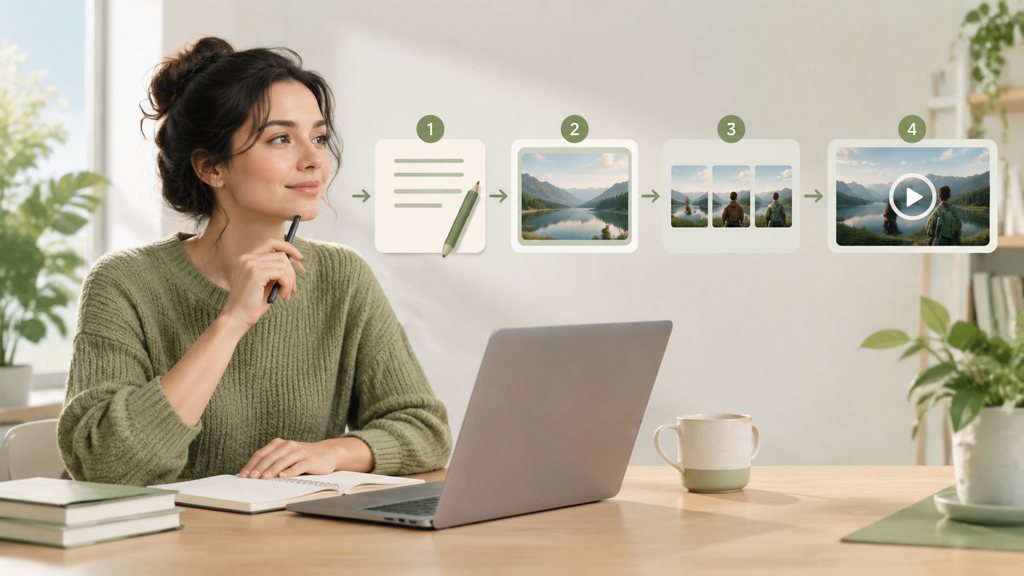
- 1
Write the frame as a still first
Describe the opening frame in one sentence: subject, place, light. If you cannot picture it as a photograph, the model cannot either.
- 2
Add exactly one motion
Choose the subject action or the camera move as the primary motion and make the other one gentle. Two strong motions in a 5-second clip is where warped limbs come from.
- 3
Name the camera and the light
Use shot vocabulary (wide, medium, close-up, low angle) and a named move (dolly-in, orbit, pan). Then state the light source and its quality.
- 4
Close with style, ratio and duration
One style phrase, then the framing you will post in. Set ratio and duration in the panel, not in the prose; the model pages list which ratios each model accepts.
- 5
Check the counter before you generate
Every prompt field shows characters used against the model's cap. Trim adjectives before you trim camera or lighting lines.
- 6
Run twice, then change one thing
Two runs of the same prompt show whether a problem is the prompt or the seed. Rewrite a single line between runs so you learn what each line does.
[shot size + camera move] of [subject with two details] [one action], [setting + time + weather], [light source + quality], [style or film reference]. Set ratio and duration in the panel.
Front-load what matters
Every model here weights the start of the prompt more than the end. Subject and action go first; style references go last and are the first thing to cut when the counter runs out.
What are the best AI video prompts for Kling, Veo, Seedance and MiniMax?
The four text-to-video models below each have a different prompt cap and a different appetite for detail. The table was read from the LazyKiwi model pages on 2026-09-06; the prompts under it were written to those caps.
| Model (verified 2026-09-06) | Prompt cap | Duration | Resolution | Ratios |
|---|---|---|---|---|
| Kling v3 Omni | 2,500 characters | 3 to 60 s (3 to 15 s frame-to-frame) | 720p or 1080p | 16:9, 9:16, 1:1 |
| Veo 3.1 Lite | 1,000 characters | 4 to 60 s | 720p or 1080p | 16:9, 9:16 |
| Seedance 2.5 | 5,000 characters | 4 to 30 s | 480p or 720p | 6 ratios, 21:9 to 9:16 |
| MiniMax H3 | 7,000 characters | 4 to 15 s | 768p or 2K | 6 ratios, 21:9 to 9:16 |
Kling v3 Omni: human motion and hands
Kling v3 Omni accepts a text prompt, one image, or a start and end frame pair and caps prompts at 2,500 characters. It rewards physical description of people and holds hands and gait better than the others in our runs, so spend the budget on the body and the action, not on the background. Kuaishou markets the current generation as its Kling 3 series on the Kling AI site (2026).
Medium tracking shot of a boxer in a grey hoodie skipping rope in an empty gym at 6 a.m., rope blurring, breath visible, one bank of fluorescent tubes overhead with cold daylight from a high window, handheld documentary feel, desaturated grade.
Veo 3.1 Lite: short prompts, clean 1080p
Veo 3.1 Lite has the tightest cap here at 1,000 characters, so it forces the discipline the formula asks for. It is the 1080p option for both horizontal and vertical frames, and audio is not part of this tier, so leave sound design out of the prompt. Veo 3 prompts you find online often describe a soundscape; delete those lines before pasting.
Close-up of a barista's hands pouring a rosetta into a flat white, slow push-in, morning sun through a side window, warm highlights and soft shadow, shallow depth of field, clean commercial look.
Seedance 2.5: references and wide frames
Seedance 2.5 takes up to 5,000 characters, reads up to nine reference images in one run and is the only model here with 21:9. Use the extra room for a short shot list rather than more adjectives: two or three beats in one clip work when each beat is a single sentence. ByteDance documents the family as multi-shot capable with strong prompt following on the ByteDance Seed site (2026).
Wide establishing shot of a lone cyclist crossing a salt flat at golden hour, tyre tracks stretching behind. Beat two: the camera drifts down to a low angle as heat haze shimmers. Beat three: slow rack focus to the mountains. Warm backlight, long shadows, 70mm epic look.
MiniMax H3: long briefs and 2K
MiniMax H3 has the longest field in LazyKiwi at 7,000 characters and the only 2K output. Its model page describes room for a full shot list plus a negative-prompt block, which is the right way to use it: list what must not appear after the description instead of stacking adjectives. MiniMax lists H3 as its current video model on the MiniMax site (2026).
Static wide shot of a glass greenhouse at night during light rain, a single lamp inside, condensation running down the panes, camera locked off, cool exterior light with warm interior fill, quiet arthouse tone. Avoid: people, text, lens flares, fast motion.
Do Sora 2 prompts and Veo 3 prompts work in other models?
Mostly yes for the parts that describe a shot, and no for the parts that describe a product feature. AI video prompts written for one model are shot descriptions first and feature requests second. Sora 2 prompts shared online lean on dialogue, synced sound and multi-shot scenes; Veo 3 prompts lean on native audio. Camera, lighting, setting and style lines transfer to any model. Audio lines, shot-to-shot cuts and duration instructions written in prose do not.

Sora 2 itself is not in LazyKiwi and never was; the Sora 2 alternative page exists to route each job to a model that runs here. OpenAI has also scheduled the Sora 2 models and the Videos API for removal on September 24, 2026, per the OpenAI deprecations page (2026), so a prompt library built around it needs a new home anyway.
How do you port a Sora 2 or Veo 3 prompt?
- Delete audio and dialogue lines; add sound in the editor.
- Split multi-shot prompts into one prompt per shot, then use start-and-end frames in Kling v3 Omni or MiniMax H3 to bridge them.
- Move 'make it 10 seconds' or '9:16' out of the prose and into the panel controls; 9:16 was the ratio on 22 of 39 external video jobs in LazyKiwi's August 2026 workbench data, so it is worth setting deliberately.
- Cut to the model's cap from the end of the prompt, keeping subject, action, camera and light.
- Run the ported prompt twice before judging it; seed variation is larger than most people expect.
Is there an AI video prompt generator worth using?
An AI video prompt generator is a text model with a template in front of it. It is useful for two things: translating a plain idea into shot vocabulary when you do not know the words yet, and producing five variations of one prompt quickly. It is not useful as a source of ideas, because it returns the average of every prompt it has read, which is the exact problem the anatomy above solves. If you are wondering whether the chat model can render the clip itself, our answer to can ChatGPT make videos explains where its job ends.
Inside LazyKiwi the prompt field itself does part of this job: the counter shows the cap, the ratio, duration and resolution chips remove the need to write settings in prose, and the model picker tells you which cap you are writing to. When you would rather not write at all, a template fixes the motion for you, and that is how most people start: in LazyKiwi's workbench data (August 2026) video work came through templates, used by 17 external accounts, while raw text-to-video saw no external use in the same window. The dolly zoom template takes a photo and produces the push-in-pull-back move with no prompt, and the orbit shot template does the same for a 360-degree turn.
Community leaderboards are a better use of your time than prompt generators when choosing a model. LMArena (2026) runs blind, crowd-voted comparisons of video models, and the ranking shifts as new versions ship, which is a reason to keep prompts model-agnostic and settings in the panel.
How to prompt for camera movement and shot types
Camera language is the cheapest upgrade to any prompt to video AI workflow because the vocabulary already exists. StudioBinder's list of movements covers pan, tilt, push-in, pull-out, zoom, dolly zoom, roll, tracking, arc, boom, handheld and bird's eye, per StudioBinder (2026); its companion guide to shot sizes and angles is at StudioBinder shot types (2026). Use those exact terms and the models follow them far more often than they follow 'cinematic'.
Which moves work in a 5-second clip?
- Push-in or slow dolly-in: the safest move; pairs with almost any subject action.
- Tracking shot: the camera follows a moving subject; keep the background simple or the model invents geometry.
- Orbit or arc: strongest on a still subject such as a product or a statue; in LazyKiwi the orbit template handles it without a prompt.
- Dolly zoom: the vertigo effect; hard to prompt reliably in text, which is why it is a template here.
- Handheld: adds life to interiors and food; combine with 'slight' or 'subtle' or the shake becomes nausea.
- Locked-off static: underrated; lets the subject motion carry the clip and gives the fewest artifacts.
When a clip already exists and only the look is wrong, restyling it with video to video AI keeps the original camera path while changing the style, which is often cheaper than prompting the move again from text.
Name the move, name the light, and let the model fill the rest. Adjectives are what you add when you have run out of nouns.
— LazyKiwi creator playbook
What are the most common text-to-video prompt mistakes?
The text to video prompt examples people share rarely show the failed runs. These are the failures in AI video prompts we see most often in the workbench, and the fix for each.
- Over-stuffed prompts: eight adjectives and three actions. Fix: one action, two details per noun, style last.
- Contradictions: 'golden hour' and 'midnight' in the same line, or 'static shot' followed by 'sweeping crane'. Fix: read the prompt back as a shot list.
- Text in frame: asking for readable signs, captions or logos. Models still misspell; add text in the editor.
- Settings in prose: writing '9:16, 10 seconds, 4K' and then leaving the panel on defaults. Fix: the chips win; set them.
- Ignoring the cap: pasting a 3,000-character Sora 2 prompt into a 1,000-character Veo field. Fix: trim from the end.
- Judging one run: rerolling the whole prompt after a single bad seed. Fix: run twice, change one line.
- Wrong model for the job: a 2K wide shot in Veo 3.1 Lite, or a long shot list in a 1,000-character field. Fix: pick the model from the cap table first.
Fix those seven and the first-run hit rate climbs quickly. The remaining misses are seed luck, which is what the second run is for.
Key takeaways
- Every strong prompt covers six parts in order: subject, one action, setting and time, camera, lighting, style; settings such as ratio and duration go in the panel, not the prose.
- Prompt caps differ by model: Veo 3.1 Lite 1,000 characters, Kling v3 Omni 2,500, Seedance 2.5 5,000, MiniMax H3 7,000; write to the cap of the model you picked.
- Sora 2 prompt collections port to LazyKiwi models once audio, dialogue and multi-shot lines are removed; Sora 2 itself never ran here and OpenAI retires its API on September 24, 2026.
- Camera vocabulary from film (push-in, tracking, orbit, dolly zoom, locked-off) is followed far more reliably than adjectives such as cinematic or epic.
- Run every prompt twice and change one line between runs; a prompt generator is fine for vocabulary, not for ideas.
Video Workflows Editor
Daniel Okafor
I run the same clip through every video model we ship and write down what actually changes: motion, timing, cost, and where each one falls apart.
FAQ
Common questions
How long should an AI video prompt be?
Two to four sentences that cover subject, action, setting, camera, lighting and style, then stop. Models weight the start of the prompt, so length past that point mostly adds noise. The hard limit is the model's cap: 1,000 characters in Veo 3.1 Lite, 2,500 in Kling v3 Omni, 5,000 in Seedance 2.5 and 7,000 in MiniMax H3, where the extra room is for a shot list or a negative block.
Why does my AI video look flat and generic?
Almost always because the prompt has no camera line and no light source. Without a named shot size and move, and without a light with a quality (hard, soft, backlit, neon), the model defaults to even framing and flat daylight. Add those two lines before touching anything else; in our runs they change the result more than any style reference does.
Can I reuse the same prompt across models?
The shot description transfers: subject, action, setting, camera and lighting read the same in Kling v3 Omni, Veo 3.1 Lite, Seedance 2.5 and MiniMax H3. What does not transfer is length, because the caps differ, and any audio or multi-shot instruction, which only some models understand. Keep a master prompt and trim it per model from the end.
Do negative prompts work for video?
Partly. None of the models in LazyKiwi has a separate negative-prompt field, but MiniMax H3's 7,000-character cap leaves room for an 'Avoid:' block at the end of the prompt, and short exclusions such as 'no text, no people' after the description are respected more often than not. Positive description still does most of the work, so exclude only what has actually appeared in a failed run.
Where can I find prompt examples for image-to-video?
Image-to-video prompts are shorter because the frame already fixes subject, setting and light; you describe only the motion and the camera. The photo-to-video guide linked below covers that case with model comparisons, and the Kling image-to-video guide shows how much motion a single reference can carry. Every model page on lazykiwi.ai also shows example outputs with their prompts.
Test a prompt against the counter
Open text-to-video, pick a model, paste the formula and watch the character counter before you spend credits on the first run.
Keep reading
How to Make AI Videos in 2026: Idea to Export, Step by Step
How to make AI videos in 2026: pick a generation mode, choose Kling v3 Omni or Seedance 2.5, prompt for clean motion, and export without wasting credits.
11 min read
Sora 2 vs Veo 3.1 in 2026: Which Video Model Should You Use?
Sora 2 vs Veo 3 with dated sources: Sora 2's API ends September 24, 2026, Veo 3.1 Lite runs in LazyKiwi at 1080p, no audio, and four models fill the gap.
9 min read
Kling AI Image to Video: Step-by-Step Guide With Kling 3.0
Kling AI image to video with Kling v3 Omni in LazyKiwi: upload rules, motion prompts, start-end frames, credit costs, and Wan 2.7 and Hailuo compared.
9 min read
How to Make an AI Video From a Photo (Without Weird Motion)
How to make an AI video from a photo that holds the face: source-photo rules, motion-only prompts, and Kling v3 Omni, Wan 2.7 and Hailuo 2.3 Fast compared.
9 min read