
PixVerse AI Review (2026): V6, Free Plan and Alternatives
A PixVerse AI review from its own pages on 15 October 2026: what V6 generates, what the free Basic plan allows, what paid plans cost, and six alternatives.
 Daniel Okafor 10 min read
PixVerse AI is a text-to-video and image-to-video service that runs in the browser, in iOS and Android apps, and through an API. Its current in-house model is PixVerse V6, and the same account can also call third-party models such as Seedance 2.5 and Sora 2 on the higher plans. Everything in this review was read on 15 October 2026 from the official model page, the subscribe page with its plan table, the Google Play listing and the news page. We did not run a benchmark, so there are no quality scores here; what you get is the exact free allowance, the exact prices, and a plain list of what each plan locks or opens, followed by the alternatives we would test next to it.
What is PixVerse AI, and what does PixVerse V6 do?
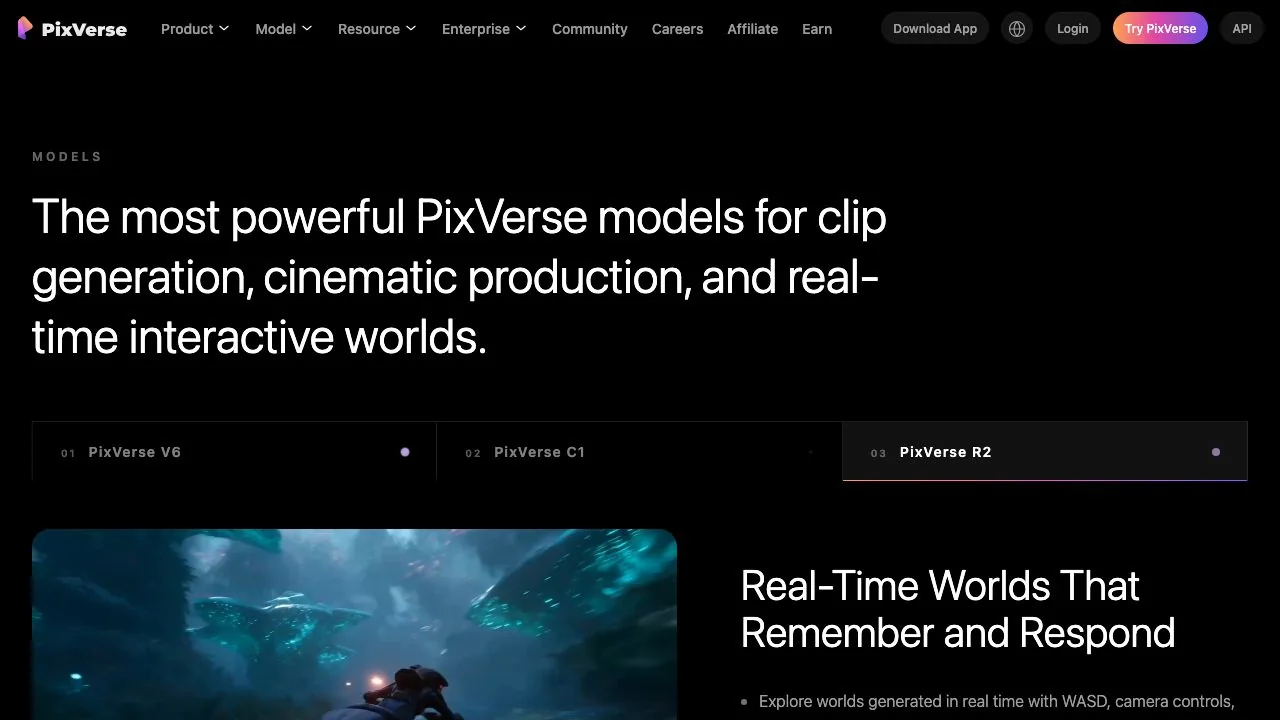
PixVerse describes itself on its homepage as a video generation company with three model lines: PixVerse V6 for clip generation, PixVerse C1 for cinematic production, and PixVerse R2, a real-time world model you can steer while it renders. For most people reading a PixVerse AI review, V6 is the model that matters, because it is the default in the prompt box and the one the mobile app is built around.
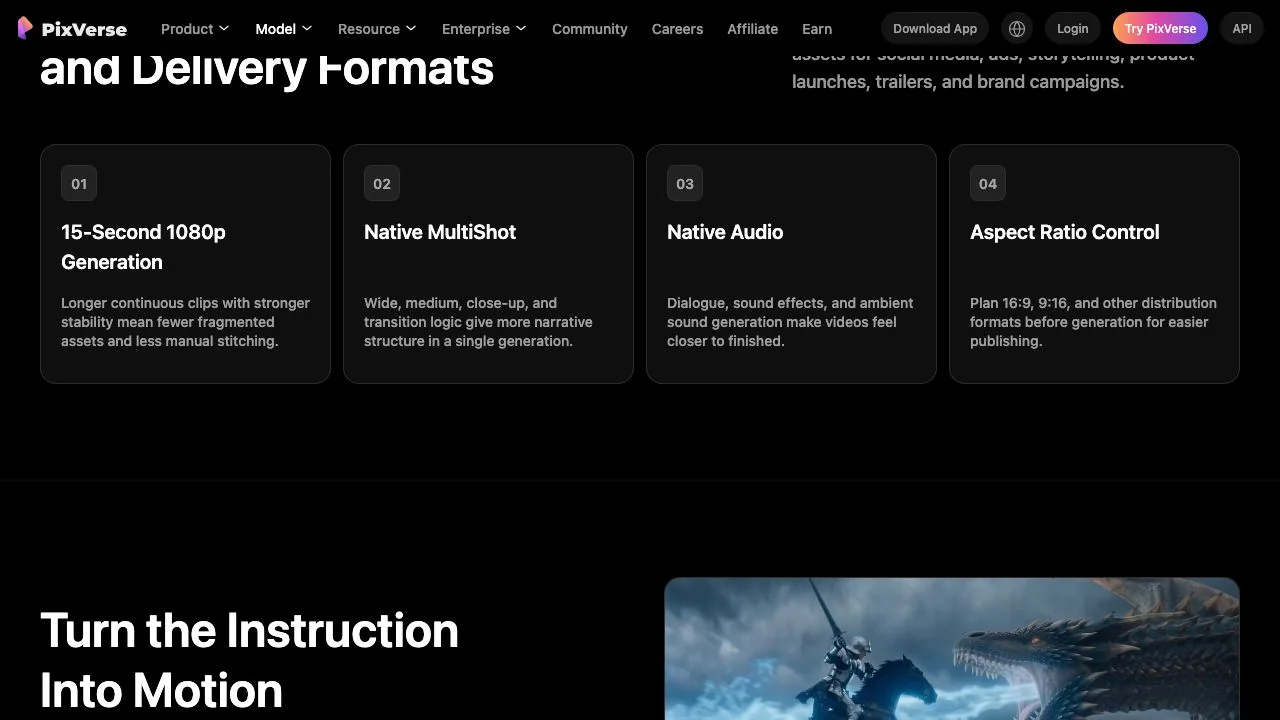
The PixVerse V6 model page lists four headline capabilities:
- 15-second 1080p generation, pitched as longer continuous clips with fewer fragments to stitch.
- Native MultiShot: wide, medium and close-up shots with transition logic inside a single generation.
- Native audio: dialogue, sound effects and ambient sound generated with the picture.
- Aspect ratio control: 16:9, 9:16 and other delivery formats chosen before you generate.
Around the model sits a wide product surface. The site navigation on the same day listed text and image to video, templates, a CLI, an Agent that creates through conversation, Mini-Apps such as Magic Extend, Video Expand and a Sound Effect Generator, a Marketing Hub for ad shorts, and Canvas, which builds video workflows from nodes. The model page also names Lip Sync and Audio, Multi-Frame Control and Character Reference as part of the V6 ecosystem. It does not give a release date for V6, so we do not print one, and the older V5 names no longer appear in the site's model menu.
Is PixVerse AI free? What the Basic plan gives you
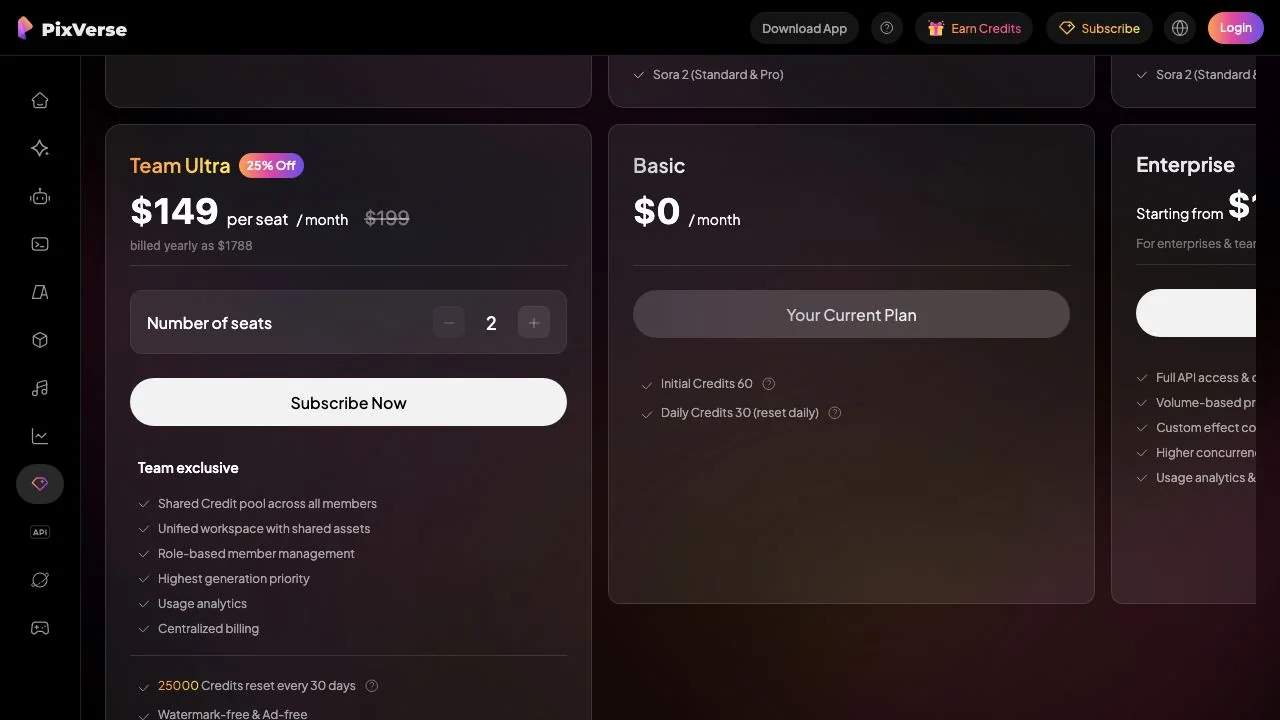
Yes, with limits that are spelled out on the subscribe page. The free tier is called Basic and costs $0 a month. Its Plans Details table showed, on 15 October 2026:
- 60 initial credits when you sign up, then 30 daily credits that reset every day at 0:00 UTC and expire if unused.
- No membership credits, no faster generation speed, and no Preview Mode or Off-Peak discounts.
- Video resolution capped at 540p, 2 concurrent generations, and no folders or batch creation.
- Watermark-free is marked with a cross for Basic, so free downloads carry the PixVerse watermark.
How far do 30 daily credits go? Before logging in, the prompt box in the web app defaulted to PixVerse V6 at 540p, 16:9 and 5 seconds with the Audio and Multi-Shot switches on, and showed a cost of 38 credits for that single clip. In other words the daily allowance alone does not cover one default clip; you need the initial 60, a cheaper setting, or the Earn Credits tasks the header links to. Costs change with model, duration and resolution, so check the number next to the Create button before each run.
If you only want to test whether PixVerse understands your prompt, switch Audio and Multi-Shot off and keep 540p. The credit price in the Create button updates immediately.
PixVerse pricing: Standard, Pro, Premium and Ultra compared
PixVerse pricing is a credit subscription with four personal tiers, a Team Ultra seat and an Enterprise tier that starts from $100. The page defaults to yearly billing with a 40% OFF badge; the monthly prices below are the crossed-out figures on the same cards. All numbers are from the subscribe page on 15 October 2026.
| Plan | Price (billed yearly) | Monthly price | Credits per 30 days | Max resolution | Concurrent jobs |
|---|---|---|---|---|---|
| Basic | $0 | $0 | 0 (30 daily + 60 initial) | 540p, watermarked | 2 |
| Standard | $8 a month ($96 a year) | $10 | 1,200 + 60 daily | 720p | 3 |
| Pro | $24 a month ($288 a year) | $30 | 6,000 + 60 daily | 4K | 5 |
| Premium | $48 a month ($576 a year) | $60 | 15,000 + 60 daily | 4K | 8 |
| Ultra | $149 a month ($1,788 a year) | $249 | 25,000 + 60 daily | 4K | 8 |
| Team Ultra | $149 per seat a month | $199 per seat | 25,000 shared pool | 4K | 12 |
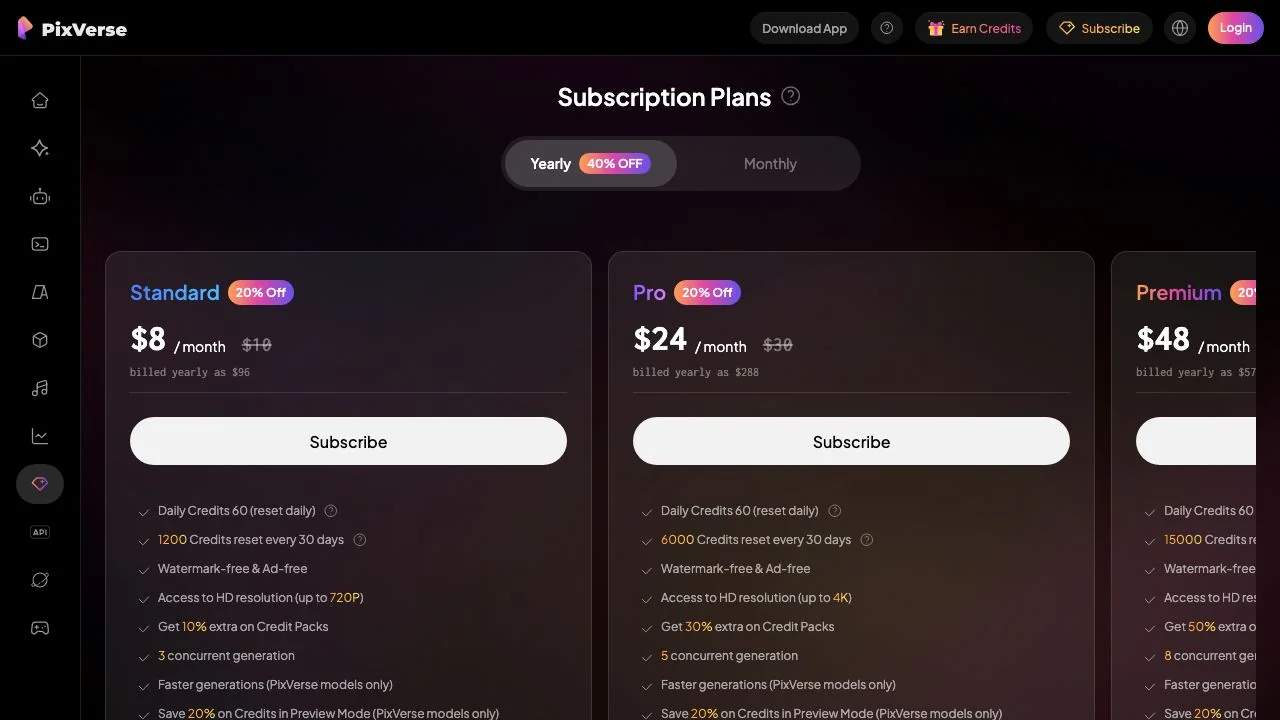
Every personal paid plan removes the watermark and the ads, raises daily credits from 30 to 60, and adds a Preview Mode that saves 20% of credits on PixVerse models. From Pro upwards you also get Off-Peak Mode discounts (30% on Pro, 50% on Premium, 100% on Ultra), batch creation of up to four clips at a time, and the extra third-party video models covered in the next section. Credit packs sit alongside the plans at 500 credits for $5, 2,000 for $20, 5,000 for $50 and 10,000 for $100, with a 10% to 50% bonus depending on your tier.
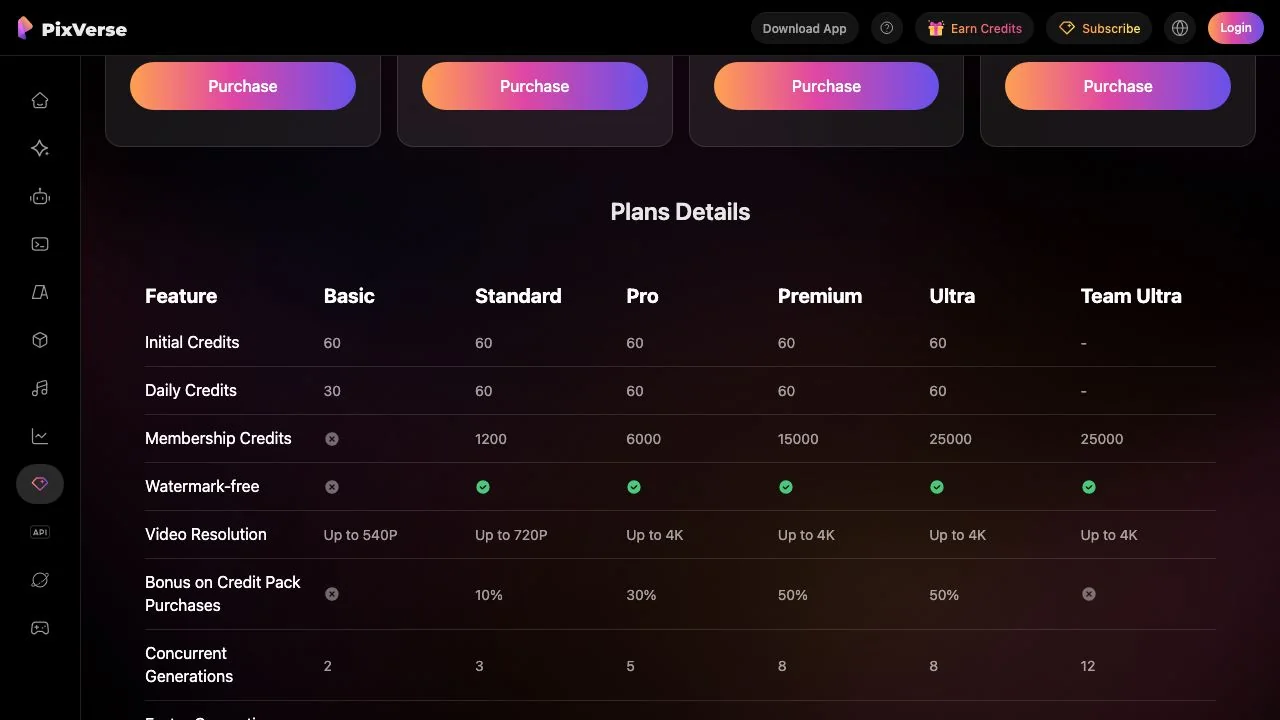
Two policy lines are worth reading before you pay. Membership credits refresh every 30 days from the moment you subscribed and expire when the next cycle starts, while bonus credits from packs never expire. On refunds, the FAQ says partial refunds are not supported, credit packs are non-refundable, and only subscriptions that are still valid and unused qualify for a full refund.
Which models can you use inside PixVerse?
This is where PixVerse has changed most in 2026. Besides V6, the subscribe page lists two groups of third-party models, and which group you can reach depends on the plan.
- Image models on every paid plan, with a Relax Mode that does not charge credits on eligible plans: Qwen-Image, GPT Image 2 and GPT Image 2.5 (Sunburst and Flare), Nano Banana, Nano Banana 2, 2 Lite, 2.1 and Pro, Seedream 4.0, 4.5, 5.0 Lite and 5.0 Pro, Kling 3.0 and Kling O3.
- Extra video models from Pro upwards: Seedance 2.5, Seedance 2.0 (Standard, Fast and Mini), MiniMax H3 and H3 Max, FLUX 3, Wan 3.0, Gemini Omni Flash, Happy Horse 1.0, Kling O3 (Standard and Pro), Grok Imagine 1.5 and Sora 2 (Standard and Pro). Ultra shows a 20% or 40% discount tag next to each of them.
So a Standard subscriber at $8 a month gets V6 and the image models, but not Seedance 2.5 or Sora 2. If those names are the reason you are looking at PixVerse, budget for Pro. The Seedance 2.5 page on the PixVerse site is unusually candid about this: it says access and controls vary by account, region and rollout stage, and that your workspace is the source of truth for duration, resolution and credit cost.
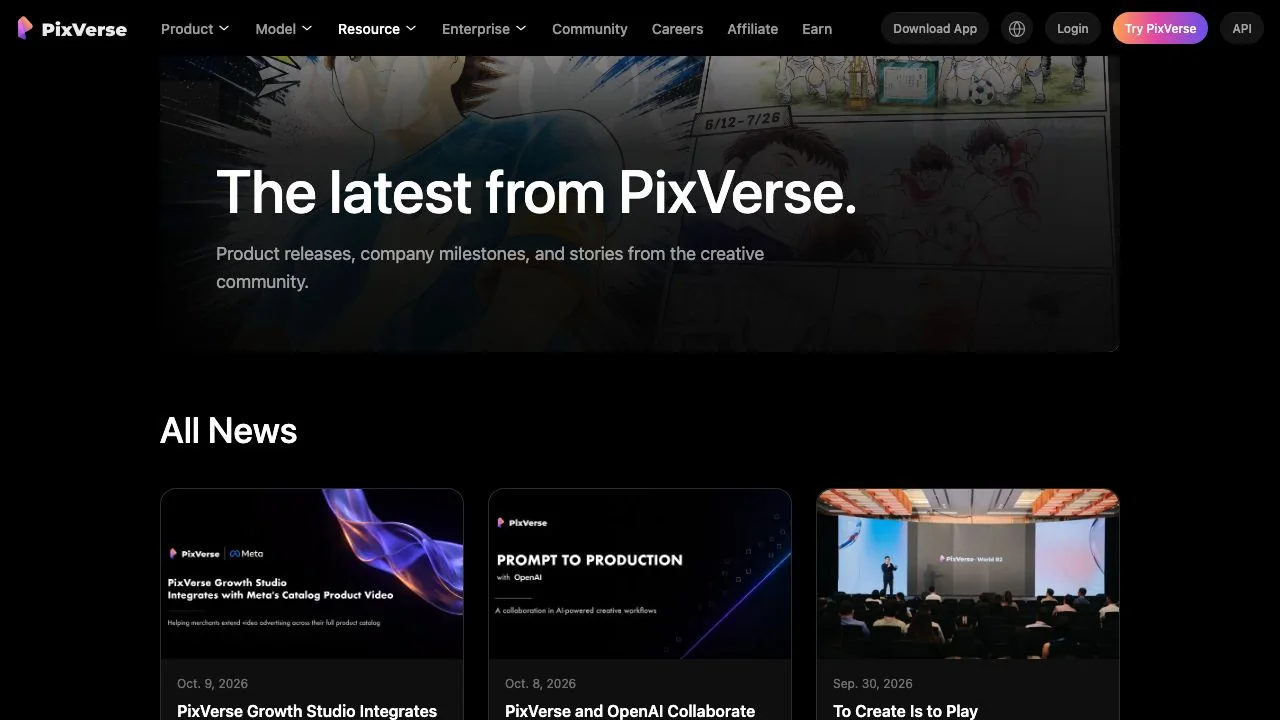
The newest in-house piece is R2. The news page dates its introduction to 22 September 2026 and describes it as a real-time world model moving toward persistent, playable worlds; a public demo lives at world.pixverse.video, where the page warns that availability and queueing may vary. It is a research showcase rather than a tool you would use for a client clip today.
The PixVerse AI app on Android and iOS: what the listing shows
If you searched for the PixVerse AI app or an APK, use the store listings rather than a download mirror. On 15 October 2026 the Google Play listing showed a 4.5-star rating from 4.54 million reviews, more than 50 million downloads, an update dated 9 October 2026, a ranking of number 4 in top-grossing Photography, and the labels Contains ads and In-app purchases. The news page adds that Google Play named PixVerse App of the Week in the US on 20 September 2026. An App Store link sits on the website's download page for iPhone users.
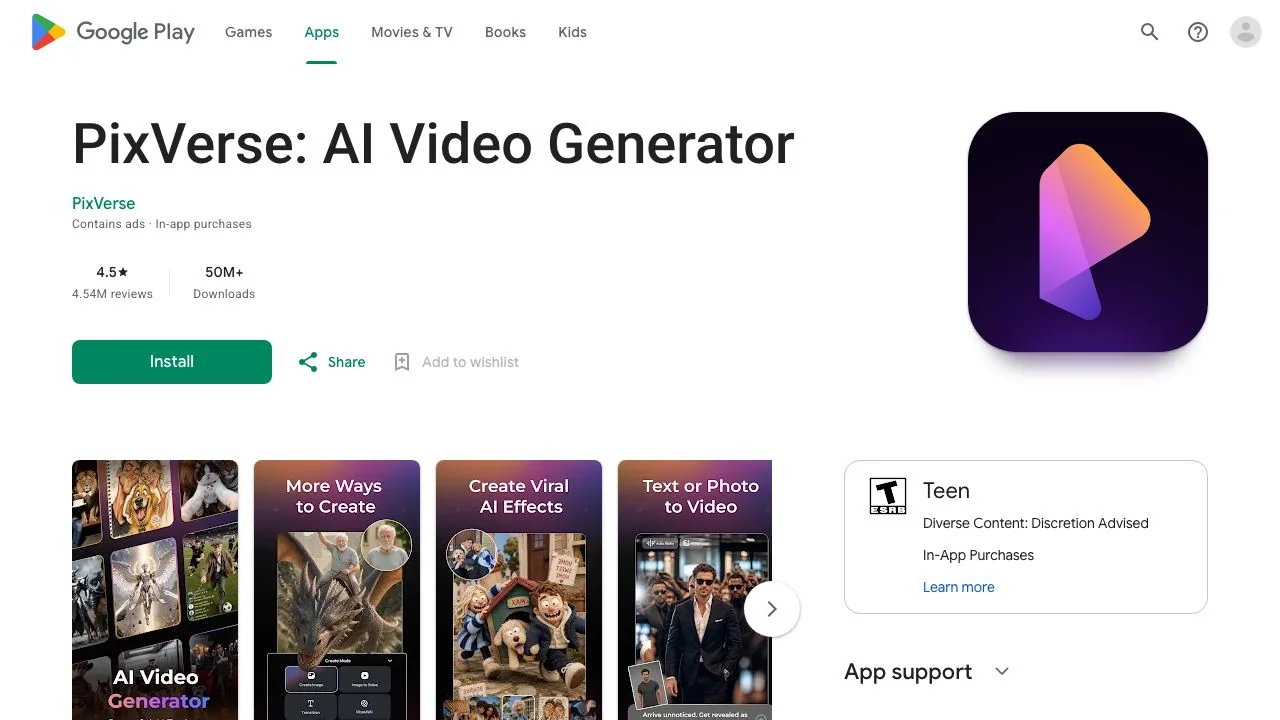
The listing says the app is powered by PixVerse V6 with access to a range of external models, and names Qwen-Image, GPT Image 2, Nano Banana, Seedream, Kling, Seedance 2.0, Grok Image, Happy Horse, Veo and Sora, with the caveat that availability varies by feature, region and app version. The most upvoted reviews on the listing are about money rather than quality: credits running out quickly, higher-quality settings costing extra on a paid plan, and accidental taps that spend credits. That matches the pricing table above, where the real cost is per generation, not per month.
PixVerse alternatives: six tools compared
Which PixVerse alternatives make sense depends on what you came for: the V6 model itself, the template effects, or the third-party models behind the Pro paywall. We opened each site on 15 October 2026 and recorded what its own pages state.
| Tool | Free tier, as stated on its site | Video models named | Watermark on free | Notes |
|---|---|---|---|---|
| [Dreamina](https://dreamina.capcut.com/) (ByteDance, CapCut) | Free daily credits; Basic plan $15 a month | Seedance 2.5, 2.0 and 2.0 Mini, Veo 3.1, Sora 2 | Yes, removal is a paid benefit | First access to Seedance models; CapCut login |
| [Google Flow](https://flow.google.com/) | 50 daily credits with a Google account; Pro $19.99 | Veo 3.1 Lite, Fast and Quality, Gemini Omni Flash | Invisible SynthID only | Non-subscribers may be blocked from video at peak hours |
| [Runway](https://runway.com/pricing) | 125 one-time credits; Standard $12 a month billed yearly | Gen-4.5, Aleph 2.0, Seedance 2.0, Kling 3.0 | Removed on paid plans | Editing-first studio |
| [Kling AI](https://kling.ai/) | Free allowance not stated on the plans page; Standard $6.99 first month, then $8.8 a month | Kling 4.0, Kling Image 3.0 | Brand watermark removal is a plan benefit | Strong single-model app |
| [Hailuo AI](https://hailuoai.video/) | Free templates on the homepage | MiniMax H3 | Not stated on the homepage | Template-led, like PixVerse |
| [LazyKiwi](/video-generator) | Free credits on sign-up | Sora 2, Veo 3.1 Lite, Kling v3 Omni, Wan 2.7, Seedance, Hailuo 2.3 Fast, Grok Imagine | Cost shown before you generate | Multi-model workbench plus templates and tools |
Read the table as a map, not a ranking. Dreamina is the obvious pick if Seedance is your model, because ByteDance ships it there first. Google Flow is the Veo home and the only one with a daily free allowance that renews without a subscription for everyone, though its help pages say video generation can be unavailable to non-subscribers roughly between 2 PM and 5 PM UTC. Runway and Kling are single-studio products with their own flagship models. LazyKiwi, like PixVerse Pro, is a multi-model aggregator, which is why we compare the two directly below.
When to use LazyKiwi instead of PixVerse
The honest overlap is the aggregator layer. PixVerse Pro and LazyKiwi both let you switch between in-house and third-party video models in one prompt box. The difference is the entry point: on PixVerse, Seedance 2.5 and Sora 2 start at the $24-a-month Pro plan, while the LazyKiwi video generator opens Seedance 2.5, Kling v3 Omni, Sora 2, Veo 3.1 Lite and Wan 2.7 to every account, with free credits on sign-up and the credit cost shown before you generate.
A few situations where we would open LazyKiwi first:
- You want the third-party model, not V6. Pick the model page, paste the same prompt, and compare the result against your PixVerse V6 clip at the same duration.
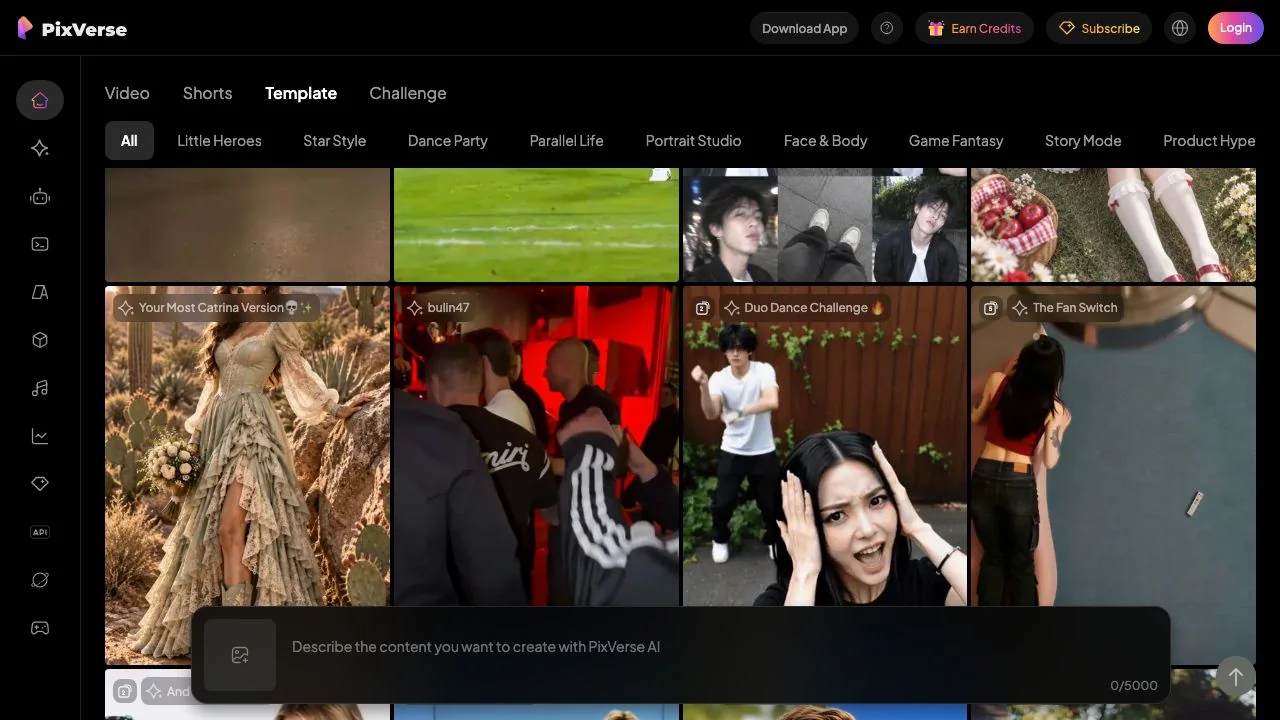
- You came for a template effect. PixVerse's gallery is strong on dance and transformation trends; LazyKiwi's templates cover similar ground, for example the AI Hug template that turns two photos into one clip.
- You need a utility step rather than a new clip: the AI Video Extender continues an existing clip, and Photo Animation AI animates a single still.
Where PixVerse keeps the edge: the 15-second 1080p V6 clip with native multi-shot and audio is a specific in-house capability, the mobile app is far more mature, and features such as Canvas, the CLI and the Agent have no equivalent in a plain workbench. If you publish several vertical clips a day from a phone, the PixVerse app plus a Standard or Pro plan is the better fit.
- 1
Pick one prompt and one source image
Use a product shot or a portrait you own, and a prompt that names the subject, the camera move and the sound you expect.
- 2
Generate on PixVerse V6 at 540p
Keep the free settings so you can see what the watermark and the resolution cap look like before paying.
- 3
Generate the same brief on LazyKiwi
Choose Seedance 2.5 or Kling v3 Omni, match the duration and aspect ratio, and note the credit price shown before you confirm.
- 4
Judge on your delivery format
Export both, drop them into your editor at the size you actually publish, and decide which model you want to pay for.
Is PixVerse AI worth it in 2026? Our verdict
- Worth a free account for anyone: the Basic plan is enough to learn the prompt box and the templates, as long as you accept 540p and a watermark.
- Worth Standard ($8 a month billed yearly) if you mostly use V6 and the image models and want clean 720p downloads.
- Worth Pro ($24 a month billed yearly) only if you need 4K, batch creation, or the third-party video models; otherwise an aggregator with those models on the entry tier is cheaper to try.
- Not the right tool if you want a real-time world model for production: R2 is a demo with managed access, by PixVerse's own description.
The pattern in the Play Store reviews is the thing to remember from this review. People like what the model produces and dislike how fast credits disappear, so decide your settings before you press Create, on PixVerse or anywhere else.
Key takeaways
- PixVerse V6 is the current in-house model: 15-second 1080p clips with native multi-shot, native audio and aspect ratio control, per the official model page.
- The free Basic plan gives 60 initial credits plus 30 a day, capped at 540p and watermarked; a default 5-second V6 clip with audio and multi-shot showed a cost of 38 credits.
- Paid plans run from $8 a month (Standard, billed yearly) to $149 a month (Ultra); only Pro and above add Seedance 2.5, Sora 2, Kling O3 and the other third-party video models.
- The Android app has a 4.5-star rating from 4.54 million reviews and more than 50 million downloads, and its top reviews are about credit costs.
- Dreamina, Google Flow, Runway, Kling, Hailuo and LazyKiwi cover the same ground from different angles; LazyKiwi opens Seedance 2.5 and Kling v3 Omni without a plan requirement.
Video Workflows Editor
Daniel Okafor
I run the same clip through every video model we ship and write down what actually changes: motion, timing, cost, and where each one falls apart.
FAQ
Common questions
Is PixVerse free to use?
Partly. The Basic plan costs nothing and gives 60 initial credits plus 30 daily credits that expire at the end of each day, but it caps video at 540p, leaves the watermark on, and does not include membership credits. A default 5-second V6 clip with audio and multi-shot on was priced at 38 credits when we checked, so free use means short, low-resolution tests.
Does PixVerse put a watermark on videos?
On the free Basic plan, yes. The Plans Details table on the subscribe page marks Watermark-free with a cross for Basic and a tick for Standard, Pro, Premium, Ultra and Team Ultra. The cheapest way to remove it is the Standard plan at $8 a month billed yearly, or $10 month to month.
What is PixVerse V6?
V6 is the in-house video model behind the PixVerse web app and mobile app in October 2026. Its model page promises 15-second 1080p generation, native MultiShot with wide, medium and close-up shots, native audio including dialogue and sound effects, and aspect ratio control. PixVerse does not publish a release date on that page.
Which website is the official PixVerse?
The official addresses all sit under the PixVerse brand: the company site with the model pages and news, the web app on its app subdomain, the developer platform, and the R2 demo at world.pixverse.video, which is a separate registered domain. The Android app is published on Google Play under the developer name PixVerse. Treat other domains that sell PixVerse credits or APK files as unofficial.
What are the best PixVerse alternatives?
It depends on the model you want. Dreamina is first for Seedance, Google Flow for Veo 3.1, Runway and Kling for their own flagship models, and LazyKiwi if you want Seedance 2.5, Kling v3 Omni, Sora 2 and Veo 3.1 Lite in one workbench without a plan requirement. Prices for all six are in the comparison table above, as read on 15 October 2026.
Try the models behind PixVerse Pro without the plan
Seedance 2.5, Kling v3 Omni, Sora 2 and Veo 3.1 Lite are open to every LazyKiwi account. Paste your PixVerse prompt, match the duration, and compare the clips side by side.
Related reading

Google Flow Alternatives: 10 AI Video Tools, Prices Checked
Google Flow alternatives sorted by what you need: Veo without Flow, multi-model studios, free plans and open models, with prices read on 7 October 2026.
12 min read
Kling vs Veo 3 in 2026: Which Video Model Wins?
Kling vs Veo 3 on the two tiers LazyKiwi runs: Kling v3 Omni for start-end frames, 1:1 and 60-second takes, Veo 3.1 Lite for silent 16:9 clips.
8 min read
Seedance Explained: Versions, Access and Limits
What Seedance is, how the 2.0 and 2.5 releases differ on length and ratio, where Dreamina fits, and how it lines up against Veo and Kling today.
9 min read
AI Video Effects: 30 Worth Trying in 2026
Thirty AI video effects grouped by what they do to a shot, with the input each one needs, what drives the render cost and where each belongs in an edit.
9 min read