
Sora 2 vs Veo 3.1 in 2026: Which Video Model Should You Use?
Sora 2 vs Veo 3 with dated sources: Sora 2's API ends September 24, 2026, Veo 3.1 Lite runs in LazyKiwi at 1080p, no audio, and four models fill the gap.
 Noah Berger 9 min read
Sora 2 vs Veo 3 has a short answer in September 2026: build on Veo 3.1. OpenAI's own Sora page states that the Sora product stopped being available on April 26, 2026, per OpenAI (2026), and the Sora 2 API is scheduled for removal on September 24, 2026, per the OpenAI deprecations page (2026). Veo 3.1 is still being developed and sold, and its Lite tier runs inside LazyKiwi at up to 1080p, though without audio. Below is what each model does, where Sora 2 still looks better on paper, and which models now cover the dialogue and audio jobs Sora 2 was known for.
Sora 2 vs Veo 3: which is better in 2026?
Veo 3.1 wins by default. On the day this was rewritten, Sora 2 is a model with a published shutdown date and no consumer app, while Veo 3.1 is shipping in Gemini, Google Flow and Vertex AI, and its Lite tier is one click away in the LazyKiwi workbench. On raw output, Sora 2 held two real advantages: synchronized dialogue with sound effects, and a character feature that kept the same person across shots. Both are documented in the OpenAI video guide (2026). Neither matters if you cannot render a clip after the cutoff.

Read every 'veo 3 vs sora 2' or 'veo 3.1 vs sora 2' verdict published before April as history rather than advice. The scorecard below reflects what you can actually run this month.
| Use case | Sora 2 | Veo 3.1 | Pick today |
|---|---|---|---|
| Dialogue scene with synced speech | Strong, but API ends Sep 24, 2026 | Native audio in Google's products | Veo 3.1 via Gemini or Flow |
| Product b-roll, 16:9, 1080p | 1080p only on the Pro model | 1080p and 4K per Google | Veo 3.1 Lite in LazyKiwi |
| Vertical social clip, 9:16 | 1080x1920 on Pro | 9:16 supported | Veo 3.1 Lite or Seedance 2.5 |
| Long single take over 20 s | Extensions only, stitched | Extensions | Kling v3 Omni (up to 60 s) |
| Widescreen 21:9 framing | Not offered | Not offered | Seedance 2.5 |
| Cheapest quick test | No new access | Depends on the Google surface | Veo 3.1 Lite, 4 s at 720p |

Check the date on any comparison
The most-linked Sora vs Veo articles were written for the launch window. If a post does not mention the Sora deprecation notice, its pricing and availability claims are out of date.
What is Sora 2 and what happened to it?
Sora 2 is OpenAI's second video model, announced on September 30 of last year as a video-and-audio system that generates synchronized dialogue and sound effects alongside the picture, per OpenAI (2026). It shipped in two API variants. The base sora-2 model renders at 720p, and sora-2-pro adds 1080p exports at 1920x1080 or 1080x1920; both support 16-second and 20-second generations, per the OpenAI video guide (2026).
The same guide documents two features that set it apart. Character uploads let you reuse a person, mascot or object across clips, with up to two characters per video, and video extensions add up to 20 seconds per call, up to six times, for a maximum of 120 seconds in one stitched result.
Is Sora 2 shutting down?
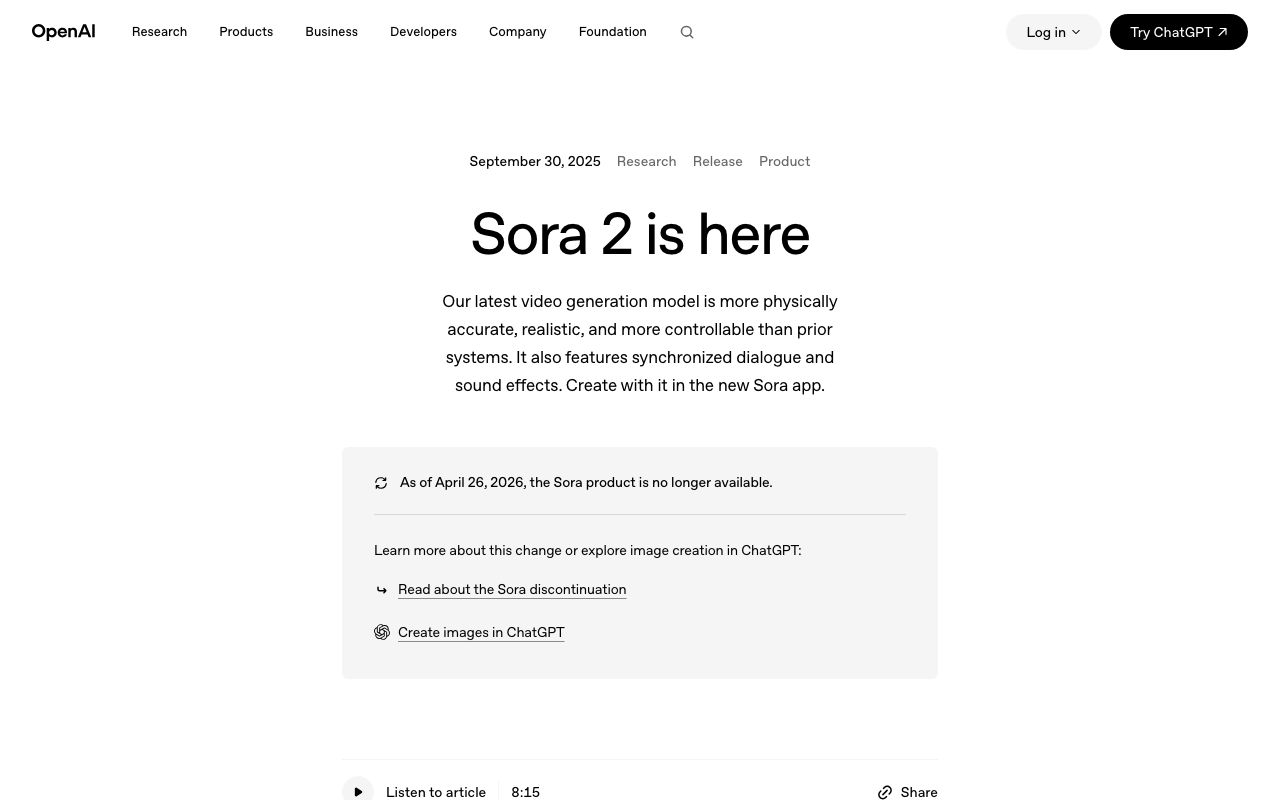
Yes, in two steps. The consumer Sora app closed first: OpenAI's Sora page carries the line 'As of April 26, 2026, the Sora product is no longer available', per OpenAI (2026). The API follows. OpenAI's deprecations page records that developers were notified on March 24, 2026, and that the Videos API together with sora-2, sora-2-pro and their dated snapshots will be removed on September 24, 2026, per the OpenAI deprecations page (2026). Our explainer on ChatGPT and Sora video covers how Sora relates to ChatGPT and what ChatGPT can still do for a video.
LazyKiwi never ran Sora 2. The Sora 2 alternative page exists to route the same jobs to models that are live, which is also why this post cannot show a fresh Sora 2 render next to a Veo 3.1 render.

What is Veo 3.1 and how does Veo 3.1 Lite differ?
Veo 3.1 is Google DeepMind's current video generation model. Its model page lists native audio, improved prompt adherence, reference-image inputs and outputs in 1080p and 4K, per Google DeepMind (2026). The same page describes Google's own preference tests, run at 1280x720 with 8-second Veo clips against longer clips from other models, which is a useful reminder that Veo's default clip is short.
Google sells Veo 3.1 through Gemini, the Flow filmmaking tool and Vertex AI. Third-party workbenches such as LazyKiwi license a specific tier, and that tier decides what you get.
What does Veo 3.1 Lite offer in LazyKiwi?
The Veo 3.1 Lite page describes it as Google's lower-cost Veo 3.1 tier, released in March 2026. In the workbench it accepts a text prompt or one image, renders in 16:9 or 9:16 at 720p or 1080p, offers six durations from 4 to 60 seconds and takes prompts up to 1,000 characters. Audio is not part of this tier, so every Veo 3.1 Lite clip comes out silent.
Cost is visible before you click. With the default settings of 16:9, 8 seconds and 720p, the Generate button read 400 credits when I opened the Veo 3.1 Lite workbench on September 6, 2026. Shorter clips cost less and 1080p costs more, so set duration and resolution before you compare prices across models.

Sora 2 vs Veo 3.1 compared: realism, audio, motion, prompt control and price
This Sora 2 vs Veo 3 table separates three things people mix up: Sora 2 as OpenAI documented it, Veo 3.1 as Google documents it, and the Veo 3.1 Lite tier you can run in LazyKiwi. Every row cites the page it came from; where a vendor publishes no figure, the cell says so rather than guessing. Sources were checked on September 6, 2026.
| Dimension | Sora 2 (OpenAI docs) | Veo 3.1 (Google DeepMind) | Veo 3.1 Lite in LazyKiwi |
|---|---|---|---|
| Top resolution | 720p; 1080p on sora-2-pro | 1080p and 4K | 720p or 1080p |
| Clip length | 16 s or 20 s per job; extensions to 120 s | 8 s clips in Google's tests; extendable | 4 to 60 s, six presets |
| Audio | Synced dialogue and sound effects | Native audio | None |
| Aspect ratios | 1280x720, 1920x1080, 1080x1920 | 16:9 and 9:16 in Google's tests | 16:9 or 9:16 |
| Reference inputs | One input image plus up to two characters | 1 to 3 reference images | One image |
| Prompt length | Not published | Not published | 1,000 characters |
| Price | API retired Sep 24, 2026 | Varies by Google surface; see Google's pricing | 400 credits for 8 s at 720p |
| Status | Shutting down | Active | Active |
Which one is more realistic?
Neither vendor publishes a realism score you could compare, and I no longer have a way to render Sora 2, so I will not rank them on a feeling. Two crowd-voted leaderboards are the honest reference: the Artificial Analysis video arena (2026) ranks text-to-video and image-to-video models from blind pairwise votes, and Arena (2026) runs the same format across modalities. Check the current standings the week you decide, because rankings move with every model update.
What I can say from running Veo 3.1 Lite is that it respects camera language: ask for a 'slow push in' and the clip pushes in slowly, without switching to a pan halfway, and the lighting does not shift across the eight seconds. Sora 2's documented strengths were the audio layer and character persistence, which is exactly what a silent Lite tier does not attempt.
How does prompt control differ?
Sora 2's API took a prompt plus size and seconds parameters, with an optional input_reference image and named characters, per the OpenAI video guide (2026). Veo 3.1 Lite in LazyKiwi gives you a 1,000-character field, an optional reference image, and pickers for ratio, duration and resolution. Put camera, subject, action and light in the first two sentences; the model weights the opening of the prompt most.
How do you test prompt adherence when neither clip has sound?
Write the brief as four claims you can tick or cross rather than as a mood: which way the camera moves, what the subject does, where the light comes from, and one thing that must not appear. Render once at 720p, watch with the sound off (there is none anyway), and mark each claim. A model that scores three of four on a plain sentence but one of four on a paragraph of adjectives is telling you how to write for it. Sora 2 answered part of this with its audio, because a spoken line either matches the mouth or it does not; on a silent tier the picture carries the whole burden of proof, so keep the claims visual and keep them few.

When should you use Sora 2 and when Veo 3.1?
Use Sora 2 only to finish work that already depends on it, and finish before September 24, 2026, the removal date on the OpenAI deprecations page (2026). For anything new, the question is which Veo 3.1 surface or which alternative fits the shot. The 'sora vs veo' debate was mostly about audio; once audio is handled elsewhere, the choice turns on duration, ratio and resolution.
| Scenario | Best pick now | Why |
|---|---|---|
| Dialogue with lip-synced speech | Veo 3.1 with audio in Gemini or Flow | Native audio is on the full tier, not on Lite |
| Product b-roll for a landing page | Veo 3.1 Lite in LazyKiwi | 1080p in 16:9, silent footage is fine under a voiceover |
| Vertical social clip | Veo 3.1 Lite or Seedance 2.5 at 9:16 | Both render portrait; Seedance also does 3:4 |
| Long take over 20 seconds | Kling v3 Omni | 3 to 60 seconds in one render, start and end frames |
| Cinematic 21:9 frame | Seedance 2.5 | The only model here with 21:9 |
| Highest resolution master | MiniMax H3 | 768p or 2K output, 4 to 15 seconds |
For the Kling side of this decision, the Kling vs Veo 3 comparison covers image-led motion and start-end frames in more depth; this post stays on the Sora question.
What are the best Sora 2 alternatives you can use today?
The Sora 2 alternative page lists five models that run in LazyKiwi: Seedance 2.5, Veo 3.1 Lite, Kling v3 Omni, MiniMax H3 and Grok Imagine Video. Three of them cover the jobs Sora 2 was used for, and each is also a reasonable Veo 3 alternative when Lite's silent 16:9 or 9:16 output is not enough. Credits below are what the Generate button showed on September 6, 2026.
Kling v3 Omni
For the long, prompt-heavy shots Sora 2 users relied on, the nearest match in the workbench is Kling v3 Omni, and prompt length is the first reason: its field takes 2,500 characters, more than double the Veo Lite cap. A single render can last anywhere from three seconds to a full minute, and if you hand it an opening still plus a closing still it fills the gap (fifteen seconds at most) instead of guessing an ending. Widescreen, vertical and square are all available, at either 720p or 1080p. Five seconds at 720p was quoted at 829 credits, a sale figure. Kuaishou's pitch for its third generation leans on audio-visual sync, according to Kuaishou's Kling AI site (2026), but that sound layer stays on Kuaishou's platform; inside LazyKiwi, Kling is picture only, exactly like Veo Lite.
Seedance 2.5
Seedance 2.5 is ByteDance Seed's current model and the widest-ranging option in the workbench: any length from 4 to 30 seconds in one-second steps, six aspect ratios from 21:9 to 9:16, up to nine reference images and a 5,000-character prompt field, at 480p or 720p. A 5-second 720p render showed 1,150 credits. ByteDance's Seed group documents the Seedance line, including multi-shot generation and prompt following, on its model page, per ByteDance Seed (2026). How Seedance 2 and 2.5 differ, and how Dreamina relates to them, is covered in our Seedance explainer.
MiniMax H3
MiniMax H3 is the resolution pick. Its LazyKiwi page lists 768p or 2K output, clips of 4 to 15 seconds across six aspect ratios and the longest prompt field in the lineup at 7,000 characters, with text, image and start-end modes. Use it when the deliverable is a master file you will crop or upscale, not a fast social test.
What about the free plan?
Every new account gets 40 credits a month with no card, per the LazyKiwi pricing page. That does not cover a full Veo 3.1 Lite clip at 400 credits, so spend the free credits on a short template render to learn the interface, and buy the Starter tier (4,500 credits a month on the same page) before you run a proper side-by-side. In LazyKiwi's workbench data (August 2026), text-to-video had no external use at all while the free 5-second Seedance template was used by 15 external accounts, so a template render, not a typed prompt, is the typical first job before anyone pays for a Veo 3.1 Lite clip.
How to test Veo 3.1 and a Sora 2 alternative side by side
A fair Sora 2 vs Veo 3 style test fixes everything except the model. Same prompt, same ratio, same duration, same resolution, then judge four things: subject stability, camera adherence, lighting continuity and hands or text. Here is the sequence I use in the AI video generator.
A barista in a small sunlit cafe pours latte art into a white cup, slow push in from waist height, shallow depth of field, morning light through the window, steam rising, no text.
- 1
Open the generator on Veo 3.1 Lite
Set 16:9, 8 seconds and 720p. Paste the brief. Note the credit figure on the button, then generate once.
- 2
Switch the model to Seedance 2.5
Keep 16:9 and 720p and set 8 seconds, which Seedance allows because it steps in single seconds. Paste the identical brief and generate.
- 3
Run Kling v3 Omni third
Same settings again. Kling supports 8 seconds within its 3 to 60 second range. Do not add a reference image on one model and not the others.
- 4
Score each clip on the four checks
Watch at 100 percent, then at 25 percent zoom. Give one point per check. Ties go to the cheaper render.
- 5
Upscale the winner if it is 720p
Send the chosen clip through the AI video enhancer before delivery rather than paying for 1080p on every test.
- 6
Add audio in your editor
None of the three LazyKiwi renders carry sound. Lay a voiceover or ambient bed in your editor; this is the step Sora 2 used to fold into generation.

Keep the losing clips
Save all three outputs with the model name in the filename. When a model updates, rerun the same brief and compare against your archive instead of your memory.
Key takeaways
- Sora 2's consumer app has been unavailable since April 26, 2026, and its API is scheduled for removal on September 24, 2026, so it is no longer a practical choice for new work.
- Veo 3.1 carries native audio and 1080p or 4K output in Google's own products; the Veo 3.1 Lite tier in LazyKiwi renders 4 to 60 seconds at 720p or 1080p with no audio.
- On September 6, 2026 the buttons read 400 credits for eight seconds of Veo 3.1 Lite, 829 for five seconds of Kling v3 Omni and 1,150 for five seconds of Seedance 2.5, all at 720p.
- Pick by shot: Veo 3.1 Lite when the job is silent 16:9 product b-roll, Kling v3 Omni when one take must run a full minute, Seedance 2.5 for 21:9 or nine reference images, MiniMax H3 for 2K.
- A fair Sora 2 vs Veo 3 style test fixes ratio, duration and resolution across models and scores subject stability, camera adherence, lighting and hands.
Research & Trust Editor
Noah Berger
I track how detection, labelling and platform policy keep moving, and I cite the source and the date so you can check the claim yourself.
FAQ
Common questions
Is Sora 2 or Veo 3 better for realism?
There is no vendor-published realism score, and Sora 2 can no longer be rendered by new users, so a fresh head-to-head is not possible. Use the Artificial Analysis video arena or Arena leaderboards, which rank models from blind pairwise votes, and check them the week you decide. In my own runs, Veo 3.1 Lite keeps camera moves and lighting steady across an 8-second clip.
Does Veo 3.1 Lite generate audio in LazyKiwi?
No. LazyKiwi licenses the Lite tier, which leaves the audio layer out, so each clip arrives as silent picture: prompt-to-video or image-to-video, widescreen or vertical, 720p or 1080p, four to sixty seconds. For dialogue, ambience or synced effects you need Google's full Veo 3.1, inside Gemini, inside Flow or on Vertex AI, and you then bring that file into your edit.
Can I use Sora 2 in LazyKiwi?
No. LazyKiwi has never offered Sora 2. The page at /models/sora-2 is an alternatives guide that routes Sora-style jobs to five models that do run in the workbench: Seedance 2.5, Veo 3.1 Lite, Kling v3 Omni, MiniMax H3 and Grok Imagine Video. Its Try button opens Seedance 2.5, which is the closest match for long, multi-reference clips.
Is Sora 2 shutting down?
Yes. OpenAI's Sora page states the Sora product has not been available since April 26, 2026, and the OpenAI deprecations page lists September 24, 2026 as the removal date for the Videos API, sora-2, sora-2-pro and their dated snapshots. Developers were notified on March 24, 2026. Anything built on the API needs a replacement model before that date.
What is the cheapest way to try Veo 3?
Choose the four-second preset at 720p on Veo 3.1 Lite in LazyKiwi; that is the lowest-priced setting, and the eight-second 720p default was showing 400 credits on September 6, 2026. A free account's 40 monthly credits will not cover even one Veo 3.1 Lite render, so the realistic path is the Starter tier plus one short test clip before you commit to longer ones.
Run the same brief on Veo 3.1 Lite
Open the LazyKiwi video generator with Veo 3.1 Lite already selected, drop in the barista brief above, then rerun it on Seedance 2.5 and Kling v3 Omni without leaving the session.
Keep reading
AI Video Prompts: Text-to-Video Prompt Guide for Every Model
AI video prompts that hold up in Kling v3 Omni, Veo 3.1 Lite, Seedance 2.5 and MiniMax H3: a six-part anatomy, per-model limits and worked examples.
9 min read
AI Video Generation Trends 2026: What the Data Shows
AI video generation trends 2026 from dated sources: Semrush search indices for Kling, Veo and Sora, LazyKiwi template demand, and the Sora 2 API shutdown.
9 min read
Kling vs Veo 3: Motion, Audio, and Workflow Compared
This Kling vs Veo 3 comparison explains which model to test first for image-led motion, native audio, product ads, dialogue scenes, and rapid iteration, with practical prompts and evaluation criteria.
8 min read
Kling AI Image to Video: A Practical Creator Guide
Turn a single image into a short, purposeful video by combining a strong source frame with clear motion direction, camera language, and careful iteration.
8 min read