
Krea AI Review 2026: Pricing, Free Plan and Alternatives
A Krea AI review from its pricing table, product pages and open-weight releases, read October 15, 2026: what is free, what Realtime does, who should pay.
 Noah Berger 9 min read
Krea started as the tool that redrew your sketch while you were still drawing it, and has grown into a suite that sells image, video, 3D, upscaling, LoRA training, a node editor and an agent under one compute-unit meter. This Krea AI review is built only from what Krea itself published on October 15, 2026: the pricing page and its detailed comparison table, the Krea 2 model page, the GitHub repository and Hugging Face cards for the open weights, and the launch posts for Krea 2 Turbo and Krea Realtime 14B. We did not buy a plan or benchmark outputs, so there is no quality score here; what you get is a precise reading of the free plan, the paid tiers, the limits that the plan cards leave out, and which alternative fits each job better.
What is Krea AI and who is it for?
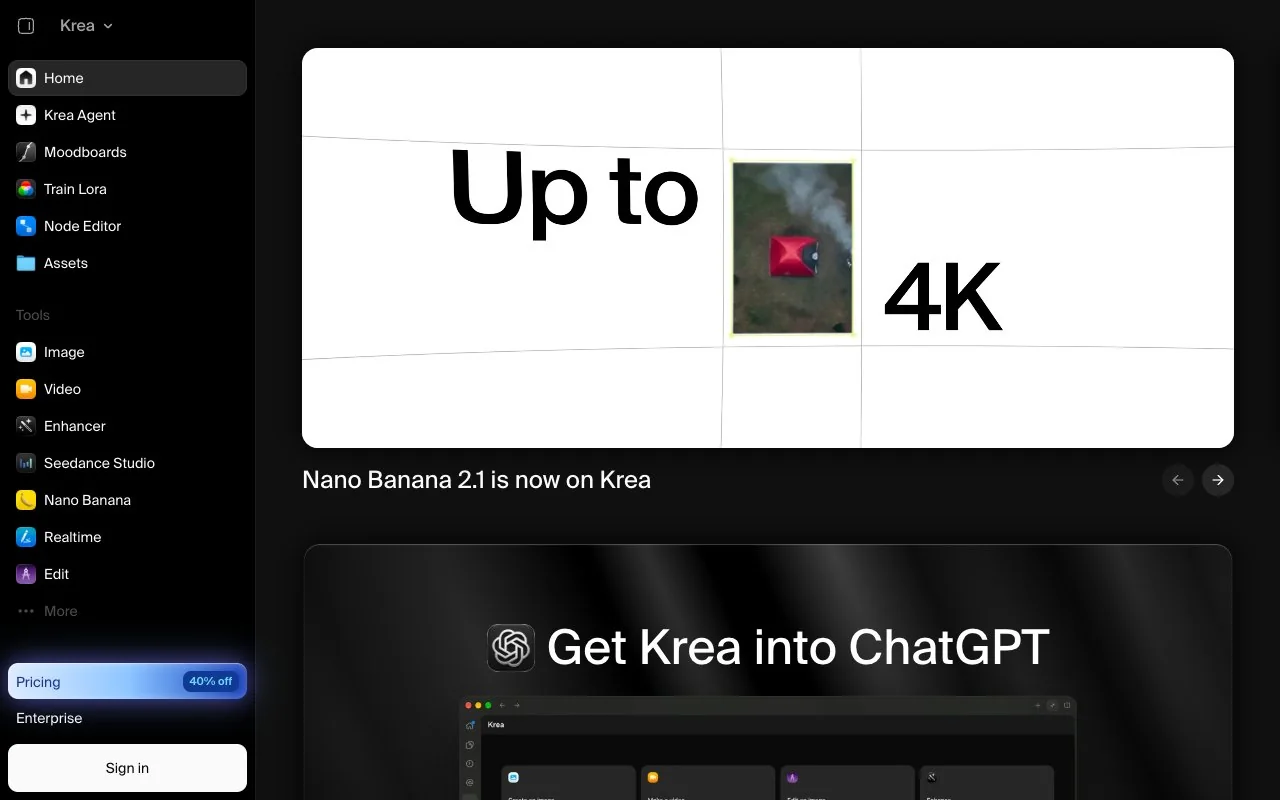
Krea describes itself on its homepage as a creative suite for images, video and 3D, with the line "Dead simple UI. No tutorials needed." The product list is long: text to image and realtime image generation, text to video and motion transfer, text and image to 3D, upscaling, background removal, an image editor, video style transfer and upscaling, LoRA fine-tuning for image and video, an asset manager and a Slack agent. Alongside its own Krea 2 model it routes to third-party models named on the page, including FLUX, Ideogram, Gemini, Veo 3.1, Seedance 2.5, Kling, Hailuo, Wan, Runway, Luma and Topaz for upscaling.
The natural users are designers and small studios who want one subscription that covers sketch-to-render, model switching and print-ready upscaling, and who are comfortable with a unit meter rather than a per-image price. People who only need a handful of finished images a week, or who need a commercial licence on a free plan, will find the fit looser, for reasons the pricing table makes clear.
Is Krea AI free? The Free plan, line by line
Yes, and the Free plan is more generous than most, with one important gap. Per the pricing page, Free costs $0/month, needs no credit card, and refreshes 100 compute units every day. The detailed table marks Free as Limited on image, video, LoRA, real-time, 3D and lipsync model access, allows one image generation at a time and no video concurrency, caps LoRA training at 50 images, and limits upscaling to 2K with the basic upscalers. Krea Nodes, the App Builder, the Nodes Agent and early access to new features are all crossed out for Free.
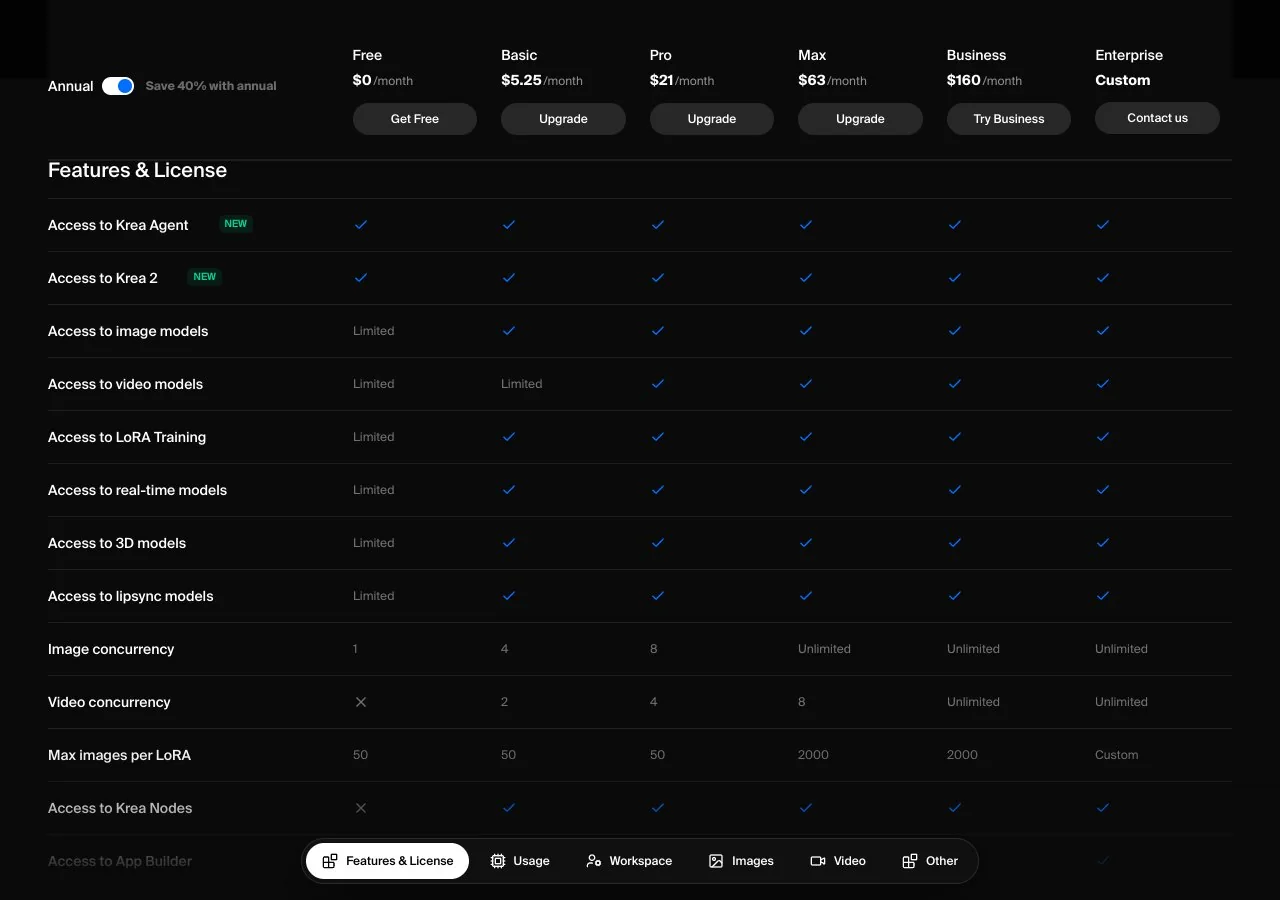
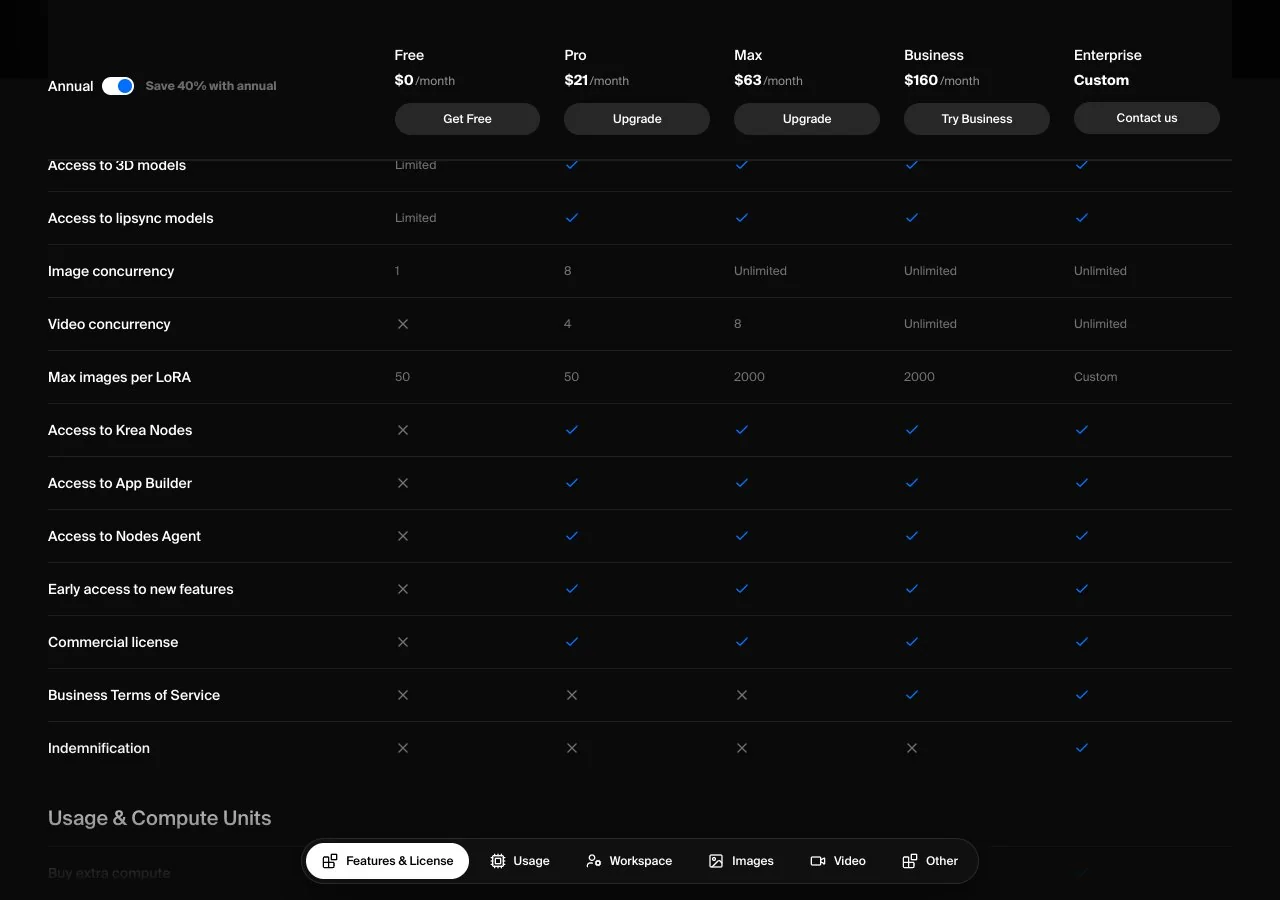
The gap is the commercial licence row, which carries a cross for Free and a tick for every paid tier. In plain terms, images and videos made on the free plan are for personal use; the moment you want to put one in client work, marketing or a product, Krea's own table says you need Pro or above. The images section of the same table converts 100 units into daily counts: roughly 18 Krea 1 images, 11 Krea 2 Medium, 5 Krea 2 Large or 50 Krea 2 Turbo images per day.
Krea AI pricing: Basic, Pro, Max, Business and compute units
Krea AI pricing runs on compute units with a 40% discount for yearly billing. The plan cards show Pro at $35/month, or $21/month billed yearly, for 20,000 units a month, which the card translates into 257 Nano Banana 2 generations or 83 Seedance 2.0 videos; and Max at $105/month, or $63/month yearly, for 60,000 units, with a slider that goes up to 100,000. Pro brings eight image jobs in parallel and four video jobs, LoRA training on 50 images, Topaz-powered upscaling to 22K, Krea Nodes, the App Builder, the Nodes Agent, the commercial licence, and what Krea calls relaxed generations: once your units are spent, supported in-house image models keep working at a slower pace with no cap. Max lifts image concurrency entirely, allows eight parallel video jobs and 2,000 images per LoRA.
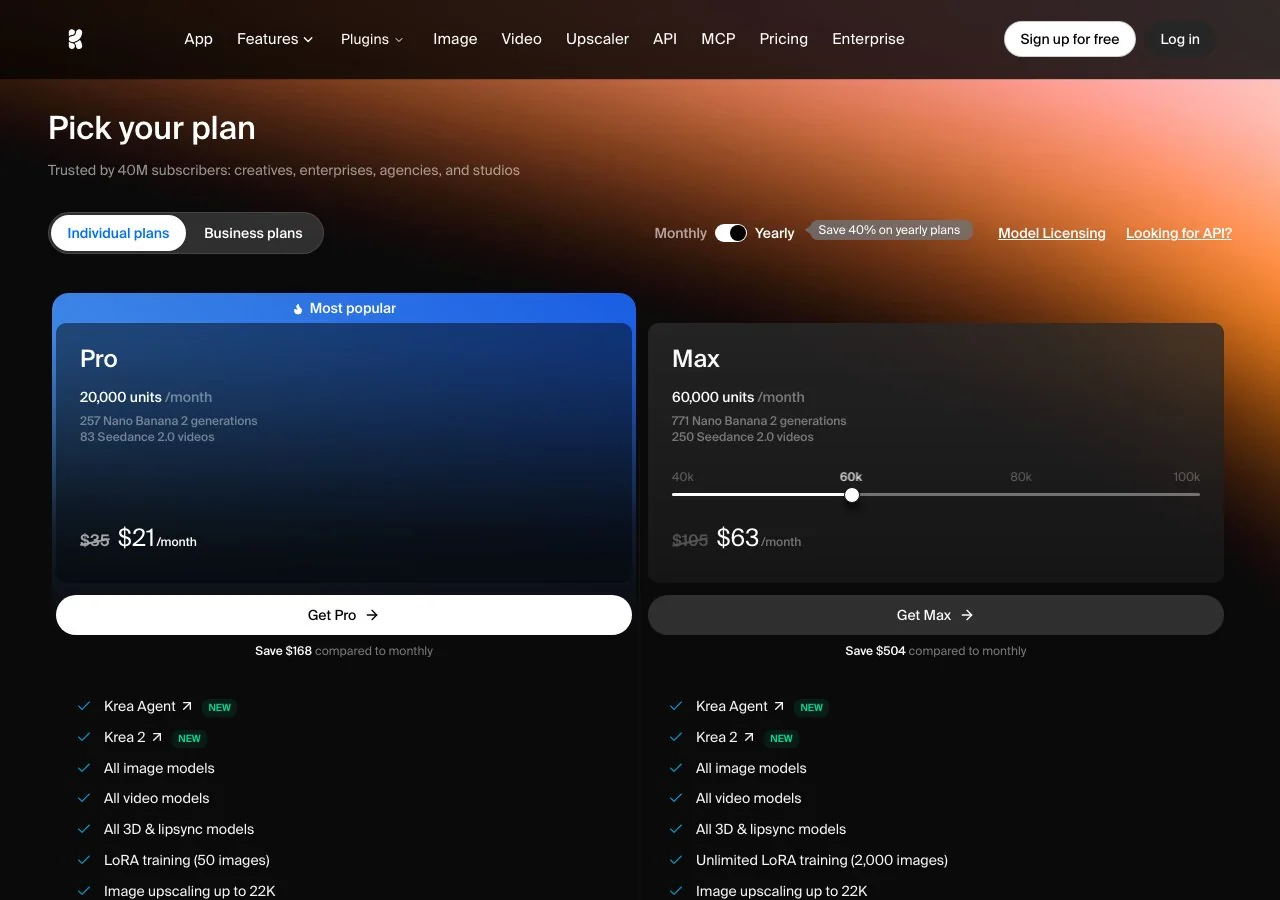
Two tiers are easy to miss. The detailed comparison table, not the plan cards, lists a Basic plan at $5.25/month on yearly billing with 5,000 units a month, four parallel image jobs and two video jobs, and it includes Nodes and the commercial licence as well; we could not see a monthly Basic price on the page. Business is $200/month, or $160/month yearly, for 80,000 units, up to 50 seats and business terms of service, and Enterprise is custom. One-off compute packs run from 2,000 to 50,000 units and expire after 90 days.
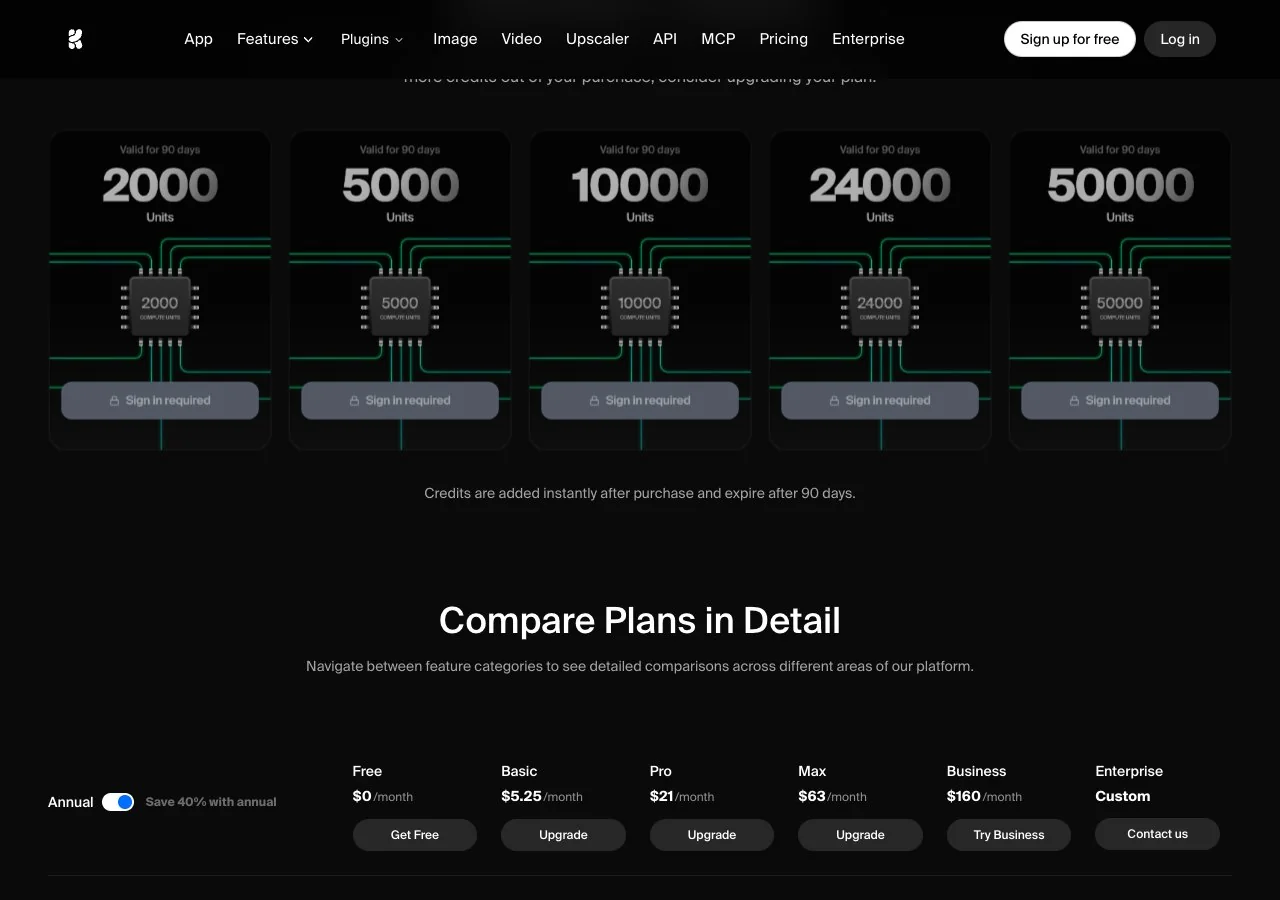
Krea's unit prices per model are not printed on the pricing page; the plan cards only show two worked examples. Before buying a pack, generate on Free for a day and check how many units your usual model and size consume.
Krea Realtime: drawing and typing with instant renders
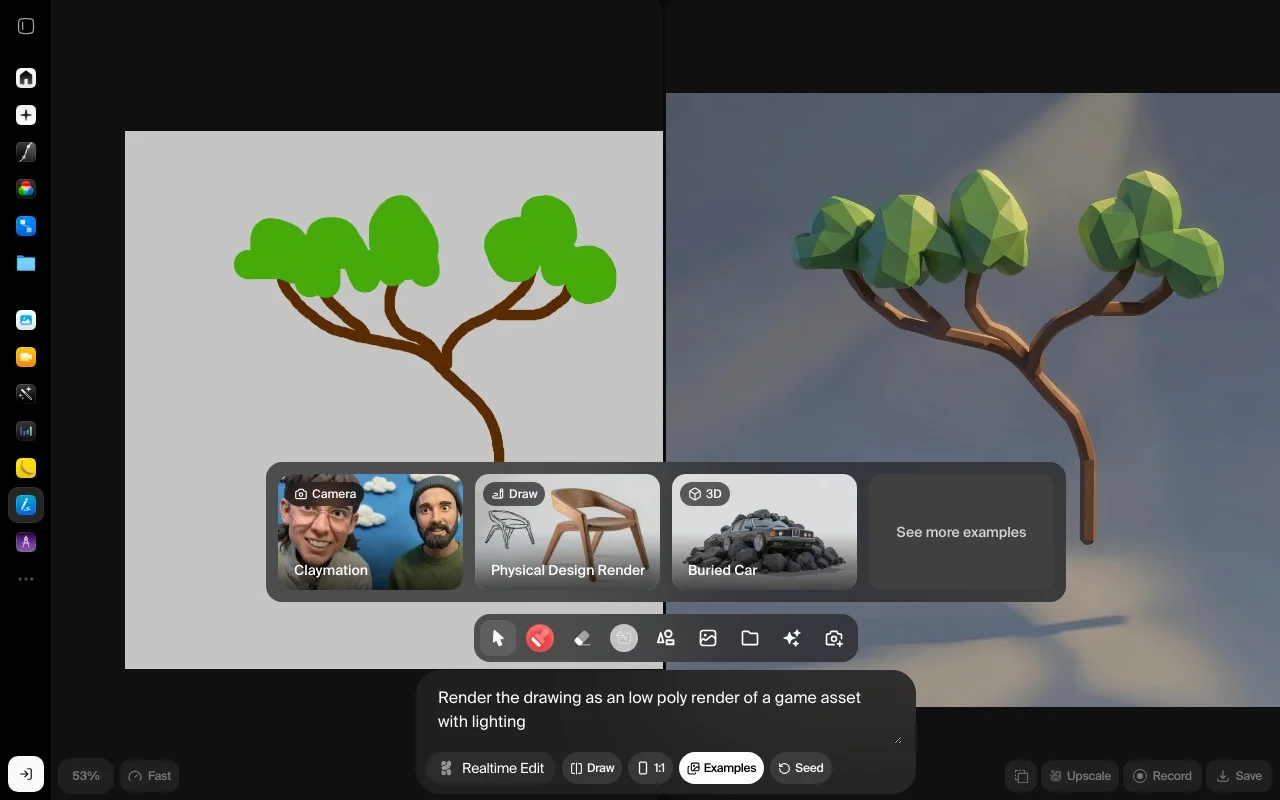
Realtime is the feature Krea is known for, and the Free plan card promises full access to its real-time models, although the detailed table beneath it marks real-time access on Free as Limited; treat the card as the marketing line and the table as the rule. The realtime workspace offers a drawing canvas, a Realtime Edit mode and speed presets labelled from Cinematic at 24 frames per second down to Slowest at 1, so you can trade quality for responsiveness while you sketch. The idea is simple: every stroke or word changes the render immediately, which makes it a layout and ideation tool more than a finishing tool.
Under the hood is a research line Krea has published. Its Krea Realtime 14B post from October 2025 describes a 14-billion-parameter autoregressive video model that generates at 11 frames per second with four inference steps on a single NVIDIA B200, lets you change the prompt mid-generation, and is released with code on GitHub and weights on Hugging Face. That is a video model; the image realtime mode in the app is a separate, lighter path, and Krea does not publish its architecture on the pricing page.
Krea 2 and Krea 2 Turbo: the open-weight model
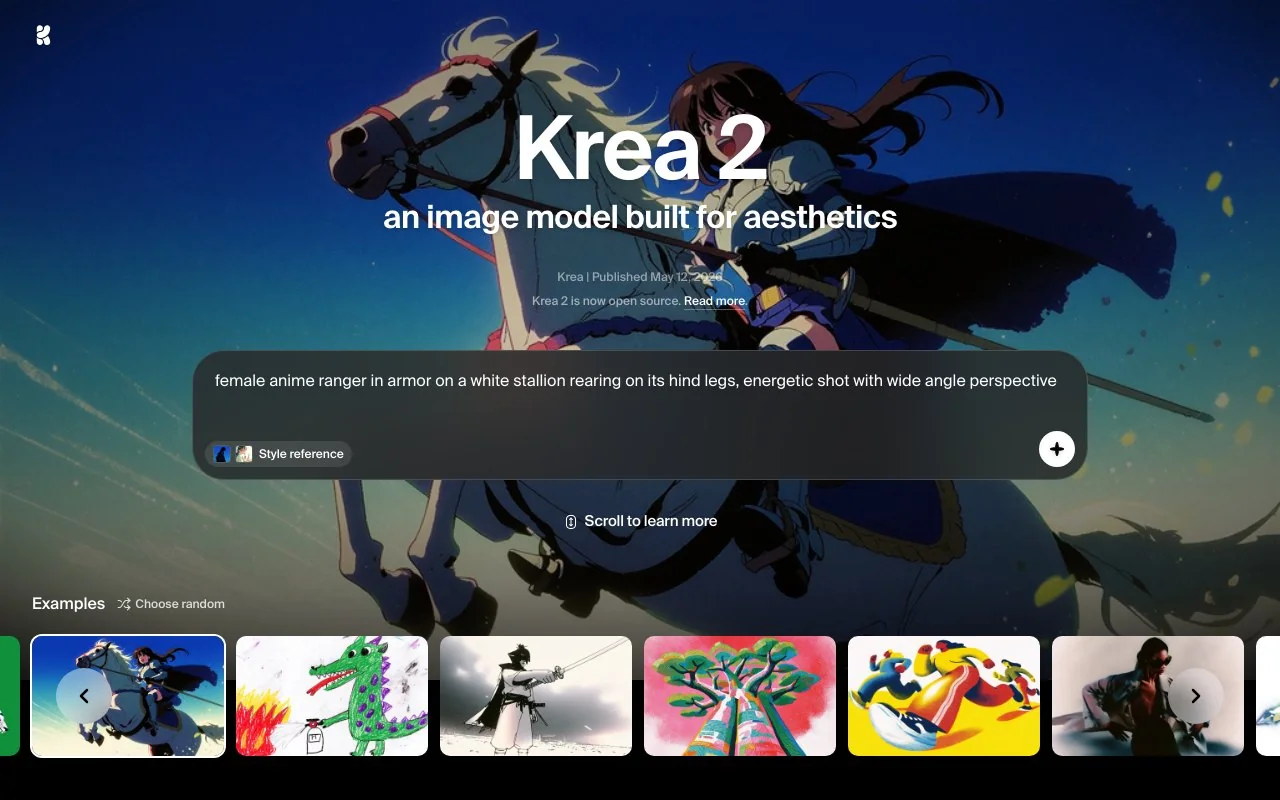
Krea 2 is the company's first image model built from scratch, announced on May 12, 2026 according to its model page, which positions it around aesthetics, style references and moodboards, and claims generation in about 15 seconds. The in-app variants are Krea 2 Medium, Krea 2 Large and Krea 2 Turbo. The Krea 2 Turbo launch post from June 3, 2026 says Turbo produces high-quality images in about two seconds and is meant for rapid ideation, prompt testing and moodboard exploration, while Medium and Large are recommended for the strongest style adherence and final polish.
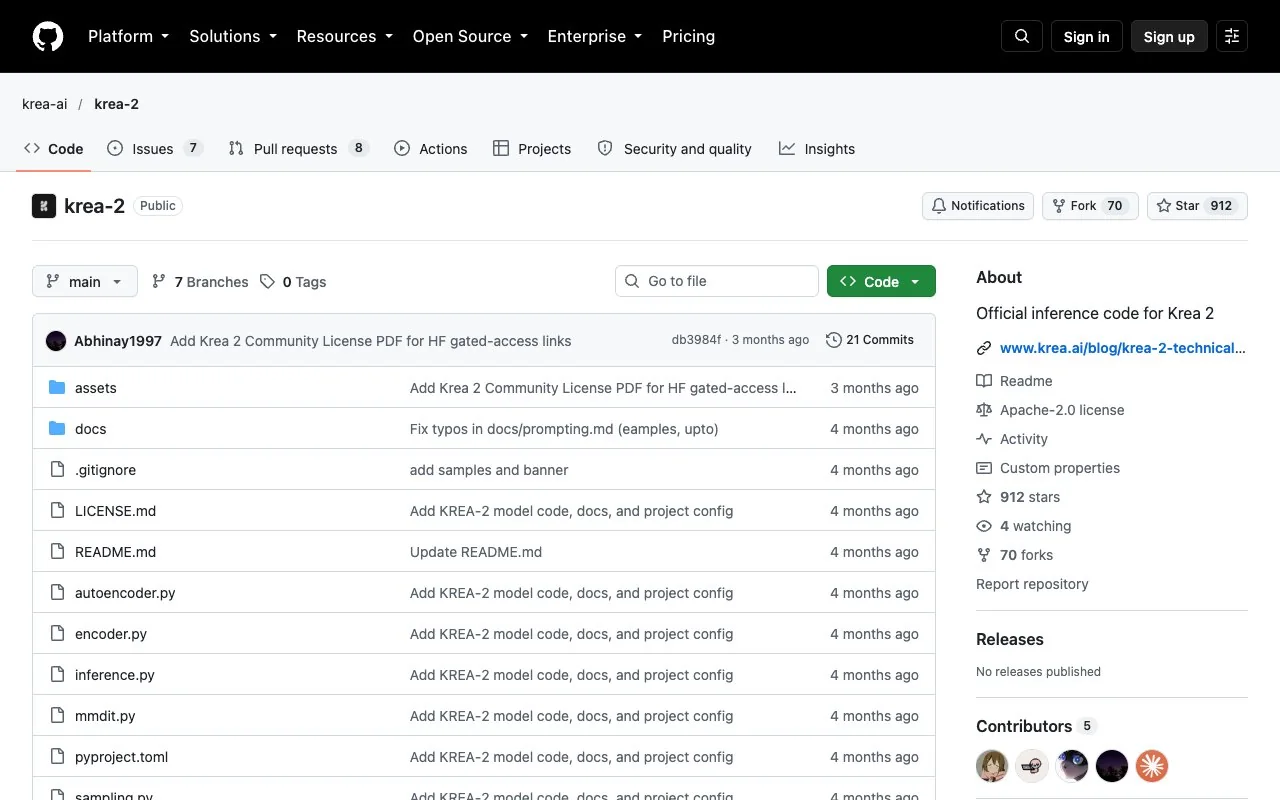
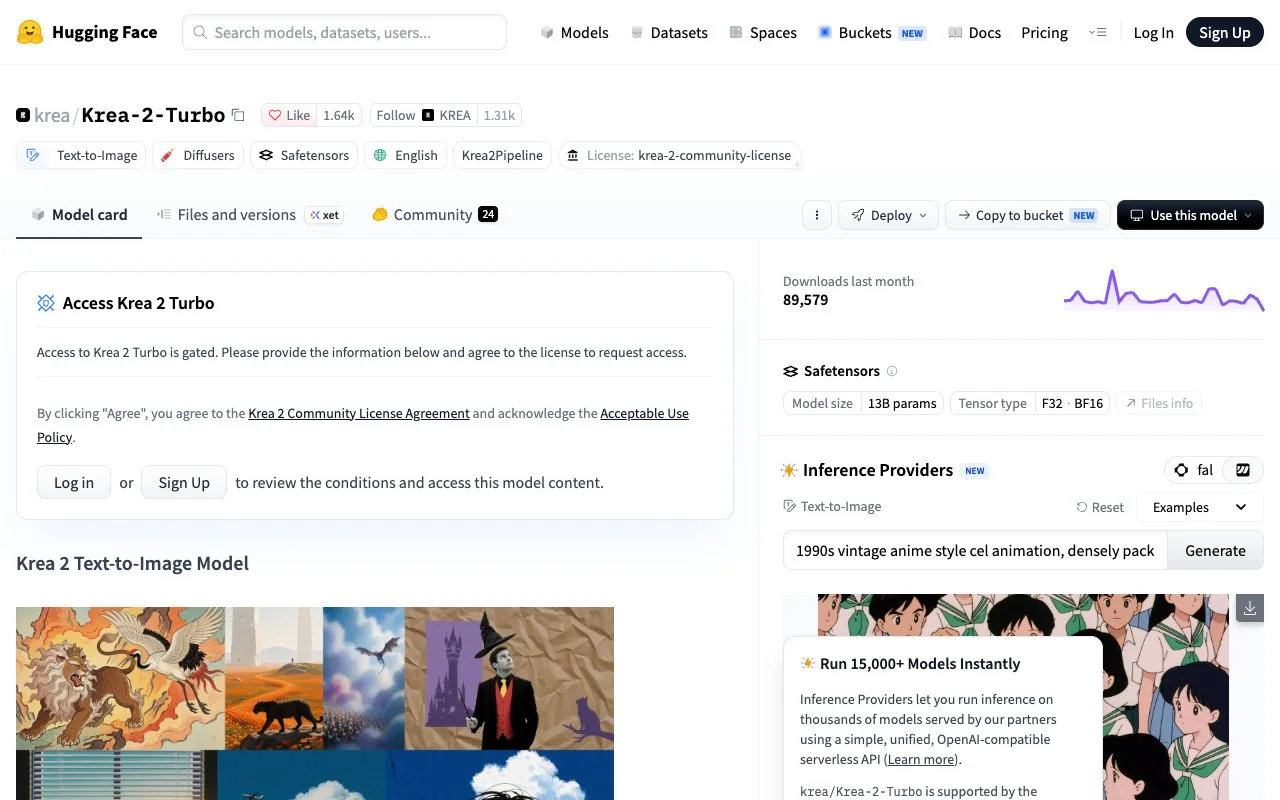
The weights are public. The GitHub repository ships inference code for two checkpoints: Krea 2 RAW, the undistilled base for training, and Krea 2 TURBO, an eight-step distilled model for fast inference, with the advice to train on RAW and run on Turbo. RAW is trained to 1K; Turbo generates from 1K to about 2K, and the Hugging Face card lists a June 22, 2026 release under the Krea 2 Community License, with a commercial licence available by contacting Krea. The technical report of June 23, 2026 describes a diffusion transformer with a Qwen 3 VL text encoder and a multi-stage pipeline from pretraining through reinforcement learning, and claims a top-ten position on the Artificial Analysis text-to-image leaderboard. The card and the repository disagree on the parameter count, so we do not print one.
Enhancer, Nodes, Agent and the rest of the suite
Three parts of the suite deserve a line each. The Enhancer is Krea's upscaler and the reason print designers subscribe: Free is limited to 2K with the basic models, and Pro upward adds paid upscalers, Topaz Standard among them, with outputs to 22K. Krea Nodes is a visual workflow editor in the spirit of ComfyUI, with an App Builder that turns a workflow into a reusable app and a Nodes Agent that edits workflows from a sentence; all three are paid-tier features. Krea Agent, flagged as new on every plan card including Free, takes a brief and plans, generates and iterates across models for you, and the navigation now lists an API and an MCP connector for using Krea from other tools.
Limits to know before you pay
- No commercial licence on Free: the comparison table is explicit, and it is the single most important line for anyone doing client work.
- Compute units expire: one-off packs are valid for 90 days, and the plan cards do not publish per-model unit costs.
- Concurrency is tiered: one image at a time on Free, four on Basic, eight on Pro, uncapped on Max; video jobs are zero on Free.
- Video depends on partners: the video models are third-party (Veo, Seedance, Kling, Wan and others), so quality and limits follow those vendors.
- Business terms and indemnification are reserved for Business and Enterprise; Pro and Max run on the standard consumer terms.
- The Basic tier is hidden on the monthly cards: if $21/month for Pro is too much, scroll to the comparison table and check Basic at $5.25/month yearly.
Krea alternatives by job
Because Krea bundles many jobs, the honest Krea alternatives list is a list per job. Prices below were read on each vendor's page on October 15, 2026.
| Job | Krea's tool | Alternative | What differs |
|---|---|---|---|
| Multi-model image generation | Model menu with Krea 2, FLUX, Ideogram, Gemini | LazyKiwi image generator | Six models, 4K output, credit price shown per run, free credits to start |
| Realtime sketch to render | Krea Realtime | Leonardo.Ai realtime canvas | Leonardo's Free plan refills 150 fast tokens daily; Essential $12 ex. tax for private work |
| Upscaling for print | Enhancer with Topaz to 22K (paid) | Magnific upscaler or LazyKiwi photo upscaler | Magnific Premium $14.50/month yearly; LazyKiwi charges per image with no plan |
| Style-driven art | Krea 2 with moodboards | Midjourney | Midjourney Basic $10/month, no free tier, personalisation profiles |
| Text inside images | Ideogram via Krea's menu | Ideogram direct | Plus $15/month yearly with 2,400 priority credits; free tier with weekly slow credits |
| Open weights, local | Krea 2 Turbo on Hugging Face | FLUX.2 klein with ComfyUI | BFL licence tiers for self-hosting; ComfyUI free in desktop and cloud editions |
| Node workflows | Krea Nodes (Basic and up) | ComfyUI | Free and open, 60,000-plus community nodes, steeper learning curve |
For the generators in that first row we keep a running comparison in best AI image generators, and the Leonardo column is expanded in Leonardo AI alternatives. Magnific's pricing, Midjourney's plan table, Ideogram's plans, BFL's licences and ComfyUI were each opened the same day.
When to use LazyKiwi instead of Krea
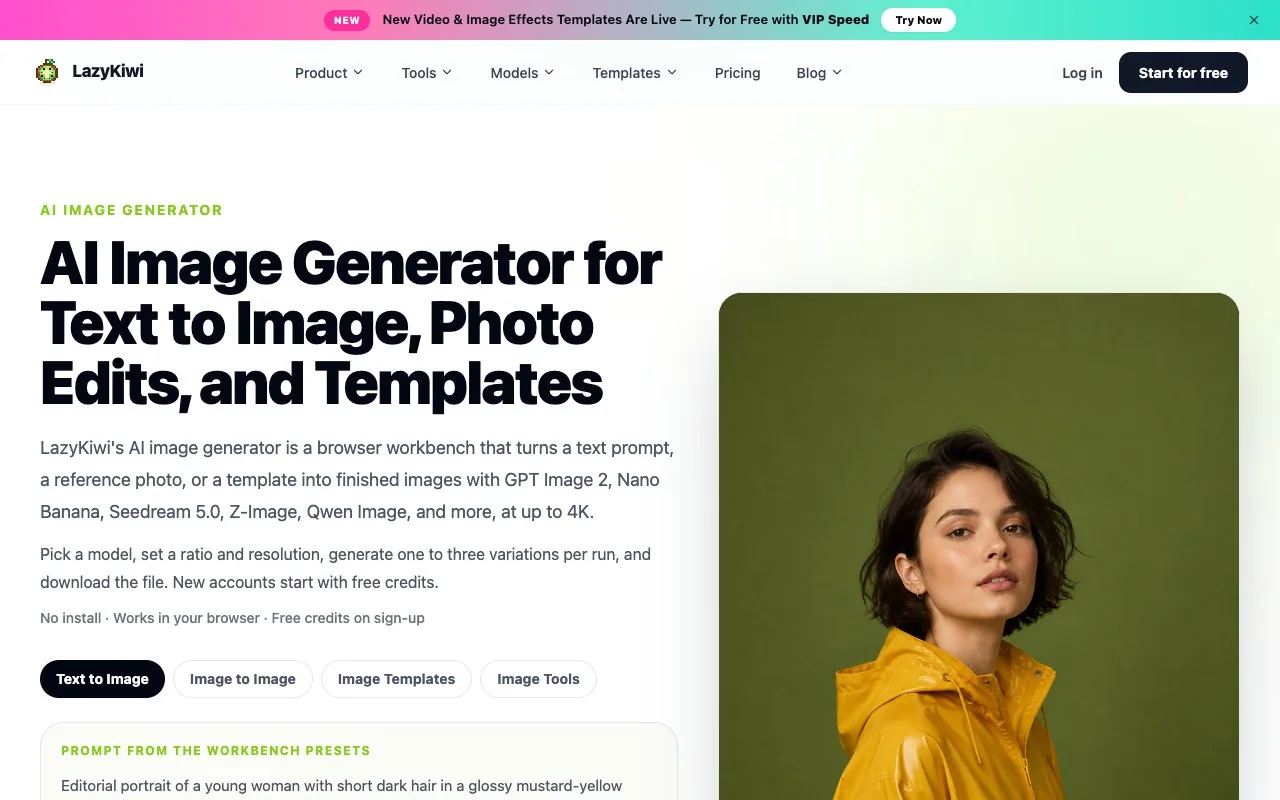
LazyKiwi publishes this blog, so read this as a scoped comparison rather than a verdict. Use the LazyKiwi image generator instead of Krea when you want finished images rather than a canvas: pick Nano Banana for instruction-based photo edits or Z-Image for fast photoreal portraits, set 1K, 2K or 4K, and the credit cost appears on the button before the run. Commercial use and private visibility are listed on the paid plans.
The photo tools overlap with Krea's Enhancer: the AI photo upscaler and AI photo enhancer cover enlargement and clean-up, and single-purpose tools such as the AI hairstyle changer handle jobs that Krea leaves to prompting. What LazyKiwi does not offer: a realtime canvas, LoRA training, a node editor, 3D generation or an API. If those are why you are looking at Krea, Krea is the right tool.
Verdict: who should pay for Krea?
Pay for Pro if you sketch for a living and want realtime rendering, model switching and 22K upscaling in one place, and you need the commercial licence. Try Basic at $5.25/month yearly if you mainly want Nodes and the licence at low volume. Stay on Free if you are learning, iterating on personal projects or testing Krea 2 Turbo, and accept that nothing you make there is licensed for commercial use. Skip Krea if your output is a few finished images a week with a predictable price per image, or if you need local control, where the open Krea 2 Turbo weights or FLUX.2 klein with ComfyUI serve better.
Everything above is dated October 15, 2026. Krea changes its plan table often, and the Basic tier, the relaxed-generation rule and the licence row are the lines most likely to move; check them before you subscribe.
Key takeaways
- Krea's Free plan gives 100 compute units a day with realtime access, but its comparison table crosses out the commercial licence on Free.
- Pro is $35/month or $21/month yearly for 20,000 units; Max is $105 or $63 for 60,000; a Basic tier at $5.25/month yearly appears only in the detailed table.
- Krea 2 is open-weight: RAW for training and Turbo for eight-step inference up to about 2K, under the Krea 2 Community License.
- Krea Realtime 14B is a published 14B video model running at 11 fps on one B200; the in-app image realtime mode is a separate path.
- Pick an alternative per job: LazyKiwi for finished images with a per-run price, Leonardo for a free canvas, ComfyUI for local nodes.
Models & Research Editor
Noah Berger
Noah Berger tracks generative models and the rules around them for LazyKiwi. He works from primary sources, dates every claim, and updates a post when the model or the policy behind it changes.
FAQ
Common questions
Is Krea AI worth it?
For designers who sketch and iterate all day, Pro at $21/month yearly buys realtime rendering, model switching, 22K upscaling and a commercial licence in one place. For people who need a few finished images a week with a known price per image, a per-run tool is cheaper and simpler. We did not benchmark quality, so judge the fit by workflow.
What does the free plan include?
100 compute units a day, no credit card, realtime access (full per the plan card, Limited per the detailed table), limited access to image, video, 3D and lipsync models, one image at a time, LoRA training on up to 50 images and upscaling to 2K. The commercial licence is not included on Free, according to Krea's own comparison table on October 15, 2026.
Is Krea 2 Turbo open source?
Yes. Krea 2 RAW and Krea 2 Turbo are published on GitHub and Hugging Face under the Krea 2 Community License, with a commercial licence available on request. Turbo is an eight-step distilled model that generates from 1K to about 2K; RAW is the undistilled base intended for fine-tuning.
How does Krea compare with Midjourney?
Krea is a suite with many models, a realtime canvas and a free tier; Midjourney is one model family with a strong house style, no free tier and plans from $10 a month. Krea 2 adds moodboards and style references that echo Midjourney's approach, but we have not compared outputs side by side.
Can I use Krea images commercially?
On paid plans, yes: the comparison table ticks the commercial licence from Basic and Pro upward and describes it as covering marketing, products and client work. On the Free plan the licence row is crossed, so free output is for personal use. Business and Enterprise add business terms and, at Enterprise, indemnification.
Need the image, not the canvas?
Generate a finished image on LazyKiwi with Nano Banana, Z-Image or four other models at up to 4K. The credit price sits on the button before you run anything, and new accounts begin with free credits.
Related reading
Best AI Image Generators in 2026: 10 Tools Compared
The best AI image generators in 2026, checked on their own pricing pages today: free tiers, output size, editing and commercial terms for ten tools.
12 min read
Best AI Video Upscaler in 2026: Free and Paid Tools Compared
Six AI video upscaler options with prices verified today, free routes and output limits, plus the LazyKiwi enhancer steps and the signs of over-upscaling.
10 min read
Unblur Image: Fixes That Work by Blur Type
Shake, missed focus and compression each need a different repair. Diagnose the blur before you unblur images, then use the tool that can undo that kind.
9 min read
ArtCraft Apps and PhotoCraft Review: What's Real in 2026
The ArtCraft Crafting Apps reviewed from today's GitHub pages: PhotoCraft, EffectCraft, FilmCraft and ten more, real vs roadmap, install, and the AI gaps.
12 min read