
How to Make an AI Movie Trailer That Feels Cinematic (2026)
Build an AI movie trailer shot by shot: a logline, six to eight generated clips, a title card, a poster and licensed music, with every credit cost checked.
 Daniel Okafor 11 min read
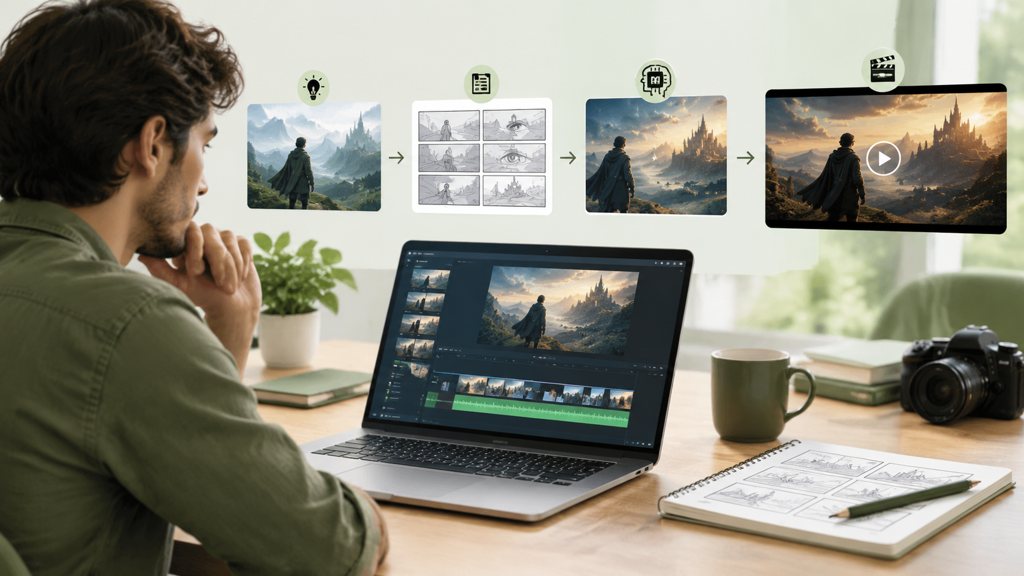
An AI movie trailer is six to eight generated shots cut to music, with a title card at the end and a poster for the thumbnail. Nobody generates a trailer in one prompt; you write a logline, break it into a shot list, render each shot in a text-to-video model such as Seedance 2.5 or Kling v3 Omni, then assemble the pieces in an editor. Below is that workflow as we run it in the LazyKiwi workbench, with the trailer structure taken from StudioBinder, the model limits taken from the model pages, and the credit prices read off the Generate button.
What makes an AI movie trailer feel cinematic?
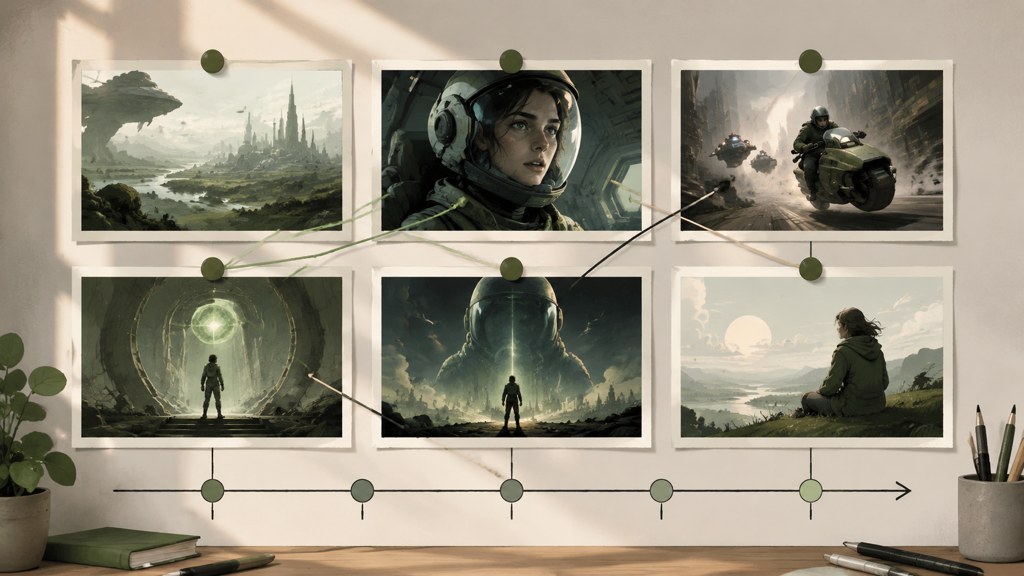
Structure first, pixels second. StudioBinder's trailer guide lays out the classic shape: introduce the world and the lead, bring in the conflict or complication, then raise the stakes and tease the conclusion without resolving it, and it notes that a full trailer should stay within a couple of minutes while a teaser usually runs about one minute, per StudioBinder (2026). The same guide's line that visual variation is critical is the one rule generated footage most often ignores.
Variation means shot size and camera movement, not just different subjects. Film shot vocabulary runs from establishing shots through medium shots to extreme close-ups, per StudioBinder's shot guide (2026), and camera movement adds push-ins, tracking, boom and handheld on top, per StudioBinder's movement guide (2026). A trailer that alternates a wide, a close-up and a moving shot reads as edited; six medium shots with a slow zoom read as a slideshow.
Why does 21:9 framing matter?
Wide frames are the cheapest cinematic signal available. Seedance 2.5 renders 21:9 natively, so an establishing shot arrives with black bars already implied rather than cropped from 16:9 and softened. Keep every shot in one ratio, though: mixing a 21:9 opener with 9:16 phone footage is the fastest way to look like a compilation, which is the first item in the mistakes section.
- Three beats: world and lead, complication, stakes and tease, in that order.
- At least three shot sizes and two camera moves across the sequence.
- One aspect ratio for the whole cut, chosen before the first render.
- Music that changes at the beat boundaries, with a hard cut to silence before the title.
- A title card and a poster made outside the video model, where text stays sharp.
How to make an AI movie trailer step by step
Everything below happens in the LazyKiwi AI video generator plus a desktop editor of your choice. Budget an afternoon: the renders take minutes each, and the shot list takes longer than people expect. In LazyKiwi's workbench data (August 2026) the median time from signup to a first generation is about 1.5 minutes, so the tool is never the slow part; the planning is.
- 1
Write the logline
One sentence with a lead, a want and an obstacle. 'A lighthouse keeper discovers the fog is alive' gives every later prompt a subject, a location and a threat. Skip this and the shots will not cut together, however good each one looks.
- 2
Break it into a shot list of six to eight
Assign each shot a size and a move: 21:9 establishing wide with a slow push-in, hero close-up static, two action beats handheld, one insert, one reveal boom-up. Note the time of day and colour palette once and paste them into every prompt.
- 3
Render the establishing shot in Seedance 2.5
Pick Seedance 2.5 in the Generator tab, set 21:9 and the shortest duration that covers the move, and paste the shot prompt. Generate two takes and keep the steadier one; a wobble in the opener sets the tone for everything after it.
- 4
Render the hero close-up in Kling v3 Omni at 1080p
Faces are where 720p shows. Switch to Kling v3 Omni, choose 1080p, and reuse the exact character description from the shot list, down to the coat colour. The model page lists 16:9, 9:16 and 1:1 only, so plan the close-up in 16:9 and letterbox it in the edit to match the 21:9 opener.
- 5
Render the action beats and the reveal
Action shots tolerate lower resolution because they are on screen for a second; the reveal does not, because it holds. Render the beats at 720p and the reveal at the highest setting the model offers, then stop generating. More takes rarely fix a weak shot list.
- 6
Make the title card and poster
Use the cinematic title template for the card and the streaming poster template for the key art (details in the titles section). Never ask the video model to render the title; letterforms warp.
- 7
Edit to music
Lay the track first, mark the beat changes, then drop shots onto the marks. Cut to black for half a second before the title card. Export in the ratio you chose in step two and check it on a phone before posting.
Which AI movie trailer generator settings and models work best?
Four models in the workbench cover trailer work, and each has one job it does better than the others. The limits below come from the LazyKiwi model pages; the prices are what the Generate button displayed for a 5-second clip when we captured the panels on 2026-09-06, and both discount badges and list prices move.
| Model | Duration | Resolution | Aspect ratios | Prompt limit | Button price for 5 s (2026-09-06) |
|---|---|---|---|---|---|
| Seedance 2.5 | 4 to 30 s, any second | 480p / 720p | 21:9, 16:9, 4:3, 1:1, 3:4, 9:16 | 5,000 chars, up to 9 reference images | 1,150 credits at 720p |
| Kling v3 Omni | 3 to 60 s (3 to 15 s frame-to-frame) | 720p / 1080p | 16:9, 9:16, 1:1 | 2,500 chars | 829 credits at 720p, 26% off badge shown |
| MiniMax H3 | 4 to 15 s | 768p / 2K | 21:9 through 9:16 (six) | 7,000 chars | not captured |
| Veo 3.1 Lite | 4 to 60 s (six presets) | 720p / 1080p | 16:9, 9:16 | 1,000 chars | not captured; no audio in LazyKiwi |
Which model for which shot?
Seedance 2.5 takes the opener and any shot that needs 21:9 or a start-and-end frame pair; its page also lists nine reference images, which is how you keep a prop consistent across takes. Kling v3 Omni takes the faces, because 1080p is the difference between a close-up that holds and one that smears, and its 60-second ceiling covers a long tracking shot if the trailer needs one. MiniMax H3 takes a 2K insert you intend to crop into. Veo 3.1 Lite covers vertical cuts at 1080p but ships silent here, so it is a picture-only choice. There is no Sora in the workbench: a search for a sora ai movie trailer lands on an alternatives page, not a model you can run.
Add it up before you start. Six shots at the 1,150-credit Seedance price come to 6,900 credits; six at the 829-credit Kling price come to 4,974, and because the pricing page ties cost to clip length as well as model and resolution, a 4-second render is cheaper than the 5-second default. Most trailers we cut used five seconds for the opener and reveal and four for everything else.
Render at 720p for the offline cut. Once the edit locks, re-render only the shots that hold longer than two seconds at 1080p or 2K; the rest are on screen too briefly to justify the credits.
What prompts produce trailer-worthy shots?
A shot prompt reads like a line from a shot list: size, subject, action, movement, light, palette, then the negatives. The four below are the ones every trailer needs, written for the lighthouse logline so you can see how the shared details carry across. Swap the nouns and keep the structure.
Establishing shot (21:9, Seedance 2.5)
Extreme wide shot, 21:9. A lone lighthouse on a black basalt headland at dusk, fog rolling in from the sea and swallowing the rocks. Slow push-in from the cliff edge. Cold blue-grey palette, single warm light in the lantern room. Photoreal, film grain, no people, no text.
Hero close-up (Kling v3 Omni, 1080p)
Close-up, static camera. A weathered lighthouse keeper in his sixties, grey beard, navy wool coat with brass buttons, stares past the lens at something below the frame. Lantern light from the left, fog behind. He does not blink. Photoreal, shallow depth of field, no text.
Action beat (handheld)
Medium shot, handheld. The same keeper in the navy wool coat runs up a spiral iron staircase, lantern swinging, fog pouring through a broken window behind him. Fast, shaky, motion blur. Cold blue-grey palette, warm lantern highlights. No text.
Reveal (boom up)
Wide shot, camera booms up from the base of the lighthouse to the lantern room. The fog below has formed a slow human face the size of the headland. Dusk, cold blue-grey palette, one warm light. Photoreal, film grain, no text.
Effects can come after the render instead of inside it. The AI VFX generator takes a finished clip and a plain-language description of the effect, then places it so it matches the shot's perspective and lighting, per the tool page. For the fog face we would render the boom-up clean and add the face as a VFX pass; a model asked to do both in one prompt tends to break the camera move.
How to add titles, a poster and music to an AI trailer
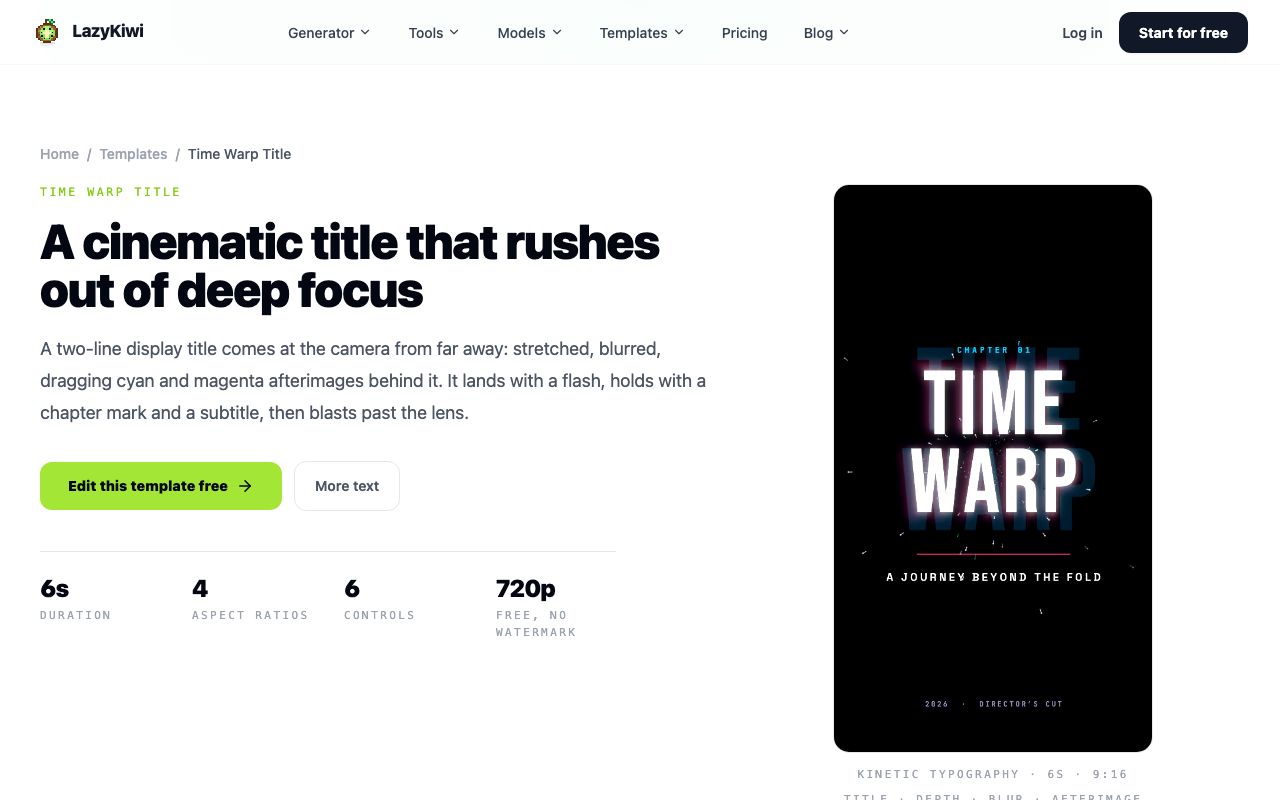
Titles come from a motion template, not the video model. The cinematic title template is a two-line display title that rushes toward the camera with cyan and magenta afterimages, lands with a flash, holds with a chapter mark and subtitle, then blasts past the lens; its page lists a 6-second duration, four aspect ratios, six editable controls and 720p output that is free with no watermark.
Key art is an image job. The streaming series poster template keeps the people from one photo, rebuilds the background as a rain-slicked night city with a warm streetlamp bloom, grades everything dark teal, and leaves the top third clear with a thin gold serif title and tagline placeholder to replace. The template page recommends one or two people framed waist-up or closer, faces lit.
Where does the music come from?
Licensed trailer music is a subscription line item. Epidemic Sound (2026) lists an Ads, Promos and Trailers category and states that a subscription covers use of its music and sound effects anywhere online, including YouTube, Instagram and TikTok. Whatever the source, pick the track before the edit: the beat boundaries decide where the cuts go, and a trailer cut to one track and swapped to another afterwards always looks a frame off.
- Track structure to look for: a quiet intro, a build with a clear pulse, a hard stop, then one hit for the title.
- Cut on the pulse during the middle beat; hold shots longer in the intro.
- Duck the music under any sound effect; a trailer with music at full volume over an impact is the amateur tell.
- Keep the poster's title typography and the title card's typography the same family.
Can you make an AI movie trailer for free?
The wrapper is free; the shots are not. The Free plan on the LazyKiwi pricing page comes with 40 credits, refreshed monthly. Against that budget, the cinematic title template renders at 720p with no watermark for free, and the poster template showed a 13-credit price at 1K in our capture, which leaves change from the allowance. A single 5-second video shot at the prices in the table above costs more than the monthly free credits, so a full six-shot trailer needs a paid pack. For a zero-cost test of the pipeline there is a free 5-second Seedance template, which 15 external accounts used in the August 2026 workbench data; it proves the workflow before you buy shots.
The cheapest way to a trailer of a real person is a template rather than prompts. The movie behind-the-scenes template takes one photo and returns a 15-second 9:16 montage of four film-set setups, with the costume held through all four, per its page. It is a finished piece, not raw shots, but it answers the 'trailer of myself' brief in one render. Our guide to character swap AI explains how to replace the subject in a shot you have already rendered, and the consent rules that apply.
How do the other trailer tools price it?
| Tool | What its site says (checked 2026-09-06) | Free entry |
|---|---|---|
| LazyKiwi | Seedance 2.5, Kling v3 Omni, MiniMax H3 and Veo 3.1 Lite in one workbench; title and poster templates | Free plan, 40 credits a month |
| Runway | Positions Gen-4.5 as its flagship video model with a motion-quality claim | Home page offers 'Try Runway for free' |
| Luma | Lists 'Direct a book, game, or film trailer' as a use case; Plus plan shown at $30 a month with 10,000 credits | 'Try for free' on the home page |
| invideo AI | Plus plan shown at $17 a month billed yearly with 750 credits and access to Seedance 2.5, Veo 3.1 and Kling 3 | Not stated on the home page |
| CapCut | Editor with template library; the trailer templates are inside the app | 'Try online for free' |
Those rows are what the vendors publish, not a test, and most movie trailer AI tools change their tiers without notice. Runway (2026) describes Gen-4.5 in its own words, Luma (2026) names trailers as a use case and prices its Plus tier on the same page, invideo AI (2026) lists which third-party models a Plus plan reaches, and CapCut (2026) is the editor most people already have. An AI trailer generator that bundles editing saves a step; a workbench that gives you the raw shots gives you the cut.
What mistakes make AI trailers look amateur?
An ai generated movie trailer fails in the edit far more often than in the render. These are the faults we see most, in the order viewers notice them.
- Mixed ratios: a 21:9 opener followed by a 16:9 close-up with no letterbox. Decide the ratio in the shot list and letterbox everything to it.
- Character drift: the coat changes colour between shots. Paste the identical description into every prompt and use reference images where the model accepts them.
- Shots that hold too long: a generated clip loses coherence after two or three seconds. Cut before the physics go wrong, not after.
- No sound design: music only, no impacts, no ambience. One fog hiss and one door slam do more than a second music track.
- Text rendered in the model: warped letters on a sign or a title. Titles come from the motion template; signs get removed from the prompt.
- Trailer that explains the plot: the stakes get teased, not resolved, per the StudioBinder structure in the first section.
Do you have to disclose it?
For anything photoreal, yes. YouTube requires creators to disclose when AI is used to meaningfully alter or generate photorealistic content, including making a real person appear to do something they did not, per YouTube Help (2026). TikTok requires creators to label realistic AI-made images, audio or video, per TikTok Newsroom (2023). A trailer that puts a real friend on a film set clears both bars; tick the box at upload and leave the label on.
Watch the cut muted once and with your eyes closed once. Muted, the shot sizes should still tell the three-beat story; eyes closed, the music should still land the title. If either pass fails, the fix is in the edit, not in another render.
Key takeaways
- Structure is three beats (world, complication, stakes) inside a couple of minutes at most, per StudioBinder; six to eight shots of 4 to 5 seconds cover a 30-second cut.
- Seedance 2.5 renders 21:9 natively at up to 720p and 4 to 30 seconds; Kling v3 Omni renders faces at 1080p; both are in the LazyKiwi workbench with prices shown on the Generate button.
- Titles come from the cinematic title template (6 s, 720p, free, no watermark) and key art from the streaming series poster template (13 credits at 1K in our capture), never from the video model.
- The Free plan's 40 monthly credits cover the title card and the poster; a single 5-second video shot cost 829 to 1,150 credits in our captures, so the shots need a paid pack.
- Photoreal trailers need YouTube's AI disclosure and TikTok's AI label; render at 720p for the rough cut and re-render only the holding shots at 1080p or 2K.
Video Workflows Editor
Daniel Okafor
I run the same clip through every video model we ship and write down what actually changes: motion, timing, cost, and where each one falls apart.
FAQ
Common questions
How do I make a movie trailer with AI?
Write a one-sentence logline, turn it into a shot list of six to eight shots with a size and a camera move each, render the shots in a text-to-video model (Seedance 2.5 for the 21:9 opener, Kling v3 Omni for 1080p faces), make the title card and poster from templates, then cut everything to a licensed track in a desktop editor.
What is the best AI movie trailer generator?
There is no single model that wins every shot. In the LazyKiwi workbench, Seedance 2.5 handles wide 21:9 openers and start-and-end frames, Kling v3 Omni handles 1080p close-ups, and MiniMax H3 handles 2K inserts. Bundled tools such as invideo AI and Luma trade that control for a one-click assembly; check their pricing pages on the day.
Can I make a trailer of myself or my pet?
Yes, two ways. The movie behind-the-scenes template takes one photo and returns a 15-second 9:16 montage of four film-set setups with the costume kept constant. For a custom cut, upload the photo as a reference image in Seedance 2.5 and reuse the same description in every prompt; expect some drift between shots and cut fast around it.
How many clips does a 30-second trailer need?
Six to eight. A typical split is one 5-second establishing shot, one 5-second reveal, and four to six action or character shots of 4 seconds each, cut shorter in the edit. Generated clips lose coherence after two or three seconds on screen, so more short shots beat fewer long ones, and StudioBinder's rule that visual variation is critical applies.
Can I use AI trailers commercially?
Usually, with three checks. Use licensed music (a subscription such as Epidemic Sound covers online use while active), do not reference real films or actors in prompts, and add the platform disclosure: YouTube asks for it on photorealistic generated content and TikTok requires a label on realistic AI video. Check the model provider's terms for commercial output as well.
Shoot your first trailer shots
Open Seedance 2.5, set 21:9, and render the establishing shot from your logline. Check the button price first, then commit credits.
Keep reading
AI Video Effects That Stop the Scroll: A 2026 Hook Guide
Which AI video effects stop the scroll, how to add one to a photo or clip in minutes, and what the free tiers really cover, checked on official pages.
10 min read
AI Video Prompts: Text-to-Video Prompt Guide for Every Model
Most AI video looks generic because the prompt was generic. Here is the prompt anatomy experienced creators rely on (subject, action, setting, camera, lighting, style) to land clean, cinematic results on the first generation.
6 min read
How to Make AI Cat Videos People Actually Watch (2026 Guide)
Make AI cat videos from one photo with models that keep paws and eyes honest, run the dance templates, keep one cat across a series and test free.
9 min read
How to Make an AI Baby Meme (Video and GIF) in 2026
Where the AI baby meme came from, how to make the image, video and GIF versions from one photo, caption formats that land, and the label rules per platform.
9 min read