
Kling vs Veo 3 in 2026: Which Video Model Wins?
Kling vs Veo 3 on the two tiers LazyKiwi runs: Kling v3 Omni for start-end frames, 1:1 and 60-second takes, Veo 3.1 Lite for silent 16:9 clips.
 Noah Berger 10 min read
Kling vs Veo 3 comes down to what the two tiers in front of you can genuinely do. In LazyKiwi that means Kling v3 Omni against Veo 3.1 Lite, and the split is clean: Kling gives you first-and-last frames, a 1:1 ratio and single runs as long as 60 seconds; Veo 3.1 Lite gives you cheaper 16:9 or 9:16 clips with no audio. When I opened both on 6 September 2026, the Kling v3 Omni button priced a five-second 720p clip at 829 credits and the Veo button priced eight seconds at 720p at 400. The rest of this post explains where each one earns that price.
Kling vs Veo 3: which should you pick in 2026?
Pick Kling v3 Omni when the shot is defined by motion you need to control: a transition between two stills, a square crop for a feed, or a take longer than eight seconds. Pick Veo 3.1 Lite when you want the cheapest clean 16:9 or 9:16 render and you will add sound in the edit anyway. Both models sit in the same AI video generator, so switching costs nothing but credits.

One correction to the earlier version of this post: the Kling entry in LazyKiwi is no longer the 1.x model it named. The catalog now runs Kuaishou's third-generation Kling as Kling v3 Omni, and every fact below refers to that model.
| Job | Kling v3 Omni | Veo 3.1 Lite | Winner |
|---|---|---|---|
| Start frame to end frame transition | Yes, 3 to 15 seconds | Not offered | Kling |
| Square 1:1 output | Yes | 16:9 and 9:16 only | Kling |
| Single take over 8 seconds | Up to 60 s | Up to 60 s in presets | Tie on length; Kling on control |
| Cheapest 16:9 test clip | 829 credits for 5 s at 720p | 400 credits per 8-second 720p clip | Veo 3.1 Lite |
| Native audio | Not in LazyKiwi | Not in this tier | Neither; use your editor |
Prices are from the price tag
Every credit figure in this post is what the price tag on the button displayed on 6 September 2026 with the settings named in the sentence. Kling was on a 26 percent sale that day, so check the button before you budget.
What is Kling v3 Omni?
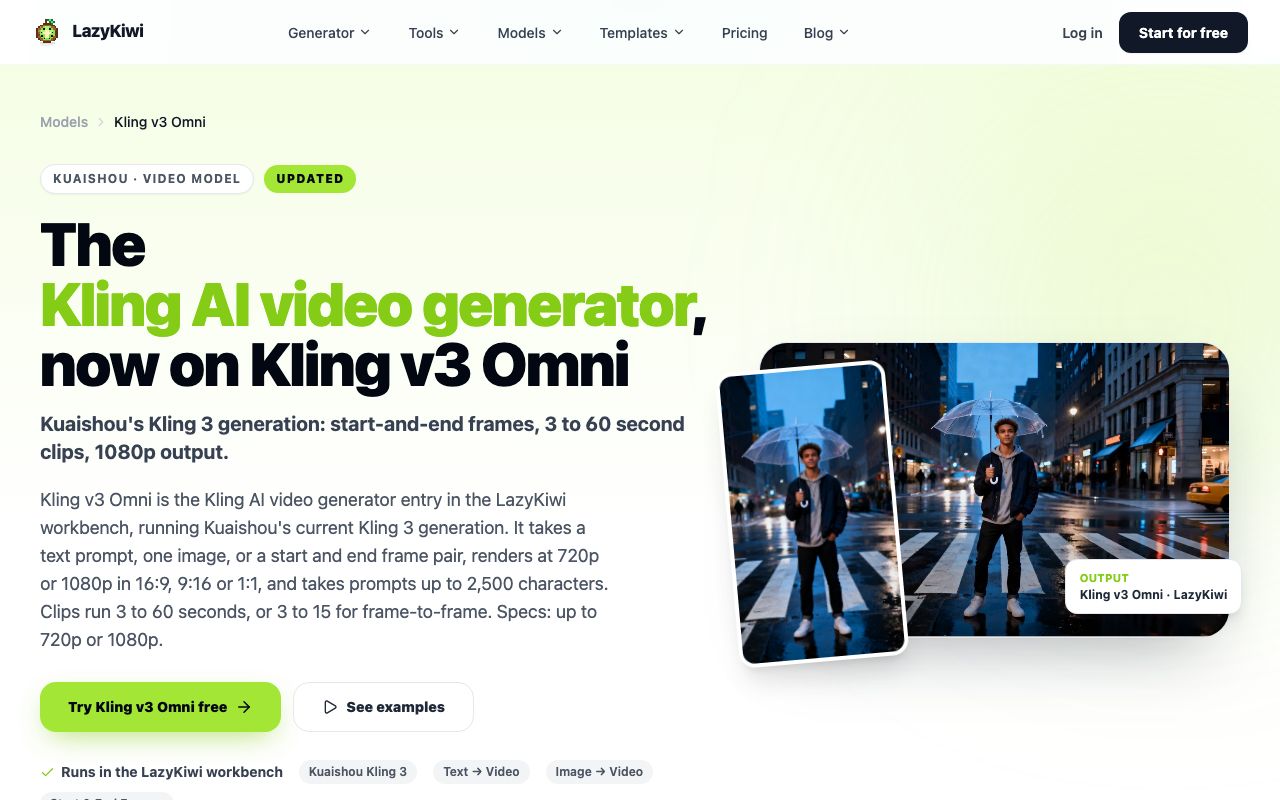
Kling v3 Omni is how LazyKiwi exposes Kuaishou's third-generation Kling. According to the Kling v3 Omni page it accepts a written prompt, a single image, or an opening and closing frame; outputs 720p or 1080p in widescreen, portrait or square; takes up to 2,500 characters of prompt; and runs anywhere between 3 and 60 seconds, capped at 15 when both frames are supplied.
On its own site Kuaishou frames the 3.0 series as one architecture that reads mixed-media instructions and ties the on-screen subject to its voice, per Kling AI (2026). What LazyKiwi surfaces is the picture side of Omni; the sound and effects tools stay on Kuaishou's platform, so think of Kling here as a silent renderer with unusually good motion controls.
What does the Kling workbench look like?
The mode picker next to the model name switches between References to Video and Start & End Frames. In frame mode the prompt field changes to 'Describe the transition', which is the clearest signal of what Kling is for: you supply the two compositions and describe how one becomes the other.
What is Veo 3.1 Lite?
Veo 3.1 Lite is the cheaper Veo 3.1 tier that Google introduced in March 2026, and it is what LazyKiwi runs under the Veo 3 name. Per the Veo 3.1 Lite page you get text or image input, widescreen or portrait only, 720p or 1080p, six fixed lengths between 4 and 60 seconds, and a prompt box capped at 1,000 characters. The tier ships without audio, so expect silent files.
That last point matters because Google's own Veo 3.1 is known for sound. The Veo page at Google DeepMind promotes built-in sound, tighter prompt following, reference-image input and output at 1080p or 4K, per the Veo page at Google DeepMind (2026). If the question is 'is Veo 3.1 good', the honest answer is that the full model and the Lite tier are different products; in LazyKiwi you are buying Veo's picture, not its audio.
How much does a single Lite clip cost?
Leaving the defaults alone (widescreen, eight seconds, 720p), the Veo 3.1 Lite button quoted 400 credits at the time, 6 September 2026; the 4-second preset is cheaper and 1080p is dearer. For a plain 16:9 test that is roughly half the price of a Kling clip that is three seconds shorter, which is the main reason Veo 3.1 Lite is the default for quick checks.

Kling 3.0 vs Veo 3.1 compared: motion, keyframes, audio, ratios and credits
The table below is a kling 3.0 vs veo 3.1 spec sheet for the tiers you can run today, with the complete Google-hosted Veo 3.1 in a separate column so you can see what the Lite tier leaves out. Figures come from the LazyKiwi model pages and the vendors' own pages, all read on 6 September 2026.
| Dimension | Kling v3 Omni (LazyKiwi) | Veo 3.1 Lite (LazyKiwi) | Veo 3.1 full (Google) |
|---|---|---|---|
| Input modes | Text, one image, first and last frames | Text, one image | Text, image, 1 to 3 references |
| Clip length | 3 to 60 s; 3 to 15 s for frame pairs | 4, 6, 8, 30, 45 or 60 s presets | Google's own tests use eight-second clips; extendable |
| Resolution | 720p or 1080p | 720p or 1080p | 1080p and 4K |
| Aspect ratios | 16:9, 9:16, 1:1 | 16:9, 9:16 | Widescreen and portrait in Google's published tests |
| Prompt limit | 2,500 characters | 1,000 characters | Not published |
| Audio | None in LazyKiwi | None | Native audio |
| Credits, 720p | 829 for 5 s (sale price) | 400 for 8 s | Sold through Gemini, Flow or Vertex |
Which model handles motion better?
Kling's advantage is control rather than a claim about smoother pixels. a first-and-last frame pair pins the first and last composition, so the model only has to solve the path between them. That is the difference between hoping a 'camera arcs around the product' and knowing where the arc ends. For the vocabulary itself, StudioBinder's list of pan, tilt, push in, dolly, tracking and arc moves is the reference I paste from, per StudioBinder (2026).
Veo 3.1 Lite has no keyframe mode, so its motion is prompt-driven only. In practice it follows single camera instructions well over 8 seconds; the longer presets are where drift shows, because there is no end frame to anchor the last second. If you want crowd votes instead of my impressions, Artificial Analysis (2026) and Arena (2026) both run blind pairwise video rankings that move as models update.
Does either model make sound in LazyKiwi?
No. In LazyKiwi both tiers are silent, which takes away the dimension most veo 3 vs kling write-ups hinge on. Plan a voiceover, music bed or Foley pass in your editor for both, and judge the models on picture alone.
When to use Kling and when to use Veo 3.1
Decide kling vs veo 3 by the deliverable, not by the model's reputation. The scenarios below cover most of what people bring to a kling ai vs veo 3 search.
| Scenario | Use | Reason |
|---|---|---|
| Two product stills that must morph into each other | Kling v3 Omni, Start & End Frames | Only Kling accepts an end frame |
| Square 1:1 clip for a feed or a grid | Kling v3 Omni | Veo 3.1 Lite renders 16:9 and 9:16 only |
| Cheap 16:9 b-roll beneath a voice track | Veo 3.1 Lite, 8 s at 720p | 400 credits, silent output is fine |
| Vertical 9:16 clip for Shorts or Reels | Either; start with Veo 3.1 Lite | Lower price per test, same ratio |
| Long single take, 30 to 60 s | Kling v3 Omni | Continuous range in one render, longer prompt field |
| Dialogue scene that needs lip-synced speech | Neither tier; Google-hosted Veo 3.1 | Audio is not in either LazyKiwi tier |
Mixed projects settle the kling vs veo 3 question with a split: hero motion shots and transitions from Kling, filler and establishing shots from Veo 3.1 Lite, and a single grade in the edit. If a Veo clip lands close but the style is off, run it through video to video AI instead of paying for another generation. LazyKiwi's own August 2026 workbench numbers show 9:16 on 22 of 39 external video jobs, one more reason to run the vertical test in step five before the widescreen one.
Kling vs Sora and other alternatives
The kling vs sora question answers itself with a calendar. OpenAI has given the Sora 2 models and the Videos API a shutdown date of 24 September 2026, according to its OpenAI's list of deprecations (2026), and Sora 2 was never part of the LazyKiwi catalog. LazyKiwi's Sora 2 alternative guide sends Sora-type jobs to five live models, and the Sora half of the story is told in the Sora 2 versus Veo 3.1 write-up.
Two other models are worth a test before you settle. MiniMax H3 is where to go for resolution: 768p or 2K, 4- to 15-second clips, and a prompt box that takes 7,000 characters. Seedance 2.0 is the generator's default model and the cheapest of the three: on 6 September 2026 the Seedance 2.0 button quoted 410 credits for five seconds at 720p during a 45 percent sale, with a prompt box that takes 4,000 characters and 480p, 720p or 1080p output.
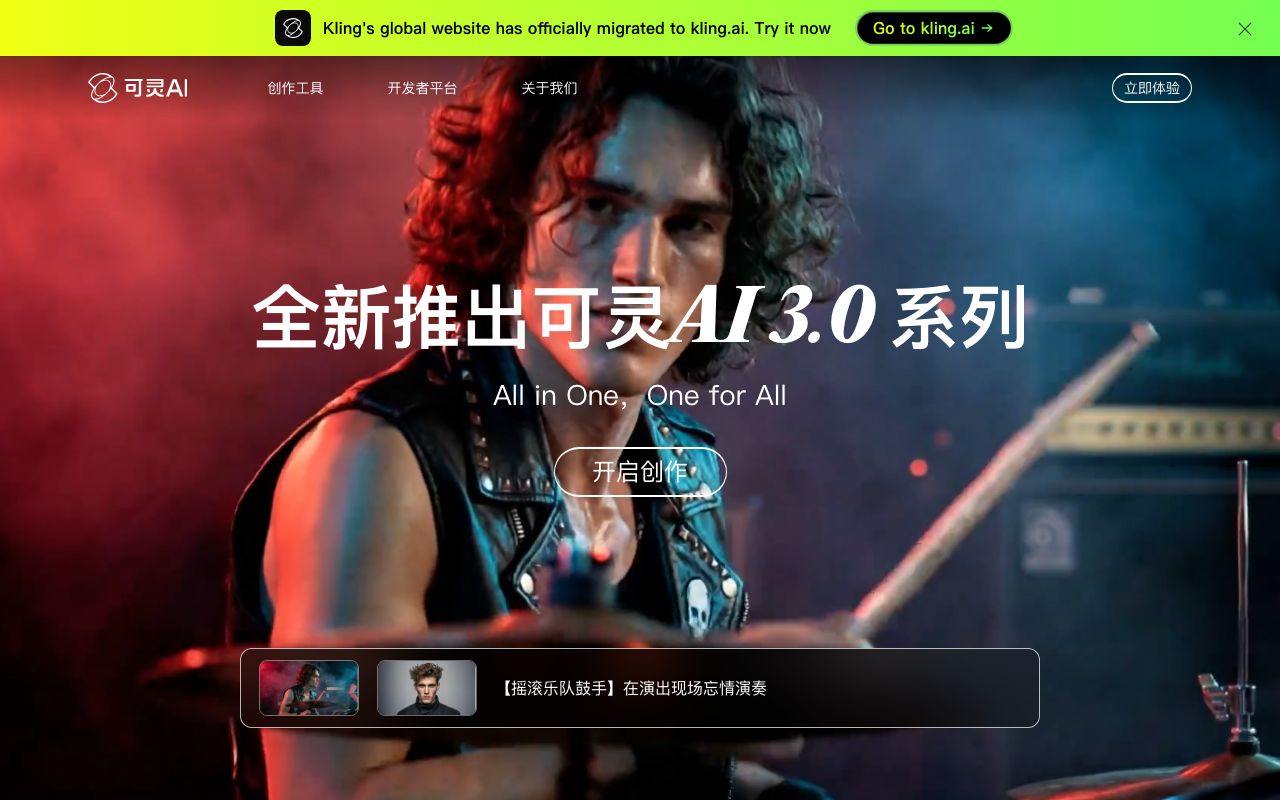
Kuaishou's own product is a further option if you need Kling's audio and sound-effect features, which LazyKiwi does not expose. Its site presents the Kling 3.0 series as an all-in-one creative platform with video, image and sound tools, according to Kling AI (2026).
How to run the same brief through Kling and Veo in LazyKiwi
A useful kling vs veo 3 test isolates one variable at a time. Use one brief, one ratio, one resolution, and change only the model. The procedure below spends roughly 1,229 credits for one pair at 720p, which is why the free plan's 40 monthly credits on the pricing page are better spent learning the interface on a brief template render than on this comparison.
A chilled silver can of sparkling tea on a pale stone counter in a sunlit kitchen, condensation running down the side, slow push in, starting from a medium shot to a close-up, a hand enters from the right and lifts the can, shallow focus, no on-screen text.
- 1
Render the Veo baseline
Start on Veo 3.1 Lite with widescreen, the 8-second preset and 720p, drop in the shared brief, and write down the 400-credit figure before generating.
- 2
Render the Kling text version
Change the model to Kling v3 Omni, leave the mode on References to Video, keep widescreen and 720p, and pick 8 seconds so the two clips are the same length. Use the brief unchanged.
- 3
Render the Kling keyframe version
Switch to Start & End Frames. Upload a still of the can on the counter as the start and a close-up with the hand as the end, then write only the transition: 'slow push in, hand lifts the can'.
- 4
Score the three clips
Check condensation stability, whether the push in stays a push in, hand contact with the can, and any drift in the last second. One point each.
- 5
Repeat once at 9:16
Both models render portrait. If the vertical crop breaks the composition on one model, that is the model to avoid for Shorts.
- 6
Archive prompt, settings and price
Save each file with the model's name and credit cost in the filename so the next comparison starts from evidence.

Never give only one model a reference
If you give Kling a reference picture, give Veo 3.1 Lite the same image in its Ref slot. A text-only clip against an image-led clip tells you nothing about the models.
Key takeaways
- Kling v3 Omni is the only one of the two LazyKiwi tiers with first-and-last frames, a 1:1 ratio and a continuous 3 to 60 second span; Veo 3.1 Lite renders 16:9 or 9:16 in six presets.
- Checked 6 September 2026: five seconds of Kling at 720p cost 829 credits on a 26 percent sale, eight seconds of Veo 3.1 Lite at 720p cost 400.
- Neither tier outputs audio inside LazyKiwi; Veo's built-in sound is confined to Google's own Veo 3.1 in Gemini, Flow or Vertex.
- Sora 2 is off the table: OpenAI switches the Sora 2 API off on 24 September 2026, and it was never in the LazyKiwi catalog.
- Test fairly by matching ratio, length and resolution, then run Kling a second time with first and last frames to see the control advantage.
Research & Trust Editor
Noah Berger
I track how detection, labelling and platform policy keep moving, and I cite the source and the date so you can check the claim yourself.
FAQ
Common questions
Is Veo 3.1 good compared with Kling 3.0?
For silent widescreen or portrait clips, yes: Veo 3.1 Lite holds a single camera instruction well, and at 400 credits per eight seconds at 720p on 6 September 2026 it cost about half of a Kling clip. Kling 3.0 as Kling v3 Omni is better when you need an end frame, a 1:1 crop or a take longer than the Veo presets. Veo's audio lives only on Google's own surfaces.
Does Kling v3 Omni support first and last frames?
Yes. In the LazyKiwi workbench, switch the mode picker next to the model name to Start & End Frames. You upload a start image and an optional end image, describe the transition in the prompt field, and choose 3 to 15 seconds at 720p or 1080p. This mode is not available on Veo 3.1 Lite, which accepts only a text prompt or a single reference image.
Which is cheaper per second, Kling or Veo 3.1 Lite?
Veo 3.1 Lite. Checked on 6 September 2026, eight seconds of Veo at 720p was priced at 400 credits while five seconds of Kling at 720p was 829 on a 26 percent sale, which works out to roughly 50 credits a second for Veo and roughly 166 for Kling. Prices change with resolution, duration and sales, so read the button before each render.
Can Veo 3.1 Lite make 1:1 videos?
No. the Lite tier LazyKiwi licenses offers 16:9 and 9:16 only, at 720p or 1080p. If you need a square clip for a grid or a feed, render it on Kling v3 Omni, which supports 1:1 alongside 16:9 and 9:16, or render 16:9 on Veo and crop in your editor, accepting the loss of resolution at the sides.
Is Kling better than Sora?
For anyone starting now, Kling is the only one of the two still available. OpenAI switches off the Sora 2 models and the Videos API on 24 September 2026, and the consumer-facing Sora app went dark earlier in the year. Kling v3 Omni runs today with start-end frames and 60-second takes; Sora 2 was stronger on synced dialogue, which no LazyKiwi tier currently replaces.
One brief, two models
Launch the workbench with Kling v3 Omni already selected, drop in the shared brief from this post, then flip the model to Veo 3.1 Lite and put the two clips next to each other.
Keep reading

Sora 2 vs Veo 3.1 in 2026: Which Video Model Should You Use?
Sora 2 vs Veo 3 with dated sources: Sora 2's API ends September 24, 2026, Veo 3.1 Lite runs in LazyKiwi at 1080p, no audio, and four models fill the gap.
9 min read
AI Video Prompts: Text-to-Video Prompt Guide for Every Model
AI video prompts that hold up in Kling v3 Omni, Veo 3.1 Lite, Seedance 2.5 and MiniMax H3: a six-part anatomy, per-model limits and worked examples.
9 min read
How to Make AI Videos in 2026: Idea to Export, Step by Step
How to make AI videos in 2026: pick a generation mode, choose Kling v3 Omni or Seedance 2.5, prompt for clean motion, and export without wasting credits.
11 min read
Kling AI Image to Video: A Practical Creator Guide
Turn a single image into a short, purposeful video by combining a strong source frame with clear motion direction, camera language, and careful iteration.
8 min read