
Seedance Explained: Versions, Access and Limits
What Seedance is, how the 2.0 and 2.5 releases differ on length and ratio, where Dreamina fits, and how it lines up against Veo and Kling today.
 Noah Berger 9 min read
Seedance is ByteDance's family of video generation models, used inside the company's own consumer apps and available through third-party workbenches. If you arrived here because a chat assistant told you it cannot make a video: that is correct, and it is the right division of labour. An assistant will write your script, your shot list and your prompt; a video model renders the frames. This page covers what the current releases actually do, where to run them, and what the differences between the two versions mean in practice, with every figure read off an official page on 7 September 2026.
What is Seedance?
It is a text-to-video and image-to-video model family built by ByteDance's Seed research group, sold to end users through apps rather than as a standalone product. ByteDance's own page for the family describes output that "can create 1080p videos with smooth motion, rich details, and cinematic aesthetics" and, more interestingly, native support for narrative sequences: it "maintains consistency in the main subject, visual style, and atmosphere across shot transitions" (ByteDance Seed (2026), read 7 September 2026).
Multi-shot consistency is the part worth paying attention to. Most video models are asked for one continuous take; a model that can cut between two shots and keep the same character and light is doing something that used to require a careful pipeline of reference frames.
The naming is confusing and worth getting straight before anything else. The research page still leads with the 1.0 generation, while the versions people can actually run in most products today are 2.0 and 2.5, and the consumer apps use their own product names on top.
How do Seedance 2.0 and 2.5 differ?
People ask how Seedance 2.0 works before they ask what changed: it takes a text prompt or a still image and returns a clip, with the framing and length fixed before the render starts. Seedance 2.5 keeps that shape and moves the limits. The two releases pull in opposite directions, and which one you want depends on whether you need length and framing or you need pixels. These figures come from our own model pages, read on 7 September 2026.
| Spec | The 2.0 page | The 2.5 page |
|---|---|---|
| Clip length | Fixed duration steps; read the current options in the composer | 4s to 30s, in one-second increments |
| Aspect ratios | 1:1, 16:9 and 9:16 | Six ratios, from 21:9 down to 9:16, including 4:3 and 3:4 |
| Resolution | Up to 1080p | 480p or 720p |
| Inputs | Text to video and image to video | Text, image, and start-and-end frames |
So the newer release is not a straight upgrade. It buys duration, framing freedom and start-and-end frame control at the cost of output resolution, which matters if the clip is going anywhere near a large screen. For a 21:9 establishing shot that runs twenty seconds, take 2.5 and accept 720p. For a short hero clip that has to hold up at 1080p, take the older release. Both pages are linked at the 2.0 model page and the 2.5 model page.
Read the composer, not the marketing
Duration options in particular change between releases and between providers. The Generate panel shows the lengths available to you today, and it shows the credit price for each one before you spend anything.
What is Dreamina, and is it the same thing?
No. Dreamina is an app; the model is an engine inside it. That distinction explains most of the confusion, because people meet the app first and assume the app is the technology, then search for Dreamina AI expecting to find a model page.
Dreamina is operated by CapCut and describes itself as "an all-in-one AI creative platform powered by advanced image and video generation models". Its own model picker names both current releases of the ByteDance video family alongside Sora 2 and Veo 3.1, with Seedream 5.0 Pro, Seedream 5.0 Lite and Nano Banana Pro on the image side (Dreamina (2026), read 7 September 2026).
That model list tells you something useful: the apps are becoming multiplexers. Choosing an app no longer chooses your model, and the interesting question moved from "which product" to "which engine, for this shot".

How do you use Seedance without a ByteDance account?
Through a workbench that has licensed it. If you are searching for a Seedance AI video generator, that is what you are looking for: a product with the engine in its model picker. In ours it sits in the same catalogue as the other video engines and is chosen in the composer before you type anything.
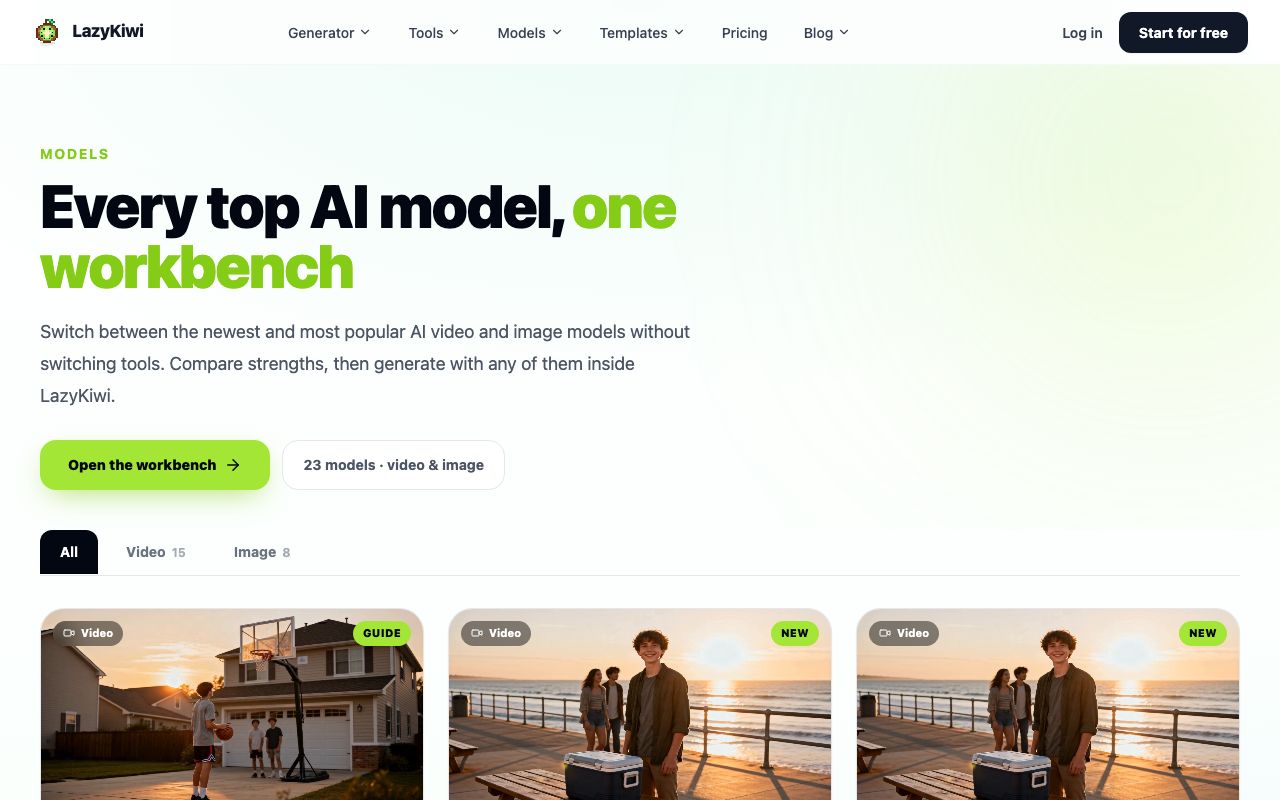
- 1
Open the video workbench
The video generator opens on the Generator tab with a model picker at the top of the composer.
- 2
Pick the version, not just the family
The two releases have different ratio and duration menus, so the choice changes what the panel offers you next.
- 3
Set ratio, duration and resolution
Vertical for social, 21:9 if the newer release is selected and the shot is meant to feel wide.
- 4
Write the prompt, then check the price
The Generate button quotes the clip in credits before the render starts. Video costs an order of magnitude more than a still image, so read it.
- 5
Collect the clip from My Video
Finished renders queue there with their settings attached, which is how you keep track of what produced what.
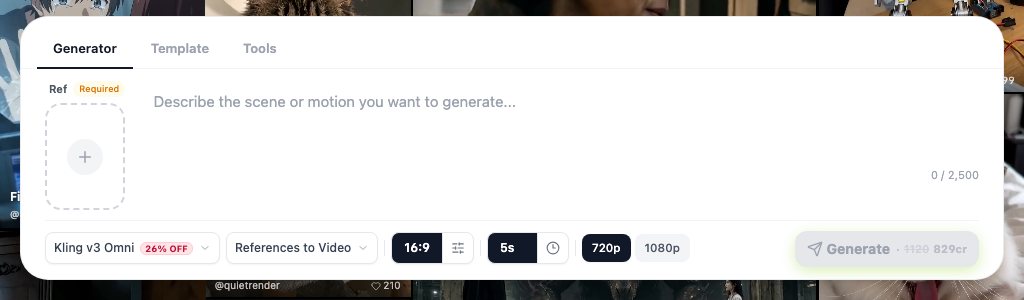
For effect-led clips rather than open text-to-video, the AI VFX generator wraps the same class of engine in a single-purpose tool, which is usually faster than prompting the effect from scratch.
What is it good at compared with Veo and Kling?
Each of the big three is optimised around a different constraint, and the honest comparison is per shot rather than overall.
- Length and framing: the newer ByteDance release is the most flexible of the group in the workbench, with one-second duration steps up to 30s and ratios from 21:9 to 9:16.
- Audio: Google states that Veo generates video with sound, including "sound effects, ambient noise, and even dialogue", and lists 1080p and 4K output (Google DeepMind (2026), read 7 September 2026). Nothing in the ByteDance family competes on that.
- Motion realism and control: Kling's own site leads with its 3.0 series, including an Omni variant (Kling (2026)); in our workbench that tier is the one people reach for when a shot needs start and end frames.
- Templates and volume: MiniMax markets its H3 model through Hailuo with a heavy template library (Hailuo (2026)), which is a different way of buying the same outcome.
- General-purpose editing suites: Runway and Pika sit further up the stack, selling the workflow around the model rather than the model itself (Runway (2026), Pika (2026)).
Test them on your own brief before believing any ranking, including this one. A model that wins on a slow interior shot can fall apart on a fast pan, and every published leaderboard is measuring something that may not be your shot.
What prompts work well for this model family?
Six parts, in this order, and no more than about forty words. The family responds better to a clear subject and one camera instruction than to a paragraph of adjectives.
Subject and what it is doing, then setting, then one camera move, then lighting, then style, then what must stay stable across the shot.
- Name one camera move per clip. Two moves in one prompt produce a drift that no amount of rewording fixes.
- Describe the light rather than the mood: low sun from the left beats cinematic.
- Say what has to stay consistent if you are cutting shots together, because the multi-shot capability is instruction-led, not automatic.
- Keep the negative instructions short. Long exclusion lists tend to reintroduce the thing you excluded.
Our full prompt guide covers per-model differences in more depth and is linked at the end of this post rather than repeated here.
What does a clip cost to run?
Video is priced per clip and the price scales with length and resolution, so the discipline is to decide the shot before you buy it. Our free plan carries 40 credits a month, and paid plans start at $14 a month for 4,500 credits (LazyKiwi pricing (2026), read 7 September 2026).
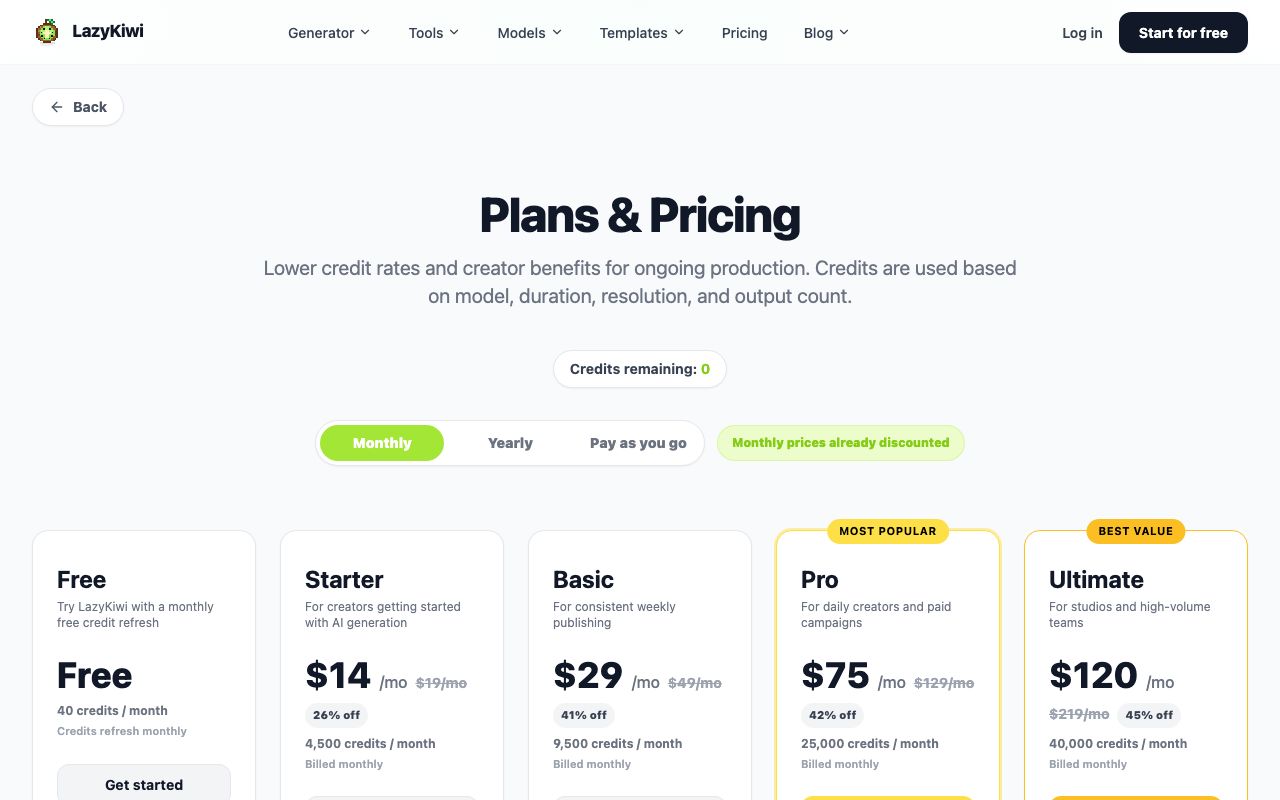
Two numbers from our own workbench data (August 2026) put that in context. A free five-second template built on this engine was run by 15 external accounts in the window, and 22 of 39 external video jobs came out at 9:16. Short and vertical is what people actually generate, which is worth knowing before you plan a 21:9 project around a credit budget.
One warning on cost control: a rejected clip costs the same as a good one. Storyboard in stills first, at a fraction of the credits, and only move to video once the framing is settled.
Is it worth using in 2026?
By use case, from the runs and the pages above.
- Social vertical clips of five to fifteen seconds: yes, and the newer release is the one to pick for the duration control.
- Wide cinematic framing on a budget: yes at 21:9, as long as 720p is acceptable for the destination.
- Anything that needs synchronised sound: no. Use an engine that generates audio, or add sound in an editor.
- 1080p hero shots: the older release, or a different engine entirely.
- Multi-shot narrative sequences: promising, and the capability ByteDance itself leads with, but write the consistency instructions explicitly.
Pick the engine per shot. The people getting good results are not loyal to one model, they are loyal to one brief.
— Noah Berger

One caveat about this page itself. Model interest decays quickly and version numbers move every few weeks, so this post sits on a short refresh cycle: the figures above carry the date they were read, and when a page changes we re-read it rather than leaving a stale table behind. If you are reading this months later, check the two model pages before trusting the table.
Key takeaways
- ByteDance's video family is an engine, not an app; Dreamina and other products expose it alongside rival models.
- The 2.5 release buys duration (4s to 30s) and six ratios up to 21:9, and gives up resolution: 480p or 720p.
- The 2.0 release still holds the 1080p ceiling with 1:1, 16:9 and 9:16 framing.
- Nothing in this family generates audio; Google states that Veo does, including dialogue and ambient sound.
- Video costs credits per clip, so storyboard in stills first and read the price on the Generate button.
Models & Research Editor
Noah Berger
Noah Berger tracks generative models and the rules around them for LazyKiwi. He works from primary sources, dates every claim, and updates a post when the model or the policy behind it changes.
FAQ
Common questions
Is the model free to use?
Not on its own. Access comes through a product that has licensed it, and each one sets its own free allowance. Our free plan carries 40 credits a month and one five-second template built on this engine runs at no credit cost, which is enough to judge quality before paying.
Do I need a ByteDance account to run the model?
No. Any workbench that has licensed the engine can expose it, which is why the same model shows up in several unrelated products. Pick the one whose ratio, duration and resolution menu matches the shot you need.
Which version should I choose for a vertical social clip?
The 2.5 release, because it lets you set the length second by second between 4s and 30s and covers 9:16 directly. Vertical is what most people generate anyway: 22 of 39 external video jobs in our August 2026 data came out at 9:16.
Can it generate speech or sound effects?
No. The audio has to come from somewhere else, whether that is a text-to-speech pass, library sound or a model that renders sound natively. Plan the edit accordingly, because sound added afterwards has to match motion you did not control.
How does it compare with Veo 3.1 for a 16:9 advert?
Google's page states that Veo outputs 1080p and 4K with generated audio, which is a strong combination for an advert. The ByteDance family answers with framing and duration flexibility rather than sound, so the choice follows whether the spot needs synchronised audio.
Run the model before you plan around it
Open the video workbench, pick the version that matches your ratio and length, and spend one clip finding out whether the motion holds up on your brief.
Related reading
Kling vs Veo 3 in 2026: Which Video Model Wins?
Kling vs Veo 3 on the two tiers LazyKiwi runs: Kling v3 Omni for start-end frames, 1:1 and 60-second takes, Veo 3.1 Lite for silent 16:9 clips.
8 min read
Sora 2 vs Veo 3.1 in 2026: Which Video Model Should You Use?
Sora 2 vs Veo 3 with dated sources: Sora 2's API ends September 24, 2026, Veo 3.1 Lite runs in LazyKiwi at 1080p, no audio, and four models fill the gap.
9 min read
AI Video Prompts: Text-to-Video Prompt Guide for Every Model
AI video prompts that hold up in Kling v3 Omni, Veo 3.1 Lite, Seedance 2.5 and MiniMax H3: a six-part anatomy, per-model limits and worked examples.
10 min read
How to Make AI Videos in 2026: Idea to Export, Step by Step
How to make AI videos in 2026: pick a generation mode, choose Kling v3 Omni or Seedance 2.5, prompt for clean motion, and export without wasting credits.
11 min read