
Higgsfield Genjutsu: What It Is, Cost and a Free Alternative
What Higgsfield Genjutsu does, what a 15-second run costs in credits, which plans include it, and how to get a similar swap free on LazyKiwi.
 Marcus Tan 9 min read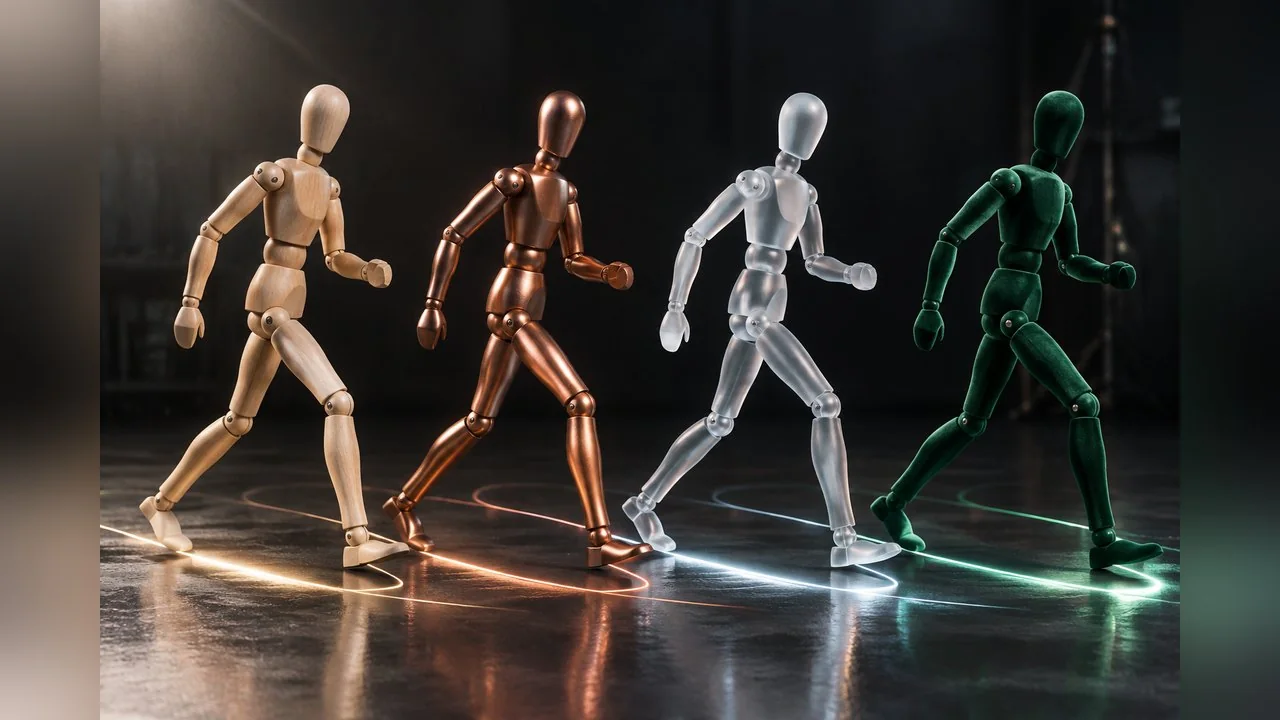
Higgsfield Genjutsu is a video tool that takes a clip you already have and rebuilds part of it: the person, the outfit, the product, the location, or everything except the movement. Higgsfield announced it in an explainer dated 1 September 2026, and it now sits in the top bar of higgsfield.ai with a "Top" badge. This guide answers the questions people actually type: what is Genjutsu, what does it cost, is there a free tier, and what you can use instead. Every figure below comes from pages on higgsfield.ai read on 15 October 2026, and where Higgsfield's own pages disagree with each other, we show both. We did not run a benchmark, so there are no quality scores here, only what the vendor states and what that means for your wallet.
What is Genjutsu on Higgsfield AI?
The product page describes Genjutsu in one line: recast any motion with your characters, locations and products, or swap specific elements and keep the rest. In plain terms, you upload a short video, add reference photos of the person, outfit, prop or place you want, and the tool renders a new version of the clip in which the camera moves and the timing stay exactly as filmed.

Higgsfield's own explainer post, dated 1 September 2026, puts it this way: the tool "rebuilds part of a clip without a full reshoot" and works "on either real footage or generated video". That second point matters. You can feed it a phone recording of yourself, or a clip you generated elsewhere, and treat the motion as a reusable asset.
If you searched "genjutsu higgsfield" because the word sounded like a Naruto reference: the word is Japanese and familiar from anime, but the product has nothing to do with it. Searches for "higgsfield ai genjutsu" and "genjutsu ai" land on the same tool. It is a video editing model, and Higgsfield lists it alongside its other names (Katana, 3D Jutsu, Soul, Cinema Studio) as one feature of a larger subscription.
How does Higgsfield Genjutsu work: Motion Transfer vs Object Swap
There are two modes, and the choice decides what survives from your source clip.
- Motion Transfer keeps the motion, the camera path and the timing, and rebuilds the whole scene from your references. Use it when the performance is the asset and everything else should change: a new character, a new set, a different style.
- Object Swap changes one selected element (a character, an outfit, a product, a location or an object) and leaves the rest of the original shot alone. Use it when the footage is good and only one thing is wrong.
The settings are the same for both modes, per the Key Settings table in the explainer:
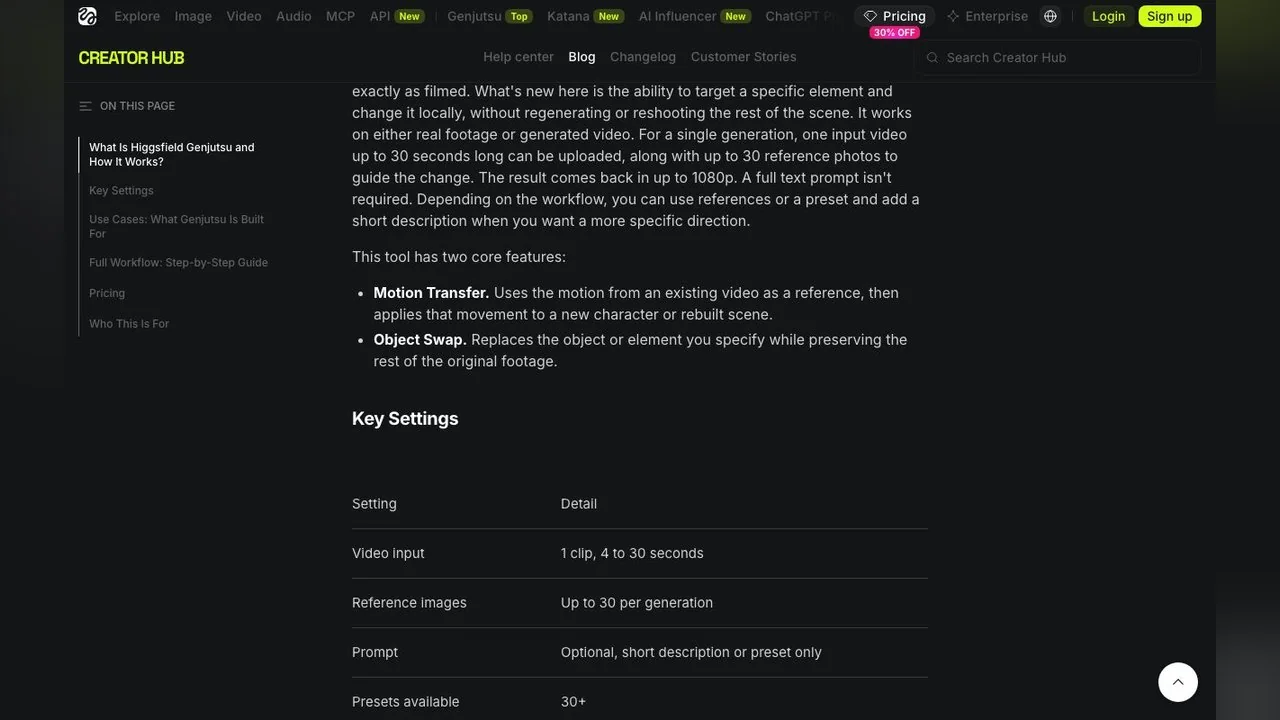
| Setting | What Higgsfield states (explainer, 1 Sep 2026) |
|---|---|
| Video input | One clip, 4 to 30 seconds |
| Reference images | Up to 30 per generation |
| Prompt | Optional; a short description or a preset is enough |
| Presets | 30+ |
| Output resolution | Up to 1080p |
| Commercial use | Yes, subject to Higgsfield's Terms of Use (product page FAQ) |
The workflow is five steps: pick a mode, upload a 4 to 30 second clip, add reference images, choose a preset or type a short description, then generate and compare against the source. A full written prompt is not required, which is unusual for this category and the reason the tutorials on YouTube are so short, such as the seven-minute beginner walkthrough that ranks for the term.
What does Genjutsu cost, and is there a free tier?
Genjutsu is not sold on its own. It runs on the standard Higgsfield credit system, and the product page says each run shows its credit cost before you generate. The only published per-run figures are in the explainer post, which carries the note "Pricing verified September 2026":
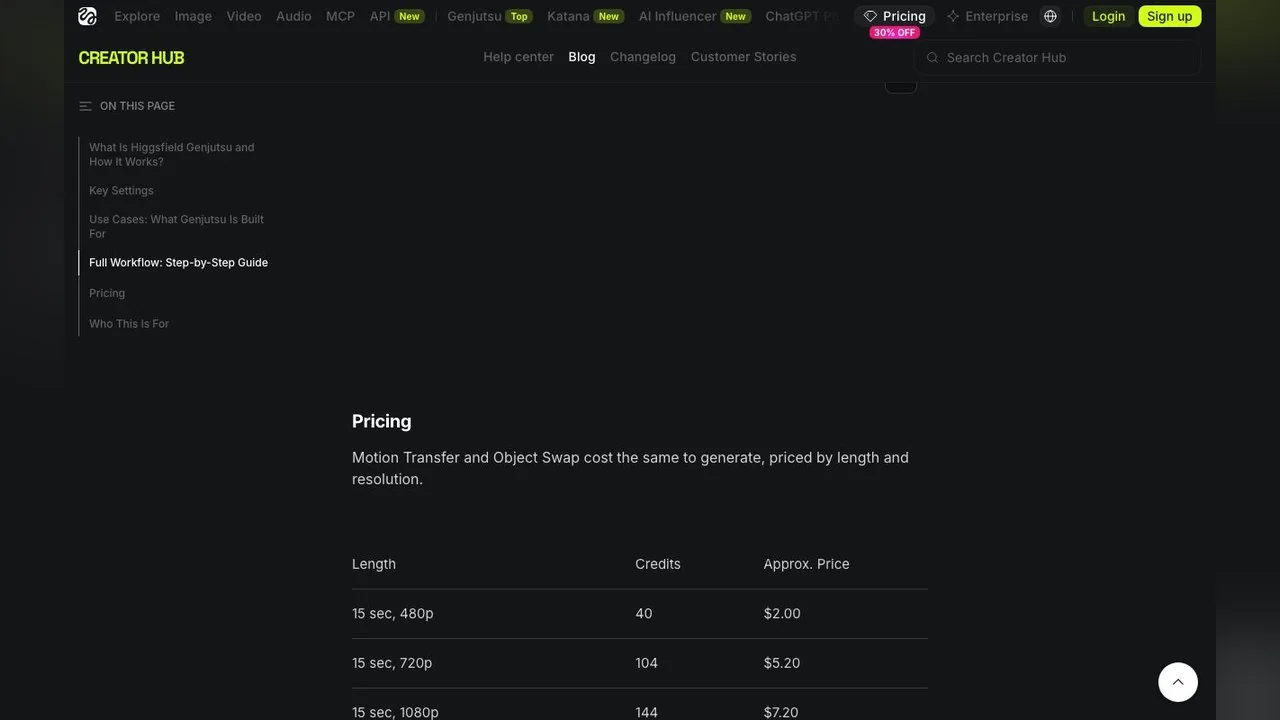
| 15-second run | Credits | Approx. price (Higgsfield's figure) |
|---|---|---|
| 480p | 40 | $2.00 |
| 720p | 104 | $5.20 |
| 1080p | 144 | $7.20 |
Motion Transfer and Object Swap cost the same. The jump from 480p to 1080p is 3.6x, so a 30-second 1080p render would sit near 288 credits, or roughly $14 at the rate Higgsfield implies. The credit-to-dollar conversion is theirs, not ours, and your real cost per credit depends on the plan you buy.
Now the free question. On the pricing page read on 15 October 2026, the Free tier is labelled "Limited use" with one concurrent job, and most video models in its comparison table are marked "Not included". The Starter plan lists Genjutsu under free generations as "No free gens". Only Plus and Ultra show "3 free gens" for Genjutsu, capped at 720p. So the direct answer to "genjutsu ai free" is no: there is no free Genjutsu on Higgsfield's own site today, and the three bonus runs are a perk of paid plans.
Higgsfield's prices change often and carry promotional badges (30% off annual, 7-day flat-rate model promos). Treat every number in this article as a snapshot from 15 October 2026 and check the page before you buy.
Which Higgsfield plans include Genjutsu? Two ladders on one site
Here is where it gets confusing. On 15 October 2026 Higgsfield showed two different plan ladders depending on which page you opened. The dedicated pricing page listed Starter, Plus and Ultra. The Genjutsu product page, further down, listed Basic, Pro and Max with different credit amounts and different prices. Both were live at the same time.
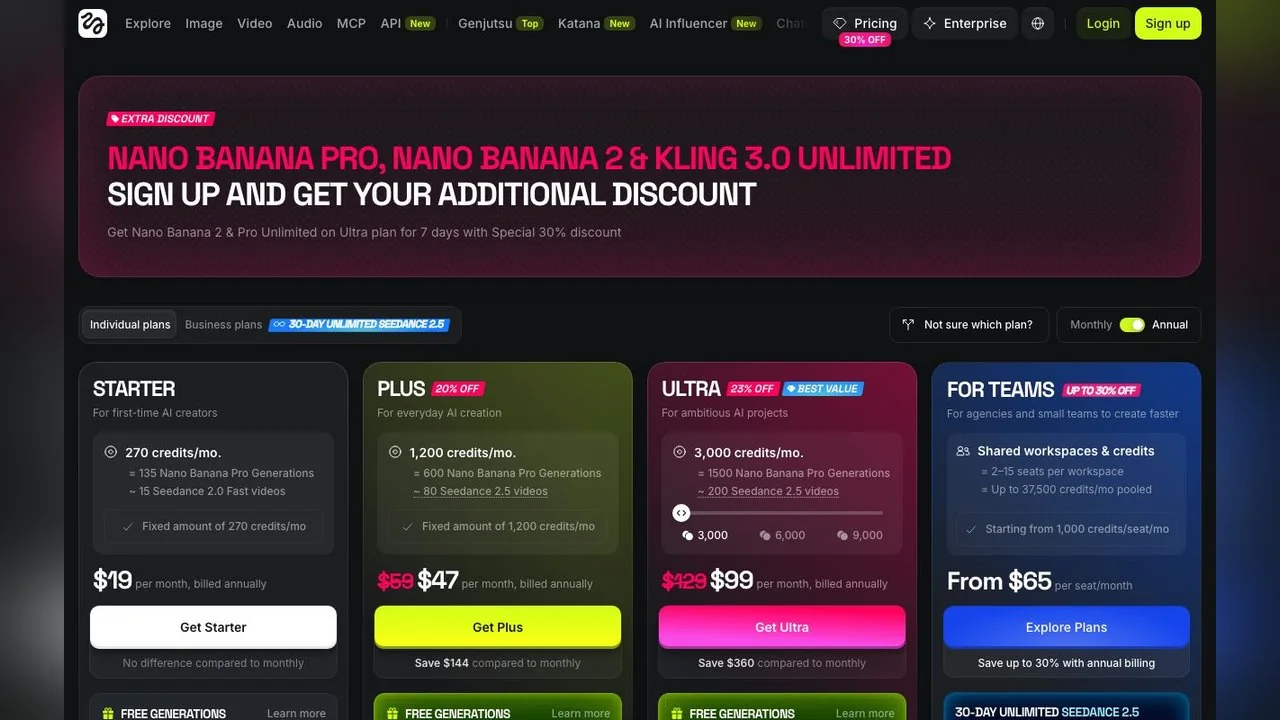
| Plan (page) | Price, billed annually | Credits a month | Genjutsu note on that page |
|---|---|---|---|
| Free (pricing page) | $0 | Limited use | Not listed; 1 concurrent job |
| Starter (pricing page) | $19 | 270 | No free gens |
| Plus (pricing page) | $47, listed from $59 | 1,200 | 3 free gens at 720p |
| Ultra (pricing page) | $99, listed from $129 | 3,000 (slider to 9,000) | 3 free gens at 720p |
| Basic (Genjutsu page) | $9 | 120 | No free gens |
| Pro (Genjutsu page) | $23, listed from $29 | 600 | 3 free gens at 720p |
| Max (Genjutsu page) | $59, listed from $79 | 1,800 | 3 free gens at 720p |
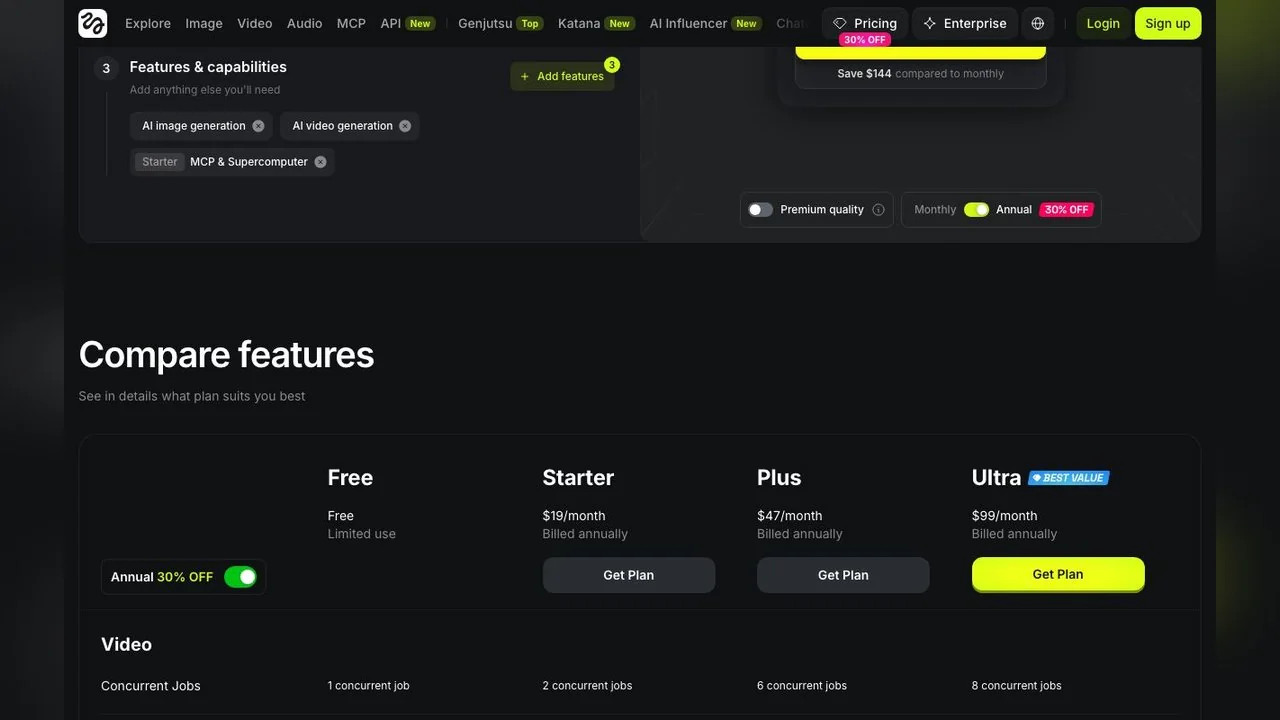
We cannot tell you which ladder you will be charged on; it may depend on your account, your region or an A/B test. What both ladders agree on is the shape: the cheapest tier gets no Genjutsu bonus runs, every tier pays per run in credits, and a 1080p run eats 144 credits, which is more than half of the smallest plan's monthly allowance on either ladder. Taken at the Basic price of $9 for 120 credits, a single 15-second 1080p render costs more than a month of the plan.
What can you make with a Genjutsu video?
Higgsfield's explainer lists five jobs, each defined by what changes and what stays. Rewritten without the marketing:
- Style swap: turn an anime clip into live action or the reverse, keeping motion, timing and camera work.
- Wardrobe change: upload several outfit references and try each look on the same take, keeping the subject's identity, pose and movement.
- Ad variation: replace the character, product or setting so one ad serves a different market, keeping the pacing and structure.
- Content repurposing: turn a raw phone clip into something that looks produced, keeping the original action and framing.
- AI influencer content: change who is on screen, keeping the underlying motion.
The product page also shows batch and reference panels, and a before/after slider where the same take plays out in a rooftop, a dreamland and a park. That is the strongest demo: one performance, three worlds, identical cuts.
Every one of those examples is a genjutsu video built from footage you own. That is worth saying plainly, because the tool will happily swap a stranger into a scene too. Higgsfield's Terms of Use apply, and so do the publicity and likeness laws wherever you post. Use your own clips or clips you have permission to alter.
Where Genjutsu falls short
- 30 seconds per generation. Anything longer must be split and stitched, and consistency across the cuts is on you.
- 1080p ceiling. There is no 4K output listed, while Higgsfield sells 4K on several of its other video models.
- No free route. Even the bonus runs are paid-plan perks, and they are capped at 720p.
- Credit cost scales with resolution faster than with length, so the 1080p runs you would actually publish are the expensive ones.
- Two plan ladders on one site, which makes it hard to know what a credit costs you before you sign up.
None of this makes it a bad tool. It makes it a tool to budget for, which is the opposite of what the "[FREE]" tags on the YouTube tutorials suggest.
How to get a Genjutsu-style result free on LazyKiwi
If what you want is the Object Swap half of Genjutsu, swapping the person in a clip while the performance stays, LazyKiwi's AI Character Swap does that job and you can try it with the free credits you get on sign-up, no card required. The cost of any paid run is shown before you generate.
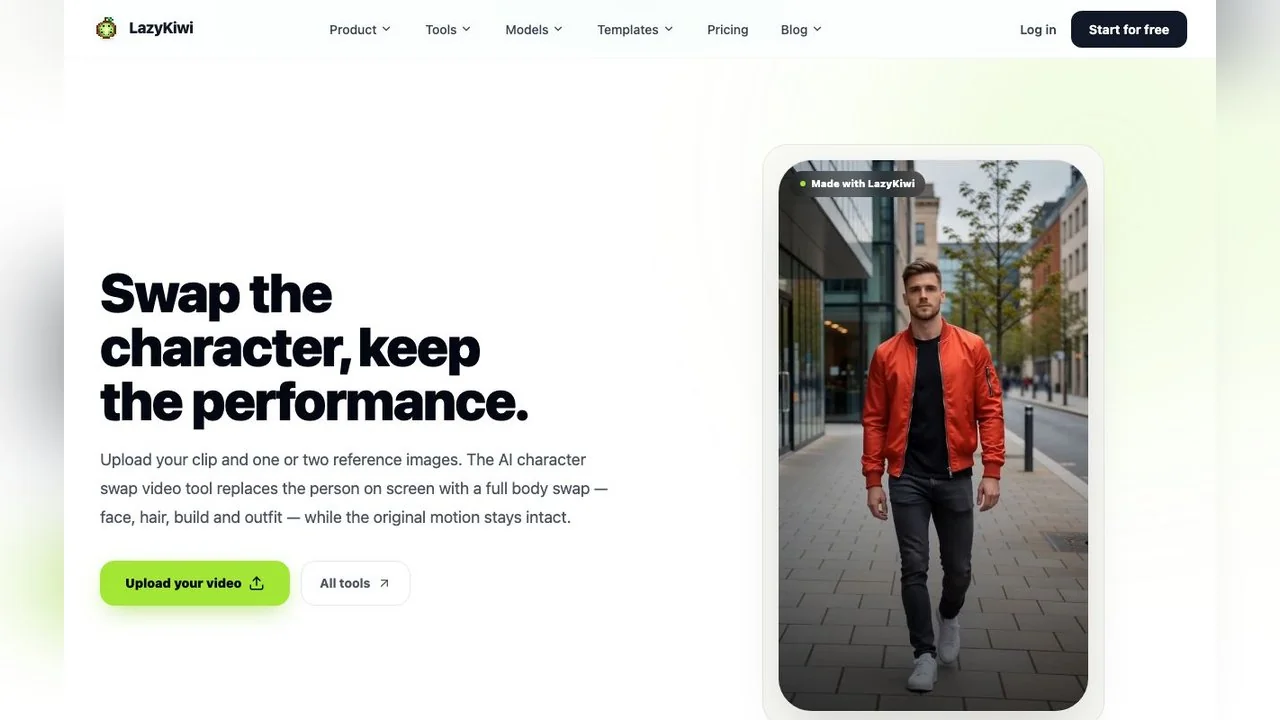
- 1
Upload your clip
Open the Character Swap tool and drop in the video. Footage with the subject fully in frame and steady light gives the cleanest result.
- 2
Add one or two reference photos
A clear, front-facing photo of the new character is enough. The tool uses face, hair, build and outfit from the reference, so pick a photo whose clothing you actually want.
- 3
Generate and check the motion
The movement, camera and audio are kept from the original. Scrub through and look at hands and hair, which is where any swap shows seams first.
- 4
Export at the resolution you uploaded
Output matches the input resolution, so upload the best file you have rather than a compressed share.
For the Motion Transfer half, where the scene around the performer changes, two other LazyKiwi tools cover most of the use cases Higgsfield lists:
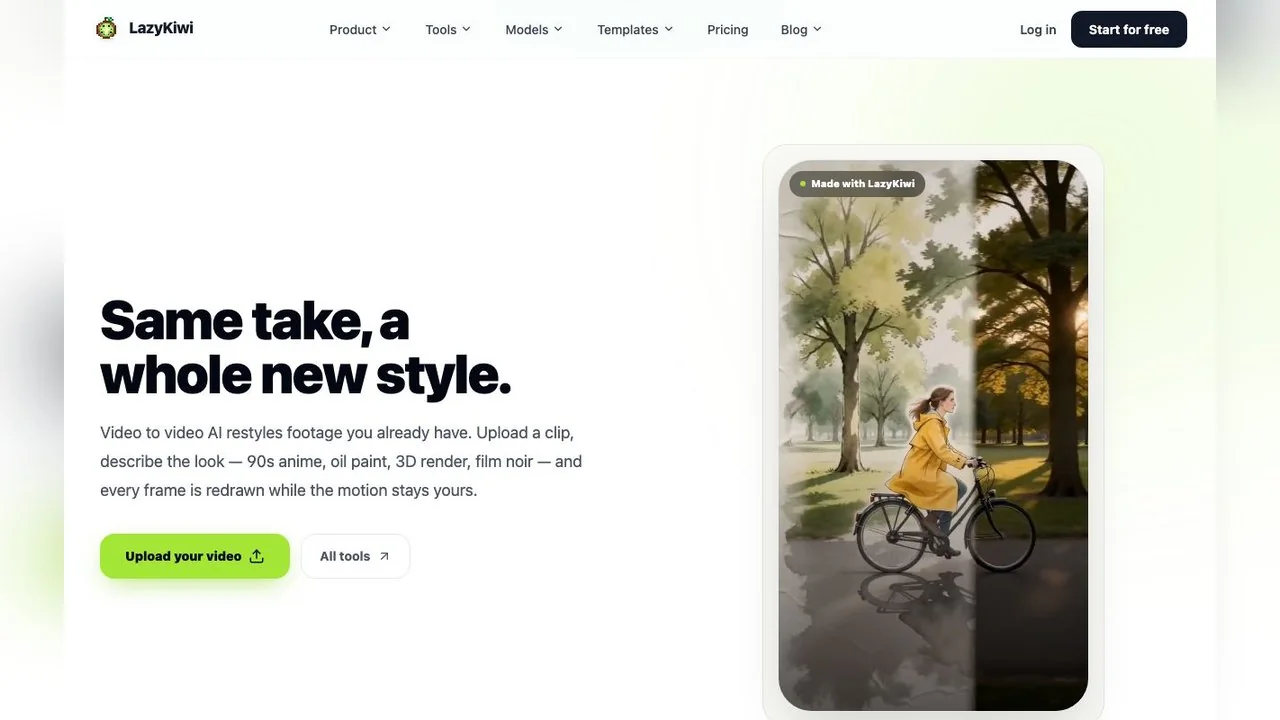
- Video to Video restyles a clip from a short style phrase ("90s anime", "oil paint") while keeping motion, timing, camera moves and audio. That is the style swap job.
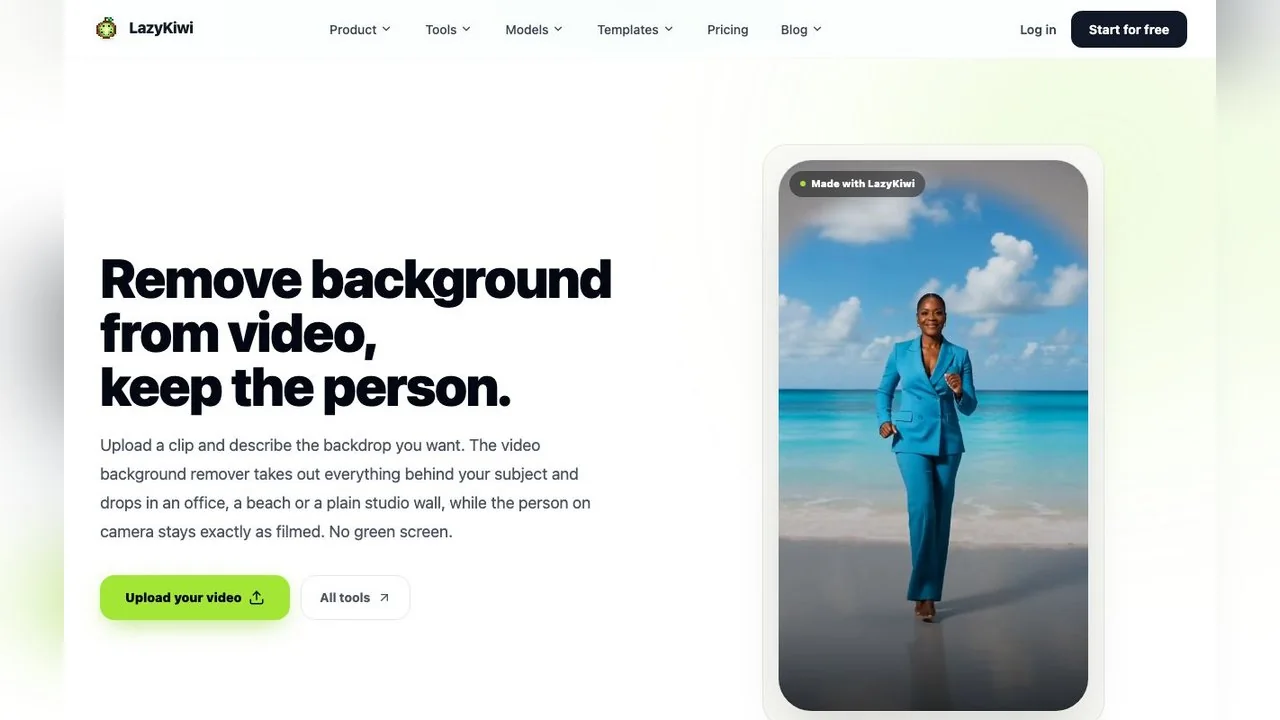
- Video Background Changer keeps the person and renders a new backdrop from a text description or up to two reference photos. That is the new world job, in short clips.
If you want to generate the base performance from scratch rather than film it, the video generator runs reference-aware models such as Seedance 2.5, which reads up to nine reference images in one run, and Kling v3 Omni for start-and-end-frame clips. The AI Outfit Reel template covers the wardrobe-change case from a single selfie, no source video needed.
Genjutsu vs LazyKiwi Character Swap: which should you use?
The honest comparison is by job, not by feature count.
| Question | Genjutsu | LazyKiwi Character Swap |
|---|---|---|
| What it changes | Character, outfit, product, location, object, or the whole scene around the motion | The person on screen: face, hair, build and outfit |
| What it keeps | Motion, camera and timing | Motion, camera and audio |
| Reference images | Up to 30 per run | One or two photos |
| Prompt | Optional; presets | Optional |
| Clip length | 4 to 30 seconds | No fixed cap on the tool page; short clips stay most consistent |
| Output | Up to 1080p | Same resolution as the upload |
| Free route | None; 3 bonus runs on paid tiers only | Free credits on sign-up, cost shown before each run |
| Best for | Multi-element rebuilds, batch ad variants, 30 reference workflows | Replacing a performer in your own footage, quickly, without a subscription |
Pick Genjutsu if you need to change several elements at once, or you are already paying for Higgsfield for its other tools. Pick LazyKiwi if the job is a character swap, a style pass or a new background on footage you own, and you want to try it before paying anything. Higgsfield is not the only place this exists either: Kling sells a Motion Control feature on its membership plans, Luma lists performance and motion transfer and product swap under Ray3.2, and Runway groups similar edits under Aleph 2.0 and Act-Two on its product page. All of them are paid; none of them is a drop-in for the other.
Is Genjutsu AI free anywhere else? Watch the look-alike sites
Two of the top ten results for "higgsfield genjutsu" on 15 October 2026 were not Higgsfield. One, at a hyphenated .com, presents itself as the tool's home and offers "Try Now" buttons with no pricing. Another, on a .lol domain, advertises Genjutsu "from $19/month". Neither is linked from higgsfield.ai, and Higgsfield's official channels are its own domain, its Discord and its ChatGPT plugin listing. If a site asks for a card and is not on higgsfield.ai, assume you are paying a reseller at best.
The same caution applies to "free Genjutsu" videos. The tutorials are free to watch; the tool behind them is not free to run.
Key takeaways
- Higgsfield Genjutsu rebuilds part of a 4 to 30 second clip, in two modes: Motion Transfer (keep the motion, rebuild the scene) and Object Swap (change one element, keep the rest).
- A 15-second run costs 40, 104 or 144 credits at 480p, 720p or 1080p, which Higgsfield's explainer prices at about $2.00, $5.20 and $7.20.
- There is no free Genjutsu: the Free tier is limited use, Starter and Basic get no bonus runs, and the three 720p bonus runs are a paid-plan perk.
- On 15 October 2026 Higgsfield showed two different plan ladders on two pages (Starter/Plus/Ultra and Basic/Pro/Max); check which one your account sees.
- For a character swap on your own footage, LazyKiwi's Character Swap, Video to Video and Video Background Changer cover the same jobs and can be tried with free sign-up credits.
Tools & Reviews Editor
Marcus Tan
I open every competitor's pricing page myself before writing a comparison, and I say plainly when another tool is the better pick.
FAQ
Common questions
What is Higgsfield Genjutsu?
Genjutsu is a video editing model on higgsfield.ai that takes one clip of 4 to 30 seconds plus up to 30 reference images and rebuilds selected parts of it. Motion Transfer keeps the motion and rebuilds the scene; Object Swap replaces one element and keeps the rest. Output is up to 1080p.
Is Higgsfield Genjutsu free?
No. Per the pricing page on 15 October 2026, the Free tier is limited use and the Starter and Basic plans list no free Genjutsu runs. Plus, Ultra, Pro and Max show three bonus runs capped at 720p. Every other run is paid in credits, with the cost shown before you generate.
How much does a Genjutsu video cost?
Higgsfield's explainer lists a 15-second run at 40 credits for 480p, 104 for 720p and 144 for 1080p, which it converts to about $2.00, $5.20 and $7.20. The note says pricing was verified in September 2026, so check the current credit table before you plan a batch.
Does Genjutsu need a prompt?
Not necessarily. Higgsfield says a preset can drive the whole change and that a short description is optional for anything more specific. You pick Motion Transfer or Object Swap, upload the clip, add references, choose a preset or type a line, then generate.
What is the closest free alternative to Genjutsu?
For swapping the person in your own clip, LazyKiwi's Character Swap keeps the motion and audio and replaces the performer from one or two reference photos, with free credits on sign-up. For restyling the scene, Video to Video and Video Background Changer cover the style and location jobs. None of them is Genjutsu, but together they cover its main use cases.
Swap the character, keep the take
Upload a clip and one or two reference photos. The person on screen changes, the motion and audio stay, and the cost is shown before you generate.
Related reading

Character Swap AI: How to Replace a Subject
Character swap AI replaces the person in a clip while the motion stays: what the tool needs, where identity drifts, and the consent rules you cannot skip.
8 min read
How to AI Face Swap Video Clips Responsibly (2026 Guide)
Here is how to AI face swap video clips with consent: the character swap tool, a GIF route, checked tool prices, artifact fixes and the label rules.
11 min read
Seedance Explained: Versions, Access and Limits
What Seedance is, how the 2.0 and 2.5 releases differ on length and ratio, where Dreamina fits, and how it lines up against Veo and Kling today.
9 min read
Kling vs Veo 3 in 2026: Which Video Model Wins?
Kling vs Veo 3 on the two tiers LazyKiwi runs: Kling v3 Omni for start-end frames, 1:1 and 60-second takes, Veo 3.1 Lite for silent 16:9 clips.
8 min read