
Free AI Character Swap
Drop any character — a mascot, a knight, or you — into a video with a single photo. LazyKiwi replaces the whole person, not just the face, and keeps every move exactly as filmed.
Specs
AI character swap specs: what goes in, what comes out
- Inputs
One video clip + one photo of the character
MP4 or MOV; a front-facing, full-body photo works best
- Clip length
Long clips supported
up to 500 MB per file
- Output
MP4 at 480p, 720p or 1080p
download straight from the workbench
- Keeps
Motion, timing, camera and background
and everyone you did not select
How to swap a character in a video — 3 steps
Two uploads and a click. No masks, no keyframes — pick the person, add the photo, and the swap renders while you carry on.
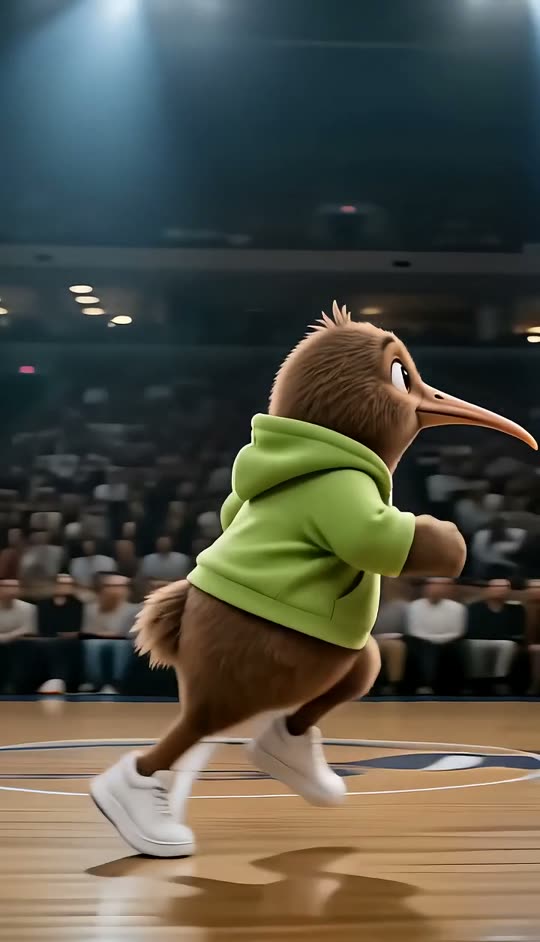
Step 1
Upload a clip or pick a sample
Any clip with a person in it. Start from one of the sample clips if you just want to see how it works.
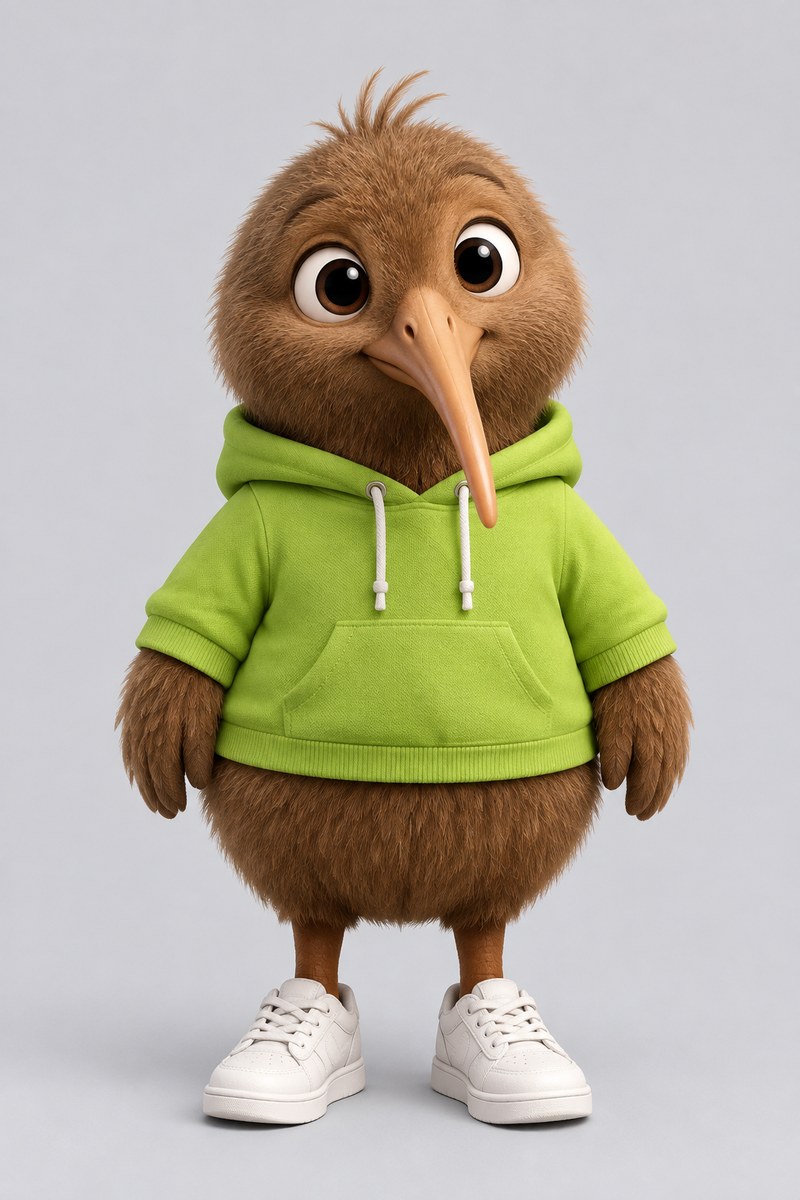
Step 2
Upload one photo of the character
A front-facing photo works best — a mascot, an illustration, or a real person you have permission to use.
Step 3
Download your swapped video
The whole person is replaced while the moves, timing and camera stay as filmed. Download it from the workbench.
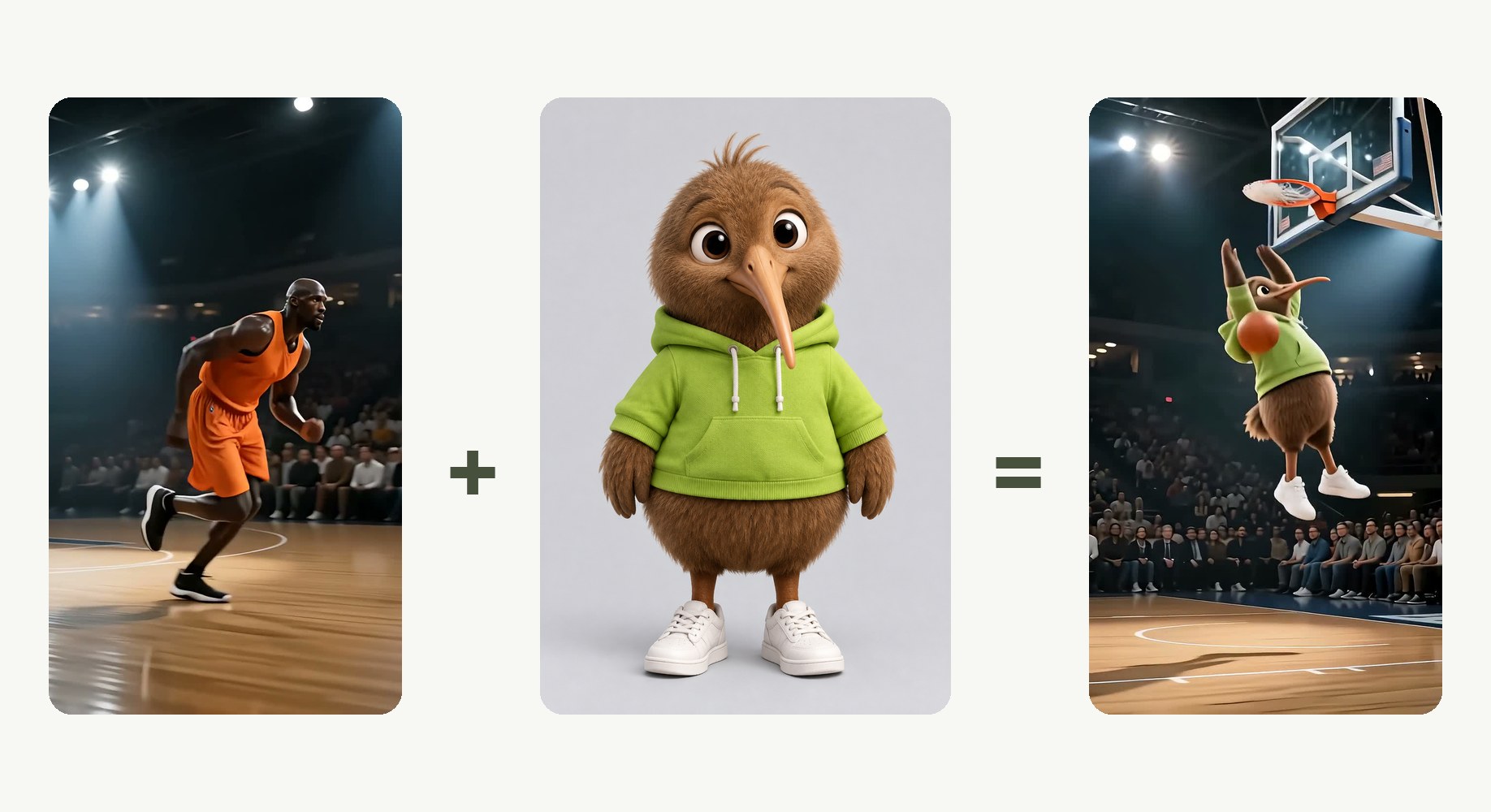
One clip, one photo
A clip and a single photo of the character. No masks, no keyframes, no second reference.
- Clip: MP4 or MOV
- Character: one front-facing photo
- Or start from a sample clip
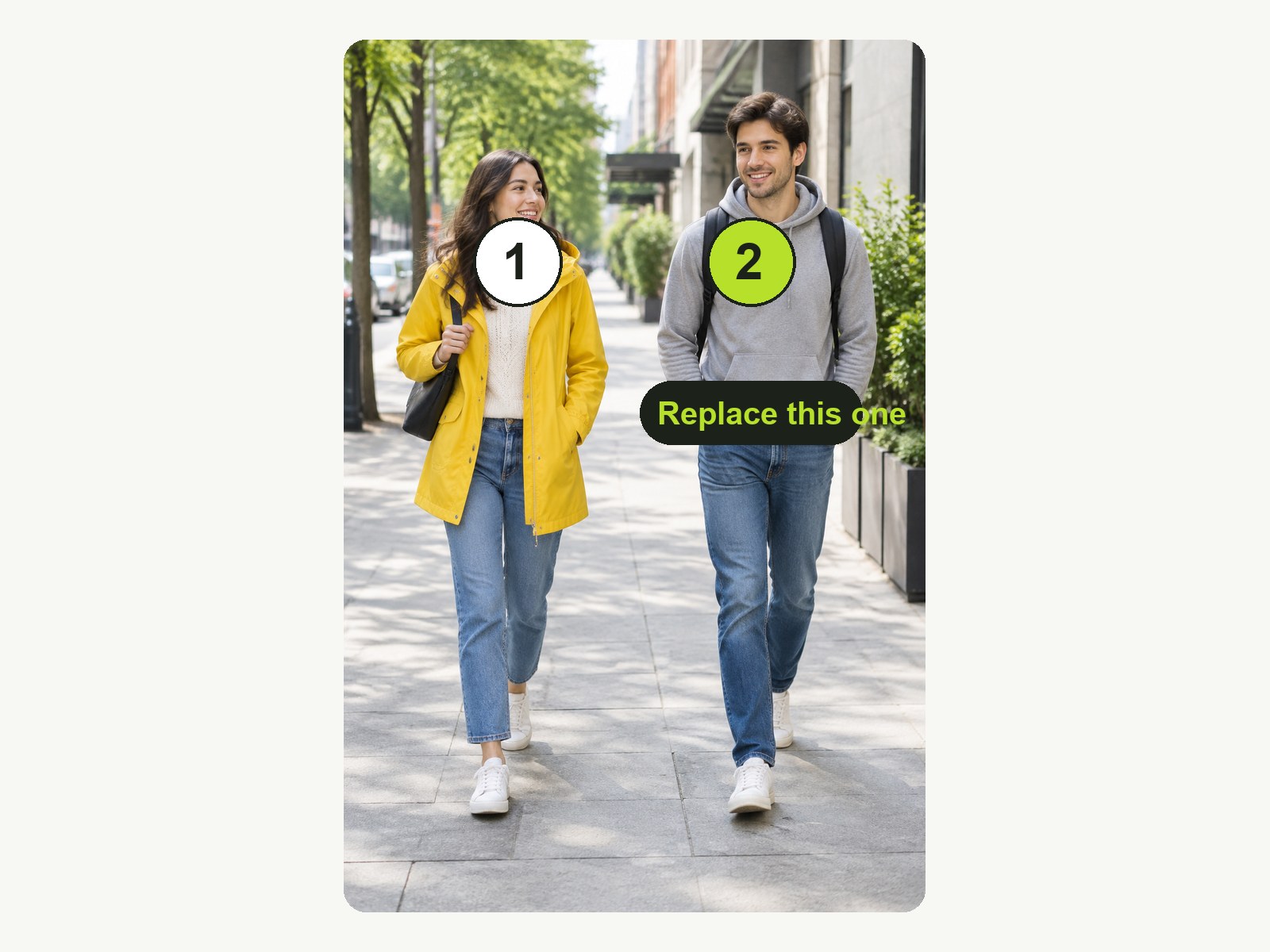
You choose who gets replaced
Everyone in the clip is numbered first, so the swap lands on the right person.
- Auto replaces the first person found
- Select person: pick who gets swapped
- The scan is free; only the swap costs credits
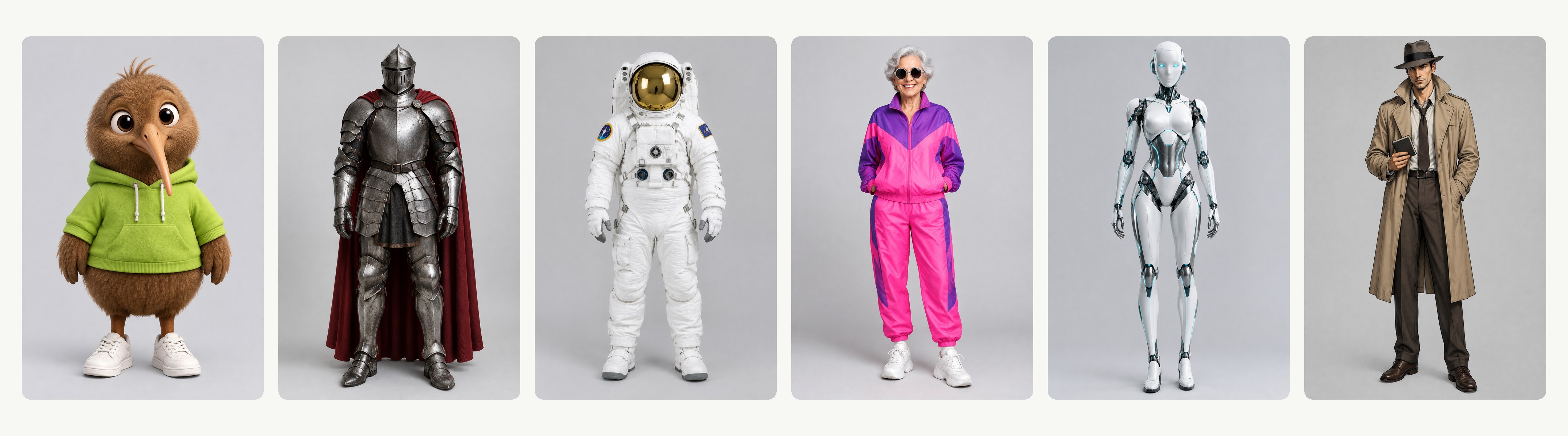
Whole body, not just the face
Face, hair, build and outfit all come from your photo — a mascot, an illustrated hero, or a real person.
- Face, hair, build and outfit replaced
- Illustrated or photographed characters
- Pose and proportions follow the clip
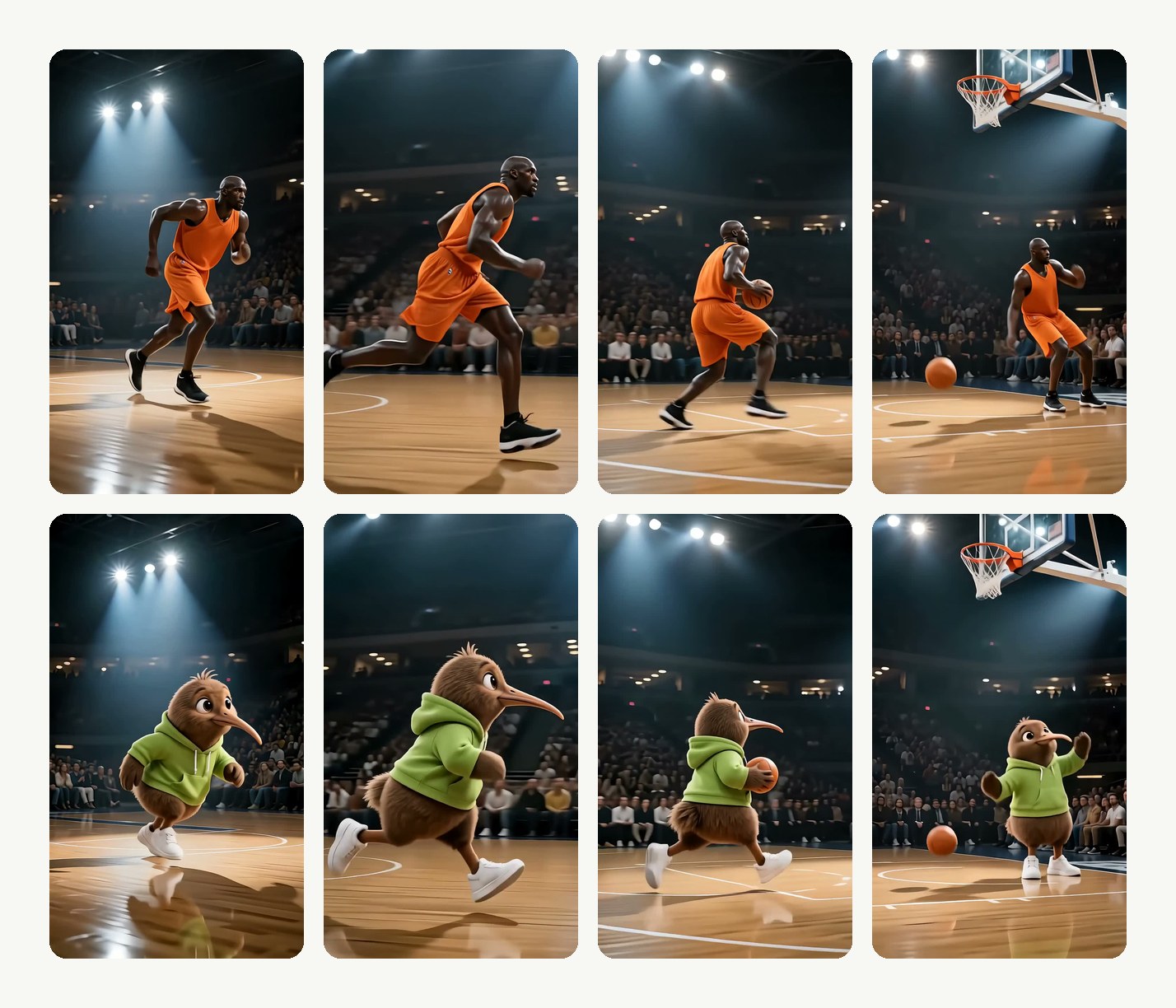
Motion, timing and camera kept
The swap follows every frame of the original, so the performance and the camera move are exactly as filmed.
- Same moves, same timing
- Camera move and background untouched
- Price shown on the button before you confirm
Compared
AI character swap: LazyKiwi vs Runway, Viggle and Magic Hour
Where LazyKiwi Character Swap stands against Runway, Viggle and Magic Hour, from their own pages.
| LazyKiwi Character Swap | Runway Edit Studio | Viggle AI Body Swap | Magic Hour Character Replace | |
|---|---|---|---|---|
| Detects everyone in the clip automatically | ✓Every person is found and numbered | ✕Prompt-driven, no detection | ✕Single subject | ✕Primary subject only |
| Pick exactly who gets replaced | ✓Choose any person in the clip | Not published | ✕Single subject | ✕Primary subject only |
| Multi-person scenes | ✓Supported | Not published | ✕Single subject | ✕Primary subject only |
| Whole person, not just the face | ✓Face, hair, build, outfit | ✓Characters, products, backgrounds | ✓Face, body, skin tone, clothing | ✓The primary subject |
| Long clips | ✓Long clips supported | 2–30 s | Up to 1 min (10 min on paid plans) | Not published |
| Replace or Animate modes | ✓Both | ✕Prompt edits only | ✕Animate only | ✓Both |
| Keeps original motion, timing and camera | ✓Exactly as filmed | Not published | ✓Motion from the clip | Not published |
| Free to try | ✓Free to try | ✓Free to try (watermarked) | ✓Free to try | ✓Free to try |
| Price shown before you generate | ✓On the button | ✓Credit table in the help centre | Not published | Not published |
| Sources | Workbench read 13 Oct 2026 | Help centre Pricing read 13 Oct 2026 | Body swap page Pricing read 13 Oct 2026 | Product page FAQ read 13 Oct 2026 |
Competitor details change; check the linked pages first.
FAQ
AI character swap FAQ
Is the AI character swap video tool free?+
Signing up is free and comes with free credits to try it; every run shows its exact price on the Generate button before anything is charged. Scanning the clip to pick the person is free, and the free credits cover a first try.
How do I swap a character in a video?+
Upload an MP4 or MOV and one photo of the character. Press Select person to choose who is replaced, pick 480p, 720p or 1080p, and generate. The swapped MP4 is ready to download in a few minutes.
What is the difference between character swap, body swap and face swap?+
A face swap changes only the face and keeps the original body, hair and clothing. A character swap — often called a full body swap — replaces the whole person with the character from your photo while keeping the original motion. If you only want a new head, see head swap; to dress the same person in new clothes instead, try the AI clothes changer.
What if there are two people in the video?+
Press Select person. The clip is scanned, each person is outlined and numbered, and you choose which one is replaced. The other person is left exactly as filmed. To swap both, run the result through the tool again.
Clip length and output resolution?+
Short clips render fastest; longer clips are supported. You choose the output — 480p, 720p or 1080p — before generating, and the credit price on the button changes with the resolution and the length.
Is it safe, and can I swap in a real person?+
Only use footage you filmed and characters you own or have written permission to use; do not use it to impersonate anyone. Uploads are processed securely, never sold and never published by us.
Do I need to mask or rotoscope anything?+
No. Upload the clip and the photo, pick the person if there is more than one, and generate — the body swap handles the tracking and the blending. If you want to restyle the whole clip rather than one person, video to video re-renders every frame in a new look.
Does the background change?+
No. Only the chosen person is replaced; the background, other people and the camera move stay as filmed. To change the scene behind the person instead, use the video background changer, or add an object to the video without touching anyone in it.
How are the free credits counted?+
New accounts get free credits. A swap is billed by the length of the clip and the resolution you pick, and the exact total is shown on the Generate button before you confirm.
How do I download the result, and can I use it commercially?+
When the render finishes the clip plays in the workbench; download it as an MP4 from there. You can publish it if you hold the rights to the clip and the photo — check whether the platform asks you to label AI-edited video.
More AI video tools
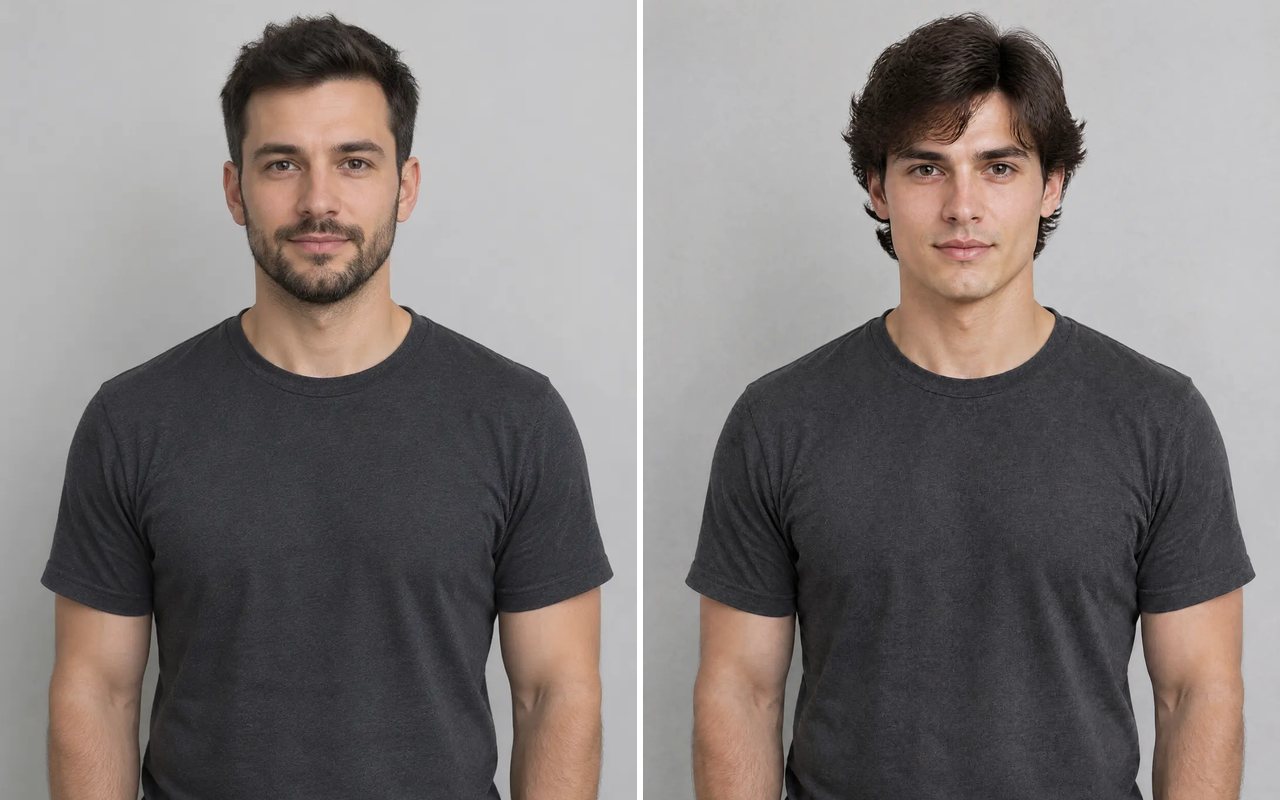


One photo. Any clip. The whole person swapped.
Upload a clip and one photo, pick the person, download at up to 1080p.
Free to try · Price shown before you generate · Renders in minutes