
Gradient Sweep Logo
A logo reveal you drop your own logo into
One editable logo reveal: a two-colour gradient opens from the centre of a paper-white frame and fills it, a white mark and a serif wordmark settle on it with a tagline beneath, then the gradient folds back to paper for a seamless loop. Six seconds, upload your logo and go.
- 6s
- duration
- 4
- aspect ratios
- 7
- controls
- 720p
- free, unlimited exports
Logos · 6s · 9:16
Logo · Gradient · Reveal · Loop
A clean logo reveal animation, without a plugin
A logo reveal has one job: make the mark feel like it arrived. This one does it with a single move — a large circle of gradient grows out of the centre until it covers the frame, and the logo lands on the colour rather than on white. The mark eases in first, the wordmark rises into place under it, the tagline follows, and after a hold everything clears and the gradient folds back to paper.
Because the last frame matches the first, the same export works as an opener, an end card or a looping brand ident on a screen. The logo is an image slot — upload a PNG or SVG and it takes the place of the sample mark — and both gradient colours, the brand name, the tagline and the wordmark size are named controls. It is deliberately restrained: no lens flares, no particles, nothing that dates the brand.
This page is a single logo reveal template with one fixed move. It is not the Logo Motion tool: that tool, at /tools/logo-animation, places your logo into 36 lit scenes — concrete, glass, signage and more — and is the place to go when you want to try many looks on the same mark.
6 seconds, three beats
What is on screen, and when. Every element named here is a layer in the document — you can click any of them on the canvas and change it.
Beat 1 · 0.7s
The sweep opens
The blue-to-lilac gradient is expanding from the centre as a disc, over the paper-white frame.
Beat 2 · 1.3s
The logo arrives
The gradient fills the frame, and the white mark and the serif wordmark are fading in on it.
Beat 3 · 2.6s
The full lockup
Mark, serif wordmark and tagline have all settled on the gradient — the frame that works as a still. Later in the loop everything clears and the gradient folds back to paper.
Three steps to your logo reveal
- 01
Upload the logo
Drop your mark into the Logo slot. A transparent PNG or SVG in white or a light colour reads best on the gradient.
- 02
Type the name and tagline
The brand name is set in a display serif; the Wordmark size slider runs from 110 to 190 so a long name still fits on one line.
- 03
Set the two gradient colours
Gradient start and Gradient end drive the sweep. Put your two brand colours in, pick an aspect ratio and export.
One move
The colour arrives before the logo
The gradient opens first and the logo lands on it about a second later. That order is what makes a simple logo reveal feel designed instead of faded in.
Loops cleanly
Opens, holds, folds back
The sweep closes back to paper at the end, so the clip works as an intro, an outro or an ident on a loop with no visible join.
Your brand
Two colours, one logo, one name
Everything that is brand-specific is a named control, so the template becomes yours in a minute rather than a project.
What you can change
Seven named controls, exactly as they appear in the studio panel. Other logo formats in the library — a spin, an orbit loop, a letter-bar sting — are linked below.
- Click any element on the canvas to edit it directly
- Or describe the change in a sentence and let the assistant make it
- Export 9:16, 16:9, 1:1, 4:5 from the same document
Studio controls
7 named
- Brand nameTextFieldnote
- TaglineTextResearch & design studio
- LogoPhoto
- Gradient startColour#1F3DFF
- Gradient endColour#8f9eff
- Wordmark sizeSlider 110–190150
- SpeedSlider 0.5–21
Why start here
Most free logo reveal templates are After Effects projects you download, relink and render. This one opens in the browser with your logo already in place, and the preview is the render. It is also the most general of the logo templates in the library — use it when you want a calm brand opener, reach for the spinning or looping versions when the logo needs to move more, and use the Logo Motion tool when you want your logo staged in a lit scene instead.
Gradient Sweep Logo: questions, answered
Is this a free logo reveal?+
Yes — opening and editing it is free, and free accounts get unlimited free 720p exports with a small LazyKiwi mark. Clean 1080p is included with any paid plan.
What logo file should I upload?+
A PNG with a transparent background or an SVG. A white or light version of the logo reads best on the gradient.
What aspect ratios can I export?+
9:16, 16:9, 1:1 and 4:5. 16:9 is the one for a YouTube intro or a presentation; the layout is centred, so it retargets cleanly.
Can I change the gradient colours?+
Yes — Gradient start and Gradient end are separate colour controls, alongside the brand name, the tagline and the wordmark size.
Do I need After Effects?+
No. There is no .aep file and nothing to install; it renders in your browser and exports an MP4.
More product & ui
All product Letter Bars LogoOn pure black two deep-red bars and one bright diagonal rise in turn and lock into a tall N letter mark, then a red wordmark lights up below — the streaming-service sting
 Route Logo RevealOn a pale map of white streets a route draws itself from a start pin through three waypoints; at the destination a map pin carrying your mark drops in and a label card with the brand name pops up under it
 Globe ArcsA wireframe globe turns slowly on a midnight stage while six city-to-city arcs light up in sequence, with a route table ticking along beside it.
 Spin LogoOn a full-bleed tangerine stage a dot-grid mark spins a full turn while growing into place, a thin rule draws beside it and a serif wordmark slides out with its tagline
 Nested Photo EditPicture-in-picture photo edit: a small inset grows into the main frame, then the next one nests inside it, three deep on a seamless loop.
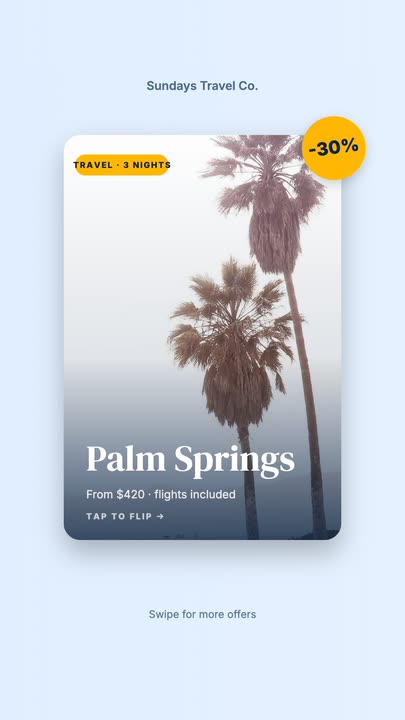 Offer Card FlipA photo offer card flips on its Y axis to reveal what is included, the price and a button, then flips back.
Reveal your logo.
Upload the mark, type the name, set two colours and export a clean logo reveal animation.