
Offer Card Flip
A promo video template that flips to show the offer
A photo card with a headline and a price hint turns on its Y axis and lands on the back: three perks, the full price, and a booking button. Then it turns back. Sky-blue palette, a discount badge in the corner, six seconds.
- 6s
- duration
- 4
- aspect ratios
- 7
- controls
- 720p
- free, unlimited exports
Social Hooks · 6s · 9:16
Card · Flip · Offer · Promo
Two sides of an offer in one card
An offer has two halves — the thing you want and the thing it costs — and putting both on one screen usually means shrinking one of them. A flip card solves that structurally: the front is the photo, the tag and the headline; the back is the perks list, the price and the button. The turn between them is a real Y-axis scale, with the shadow underneath reacting, so it reads as one object rather than two cards crossfading.
Everything on both faces is text. The destination or product name, the price, the three perk lines, the button label, the tag, the badge and the footer note are all editable, and the perks each have their own dot marker that stays aligned when the line lengths change. The badge in the corner — the shipped version reads -30% — is a separate layer you can retype or delete.
6 seconds, three beats
What is on screen, and when. Every element named here is a layer in the document — you can click any of them on the canvas and change it.

Beat 1 · 1.1s
The front face
The card is in place with the photo, the TRAVEL tag, the headline and the from-price hint, the discount badge sitting over the top-right corner.

Beat 2 · 2.8s
The back opens out
The card has turned through the centre line and the back is nearly at full width, with the WHAT'S INCLUDED kicker, the title and the first perks arriving on it.

Beat 3 · 3.6s
Perks, price, button
Three perks with their dots, the rule, the full price with its per-person note and the Book-now button — all settled, with the card holding before it turns back.
Three steps to a flip-card promo
- 01
Set the front
Upload the offer photo and type the headline — a destination, a package name, a product. There is a size control for the headline so a long name still fits the card.
- 02
Fill the back
Type the price and the first perk in the control panel, then edit the other two perks and the button label on the canvas. The dots realign to whatever you write.
- 03
Pick the accent and export
The accent runs the perk dots, the price and the button. Set it, choose your aspect and export a clip that is ready to post or run as an ad.
A real turn
The card flips, it does not crossfade
The front scales through zero on the Y axis while the back comes out the other side, with the drop shadow beneath it responding to the move. That is the detail that makes a flip look like an object instead of a transition preset.
Two faces, one document
Everything on both sides is editable
Photo, headline, tag, price, three perks, button label, badge and footer — all of them are layers you type into. Nothing about the offer is baked into an image you would have to redo in a design tool.
Direct response shape
It ends on the button
The back holds long enough to read the perks and the price, and the button is the last thing to settle. If a viewer stops the clip anywhere in the second half, the price and the action are both on screen.
What you can change
Seven controls, plus canvas-editable text for the second and third perks, the tag, the badge, the button and the footer line.
- Click any element on the canvas to edit it directly
- Or describe the change in a sentence and let the assistant make it
- Export 9:16, 16:9, 1:1, 4:5 from the same document
Studio controls
7 named
- DestinationTextPalm Springs
- PriceText$420
- First perkTextBoutique hotel, 3 nights
- AccentColour#1E6FE8
- Title sizeSlider 72–11296
- Card photoPhoto
- SpeedSlider 0.5–21
Why a flip and not two cards
Cutting from a photo card to a details card loses the connection between them: the viewer has to decide the second card is about the first. A flip removes that question, because it is visibly the same object. It also buys you a full second of attention in the middle of the clip for free — people watch a turn finish.
Offer Card Flip: questions, answered
Is this promo video template free?+
Free to open and edit, and free accounts get unlimited free 720p exports with a small LazyKiwi mark. Clean 1080p is included with any paid plan.
What aspect ratios can I export?+
9:16, 16:9, 1:1 and 4:5. The card is centred and the layout retargets around it, so the flip works in all four without cropping the perks list.
Can I change the copy, price and colours?+
Yes — the headline, the price, the first perk and the accent colour are named controls, and the remaining perks, the tag, the badge, the button and the footer are canvas-editable text layers.
Do I need After Effects?+
No. A two-sided flip usually means duplicating layers and hand-timing a swap in a desktop editor. Here it is already authored — you fill in both faces and export.
How long is the clip?+
Six seconds: front, flip at 1.5s, a long hold on the back, then a turn back. The speed control runs 0.5× to 2×.
More product & ui
All product Gradient Sweep LogoA blue-to-lilac gradient opens from the centre and fills the frame, a white mark and a serif wordmark settle on it, then the gradient folds back to paper for a seamless loop
 Letter Bars LogoOn pure black two deep-red bars and one bright diagonal rise in turn and lock into a tall N letter mark, then a red wordmark lights up below — the streaming-service sting
 Route Logo RevealOn a pale map of white streets a route draws itself from a start pin through three waypoints; at the destination a map pin carrying your mark drops in and a label card with the brand name pops up under it
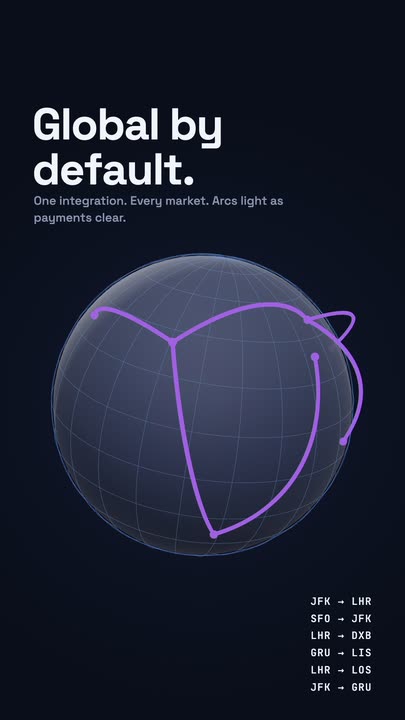 Globe ArcsA wireframe globe turns slowly on a midnight stage while six city-to-city arcs light up in sequence, with a route table ticking along beside it.
 Spin LogoOn a full-bleed tangerine stage a dot-grid mark spins a full turn while growing into place, a thin rule draws beside it and a serif wordmark slides out with its tagline
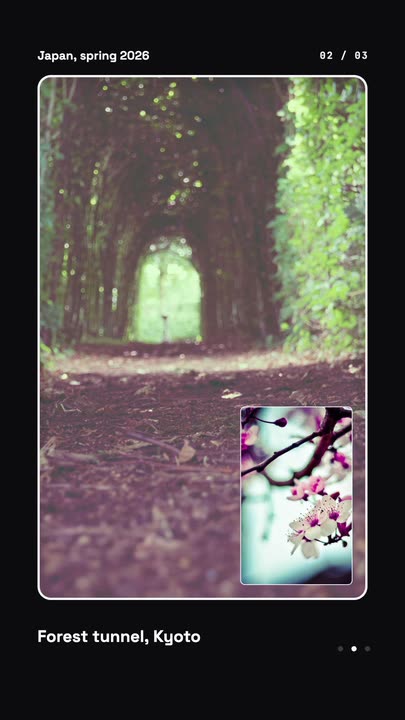 Nested Photo EditPicture-in-picture photo edit: a small inset grows into the main frame, then the next one nests inside it, three deep on a seamless loop.
Show the offer and the price.
Fill both faces of the card, set your accent, and export a promo clip that ends on the button.