
7 HeyGen Alternatives for 2026 (Prices and Free Tiers)
Seven HeyGen alternatives ranked by price, free tier and avatar type: Synthesia, Colossyan, D-ID, Elai.io, VEED, Captions and LazyKiwi, checked Sept 2026.
 Marcus Tan 10 min read
HeyGen alternatives fall into three groups: studio platforms with their own stock presenters (Synthesia, Colossyan, Elai.io), talking-photo tools that animate an image you already own (D-ID, LazyKiwi), and editors with an avatar feature attached (Captions, VEED). HeyGen's own Creator tier costs $29/mo for 600 credits and its free tier allows three 60-second videos (HeyGen pricing, 2026, read on 5 Sept 2026); that one-minute ceiling is what starts most searches. Below: why people switch, a nine-tool table, a HeyGen vs Synthesia head-to-head, one review per tool, the free options, and the LazyKiwi talking-photo steps.
Why look for a HeyGen alternative?
Four reasons come up again and again, and only one of them is price. HeyGen bills in credits rather than minutes, so a two-minute clip that uses a premium avatar and translation burns several times what a plain clip does. Cloning more than the single free video avatar means moving up to Business ($149/mo, five cloned avatars), and the $0 tier tops out at three 60-second videos (HeyGen pricing, 2026).

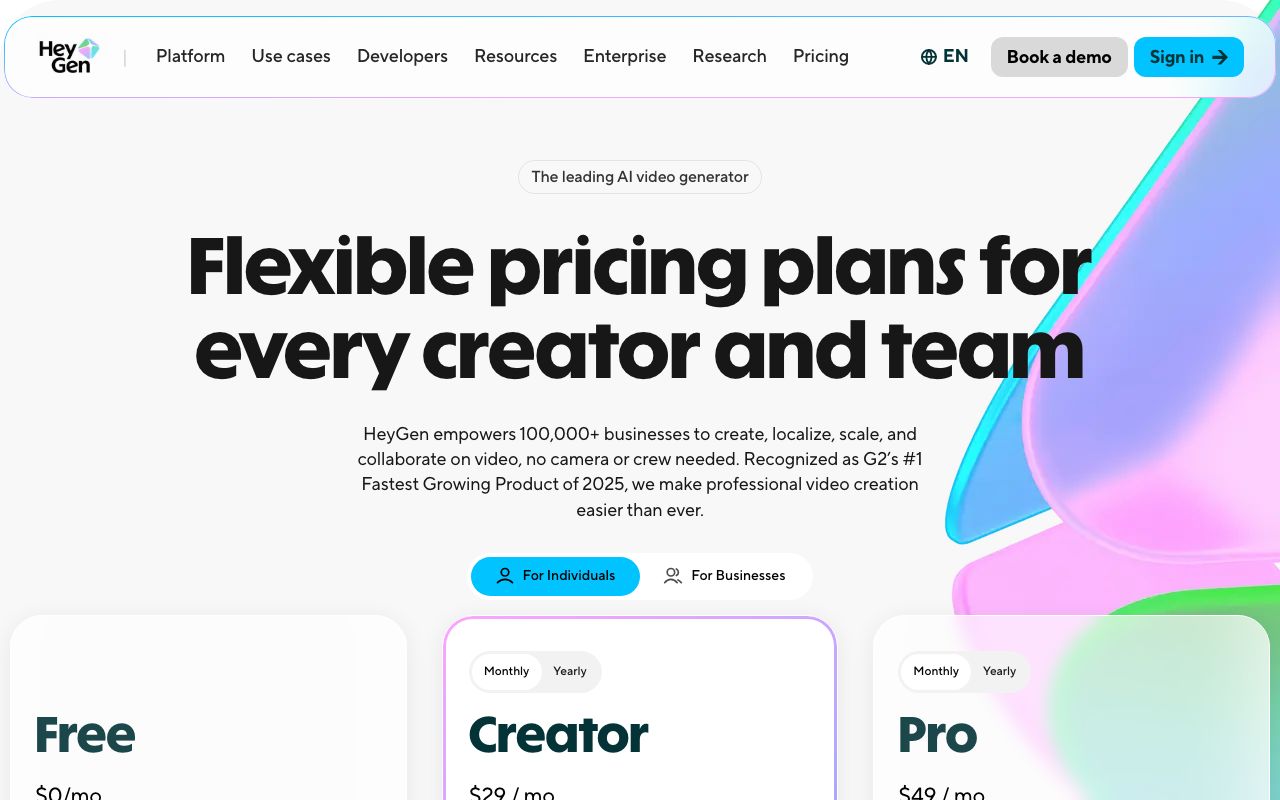
The third reason is workflow: HeyGen is a hosted browser app and API (its developer docs (2026) list Photo Avatar, Digital Twin, Live Avatar and Video Translation endpoints), so anyone who needs faces to stay on their own hardware has to look at open-source models instead. The fourth is fit: a training team wants scenes and SCORM, a creator wants a vertical clip from one portrait, and HeyGen sits in the middle of both.
- Credits, not minutes: long or premium clips drain the allowance faster than the plan page suggests.
- Free-tier ceiling: 60-second videos, three per month, which is a demo rather than a workflow.
- Cloned avatars: a second custom video avatar starts at the Business tier.
- No local option: HeyGen runs in the cloud only; the open-source route is in the free section below.
- Wrong shape for the job: learning teams outgrow it upward, social creators outgrow it sideways.
What are the best HeyGen alternatives in 2026?
Seven tools made the cut, with two challengers listed underneath. Free-tier and entry-price cells come from each vendor's plan page as it rendered on 5 Sept 2026; the review section links every page so you can re-check.
| Tool | Type | Free tier (5 Sept 2026) | Paid entry | Why it replaces HeyGen |
|---|---|---|---|---|
| Synthesia | Studio with stock or personal avatars | Basic: $0, no card, 10 min/mo | Starter $29/mo (monthly billing) | Minutes instead of credits, 160+ languages |
| D-ID | Talking photo, API | Trial: 14 days, watermark | Lite from $4.7/mo (yearly) | Cheapest paid talking-photo plan |
| Colossyan | Studio for learning teams | Starter: free, 20 NEO min/mo | Professional $59/mo (yearly) | SCORM, courses, scenario video |
| Elai.io | Studio, budget | One minute free | Creator: 15 min for $29/mo | Slides and documents to video |
| Captions | Editor with AI actors | Free plan without generative features | Max $24.99/mo, 500 credits | Vertical social editing first |
| VEED | Editor with avatars and dubbing | Start for free (limits on the page) | Creator $12/mo (yearly) | Whole edit in one browser tab |
| LazyKiwi | Talking photo plus video models | 40 credits/mo, no watermark step | Credit plans | Photo to talking clip in one screen |
Two challengers show up in search next to HeyGen. Revid is a script-to-social pipeline whose most popular plan starts at $39/mo with 2,000 credits (Revid, 2026); it is not avatar-led. JoggAI sells AI avatar videos and a paste-a-product-link-to-video flow with a no-card trial (JoggAI, 2026) but publishes no plan prices on its home page, so treat it as a trial-first option among the alternatives to HeyGen.
HeyGen vs Synthesia: which is better?
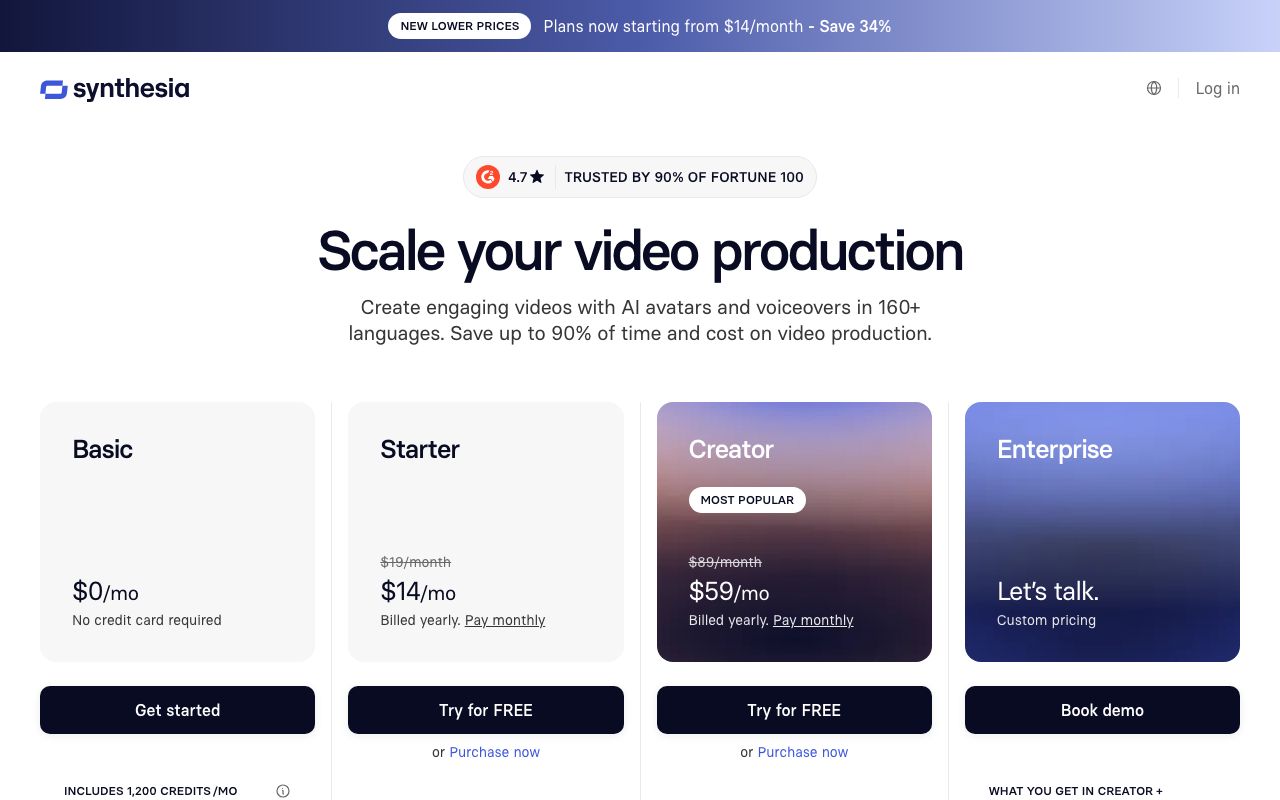
Verdict: Synthesia for training and internal video, HeyGen for marketing clips and photo avatars. The heygen vs synthesia question is really a metering question. Synthesia sells Starter at $29/mo (monthly billing) with 10 min of video, and Creator at $89/mo (monthly billing) with 30 min plus five personal-avatar slots (Synthesia pricing, 2026). HeyGen's Creator tier is also $29, but it hands you 600 credits, and different features consume them at different rates.
| Dimension | HeyGen | Synthesia |
|---|---|---|
| Free plan | 3 videos/mo, 60 s each, a single custom video avatar | $0 Basic, no card, 1,200 credits (10 min/mo) |
| Entry paid plan | Creator $29/mo, 600 credits | Starter $29/mo (monthly), 10 min |
| Metering | Credits | Minutes (counted in seconds) |
| Your own avatar | A single custom video avatar on Free, 5 on Business | 5 personal-avatar slots on Creator ($89/mo) |
| Languages | 175+ on Creator | 160+ |
| Export ceiling | 1080p (Creator), 4K (Pro, $49) | Per plan; Synthesia logo removed from Starter up |
| Best at | Ads, UGC-style spots, photo avatars | Courses, SCORM, screen recordings |
One caution on Synthesia's yearly prices: on 5 Sept 2026 the page quoted different yearly figures to two of our sessions, so the table above only carries monthly-billed numbers. Synthesia competitors on the learning side, Colossyan and Elai.io, are reviewed next.
How do the 7 HeyGen alternatives compare one by one?
Each review states what the tool replaces in a HeyGen workflow, the plan you would actually buy, and the catch. Source links point at the plan page read on 5 Sept 2026.
Synthesia
Replaces: presenter-led explainers and course modules. Buy: Starter ($29, monthly billing) if 10 min/mo covers you; Creator ($89) once you need 30 min and personal-avatar slots (Synthesia pricing, 2026). Catch: the studio look is unmistakable on social feeds, and Basic exports carry the Synthesia logo.
D-ID
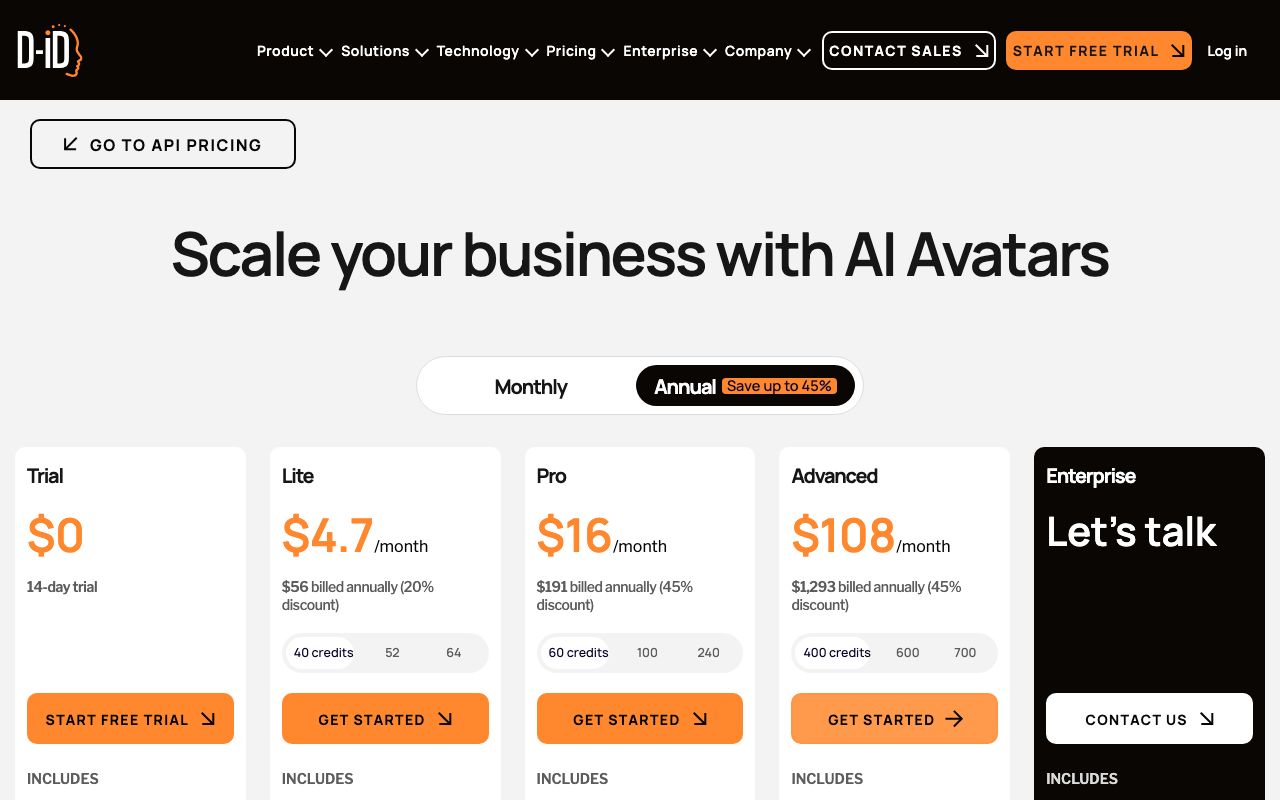
Replaces: HeyGen's photo avatar. Buy: with the yearly toggle on, the Studio grid read Lite $4.7/mo ($56 billed yearly, 40 credits) and Pro $16/mo ($191 billed yearly, 60 credits) (D-ID pricing, 2026). Catch: Trial plus Lite exports are watermarked, and the FAQ on that page says leftover minutes vanish at month end.
Colossyan
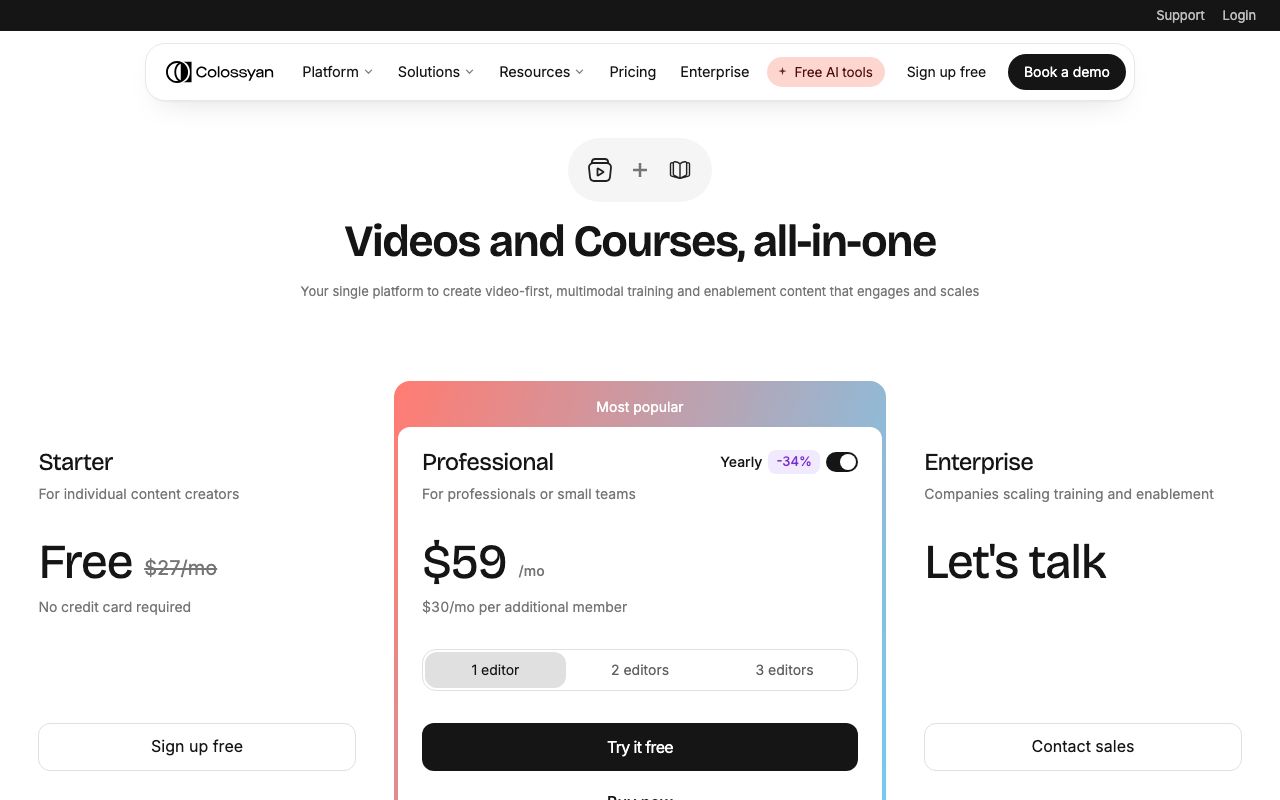
Replaces: HeyGen for learning and development teams. Buy: pilot on the free Starter tier (20 NEO min/mo), then Professional at $59/mo with the yearly toggle: 30 NEO min, 10 NEO2 min, no watermark, three editor seats (Colossyan pricing, 2026). Catch: the better-looking NEO2 minutes are rationed on lower tiers.
Elai.io
Replaces: HeyGen for slide decks and documents that need to become narrated video. Buy: Creator, $29/mo (or $23 yearly), for 15 min; Team, $125/mo, for 50 min and three editors. A selfie avatar is a $199 yearly add-on and overage is $2 per minute (Elai.io pricing, 2026). Catch: an 80+ avatar library, far smaller than the studio leaders.
Captions
Replaces: HeyGen for direct-to-camera social clips. Buy: Max, $24.99/mo, 500 credits, which covers digital twins and custom AI actors; Scale 1x is $69.99 with 1,400 credits, and the page flags these as iOS prices (Captions pricing, 2026). Catch: the free plan has no generative features, so there is no zero-cost avatar test.
VEED
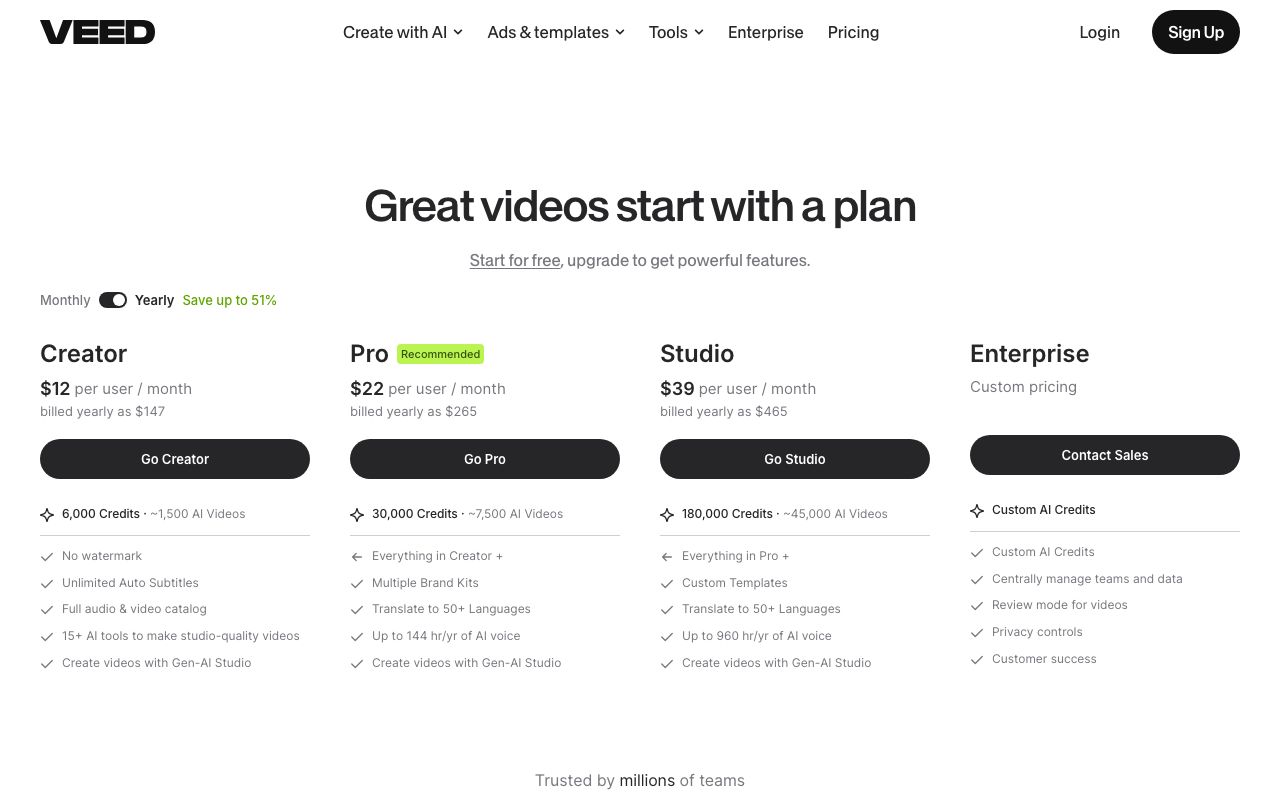
Replaces: HeyGen plus your editor. Buy: yearly billing puts Creator at $12 per user/mo ($147 billed yearly) with 6,000 credits, watermark-free; Pro at $22 ($265) with 30,000 credits and translation into 50+ languages; Studio at $39 ($465) (VEED pricing, 2026). Catch: avatars are one of fifteen-plus tools, so avatar quality trails the specialists.
LazyKiwi
Replaces: HeyGen's photo avatar and, through the same workbench, the b-roll. The Avatar Talking page takes one portrait, your script, an action preset and a voice; the AI video generator beside it runs models such as Hailuo 2.3 Fast for cutaways. The free tier carries 40 credits/mo (see the pricing page). Catch: no stock presenters and no built-in translation.
Is there a free HeyGen alternative?
Yes, three kinds. Hosted free tiers first: Synthesia Basic (10 min/mo, no card), Colossyan Starter (20 NEO min/mo) and LazyKiwi's 40 credits/mo produce usable output; Elai.io's one free minute and D-ID's watermarked 14-day trial are tests only. People typing heygen free usually mean HeyGen's own $0 tier, which exists but stops at three 60-second videos, so the free HeyGen alternatives above are the better deal.
The second kind is open source, which is also the only honest answer to the heygen local alternative question. SadTalker turns a single portrait image plus a WAV file into a talking-head video, runs completely offline and is Apache 2.0 licensed (SadTalker on GitHub, 2026). LivePortrait animates a portrait from a driving video with an official PyTorch implementation and a Gradio interface (LivePortrait on GitHub, 2026). Both need a GPU and patience; neither gives you a stock presenter.
Free minutes go to the hard sentence
Spend them on the brand's name, a phone number and a word from another language. Any tool can read a greeting.
The third kind is the trial-first challenger: JoggAI advertises a no-card trial for avatar and product videos, and Revid offers a free start before its $39 tier. Watermarks apply on D-ID Trial and Lite and on Colossyan Starter, so those exports are not publishable as-is.
Which HeyGen competitor should you choose for each job?
The list of heygen competitors gets short once you name the job.
- Talking photos: LazyKiwi (free credits, no watermark step) or D-ID (lowest paid tier at $4.7/mo on yearly billing).
- Training video and SCORM: Colossyan, then Synthesia if you need 160+ languages and screen recording.
- Localization: Synthesia for the language count, VEED Pro for translation inside the editor; for dubbing existing footage read our AI video dubbing guide.
- Social editing: Captions for vertical direct-to-camera, VEED when the edit is bigger than the avatar.
- Product videos from a URL: JoggAI, on its trial, before you commit.
Whichever of these HeyGen alternatives you pick, a synthetic spokesperson that recommends a product is an endorsement. The FTC endorsement FAQ, 2026 treats an undisclosed link between spokesperson and brand as a problem whenever the audience would not expect it, and calls engagement from people who do not exist deceptive. A short 'AI presenter' label handles it.
For a wider field that includes Hedra and Vidnoz on equal footing, our eight-tool avatar roundup sorts them by where the avatar comes from.
How to make a talking-photo video without HeyGen
This is the LazyKiwi route, screen by screen. It draws on the monthly credit allowance and produces a clip you can post directly. If you need a better portrait for it, our guide to taking a professional headshot at home covers the setup, window light and poses.
- 1
Choose the portrait
One face, eyes open, mouth closed or barely open, no hand near the chin. A generated character is fine as long as the face is sharp at full size.
- 2
Keep the script under the counter
The box stops at the 1,000-character limit. Short sentences and full stops give the model clean pauses; commas run together.
- 3
Pick the action preset
Speech is the formal default. Teaching and Conversation loosen the head, News Anchor locks it for lower thirds, Product Pitch suits a demo, Singing exists if the script is lyrics.
- 4
Set the voice and the emotion
Two male voices (Calm, Energy), two female (Warm, Clear), and Gentle, Serious, Happy or Neutral delivery. Match the emotion to the quietest line, not the loudest.
- 5
Generate, then check it slowed down
Look at the mouth on plosives and on any number. If it drifts, shorten the script before swapping the portrait; the lip sync review checklist covers every artifact.
- 6
Optional: change the presenter
Open the character swap tool, upload the finished clip and a reference photo of the new presenter. On 5 Sept 2026 a 5-second 9:16 swap was priced at 410 credits in the app (sale price).
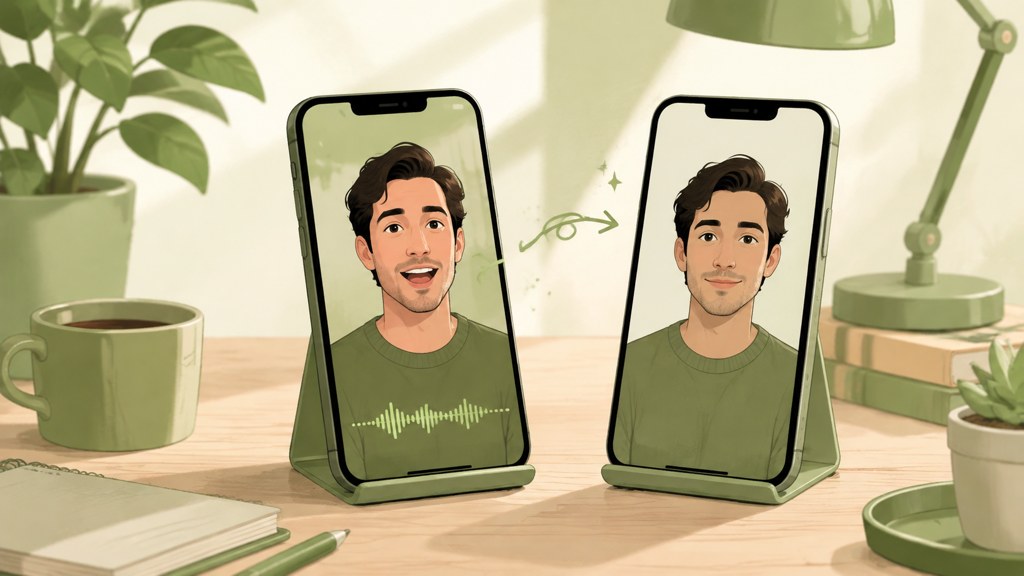
Cut the talking clip to the sentence that matters and let the b-roll carry the rest; a 12-second avatar segment with two cutaways holds attention better than a 40-second monologue.
Key takeaways
- HeyGen Creator is $29/mo for 600 credits and the $0 tier stops at three 60-second videos, per the plan page on 5 Sept 2026.
- Synthesia is the closest studio replacement: $29/mo (monthly billing) for 10 min, metered in minutes rather than credits.
- Cheapest paid talking photo is D-ID Lite at $4.7/mo on yearly billing; cheapest editor with avatars is VEED Creator at $12/mo, also yearly.
- Usable free tiers: Synthesia Basic (10 min/mo), Colossyan Starter (20 NEO min/mo), LazyKiwi (40 credits/mo); open-source SadTalker runs fully offline.
- Label synthetic presenters that recommend products; the FTC treats undisclosed connections and fake engagement as deceptive.
Tools & Reviews Editor
Marcus Tan
I open every competitor's pricing page myself before writing a comparison, and I say plainly when another tool is the better pick.
FAQ
Common questions
What is the cheapest HeyGen alternative?
For a talking photo, D-ID Lite at $4.7/mo on yearly billing ($56 per year, 40 credits) was the lowest paid plan we found on 5 Sept 2026. For an editor with avatars, VEED Creator is $12 per user/mo, yearly. LazyKiwi's free tier gives 40 credits/mo, enough for a few short Avatar Talking clips at no cost.
Is Synthesia cheaper than HeyGen?
Entry tiers cost the same: $29/mo for HeyGen Creator and for Synthesia Starter on monthly billing. Synthesia counts minutes (10 on Starter), HeyGen counts credits (600 on Creator), so Synthesia wins on long plain training videos and HeyGen on short clips that use few premium features.
Which HeyGen alternative works for talking photos?
LazyKiwi Avatar Talking and D-ID are built around one portrait plus a script or audio. LazyKiwi includes 40 credits/mo on the free tier with no watermark step; D-ID's Trial and Lite plans watermark exports. Vidnoz adds photo avatars on its Business plan if you also want a stock-avatar library.
Can I run a HeyGen alternative locally?
Yes, with open-source models. SadTalker takes a portrait image and a WAV file, runs completely offline and is Apache 2.0 licensed; LivePortrait animates a portrait from a driving video with a PyTorch implementation and a Gradio interface. Both need a GPU and produce no stock presenters, so they suit private or offline projects rather than volume.
Does HeyGen have a free plan?
Yes. On 5 Sept 2026 the HeyGen plan page listed a $0 tier with 3 videos/mo of up to 60 seconds, a single custom video avatar and 30+ languages. It is enough to test lip sync on your own script, not enough to publish a series; Creator at $29/mo is the first tier with 1080p export and 30-minute videos.
Try the talking-photo route
One portrait, one script, one click. The free tier's credits cover your first clips.
Keep reading
Best AI Avatar Video Generator: A Practical Guide for Creators
Find the right AI avatar workflow for explainers, social clips, onboarding videos, and experiments without choosing a tool that is too complex for the job.
8 min read
AI Video Dubbing: A Practical Creator Guide for 2026
Use ai video dubbing to translate and localize videos while preserving the speaker’s meaning, delivery, timing, and brand voice.
8 min read
AI Lip Sync: How to Make Talking Videos Look Natural
Create a convincing AI lip sync video by choosing the right portrait, preparing clean speech, controlling facial motion, and checking mouth timing with a practical review workflow.
8 min read
How to Build an AI Influencer That Feels Like a Real Creator
A practical guide to defining an AI influencer, creating a recognizable character, producing consistent content, and building audience trust.
8 min read