
AI Coloring Page Generator: Printable Pages for Kids
Use an AI coloring page generator to make printable line art: prompts by age, photo-to-page conversion, 300 DPI export, free credits and Etsy or TPT rules.
 Maya Chen 11 min read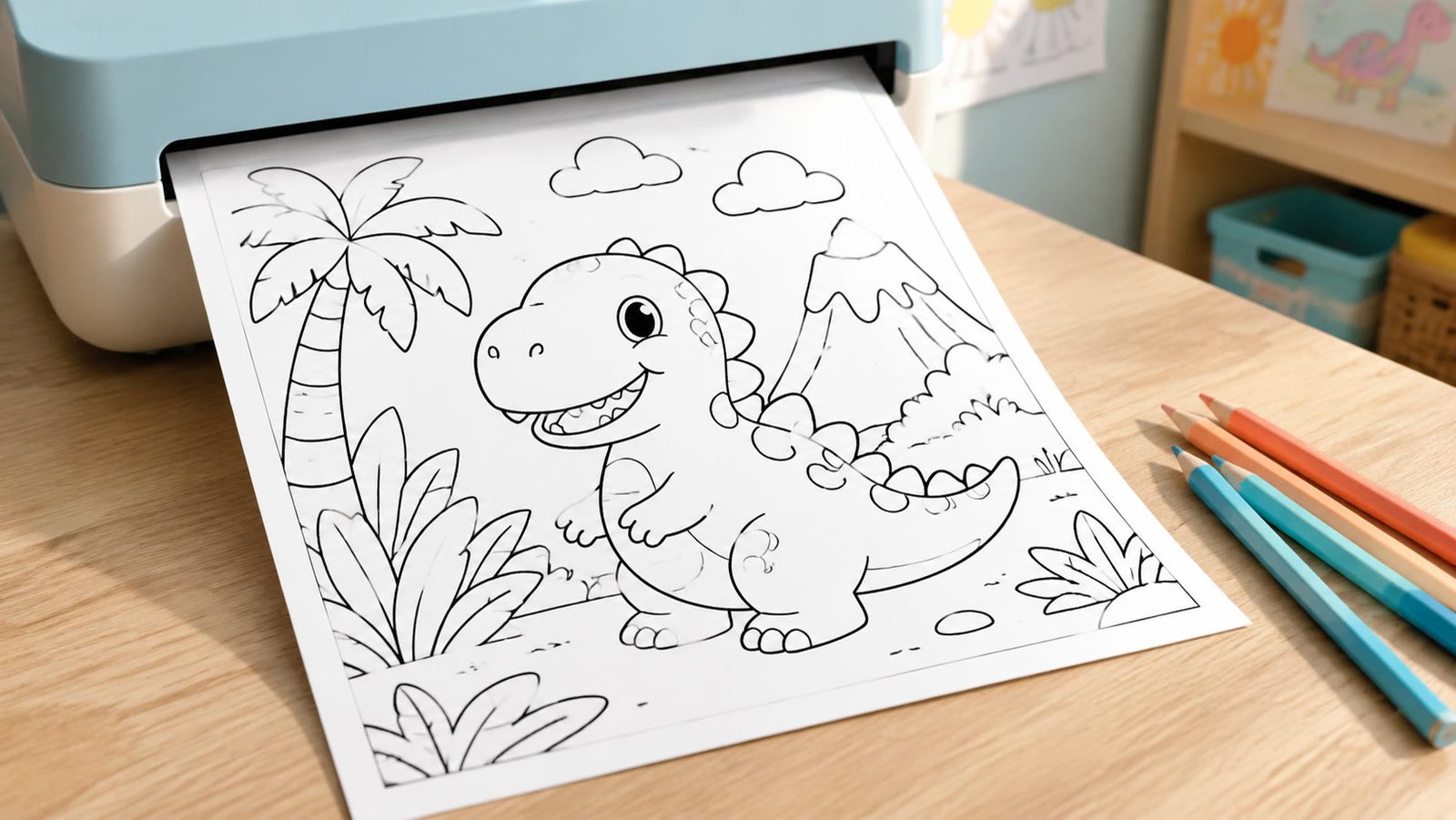
An AI coloring page generator turns a one-line description such as 'a fox reading under a tree, thick black outlines, no shading' into a printable black-and-white page in under a minute. In LazyKiwi the cheapest way to do it is the Z-Image model at 2 credits per image on its current promotional price, which means the 40 monthly free credits on the pricing page cover twenty pages. This guide covers the prompt pattern that produces clean lines, the photo-to-page route, prompts by age group, a Christmas set, and what Etsy and Teachers Pay Teachers expect if you sell the results.
What does an AI coloring page generator do?
An AI coloring page generator does three jobs. First, it draws line art from text: you name the subject, the line weight and the amount of detail, and the model returns closed black outlines on white. Second, it converts a photo into an outline drawing, which is how people make a page from a pet or a child's own picture. Third, it repeats a style across a set, so a ten-page animal book looks like one illustrator drew it.

What it does not do is decide how hard the page should be. A preschool page needs six or seven big shapes; a page for adults can carry a hundred small ones. That choice is yours and it goes in the prompt. Common Sense Media's age-based media reviews are a reasonable sanity check for themes if you are unsure what suits a given age, per Common Sense Media (2026). For subject lists sorted by difficulty, our doodle ideas post groups easy doodles by skill level.
Which LazyKiwi models draw line art?
Two models in the AI image generator are worth the credits. Z-Image is a text-only model at 2 credits per image on its promotional price, with no reference upload, so it is the draft engine. GPT Image 2 accepts text plus reference images and renders up to 2K, which makes it the finishing model when you need a page to match an existing character or a previous page in the set. On September 6, 2026 its Generate button showed 13 credits per image at the 1K size. In LazyKiwi's workbench data (August 2026), GPT Image 2 was the model behind 127 of 181 external generations and 1:1 was the ratio in 124 of 143 external image jobs, so a square page draft in GPT Image 2 is the most-trodden path even though Z-Image is cheaper.


How to make printable AI coloring pages step by step
The order below saves credits: settle the drawing at 2 credits a try, then spend once on resolution.
- 1
Write a line-art prompt
State the medium before the subject: 'black and white coloring page, thick clean outlines, no shading, no gray, white background'. Then the subject in one sentence. Then 'simple shapes, large areas to color'.
- 2
Generate drafts in Z-Image
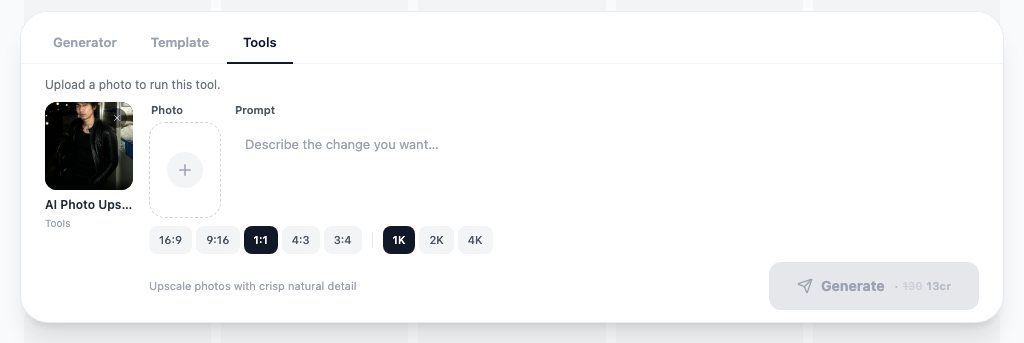
Set 3:4 for a portrait page and 1K. Run three variants at 2 credits each and pick the one with the fewest broken or double lines.
- 3
Fix the details in GPT Image 2
If a hand or face is muddled, upload the Z-Image draft as a reference in GPT Image 2 and ask for the same drawing with that part redrawn.
- 4
Upscale for print
Run the final through the AI photo upscaler at 2K or 4K. A Letter page at 300 DPI is 2,550 by 3,300 pixels and an A4 page is 2,480 by 3,508, so a 1K draft is not print-ready.
- 5
Check it in pure black and white
Open the file, set your viewer to grayscale and look for gray fills. Any soft shading will print as a muddy patch that children cannot color over.
- 6
Export as PDF
Place the PNG on a Letter or A4 page with a 0.5 inch margin and save as PDF, one page per file for single sales or a combined file for a book.


Say what to leave out
The words that matter most are the negatives: no shading, no gray, no color, no text, no background clutter. Models add texture unless told not to.
How to convert a picture to a colouring page
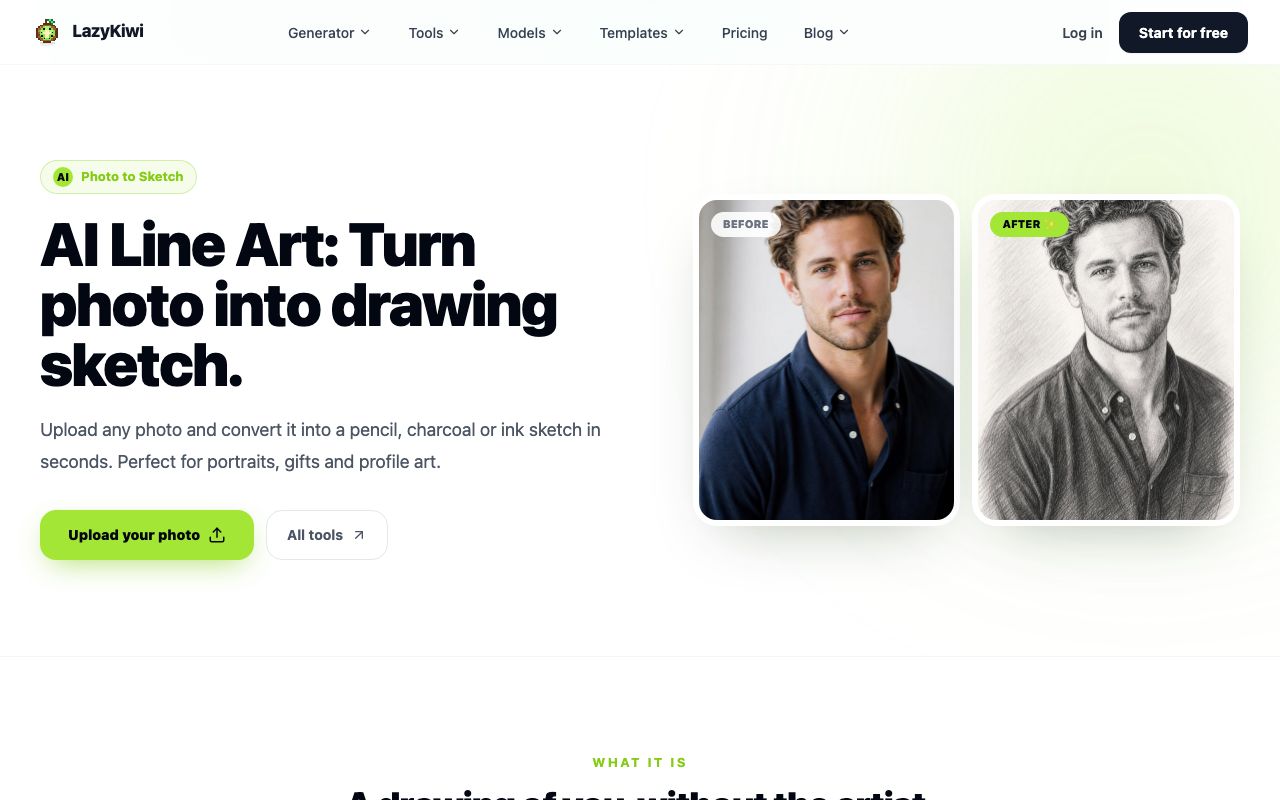
To convert picture to colouring page, use the photo to sketch tool rather than a text prompt. It takes an uploaded photo and returns a pencil, charcoal or ink drawing; the ink setting with the detail level turned down is the closest to a coloring page because it keeps outlines and drops most of the shading. Our guide on how to turn a photo into a coloring page covers which photos convert well and how to control line thickness for different ages.
- Start from a photo with one subject on a plain background; busy backgrounds turn into scribbles.
- Crop tight before uploading so the subject fills at least two thirds of the frame.
- Choose ink, low detail. Pencil keeps soft shading, which is what you are trying to remove.
- If gray patches remain, open the result in any editor and push the threshold or levels until only black and white are left.
- Upscale the cleaned drawing before printing, the same as a generated page.

For a child's drawing rather than a photo, skip the sketch tool: photograph the drawing flat in daylight, then use it as the reference image in GPT Image 2 with the prompt 'redraw as a clean coloring page, same shapes, thick black outlines, no shading'. The result keeps their composition and fixes the wobbly lines.
What prompts make good coloring pages for different ages?
The subject changes with age, but the structural words change more. Here are three prompts I reuse, each tested in Z-Image and GPT Image 2.
Black and white coloring page for toddlers, one smiling elephant, very thick outlines, six large simple shapes, no shading, no gray, no background, white page.
Black and white coloring page, a friendly fox reading a book under an oak tree, clean medium-weight outlines, a few leaves and mushrooms, no shading, no gray, white background.
Black and white coloring page, a walled garden with a fountain, climbing roses and a stone path, fine even outlines, intricate but every area closed, no shading, no gray, no text.
How do you get clean black lines without gray shading?
Three habits fix most gray. Put 'no shading, no gray' at the end of the prompt as well as the start, because models weight both ends. Avoid words like 'realistic', 'soft' or 'watercolor', which pull in tone. And generate at 1:1 or 3:4, not 16:9, since wide frames tempt the model to fill space with texture. If a draft still has a gray sky, regenerate; at 2 credits it is cheaper than cleaning up.
For a rounder, sticker-style look on young children's pages, the kawaii doodle illustration template gives you the character style first; the AI sticker generator guide shows the same characters cut out for chat apps.
How to make Christmas and seasonal coloring pages
Coloring pages AI Christmas theme searches peak in the weeks before the holiday, so a set needs to be listed by early November to catch them. Build the set as one prompt with a swappable subject so the pages match.
Black and white Christmas coloring page, [SUBJECT], thick clean outlines, no shading, no gray, snowflakes as simple six-point shapes, white background, no text.
- Subjects for the set: a decorated tree with round baubles; a snowman with a scarf; a reindeer with a bell; a gingerbread house; a wrapped gift pile; a stocking on a mantel; a cardinal on a snowy branch; an ornament with a simple pattern.
- Keep one line weight across all eight; if a page comes out finer, regenerate rather than mixing.
- Add one blank-space page (a plain bauble or a stocking outline) for children to draw their own pattern.
| Season | List by | Subjects that print cleanly |
|---|---|---|
| Halloween | Late September | Pumpkins, black cats, a friendly ghost, a haunted house outline |
| Christmas | Early November | Tree, snowman, reindeer, gingerbread house, stocking |
| Valentine's Day | Mid January | Hearts with patterns, a bear holding a card, envelopes |
| Easter | Early March | Eggs with bands, a rabbit in grass, a basket |
| Back to school | Late July | Backpack, bus, pencil characters, an apple |
Crayola publishes free printable coloring pages for the same holidays, per Crayola (2026), and Education.com lists thousands of coloring worksheets by grade, per Education.com (2026). Look at what they already give away before you make a set; a generated page has to be more specific, not just newer.
Is there a free AI coloring page generator?
Yes, within limits. Every new LazyKiwi account gets 40 credits a month with no card, per the pricing page. At Z-Image's promotional price of 2 credits per image that is twenty draft pages a month, or three GPT Image 2 pages at 13 credits, before you pay anything. The upscaler run for print costs extra, so a fully free workflow is: draft in Z-Image, print the 1K file at a smaller size, and pay only when you want Letter or A4 at 300 DPI.
Beyond LazyKiwi, the useful free sources are not an AI coloring page generator at all, and AI generated coloring pages are not what they offer. Crayola's printable library and Education.com's coloring worksheets are free to download, and both are drawn by people, which matters for the selling question below. Recraft is worth a look if you need vector output for a print shop; its site positions the tool around editable vector graphics, per Recraft (2026).
| Option | What is free (checked 2026-09-06) | Best for |
|---|---|---|
| LazyKiwi Z-Image | 40 monthly credits; 2 credits per image | Fast drafts, twenty pages a month |
| LazyKiwi GPT Image 2 | Same 40 credits; 13 credits per 1K image | Reference-matched sets, fixes |
| Crayola | Free printable pages | Ready-made holiday pages |
| Education.com | Free coloring worksheets by grade | Classroom themes |
| Recraft | Vector-focused generator; see its pricing page | Print-shop vector files |
Can you sell AI coloring pages on Etsy or TPT?
You can list them, but two things need reading first. The U.S. Copyright Office's report on copyright and artificial intelligence includes a part on the copyrightability of generative AI outputs, per the U.S. Copyright Office (2026), and its position is that purely machine-generated material without meaningful human authorship is not protected. In practice that means a page you prompted and printed is hard to defend against copying, while a page you drew over, edited and assembled into a book with your own text has a stronger claim.
Etsy keeps its rules for AI-assisted items in its Creativity Standards and seller handbook, per Etsy (2026); read the current text before listing, because the disclosure wording has changed more than once. Teachers Pay Teachers is a marketplace for teacher-made resources, per Teachers Pay Teachers (2026), and its help center sets out what sellers must say about AI use. I could not open either policy page without a login on the day of writing, so I am not quoting them here.

What makes an AI coloring book generator listing defensible?
- Disclose AI use where the marketplace asks, in the listing text, not only in a tag.
- Add human work: hand-fixed lines, a cover you designed, page numbers, an index, a printing guide.
- Do not prompt named characters or a living artist's style; both are the fastest route to a takedown.
- Check every page for anatomy, closed shapes and stray marks before bundling; one bad page brings back the whole book.
- Keep your prompts and drafts as a record of the process in case a buyer or platform asks.
Treat the AI coloring page generator as the sketch stage and the ai coloring pages generator output as a draft. The book is the product, and the book is where your authorship lives.
Key takeaways
- Z-Image in LazyKiwi draws coloring-page line art at 2 credits per image on its promotional price, so the 40 free monthly credits cover twenty draft pages.
- The prompt pattern that works: medium first ('black and white coloring page, thick outlines'), one-sentence subject, then 'no shading, no gray, no text' at the end.
- To convert a photo, use the photo to sketch tool on the ink setting with low detail, then threshold any remaining gray and upscale before printing.
- Print sizes are fixed: Letter at 300 DPI is 2,550 by 3,300 pixels and A4 is 2,480 by 3,508, so upscale a 1K draft to 2K or 4K first.
- Selling is allowed on Etsy and TPT with disclosure, but the U.S. Copyright Office does not treat purely machine-generated pages as protected; add real editing and a designed book.
Image & Design Editor
Maya Chen
I spend my days inside image tools, testing prompts and settings on real photos so the steps here match what you actually see on screen.
FAQ
Common questions
How do I make a coloring page from a photo?
Crop the photo so one subject fills most of the frame, upload it to the LazyKiwi photo to sketch tool, and choose ink with the detail level low. That keeps outlines and drops most shading. If gray areas remain, open the result in any image editor and raise the threshold until only black and white are left, then run the file through the AI photo upscaler before printing at Letter or A4.
What size should a printable coloring page be?
Match the paper. A US Letter page at 300 DPI is 2,550 by 3,300 pixels and an A4 page is 2,480 by 3,508 pixels, both in portrait. Generate at 3:4 or 1:1 so nothing important sits at the edge, upscale the final to 2K or 4K in LazyKiwi, place it on the page with a half-inch margin, and export a PDF so the printer does not rescale it.
Are AI coloring pages allowed on Etsy?
Etsy allows AI-assisted digital downloads under its Creativity Standards, which set out what sellers must disclose about how an item was made. The exact wording is in Etsy's seller handbook and has been revised more than once, and I could not open it without a login on the day of writing, so read the live text before listing and state the AI use in the listing itself.
Can AI make coloring books?
Yes, page by page. Use one base prompt with a swappable subject so all pages share a line weight, generate drafts in Z-Image at 2 credits each, fix problem pages with a reference in GPT Image 2, upscale every page, and assemble the PDF with a cover, contents and page numbers. The human editing and layout are what give the finished book a copyright claim of its own.
How do I get clean black lines without gray shading?
Say it twice. Put 'black and white coloring page, thick clean outlines' at the start of the prompt and 'no shading, no gray, no color, no text' at the end. Avoid words such as realistic, soft or watercolor, generate at 1:1 or 3:4 rather than a wide frame, and regenerate any draft with a gray sky rather than fixing it; at 2 credits a try on Z-Image, a new draft is cheaper than cleanup.
Draft your first coloring page
Open the LazyKiwi image generator, pick Z-Image, paste one of the age-specific prompts above and generate three drafts for 6 credits.
Keep reading
9 Canva Alternatives for 2026: Free and Paid Tools Compared
Nine Canva alternatives compared on pricing checked today, free tiers and AI features, plus a one-brief test you can repeat in Figma, Express and LazyKiwi.
10 min read
AI Sticker Generator: WhatsApp, Telegram and iMessage Packs
Build a matching sticker pack with an AI sticker generator, then hit the real WhatsApp, Telegram and iMessage specs: 512 px, WebP or PNG, tight file limits.
10 min read
How to Use an AI Wallpaper Generator for Desktop and Mobile
Learn how to use an ai wallpaper generator with reliable prompt formulas, device-specific layouts, refinement tips, and ready-to-try creative ideas.
8 min read
AI Thumbnail Maker Guide for Better YouTube Thumbnails
Learn how to choose an AI thumbnail maker, write composition-aware prompts, generate useful variants, add readable text, and test YouTube thumbnails at feed size.
8 min read