
Turn A Photo Into A Relaxed Creekside Dance
Place yourself in a warm woodland creek scene, then let a gentle, spontaneous dance unfold across the rocks with natural reflections and ambient sound.
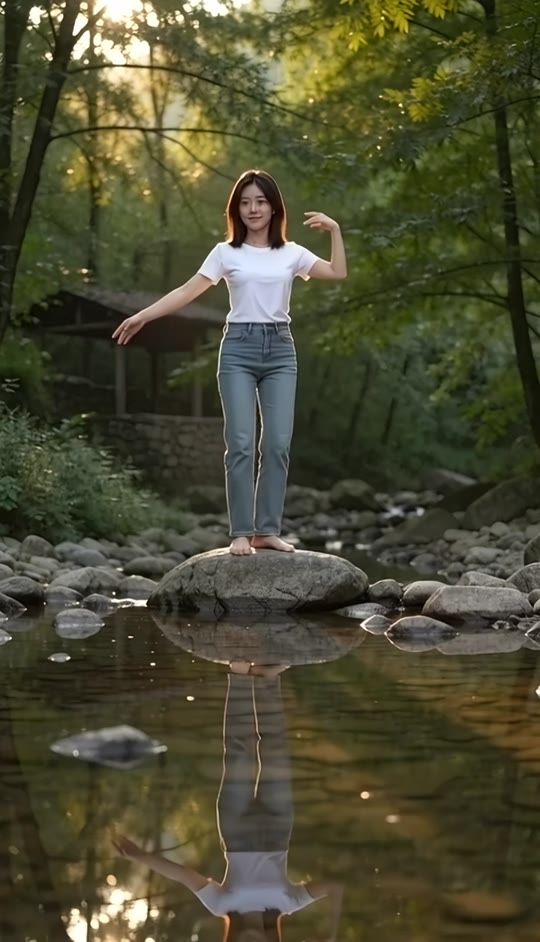
Quiet on the Creek AI Dance Template
Upload one clear, full-body photo of a single person. A front-facing image with visible arms and legs gives the most natural result.
THE TREND
What is the quiet on the creek ai dance trend?
The quiet on the creek ai dance trend turns a single person photo into a calm outdoor movement clip. The creek, sunset atmosphere, full-body framing, and signature lifted-leg pose are built into the template.
Warm creek setting
The person dances on a flat creek stone surrounded by woodland, shallow water, moss, and late-day sunlight.
Signature lifted-leg pose
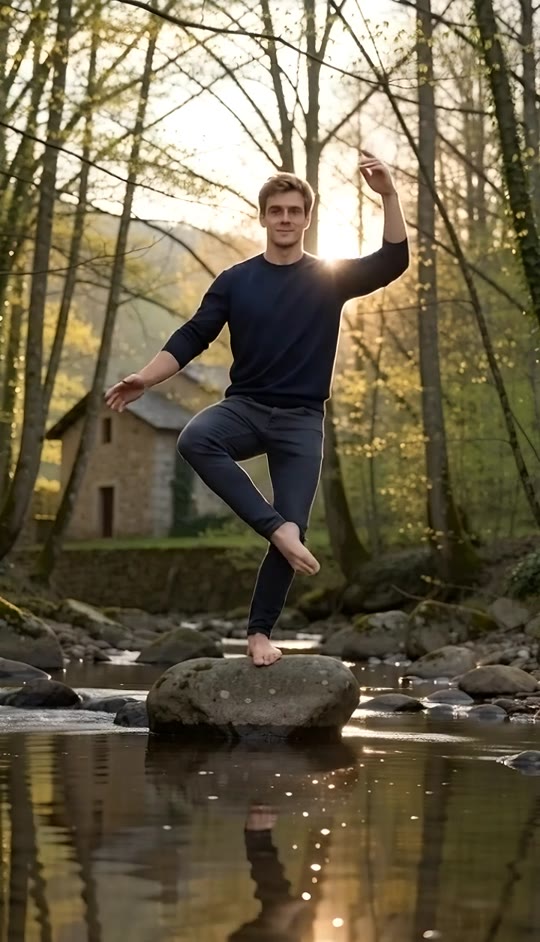
One foot stays grounded while the other knee lifts across the body, creating a playful balance moment.
Relaxed arm shape
The left arm bends beside the shoulder while the right arm reaches outward, giving the movement an easy, unforced rhythm.
Natural outdoor mood
Water reflections, soft rural light, gentle body motion, and creek ambience make the result feel spontaneous rather than staged.
EXAMPLES
See the quiet on the creek ai dance in action
These sample videos show how one full-body photo becomes a warm creekside dance with the same framing, pose, and easygoing movement.
Golden-hour creek dance
A full-body dancer balances on a center rock as the sun glows through the trees and reflects across the water.
Relaxed woodland movement
A single person smiles, sways, raises one knee, and settles into the signature open-arm pose beside the flowing creek.
FAQ
Quiet on the Creek AI Dance FAQ
What is the quiet on the creek ai dance trend?+
It is a photo-to-video trend that places one person in a sunlit woodland creek and animates a relaxed dance with a lifted knee, open arm, and natural water reflections.
How do I make a quiet on the creek ai dance video?+
Upload one clear full-body photo, generate the video, and let the built-in creek setting, camera framing, dance sequence, and audio create the finished clip.
How many photos do I need?+
You need one photo of one person.
What kind of photo works best?+
Use a sharp, front-facing full-body photo with the arms and legs visible. Good lighting and a simple background help preserve the person cleanly.
Does the video keep my appearance?+
The template is designed to keep the person’s face, hairstyle, skin tone, body proportions, and clothing consistent with the uploaded photo.
Is the camera close up or full body?+
The composition is a centered full-body portrait shot so the lifted leg, arm positions, creek rock, and surrounding water remain visible.
Does it use a specific song?+
No. The video includes generated audio and does not recreate a specific original song.
Can I use a photo with more than one person?+
No. This template is designed for one clearly visible person in the reference photo.
Can I add music after generating the video?+
Yes. You can add audio during your normal editing or posting workflow when you have the appropriate rights to use it.
Other names for the quiet on the creek ai dance trend
People may search for this relaxed outdoor photo-to-video effect using several closely related phrases.
One photo. One peaceful creekside dance.
The sunset setting, lifted-leg move, camera, and ambient mood are already built in.


