
Can I Ride AI Dance
Put you and a partner in a neon rooftop dance, with synchronized steps, playful glances, and a coordinated finish.
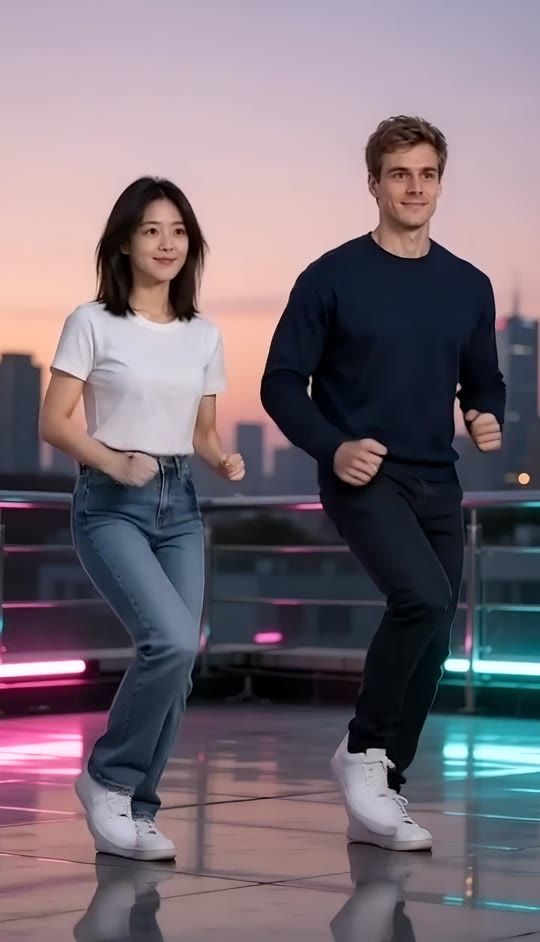
Can I Ride AI Dance Template
Upload two clear photos, one person per photo. The first person appears on the left and the second on the right. Full-body photos with visible shoes work best.
THE TREND
What is the Can I Ride AI Dance trend?
This template turns two portraits into a side-by-side dance in the style of a rooftop street-dance short. The setting, coordinated movement, and camera framing are built in.
Synchronized Traveling Steps
Both dancers move sideways together, extending a heel forward before resetting for the next beat.
Matched Arm Pumps
Bent elbows and loose fists create angular running poses, with the inside arms raised across the chest.
Neon Rooftop Setting
Pink and cyan lights reflect across the rooftop floor beneath a colorful sunset skyline.
Both Dancers in View
A fixed full-body composition keeps the footwork, partner spacing, and shared finish visible.
EXAMPLES
Can I Ride AI Dance Examples
See how different reference pairs bring their own look to the same rooftop choreography.
Can I Ride AI Dance: Friends
Two friends take on the synchronized heel steps and bent-arm pumps in coordinated streetwear.
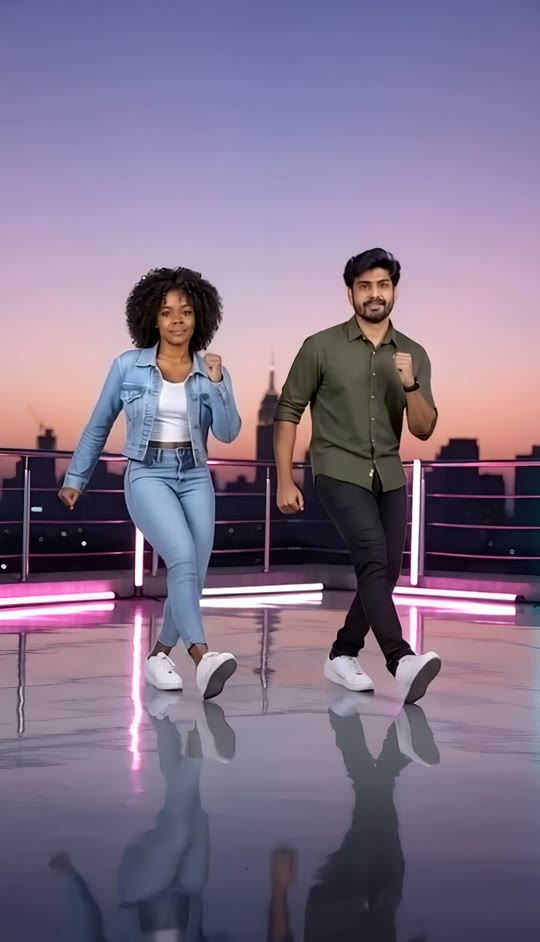
Can I Ride AI Dance: Partners
A second pair performs the same sequence, exchanging a glance before the shared finishing pose.
FAQ
Can I Ride AI Dance FAQ
What is Can I Ride AI Dance?+
It is a photo-to-video dance format featuring two people moving side by side with synchronized steps and partner timing. This template stages the sequence on a neon-lit city rooftop.
How do I make a Can I Ride AI Dance video?+
Upload a separate photo of each person and generate with the built-in template. The prompt supplies the rooftop, fixed camera, coordinated steps, and finishing pose.
Can I upload one photo containing both people?+
This version has two upload slots and expects one person in each photo. Use separate photos, or crop a shared photo into two clear individual images before uploading.
Which person appears on each side?+
The first uploaded person is placed on the left, and the second is placed on the right. The choreography keeps those positions throughout the clip.
What kind of photos work best?+
Choose sharp, well-lit full-body photos with visible faces, arms, and shoes. Similar camera heights and minimal obstruction give the references a clearer starting point.
Will the dancers keep their clothes and appearance?+
The template instructs the video to preserve each person's face, hairstyle, skin tone, and clothing. Fine details can still vary during generated motion.
Does it include the original song?+
No. The template requests an original generated instrumental beat and footstep sounds, not an existing recording or a recreation of a particular song.
How long is the video, and what shape is it?+
The template creates a five-second vertical video in a 9:16 format. Both dancers are framed from head to toe.
Do I need to write a dance prompt?+
No. Leave the text unchanged to use the built-in choreography. Entering custom text replaces the entire template prompt, so a replacement must also describe the people, setting, framing, movement, and timing.
Will every result have identical footwork?+
No. The template specifies a shared sequence, but exact hand positions, foot placement, and synchronization can vary. Preview the full clip before choosing a result.
Other Can I Ride AI Dance Searches
Related search phrases for this paired photo-to-video dance format.
Make Your Rooftop Duet
Bring your own faces and outfits to a coordinated neon dance.


