
Turn Any Anime Character Lifelike
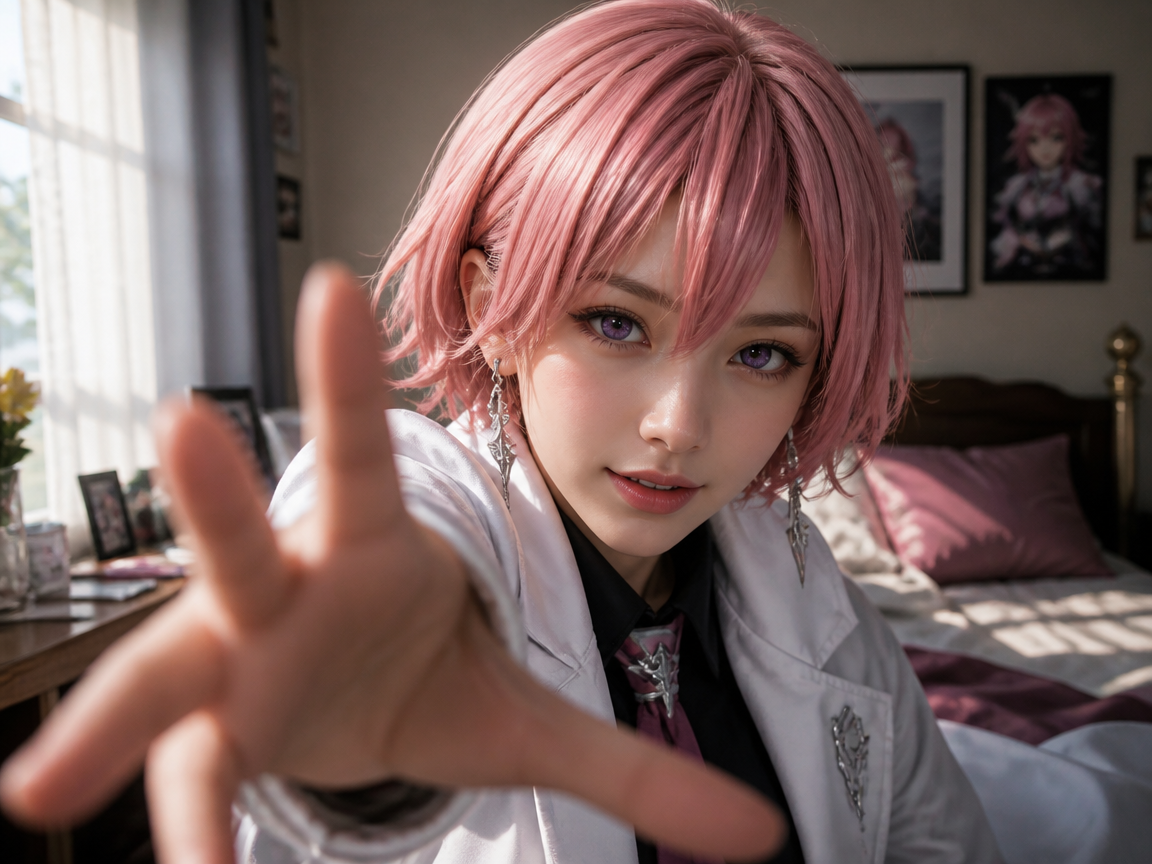
Upload one anime character image and watch it turn into a realistic-style version of the same character: same hair, eyes, outfit and pose, now with real skin, light and depth. The change plays out as a short video, from the original drawing to the lifelike look. Depending on the character, the result lands anywhere from photoreal to polished 2.5D. Free to start.

WHAT IT IS
How Anime Turns Lifelike
A strong anime to real life transformation depends on identity preservation, readable visual stages, and controlled timing. LazyKiwi first renders a realistic-style version of your character, then animates the change from the drawing to that version, so it feels like one character changing form rather than two unrelated images blended together. Our photo-to-anime guide covers the opposite direction.
Recognizable Character Features
The anime character to real life AI process keeps defining traits such as hairstyle, eye color, face shape, accessories, and expression recognizable throughout the conversion.
Consistent Outfit Design
Clothing colors, silhouettes, patterns, and signature accessories remain stable so the realistic result still reads as the original character.
Controlled Transition Pacing
Transition pacing is the core effect. A gradual, well-timed change gives viewers enough time to understand the shift from illustrated features to realistic skin, fabric, lighting, and depth.
One Direction, Done Well
This template goes one way: from an anime drawing to a realistic-style version of the same character. To turn a real photo into anime, use /tools/anime-avatar.
CREATOR USE CASES
Application Scenarios
Create character reveals, cosplay references and fan edits with an anime to real life converter that keeps the character recognizable.

Step From Anime Into Live Action
Show an illustrated hero turning lifelike while keeping the same hair, eyes, expression and costume. Works for character introductions, fan edits and story teasers. For a fully illustrated companion clip, explore /templates/ai-anime-video.

Cosplay and Fan Casting Reference
See how an anime character could look in a realistic style before planning a cosplay, a costume or a fan casting post. Hair, outfit colors and accessories carry over.
Break the Fourth Wall
Turn an anime character lifelike in one short clip for a fourth-wall style reveal: the drawing gains real skin, light and depth while staying recognizable. For a softer hand-painted variation, try /templates/ghibli-art-ai.
FAQ
Common questions
What is anime to real life AI?+
Anime to real life AI turns an illustrated anime character into a realistic-style interpretation. It keeps defining features such as hair, eyes, clothing, accessories and pose while changing the rendering, lighting and skin. Results range from photoreal to polished 2.5D depending on the character.
Can I convert a real photo into anime too?+
Not with this template. It only goes one way, from an anime character to a realistic-style version. To turn a real photo into anime, use /tools/anime-avatar.
Will my hair and outfit stay consistent?+
The template is designed to preserve character features, including hairstyle, hair color, eye color, outfit shape, and important accessories. A sharp image with an unobstructed face and clearly visible clothing gives the anime character to real life AI the strongest reference.
What kind of image should I upload?+
Upload one clear anime character image. A front-facing or three-quarter view with the face unobstructed and the outfit visible works best. Real photos are not the intended input for this template.
How does transition pacing affect the result?+
Transition pacing is core because it determines whether viewers can follow the character's change. A controlled sequence should preserve identity first, introduce realistic or illustrated details gradually, and finish with a readable final pose rather than changing every feature at once.
Can I combine this effect with other anime styles?+
Yes. You can use the result alongside an animated sequence from /templates/ai-anime-video or explore a softer illustrated treatment with /templates/ghibli-art-ai. Keep the same hair, outfit colors, and facial markers across clips to maintain continuity.
What pairs with the anime-to-real look?+
Turning anime lifelike makes a striking before-and-after. It pairs nicely with Jojos Bizarre Adventure Filter, or try Kawaii Doodle Illustration for contrast.
Other names for Anime to Real Life AI
Creators use several names for anime-to-live-action transformations and realistic character conversions. Anime-to-real, realistic anime, live-action anime, they all describe turning an anime look lifelike.
Turn an Anime Character Lifelike From One Image
Upload one anime character image and watch it turn into a realistic-style version in a short clip.


