
Turn Photo Into Cartoon and Keep the Likeness
Turn photo into cartoon output that still looks like the person: which sources convert, which styles hold a face, and how to fix a result that misses.
 Maya Chen 9 min read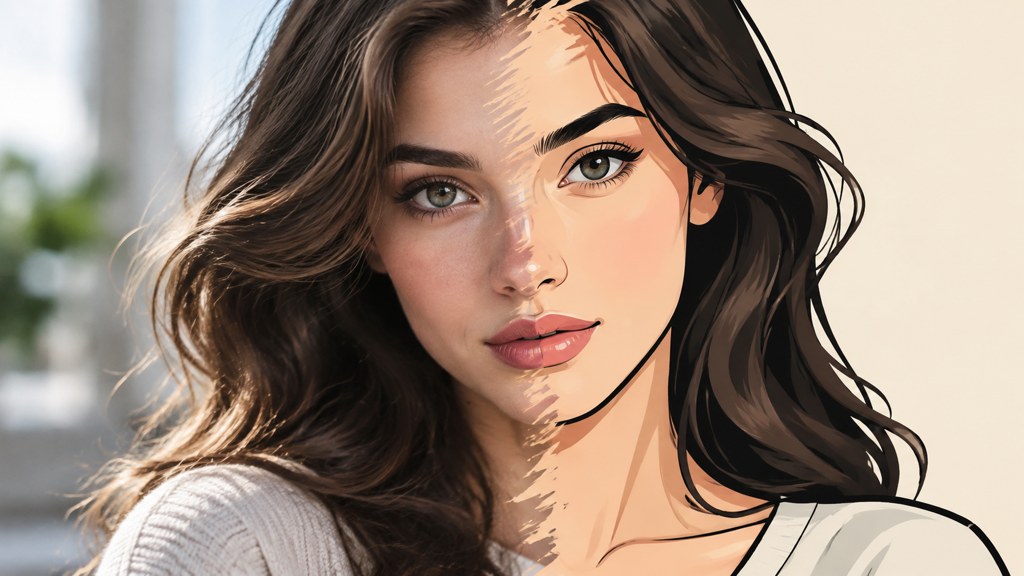
Turn photo into cartoon results fail for one reason, and it is not the model. Identity lives in proportion and asymmetry, and stylisation regularises both: eyes get bigger and further apart, noses shorten, jaws become symmetrical. What comes back is a good cartoon of somebody who could be a relative. The fixes are mostly upstream of the conversion: even front light, hair off the face, a straight-on angle, and a crop where the face fills the frame. Below: which styles hold a likeness and which destroy it, a template run with the two controls it actually has, three ranked fixes for a near-miss, free-tier limits read today, and where avatar and likeness rules sit.
Why do most photo-to-cartoon results stop looking like the person?
Identity does not live in the features people think it lives in. It lives in proportion and asymmetry: how far apart the eyes sit relative to the face width, how the nose meets the lip, which eyebrow sits higher, how the jaw is not quite symmetrical. Stylisation smooths exactly those things, because smoothing is what a style is.
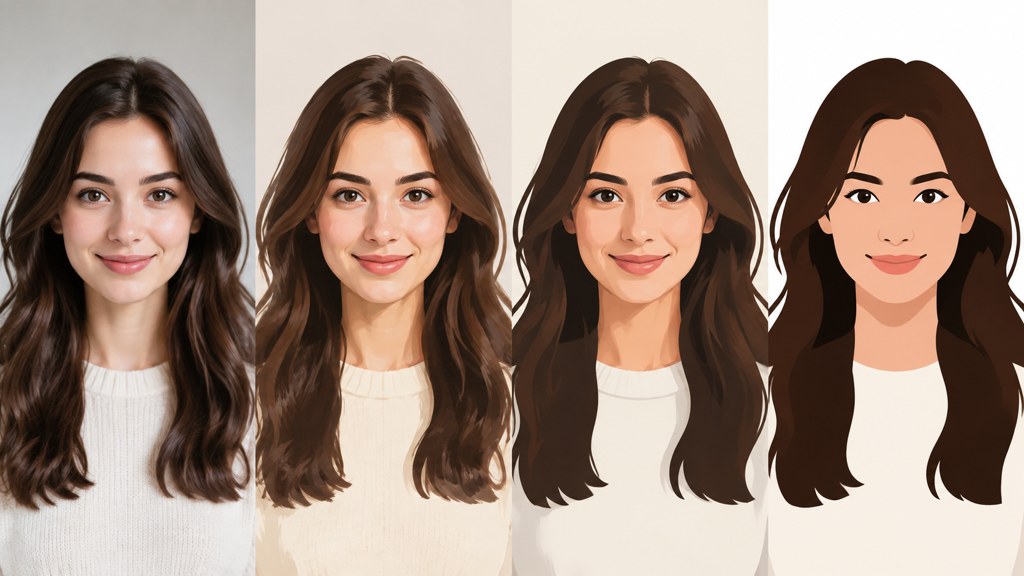
Watch what gets lost and you can predict the failure. Eyes get enlarged and moved apart, which is the single biggest identity change. Noses get shortened. Jaws get symmetrical. Skin texture goes, and with it the age cues. The result is a competent cartoon of a generic person who resembles your friend the way a sibling does.
The test is not whether it looks good. It is whether someone who knows the person names them without being told.
— Maya Chen
So protect proportion before you protect anything else. When a result misses, the useful question is not which style to try next; it is which proportion moved.
Which source photos convert to cartoon best?
Four properties in the source do more for the result than any setting, and there are four matching faults that reliably ruin it.
| Property | What works | What ruins it |
|---|---|---|
| Lighting | Even, soft, from the front or slightly above | Hard side light putting a shadow across the nose |
| Angle | Straight on or a gentle three-quarter | Steep upward or downward angles that distort proportion |
| Hair | Away from the face, hairline visible | A fringe or strands crossing the eyes |
| Framing | Head and shoulders, face filling a good part of the frame | Full-length shots where the face is a hundred pixels wide |
The shadow across the nose deserves its own warning. It reads to a model as a shape rather than as an absence of light, so the nose gets redrawn around the shadow and the result carries a feature the person does not have. If you only fix one thing about your source photograph, fix the light.
Resolution matters less than people expect and framing matters more. A modest photograph where the face fills the frame beats a large one where it does not.
How do you turn a photo into a cartoon step by step?
I ran a plain-background headshot through the photo to cartoon template to show what the composer actually offers, which is less than most people expect and is the point.
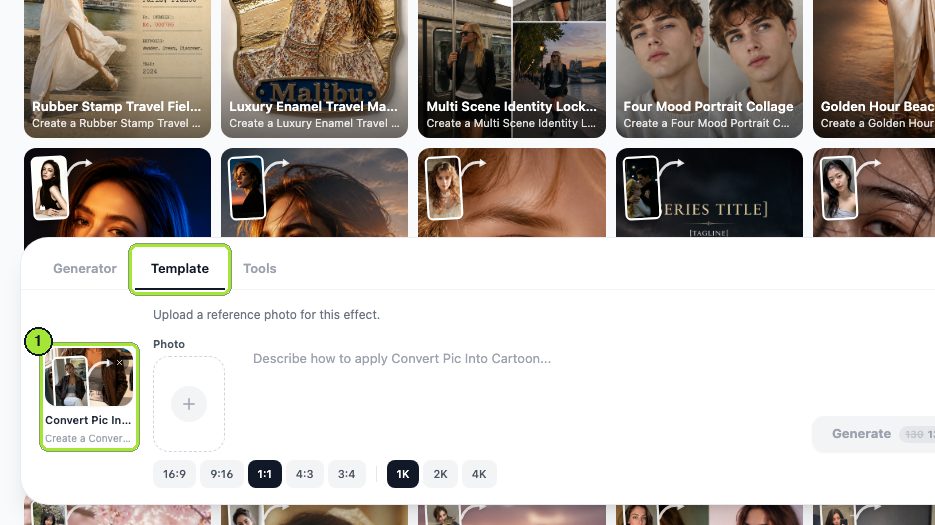


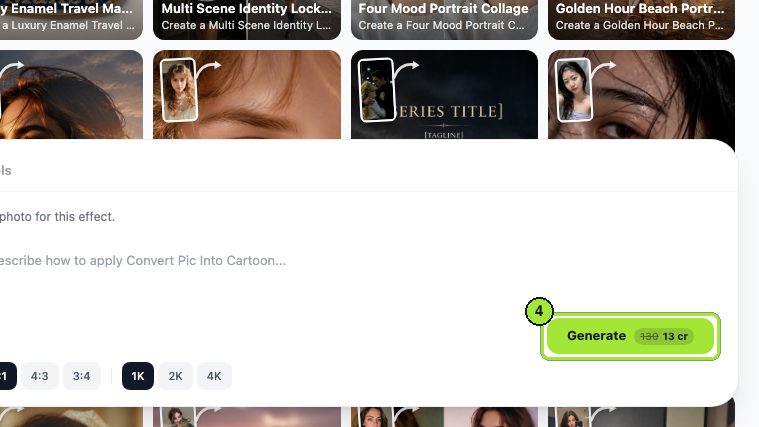

Both runs were served by GPT Image 2, which is what every template and tool in the workbench uses. Three things to notice. There is no style picker, so the style is whatever the template ships plus whatever you say in the Prompt box. There is no strength control, so you cannot ask for a gentler conversion. And a single pass beats stacking: running a cartoon result through a second stylising pass compounds the proportion drift instead of refining it.
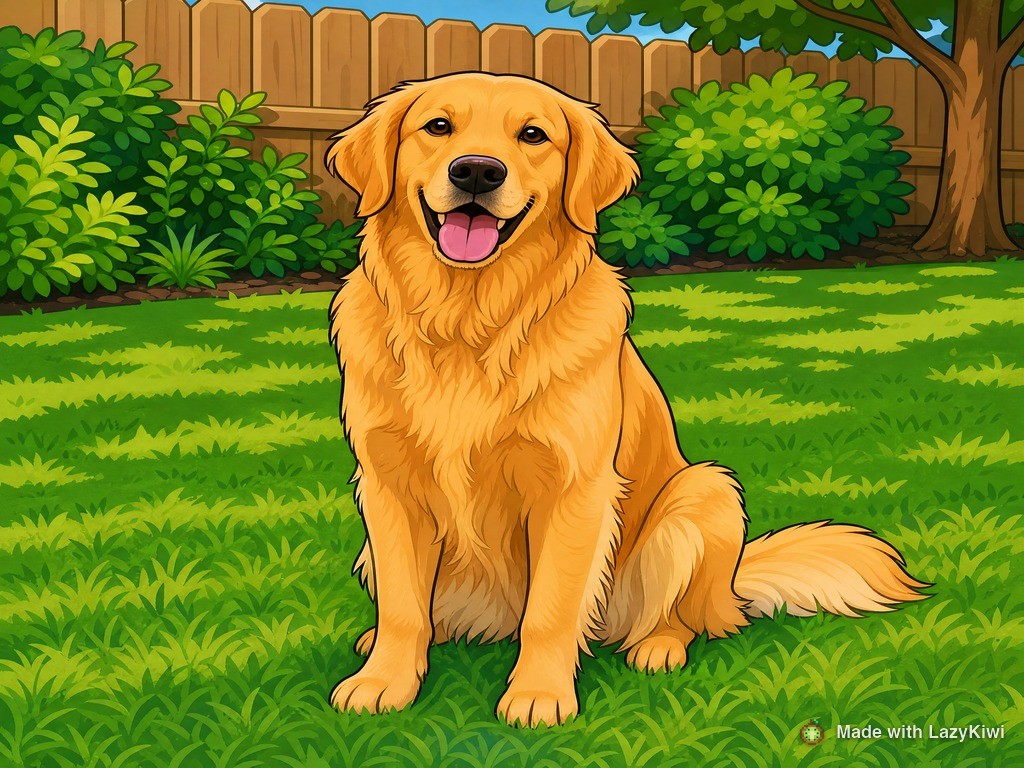
The second run is worth including because it shows what changes when identity is not at stake. On a pet, any style is fine and the only question is whether it looks appealing. On a person, appeal and accuracy pull in opposite directions, and the whole craft is in managing that.
Which cartoon styles hold a likeness and which do not?
Styles differ in how much they abstract the face, and abstraction is exactly what costs you recognition.
| Style | Abstraction | Likeness held | Best for |
|---|---|---|---|
| Caricature | High, but targeted | Strong | Portraits where recognition matters most |
| Semi-realistic illustration | Low | Strong | Profile pictures and gifts |
| 3D animation style | Medium | Moderate | Playful avatars |
| Anime | High, and standardised | Weak | Fan art rather than portraiture |
| Flat vector | Very high | Very weak | Icons and mascots, not people |
Caricature is the counterintuitive one. It exaggerates rather than regularises, and exaggeration in the right places makes a face more identifiable, not less. That is why a good caricature is recognisable at a glance while a flat vector portrait of the same person is not. The caricature template is worth trying on any face where a straight conversion came back generic.
Flat vector is the opposite: it reduces every face to the same set of shapes with different colours. Useful for a team page where consistency matters more than resemblance, and useless as a portrait.
How do you fix a cartoon result that does not look like you?
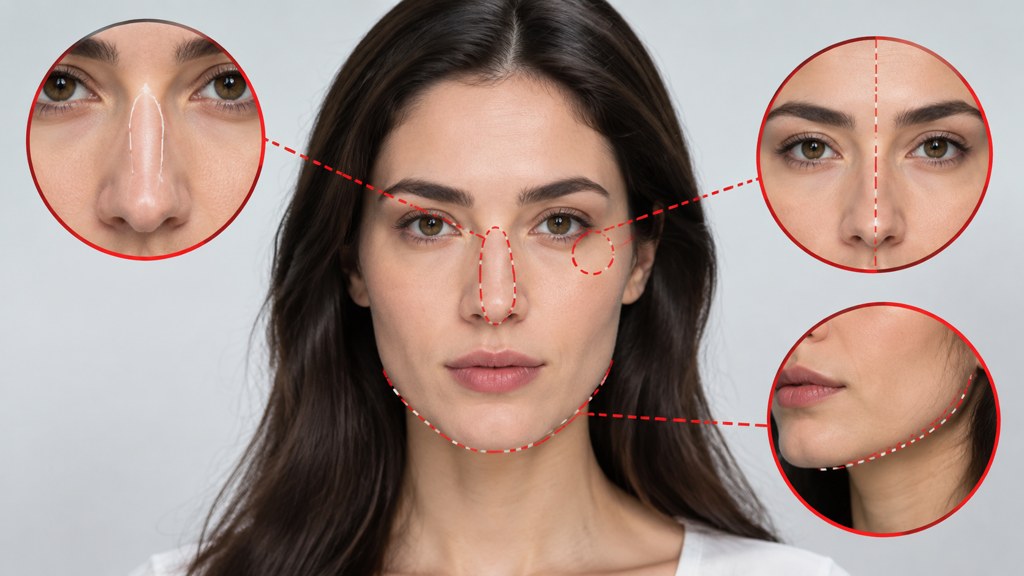
Three fixes, ranked by how often they actually work in my experience.
- 1
Reshoot the source
Works most of the time, and nobody wants to hear it. Even front light, hair off the face, straight-on angle. Most likeness failures were baked in before the upload.
- 2
Crop tighter and run again
If the face was small in the frame, the model had little to work from. Crop to head and shoulders and the same template often returns a completely different quality of result.
- 3
Change style rather than settings
Move towards caricature or semi-realistic and away from flat or anime. This works less often than the first two, but when the first two are not available it is what is left.
Name the specific problem in the Prompt box rather than asking for more accuracy in general. Something like keeping the eye spacing and the nose length as they are in the photograph gives the model a target; asking it to look more like the person does not.
Do not stack passes
Sending a cartoon result back through another stylising run is the most common way people make a near-miss worse. Each pass drifts the proportions further from the source, because each pass takes the previous output as truth.
How do you turn a photo into a cartoon for free?
Two limits decide this job: does the free output carry a watermark across the face, and how large does it export. Everything below was read on the vendor's own page on 7 September 2026.
| Tool | Free tier as published | Cheapest paid entry | Watermark on free output |
|---|---|---|---|
| [Fotor](https://www.fotor.com/) | Basic, called free forever; credits capped; one job at a time | Prices render as placeholders on the page | Yes, on JPG, PNG and PDF |
| [Picsart](https://picsart.com/) | A trial is advertised; no permanent tier documented | Pro, $10.5 monthly on yearly billing, down from $15 | Not stated on the page |
| [Pixlr](https://www.pixlr.com/) | Not described on the pricing page | Plus, $1.99 monthly on yearly billing, 80 AI credits | Not stated on the page |
| [BeFunky](https://www.befunky.com/) | A Free tier exists and its contents are listed | No price shown for Plus or Pro | Not stated on the page |
| LazyKiwi | 40 credits when you open an account | 13 cr for a 1K image from this template | No |
Read that table as a warning about faces rather than about money. A watermark in the corner of a holiday snap is survivable; one across a portrait that was going to be an avatar is not. Fotor is the only vendor here that states its watermark policy plainly, and it states that the free plan has one.
Search variants such as how convert photo into cartoon and how turn photo into cartoon all arrive at the same shortlist. The differentiator is not the model behind them; it is whether the free output is watermarked and how large it exports, because a profile picture needs a clean square and nothing else.
How do you cartoonise a photo on a phone?
Three phone routes, and all of them share one property: the output is capped lower than the desktop equivalent.
- A dedicated app from an app store. Fast, often watermarked on the free tier, and typically exporting at a size chosen for social feeds rather than for print.
- A web tool in the phone browser. Usually the same service as the desktop version with the same limits, which makes it the better of the two if you have a choice.
- A social platform's built-in effect. Convenient and the most heavily compressed, so save the original separately if the result matters.
Phone conversions look softer for two related reasons: the upload is often downscaled before processing, and the result is re-encoded on the way back. If a phone result looks mushy next to a desktop one from the same service, that is usually why, and re-running the same photograph from a laptop fixes it. Searches for how to turn photo into cartoon on iphone free and for a photo to cartoon free route generally land on the same set of apps, so judge them on export size rather than on the demo images they advertise.
There is no phone equivalent of the desktop workflow in one respect. If your photograph needs the light fixed first, do that in an AI photo editor before the conversion, because no cartoon step will recover a face with a shadow across the nose.
Can you use a cartoon of yourself as a profile picture?
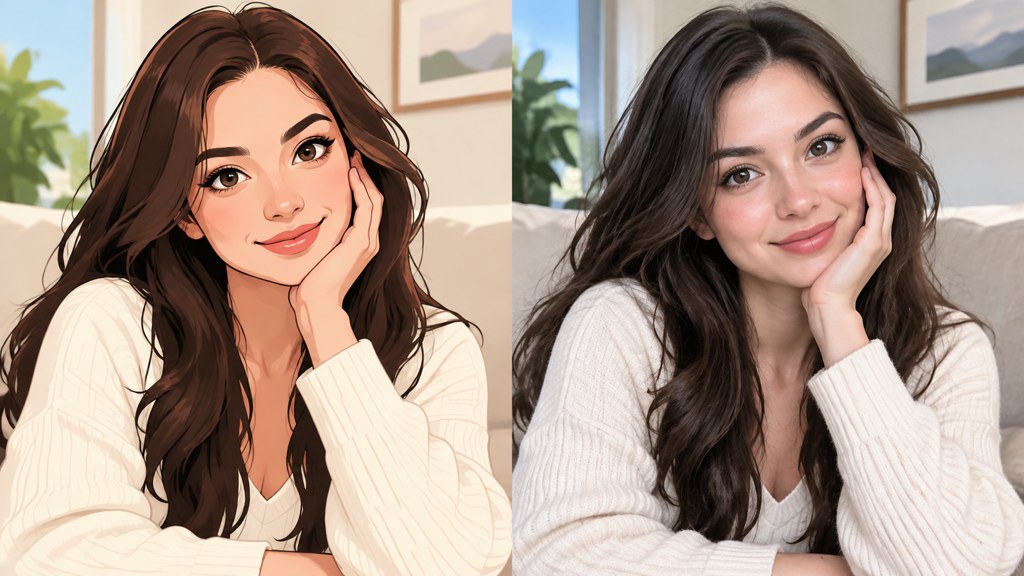
For yourself, almost always yes. The complications start when the face is not yours or the account claims to be a real person.
- 1
A cartoon of yourself
Fine on every major platform. The usual practical requirements are a square crop and a face large enough to read at avatar size, which is smaller than most people design for.
- 2
A cartoon of someone else
Likeness rights survive stylisation. A recognisable cartoon of a real person used commercially, or in a way that implies endorsement, is a problem regardless of how you made it. Ask, or use a face that is not identifiable.
- 3
An account that presents as a real person
This is where platform policy bites. Rules on impersonation and on labelling synthetic media differ by platform and change; read the current help page for the platform you are posting on rather than trusting a summary.
Disclosure is worth adding even where it is not required. Attaching provenance through Content Credentials travels with the file better than a caption does, and portfolio communities such as DeviantArt expect AI-involved work to be labelled as such. On ownership, the US Copyright Office's report on copyright and artificial intelligence has been published in parts, with the part on the copyrightability of generative outputs dated 29 January 2025: prompt-only material is not protected, while your own contribution can be.
Key takeaways
- Likeness lives in proportion and asymmetry. Any style that regularises them loses the person.
- A shadow across the nose is the worst source fault: it gets redrawn as a feature.
- Caricature holds a likeness better than flat vector, because it exaggerates rather than smooths.
- The template has a Photo box, ratio chips and resolution chips. No style picker, no strength control.
- Never stack stylising passes; each one takes the previous drift as truth.
- Reshooting the source fixes more misses than changing the style ever does.
Image & Design Editor
Maya Chen
Maya writes about image tools from the desk rather than the demo reel. She tests templates on ordinary photographs, keeps the runs that fail, and reports what the panel actually shows.
FAQ
Common questions
How turn photo into cartoon and still be recognisable?
Start with even front light, hair off the face and a head-and-shoulders crop, then pick a style that exaggerates rather than smooths. Caricature and semi-realistic illustration hold a face; flat vector and anime standardise it, which is what makes people look generic.
What is the best way to cartoonize photo files in bulk?
Use the same template, the same ratio and the same prompt for every image, and fix the source photographs first. Consistency across a set comes from consistent inputs, not from settings, and a batch shot in different light will never look like one series.
How to turn photo into cartoon illustrator style without Illustrator?
Ask for flat vector shapes, limited palette and clean closed outlines in the Prompt box. Be aware that this is the style that loses a likeness fastest, so it suits mascots, icons and team pages far better than it suits a portrait of a specific person.
Why does my phone result look softer than my laptop one?
Phone routes usually downscale the upload before processing and re-encode the result on the way back, so detail is lost at both ends. Running the same photograph through the web version on a laptop, at the largest resolution offered, generally fixes it.
Is a cartoon of a celebrity allowed as an avatar?
Likeness rights survive stylisation, so a recognisable cartoon of a real person can be a problem, especially in commercial use or where it implies endorsement. Platform impersonation rules apply on top of that and differ per platform, so check the current help page.
Convert one photo and check the proportions
One Photo box, a ratio, a resolution, and the price on the Generate button. Judge the result on whether someone names the person unprompted.
Related reading
Paper Animation Tools: Free Options Compared
Tools that turn a photo or idea into a paper-craft animation, compared on style range, render length and what each free tier actually lets you export.
8 min read
VHS Filter: How to Get a Convincing Tape Look
Tracking lines, chroma bleed, interlacing and head-switching noise — the four artefacts that sell a VHS look, and how to add them without overdoing it.
8 min read
Doodle Ideas: 60 Easy Doodles by Skill Level
Sixty doodle ideas sorted by how long each takes and how much drawing skill it needs, plus the repeatable shapes that fill a whole page fast.
8 min read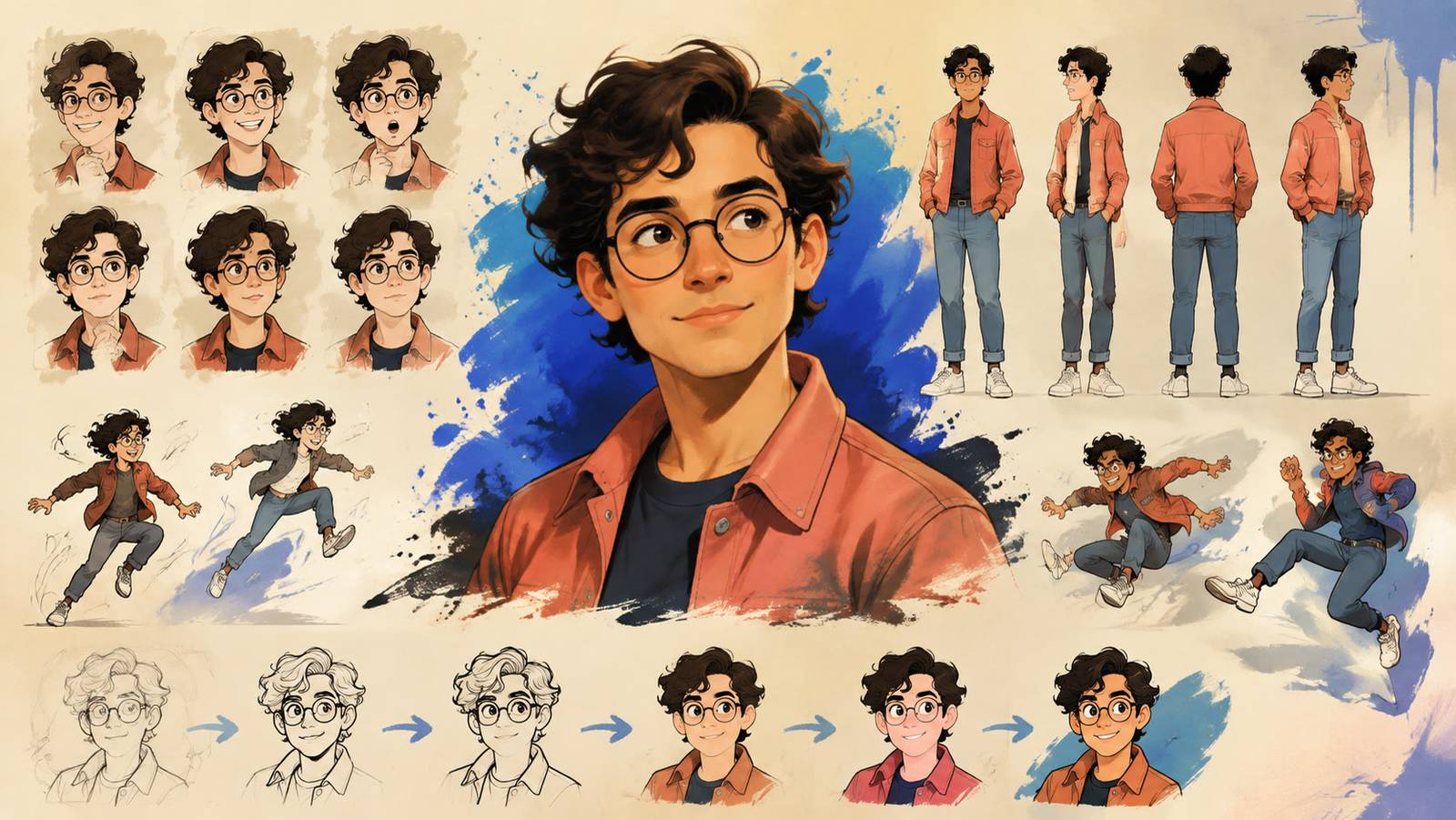
AI Cartoon Generator: Turn Photos Into Cartoons and Videos
Use an AI cartoon generator to cartoonify a photo in four looks, then restyle a clip into a cartoon video. Steps, prompts, free options and fixes.
8 min read