
AI Character Generator: How to Design Consistent Characters
Build one character with an AI character generator, then keep the face, outfit and palette steady across poses, outfits, figures and short video.
 Maya Chen 11 min read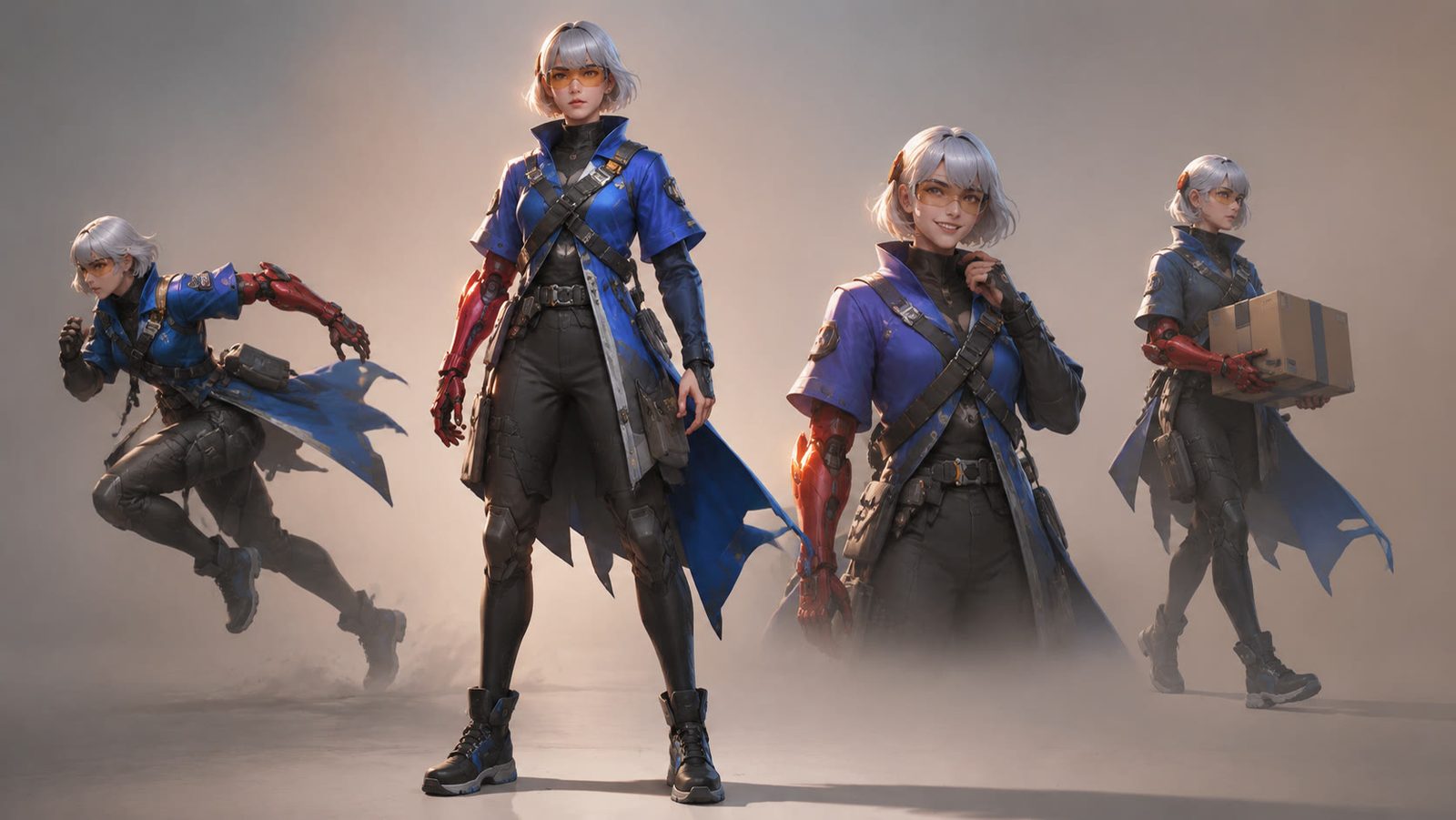
An AI character generator turns a written description, or a photo, into a character you can reuse: a portrait, a full-body design, a turnaround sheet, a collectible figure, a short clip. What separates a usable character from a one-off image is consistency, and in practice that comes from reference images rather than longer prompts. This guide follows the workflow we use in the LazyKiwi AI image generator: a base portrait in Seedream 5.0, more poses from reference images in GPT Image 2, outfit swaps, then figure templates and image-to-video. It also covers prompt structure, free options, and the reasons characters drift.
What is an AI character generator?
The label covers three different products, and the search results mix them up. A text-to-character tool takes a prompt and renders the character as an image. A photo-to-character tool takes a real face and restyles it as anime, a toy, a 3D render or a plush. An ai character description generator produces no picture at all; it writes the sheet, with a name, a backstory, personality traits and a look, which tabletop players and fiction writers then hand to an image model.
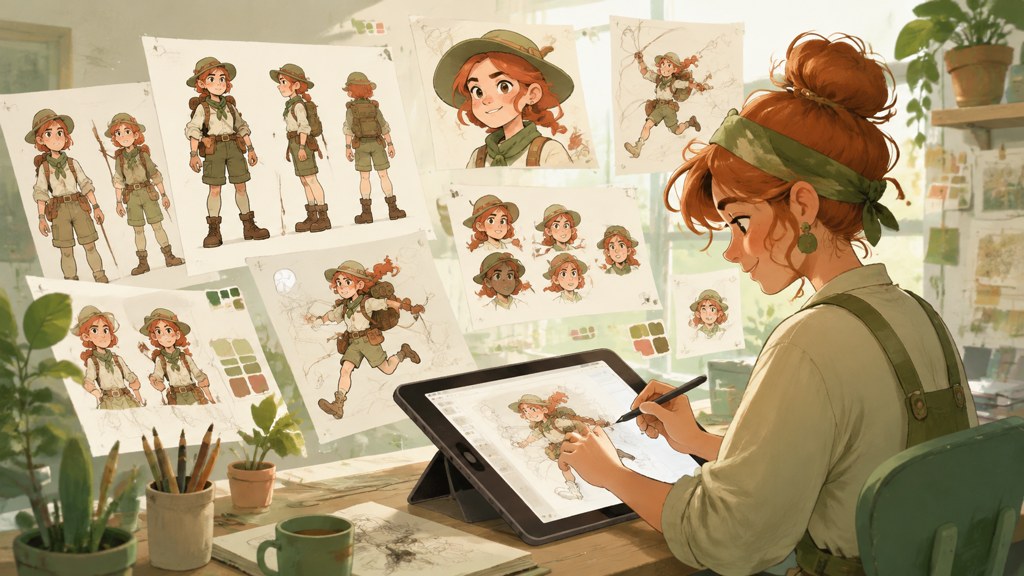
Search phrasing shifts between all of these. Someone typing character generator ai usually wants a picture; someone typing ai character creator often wants the sheet plus the picture; and the thousands of people searching for Perchance want a browser page that writes and draws without an account. Knowing which one you need saves credits, because the image step is the only one that costs anything.
Text-to-character or photo-to-character?
| Input | What you get | Best for | Where to run it in LazyKiwi |
|---|---|---|---|
| Text prompt | Original character, any style | Mascots, game NPCs, comic leads | Text mode with Seedream 5.0 or GPT Image 2 |
| Photo | You, or a friend, restyled | Avatars, figure trends, gifts | Image templates (action figure, plush doll) |
| Text only | Written sheet: traits, backstory, look | Tabletop, writing, briefing an artist | Any chat model, then paste the sheet into the prompt |
| Existing character image + prompt | Same character, new pose, outfit or scene | Series, comics, product lines | Reference images in GPT Image 2 or WAN 2.7 Image Pro |
Consistency is where these tools differ most. A single portrait is easy; getting the same jawline, the same jacket seams and the same hair part in a second image is the actual job, and it is the reason the rest of this guide is built around reference images rather than prompt tricks. Eye colour is part of that job too, and our post on the rarest eye color explains why some shades look different in different light.
How to make an AI character step by step
The order matters. Lock the identity in a neutral portrait first, then spend credits on variations. Every step below runs inside the same workbench, so the portrait from step two is the reference for steps three to five. When a variation calls for a specific stance, our pose reference library sorts poses by use case.
- 1
Write a one-line sheet
Name, age range, four or five fixed traits, a palette, a medium. Example: 'Ines Kato, late twenties, cropped silver bob, hooked nose, freckles, oversized rust corduroy jacket, teal and rust palette, painterly game concept art.' This line is pasted into every prompt afterwards, unchanged.
- 2
Render the base portrait
Open Seedream 5.0 in text mode, choose 1:1, and ask for a three-quarter view on a plain grey background with even light. Check the price next to Generate before you click: on 2026-09-05 a 2K Seedream render showed 40 credits, the Free plan's whole month, while GPT Image 2 at 1K showed 13, so Free-plan users should render the base there and keep Seedream for a paid plan. Pick the result whose face you could describe from memory and download the PNG. Reject anything with jewellery or props you did not ask for; they will be inherited by every later image.
- 3
Build the turnaround from references
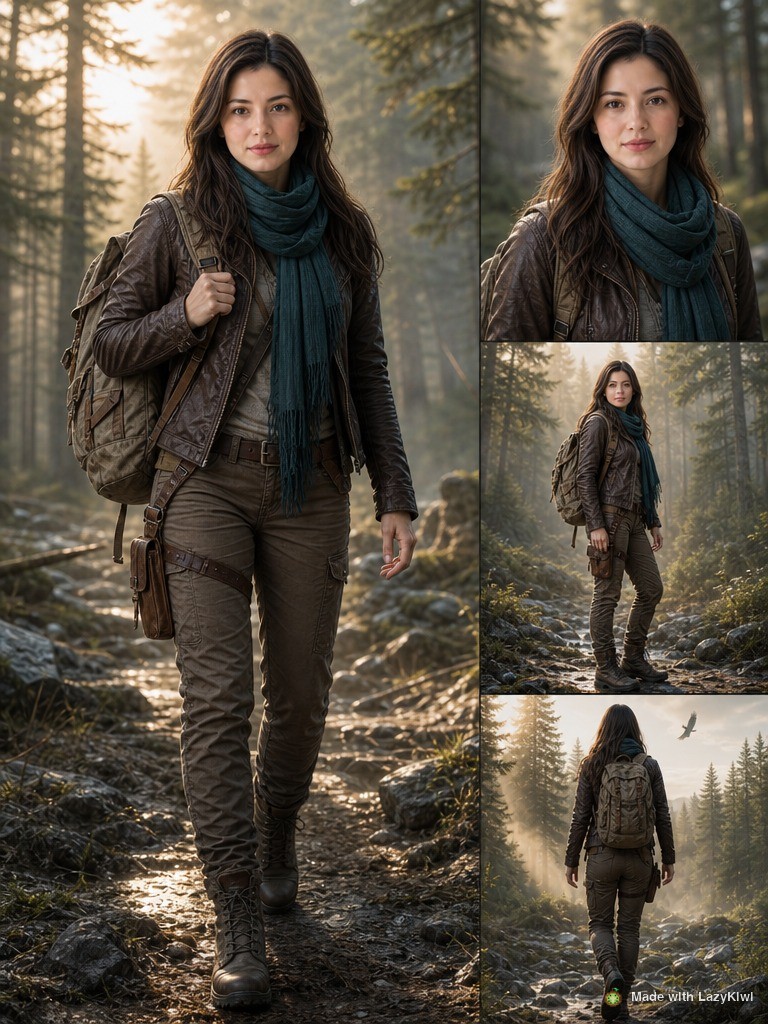
Switch the model to GPT Image 2, upload the portrait as a reference image, and prompt for 'the same character, front view, side view and back view, full body, same outfit, white background'. Reference-based generation is what keeps the freckles and the jacket cut in place; a text-only rerun would redesign both.
- 4
Change the pose
Upload the full-body frame to the AI pose generator and describe the stance in plain words, such as 'sitting on a crate, elbows on knees, looking left'. The tool rebuilds the body and leaves the face, hair and outfit alone, which is exactly the split you want.
- 5
Swap the outfit
For a second costume, hand the AI clothes changer the character image plus a photo of the garment. It fits the real garment to the pose rather than inventing a lookalike, so a product flat lay works as the source.
- 6
File everything
Name the exports by view and outfit (ines-front-rust.png, ines-side-rust.png) and keep the prompt and any seed value in a text file beside them. When you come back a month later, the reference set is what makes the new images match.



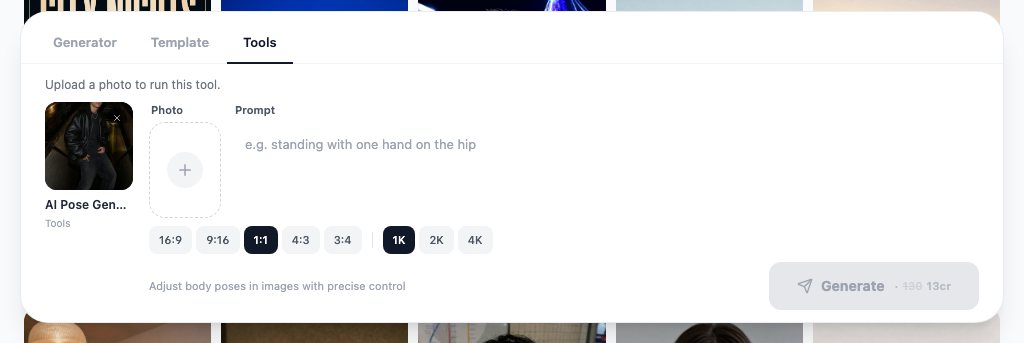
Credit budget
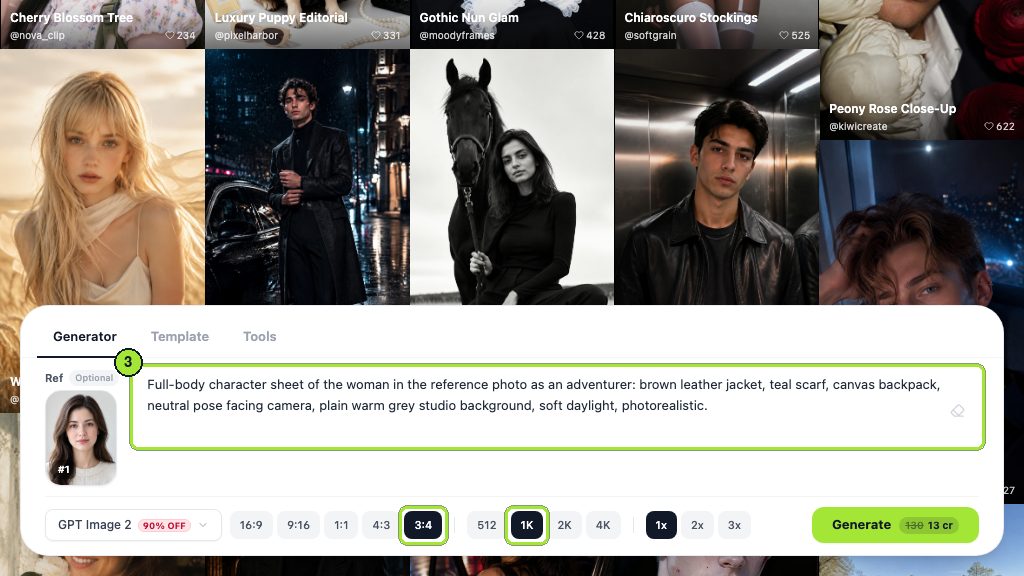
Every step above showed 13 credits per run on 2026-09-05 when done in GPT Image 2 at 1K or in the pose, clothes and template tools, so the Free plan's monthly 40 buys three of them. Spend those on the portrait, one turnaround and one pose; scene work and backgrounds are what the paid plans are for.
How to keep an AI character consistent across images
There are three levers: reference images, seed reuse and prompt anchors. Reference images do most of the work. OpenAI's own image guide lists visual consistency for recurring characters as a known limitation of prompt-only generation, per the OpenAI image generation guide (2026), which is why the edit path with input images exists. Leonardo ships a Character Reference mode for the same reason, described in the Leonardo.Ai help center (2026), and Midjourney documents a Character Reference parameter in its help center.

| Model in LazyKiwi | Reference images | Max resolution | Use it for |
|---|---|---|---|
| Seedream 5.0 | Text plus optional images | Up to 4K, PNG | Base portrait, style-heavy renders |
| GPT Image 2 | Text plus reference images | Up to 2K | Turnarounds, expressions, scene changes |
| WAN 2.7 Image Pro | Text plus up to 9 images | Up to 4K | Multi-reference sets: face, outfit, prop, palette |
Specs above are from the model pages on lazykiwi.ai, checked on 2026-09-05. WAN 2.7 Image Pro is the one to reach for when the character has a signature prop or a two-piece outfit, because you can attach the face, the garment and the prop as separate references instead of describing them.
Does seed reuse help?
Only a little, and only with the same model. A fixed seed with a near-identical prompt tends to return a near-identical composition, which is useful for A/B testing a single word change. It does not hold identity once you move the camera or the pose, and it means nothing across models. Treat the seed as a bookmark, not as a character lock.
What are prompt anchors?
- Two or three physical traits that a model can actually render: 'hooked nose', 'gap teeth', 'silver bob' beat 'striking features'.
- One garment described by cut and material, not brand: 'oversized rust corduroy jacket, sleeves pushed up'.
- A named palette of two colours; models keep colour far better than they keep shape.
- The same medium phrase in every prompt, such as 'painterly game concept art', because a style switch changes the face too.
- The same framing word: 'three-quarter view' or 'full body'. Framing changes are the commonest hidden cause of drift.
What prompts work for an AI character description generator?
Whether the description comes from a chat model, a Perchance page or your own notes, the sheet needs the same shape before it goes into an image model: identity first, presentation last. The formula below is the one we paste into the LazyKiwi prompt box; the bracketed fields are the only parts that change between images.
[Name], [age range], [trait 1], [trait 2], [trait 3], wearing [garment by cut and material], [colour] and [colour] palette. [Medium phrase]. [Framing]. [Pose or action]. [Background]. [Lighting].
Ines Kato, late twenties, cropped silver bob, hooked nose, freckles across the nose, wearing an oversized rust corduroy jacket with sleeves pushed up, teal and rust palette. Painterly game concept art. Full body. Leaning on a workshop bench holding a soldering iron. Plain grey background. Soft daylight from the left.
Style words are the second half of the sheet, and the anime tools are a good source for them. NovelAI's generator, for example, is built around tag-style prompts with separate prompts per character in a group scene, as shown on the NovelAI site (2026), and PixAI leans on community-trained models and LoRAs for a specific look, per PixAI (2026). If you want that kind of tag vocabulary, borrow the nouns, not the artist names.
- Leave out quality adjectives ('stunning', 'masterpiece'); they add nothing a model can act on.
- Leave out contradictory style stacks ('minimalist, highly ornate').
- Add exclusions only for a recurring fault: 'no extra jewellery', 'no text', 'feet in frame'.
- Keep the description under about a hundred words; longer sheets bury the anchors.
Which AI character generator is best: free and paid options compared?
The right pick depends on whether you need images, a rigged 3D model, or just a chat partner, and on whether you can upload references. The table lists what each product does and what we could verify on its own site on 2026-09-05; several vendors block automated visits, so for those the free-access cell states only what the page itself claims.
| Tool | What it makes | Free access (checked 2026-09-05) | Consistency control |
|---|---|---|---|
| LazyKiwi image workbench | Portraits, sheets, figures, image-to-video | Free plan, 40 credits a month | Reference images (GPT Image 2, WAN 2.7 Image Pro), pose and clothes tools |
| Perchance | Descriptions and images in the browser | Free per its page; site blocked our check | Prompt presets, no workbench |
| Leonardo.Ai | Images in preset styles | Free and paid plans, token based | Character Reference mode |
| Midjourney | Images | Paid subscription only | Character Reference parameter |
| Reallusion Character Creator | Rigged 3D characters for Unreal, Unity, Blender | 30-day free trial, then a paid license | Full 3D model, so identity is inherent |
| Waifu Labs | Anime portraits | Free | Preference-based picks, no reference upload |
LazyKiwi
One workbench, several image models, and the pose and outfit tools from the steps above. The Free plan is a monthly credit allowance rather than a trial, and the figure templates run on the same credits. It is the best fit when the character has to go on to video, because the same account has the image-to-video models, although video runs cost far more credits than stills.
Perchance
The perchance ai character generator is a community page that writes and draws from a prompt without a login, which is why it gets more searches than the tools with pricing pages. It suits brainstorming and quick sheets. The Perchance page blocked our fetch on 2026-09-05, so treat any claims about its limits as unverified until you open it yourself.
Leonardo.Ai and Midjourney
Both are image generators with a named consistency feature. Leonardo's Character Reference is documented in its help center as a way to create different styling, locations and poses with one consistent character. Midjourney is paid only and works through a chat-style prompt with reference parameters. Neither has an in-house pose or outfit tool, so those steps happen elsewhere.
Reallusion Character Creator
This is desktop 3D software rather than a generator: you build a rigged character and export it to Unreal, Unity, Maya or Blender, and the site offers a 30-day free trial, per the Reallusion Character Creator page (2026). Pick it when the character needs to be animated by hand or dropped into a game engine, not when you need twenty stills by Friday.
Is there an ai character generator free of charge?
Yes, in three forms: browser pages such as Perchance and Waifu Labs, which describes itself as free to use on the Waifu Labs site (2026); free tiers on credit-based products such as LazyKiwi and Leonardo; and trials on desktop software. A free tier is enough to design and test a character; the paid tier usually buys resolution, speed and reference-image features.
How to turn a character into figures, plush and video
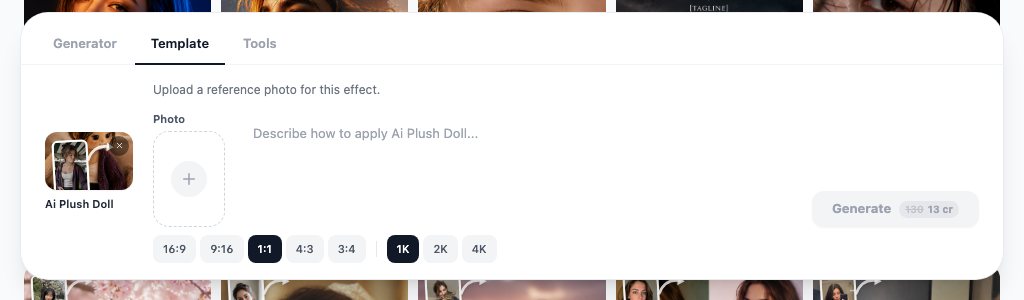
Once the reference set exists, the templates are the cheap part. The AI action figure template restyles a front-facing image as a boxed collectible with glossy plastic and joint lines; the AI plush doll template wraps the same face in stitched fabric with rounded proportions. Both want a clean, well-lit, front-facing source, which is exactly what the base portrait from step two is.

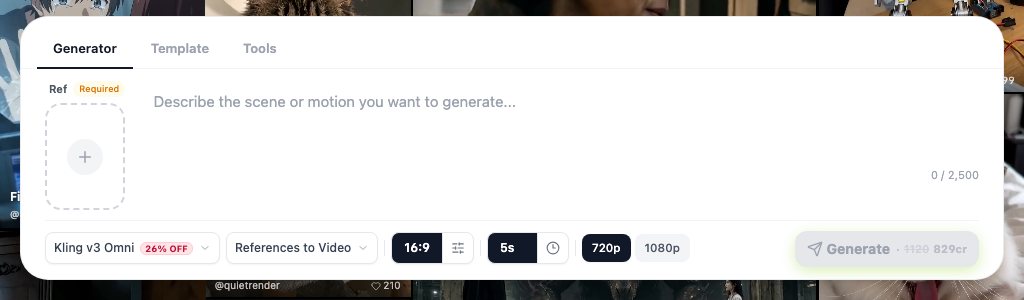
For motion, take the full-body frame into image-to-video. In the LazyKiwi workbench that means Kling v3 Omni, which accepts a single image or a start-and-end frame pair; open image-to-video with Kling v3 Omni, attach the frame, and describe one small action, such as a head turn or a step forward. This is a paid-plan step: a 5-second 720p clip was priced at 829 credits after the current discount on 2026-09-05, so approve the still before you spend it. Big actions reveal the parts of the character the reference never showed. If you already have footage of a person and want the character in their place, the AI character swap tool does a full-body swap on the existing video.
One legal note before the character becomes a product. The U.S. Copyright Office's second AI report concludes that prompts alone do not provide sufficient control for the output to be protected, while the human-authored expression that is perceptible in the output, and creative selection, arrangement or modification of it, can be, per the U.S. Copyright Office (2026) and its Part 2 report on copyrightability. If ownership matters, keep the sketches, edits and sheet you wrote.
Why do AI characters drift and how do you fix it?
Drift is the model treating each prompt as a new design brief. The face ages, the jacket gains a zip, the hair parts on the other side. Each symptom has a usual cause, and most fixes cost one regeneration rather than a rewrite.
- Face changes between images: the reference was not attached, or the framing word changed. Re-attach the portrait and keep 'three-quarter view' in the prompt.
- Outfit gains or loses details: the garment was described by mood instead of cut. Use the clothes changer with a real garment photo, or attach it as a second reference in WAN 2.7 Image Pro.
- Age or body shape shifts: a style word changed ('painterly' to 'cinematic'). Keep the medium phrase fixed across the whole set.
- Colours wander: the palette was implied by the scene. Name the two palette colours in every prompt.
- Props multiply: the model fills empty hands. Say what the hands hold, or say 'hands empty'.
- Stylised outputs look like a different person: the template got a three-quarter or side view. Feed templates the front-facing portrait only.
When a whole batch drifts, stop generating and rebuild the reference set from the best single image. Three consistent references beat thirty loosely related ones, and it is the reference set, not the prompt, that you will reuse next month.
Key takeaways
- Lock the identity in a neutral 1:1 portrait with Seedream 5.0 before spending credits on poses or scenes.
- Reference images, not longer prompts, keep a character consistent; GPT Image 2 takes them, and WAN 2.7 Image Pro takes up to nine at once.
- Use the AI pose generator for stances and the AI clothes changer for outfits, so the face and hair are never regenerated.
- Feed the action figure and plush doll templates the front-facing portrait only; side views come back as a different person.
- Animate with one small action in Kling v3 Omni image-to-video, a paid-plan step at current credit prices, and keep your sheet and edits if copyright ownership matters.
Image & Design Editor
Maya Chen
I spend my days inside image tools, testing prompts and settings on real photos so the steps here match what you actually see on screen.
FAQ
Common questions
Is there a free AI character generator?
Yes. Browser pages such as Perchance and Waifu Labs run without a plan, and credit-based tools have free tiers: LazyKiwi's Free plan gives every new account 40 credits a month per the pricing page. At the 13-credit rate the workbench showed for GPT Image 2 at 1K, that is three renders: a base portrait and two poses. Paid plans buy volume, higher resolutions and video.
Can Character.AI generate images?
Partly. Character.AI is a chat product where you create and talk to characters; its creator guide notes that characters set up to produce images as well as text are marked with an art icon before the name, per the Character.AI character guide (2026). It is not a portrait or turnaround tool, so design the visual character elsewhere and use it for dialogue.
How do I make the same character in different poses?
Attach the approved portrait as a reference image in GPT Image 2 or WAN 2.7 Image Pro and change only the pose sentence, or upload the full-body frame to the AI pose generator and describe the stance. Keep the medium phrase and framing word identical between prompts; those two words cause more drift than the pose itself.
Can I copyright an AI-generated character?
Under current U.S. Copyright Office guidance, purely AI-generated material is not protected and prompts alone do not count as sufficient human control. Your own drawings, edits, arrangement and written sheet can be protected where they are perceptible in the result. Keep dated files of that human work if you plan to license the character.
What is the Perchance AI character generator?
It is a free community page on perchance.org that writes a character description and renders an image from a prompt without a login. It is handy for brainstorming and quick sheets, but it has no reference-image workflow, so for a consistent series move the description into a workbench with reference support.
Design a character you can reuse
Start the base portrait in Seedream 5.0, then build the turnaround, poses and figure versions from the same reference set in the LazyKiwi image workbench.
Keep reading
How to Build an AI Influencer That Feels Like a Real Creator
A practical guide to defining an AI influencer, creating a recognizable character, producing consistent content, and building audience trust.
8 min read
How to Use an AI Comic Generator for Consistent Stories
Turn a simple premise into readable panels with an AI comic generator while keeping characters, settings, and visual style consistent.
8 min read
How to Use an AI Cartoon Generator for Better Images and Videos
An ai cartoon generator can turn a portrait, product photo, or original idea into a polished cartoon visual. Here is how to choose a workflow, write useful prompts, and improve the result.
8 min read
Photo to Anime AI: A Complete Portrait-to-Video Workflow
Learn how to use photo to anime AI for polished portraits, consistent character design, platform-ready crops, and animated talking videos.
8 min read