
Pose Reference Library: 40 Poses by Use Case
Forty poses sorted by the job they do: figure drawing, portrait sessions and product shots, plus how to build reference frames of your own on demand.
 Maya Chen 10 min read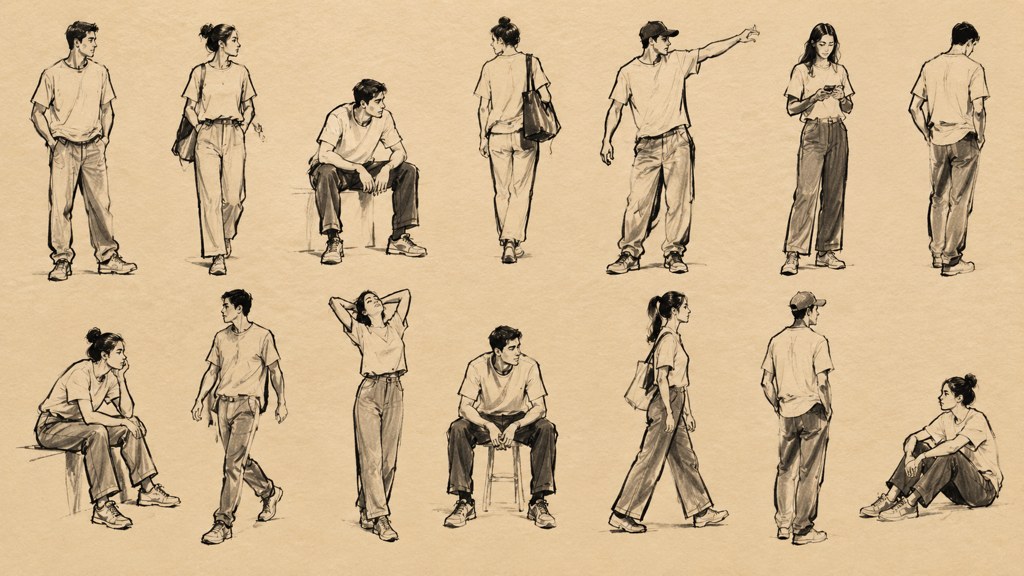
Good reference is a photograph or 3D model you copy structure from: where the weight sits, how the joints stack, which way the shoulders turn against the hips. The useful ones show all three in one frame. This library sorts forty poses by the job they do, figure drawing, portrait sessions and product shots, then covers the free sites worth bookmarking, the licence question most artists skip, and how to build a reference to your own brief instead of scrolling for one that nearly fits.
What makes a pose reference actually useful?
Bad reference fails on the same four counts every time, so those four became the sort order for everything below.
- Readable silhouette. Fill the figure in black in your head. If an arm disappears into the torso or the legs merge into a single column, the pose will not survive at thumbnail size either.
- Visible weight. You should be able to point at the leg carrying the load. A figure balanced evenly on both feet reads as a shop mannequin and teaches you nothing about balance.
- Open joint angles. Elbows, knees and wrists need to sit clear of the body outline. A hand tucked behind a hip is information you will have to invent later.
- Light you can repeat. One dominant source with a soft edge describes form. Flat frontal light hides the ribcage and the exact volumes you came for.
Run the silhouette test before you save anything. Squint at the thumbnail until detail drops away; if you still read the action, the frame earns a place in the folder. That single habit throws out roughly half of what turns up in an image search.
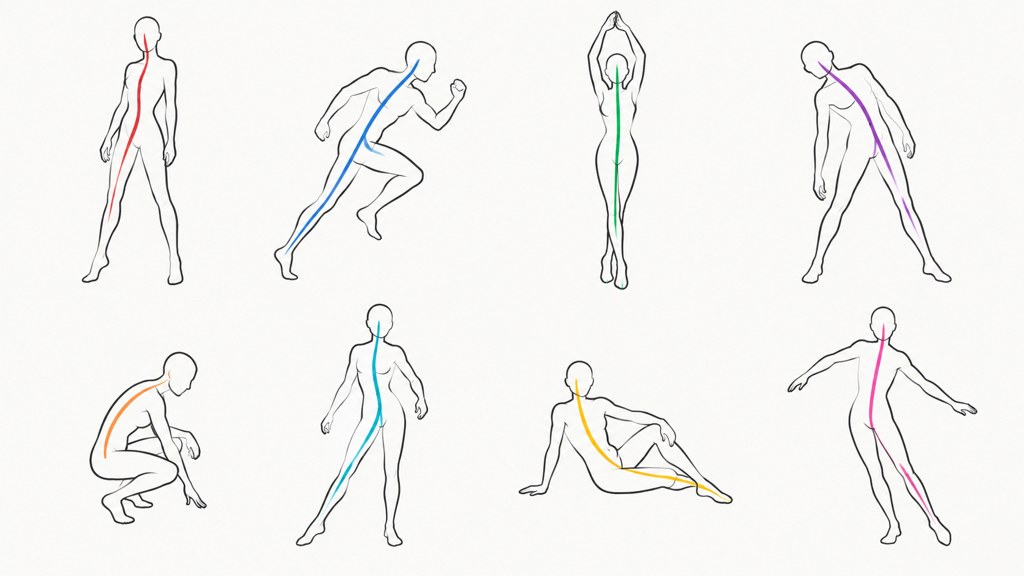
The line of action is the single curve running from the head through the spine to the weight-bearing foot. Draw it first and the rest of the figure hangs off it. Where a photograph has no clear line, you are looking at a standing person rather than a pose.
Where do artists find pose references?
Three sites cover most practice needs, and each one solves a different problem. Line of Action runs practice sets across figures, hands and feet, faces and expressions, animals, still life and environments, with a store listing subscriptions alongside pay as you go (checked 2026-09-07). QuickPoses calls itself a free image library and gesture drawing tool, lets you pick your own time limit in the browser, and sells a desktop app at 15 euros (checked 2026-09-07). Posemaniacs advertises its rotatable 3D figures as royalty free for all artists and adds a hand viewer, muscle and face references on top of them (checked 2026-09-07).
| Source | What you get | Cost as listed today | Licence signal on the page |
|---|---|---|---|
| Line of Action | Timed practice sets: figures, hands and feet, faces, animals, still life | Store lists subscriptions and pay as you go | Footer reads "images (c) their original photographers where labeled" |
| QuickPoses | Browser gesture library, time limit you set yourself | Free in the browser, desktop app at 15 euros | No licence terms stated on the home page |
| Posemaniacs | 3D figures you can rotate, plus hands, muscles and faces | Free browsing with an account, paid courses | Header claims royalty free for all artists |
| DeviantArt and Behance | Artist-posted stock packs and study sets | Set by each poster | Read the poster's own terms, they vary wildly |
| LazyKiwi pose generator | The pose you describe, built on a photo you upload | 13 credits per 1K image | Your upload stays yours |
Community platforms are the wild card. DeviantArt and Behance both host reference packs posted by photographers who set their own conditions, and those conditions range from "use freely" to "study only, no published work". Open the poster's description before the file goes anywhere near a commission.
Check the terms once, not per image
Keep a note next to each bookmarked source saying what you may do with it: study, publish, or sell. Doing that once beats trying to remember six months later which folder came from where.
What are the essential standing poses?
Four standing poses cover most of what a figure has to do before anything gets interesting. Described by weight rather than by name, they are easier to copy and easier to prompt.
- 1
Contrapposto
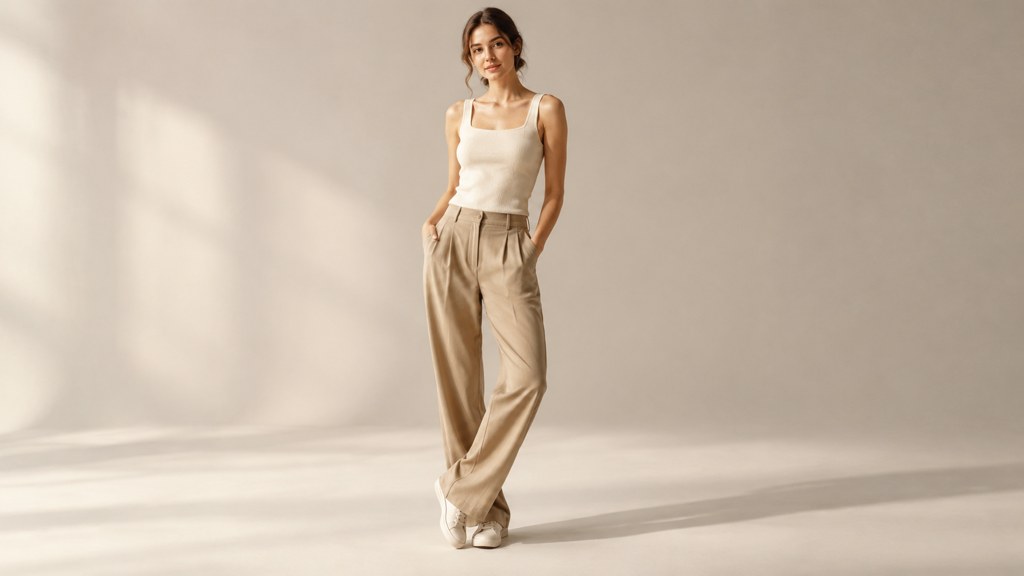
Weight on one leg, that hip riding higher, the opposite shoulder dropping to compensate. The spine makes a shallow S. This is the default for portraits because the counter-tilt reads as relaxed without anyone doing anything.
- 2
Weight forward
Front foot loaded, back heel lifted, torso leaning into the frame. Useful when a figure needs intent: reaching a counter, greeting someone, starting to move.
- 3
Mid-stride walk
One foot planted, the other passing through, arms swinging in opposition to the legs. Photograph it at the passing point rather than the extension and it reads as motion instead of a lunge.
- 4
Three-quarter turn
Body angled roughly 30 to 45 degrees from the camera, face brought back toward the lens. Narrows the shoulders, keeps both eyes visible, and is the single most useful frame in a portrait set.
Those four multiply fast. Change the arm position, the head angle and the camera height on each and you have twelve usable variations, which is most of a session. Standing poses only become repetitive when the weight never moves.
What dynamic poses work for action drawing?
Dynamic poses live or die on the line of action, not on the limbs. Get the curve first, then hang extremes off it. A jump drawn with a straight spine looks like a person falling over.
- Poses that read at silhouette size: a throw at full extension, a sprint at the drive phase, a crouch with the knees splayed away from the body line.
- Poses that collapse: anything front-on with the arms straight down, any kick photographed along the leg, and hands at rest by the hips.
- The half-second either side of the peak is usually better than the peak. A ball leaving a hand carries more force than the arm at maximum reach.
- Foreshortening is the reward and the trap. A fist toward the camera sells depth, but you need a reference that shows how much the forearm actually shortens rather than guessing at it.
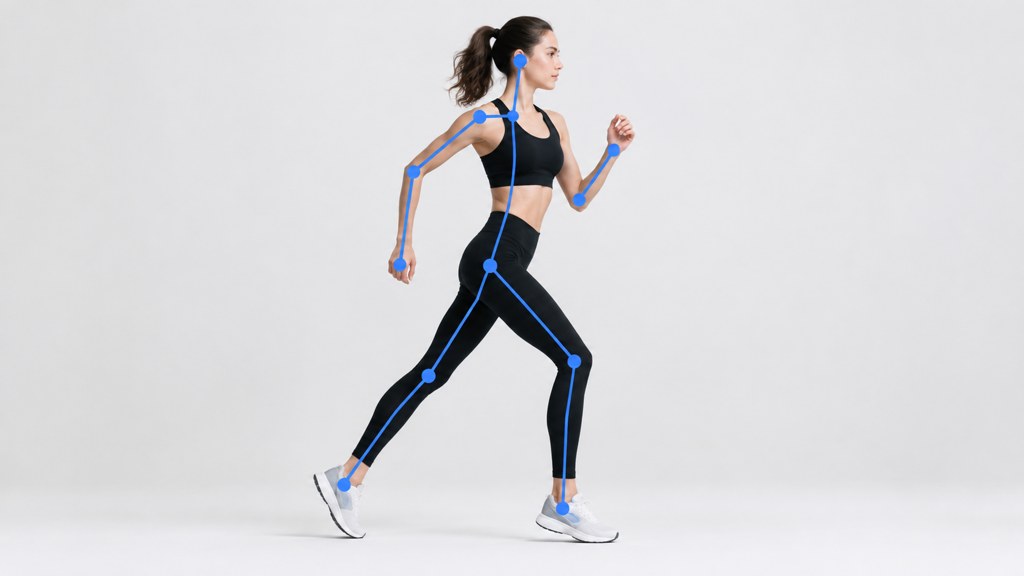
Timed practice is where dynamic poses get learned. Thirty-second gestures force you to record the action and skip the shoes, and that is exactly the skill an action drawing needs.
What female and male pose references differ on, and where they do not
Search volume splits these into separate categories, so it is worth saying plainly what actually differs. Weight, balance and the line of action work identically. A reference of a woman and one of a man obey the same physics, and the counter-tilt in contrapposto happens for the same reason in both.
- Genuinely different: average shoulder-to-hip ratio changes how much a hip tilt shows, so the same weight shift reads more strongly on a wider-hipped figure.
- Genuinely different: clothing. A skirt or a fitted jacket constrains stride and arm position in ways a reference in loose clothes will not show you.
- Convention, not anatomy: the hand-on-hip, chin-down poses that dominate a search for female poses are styling habits from fashion photography, not anything the skeleton requires.
- Convention, not anatomy: broad, squared stances filed under male poses are equally available to any figure, and often read better on a narrower frame because the contrast is stronger.
The practical takeaway is to sort your folder by action rather than by gender. You will find what you need faster, and you will stop absorbing a pose vocabulary that came from stock photography rather than from bodies.
How do you generate custom pose references on demand?
Searching stops working the moment your brief gets specific: a figure seen from below, in this jacket, reaching left. That is when generating beats hunting. The AI pose generator takes one full-body photo and restages it into the pose you describe, keeping the face, the clothes and the background so the set stays consistent across frames.
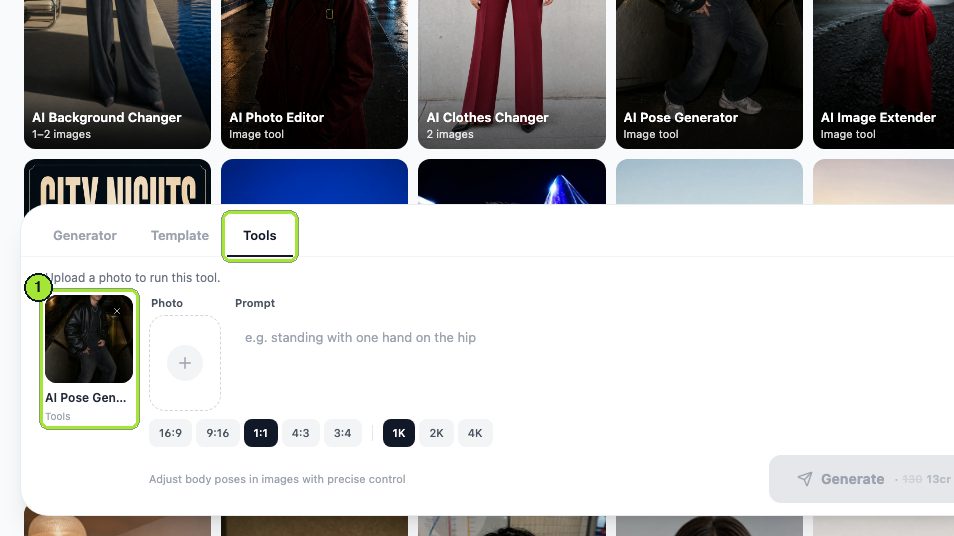
- 1
Load one clear full-body photo
Click the Photo box and upload a frame where the whole figure is visible and the light is even. Our run used a fictional studio shot of a woman standing square to camera.
- 2
Describe the pose in body language, not adjectives
The Prompt box is the only control that shapes the pose. Say which leg carries the weight, where the hips and shoulders sit, and what the arms are doing. Words like "dynamic" do nothing on their own.
- 3
Set the frame with the ratio and resolution chips
There is no crop tool. Pick 3:4 for a standing figure and 1K resolution, which is what our two runs used.
- 4
Generate, then change one thing
The Generate button prints the price before you commit. Both runs cost 13 credits each at 1K. Swap the prompt and leave everything else alone so each result maps to one instruction.
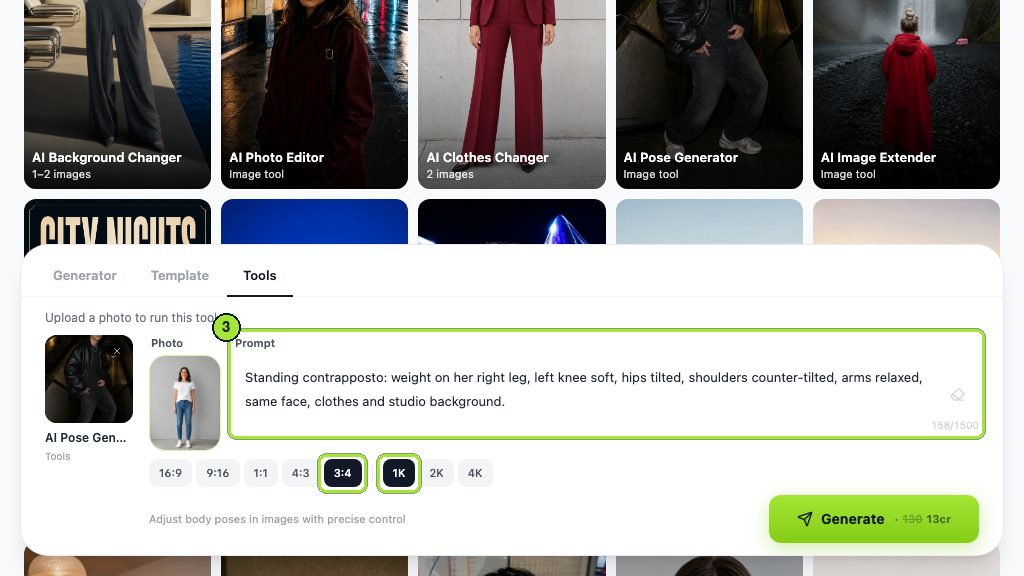
Standing contrapposto: weight on her right leg, left knee soft, hips tilted, shoulders counter-tilted, arms relaxed, same face, clothes and studio background.
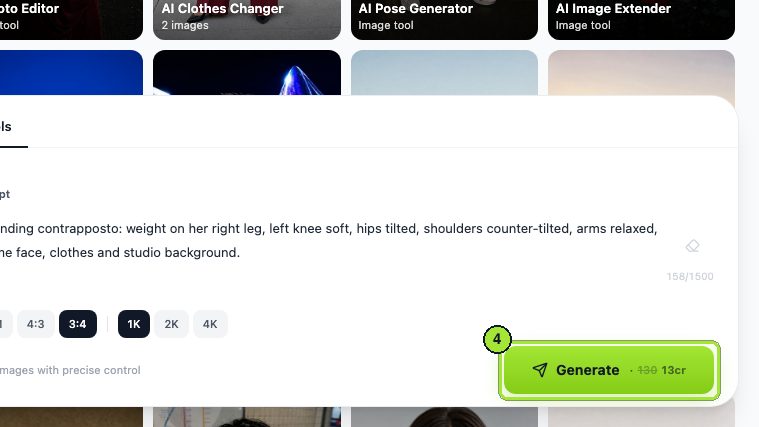
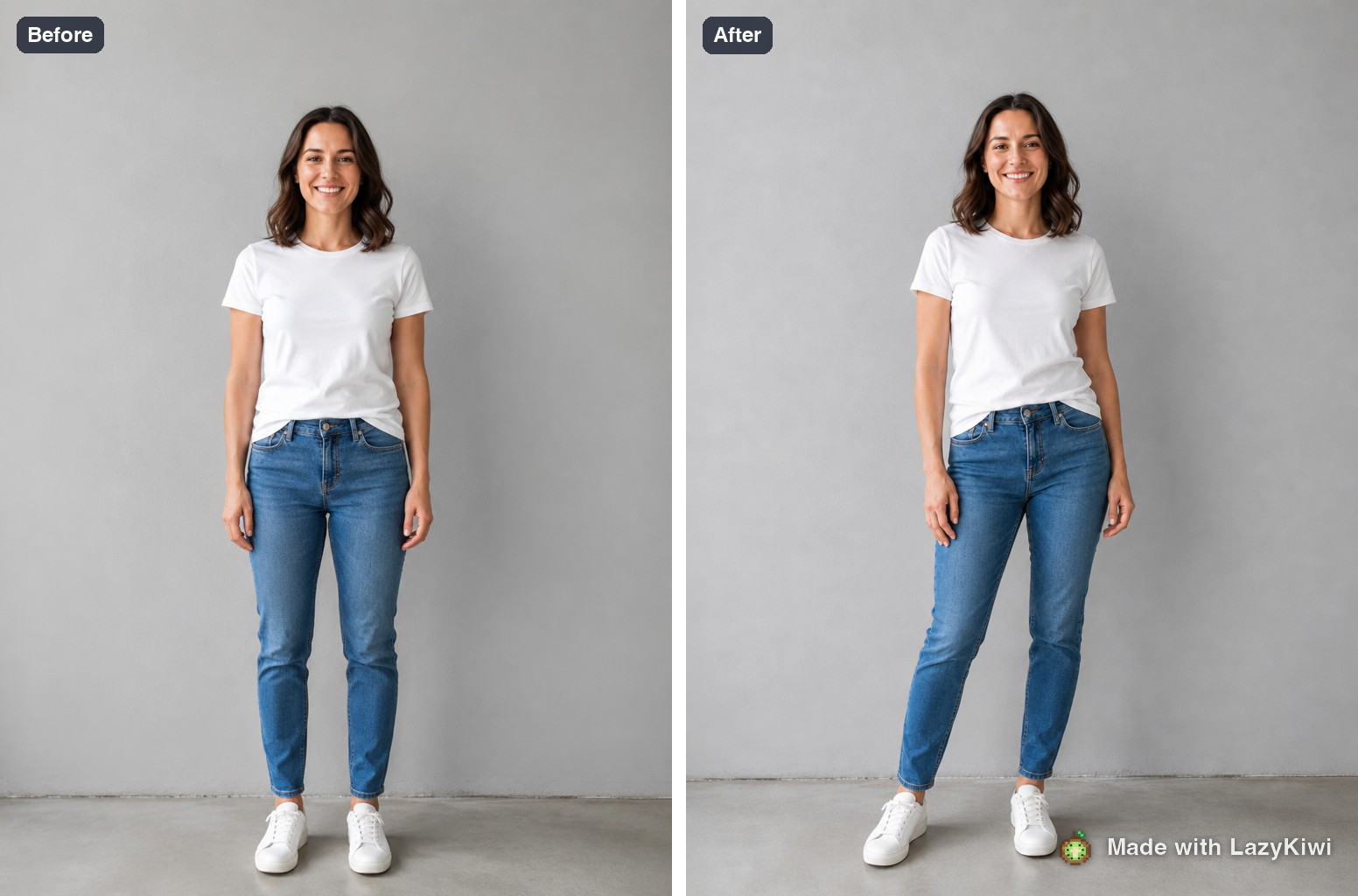
Two runs, 26 credits, two poses that no stock library holds because they are built on a figure of your choosing. The 40 free credits a new account starts with cover three 1K images, which is enough to learn whether your prompt vocabulary is precise enough. Everything here runs on GPT Image 2, and the wider image generator holds the templates and tools that pair with it.
Name the camera height
Add "camera at hip height, lens level" or "seen from slightly above" to the prompt. Camera position changes a pose more than any limb instruction, and leaving it out is why generated references so often come back at flat eye level.
Can you use AI pose references in published work?
Three different questions hide inside this one, and they have three different answers.
- Studying from it: fine everywhere. Looking at a shape and drawing your own version has never been the thing copyright restricts.
- Tracing it: depends on the source. A traced outline of a photograph carries that photograph's composition, which is why the licence on a stock reference matters and why a generated frame built from your own upload is the cleaner route.
- Publishing the generated image itself: check the platform you are posting to as well as the source terms, because disclosure rules now sit alongside copyright rules.
On the copyright side, the U.S. Copyright Office has published its study in parts: Part 1 on digital replicas dated 31 July 2024, Part 2 on copyrightability dated 29 January 2025, and a pre-publication Part 3 on generative AI training released on 9 May 2025 (checked 2026-09-07). The practical read for artists is that your own drawing, made by your own hand from any reference, is your work. The generated reference frame sitting in your folder is a tool, not the deliverable.
Reference is something you look at. The moment you paste it into the final piece, it stops being reference and starts being source material with terms attached.
— Working rule for commissions
What are anime and stylised pose references good for?
Type anime poses reference into any search box and you get exaggeration: longer arcs, sharper hip tilts, hands larger than the head. All of it works, but only on top of structure that already holds up.
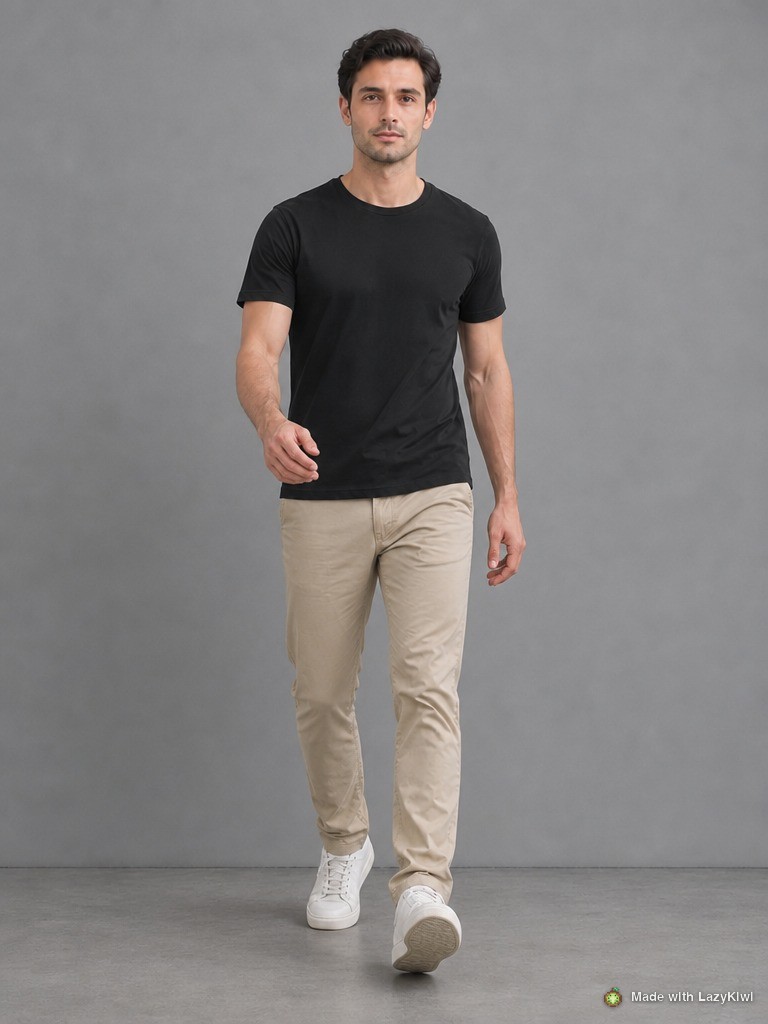
- Use a realistic frame as the underlay, then push it. Exaggerating a pose that already reads is straightforward; exaggerating a broken one only makes the break louder.
- Foreshortening is where stylised work fails first, because the drawn shortcuts assume a lens that does not exist. Shoot or generate the real angle, then decide how far to stretch it.
- The A-pose, arms out at roughly 45 degrees, is a rigging and turnaround convention rather than a drawing pose. It exists so a model can be skinned cleanly, which is also why it looks lifeless in an illustration.
- The T-pose is the same idea taken further and is equally useless as a drawing study. Keep both in the character-sheet folder, not the gesture folder.
In LazyKiwi's workbench data from August 2026, square 1:1 was the dominant image ratio, used on 124 of 143 external image jobs. For character sheets that is the wrong instinct: a full figure needs the vertical room that 3:4 or 9:16 gives it, and the ratio chips are where you fix that.
What mistakes make a pose reference useless?
- Flat frontal light. It kills the shadow that describes the ribcage, the hip and the underside of the jaw, and no amount of resolution brings that back.
- A cropped hand or foot. Extremities carry the pose, and a frame that stops at the ankle guarantees you invent the least confident part of the drawing.
- A pose held too long. Hold anything for two minutes and the muscles settle into their comfortable positions, which is why long holds photograph as furniture.
- Camera at the wrong height. A lens above eye level shortens the legs; a lens at knee height stretches them. Neither is wrong, but you need to know which one you are copying.
- One source for everything. A folder built entirely from a single library inherits that library's lighting habits and its idea of what a body does.
Rebuild the folder every few months
Reference collections rot quietly. Poses you saved because they looked impressive get used once, and the plain three-quarter turn you ignored gets used weekly. Delete on that evidence rather than on how the thumbnail looked.
Key takeaways
- Judge any frame on four things: silhouette, visible weight, open joint angles and light you could repeat.
- Line of Action, QuickPoses and Posemaniacs cover most practice needs, and each states its terms differently, so check before publishing a study.
- Sort your folder by action rather than by gender; the physics of weight and balance does not change between bodies.
- When the brief gets specific, generating beats searching: the AI pose generator restages your own photo for 13 credits per 1K image.
- Camera height shapes a pose more than any limb instruction, in a photograph and in a prompt alike.
- Studying from a reference is always fine; tracing and publishing bring the source terms into play.
Image & Design Editor
Maya Chen
I spend my days inside image tools, testing prompts and settings on real photos so the steps here match what you actually see on screen.
FAQ
Common questions
Which free sites give the best drawing reference?
For timed gesture practice, QuickPoses is free in the browser and lets you set your own time limit (checked 2026-09-07). For rotating 3D figures, Posemaniacs advertises its 3D figures as royalty free for artists. Line of Action covers the widest subject range, including hands, faces and animals.
How do you find reference that matches an exact brief?
Stop searching and describe it. Upload one full-body photo to the pose generator, write the weight distribution, hip and shoulder angles and arm positions in the Prompt box, then set the ratio and resolution chips. Each 1K image costs 13 credits, so iterating is cheap.
Can you trace a reference photo?
It depends entirely on the source. Tracing carries the original composition, so a stock or community photo brings that poster's terms with it. A frame generated from a photo you own avoids that question, and drawing your own version from any reference has never been restricted.
What is an A-pose reference used for?
An A-pose has the arms out at roughly 45 degrees from the body and exists for 3D rigging and character turnarounds, not for drawing practice. It gives clean geometry for skinning a model. For gesture work it is the least informative pose you can study, because nothing is bearing weight.
How many poses should a reference folder hold?
Fewer than you think. Forty well-chosen frames, sorted by action rather than by source, will out-perform a folder of four hundred. Prune on use: the poses you actually reach for are usually the plain ones, not the acrobatic ones you saved because they looked impressive.
Build the pose you actually need
Upload one full-body photo, describe the weight, hips and arms in the Prompt box, and get a reference frame no stock library holds. New accounts start with 40 free credits.
Related reading
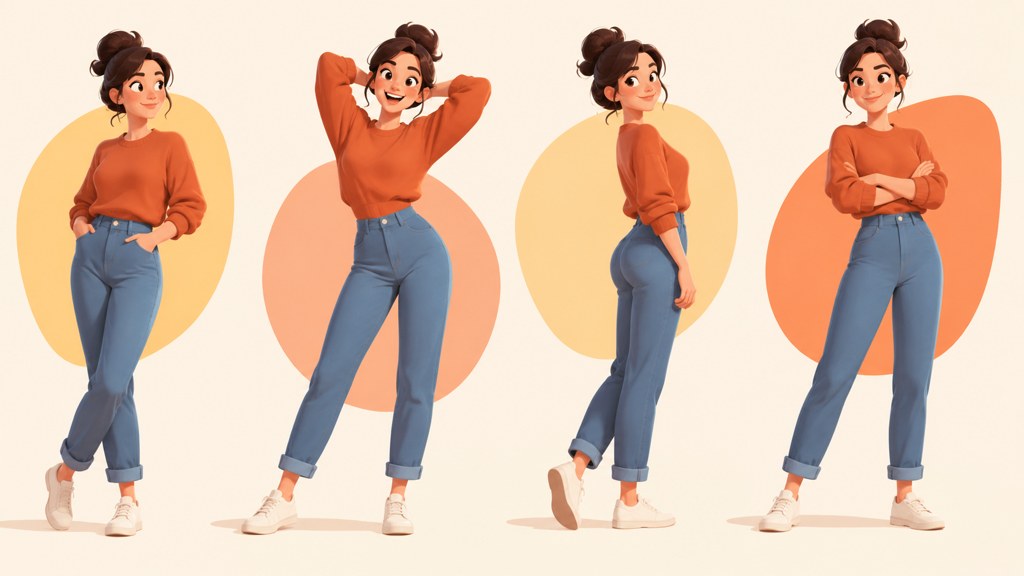
How to Pose for Pictures: 12 Rules That Work
Twelve posing rules that hold for any body and any camera: weight, angles, hands, chin and breath. Plus what to do in the three seconds before the shutter.
9 min read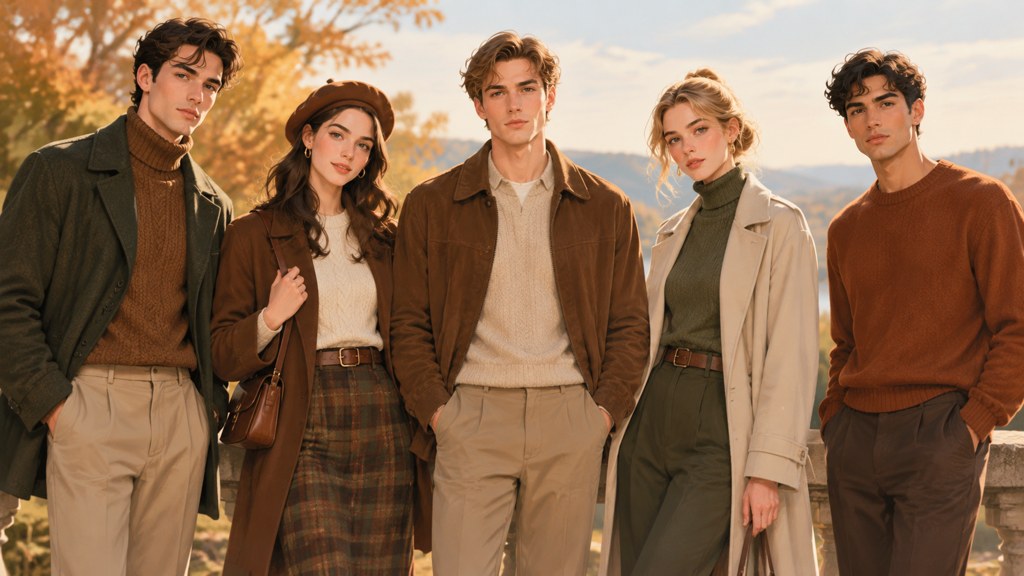
Family Picture Outfit Ideas: Palettes That Work
Six colour palettes for family photos, how to coordinate without matching, what to avoid on camera, and how to plan the whole set from one anchor outfit.
8 min read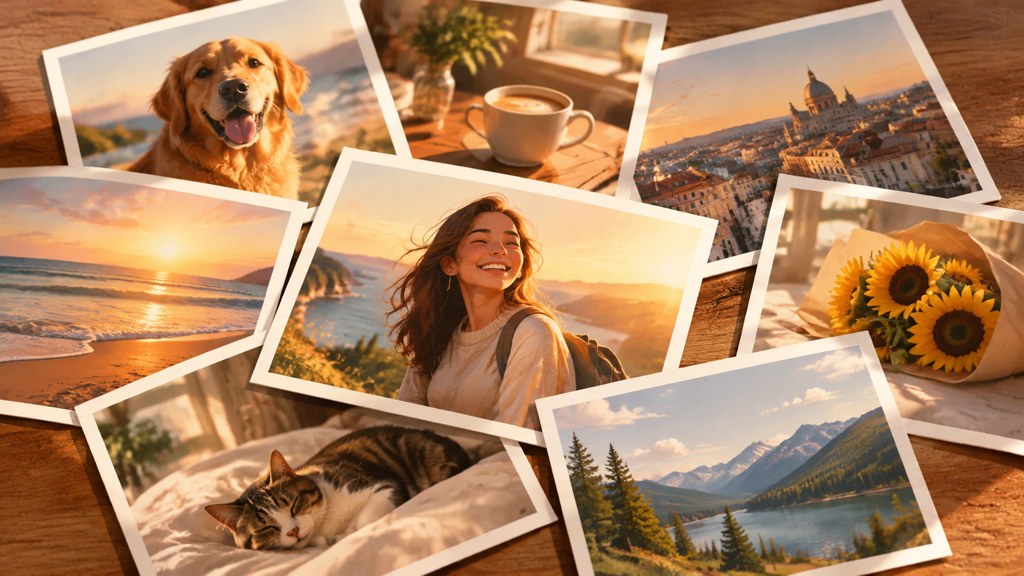
Instagram Photo Dump: How to Plan a Good One
What a photo dump is, why the unpolished format works, how to sequence ten photos so the carousel keeps holding, and captions that fit the tone.
8 min read
AI Character Generator: How to Design Consistent Characters
Build one character with an AI character generator, then keep the face, outfit and palette steady across poses, outfits, figures and short video.
11 min read