
Meme GIF Maker
Pick a reaction, add your caption, share the GIF.All tools
What the meme GIF maker does
LazyKiwi's Meme GIF Maker turns a reaction and a caption into a looping meme GIF. Pick a reaction, shocked, facepalm, slow clap, eye roll, nope and more, type the line that goes with it, and add a selfie if you want the reaction GIF to star you. The caption is drawn into the GIF, so it reads in any chat. Signing up is free, and the price is shown before you generate.


Specs
Meme GIF maker specs
- Input
A selfie or nothing
Leave the photo out and the reaction stars a cartoon character
- Reactions
Eight to start
Shocked, facepalm, slow clap, eye roll, mind blown, happy dance, laugh-cry and nope
- Caption
Your words, drawn in
Bold meme lettering that reads at thumbnail size
- Output
A looping .gif
Sends like any reaction GIF in chats and comments
How to make a meme GIF
A reaction, a caption, and you're done.
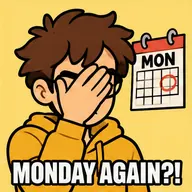
Step 1
Pick a reaction
Shocked, facepalm, slow clap, eye roll and more. Want something else? Describe it in your own words.
Prompt
MONDAY AGAIN?!
Step 2
Add your caption
Type the line that makes it funny. Short captions read best, and you can upload a selfie to star in it.
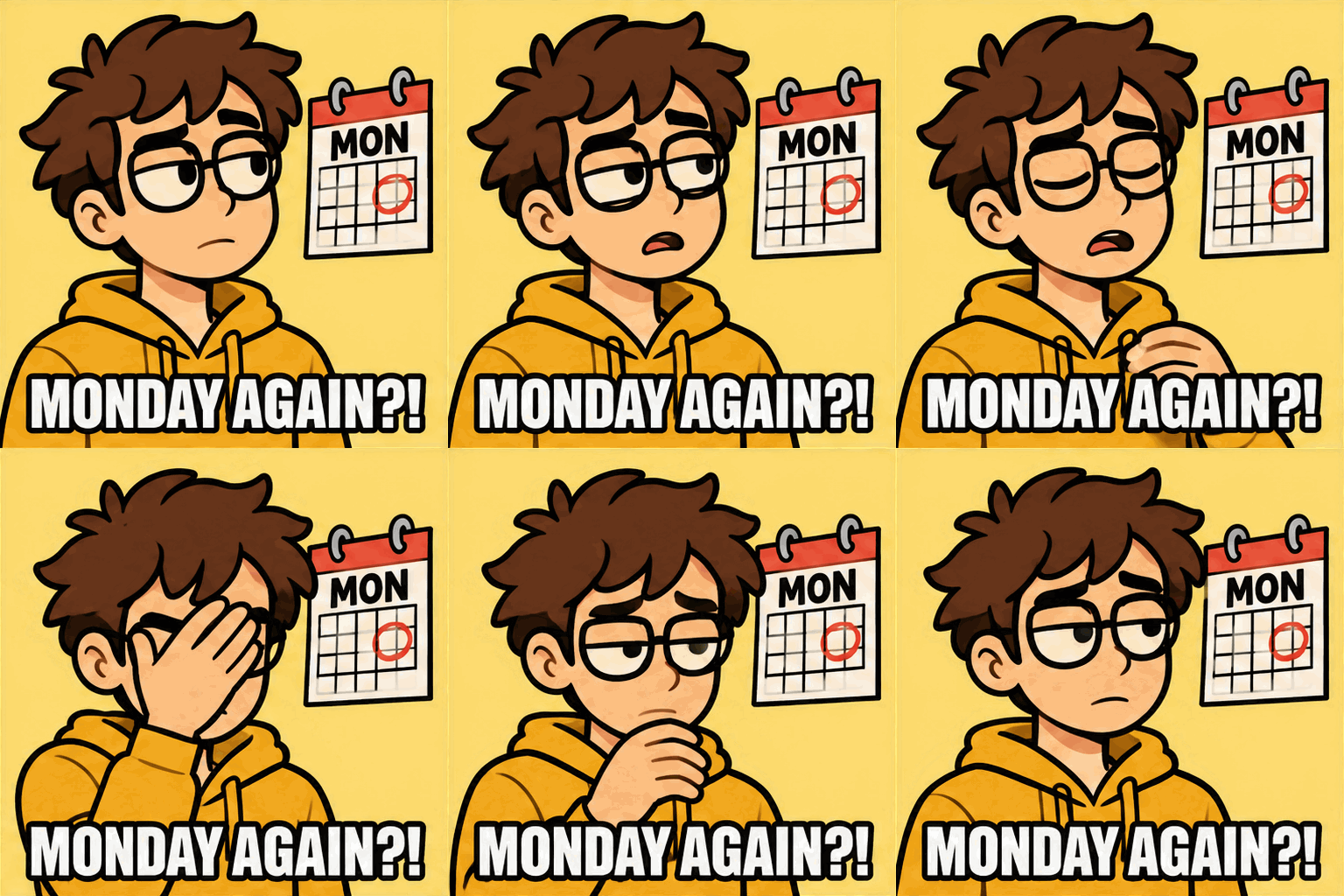
Step 3
Share the GIF
Download the .gif and drop it into the group chat, Slack, Discord or a comment thread.
Reaction GIFs of you
Star in your own reaction GIF
Upload a selfie and the reaction is acted out by you, not by the same movie clip everyone else sends. Leave the photo out and you get a cartoon character instead.
- One selfie is enough
- Or a cartoon character, no photo needed
- A new GIF every time
Any reaction
Eight reactions to start, any one you can describe
The reaction wall covers the classics: shocked, facepalm, slow clap, eye roll, mind blown, happy dance, laugh-cry and nope. For anything else, open the full AI GIF Generator and describe the moment in your own words.
- Eight one-tap reactions
- Your own description for anything else
- One clear beat that loops
Your caption
Captions drawn into every frame
The caption is part of the image, in bold meme lettering, so it shows up wherever the GIF goes. Keep it short: a few words read best at chat size.
- Bold white meme lettering
- Visible in every app
- Best with a few words
Send it anywhere
A real GIF, not a video
You get a .gif file that starts on its own and loops with no play button, so it behaves like any reaction GIF in iMessage, WhatsApp, Slack, Discord and comment boxes.
- Plays and loops on its own
- Works in chats and comment boxes
- Download and share
Compared
Meme GIF maker vs meme templates vs GIF search
Where the reaction comes from, and whose face is in it.
| LazyKiwi Meme GIF Maker | Meme template sites | GIF search sites | |
|---|---|---|---|
| Starring you | ✓From one selfie | ✕Stock template faces | ✕ |
| Any reaction | ✓Eight presets or your own description | !Only the templates on the site | !Only GIFs that already exist |
| Your caption | ✓Drawn into the GIF | ✓Typed over the template | ✕Fixed captions |
| Original GIF | ✓Made new for you | ✕The same clip everyone uses | ✕The same clip everyone uses |
Want a still meme instead? The AI Meme Generator makes classic top-and-bottom caption memes.
FAQ
Meme GIF maker FAQ
How do I make a meme GIF?+
Pick a reaction, type your caption, and press Make a Meme GIF. Add a selfie if you want to star in it. When the GIF is ready, download it and share it like any other GIF.
Can I make a reaction GIF of myself?+
Yes. Upload one selfie and pick a reaction such as shocked, facepalm or slow clap. The reaction is acted out by you, with your caption at the bottom.
How do I add text to a meme GIF?+
Type it in the Caption box. It is drawn into the GIF in bold white meme lettering, so it shows in every app. Short lines of a few words read best.
What reactions can I pick?+
Shocked, facepalm, slow clap, eye roll, mind blown, happy dance, laugh-cry and nope. For any other reaction, describe it in the AI GIF Generator.
Can I make a meme GIF without a photo?+
Yes. Leave the photo out and the reaction is played by a cartoon character.
What is the difference between a reaction GIF and a meme GIF?+
A reaction GIF shows a face or gesture you send instead of a reply, like an eye roll or a slow clap. A meme GIF is usually the same thing with a caption on it. This tool makes both: the reaction comes from the wall, the caption is optional.
Is the meme GIF maker free?+
You can try it for free: signing up is free and new accounts get free credits. Each meme GIF costs 40 credits, and the price is shown on the button before anything runs.
Where can I share my meme GIF?+
Anywhere GIFs play: iMessage, WhatsApp, Slack, Discord, Teams, comment boxes and email. The GIF starts by itself and loops.
Which AI makes the GIFs?+
GPT Image 2.6, OpenAI's image model that outputs GIF files directly, released on November 4, 2026.
More meme and GIF tools


Say it with a GIF of you.
Pick a reaction, add your caption, share it.
Free to try · Price shown before you generate