
Free AI Body Swap
Swap the whole person in a video, not just the face. Upload a clip and one photo: the body, hair and outfit change, and every move stays exactly as filmed.
What is an AI body swap?
An AI body swap replaces the whole person in a video — face, hair, build and clothes — with the person or character from one photo, while the pose, every move and the camera stay as filmed. A face swap only changes the face and keeps the original body and outfit. On LazyKiwi you upload the clip, add one full-body photo and download the swapped MP4; the price is on the button before you generate, and it is free to try. Body swap runs on the same engine as Character Swap; for a new face on the same body, use the video face swap.
Specs
AI body swap specs
- Inputs
One clip + one photo
MP4, MOV or WebM; a front-facing, full-body photo works best
- What changes
Face, hair, build and outfit
everything comes from your photo
- Output
MP4 at 480p, 720p or 1080p
download straight from the workbench
- Keeps
Pose, motion, timing and camera
plus the background and everyone you did not swap
How to do an AI body swap — 3 steps
A clip, one photo and a click. No masks, no tracking points, no green screen.
Step 1
Upload the video
Any clip with a person in it — a dance, a walk, a sports move, a talking shot. Everyone in it is found for you.
Step 2
Add one full-body photo
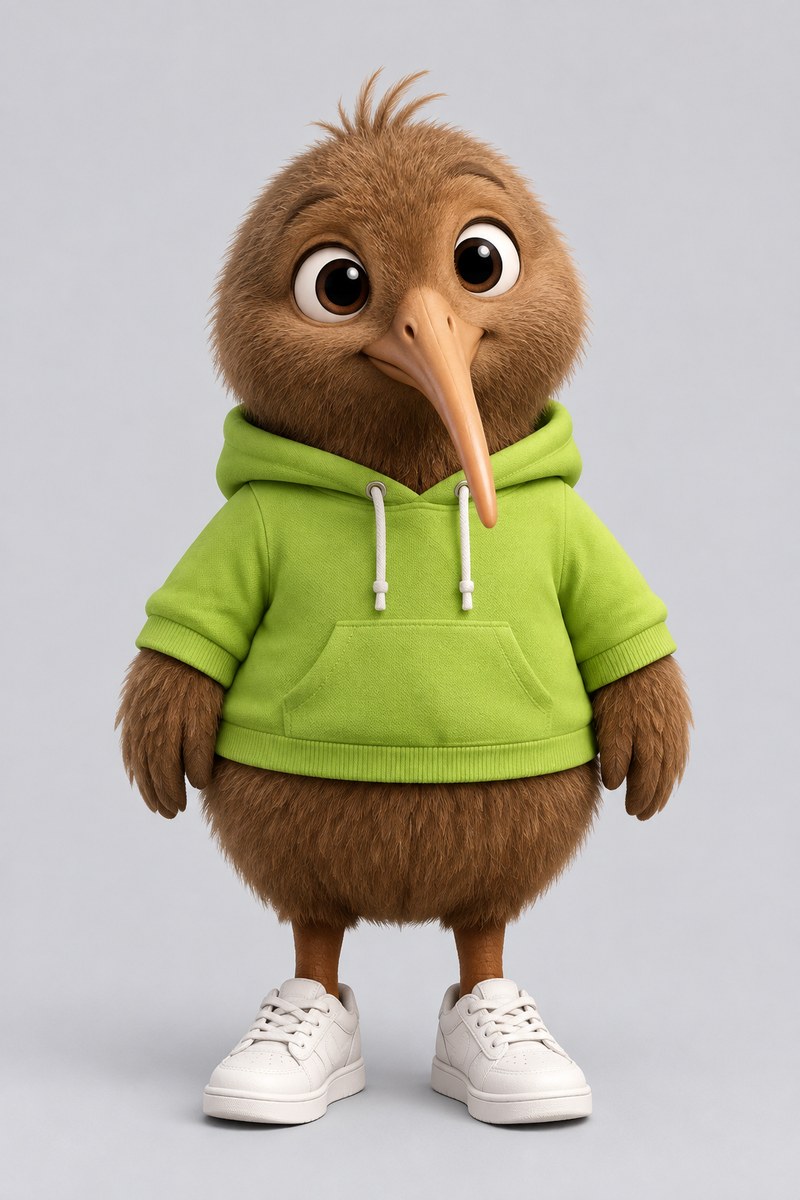
The body you want in the clip: you, a friend who agreed to it, a mascot or an illustrated character. Front-facing and head to toe works best.
Step 3
Download the body swap
The whole person is replaced and the walk, the timing and the camera are exactly as filmed. Download the MP4 from the workbench.
The whole body changes, not just the face
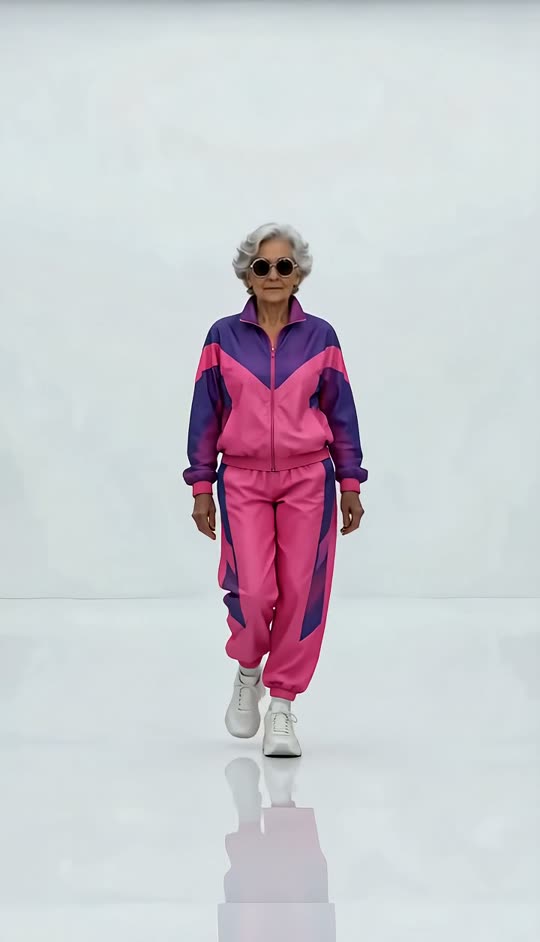
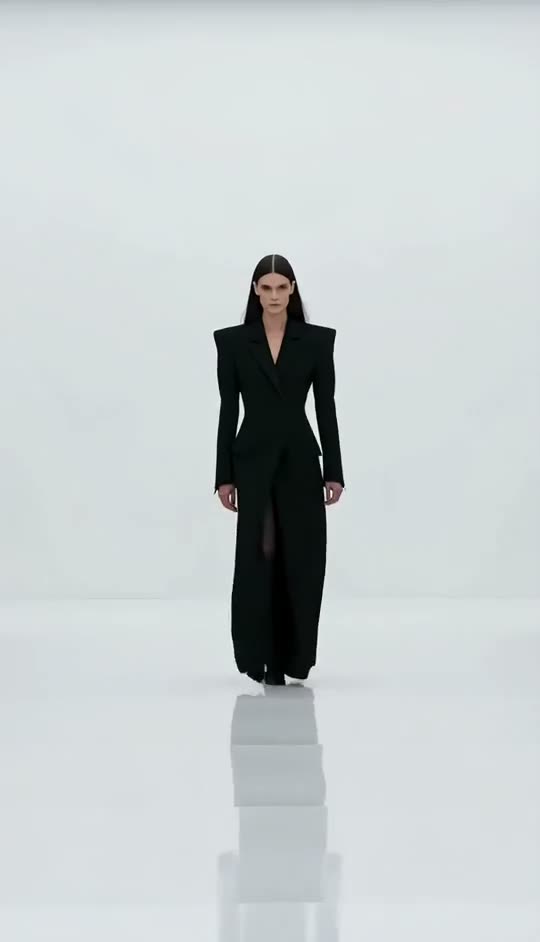
A face swap pastes a new face onto the original body, so the hair, build and clothes give it away. A body swap takes all of it from your photo: the grandma keeps the model's walk, but the tracksuit, the hair and the posture are hers. Want only a new face? Use the video face swap or the head swap.
- Face, hair, build and outfit from your photo
- Pose and every move from your clip
- No mismatched neck line or old clothes
Swap into a mascot, a costume or an android
The photo does not have to be a person in street clothes. Armour, a space suit, a plush mascot or a robot all work, and the body is redrawn to follow the dancer, the skater or the boxer frame by frame.
- Real people, illustrations or mascots
- Full costumes and props from the photo
- Proportions follow the original body
Dances, dunks and kickflips keep their timing
Body swap follows every frame of the original, so a fast move keeps its speed and the camera move stays as filmed. Group shots work too: pick who is swapped, and run the result again to swap the next person.
- Same moves, same timing, same camera
- Multi-person clips: everyone you did not pick stays
- Long clips supported
Compared
AI body swap: LazyKiwi vs Viggle and face swap apps
Looking for a Viggle body swap alternative? Here is what each one does, from their own pages.
| LazyKiwi AI Body Swap | Viggle AI Body Swap | Face swap apps | |
|---|---|---|---|
| Swaps the whole body, hair and outfit | ✓Face, hair, build, outfit | ✓Face, body, skin tone, clothing | ✕Face only |
| Keeps the original motion and camera | ✓Exactly as filmed | ✓Motion from the clip | ✓Body untouched |
| Mascots, costumes and illustrated characters | ✓Any character from one photo | ✓Characters from a photo | ✕Needs a human face |
| Multi-person clips | ✓Pick who is swapped | ✓Up to 7 in the Multi-Track editor | Varies |
| Long clips | ✓Long clips supported | 1 min free, 10 min on paid plans | Varies |
| Free to try | ✓Free to try | ✓Free to try | Varies |
| Price shown before you generate | ✓On the button | Not published | Varies |
| Sources | Workbench read 2 Nov 2026 | Body swap page Pricing read 29 Oct 2026 |
Competitor details change; check the linked pages first.
FAQ
AI body swap FAQ
Is the AI body swap free?+
Signing up is free and comes with free credits to try it. The exact price for your clip is on the Generate button before anything is charged, and finding the people in the clip costs nothing.
How do I swap bodies in a video?+
Upload an MP4, MOV or WebM, add one full-body photo of the person or character, choose who in the clip is swapped, pick 480p, 720p or 1080p and generate. The swapped MP4 is ready to download in a few minutes.
What is the difference between a body swap and a face swap?+
A face swap changes only the face and keeps the original body, hair and clothes. A body swap replaces the whole person with the one in your photo, while the moves and the camera stay as filmed. For a face-only swap use the video face swap.
Is AI body swap the same as Character Swap?+
Yes — it runs on the same engine. Character Swap covers the full tool, including Animate image mode; this page is about swapping a whole body into a clip.
Can I swap two people's bodies in one video?+
Yes. Everyone in the clip is detected; each run swaps the person you pick. Run the result again and pick the next person to swap a second body. The people you do not pick stay as filmed.
What photo works best?+
One person, front-facing, head to toe, on a plain background. Match the framing: a full-body photo for a full-body clip, a waist-up photo for a talking shot.
Can I use a photo of someone else?+
Only with the rights to the image and the person's consent. Do not use a body swap to impersonate a real person or make content they did not agree to.
Is LazyKiwi a good Viggle body swap alternative?+
If you want a whole-body swap from one photo with the price shown before you generate, yes. Both keep the motion of your clip; LazyKiwi also lets you pick exactly who is swapped in a group shot.
Does an AI body swap keep the original motion and expressions?+
Yes. The pose, every move, the timing and the camera come from your clip, so a dance or a dunk keeps its speed. Only the person changes — face, hair, build and outfit come from your photo.
What kind of videos work best for a body swap?+
Clips where the person is clearly visible and not too small in the frame: dances, walks, sports moves, talking shots. Match the photo to the framing — a head-to-toe photo for a full-body clip. Fast motion and group shots work too.
How long does an AI body swap take?+
Usually a few minutes; longer and higher-resolution clips take longer. You can leave the page and pick up the result in the workbench.
Related:Character Swap Video Face Swap How to swap a whole body (help)
More AI video tools


One photo. Any clip. The whole body swapped.
Upload a clip and one full-body photo, pick the person, download at up to 1080p.
Free to try · Price shown before you generate · Renders in minutes