
Free AI Video Face Swap
Put a face into a video without re-shooting it. Upload the clip and one photo, and every frame comes back with that face, matched to the angle and the light, while the motion, the voice and the edit stay exactly as they were. Works in the browser on phone or desktop.
Results
Video face swap results: same frame, new face
Frames taken from the swapped clips. Only the face changes; hair, body, camera and light are the original footage.
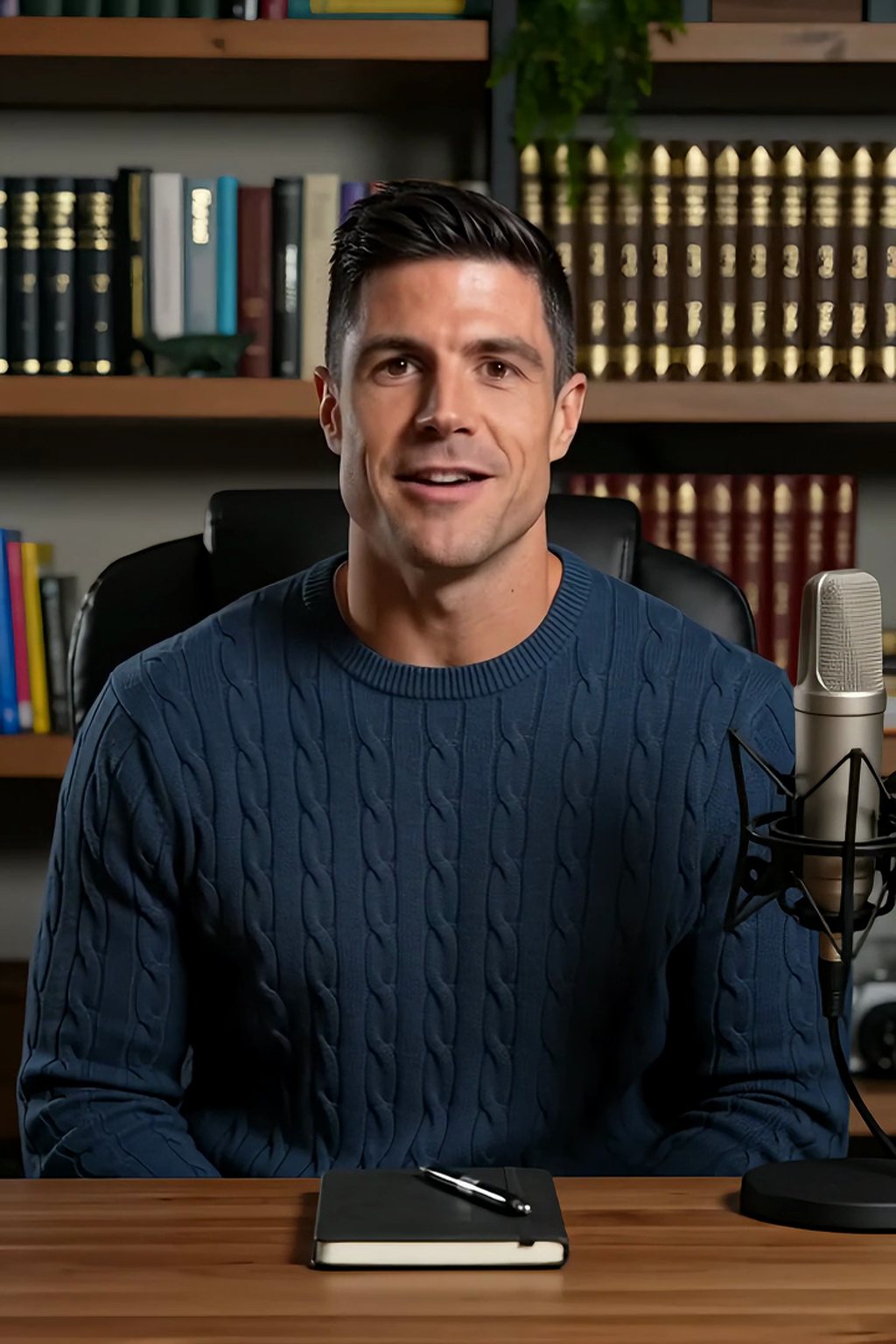 Original frame
 Face swapped
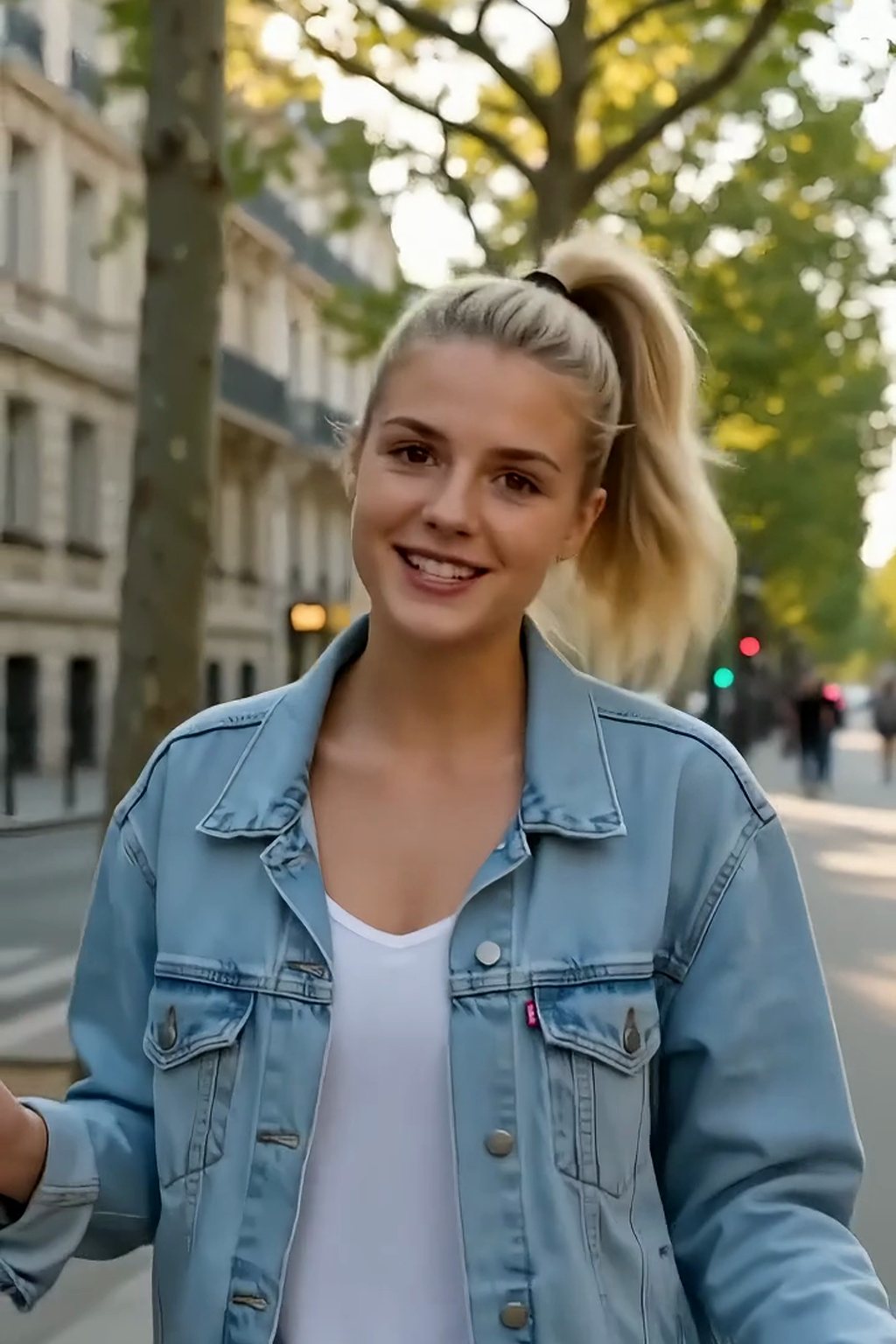 Original frame
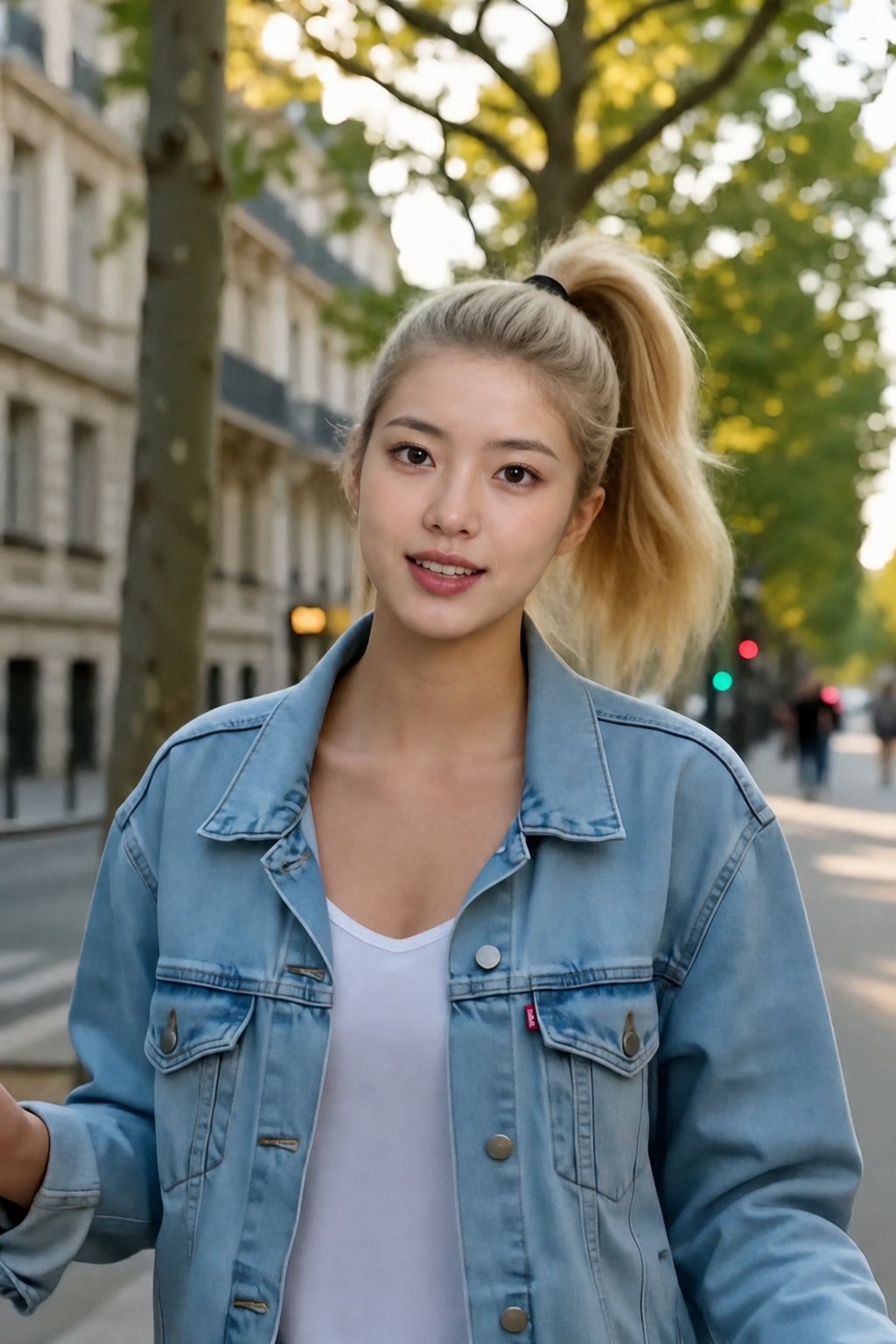 Face swapped
 Original frame
 Face swapped
Specs
AI video face swap specs
- Video in
MP4, MOV or WebM, shot on a phone or downloaded; one clear face in the frame gives the cleanest result
- Audio
The original soundtrack is left untouched and the lips follow the original speaker, so dialogue stays in sync
- Picture
Output matches the source resolution and frame rate; cuts, camera moves and colour grade are not re-rendered
- Video out
MP4 ready for Reels, TikTok, Shorts and YouTube; a short loop can also be saved as a GIF
How to face swap a video in 3 steps
No timeline, no masks, no app. One clip, one photo, one download.
Step 1
Upload the video
A talking head, a vlog, a dance, a movie scene. Steady, well-lit footage swaps cleanest.

Step 2
Add the face photo
A single front-facing shot in daylight is enough. That face is tracked onto every frame.
Step 3
Scrub, then download
Check a few frames in the preview and save the MP4 with its original audio.
Dialogue stays in sync
Because the swap tracks the mouth on each frame instead of generating new footage, the new face says exactly what the original speaker said, on the same beats, with the original audio underneath. Interviews, podcasts and talking-head videos keep their timing.
- Mouth shapes follow the original
- Soundtrack untouched
- No re-recorded voice
Head turns, hair, hands: all original
The camera move, the walk, the hand gestures and the hair are the footage you uploaded. The face is re-lit per frame to match shadows and highlights, so a walk through dappled street light still looks like one continuous take.
- Per-frame lighting match
- Original camera and cuts
- Steady shots swap cleanest; motion blur softens results
Reels, TikTok, Shorts, YouTube
The MP4 comes back at the source resolution and frame rate, vertical or horizontal, so it drops straight into a feed without re-encoding. Need a loop for a chat instead? The GIF Face Swap is tuned for that.
- Vertical and horizontal clips
- Source resolution kept
- Phone upload, phone download
Face, head or whole person
This tool changes the features and keeps the hair and body. For the other two jobs there are separate tools, and the AI Face Swap overview compares all three with examples.
- Face swap: this page
- Head swap: whole head with hair
- Character swap: whole person
FAQ
AI video face swap FAQ
Is the AI video face swap free to use?+
You can start without paying: a new account comes with free credits, and the cost of a clip is shown on the button before it runs. Preview the result before you spend anything on the download.
Does the video keep its sound and lip sync?+
Yes. The soundtrack is never touched, and because the swap follows the original mouth movement frame by frame, the new face speaks on the same beats as the original speaker.
What resolution does the swapped video come back in?+
The same as the clip you uploaded, at the same frame rate. Nothing is re-rendered except the face region, so the rest of the picture is pixel-for-pixel the original.
Can I face swap a TikTok, a Reel or a movie scene?+
Yes, as long as you have the right to use the clip. Download it, upload it here with the face photo, and post the MP4 back. Scenes with a steady camera and clear light give the best match; heavy motion blur or a face turned fully away is where the swap softens.
How long can the video be?+
Short clips process fastest and preview instantly. Longer videos are queued and you are told the credit cost up front; if you only need a few seconds, trim first and the swap costs less.
What makes a good face photo, and what about videos with several people?+
Those answers are the same for every swap tool, so they live on the AI Face Swap overview along with the consent rules: in short, one front-facing photo in good light, and the swap goes to the most prominent face unless you trim the clip.
More swap tools

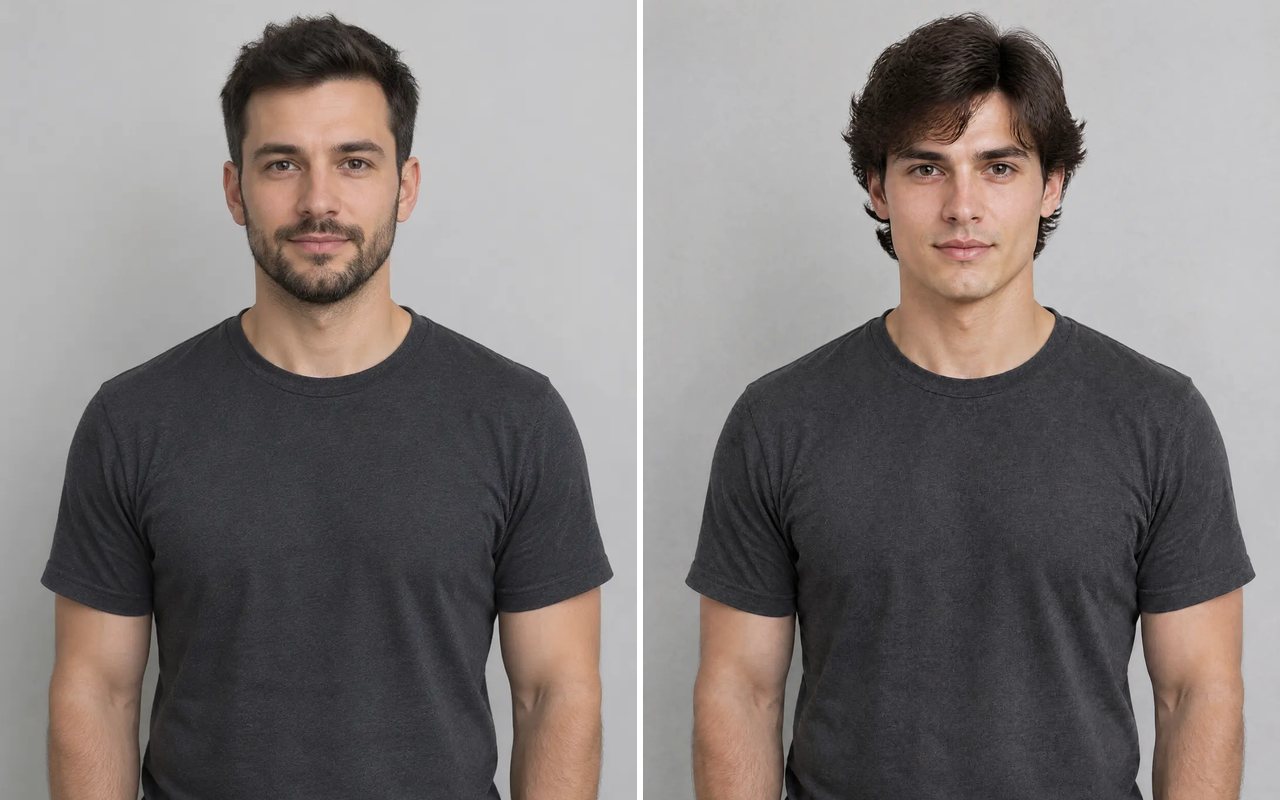

Same clip. Same voice. New face.
Upload the video and a photo; download the MP4 with its original audio.
Free credits to start · Cost shown before the clip runs · Only faces you have permission to use