
Financial Figure
A money counter animation for your revenue number
On black, a dollar figure rolls up from zero flush-left while an orange revenue curve draws underneath it and a soft area fades in below the line; once the number lands, a growth pill and a comparison line drop in. Five and a half seconds.
- 5.5s
- duration
- 4
- aspect ratios
- 6
- controls
- 720p
- free, unlimited exports
Text · 5.5s · 9:16
Counter · Revenue · Dollar · Curve
Money counting up, with the curve to prove it
A money counting animation is the fastest way to say "we hit a number" — but a figure counting up on its own looks like a slot machine. This template pairs the count with its evidence. While the dollar amount rolls up in a large grotesk, a revenue curve draws itself from left to right across the lower half of the frame, the area under it fades in, and a dot pops at the end of the line and keeps pulsing.
When the counter lands, a pill with the growth figure and a short comparison line drop in beside it. The amount is a real number control from 1,000 to 999,999 — type your figure and the counter rolls to it, with the dollar sign and thousands separators handled for you. The label, the growth pill, the comparison and the accent colour are text and colour controls.
5.5 seconds, three beats
What is on screen, and when. Every element named here is a layer in the document — you can click any of them on the canvas and change it.

Beat 1 · 0.99s
Counting up
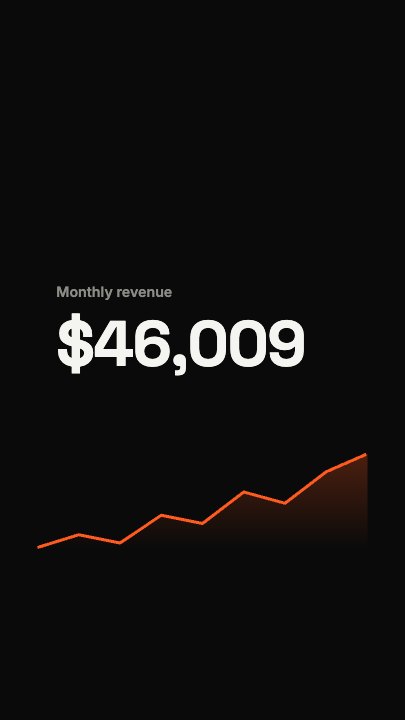
The label is in, the dollar figure is rolling up flush-left and the revenue curve is drawing across the lower half of the frame.
Beat 2 · 2.2s
Almost there
The counter is closing on the final amount and the curve is nearly at its peak, the shaded area filling in beneath it.

Beat 3 · 3.2s
Landed, with context
The full amount is on screen, the end dot pulses at the top of the curve, and the growth pill and comparison line sit under the number.
Three steps to your revenue video
- 01
Enter the amount
The Amount control takes any figure from 1,000 to 999,999; the counter rolls from zero to it and formats it with a $ and commas.
- 02
Write the label and growth
Label sits above the number ("Monthly revenue"), Growth pill holds the change ("+24.6%") and Comparison says against what.
- 03
Pick the accent and export
The accent colours the curve, the area, the end dot and the pill. Export the money counter video for a post, a deck or an investor update.
Counts to your number
The value is an input, not artwork
Change the amount and the counter re-times itself to roll to the new figure — no re-keyframing, no mismatched digits.
Curve underneath
A revenue line draws with the count
The curve and the counter move together over the same two seconds, so the number looks earned rather than announced.
The payoff
Growth pill and comparison
Once the figure lands, the growth pill pops in and the comparison slides beside it — the context that makes a number mean something.
What you can change
Six named controls, exactly as in the studio panel. The dollar sign is part of the counter and follows however many digits your amount has.
- Click any element on the canvas to edit it directly
- Or describe the change in a sentence and let the assistant make it
- Export 9:16, 16:9, 1:1, 4:5 from the same document
Studio controls
6 named
- LabelTextMonthly revenue
- Growth pillText+24.6%
- ComparisonTextvs last month
- AccentColour#FF5A1F
- AmountSlider 1000–99999948200
- SpeedSlider 0.5–21
Money counter or number counter?
This template is for money — a revenue milestone, a fundraise, a monthly result, a sales total — with the curve and growth pill that belong with it. For a count that is not a dollar figure, like calories, followers or hours, the number counter animation template is the general version. Both treat the value as an input you type.
Financial Figure: questions, answered
Is the money counter animation free?+
Free to open and edit, and free accounts get unlimited free 720p exports with a small LazyKiwi mark. Clean 1080p is included with any paid plan.
What is the largest amount it can count to?+
The Amount control runs from 1,000 to 999,999. The counter formats the figure with a dollar sign and commas automatically.
Can I use a currency other than dollars?+
The dollar sign is built into the counter. Ask the Motion Studio assistant to change the prefix if you need euros or pounds.
What aspect ratios can I export?+
9:16, 16:9, 1:1 and 4:5. 16:9 drops into a deck or a YouTube update; 9:16 or 4:5 suits a feed post.
Do I need After Effects?+
No. It renders in your browser and exports an MP4 — no project file, no plugin.
More charts & data
All data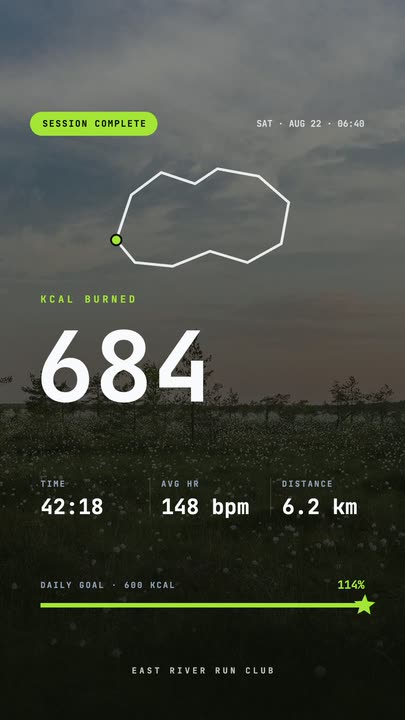 Workout Summary CardA fitness-app session recap over a darkened photo: the calorie count rolls up, three stats rise in and the goal bar draws itself to a star.
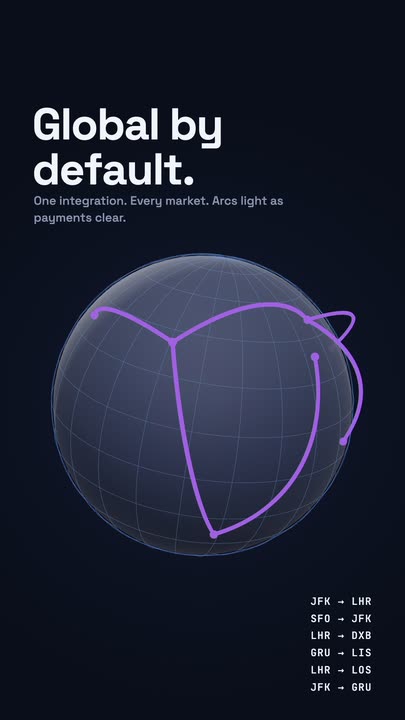 Globe ArcsA wireframe globe turns slowly on a midnight stage while six city-to-city arcs light up in sequence, with a route table ticking along beside it.
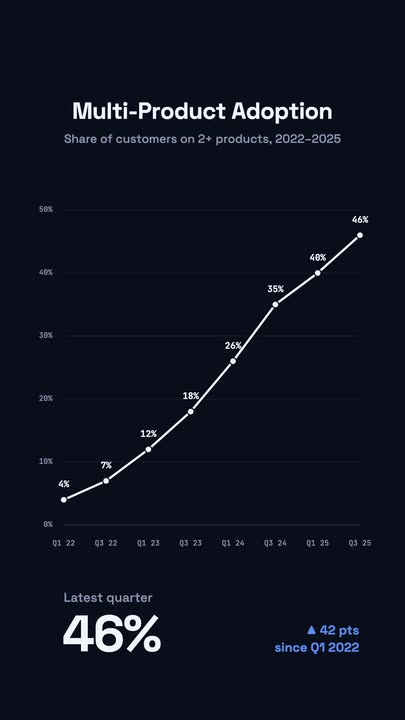 Stats Line ChartA white adoption line draws itself left to right over a dark grid; each node lights up with its percentage and a big KPI counts up below.
Show the number.
Type the amount and the growth, and export a money counter animation for your milestone.