
Ideogram 4.5: What's New, Pricing and Alternatives
Ideogram 4.5 is an edit model built to stop drift across repeated changes. What it does, what it costs per image, whether it is open, and what else to try.
 Noah Berger 9 min read
Ideogram 4.5 is Ideogram's new image editing model, released on 1 October 2026. Its pitch is narrow and specific: when you edit the same image again and again, the parts you did not ask to change should stay exactly as they were. Ideogram calls the problem drift, the slow build-up of colour shifts, moved pixels and texture artifacts after several rounds of edits. This guide covers what the release adds, the edit types Ideogram highlights, how it ranks on an independent leaderboard, what it costs in the app and the API, whether the weights are open, and the alternatives worth testing. Prices and claims were read on Ideogram's own pages on 13 October 2026. We have not run a hands-on drift test, so claims about quality are attributed to whoever made them.
What is Ideogram 4.5?
It is the successor to Ideogram 4.0, but positioned as an edit model first. The model page headline reads "the most precise edit model", and the copy says it "reduces this drift, preserving details across multi-turn edits". Ideogram has long been known for legible text inside images; this release carries that strength into editing images that already exist.
Availability on launch day, per The Decoder: the Ideogram web platform and the API, with partners including Picsart, Runway, Pika and Leonardo AI. Recraft has announced it is coming to Recraft Studio without giving a date. Ideogram also has an iPhone app.
What's new: drift, multi-turn edits and crop editing
Three changes stand out for anyone doing multi-turn editing, all described on Ideogram's own page and in launch coverage:
- 1
Multi-turn stability
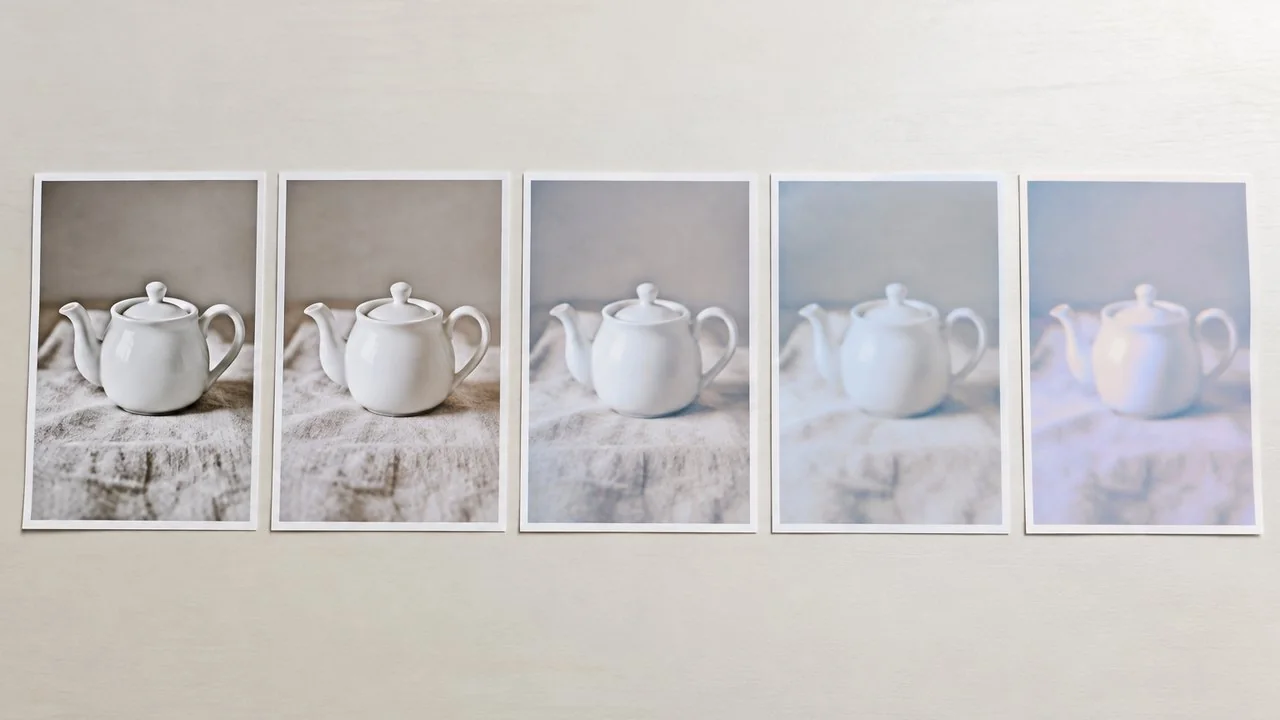
The model is tuned so that edit five looks as clean as edit one. Ideogram shows the same sequence of edits run on several models and says competitors become unusable "within a few edits".
- 2
Editing at full resolution
You can edit a crop of a very large image and stitch it back without downsizing the original. Ideogram's example is a 4,016 x 6,016 pixel source (24.2 MP). As SuperPowerDaily points out, that is a crop-and-reinsert workflow, not full-image generation at 24 MP.
- 3
Two API workflows
According to AlphaSignal's summary of the API, "precise edit" returns a result at the input image's own size, while "generate and edit" mixes reference-driven generation with edit instructions. Requests can carry up to four reference images, an optional mask and a high-precision mode.
AlphaSignal also reports four quality modes, prompts of up to 10,000 characters and native 2K output. Ideogram's credit table confirms the quality modes by name (Very Low, Low, Medium, High), so the tier structure is not in doubt even where the other numbers come from coverage.

The edit types Ideogram highlights
The model page groups its examples into ten edit types. They are a good map of what the model is meant for:
- Colour and lighting, including new product colourways
- Text modification inside a design
- Product photography
- Interior design
- Architecture
- Restoring old photos
- Sketch to image
- Style reference
- Reframing
- Depth to image
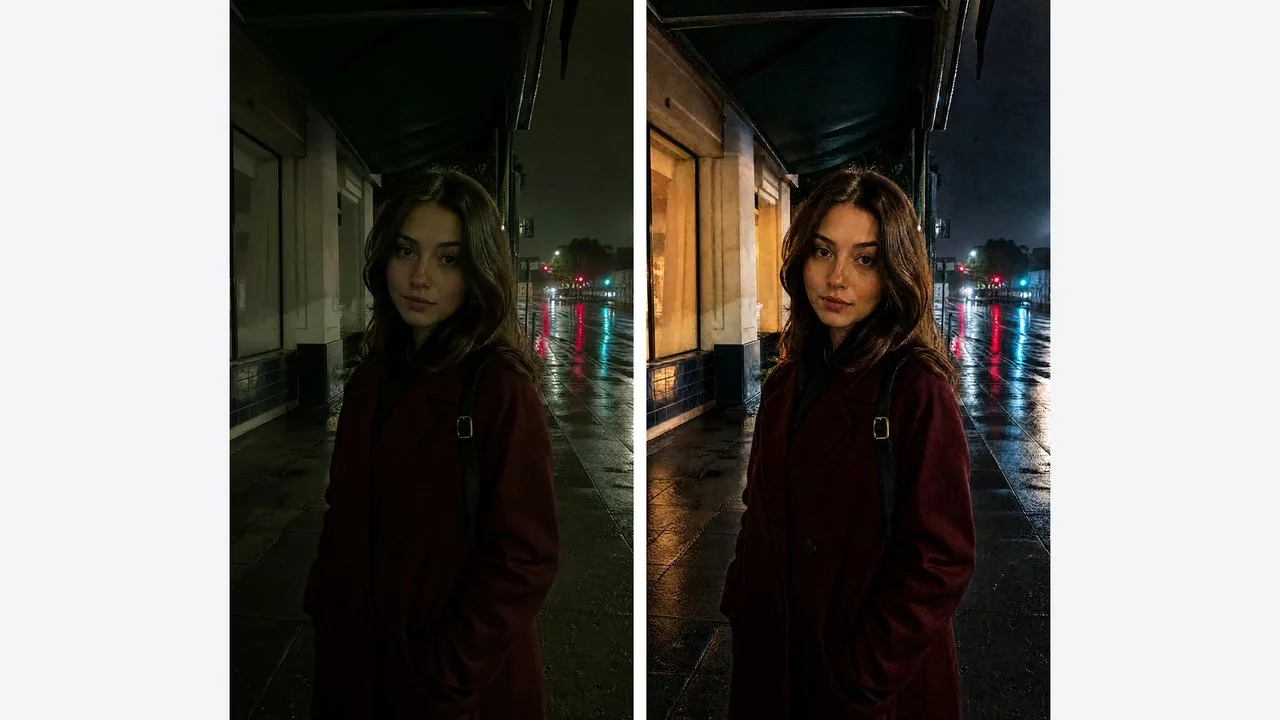
Most of these are jobs where the requested change is small but the image around it is full of detail you want to keep: a label on a bottle, the sofa in a staged room, a scratch on an old print. That is the kind of brief where drift costs the most time, because a fresh regeneration would change everything else too.
How the new Ideogram model ranks on independent leaderboards
The first independent numbers came from Artificial Analysis. Reporting on them, AlphaSignal says the model placed 23rd on the image editing leaderboard and 34th for text-to-image generation, up from 40th for Ideogram 4.0 Quality. It is the first Ideogram model listed on the editing board.
Those ranks sound modest, but AlphaSignal adds that the model comes closest to the category leaders in three areas: text and symbol edits, scene and style edits, and composition and framing. That fits the specialist positioning. Leaderboard positions move every week, so check the live board before relying on a rank.
Hands-on coverage is still thin. MindStudio's first look tried two edits, fixing garbled text in an older Ideogram image and swapping in a reference character, and reported both held up, while stating plainly that a fuller verdict needs more testing.
Ideogram's comparison against GPT Image and Nano Banana
The model page runs "14 edits with the same prompts" on its own Medium setting, GPT Image 2.5 Sunburst High, Nano Banana Pro and Nano Banana 2, and concludes that the GPT Image and Nano Banana outputs "become unusable within a few edits".
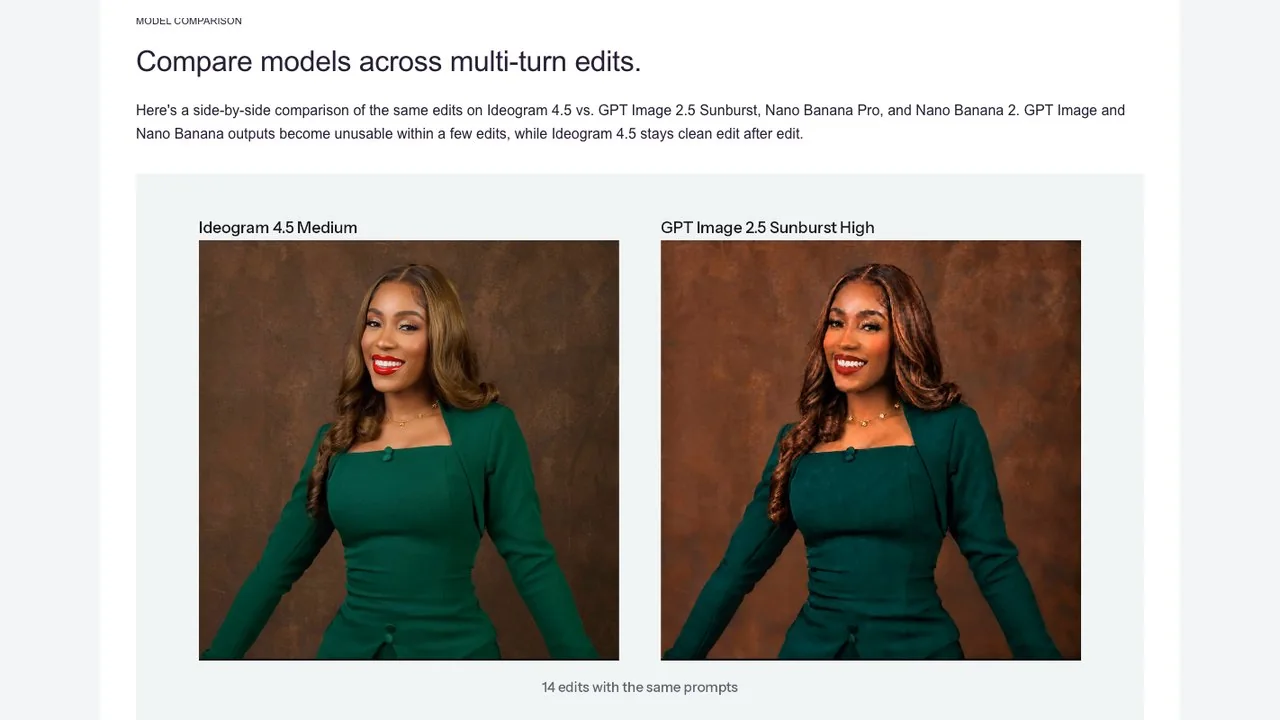
Treat this as a claim, not a verdict. It is Ideogram's choice of image, prompts and settings, and nobody outside the company had published a matched multi-turn test when we checked. It is also a test of a specific workflow: applying fourteen edits in a row. If you usually make one or two changes and then export, drift matters much less.
Disclosure: LazyKiwi offers GPT Image 2.5 Sunburst, one of the models in Ideogram's comparison, on its GPT Image 2.5 page. We have not run Ideogram's fourteen-edit sequence on it, so we make no counter-claim here.
How much does Ideogram 4.5 cost?
There are two ways to pay: credits in the Ideogram app, or per image through the API. Both are listed on the pricing page.
| Rendering setting | App credits per image | API price per image |
|---|---|---|
| Very Low (with source images) | 0.8 | $0.008 |
| Low | 3 | $0.03 |
| Medium | 6 | $0.06 |
| High (text to image) | 10 | $0.10 |
| High (with source images) | 22 | $0.22 |
API prices are the same at 1K and 2K. Precise Edit uses the same four tiers, from $0.008 at Very Low to $0.22 at High, which is the 27-fold spread AlphaSignal highlighted. In other words, the cheapest edit costs less than a cent and the most careful one costs about a fifth of a dollar.
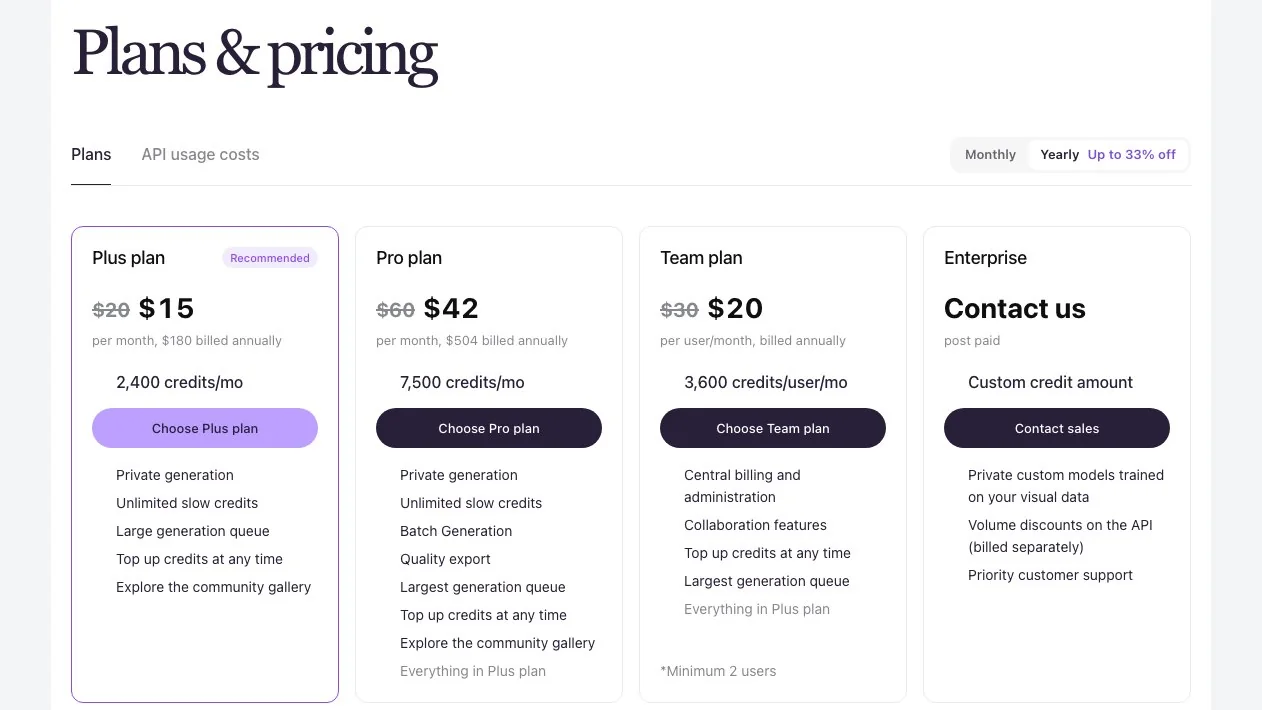
Subscription plans, billed yearly: Plus at $15 a month with 2,400 priority credits, Pro at $42 with 7,500, and Team at $20 per user with 3,600 per user (minimum two users). Monthly billing is higher ($20, $60 and $30). Paid plans also include slow credits with no monthly cap. Free accounts get weekly credits when they sign in with Google, Apple or Microsoft; Ideogram says "the amount may vary" and offers no free trial of paid plans.
Is Ideogram 4.5 open source?
Not yet. Ideogram released open weights for the previous model, Ideogram 4, on 3 June 2026. Its GitHub repository describes it as Ideogram's "first open-weight text-to-image model", with 9.3 billion parameters; the code is under Apache 2.0, but the model weights use an Ideogram 4 non-commercial license, so commercial use of the open model is not covered.
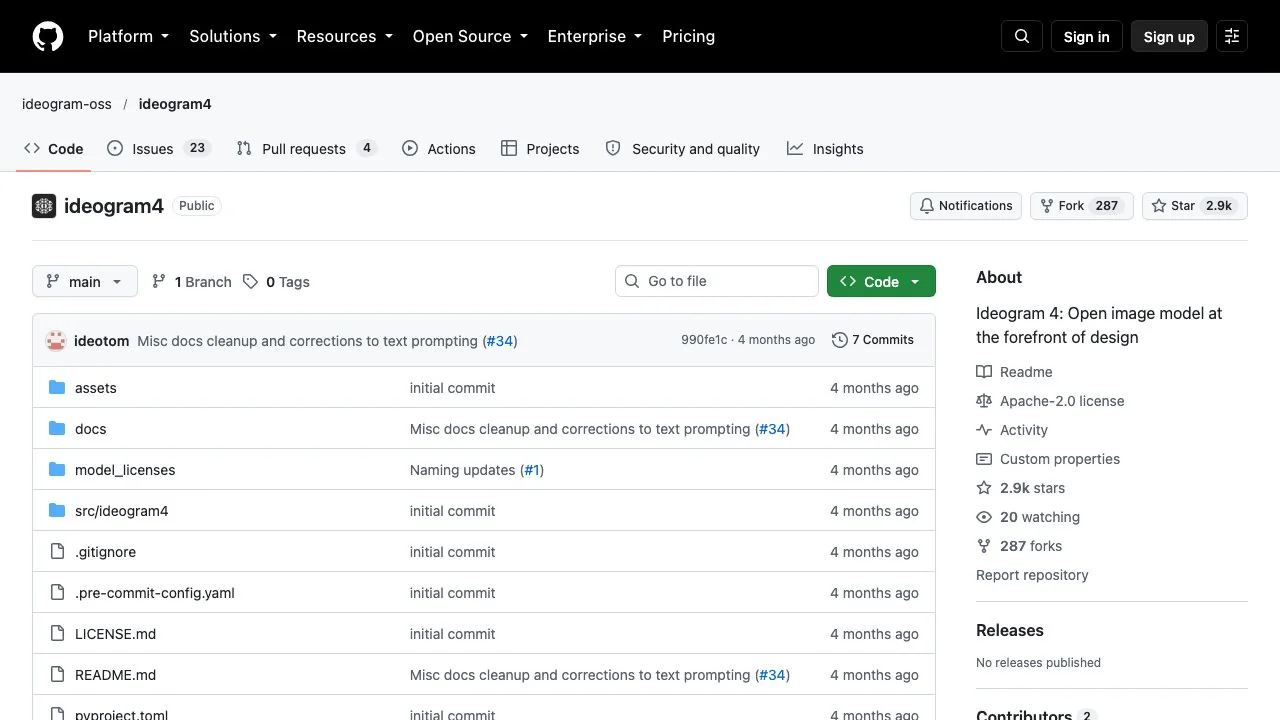
For 4.5, Ideogram has said an open-weight release is coming soon, according to The Decoder and AlphaSignal, but it has not given a date or a license. Until it ships, the only ways to use the new model are Ideogram's own app and API and the partners that integrate it.
Can ChatGPT do precise multi-turn edits?
ChatGPT can edit images in several rounds, and for many people that is enough. OpenAI's help centre says you can upload an image or pick a generated one, select an area with a selection tool and describe the change, or just describe the edit in chat.
OpenAI is candid about the limits: "Highlights are not always precise, and edits may extend beyond the area you selected." That is the same drift problem Ideogram is targeting. If your job is one or two quick changes, ChatGPT is convenient. If you need many rounds on a print-resolution file where untouched pixels must stay untouched, a dedicated edit model is the safer test.
Ideogram 4.5 alternatives worth testing
The right alternative depends on the job. These are options we could verify today, grouped by what they are best at:
| Tool | Best for | How you edit | Notes |
|---|---|---|---|
| Ideogram (4.5 model) | Many rounds on one image, text in designs | Prompt, mask, references | App credits or API per image |
| ChatGPT Images | Quick edits in a chat | Selection tool or chat | All ChatGPT tiers |
| Nano Banana 2.1 (Gemini) | Cheap high-volume edits, many references | Chat or API | Needs a Google AI plan in the app |
| Recraft Studio | Design work across models | Canvas | Says 4.5 is coming, no date |
| LazyKiwi edit tools | One-off text swaps and photo fixes | Upload and describe | Credit price shown before you generate |
On LazyKiwi, two tools cover the most common single edits. Edit text in image changes the wording in a photo or graphic while keeping the design, and the AI photo editor applies a described change to a photo. If you would rather generate a new design than edit one, the image generator lists several models with the credit price shown up front. These are prompt-based editors for a single pass; we make no claim about how they behave over fourteen consecutive edits.
How to test edit drift yourself
- 1
Pick one real image
Use a photo or design you actually work with, ideally with text and fine texture.
- 2
Write five small edits
Change one thing each time: a colour, a word, an object, the light, a crop.
- 3
Apply them in sequence
Feed each result into the next edit, in each tool, with the same wording.
- 4
Compare the untouched areas
Zoom into regions you never asked to change. Shifts there are drift.
- 5
Record cost and keeps
Note the price per edit and how many results you would use.
Five rounds will not reproduce Ideogram's fourteen, but it is enough to see whether a tool holds your kind of image together, and it costs a few cents on the cheaper tiers.
Key takeaways
- Ideogram's 4.5 release (1 October 2026) is an edit model built to keep untouched pixels unchanged across repeated edits.
- Ideogram's comparison against GPT Image 2.5 and Nano Banana is the vendor's own test; independent evidence is still limited.
- Artificial Analysis placed it 23rd for editing and 34th for text-to-image, per AlphaSignal.
- API prices run from $0.008 to $0.22 per image; app renders cost 0.8 to 22 credits.
- Ideogram 4 has open weights under a non-commercial license; open weights for 4.5 are promised without a date.
Models & Research Editor
Noah Berger
Noah Berger tracks generative models and the rules around them for LazyKiwi. He works from primary sources, dates every claim, and updates a post when the model or the policy behind it changes.
FAQ
Common questions
What is the new Ideogram model best at?
Editing an existing image several times without the rest of it shifting: changing text in a design, swapping product colours, restyling a room or restoring a photo. Ideogram's own examples and the first leaderboard results both point to text, scene and composition edits as its strengths.
How much does Ideogram 4.5 cost?
Through the API it costs $0.03, $0.06 or $0.10 per generated image at Low, Medium or High, and edits range from $0.008 to $0.22. In the app, renders cost 0.8 to 22 credits; Plus is $15 a month billed yearly with 2,400 priority credits.
Is the 4.5 model free to use?
Free Ideogram accounts receive weekly credits when they sign in with Google, Apple or Microsoft, and Ideogram says the amount may vary. There is no free trial of the paid plans and no free API tier listed on the pricing page.
Are the 4.5 weights open source?
Not yet. Ideogram released open weights for Ideogram 4 in June 2026 under a non-commercial weights license, and has said open weights for 4.5 are coming soon. No date or license had been announced when we checked on 13 October 2026.
Can I use Ideogram models on LazyKiwi?
No. LazyKiwi does not offer Ideogram models. For single text swaps or photo fixes you can use LazyKiwi's edit text in image tool or AI photo editor, but those are separate tools and have not been tested against Ideogram's multi-turn claims.
Need to change the words in an image today?
Upload the image to LazyKiwi, type the new wording and let the tool match the font and background. The credit price is shown before you generate.
Related reading

Best AI Photo Editing Apps in 2026, Tested
Nine of the best AI photo editing apps run against the same two files: retouch a face, clean a scene, batch a set, export without a watermark.
10 min read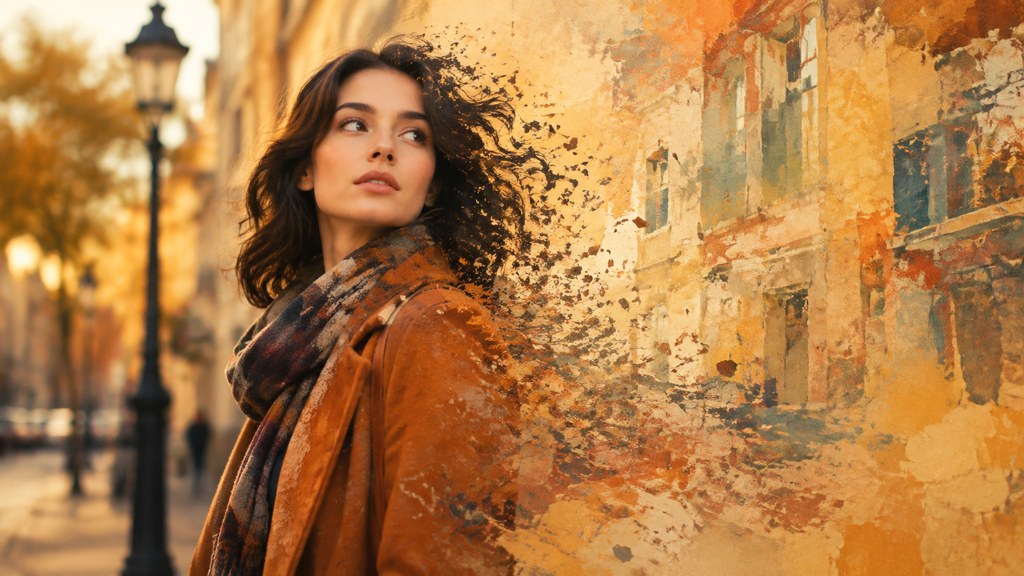
Remove Person From Photo: What Actually Works
How to remove person from photo edits that survive a 100% zoom: catch the shadow, protect the subject, and know when a crop beats reconstruction.
9 min read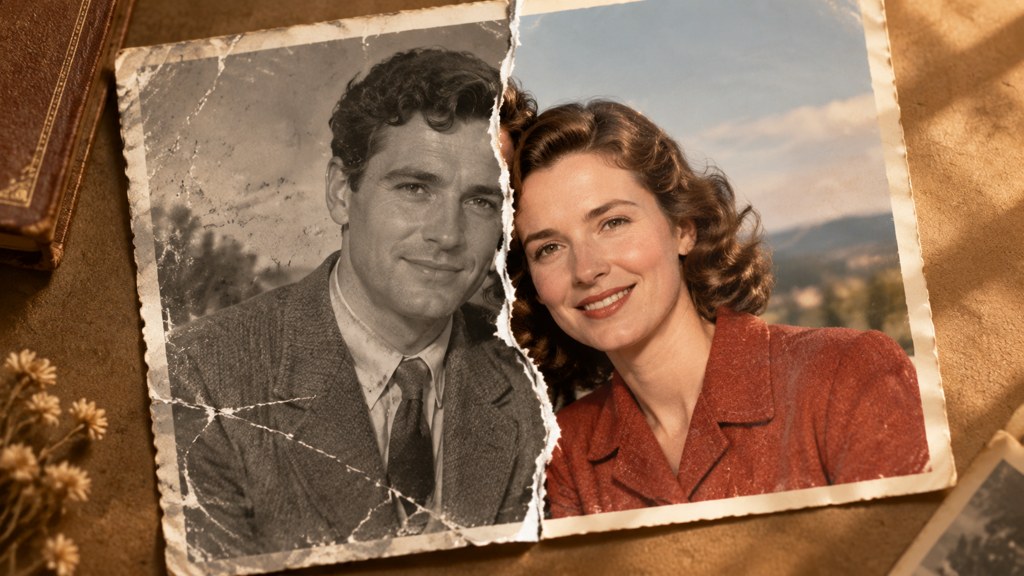
How to Restore Old Photos: Full 2026 Workflow
Scan, repair, colorize and enlarge a damaged print in one pass. The order that matters, what each step can and cannot fix, and where free tiers stop.
9 min read
9 Canva Alternatives for 2026: Free and Paid Tools Compared
Nine Canva alternatives compared on pricing checked today, free tiers and AI features, plus a one-brief test you can repeat in Figma, Express and LazyKiwi.
10 min read