
Sharda AI Prompt Guide: 7 Prompts With Example Renders
What a Sharda AI prompt is, where the official prompt website lives, how to use one with your own photo, and seven original prompts with example renders.
 Maya Chen 7 min read
A Sharda AI prompt is a ready-made text instruction from the Sharda Tools prompt library: you copy it, add your own photo, and an image model such as ChatGPT or Gemini turns you into a festival portrait, a birthday shoot or a wedding album page. The library lives on shardatool.in, run by Sharda Computer Classes, and its style has spread across Instagram, YouTube and dozens of copycat prompt sites. This guide explains where the official prompts are, how to use them so your face stays recognisable, and gives you seven original prompts in the same style, each with an example render so you can see what it produces before you spend a credit.
What is a Sharda AI prompt?
Sharda Tools is a free utility site from Sharda Computer Classes, an Indian computer-training brand. Next to PDF, passport-photo and resume tools, it hosts an AI prompt gallery. The gallery page describes itself as a "premium library for AI generation prompts": you click a design to reveal its prompt and "export it directly to ChatGPT or Gemini".
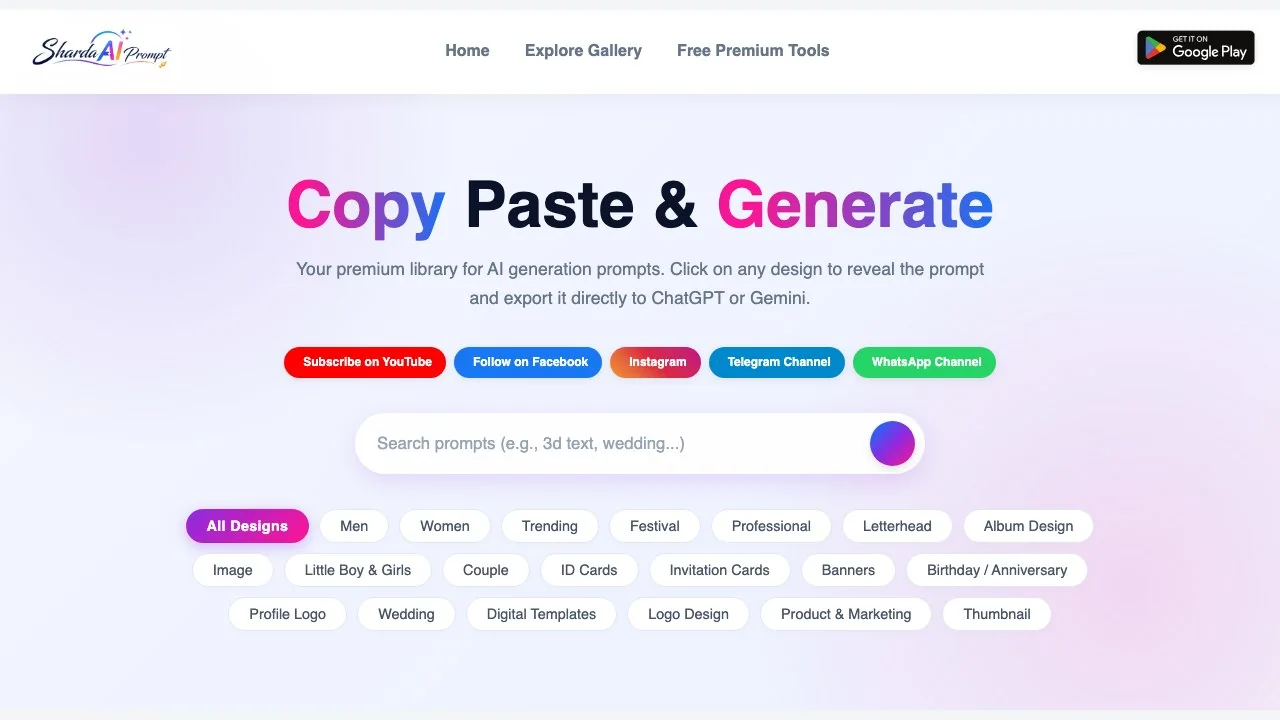
The categories tell you what people use it for: Men, Women, Trending, Festival, Professional, Letterhead, Album Design, Couple, ID Cards, Invitation Cards, Banners, Birthday / Anniversary, Wedding, Logo Design, Product & Marketing and Thumbnail. The October gallery was led by Navratri, Garba and Durga Puja looks, a reminder that the trends follow the Indian festival calendar.
A typical prompt is a long, specific paragraph: outfit, pose, setting, lighting, lens and colour grade, plus an instruction to keep the uploaded face. That is why the results look consistent: the prompt does the art direction for you.
Where is the official Sharda AI prompt website?
The official home is the AI section of shardatool.in. Sharda Computer Classes also publishes an Android app, Sharda Tools - Ai Prompts, on Google Play, which describes itself as bringing "our popular website (shardatool.in)" to your phone; on 13 October 2026 the listing showed 10K+ downloads and a "contains ads" label. The brand's tutorials run on its YouTube channel.
Searching for the term also surfaces many sites that are not Sharda at all. Media.io says on its own page that it is "not affiliated with Sharda Tools or the official Sharda prompt site", and SeaArt and Dreamina run their own Sharda-style prompt pages tied to their generators. These pages can be useful, but treat them as unofficial collections, and be careful with look-alike domains that copy the name.
Before you upload a photo of yourself to any prompt site, check whose site it is. The Sharda library itself only reveals prompts; the image is generated in the AI tool you paste the prompt into.
How to use a Sharda prompt with your own photo
- 1
Pick a clear photo
One person, face toward the camera, even light, no sunglasses. The model can only keep what it can see.
- 2
Copy the prompt
From the Sharda gallery or from the list below. Change details such as outfit colour or setting to match your idea.
- 3
Open an image model that accepts photos
ChatGPT, Gemini or an image generator with an upload box, such as LazyKiwi's image to image tool.
- 4
Upload, then paste
Attach your photo first, paste the prompt, and add a line such as: keep my face, skin tone and hairstyle exactly the same.
- 5
Check the face before you share
If the face drifts, regenerate rather than editing again and again; every round can move it a little further.
On LazyKiwi the steps map to real controls: the Generator tab, the upload box, the Prompt box, the ratio chips (9:16 for Stories and Reels, 1:1 for profile photos) and the resolution chips. The Generate button shows the credit price before anything runs. GPT Image 2 is one of the listed models and handles long, detailed prompts like these well.
7 Sharda-style prompts to copy
These are our own prompts written in the Sharda format, ready to copy and paste, not copies of the Sharda library. Each one names the outfit, setting, light and lens, and ends with a face-keeping line. The example images were made from the same text with an invented person standing in for "the person in my photo", so they show the styling the prompt produces, not how your own face will come out.
1. Navratri garba night
Vertical festive portrait of the person in my photo wearing a mirror-work chaniya choli in deep pink and emerald, oxidised silver jewellery, holding a pair of decorated dandiya sticks mid-dance, warm string lights and marigold garlands softly blurred behind at a night Navratri garba ground, golden bokeh, cinematic 50mm look, joyful expression, photoreal, 4K detail. Keep my face exactly the same.
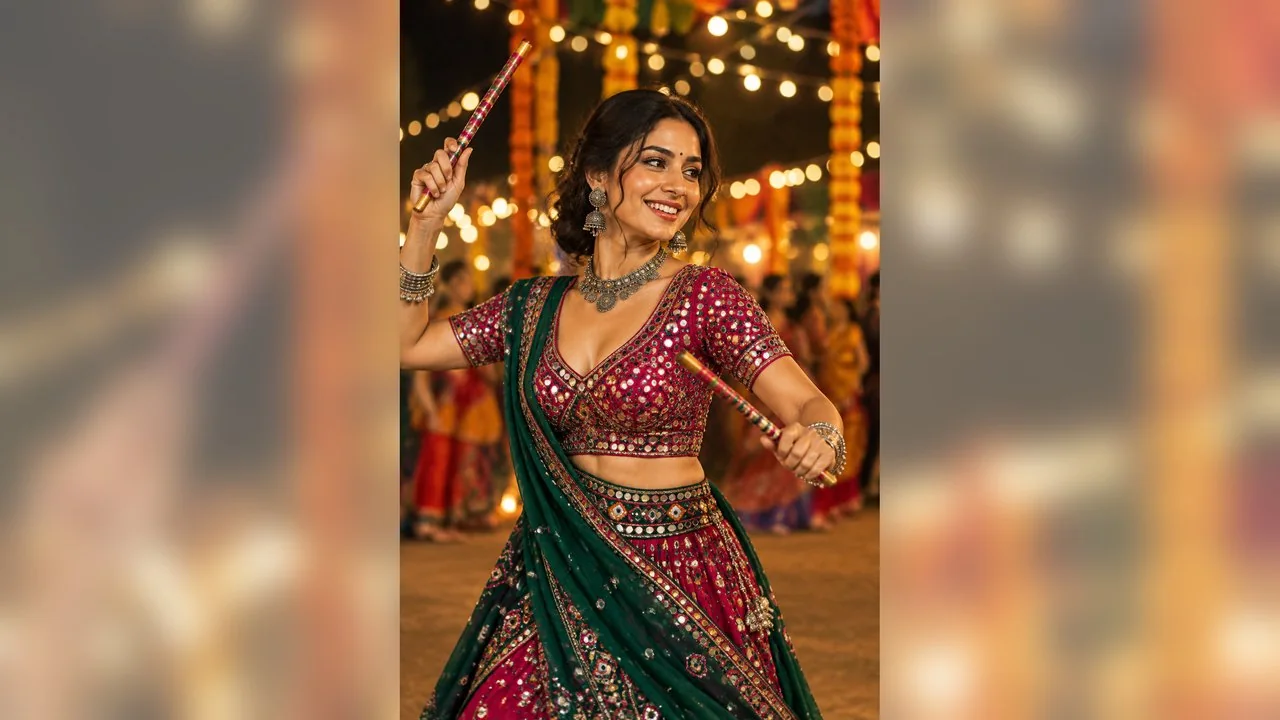
Swap the colours to match your own outfit, or change the dandiya sticks to a garba pose with raised hands if you are dancing solo. For Diwali, replace the garba ground with a doorway lit by diyas and rangoli on the floor, and keep the rest of the prompt as it is.
2. Happy birthday portrait
Vertical birthday portrait of the person in my photo in a cream kurta, seated on a velvet armchair beside a two-tier white and gold cake, gold and white balloons and a sheer curtain backdrop, soft studio lighting, gentle smile, elegant celebration photoshoot style, photoreal. Keep my face and hairstyle unchanged.
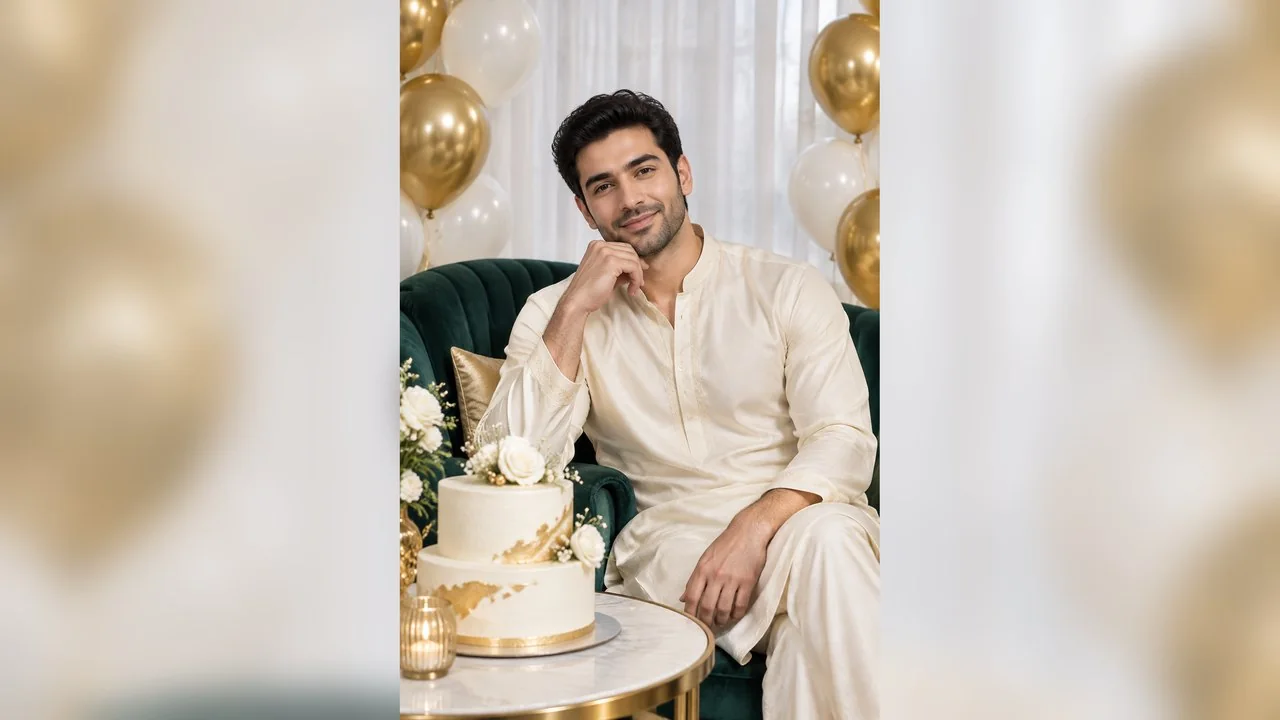
For a happy birthday post, change the kurta to whatever the person would actually wear and pick balloon colours that suit the party. Avoid asking for numbers or names on balloons or cake toppers: image models often misspell them, so add text afterwards in an editor.
3. Wedding album page
Horizontal wedding album photo of the couple in my photo: the bride in a red and gold Banarasi lehenga, the groom in an ivory sherwani with a maroon safa, standing under a mandap decorated with white flowers and hanging marigolds, golden-hour backlight, cinematic depth of field, warm film colour grade, photoreal. Keep both faces exactly as in the photo.
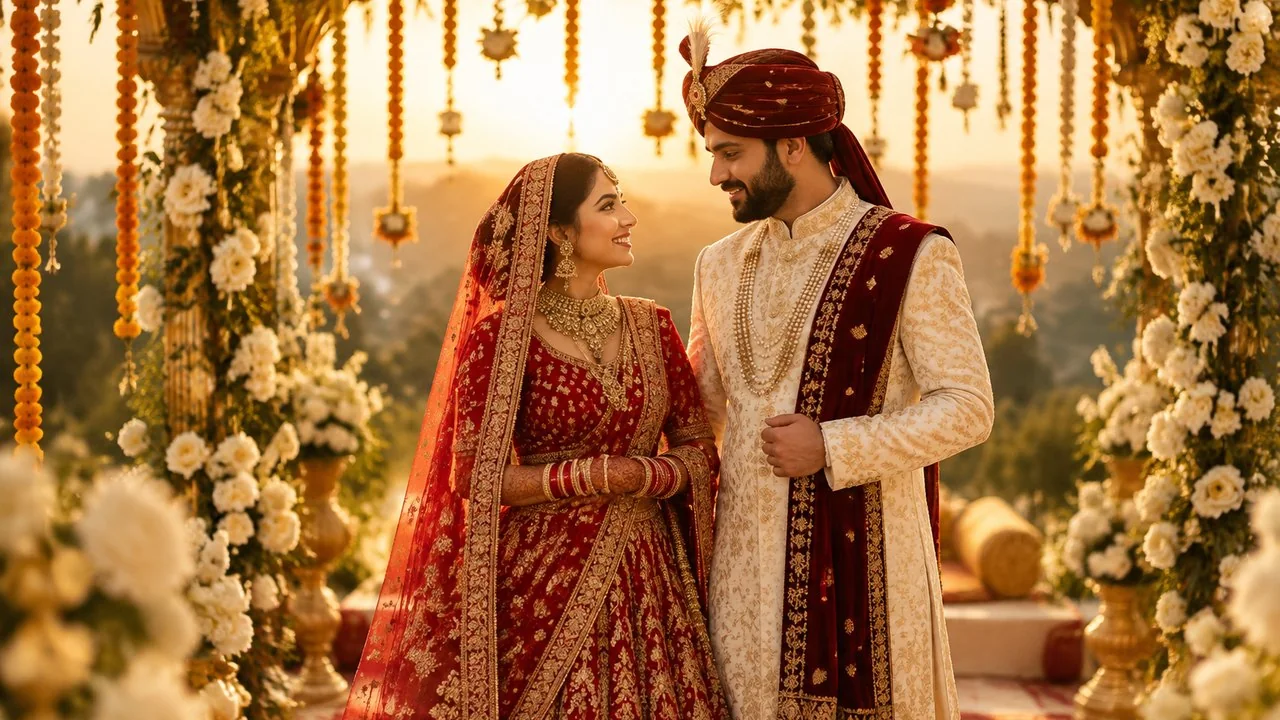
This works best from a real photo of the couple standing together, even a casual one, because the model then knows both faces and their heights. For an album, keep this exact wording and change only the scene line for each page: haldi, mehendi, pheras, reception.
4. Family photo in a courtyard
Horizontal family portrait of the four adults in my photo: parents seated on a carved wooden bench, their son and daughter standing behind them, coordinated outfits in ivory and dusty blue, a sunlit courtyard with potted plants and an arched doorway, natural smiles, soft daylight, photoreal. Keep every face the same.
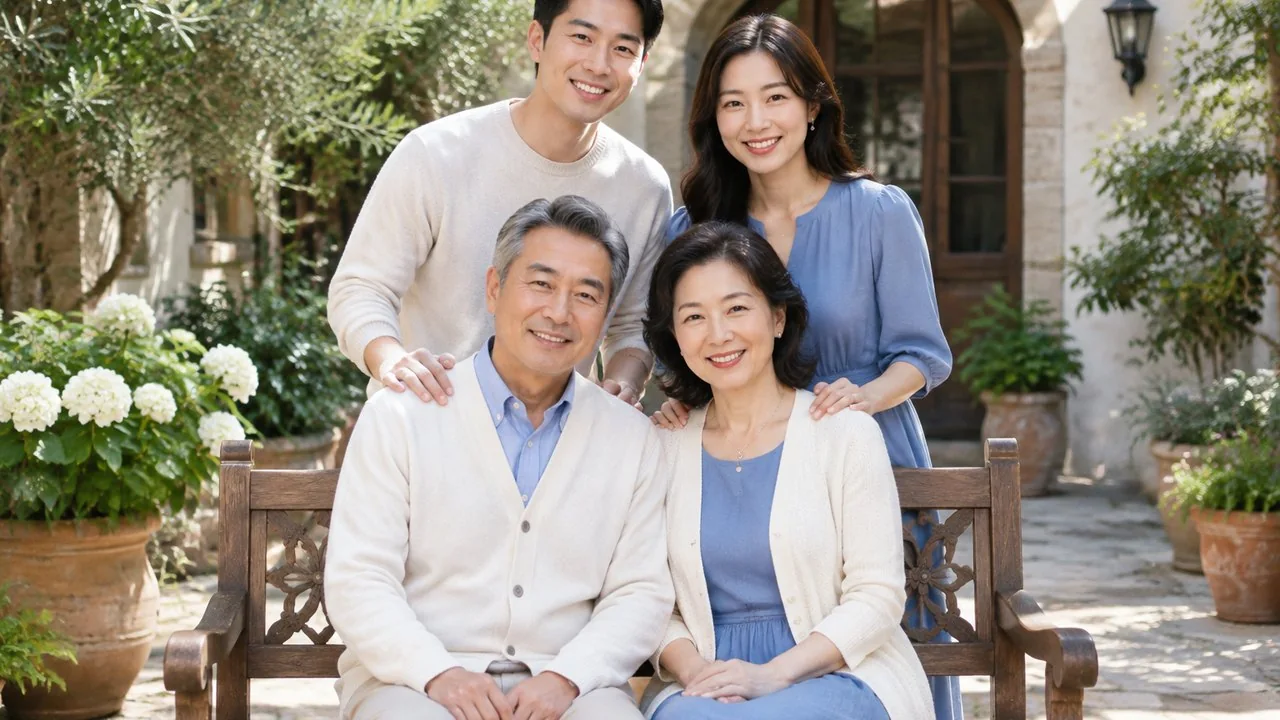
Change "four adults" to the real number of people in your picture and say who sits and who stands. Coordinated colours matter more than identical outfits; two related tones photograph better than a whole family in one shade, as the family outfit guide in Related reading explains.
5. Sunset bike portrait
Vertical cinematic portrait of the person in my photo in a black leather jacket and white t-shirt, leaning on a classic black motorcycle with chrome details on an empty coastal highway at sunset, wind in the hair, orange and teal colour grade, low camera angle, photoreal. No logos on the bike. Keep my face unchanged.
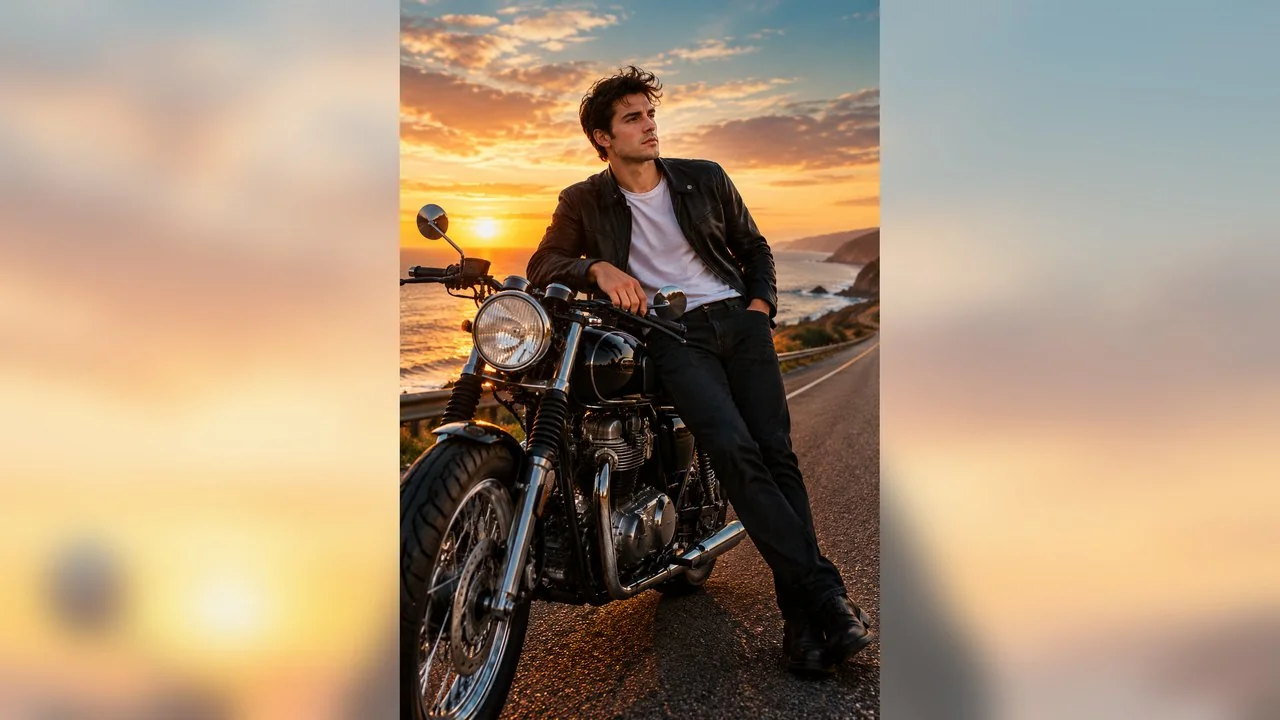
Replace the coastal highway with a hill road, a city flyover at night or a desert track. Keep the no-logos line; models like to invent badges and number plates, and a fake brand on a real-looking bike is the first detail viewers notice.
6. Monsoon chai by the window
Vertical portrait of the person in my photo in a deep maroon cotton saree with a thin gold border and a matching elbow-sleeve blouse, standing by a rain-streaked window holding a white cup of tea, soft overcast monsoon light, moody muted palette, shallow depth of field, editorial photography, photoreal. Keep my face exactly the same.
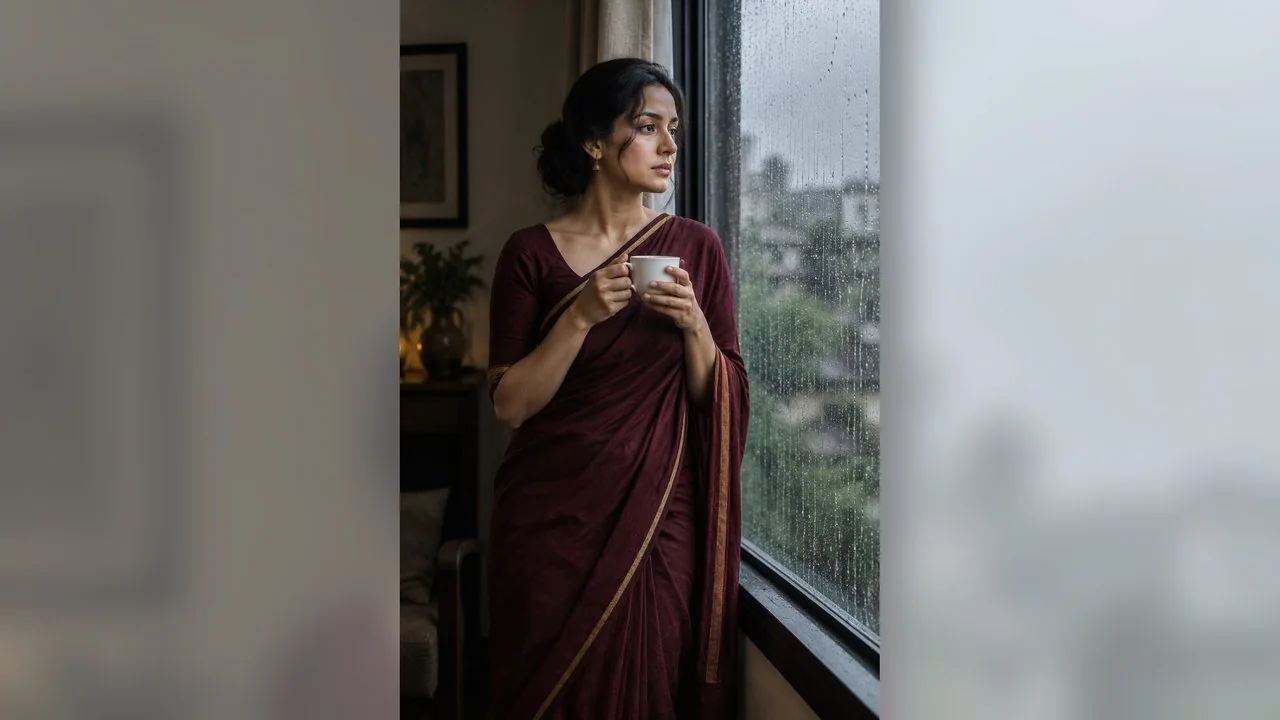
The light is the point of this prompt, so keep "soft overcast" and "rain-streaked window" and change the outfit freely: a kurta, a sweater or a shawl all work. For a couple version, add a second person sharing the window and holding the second cup.
7. Professional headshot
Vertical professional headshot of the person in my photo with a navy blazer over a white blouse, confident friendly expression, plain soft grey studio background, even key light with a gentle rim light, sharp focus on the eyes, corporate profile photo, photoreal. Keep my face, hairline and skin texture natural and unchanged.
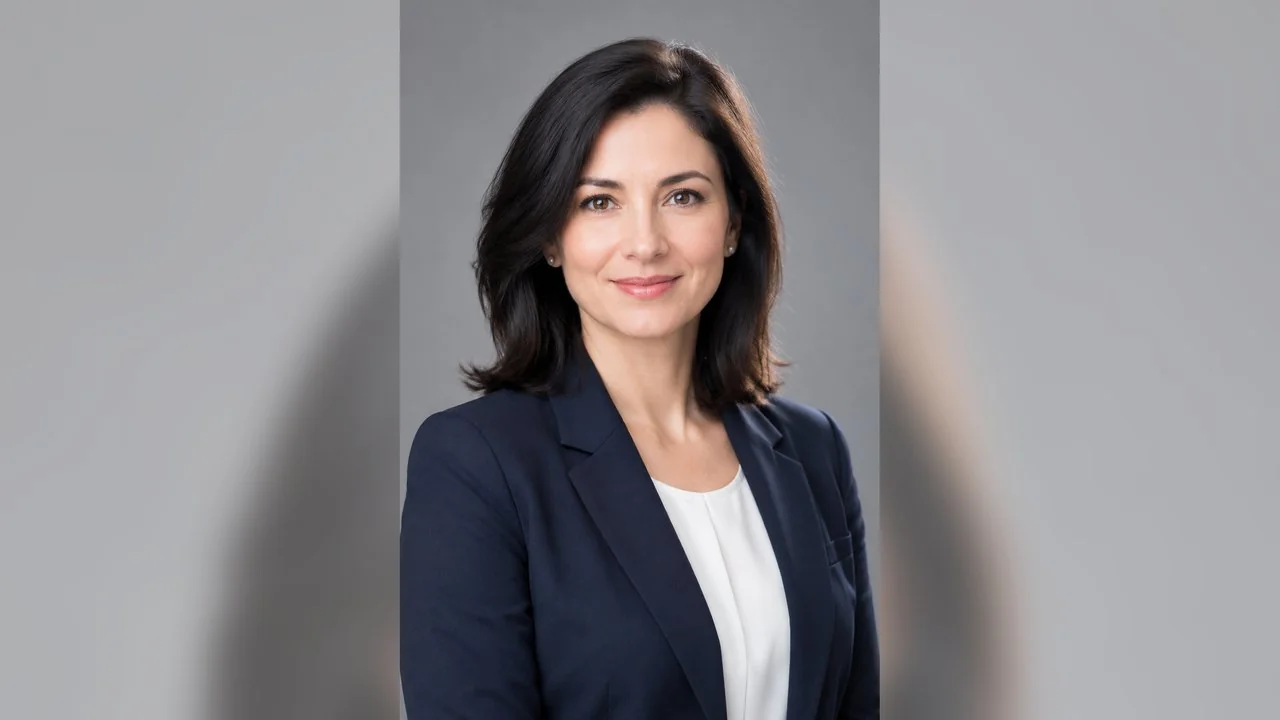
This is the one to use for LinkedIn or a résumé. Keep the background plain, ask for natural skin texture, and resist adding "perfect skin": heavy smoothing is what makes AI headshots look fake. The headshot guide in Related reading covers framing and light if you want a real photo instead.
How to keep your face recognisable
- Use one sharp, front-facing photo per person. Group prompts such as the family photo need everyone in the input picture, or the model invents people.
- Say what must not change: face, skin tone, hairline, glasses, beard. Models follow explicit lists better than a general "same person".
- Avoid stacking many edits on one result. Regenerating from your original photo usually keeps the face closer than editing an edit.
- Check hands, jewellery and any text in the background. Image models still slip on small details, and festive scenes are full of them.
- Do not upload other people's photos without asking them, and keep children's photos off unknown prompt sites.
Can ChatGPT or Gemini run Sharda AI prompts?
Yes. That is what the Sharda gallery is built for: it exports prompts straight to ChatGPT or Gemini. OpenAI's help centre says ChatGPT Images is available on all tiers and lets you upload an existing image and describe the changes. Google's Gemini image page lists Nano Banana 2 as its free image model and Nano Banana 2.1 for Google AI plan subscribers.
Results differ between models, because each reads the same prompt its own way. Free tiers also come with usage limits that the providers adjust over time, so a festival rush can mean waiting. If one model keeps changing your face, try the same prompt on another before rewriting it.
Prompt templates vs one-click photo templates
A copied prompt gives you full control but needs some trial and error. A one-click template has the prompt built in: you upload a photo and choose the template. Both have a place:
| Option | What you do | Best for |
|---|---|---|
| Sharda-style prompt in a chat model | Upload, paste, tweak the text | Custom outfits, places and colours |
| Prompt in an image generator | Upload, paste, pick ratio and resolution | Print sizes, 9:16 Stories, batches |
| One-click template | Upload one photo, generate | A fixed look with no prompt writing |
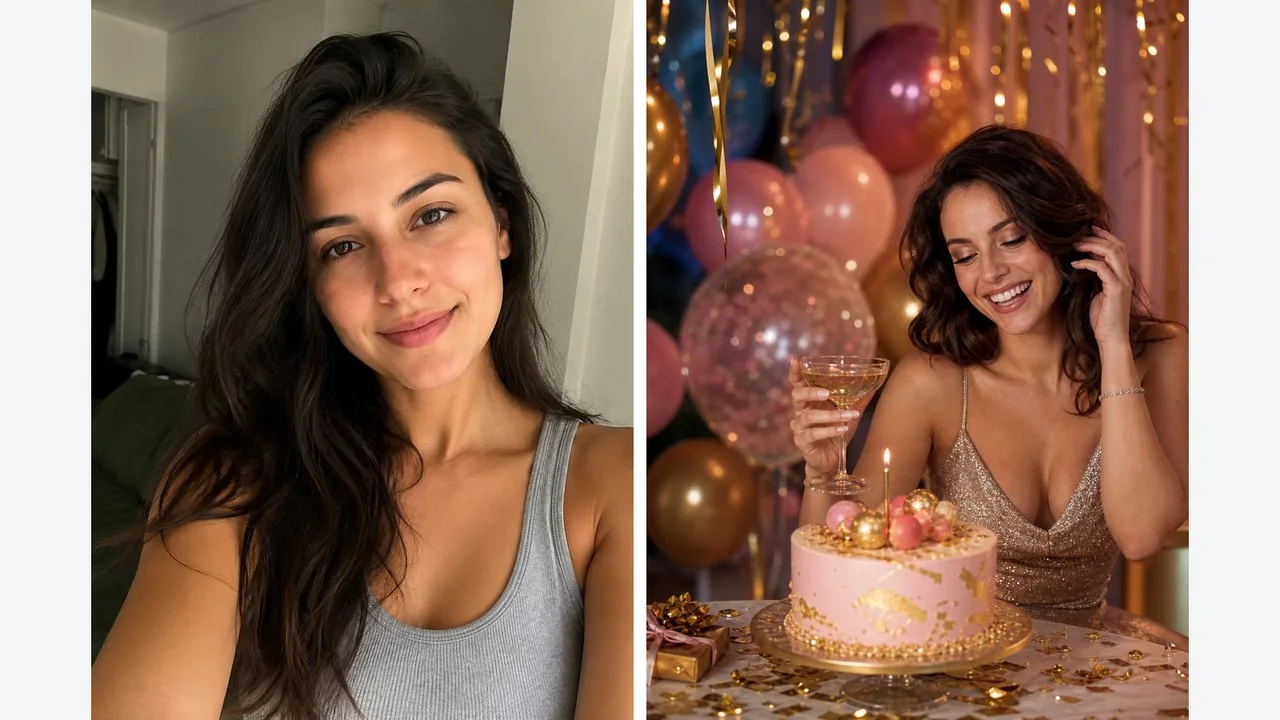
For birthdays, LazyKiwi's AI birthday photoshoot template works this way: it turns one person photo into a full birthday scene with cake and balloons, with no prompt to write.
Key takeaways
- A Sharda prompt is a copy and paste instruction from the Sharda Tools library on shardatool.in, made for ChatGPT or Gemini.
- The official source is shardatool.in and its Sharda Tools - Ai Prompts Android app; many look-alike sites are unofficial.
- Upload a clear photo first, paste the prompt, and list exactly what must not change about your face.
- The seven prompts above cover festival, birthday, wedding, family, bike, monsoon and professional looks.
- One-click templates skip prompt writing when you just want a fixed look such as a birthday shoot.
Image & Design Editor
Maya Chen
Maya Chen edits LazyKiwi's image and design coverage. She works through every template and tool herself before writing about it, and keeps the receipts: the settings used, the credits spent and the runs that did not work.
FAQ
Common questions
What is the Sharda AI prompt website?
The official prompts are in the AI section of shardatool.in, the free tools site run by Sharda Computer Classes. The same brand publishes the Sharda Tools - Ai Prompts app on Google Play. Other sites that use the name, such as Media.io or SeaArt prompt pages, are not affiliated with it.
Is there a Sharda prompt for a family photo?
Yes, family and group looks are a common request. Use a prompt that names how many people there are, where each one sits or stands and what they wear, and upload one photo that shows everyone, because the model cannot keep faces it never saw.
Are Sharda prompts free?
The Sharda gallery lets you reveal and copy prompts without paying, and its Android app is free with ads. Generating the image happens in another tool, so the cost depends on that tool: ChatGPT and Gemini have free tiers with limits, and paid generators charge per image.
Which AI tool works best with Sharda prompts?
Any model that accepts a photo plus a long prompt will run them. ChatGPT and Gemini are the tools the Sharda site exports to. Image generators with GPT Image 2 or similar models add control over aspect ratio and resolution, which helps for Stories or prints.
Can I use Sharda prompts for a wedding album or birthday?
Yes. Wedding, album design and birthday are among the largest Sharda categories. For an album, keep one prompt and change only the scene for each page, so lighting and colour grade stay consistent across the spread.
Try a Sharda-style prompt with your own photo
Open the LazyKiwi image generator, upload a clear photo, paste one of the prompts above and pick 9:16 or 1:1. The credit price shows on the Generate button before you run it.
Related reading
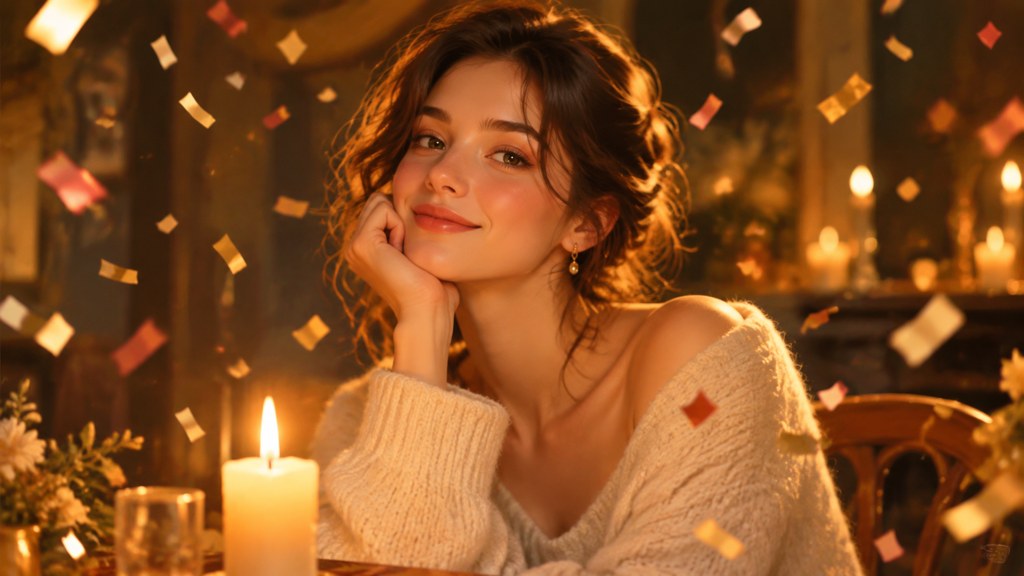
AI Birthday Photoshoot Ideas for Any Age
Birthday portrait concepts by age and effort, the kit a home shoot really needs, and where an AI birthday photoshoot template helps or gets in the way.
10 min read
AI Wedding Photos: 3 Jobs They Do Well
Pre-wedding test shots, save-the-date portraits and album gap-fills: the three jobs AI wedding photos do well, and the uses that cross a line.
9 min read
Family Picture Outfit Ideas: Palettes That Work
Family picture outfit ideas that hold up: six palettes, the anchor-outfit method, what not to wear on camera, and how to try a set before you buy it.
9 min read
How to Take a Professional Headshot at Home
How to take a professional headshot with one window, one phone and a sheet of card: the distances, the phone settings, twelve frames and how to pick one.
9 min read