
Opus 5.5 Motion Design: How Claude Writes Motion Graphics
Why Opus 5.5 motion design went viral: the model writes animation code, a renderer turns it into video. The tools, what the hits share, and a no-code route.
 Daniel Okafor 7 min read
Opus 5.5 motion design is the name people gave to a wave of animated videos posted in the week after Anthropic released Claude Opus 5.5 on 22 September 2026. The model does not paint video frames. It writes animation code, usually HTML and CSS or React, and a renderer such as Remotion or HyperFrames turns that code into an MP4. That is why the results look like designed motion graphics, with crisp type, clean shapes and exact timing, rather than like footage from a video model. Below: what the trend is, the two toolchains most people used, what the most-liked videos had in common, a step-by-step setup, and a no-code route if you do not want to touch a terminal.
What "Opus 5.5 motion design" actually means
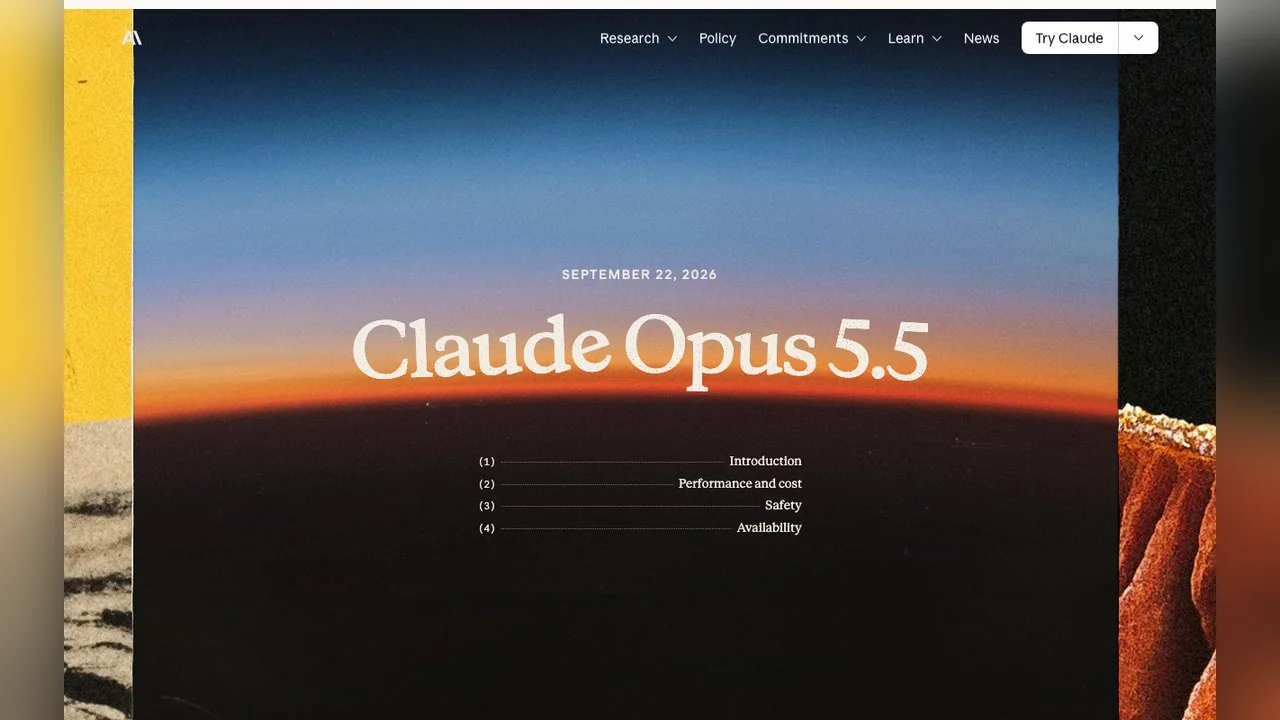
Anthropic's launch post does not mention motion design at all. It pitches Opus 5.5 on agentic coding, cost and clearer writing, and the closest it gets to visuals is a tester who had several Claude models build a game from one prompt, where Opus 5.5 "scored higher than any other model on the strength of its graphics and polish."
The motion design part came from users. Within days, X was full of launch films, showreels and explainers that creators said were made by prompting the model. Revid, a video tool company, collected the ones that passed 100 likes during launch week into a public gallery of 64 videos and credits each to its creator. Its top three alone drew 6.9 million views.
So when people search for claude motion design or claude motion graphics, they usually want one of three things: to see the examples, to copy the prompt and setup, or to find a way to get the same look without coding.
How the one-prompt videos are made: code first, render second

Every serious workflow in the gallery follows the same loop. You describe the video, the model writes a scene as code with every element timed to the frame, a local preview plays it, you ask for changes, and finally a renderer captures each frame and encodes the file. Because text and shapes are drawn by a browser engine rather than generated as pixels, a 12-point caption stays as sharp as the headline.
Two open toolchains came up again and again:
| Feature | Remotion | HyperFrames |
|---|---|---|
| What you write | React components | HTML, CSS and seekable animations |
| How Claude connects | Remotion Agent Skills, added with one command | A Claude Code plugin with 21 skills |
| Output | MP4 rendered from the React project | Deterministic MP4 from the HTML |
| Licence | Free for individuals and small companies; company licence above that | Open source (Apache 2.0) |
| Best for | Projects you will keep editing as code | Quick launch videos and product clips from a brief |
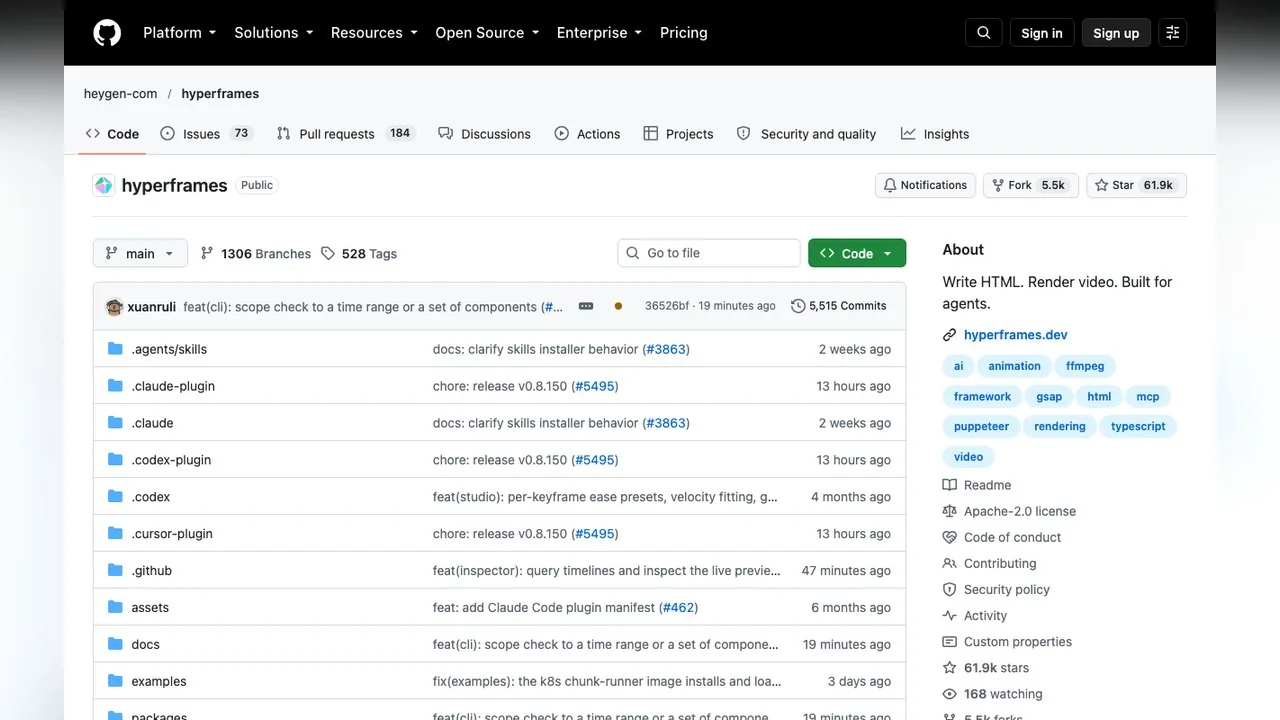
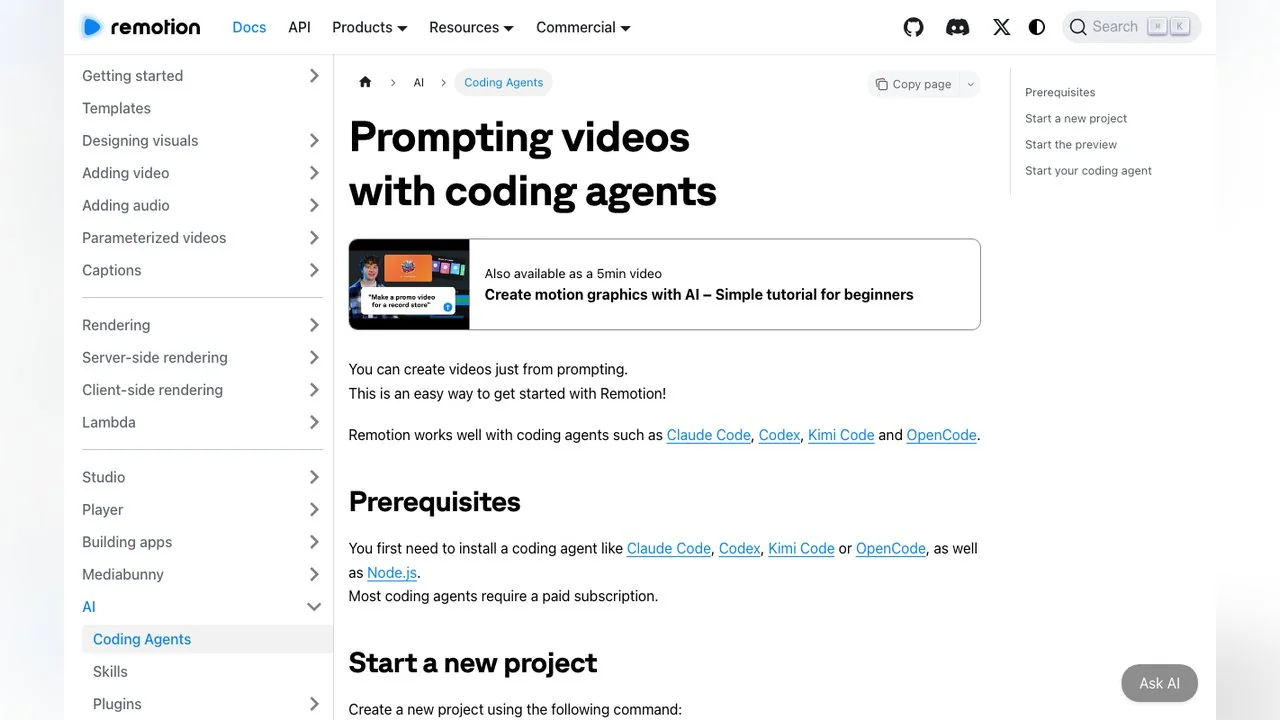
Remotion's own guide is titled "Prompting videos with coding agents" and names Claude Code first among supported agents. HyperFrames, from HeyGen, describes itself in one line: "Write HTML. Render video. Built for agents." Several gallery entries are labelled Claude Code plus Opus 5.5 or HyperFrames, which matches what the creators themselves said they used. When people search for a claude motion graphics skill, these skill packs are usually what they mean: instructions the agent loads so it writes valid code for that renderer on the first try.
What the most-liked Claude motion graphics have in common
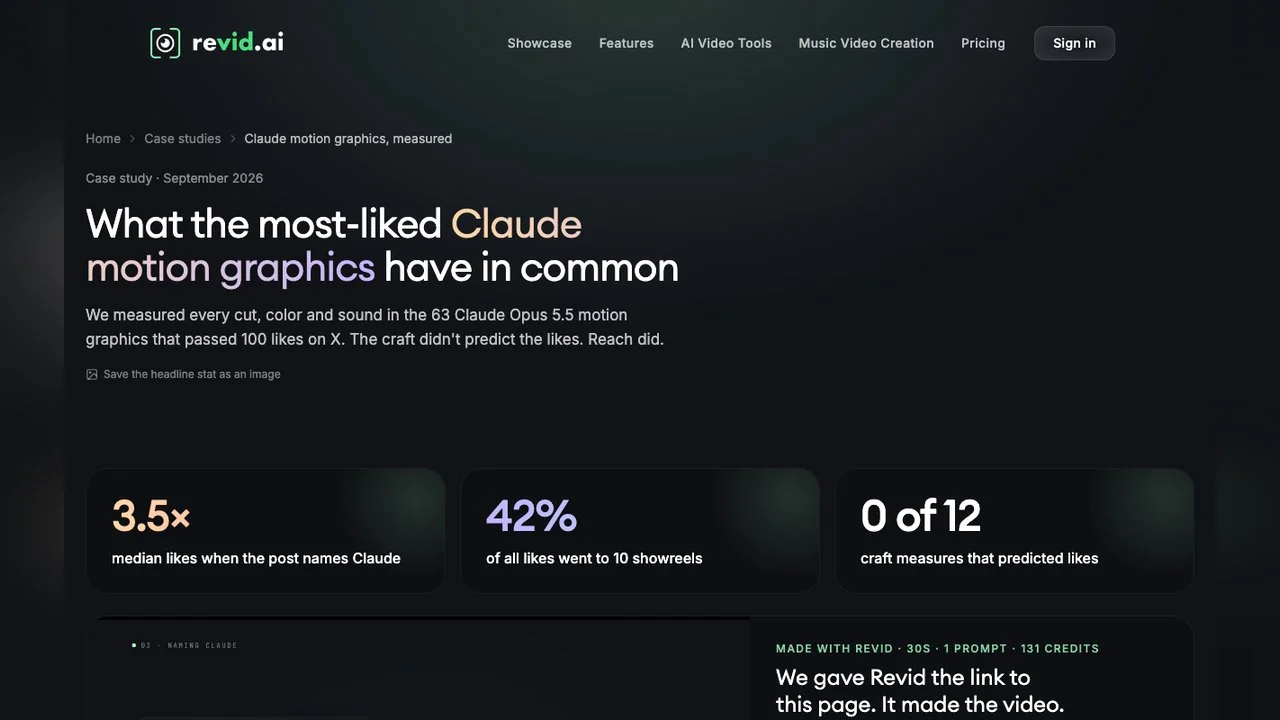
Revid published a case study that measured every cut, colour and sound in the 63 launch-week videos that passed 100 likes on X. Its findings, as reported by Revid, are worth knowing before you design anything:
- The typical hit ran 29 seconds, had 3 hard cuts, used music with no voiceover and showed readable text within two seconds.
- Showreels won the week: 8 of the 10 showreels ran exactly 15.1 seconds, 9 sat on a dark background, and the 10 showreels took 42% of all likes.
- Palettes were mostly black, white and grey with one accent colour.
- Craft did not predict likes. Posts that named Claude got 3.5 times the median likes, which Revid attributes to reach, not editing.
Revid is clear about the limits: every video in the sample was already a hit, so the study compares hits with bigger hits. Use it as a style brief, not a formula.
How to make Opus 5.5 motion design yourself, step by step
This is the Remotion route, taken from Remotion's documentation. The HyperFrames route is similar: install the plugin in Claude Code and start with its quickstart at hyperframes.heygen.com.
- 1
Get the prerequisites
A coding agent such as Claude Code and Node.js. Remotion notes that most coding agents require a paid subscription.
- 2
Create a blank project
Run npx create-video --yes --blank my-video, then move into the folder.
- 3
Add the agent skills
Run npx remotion skills add so the agent knows Remotion's APIs, then npm run dev to open the preview.
- 4
Start the agent and prompt
In a second terminal, start claude in the same folder and describe the video. Ask for a storyboard first and approve it before any animation code is written.
- 5
Iterate in the preview, then render
Request changes one at a time (timing, colour, one scene) and render the final MP4 when it looks right.
Check the licence before client work. Remotion's licence page lets individuals and for-profit organisations with up to 3 employees use it free, including commercially; larger companies need a company licence.
A Claude motion graphics prompt that works
The gallery prompts that travelled best share a structure: format and length first, then palette and type, then the beats in order, then what to avoid. Here is an original example in that shape:
Make a 15-second 16:9 motion graphics showreel for a fictional note-taking app called Ledger. Near-black background, white and grey type, one coral accent. Beats: 0-3s the word Ledger builds letter by letter; 3-8s three feature cards slide in with one-line captions; 8-12s a bar chart grows to show notes per day; 12-15s logo lockup and the line Write less, remember more. Hard cuts only, no voiceover, leave room for music. Show me the storyboard as a list before you write any code.
Ask for the storyboard first because changing a list is cheaper than changing code. Then keep each follow-up to one change, so you can tell which instruction caused which result.
What it costs to run
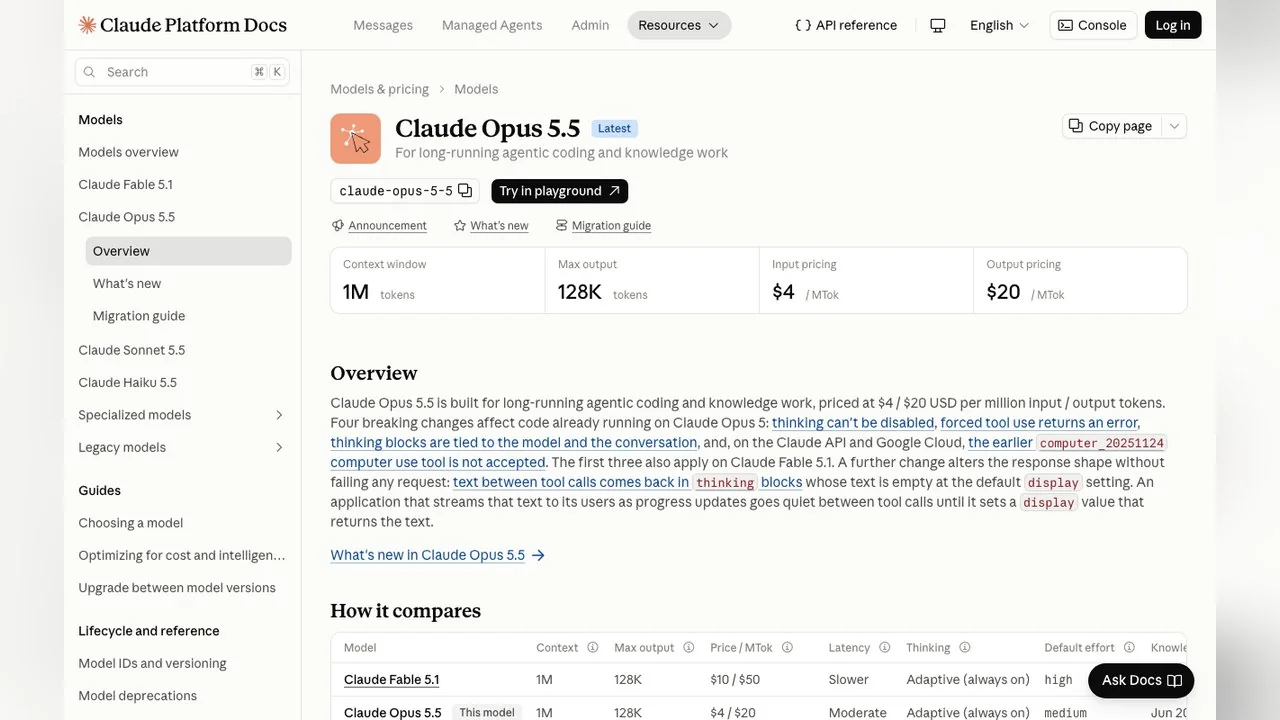
On the API, Anthropic lists Opus 5.5 at $4 per million input tokens and $20 per million output tokens, with a fast mode at $8 and $40 (model docs). In the Claude apps it is available on the Pro, Max, Team and Enterprise plans. How much a single video costs depends on how many rounds of edits you run and how long the code gets, so nobody can quote a fixed per-video price honestly. Rendering itself happens on your machine with Remotion or HyperFrames.
A no-code way to get the same look
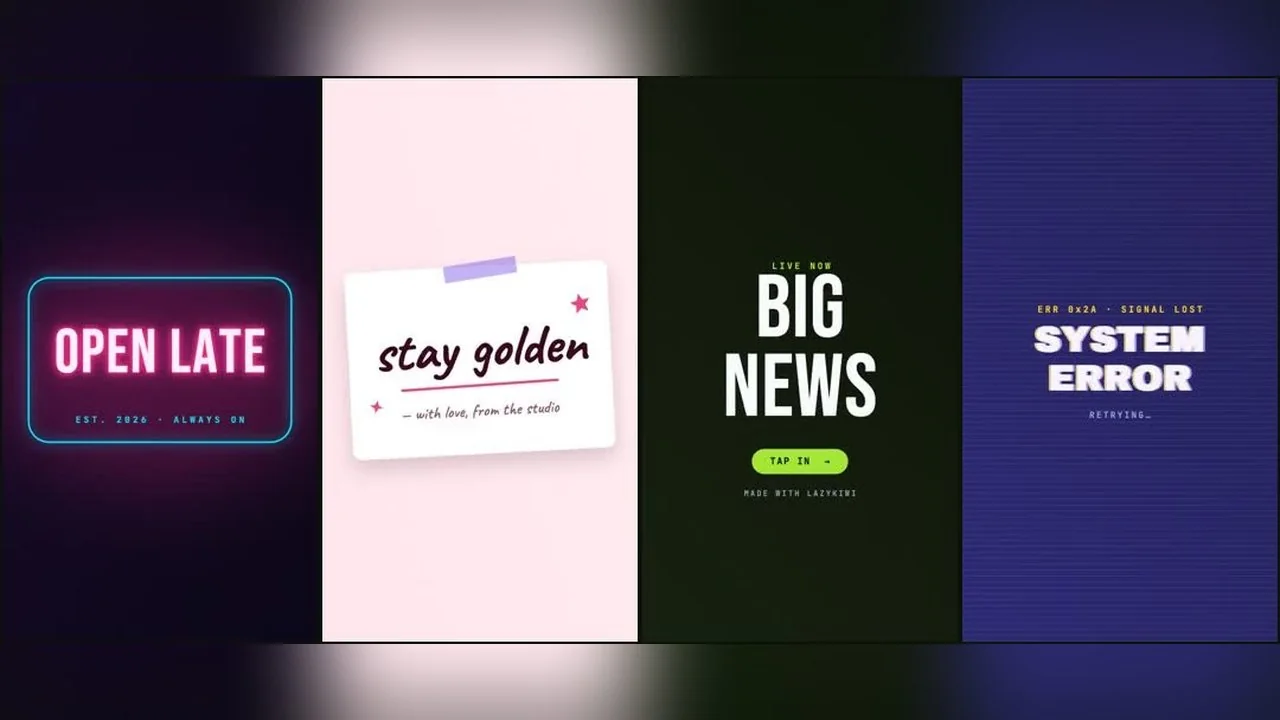
If the terminal is the part you want to skip, the same idea, motion graphics as structured code rather than generated pixels, is how LazyKiwi Motion Studio works. You describe the clip in a sentence, approve a storyboard with scenes, timings and a palette, and get back an editable document in which every headline, colour and beat is a labelled control. It renders in the browser, so tweaks do not cost a new generation.
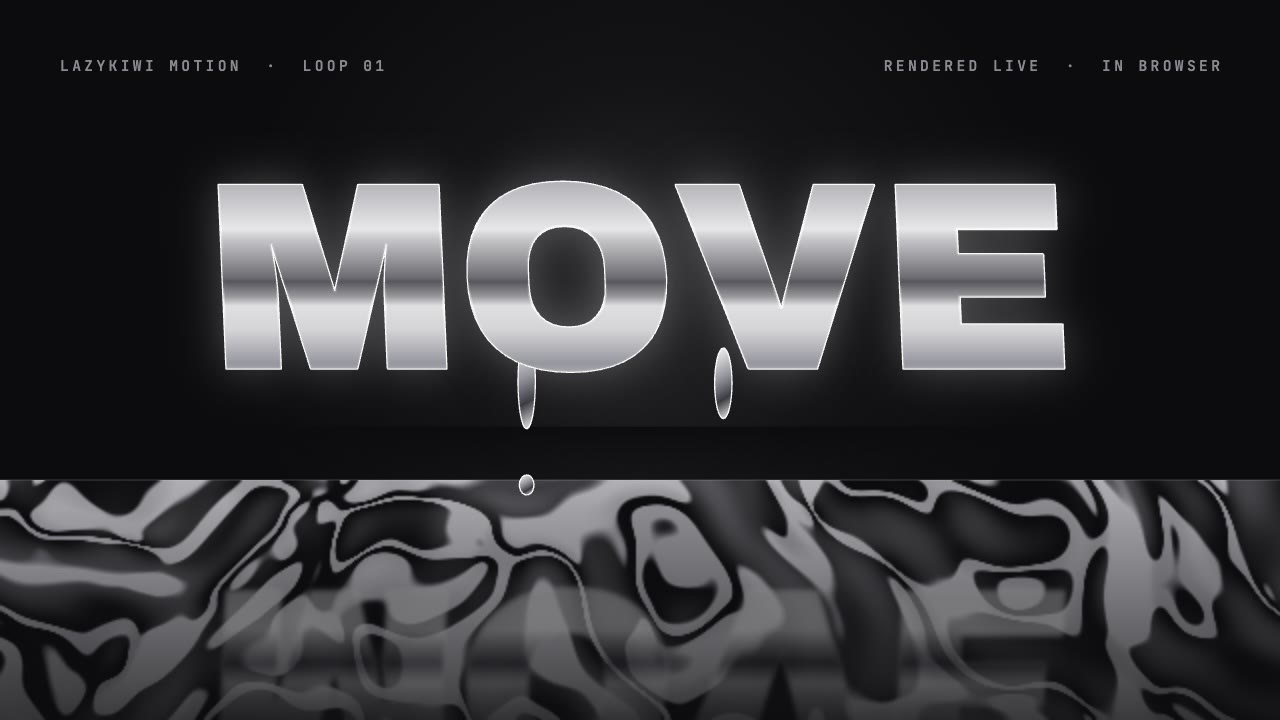
- For a single animated line or title card, the animated text generator has 11 presets and exports at four ratios.
- For a logo sting or channel intro, logo animation places your mark in 18 scenes.
- To start from a finished layout, browse the motion graphics templates and edit the copy and colours in place.
Free exports are 720p with a small LazyKiwi mark; any paid plan removes it and adds 1080p, per the Motion Studio page. The trade-off against the code route is control: a coding agent can build any scene you can describe, while a studio gives you a faster path inside its templates and engine.
Code-based motion graphics or an AI video model?
They solve different problems. Code-based motion is the right tool when the content is type, logos, UI, charts or anything that must be exact and editable. A video model is the right tool when you need realistic footage: people, places, weather, camera moves through a real-looking scene. Video models such as Veo 3.1 Lite generate those pixels from a prompt or an image, but they are not built to keep a 12-point legal line readable or a logo's exact colour. Many of the gallery's launch films combined both: generated footage in the background, coded type on top.
Can Claude make videos? And can ChatGPT?
Not directly as pixels. Claude writes the animation as code and a renderer produces the video file, which is how most of the gallery was made; Revid's own FAQ describes Opus 5.5 as writing "the animation as code". Any capable coding assistant, ChatGPT included, can attempt the same Remotion or HyperFrames workflow, since both tools document support for several agents. The launch-week examples were attributed to Opus 5.5, which is why the trend carries its name.
Key takeaways
- Opus 5.5 motion design means videos made by having Claude Opus 5.5 write animation code that a renderer turns into MP4.
- Anthropic's launch post does not mention motion design; the trend came from creators on X in launch week.
- Remotion (React) and HyperFrames (HTML) are the two toolchains most associated with it.
- Per Revid's study, hits were short, music-only, dark with one accent, and the 15-second showreel format led.
- LazyKiwi Motion Studio offers the same structured-motion idea without code, with editable templates and tools.
Video Workflows Editor
Daniel Okafor
I run the same clip through every video model we ship and write down what actually changes: motion, timing, cost, and where each one falls apart.
FAQ
Common questions
Is Opus 5.5 motion design an official Anthropic feature?
No. Anthropic's announcement of Claude Opus 5.5 on 22 September 2026 covers coding, cost and safety. Motion design is what creators did with it: prompting the model to write animation code and rendering that code into video with tools like Remotion.
Do I need to know how to code?
Not to prompt, but you do need to install a coding agent and Node.js and run a few terminal commands for Remotion or HyperFrames. If that is a blocker, a no-code motion studio gives a similar look through templates and editable controls.
Is Remotion free?
Remotion's licence lets individuals and for-profit organisations with up to 3 employees use it free, including for commercial videos. Larger companies need a company licence. HyperFrames is open source under Apache 2.0.
What makes a Claude motion graphics video do well?
Revid's study of 63 launch-week hits found short videos, music without voiceover, dark palettes with one accent and early on-screen text. It also found craft did not predict likes; posts that named Claude got more reach.
Can I use the gallery videos as templates?
Each video belongs to its creator, and Revid's gallery links to the original posts. Use them as references for pacing and style, then write your own prompt and copy rather than recreating someone else's piece.
Skip the terminal, keep the look
Describe a clip, approve the storyboard and edit every headline, colour and beat in Motion Studio. Free exports are 720p with a small mark.
Related reading

Animated Logo Ideas: 12 Reveals That Work
Twelve animated logo patterns sorted by how long each takes to build, what every one says about a brand, and the export settings each platform expects.
9 min read
Can ChatGPT Make Videos? What It Can and Cannot Do
Can ChatGPT make videos? Not directly. Here is what Sora is now, what the assistant is genuinely good at, and the handoff that gets you a finished clip.
8 min read
AI Animation Generator: Animate Illustrations Into Clips
Turn a drawing or still into motion with an AI animation generator: image-to-video steps, text and anime routes, free tiers checked today and fixes.
10 min read