
Add Object to Video with AI
Add the thing the shot was missing — a product, a prop, a creature — from a short description. LazyKiwi renders it into your footage with the scene's own perspective and light, so it looks like it was there on the day.
Specs
Add object to video specs: what goes in, what comes out
- Inputs
One video clip + a description of the object
optional product photos for an exact match
- Clip length
Long clips supported
up to 500 MB per file
- Output
MP4 at 480p, 720p or 1080p
ready to download
- Keeps
The camera move and the action
the object takes the scene’s perspective and light
How to add an object to a video — 3 steps
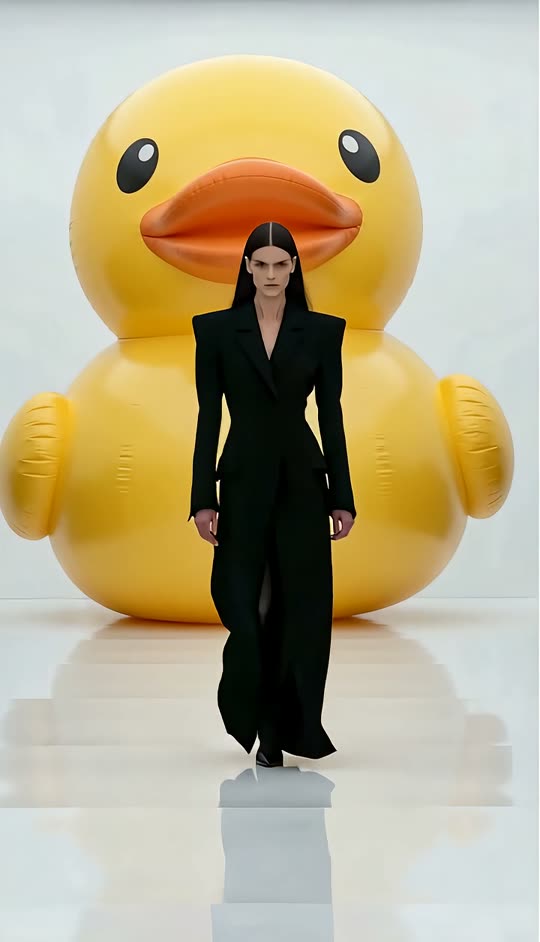
Describe what should be in the shot and where. It is rendered into the footage with the scene's own perspective and light.
Step 1
Upload your clip
Any shot you already have — a product video, a street scene, a dance.
Prompt
A giant inflatable rubber duck behind the model
Step 2
Say what to add and where
Plain English: what it is and where it sits. Attach a photo of a real product so the result matches it.
Step 3
Download the new shot
The object holds its place as the camera moves. Download it from the workbench, or reword and run again.
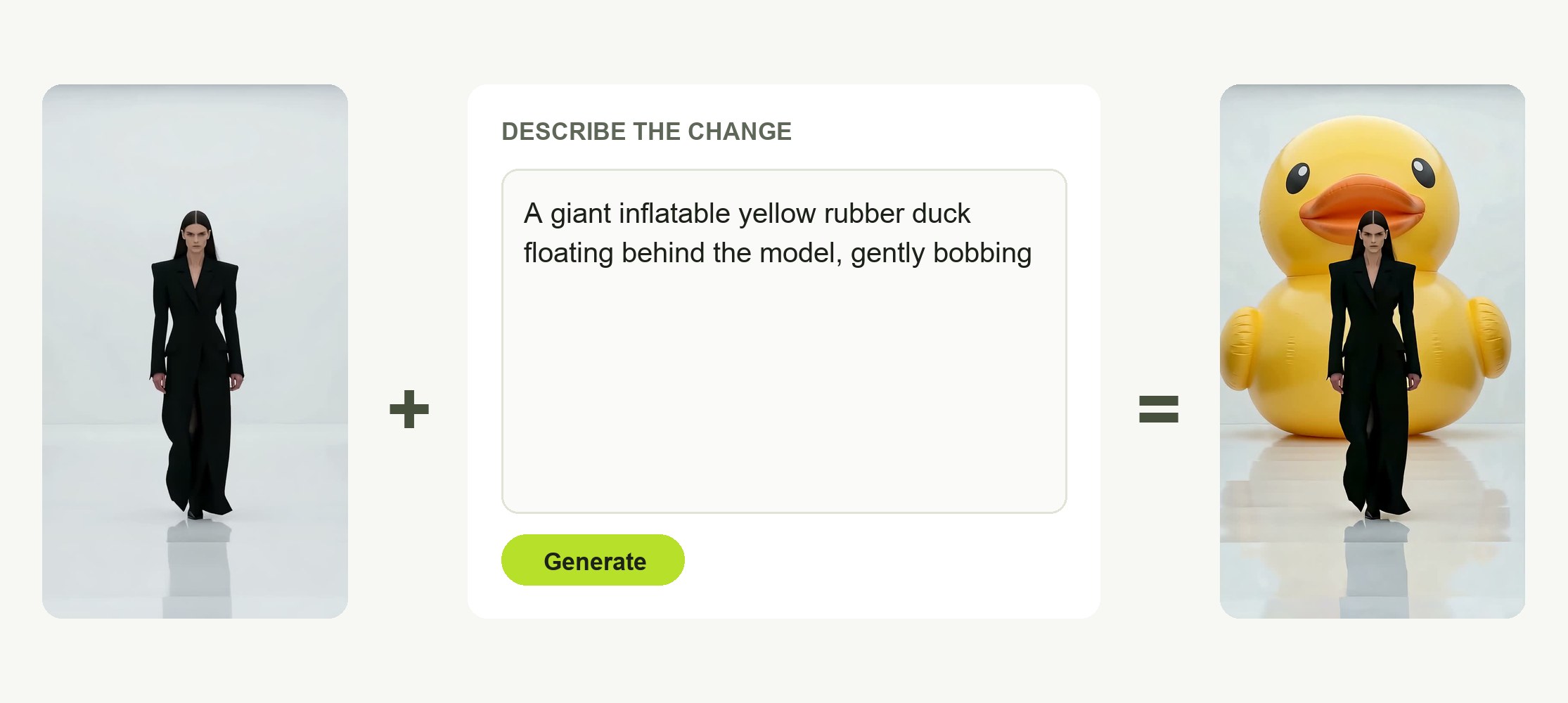
Say what to add — and where
One sentence: the object and its place in the frame. Attach photos of the real product and the result follows them.
- Plain-English description
- Optional product photos
- Start from a template clip
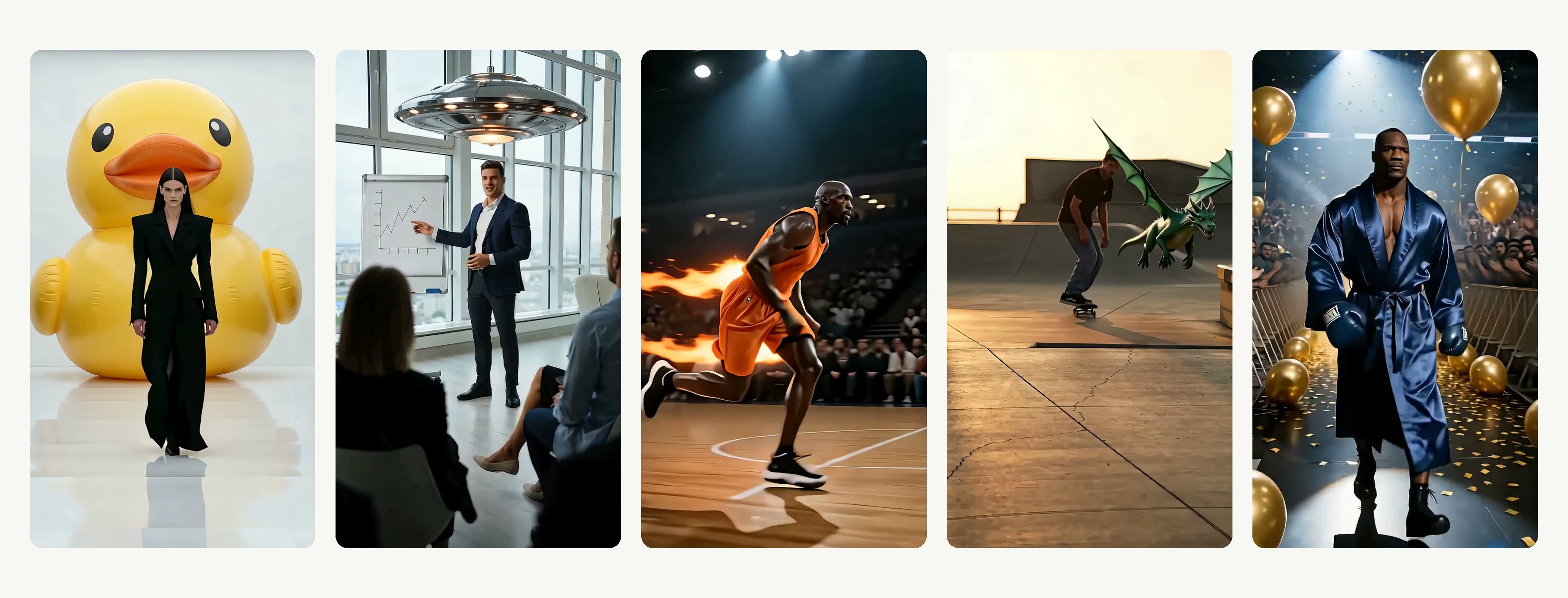
Anything, anywhere in the frame
A mug on the desk, a poster on the back wall, a dragon over the ramp, a duck behind the model — the gallery was all made from descriptions.
- Products, props, creatures
- On the table, behind the sofa, top-left
- One object per run; run again for the next
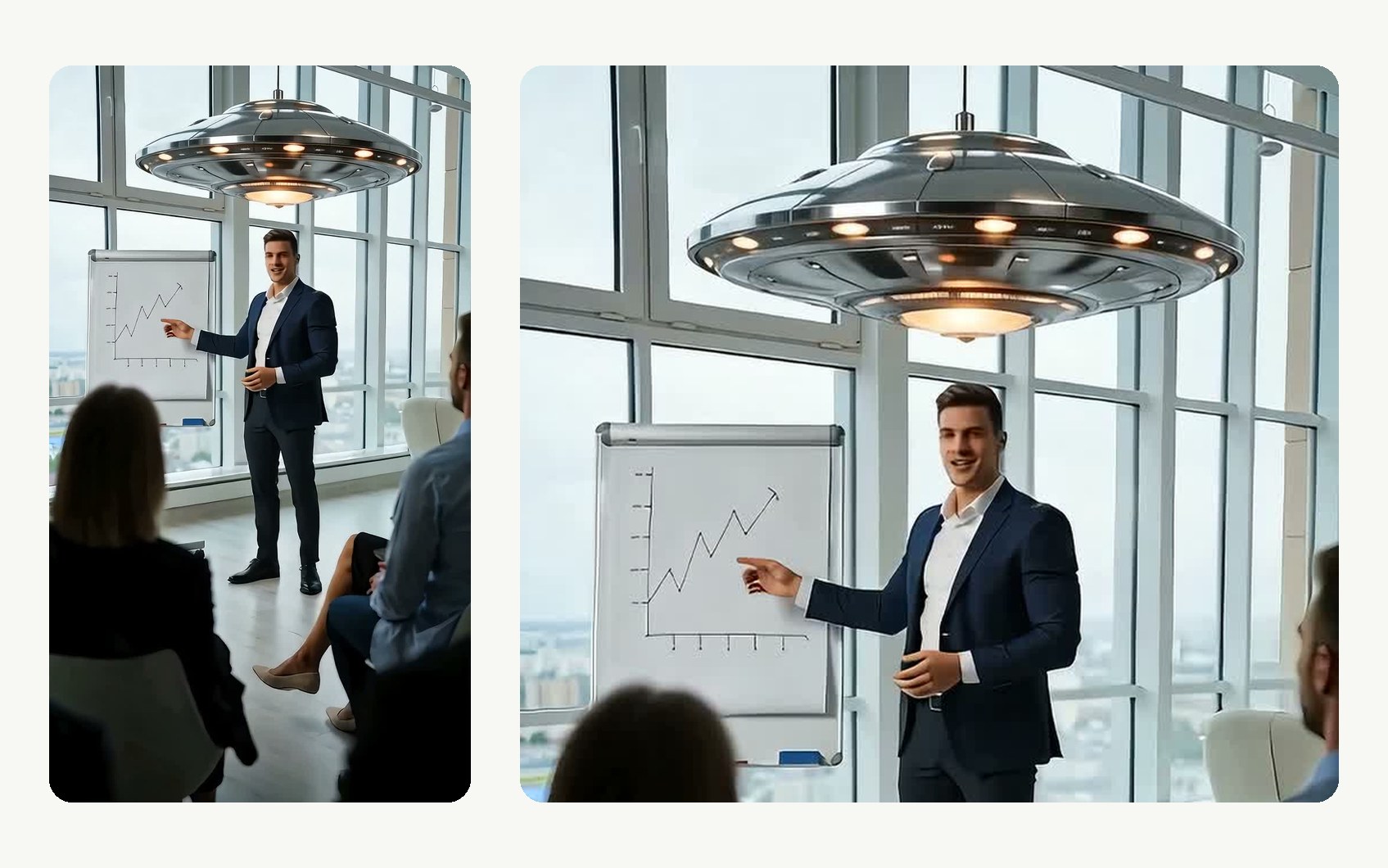
Light and perspective matched to the scene
The object is rendered into the shot, so it takes the scene's angle, scale and lighting instead of sitting on top like a sticker.
- Matches perspective and scale
- Takes the scene's lighting
- Holds its place as the camera moves
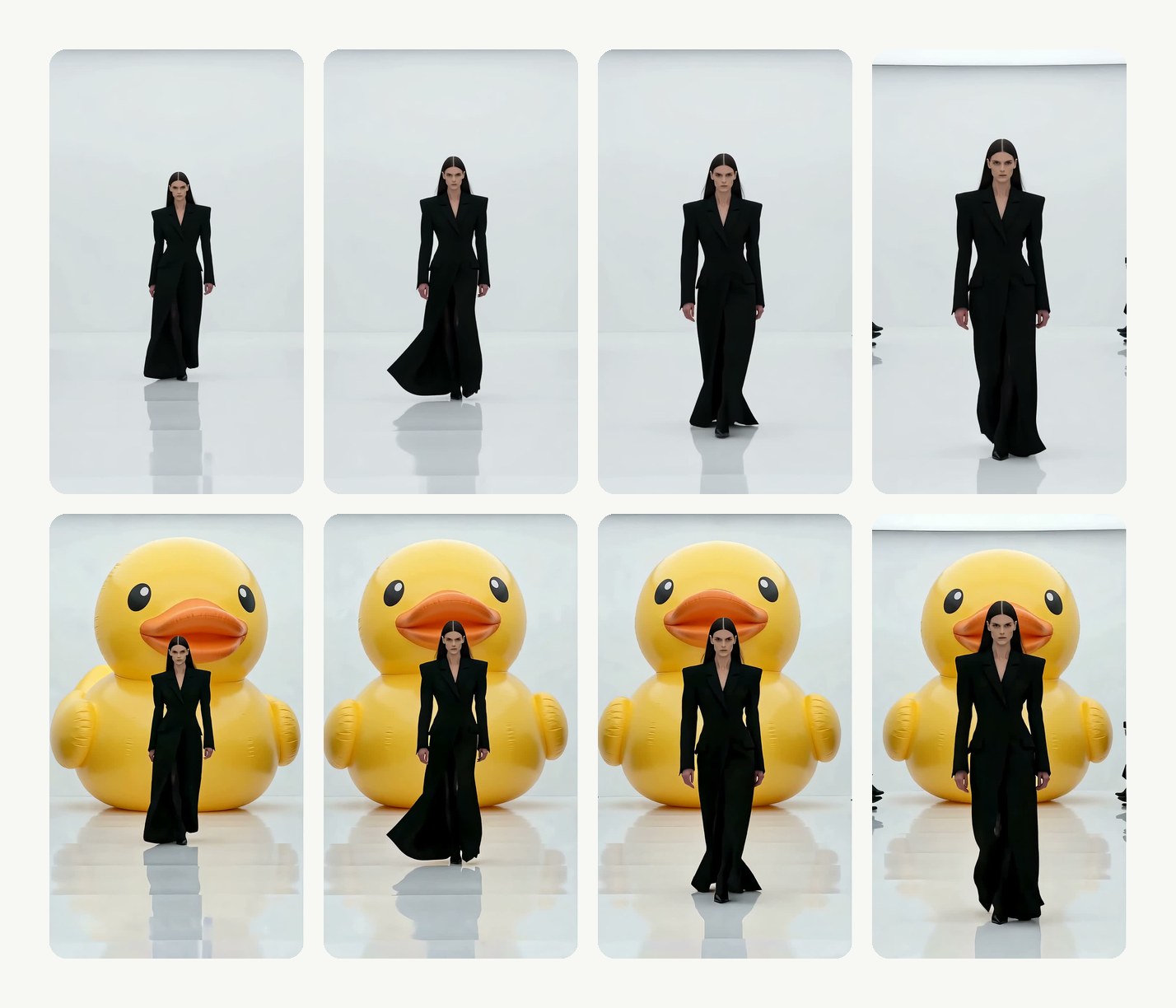
The shot stays yours
Camera move, action and timing are exactly as filmed; only the object is new. Long clips are supported.
- Camera and action untouched
- Long clips supported
- Price shown before you generate
Compared
Add objects to video: LazyKiwi vs Runway, InScene and Filmora
Where LazyKiwi Add Object to Video stands against Runway, InScene and Filmora, from their own pages.
| LazyKiwi Add Object to Video | Runway Edit Studio | InScene | Filmora (AI object editing) | |
|---|---|---|---|---|
| Add anything from a description | ✓Any object you can describe | ✓Text prompt | Not published | ✓Reference picture + prompt |
| Matches the scene's light and perspective | ✓Takes the scene's angle and light | Not published | Not published | Not published |
| Original shot stays as filmed | ✓Camera move and action untouched | Not published | Not published | Not published |
| Use your own product photo | ✓Optional product photos | Not published | ✓Product image | ✓Reference picture |
| Long clips | ✓Long clips supported | 2–30 s | Not published | Not published |
| Runs in the browser, nothing to install | ✓Browser only | ✓Browser | ✓Browser | ✕Desktop / mobile app |
| Free to try | ✓Free to try | ✓Free to try (watermarked) | ✓Free to try | ✓Free trial |
| Price shown before you generate | ✓On the button | ✓Credit table in the help centre | Not published | Not published |
| Sources | Workbench read 13 Oct 2026 | Help centre Pricing read 13 Oct 2026 | inscene.live read 13 Oct 2026 | Feature page read 13 Oct 2026 |
Competitor details change; check the linked pages first.
FAQ
Add object to video FAQ
What is add object to video AI?+
It inserts something new into footage you already shot — a product, a prop, an animal, an effect — from a written description, and renders it with the scene's own perspective and light so it looks filmed rather than pasted on. It is the opposite of an object remover.
Is add object to video AI free to try?+
Signing up is free and comes with free credits to try it; every run shows its exact price on the Generate button before anything is charged.
How do I add an object to a video?+
Upload an MP4 or MOV, describe the object and where it goes, attach photos of it if you have them, choose 480p, 720p or 1080p, and generate. The new clip is ready in a few minutes.
Can I add my own product?+
Yes. Attach photos — a packshot and a label close-up, say — and the object in the clip follows their shape, colour and print. Only use products you own or have the rights to show.
How do I control where the object goes?+
Put the position in the description — "on the left side of the table", "hanging on the back wall". If it sits wrong, reword and run again.
Can I add more than one object?+
One object per run works best. Add the first, download the result, then run it again with the next object on the new clip.
Will the rest of the clip stay exactly the same?+
The clip is re-rendered with the object in it, so the camera move and action follow your footage but small details elsewhere in the frame can shift. Check the result before replacing the original in your edit. To replace the person rather than add something, use character swap; to change the whole look, video to video.
How long can the clip be, and what resolution do I get?+
MP4 or MOV; short clips render fastest, longer clips are supported. You choose 480p, 720p or 1080p before generating; the credit price changes with the resolution and the length. To remove something instead, use the AI video object remover.
Can I add an animal or a creature?+
Yes — the dragon, the butterflies and the rubber duck in the gallery were all added from a description. Attach a photo when you need a specific product.
Will the object move with the camera?+
Yes. It is rendered into the scene, so it holds its place as the camera moves and takes the scene's perspective and lighting. To change what is behind your subject instead, use the video background changer.
How do I download the result?+
The finished clip plays in the workbench when the render is done; download it as an MP4 from there.
More AI video tools


Add what the shot was missing.
Upload a clip, describe the object, attach a product photo, download the result.
Price shown before you generate · 480p to 1080p · Renders in minutes