AI Photo Booth
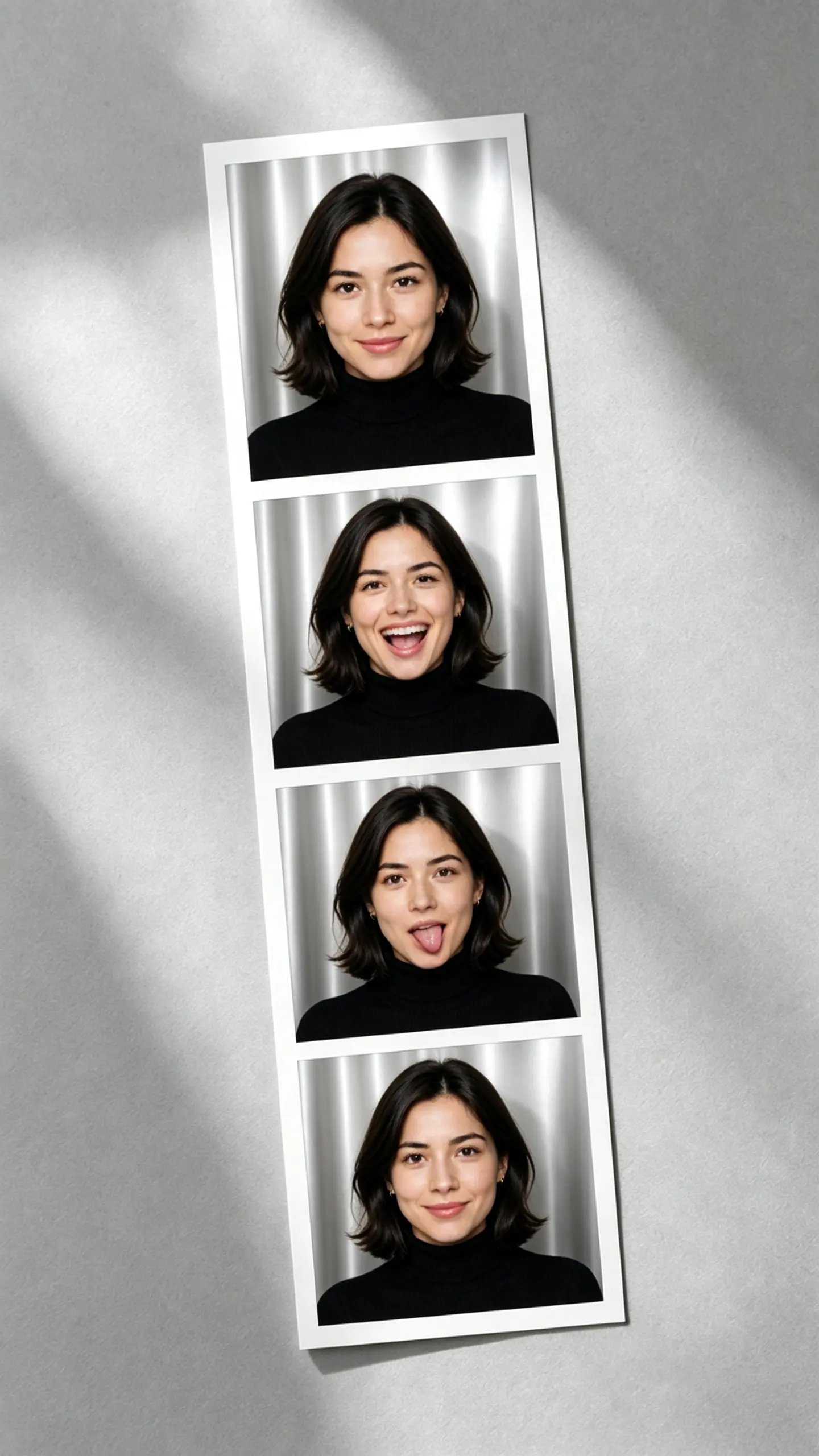
This AI photo booth template turns one portrait into a vertical four frame photo strip: the same person in every window, on the same backdrop, under the same flash, with a different expression and head angle in each. The hard part is holding identity constant while the face is allowed to move.
AI Photo Booth Template
Upload one chest-up photo with the whole face visible and no sunglasses. That face, hairstyle and top are what appear in all four frames.
WHAT IT IS
Four frames that have to be four moments of one person
A photo booth strip has a specific failure mode in generation, and it goes in two directions. Ask for consistency and the engine returns the same frozen face four times, which reads as a contact sheet rather than a booth. Ask for variety and it returns four people who happen to share a haircut. This template pins the attributes that must not move between frames, which are identity, hairstyle, jewelry, top, backdrop, camera distance and flash direction, and lets only the face muscles, head angle and hands vary. That is why the strip reads as four seconds of one sitting instead of four separate photographs. If you want the same idea as a square 2x2 grid rather than a vertical strip, the four mood portrait collage template is the other layout of this problem.
- Identity locked, expression free
- Face, hairstyle, earrings and the top you uploaded stay fixed for all four frames. What changes is the expression, the head tilt and where the hands go, in the order a real booth produces them: a stiff first frame, a laugh, something silly, then a settled one.
- One backdrop, one flash
- Real booths have a camera at a fixed distance and a single on-axis flash, so the shadow lands directly behind the head and the corners of the frame fall off darker. Holding that lighting identical across all four frames is what makes the strip look printed rather than assembled.
- The strip, borders included
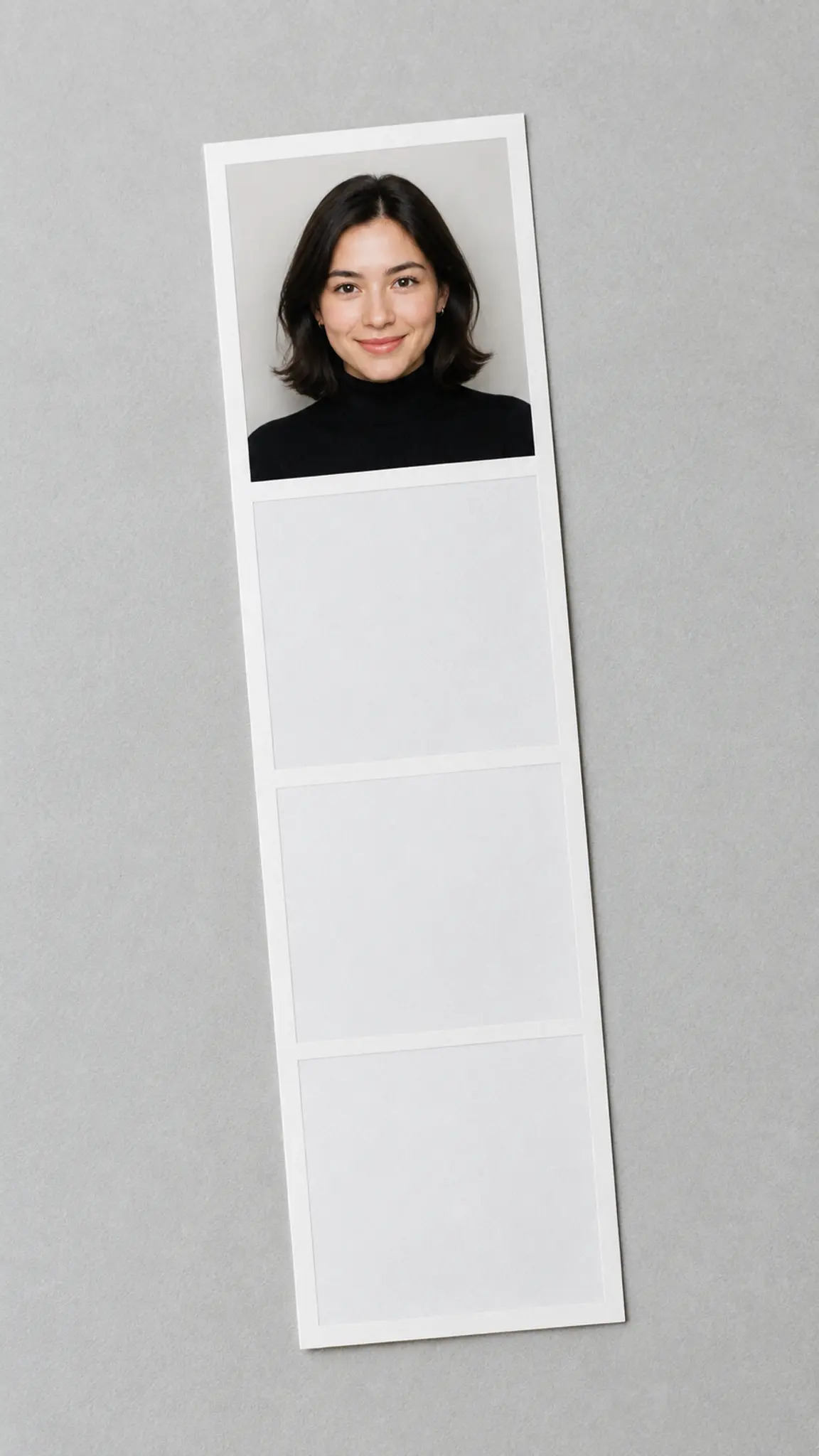
- The four frames come back as one strip with the white separators and the outer margin already in place, rather than four loose files you have to lay out. The trade-off is that the strip is a single image, so a frame you dislike cannot be re-rolled on its own.
- Sized for print or for a story
- The classic paper strip is 2 x 6 inches, which is 600 x 1800 pixels at 300 dpi. Generate at 9:16 and 2K or 4K, then crop to 1:3 and you are well past that. The workbench has no 1:3 ratio, so the uncropped file carries white space above and below the strip.
USE CASES
Where a generated photo strip earns its place
Three situations where people want the strip specifically, not just a nice portrait.

The strip nobody stayed to queue for
Weddings and parties rent a booth and half the guests never use it. One portrait per person produces the strip they would have taken, in the same four-beat rhythm, to send afterwards.
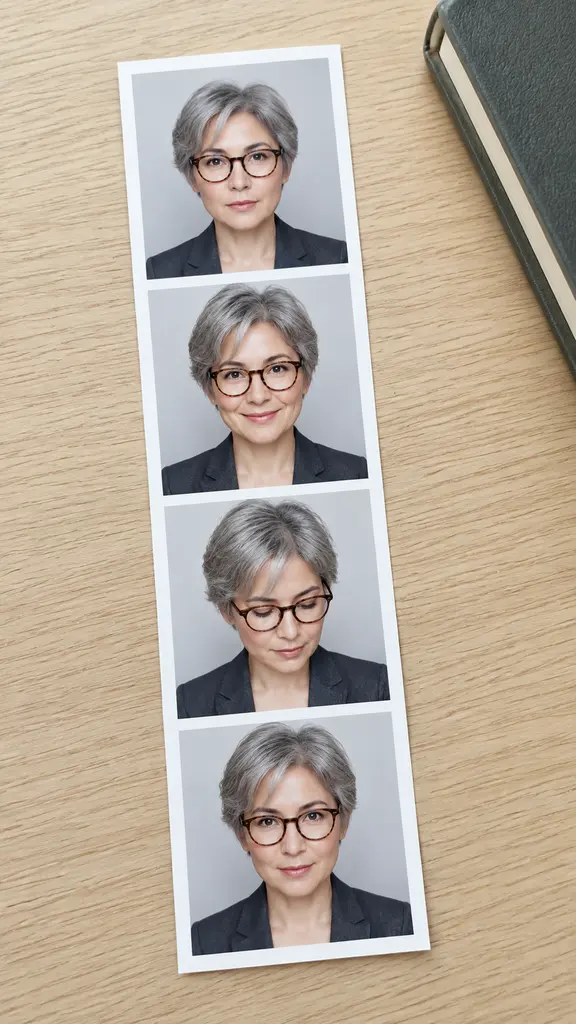
A profile grid that still looks like one sitting
Four usable expressions from a single upload, cropped apart for an about page, a press kit or a set of avatars. Because the lighting and wardrobe are identical, they sit together on a page without looking like four different shoots.
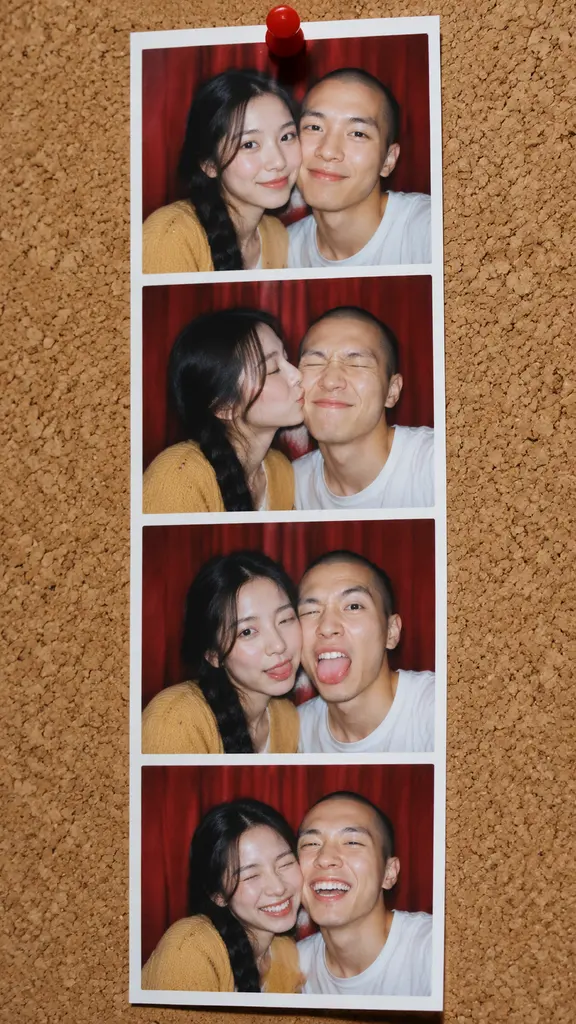
Couples and best friends
Two faces in the frame is the format's native use, and it is also where likeness is most fragile. Upload a photo where both faces are large, clear and roughly the same distance from the camera, and expect one of the four frames to need a rerun.
FAQ
Common questions
What is an AI photo booth?+
An AI photo booth is an image tool that produces the output of a physical booth, a multi-frame photo strip, from an uploaded photo instead of from a live camera. This template returns four vertically stacked frames of the same person on one backdrop, with the white separators and outer margin already drawn.
How do I make a photo strip from one picture?+
Upload one chest-up photo where the whole face is visible, choose 9:16, pick 2K or 4K, and generate. The template supplies the four expressions, the booth backdrop and the flash; you do not write a prompt. Crop the result to 1:3 afterwards if you want the classic paper proportion.
Will all four frames actually look like the same person?+
That is the specific thing this template is built to hold. Identity, hairstyle, jewelry, clothing, backdrop and flash direction are pinned across all four frames, and only expression, head angle and hands are allowed to change. It is most reliable with one face; with two people in frame, expect the occasional run where one of the four windows drifts and needs regenerating.
Can I print the AI photo strip?+
Yes. A traditional booth strip is 2 x 6 inches, which needs 600 x 1800 pixels at 300 dpi. A 9:16 render at 2K crops to well over that, and 4K gives you room to trim. Files download as PNG, JPG or WebP depending on the model you choose in the image generator.
Can I change just one frame of the strip?+
No. The strip is generated as a single image in one pass, so a frame you dislike means rerunning the whole strip rather than patching one window. If you need frames you can edit individually, generate four separate portraits and lay them out yourself.
Can I use this for a passport or ID photo?+
No, and it should not be used for one. Booth strips are novelty output with theatrical flash and expressions, while identity documents have rules about background color, head height, neutral expression and unedited likeness. Use the passport photo maker for that job.
Other names for AI Photo Booth
The searches split between the machine and the print. People looking for the machine type ai photo booth, ai photobooth or digital photo booth. People looking for the print type photo strip, photobooth strip or photo strip generator, and they usually mean the four-frame vertical layout specifically rather than any collage. A smaller group wants it as a filter over an existing picture. All of them are after the same object: four frames of one person, one backdrop, one flash, white borders.
Get the strip without queueing for the booth
One upload, four frames, same face throughout. New accounts start with free credits.