
Vidu Q4 Preview: 4K, Native Audio and Real Prices
What the Vidu Q4 Preview adds: 4K with 10-bit color, voice references, up to 15 image references, 16-second clips, and the two launch prices explained.
 Noah Berger 7 min read
Vidu Q4 Preview is the first public preview of Shengshu Technology's next flagship video model, released on 7 October 2026. In one line: it generates clips of up to 16 seconds at up to 4K, takes as many as 15 reference images and 3 voice references, and produces sound with the picture instead of leaving you to add it later. It runs on Vidu's own web app and its API platform. This article sticks to what Shengshu and Vidu have published: the official model page, two press releases issued the same day and the two pricing pages. Where those sources disagree, which they do on price, we show both and explain the gap rather than pick one. If you searched for Vidu AI Q4 to decide whether it is worth testing, the section on what it means for creators gives the practical view.
What Vidu shipped on 7 October
The launch came as two press releases on the same day. The PR Newswire release from Singapore calls Q4 Preview "the first public preview of its next-generation flagship model for expressive audio and video" and frames the pitch around character performance, camera work and visual effects. The GlobeNewswire release from Beijing describes Shengshu Technology as a company born out of Tsinghua University's AI labs and aims the model at short drama studios, ad agencies, social creators and film teams.
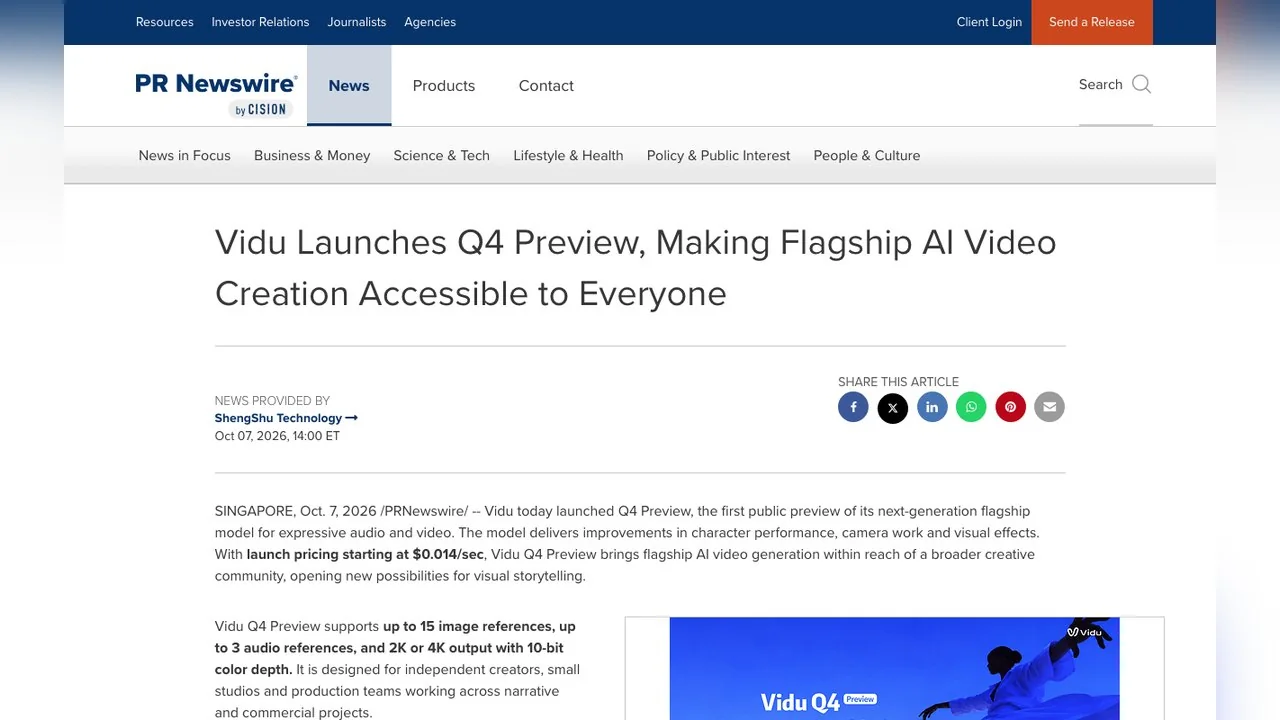
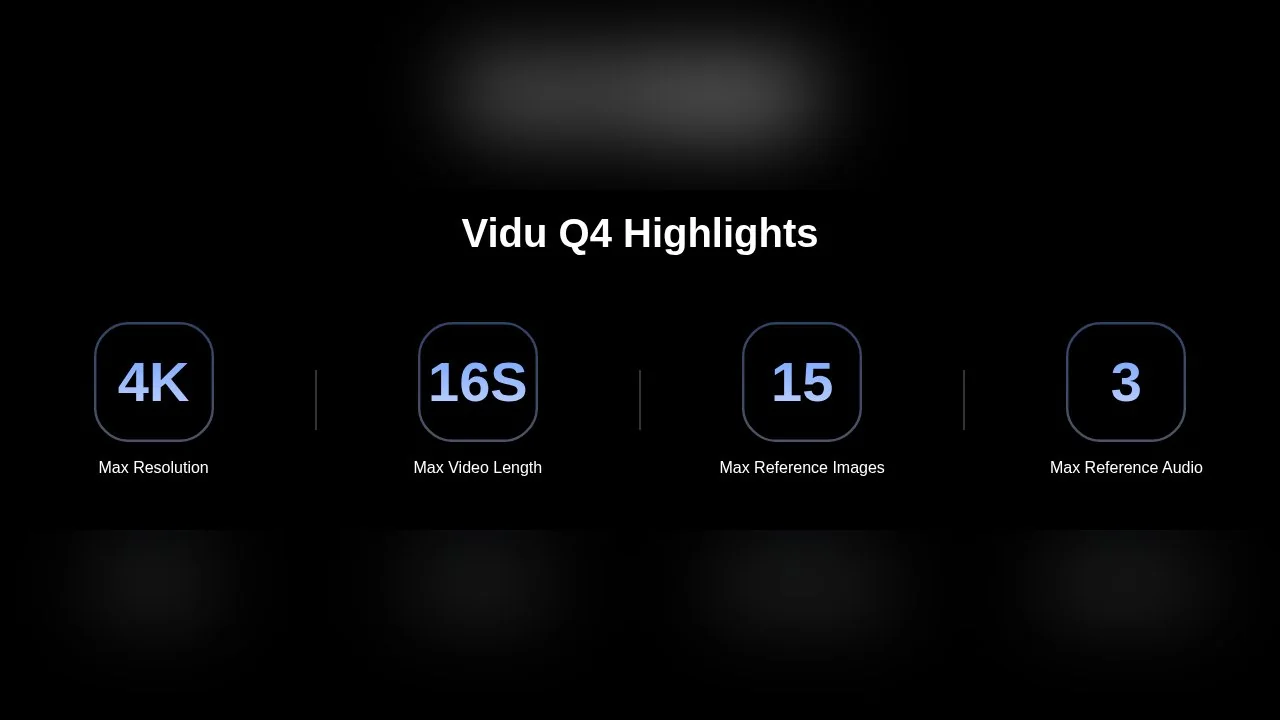
Both releases agree on the headline capabilities, and the official model page repeats them as four numbers: 4K maximum resolution, 16 seconds maximum length, 15 reference images and 3 reference audio clips.
The word Preview matters. The PR Newswire text says Vidu is "releasing Q4 Preview ahead of the full Q4 model" so creators can use it on real projects and feed back. In other words, there is no separate release date for the finished model yet; what you can use today is the preview, and the vendor itself says final pricing, resolutions and features "may vary by plan and region".
Reference-to-video and image-to-video: the two ways in
The model page lists exactly two generation modes. Text-only prompting is not one of them on that page, which is worth knowing before you plan a workflow.
| Mode | What you upload | Length | Output |
|---|---|---|---|
| Reference-to-video | 1 to 15 images (characters, objects, scenes, style) plus 0 to 3 voice clips | 1 to 16 seconds | 2K or 4K, multi-shot with camera moves |
| Image-to-video | One image plus a motion and camera prompt | 3 to 16 seconds | 2K or 4K, keeps the source aspect ratio |
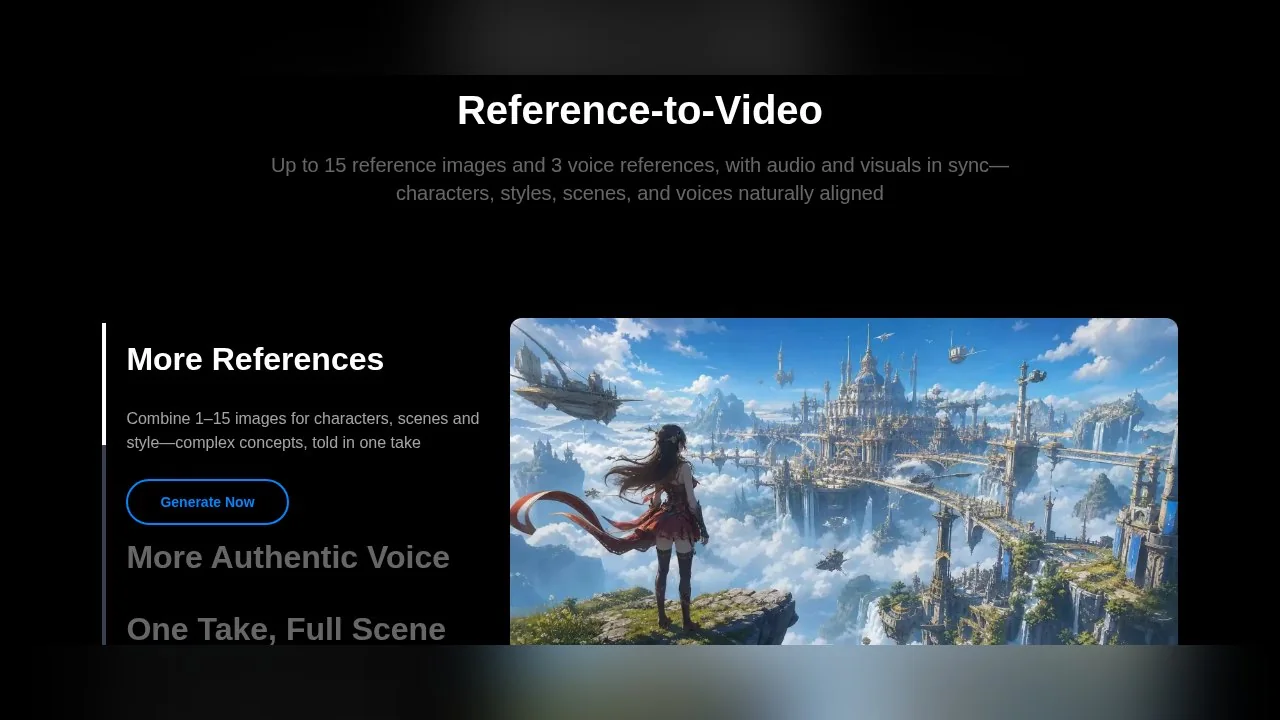
Reference-to-video is the more interesting mode. Instead of describing a character in words and hoping the model keeps them consistent, you hand it pictures of the character, the wardrobe, a prop and the location, and it composes them into one take. The FAQ on the model page says the mode accepts "1-15 image references and 0-3 audio references to maintain consistency across subjects and voices."

Image-to-video is the familiar mode: one still, one prompt describing the motion and the camera. Vidu's page highlights two things here: the output keeps the aspect ratio of your source image, and fast action such as fights, running and martial arts is claimed to deform less than before. Those are vendor claims; we have not run the model.
What native audio means in practice
Native audio means the model generates the sound together with the frames, so footsteps, ambience and speech are timed to the picture without a separate pass. Q4 Preview adds one step on top of that: up to three voice reference clips, which the model page says can clone a character's voice "with natural emotion and lip-synced delivery."
This puts the preview in the same bracket as other flagship models that generate sound. Google, for example, says on its Veo 3.1 page that Veo can add "sound effects, ambient noise, and even dialogue" natively. What Vidu adds to that idea is the voice reference, so a recurring character can keep the same voice across separate generations instead of getting a new one every time.
Voice references are a consent question as much as a feature. Only upload a voice you own or have written permission to use, and check your platform's rules before posting a cloned voice.
Vidu Q4 price: the two launch figures explained
This is where readers get confused, because the two press releases quote different numbers on the same day.
- The PR Newswire release says launch pricing "starts at $0.014/sec", with outputs from 540p up to 4K.
- The GlobeNewswire release says pricing "starts at $0.045 per second of video at 540P" and goes up to "$0.39 per second at 4K", with a 30% discount on image-to-video and reference-to-video through 30 November.
The API pricing page explains the second figure. It bills the preview in credits per second at a standard rate of $0.005 per credit, and the table, captured on 13 October 2026, reads as follows:
| Resolution | Credits per second (API) | At $0.005 per credit |
|---|---|---|
| 540p | 9 | $0.045 |
| 720p | 19 | $0.095 |
| 1080p | 24 | $0.12 |
| 2K | 38 | $0.19 |
| 4K | 78 | $0.39 |
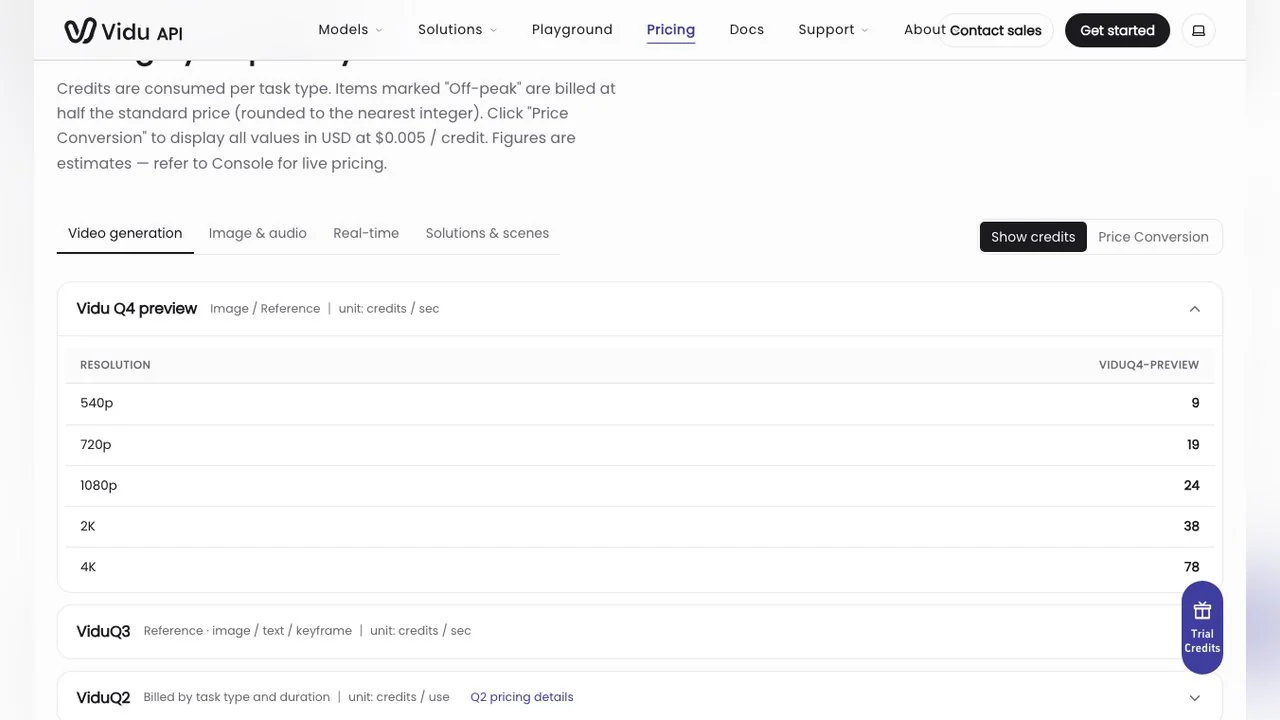
So the $0.045 and $0.39 figures are the API list price at standard rate. The same page sells launch credit packs at 30% off (for example $105 instead of $150 for 30,000 credits), which lowers the effective rate. The $0.014 figure in the other release is not reproduced on either pricing page we could read, so treat it as the lowest promotional entry point Vidu advertises and check the console before budgeting.
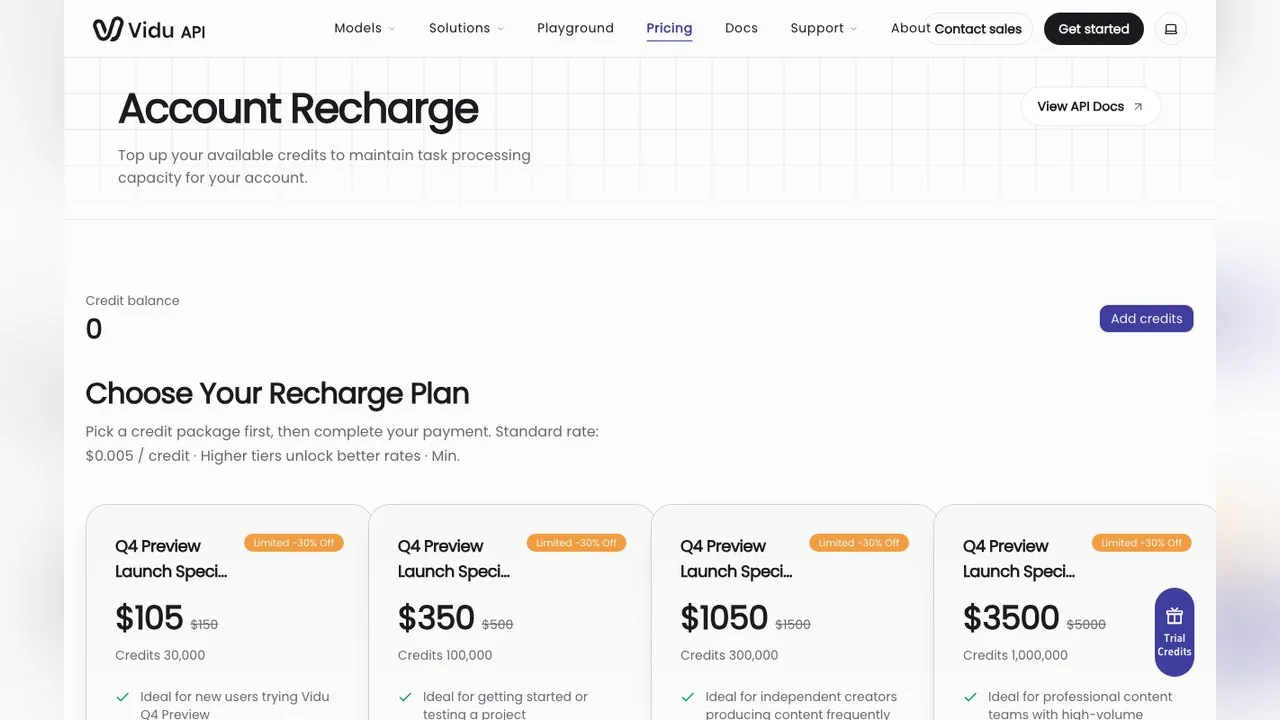
On the consumer side, the Vidu web pricing page lists Q4 usage at 4 credits per second at 540p on the Free plan and 2 credits per second on the paid Standard, Premium and Ultimate plans, which start at $10 a month (or $8.25 a month billed yearly).
How the preview differs from Vidu Q3
Vidu does not publish a side-by-side table, so here is what can be said from its own pages. Q3 is still sold on the API platform, listed directly under the Q4 preview with its own per-second table and modes for reference, image, text and keyframe input. The Q4 preview's differences, as described by Vidu, are voice references, the jump to 15 image references, 4K with 10-bit color, and claims of better acting, camera coherence and effects. Text-to-video and keyframe modes remain on Q3 for now, per the API pricing page.
If you already have Q3 workflows built on text prompts or start and end frames, keep them there; the preview is a better fit when you have reference images or a voice to match.
Where you can use it, and where you cannot
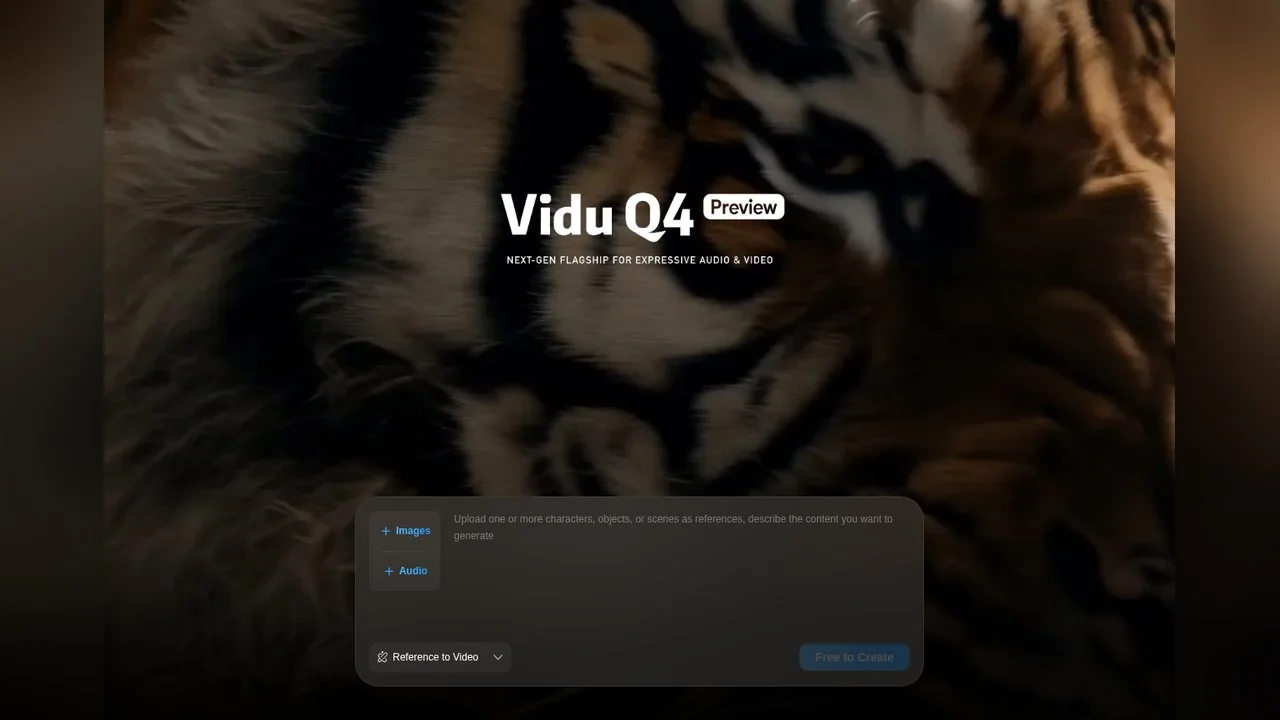
Today the preview is available in two places, both run by Vidu: the web app at vidu.com and the API at platform.vidu.com. The GlobeNewswire release also says the image-to-video and reference-to-video discount runs until 30 November.
It is not available on LazyKiwi, and we will not pretend otherwise. If what you need is a short clip from one photo or a prompt this week, the LazyKiwi video generator runs other models, such as Kling v3 Omni and Veo 3.1 Lite, whose own pages list 720p or 1080p output. If you already have a clip and only need it sharper for a 4K timeline, the AI video enhancer upscales existing footage without regenerating it.
What it means for AI video creators
- 1
Consistency is moving into the upload box
Fifteen reference images and three voices mean the character sheet, the costume and the voice are inputs, not prompt adjectives. Start collecting clean reference stills for any recurring character now.
- 2
Iteration cost is the real headline
Both releases push price per attempt, not just quality. Budget by seconds generated, and remember a 16-second 4K test at API list price is about $6.24 before discounts (78 credits x 16 seconds x $0.005).
- 3
Previews change
Vidu says final pricing and features may vary. Do not lock a client quote to preview prices.
- 4
Label what is synthetic
Realistic AI scenes and cloned voices fall under disclosure rules. YouTube's policy asks creators to disclose content that "generates a realistic scene that didn't actually occur" or alters a real person's voice or actions.
Can ChatGPT make videos like Vidu Q4?
Not in the same way. ChatGPT can write the shot list, the prompt and the dialogue for a Q4 reference setup, and it can describe what reference images to prepare, but the generation itself happens in a video model. For a plain explanation of what chat assistants can and cannot do with video, see our guide on whether ChatGPT can make videos.
Key takeaways
- Q4 Preview launched on 7 October 2026 as a public preview ahead of the full Q4 model.
- Official specs: up to 4K with 10-bit color, 16 seconds, 15 reference images and 3 voice references.
- Two modes on the model page: reference-to-video and image-to-video; text and keyframe modes remain on Q3.
- API list price runs from $0.045 per second at 540p to $0.39 at 4K, with 30% off launch packs.
- It is available on Vidu's web app and API, not on LazyKiwi.
Models & Research Editor
Noah Berger
Noah Berger tracks generative models and the rules around them for LazyKiwi. He works from primary sources, dates every claim, and updates a post when the model or the policy behind it changes.
FAQ
Common questions
What is the Vidu Q4 release date?
The preview was announced on 7 October 2026 in two press releases from Shengshu Technology. It is a preview: Vidu says it is releasing it ahead of the full Q4 model and has not published a date for the final version.
Does the Q4 Preview generate audio?
Yes. The official model page describes audio and visuals generated in sync, and reference-to-video accepts up to three voice clips so a character keeps the same voice. Only upload voices you own or have permission to use.
What is the maximum resolution and length?
The model page lists 4K as the maximum resolution and 16 seconds as the maximum length. Reference-to-video runs 1 to 16 seconds and image-to-video 3 to 16 seconds, with 2K or 4K output and 10-bit color per the press release.
Why do I see two different prices?
One release quotes launch pricing from $0.014 per second; the other quotes $0.045 per second at 540p up to $0.39 at 4K. The second matches the API table at $0.005 per credit. Check the console for the price on your plan before budgeting.
Can I use Vidu Q4 on LazyKiwi?
No. LazyKiwi does not offer the Q4 Preview. Our video generator runs other models such as Kling v3 Omni and Veo 3.1 Lite, and their model pages list what each supports.
Need a clip from one photo today?
Open the LazyKiwi video generator, upload one image, describe the motion and compare the models we do run. The credit cost is shown before you generate.
Related reading
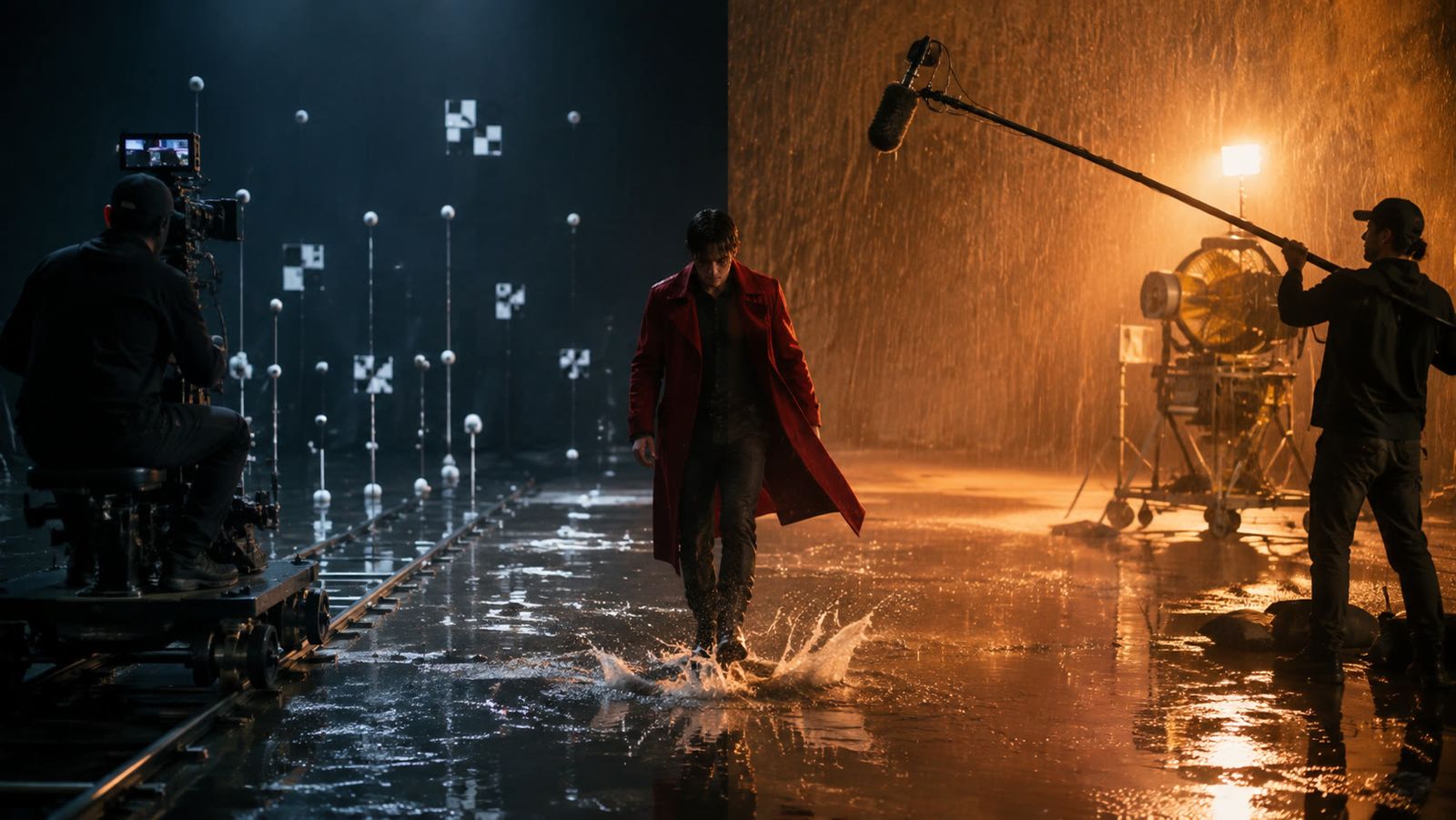
Kling vs Veo 3 in 2026: Which Video Model Wins?
Kling vs Veo 3 on the two tiers LazyKiwi runs: Kling v3 Omni for start-end frames, 1:1 and 60-second takes, Veo 3.1 Lite for silent 16:9 clips.
8 min read
Seedance Explained: Versions, Access and Limits
What Seedance is, how the 2.0 and 2.5 releases differ on length and ratio, where Dreamina fits, and how it lines up against Veo and Kling today.
9 min read
How to Make an AI Video From a Photo (Without Weird Motion)
How to make an AI video from a photo that holds the face: source-photo rules, motion-only prompts, and Kling v3 Omni, Wan 2.7 and Hailuo 2.3 Fast compared.
9 min read